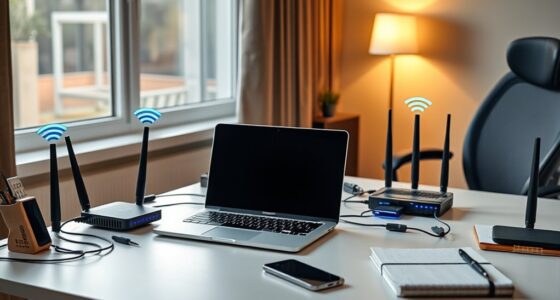
Getting reliable internet throughout your apartment can sometimes feel more complicated than it needs to be. While running Ethernet cables might seem like a straightforward task, there are important considerations that can make the process smoother and safer. Proper planning and execution can help you avoid common pitfalls and ensure a clean, efficient setup. If you want to achieve a professional-looking result without sacrificing convenience, understanding the best methods to run cables is essential. Let’s explore how to do it right.

Get networking and server gear delivered free — and shop member deals
- Fast, free delivery on millions of items
- Access to Prime Big Deal Days deals on October 6–7
- Prime Video, Amazon Music and more included
Key Takeaways
- Plan cable routes to minimize visibility and avoid high-traffic areas or hazards.
- Use cable clips, raceways, or wall plates to secure and hide cables neatly along walls or baseboards.
- Choose high-quality, gigabit Ethernet cables of appropriate length to ensure fast, reliable connections.
- Consider wireless alternatives like powerline or MoCA adapters to reduce extensive cabling needs.
- Label cables and coil excess lengths to keep your setup organized and facilitate troubleshooting.

Setting up a reliable wired internet connection in your apartment can considerably improve speed and stability, especially if you stream, game, or work from home. While Wi-Fi offers convenience, running Ethernet cables ensures a consistent connection free from interference. If you’re considering this upgrade, explore wireless alternatives that might complement your setup, like powerline adapters or MoCA (Multimedia over Coax Alliance) systems. These options can extend your network without the need for extensive cabling, making them ideal for renters who want better reliability without permanent changes. However, if you decide to run Ethernet cables directly, planning your cable management is essential.
Start by identifying the locations where you need the strongest internet signal—near your desk, entertainment center, or gaming setup. Measure the distance from your router to these points, and choose high-quality Ethernet cables that can comfortably span these lengths. Remember, thicker or longer cables can cause signal degradation, so opt for cables that support gigabit speeds if possible. When running cables, think about how to keep them tidy and unobtrusive. Use cable clips, adhesive-backed cable organizers, or raceways to secure cables along baseboards, door frames, or corners. Avoid running cables across walkways where they can be a tripping hazard or get damaged.
Identify key areas, measure distances, and use cable clips or raceways for a tidy, unobtrusive Ethernet setup.
Wireless alternatives can be a great addition if you want to avoid clutter or drilling holes. Powerline adapters, for example, use your apartment’s electrical wiring to transmit data, effectively turning your outlets into network points. MoCA adapters leverage your existing coaxial cables, providing a wired connection without installing new cables. These solutions are especially helpful if you rent and can’t make permanent modifications. If you do run Ethernet cables, choose low-profile connectors or wall plates to make the setup look neat and professional.
When managing cables, consider labeling each one to easily identify their purpose, especially if you have multiple connections. Keep excess cable length coiled and secured with velcro straps to prevent tangles. Also, avoid tightly bending cables, which can impair signal quality. If you’re running cables through walls or ceilings, ensure you have permission and use appropriate tools and materials to avoid damage. Additionally, understanding network infrastructure principles can help you optimize your setup for better performance. Overall, combining strategic planning with cable management tips ensures your wired setup remains functional, tidy, and unobtrusive, giving you a fast, stable internet connection without ruining your apartment’s aesthetics.
Frequently Asked Questions
Can I Run Ethernet Cables Through Fire-Rated Walls?
You can run Ethernet cables through fire-rated walls, but you need to ensure fire-rated wall compatibility and safety considerations. To consider you use proper firestop materials and follow local building codes to maintain the wall’s fire resistance. It’s best to consult a professional to avoid compromising safety or violating regulations. Properly installing cables with fire-resistant connectors and sealants helps protect your apartment while keeping your network connected.
What Tools Are Necessary for Concealed Cable Installation?
Oh, because everyone loves a treasure hunt, right? For concealed cable installation, you’ll need a drill, fish tape, conduit selection tools, and cable labels. Use conduit to protect your Ethernet cables and keep things tidy. Don’t forget to label your cables for easy future troubleshooting. Precision matters, so measure carefully and work patiently. With these tools, your hidden wiring will be both functional and discreet—no surprises, just sleek connectivity.
How Do I Ensure Ethernet Cables Are Surge Protected?
To guarantee your Ethernet cables are surge protected, you should connect them through surge protection devices designed for data lines. Make certain the cables have proper insulation to prevent damage from power surges. Installing surge protectors at your router or network switch creates a barrier against voltage spikes. Regularly check these devices for wear, and replace them if they show signs of damage, maintaining ideal protection for your network.
Are There Length Limits for Ethernet Cable Runs?
They say, “Good things come to those who wait,” but with Ethernet cables, length limits matter. Typically, you should keep runs under 100 meters (328 feet) to maintain ideal signal quality. Use high-quality cables for better installation safety and performance. Longer runs risk signal degradation, so plan your installation carefully. If needed, consider Ethernet extenders or switches to extend the network without sacrificing speed or reliability.
How Do I Avoid Interference From Other Electronic Devices?
To avoid interference from other electronic devices, keep your Ethernet cable away from sources of wireless interference and electrical noise, like cordless phones, microwaves, and power lines. Use shielded or higher-quality cables designed to resist electromagnetic interference. Running the cable along walls and avoiding proximity to electrical appliances helps minimize signal disruption. Additionally, consider using a switch or router with interference filtering features for best network performance.
Conclusion
By carefully planning and securing your Ethernet cables, you can enjoy a reliable, fast internet connection throughout your apartment. For example, imagine streaming your favorite shows seamlessly from your living room to your bedroom without any drops. With neat wiring and proper labeling, future troubleshooting becomes simple. Whether you stick to cables or explore wireless options, taking these steps guarantees your internet setup is both effective and tidy, making your apartment a tech-friendly space.
Fall Picks
fall essentials
As an affiliate, we earn on qualifying purchases.