
When it comes to streaming and gaming, cable management might not seem like a top priority, but it can make a significant difference in performance and reliability. Properly organized cables ensure your signals stay stable, reduce interference, and prevent hardware issues. If you want smoother gameplay and clearer streams, paying attention to how you route and protect your cables is a smart move—there’s more to take into account than you might think.

Get business pricing on networking and server gear
- Business-only prices and quantity discounts
- Tax-exempt purchasing
- Multiple users, one account, clear invoices
Key Takeaways
- Use high-quality, shielded cables to reduce electronic noise and ensure stable signal transmission.
- Organize cables with ties, sleeves, or clips to prevent clutter and facilitate troubleshooting.
- Separate power cords from audio/video cables to minimize electromagnetic interference.
- Route cables at right angles and avoid crossing to maintain signal integrity.
- Regularly inspect and replace worn or damaged cables to optimize performance and longevity.

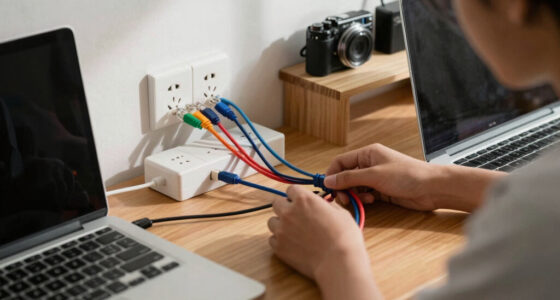
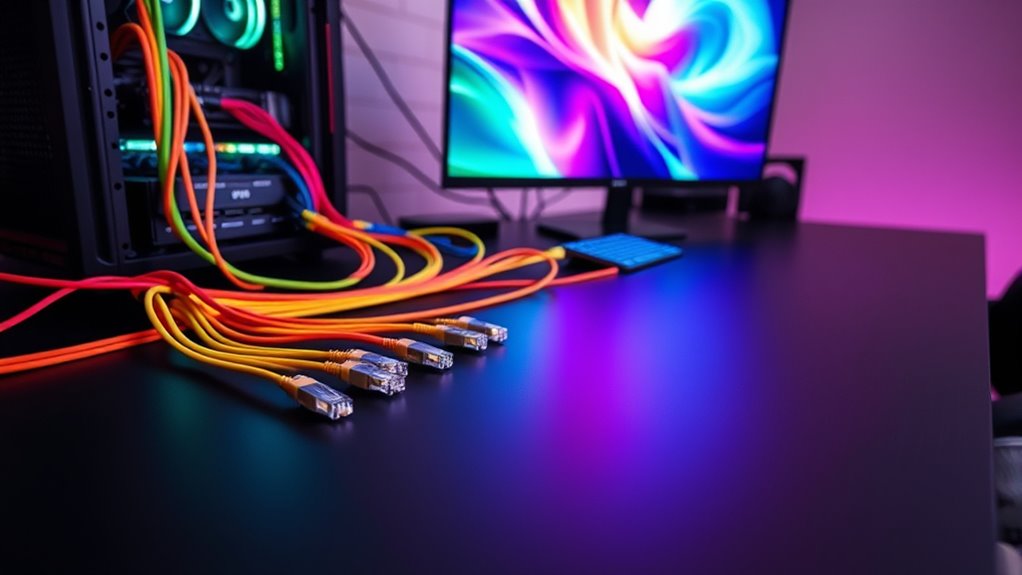
To achieve smooth streaming and seamless gaming experiences, proper cabling setup is vital. Your cables are the backbone of your setup, directly affecting performance and reliability. Poor cable management can lead to clutter, making it harder to troubleshoot issues and increasing the risk of accidental disconnections. When cables are tangled or improperly routed, it’s easy to accidentally yank a connector loose or introduce unnecessary strain on ports. Not only does this create mess, but it can also damage your hardware over time. By organizing your cables neatly—using cable ties, sleeves, or clips—you improve airflow and reduce the risk of overheating, which can cause hardware slowdowns or failures. Well-managed cables also make future upgrades or troubleshooting less frustrating, saving you time and effort.
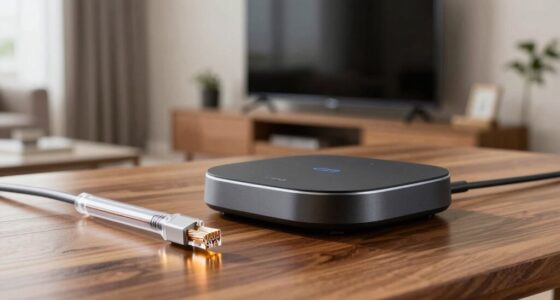
Another vital aspect is minimizing signal interference, which can drastically impact your streaming quality and gaming performance. Electronic noise from nearby devices, power strips, or even improperly shielded cables can introduce disruptions that result in lag, pixelation, or audio dropouts. To combat this, opt for high-quality, shielded cables designed to block external interference. Keep audio and video cables separated from power cords to prevent electromagnetic interference that can distort signals. If you notice occasional glitches, examine your cable routing to ensure that signal paths are as direct and unobstructed as possible. Avoid running multiple cables parallel to each other for long distances; instead, cross them at right angles when necessary to reduce interference. Additionally, using Ethernet cables with good shielding or fiber optic connections can provide a more stable, interference-free signal compared to standard cables. Proper cable management and reducing signal interference go hand in hand. When you organize your cables well, you’re less likely to accidentally cross signals or create electromagnetic noise that hampers your setup’s performance. This attention to detail not only boosts the stability of your internet connection but also ensures that your audio and video signals stay clear and consistent. Keeping your cables tidy and shielded from interference also prolongs their lifespan, preventing wear and tear caused by tangling or accidental pulls. Regularly checking your cabling quality and ensuring proper shielding can help maintain optimal performance over time. Remember, optimizing your cabling isn’t just about aesthetics; it’s about creating a reliable environment where your streaming and gaming experiences can flourish without hiccups. With proper cable management and attention to signal integrity, you’ll enjoy smoother streams, faster response times, and a more immersive gaming experience overall.
shielded Ethernet cables for gaming
As an affiliate, we earn on qualifying purchases.
As an affiliate, we earn on qualifying purchases.
Frequently Asked Questions
What Are the Best Cable Types for Ultra-Low Latency Gaming?
For ultra-low latency gaming, you should use Ethernet cables that meet the latest standards like Cat6 or Cat6a, which offer higher speeds and lower latency. Select cables with good shielding, such as shielded twisted pair (STP) or shielded foil twisted pair (S/FTP), to minimize interference and guarantee a stable connection. This combination helps you attain peak performance and reduces lag during intense gaming sessions.
How Can Cable Length Affect Streaming Quality?
Remember when dial-up modems felt like a miracle? Cable length can greatly impact your streaming quality. Longer cables, especially if poorly shielded, introduce signal degradation and latency, making your stream lag or buffer. Make certain you use high-quality connectors and well-shielded cables to maintain signal integrity over distance. Shorter runs are preferable, but when longer cables are necessary, invest in premium shielding to keep your streaming smooth and crisp.
Are Fiber Optic Cables Necessary for High-Resolution Gaming?
Fiber optic cables aren’t strictly necessary for high-resolution gaming, but they offer significant advantages. They provide faster, more reliable data transfer, reducing lag and latency, which is vital for competitive gaming. To get the best experience, you should follow gaming cable standards, ensuring your setup supports high bandwidth. If you’re serious about top-tier performance, investing in fiber optic advantages can make a noticeable difference in your gaming quality.
What Are Common Cable-Related Issues Impacting Gaming Performance?
Your gaming performance can crash faster than a rocket if you ignore cable issues. Wireless interference can cause lag spikes so severe, it’s like your game’s in slow motion. Power fluctuations can turn your perfect gaming session into a frustrating blackout. Loose or damaged cables, outdated connectors, and poor shielding also wreak havoc, making your game stutter and freeze. Check your cabling now — don’t let small problems destroy your epic gameplay!
How Do I Troubleshoot Cable Interference During Streaming Sessions?
To troubleshoot cable interference during streaming, start by checking for wireless interference from nearby devices like routers or cordless phones. make certain your cables are properly shielded and away from power sources, as power source noise can cause disruptions. Use ferrite beads or cable organizers to reduce electromagnetic interference. Finally, test different cables and ports to identify any faulty connections, and consider switching to wired connections for a more stable signal.
cable management clips and sleeves
As an affiliate, we earn on qualifying purchases.
As an affiliate, we earn on qualifying purchases.
Conclusion
By mastering cable management, you’ll release the full power of your streaming and gaming setup—turning it into a lightning-fast, glitch-free powerhouse that leaves everyone in awe. Say goodbye to endless lag, pixel chaos, and overheating nightmares. With perfectly organized cables, your sessions will run smoother than a rocket soaring through space. Get ready to dominate your games and stream like a legend—because when your cables are in check, nothing can stop you!
high-quality HDMI cables for streaming
As an affiliate, we earn on qualifying purchases.
As an affiliate, we earn on qualifying purchases.
electromagnetic interference shielding cables
As an affiliate, we earn on qualifying purchases.
As an affiliate, we earn on qualifying purchases.
Halloween Picks
halloween
As an affiliate, we earn on qualifying purchases.