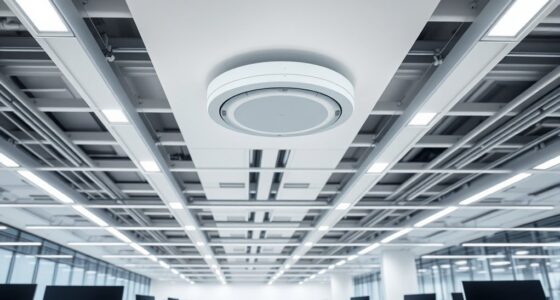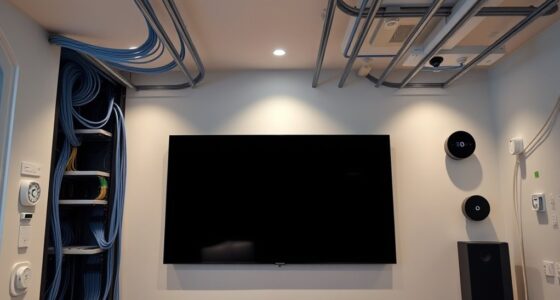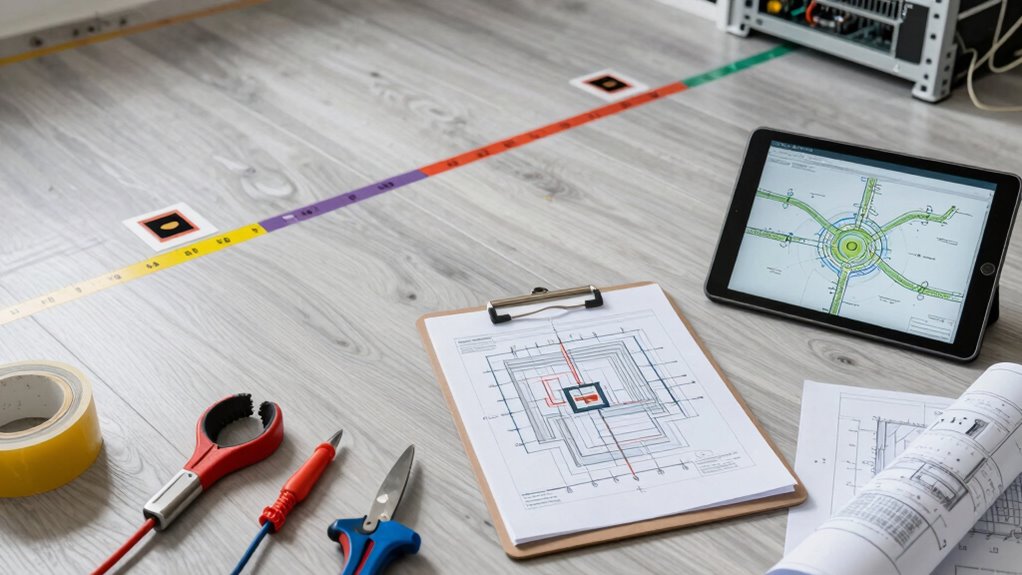

Before the cabling crew arrives, carefully plan access point placement by identifying central locations within coverage zones and avoiding obstacles like thick walls or metal objects. Conduct a site survey to find interference sources and determine blind spots, using tools if needed. Document ideal mounting spots and cabling routes, considering environmental factors like reflective surfaces or electromagnetic interference. If you want to learn more about optimizing your setup, keep exploring these essential steps.
Key Takeaways
- Conduct a thorough site survey to identify optimal access point locations and potential interference sources.
- Plan a detailed network layout with clear marking of access point placements on the site plan.
- Consider environmental factors like walls, reflective surfaces, and electromagnetic interference during planning.
- Determine the appropriate number and placement of access points for balanced coverage and minimal overlap.
- Prepare cabling routes and mounting instructions to ensure smooth installation and effective environmental mitigation.

When planning, keep in mind that the placement of access points isn’t just about proximity but also about strategic positioning. You want to position them centrally within coverage zones, away from physical obstructions like thick walls, metal objects, or large appliances, which can weaken signals. Elevated positions, such as mounted on ceilings or high shelves, often provide better coverage by reducing interference and obstacles. Also, consider the environment—if there are many reflective surfaces or sources of electromagnetic interference, you might need additional access points or specific placements to mitigate signal degradation. Implementing support strategies can further enhance network performance in challenging environments. In addition to physical placement, you should think about the overall network architecture. Conduct a site survey, either virtually or physically, to identify potential interference sources and areas where signals could overlap or cause congestion. This process helps you fine-tune your access point placement for better wireless signal optimization. When positioning access points, aim for a balanced distribution that covers the entire space without excessive overlap, which can lead to interference and reduce overall network efficiency. Understanding the coverage range of your access points is also crucial, as not all devices or access points are created equal. Using tools or site survey techniques can help you accurately determine optimal locations and avoid blind spots. Additionally, documenting the installation plan in detail will ensure the cabling team has clear instructions and can execute the setup efficiently. Properly assessing the environmental factors during planning can help prevent issues before they arise, saving time and resources. Once you’ve mapped out the ideal locations, mark those spots clearly so the cabling team knows exactly where to install the access points and run the necessary cables.

Universal Wireless Bridge Bracket Mount, 2-Pack Pole and Wall-Mounted for Outdoor Point to Point WiFi Access Point CPE Client Bridge
1. **Dual Installation Options:** This versatile wireless bridge bracket mount can be easily installed on either a pole…
As an affiliate, we earn on qualifying purchases.
As an affiliate, we earn on qualifying purchases.
Frequently Asked Questions
How Many Access Points Will Be Needed for the Area?
You’ll need to determine the number of access points based on the area’s size, layout, and user density. Consider interference mitigation to guarantee peak performance, and plan for a reliable power supply for each access point. Usually, deploying one access point per large room or high-traffic zone suffices, but larger areas may require additional units to ensure seamless coverage and minimal dead spots across the space.
What Is the Best Location for Optimal Coverage?
You should place your access points in central, elevated locations away from potential sources of signal interference like microwaves or thick walls. Guarantee each access point has reliable power sourcing, either through PoE (Power over Ethernet) or nearby power outlets. This setup maximizes coverage, minimizes dead zones, and keeps signals strong. Regularly assess placement during installation to adapt for interference or obstacles, ensuring seamless connectivity across your space.
How Will Future Expansion Affect Placement?
You should consider future expansion by choosing flexible access point placements that can adapt to increased wireless interference and additional devices. Make sure each access point has a reliable power source and avoid congested areas to minimize interference. Planning for extra cabling or power outlets now makes future upgrades smoother, preventing disruptions. By thinking ahead about these factors, you’ll create a scalable network that maintains performance as your needs grow.
Are There Any Building Code Restrictions?
Building code restrictions are the backbone of your planning, so don’t ignore them—they’re the rulebook. You need to take into account wireless interference and power requirements to ensure your access points function smoothly without violating codes. Think of building regulations as guardrails guiding your installation. Check local ordinances, fire safety, and electrical standards early, so your setup is both compliant and efficient, avoiding costly rework down the line.
How to Ensure Security for the Access Points?
To guarantee security for your access points, you should enable strong wireless encryption like WPA3, which protects data from eavesdropping. Additionally, consider physical security measures such as mounting access points in locked, discreet locations or using tamper-proof enclosures to prevent unauthorized access. Regularly update firmware and monitor network activity to detect unusual behavior. These steps help safeguard your network both wirelessly and physically.

RTK GNSS Survey Equipment with Network RTK Rover, Handheld Controller and Survey Software, GNSS RTK GPS with 60° Tilt and Built-in IMU, for Construction and Geodetic or Land Survey Layout Planning
【Wide Applications】Sfaira ONE Plus gnss rtk can be used in land surveying, GIS, mine surveying, topographic survey, cadastral…
As an affiliate, we earn on qualifying purchases.
As an affiliate, we earn on qualifying purchases.
Conclusion
By planning your access points carefully, you’re setting the foundation for a strong digital bridge—one that connects every corner of your space with seamless Wi-Fi. Think of each access point as a lighthouse guiding your devices through the fog of interference and dead zones. When the cabling crew arrives, your vision is already illuminated, ensuring the network’s journey is smooth and steady. Your foresight transforms a simple setup into a beacon of connectivity for all who rely on it.

AGPTEK Ethernet Cable Clips, 100 PCS Adhesive Wire Clips, Flat Cord Clips Small Cable Holder Management for Home Wall Flat Ethernet Network Cord Organizer, Decoration Fairy Light Sticky Hooks, White
【Neat, Organized & Space-Saving】Fantastic solution for organizing and routing cables. It is handy and perfect for cable wire…
As an affiliate, we earn on qualifying purchases.
As an affiliate, we earn on qualifying purchases.

NetAlly AirCheck G3 Pro (AIRCHECK-G3-PRO), Wi-Fi 6, 7, Bluetooth/BLE Wireless Tester. Professional-Grade Wireless Analysis, site surveys, Real-time RF Visibility and Forensic-Level Insights.
Test, verify, and troubleshoot technology upgrades, Wi-Fi 6/6E and Bluetooth/BLE networks with advanced testing apps and purpose-built hardware…
As an affiliate, we earn on qualifying purchases.
As an affiliate, we earn on qualifying purchases.