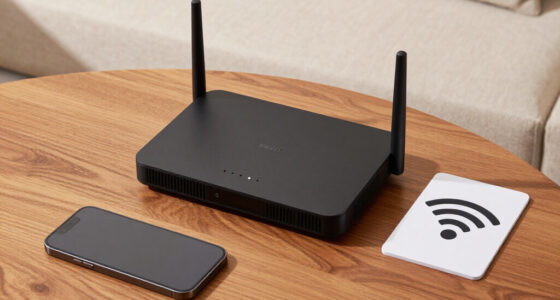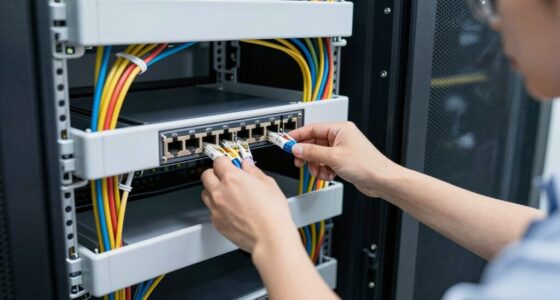
It’s a coincidence that many homes have existing coaxial wiring, yet few realize it can be used to improve their internet connection. Using MoCA adapters, you can turn this often-overlooked infrastructure into a reliable, high-speed network. They’re simple to set up and provide a wired-like connection that reduces dead zones and interference. But how exactly do these devices work, and are they right for your home?

Get networking and server gear delivered free — and shop member deals
- Fast, free delivery on millions of items
- Access to Prime Big Deal Days deals on October 6–7
- Prime Video, Amazon Music and more included
Key Takeaways
- MoCA adapters extend your home network using existing coaxial wiring for stable, high-speed connections.
- Connect one adapter to your router and coax outlets in other rooms for seamless network coverage.
- They support gigabit speeds, ideal for 4K streaming, gaming, and large data transfers.
- Ensure security by enabling encryption and updating firmware to protect your network over coaxial connections.
- Use built-in Ethernet ports on adapters to connect multiple wired devices, reducing Wi-Fi congestion.

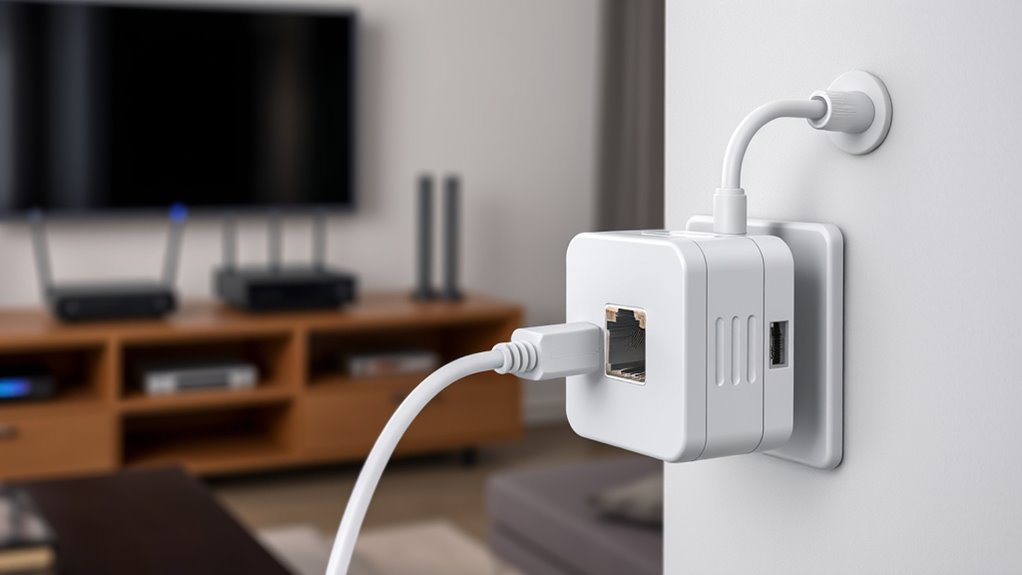
If you’re looking to improve your home network’s speed and reliability, using MoCA adapters is a smart solution. These devices leverage your existing coaxial cabling to create a high-speed, stable connection that often outperforms traditional Wi-Fi or Ethernet setups. By converting Ethernet over Coax, MoCA adapters let you extend your network seamlessly across your home, avoiding dead zones and buffering issues. This is especially useful if you have multiple devices demanding fast, consistent internet, such as streaming boxes, gaming consoles, or smart home hubs. Installing MoCA adapters is straightforward: connect one adapter to your router via Ethernet, then plug it into a coax outlet, and repeat this process at other locations. The result is a wired-like connection that’s less susceptible to interference and signal degradation common with Wi-Fi.
One of the key advantages of MoCA technology is its ability to deliver gigabit speeds, making streaming 4K content, online gaming, and large file transfers smooth and lag-free. Since MoCA adapters use existing coaxial wiring, you avoid the hassle and expense of running new Ethernet cables through walls or ceilings. Plus, the coax infrastructure is already built into most homes, making this a cost-effective upgrade. Many adapters also include built-in Ethernet ports, so you can connect multiple wired devices directly, enhancing overall network performance.
While the benefits are clear, you’ll also want to pay attention to MoCA Network Security. Because your network’s data travels over coaxial cables, it’s important to ensure your setup is secure. Modern MoCA adapters come with encryption features to prevent unauthorized access and eavesdropping. This encryption not only safeguards your internet traffic but also protects your connected devices from potential security breaches. To maximize security, you should change default passwords on your adapters, enable network encryption, and ensure your network’s firmware is kept up to date. Additionally, understanding network security considerations can help you better protect your entire home network environment. If you’re using MoCA adapters in a multi-tenant building or shared environment, additional security measures might be necessary to prevent outsiders from tapping into your coax network.
Frequently Asked Questions
Can Moca Adapters Be Used With Satellite TV Setups?
Yes, you can use Moca adapters with satellite TV setups, especially for satellite integration. They work well because of their coaxial compatibility, allowing you to extend your network over existing coax cables. Just guarantee your satellite system has compatible coaxial connections, and you’ll be able to connect your devices seamlessly. Moca adapters can improve your connectivity without disrupting your satellite TV service, making your setup more efficient and reliable.
Do Moca Adapters Cause Any Interference With Wi-Fi Signals?
Moca adapters generally don’t cause interference with Wi-Fi signals because they use different frequency bands, which helps with interference mitigation. They maintain good signal stability by isolating the network traffic from your Wi-Fi, so your wireless connection stays strong. However, in some cases, poor wiring or overlapping frequencies can cause minor issues. Overall, Moca adapters are a reliable option that won’t considerably impact your Wi-Fi quality.
Are Moca Adapters Compatible With All Types of Coaxial Cables?
Think of coaxial cables as the roads for your home’s data traffic. Moca adapters are compatible with most coaxial cables, but their effectiveness depends on cable quality and connector types. If your coaxial cables are old or damaged, or if connectors aren’t secure or compatible, your network may suffer. For ideal use, ensure your cables are in good condition and use the right connectors, like F-type, to keep your data flowing smoothly.
What Is the Maximum Speed Supported by Moca Adapters?
Moca adapters typically support speeds up to 1 Gbps, making them ideal for high-speed Ethernet compatibility and seamless streaming. They effectively boost signal strength over coaxial cables, guaranteeing reliable connections throughout your home. Keep in mind that actual speeds may vary depending on your network setup and cable quality. For peak performance, use quality coaxial cables and confirm your devices support these maximum speeds for smooth, fast connectivity.
How Secure Is the Data Transmitted Through Moca Adapters?
Did you know Moca adapters use AES 128-bit encryption protocols to keep your data secure? You can feel confident because they prioritize data integrity, ensuring your information isn’t tampered with. These encryption standards make it very difficult for hackers to access your network or intercept your data during transmission. So, when you use Moca adapters, your home network’s data remains private and protected against potential threats.
Conclusion
With MoCA adapters, your home networking becomes more reliable, rapid, and robust. Seamlessly switch from Wi-Fi woes to wired wonders, enjoying consistent connections and cutting-edge speeds. Simplify setup, strengthen security, and stay ahead in the digital dance. Make the smart switch today, and experience the superb, secure, and stable signal surge that transforms your tech space into a seamless sanctuary. Don’t delay—dive into the dynamic world of MoCA and redefine your home’s connection!
Halloween Picks
halloween
As an affiliate, we earn on qualifying purchases.