Using powerline networking can improve your internet setup, simplify installation, and save space, but it also comes with limitations and risks. It offers a straightforward way to extend your connection without running new cables, yet its performance depends heavily on your home’s wiring and electrical environment. You may gain convenience, but you also face potential security concerns and interference issues. Understanding these pros and cons helps you decide whether this method is right for your needs.
Key Takeaways
- Powerline networking leverages existing electrical wiring for internet extension, simplifying installation and reducing the need for new cables.
- It provides a reliable alternative to Wi-Fi extenders, especially in dead zones or areas with weak wireless signals.
- Performance can be affected by wiring quality, age, and electrical noise from appliances, impacting speed and stability.
- Security features like 128-bit AES encryption are essential to protect data from potential tapping via electrical wiring.
- Limitations include dependency on outlets, potential interference from appliances, and less flexibility compared to wireless solutions.
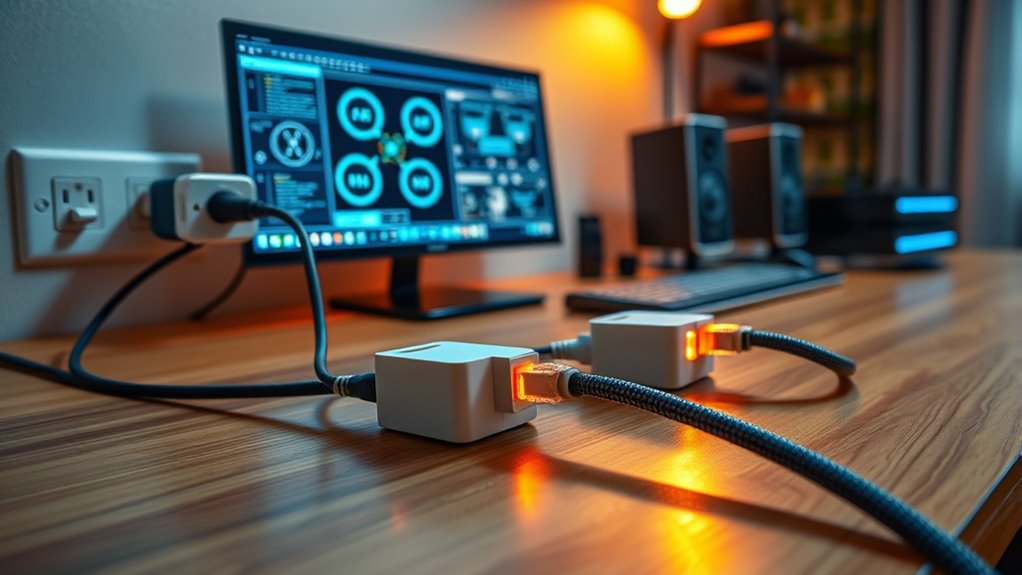
Have you ever struggled with weak Wi-Fi signals or dead zones in your home? If so, powerline networking might be a solution worth exploring. It uses your home’s existing electrical wiring to extend your internet connection, providing a more dependable alternative to traditional Wi-Fi extenders. But before you jump in, it’s important to take into account some key factors, including security concerns and installation steps. Powerline adapters can transmit data through the electrical system, but this setup isn’t foolproof. Security concerns arise because, theoretically, anyone with access to your electrical wiring could tap into your network. To mitigate this, many adapters come with encryption features, such as 128-bit AES encryption, which keeps your data safe from prying eyes. Confirming your adapters support these security protocols is a wise move, especially if you’re handling sensitive information.
Installing powerline networking isn’t complicated, but it does require following specific steps to guarantee peak performance. First, you need to plug one adapter into a power outlet near your router and connect it with an Ethernet cable. Then, plug the second adapter into an outlet where you need better connectivity, and connect it to your device or another network device. It’s best to avoid outlets that are on different circuits or shared with appliances that can cause electrical noise, as these can disrupt the signal. Before starting, it’s a good idea to read the manufacturer’s instructions, as some adapters have specific requirements or features to enhance performance. Once plugged in, most adapters automatically detect each other and establish a secure connection, often indicated by LED lights. If not, you might need to press a pairing button to sync them. Additionally, integrating powerline networking with email marketing tools enables targeted campaigns based on home connectivity patterns, enhancing outreach effectiveness.
While the installation process is straightforward, the success of powerline networking relies on your home’s wiring quality and layout. Older or faulty wiring can cause inconsistent speeds or connectivity issues. Additionally, powerline adapters don’t perform well with surge protectors or power strips, so plugging directly into a wall outlet is preferable. Keep in mind that they don’t offer the same flexibility as Wi-Fi extenders or mesh networks, as placement is limited to outlets. Overall, powerline networking offers a simple, effective way to boost your internet coverage, but you should be mindful of security concerns and installation steps to ensure a safe and reliable setup. With proper precautions, it can notably improve your home’s connectivity without the hassle of running new cables or dealing with weak Wi-Fi signals.

TP-Link AV600 Powerline Ethernet Adapter Kit – Gigabit Port, Plug Pair &Play, Power Saving, Nano Sized Powerline Network Adapter (TL-PA4010 KIT)
Fast speed: Wired connection with high speed data transfer rate, ideal for HD video or 3D video streaming…
As an affiliate, we earn on qualifying purchases.
As an affiliate, we earn on qualifying purchases.
Frequently Asked Questions
Can Powerline Networking Work Across Different Electrical Circuits?
Powerline networking generally doesn’t work well across different electrical circuits because electrical noise and circuit compatibility issues interfere. When you try to connect devices on separate circuits, the signals often weaken or get lost. To improve performance, use powerline adapters designed for multiple circuits, but keep in mind that noise from appliances can still disrupt the connection. For reliable networking, stay within the same circuit whenever possible.
How Secure Is Powerline Networking From External Hacking?
Powerline networking offers decent encryption security, but it isn’t entirely immune to hacking vulnerabilities. You should be aware that cybercriminals can exploit weak encryption or signal leaks, especially if you don’t update firmware regularly. To protect yourself, enable strong encryption, use network passwords, and keep your devices updated. While it’s relatively secure, always stay vigilant about potential hacking threats and consider additional security measures for sensitive data.
Do Powerline Adapters Interfere With Other Household Electronics?
Think of powerline adapters as gentle whispers in your home’s electronic symphony. They rarely cause electromagnetic interference, so your household electronic compatibility remains intact. Usually, they play nicely with other devices, like your Wi-Fi or TV. However, in some cases, especially with older wiring, they might introduce minor disruptions. Overall, they’re a harmonious addition, but it’s wise to observe for any interference and verify your home’s wiring supports smooth integration.
What Is the Typical Range of Powerline Networking?
You’ll find that powerline networking typically works well within your home, offering a range of about 300 meters, though actual powerline speed can vary based on your wiring. The installation complexity is low—just plug in the adapters and connect your devices. Keep in mind, longer distances or older wiring may reduce performance, so it’s best for quick setup and reliable connections across different rooms without extensive setup.
How Does Powerline Networking Perform During Power Outages?
During power outages, powerline networking stops working because it relies on your home’s electrical wiring. Power fluctuations can cause unstable connections, so it’s wise to use surge protection to safeguard your devices. When the power is back on, your network resumes, but during outages, you lose internet access. Think of it like a garden hose—if the water’s cut off, your network’s cut off too, emphasizing the importance of surge protection for safety.

TP-Link Powerline Wi-Fi 6 Extender TL-WPA7817 KIT – Includes AV1000 Powerline Ethernet Network Adapter & AX1500 Dual-Band Wi-Fi Extender, Gigabit Port, EasyMesh,Plug, Pair, & Play, Free Expert Support
𝐄𝐱𝐭𝐞𝐧𝐝 𝐘𝐨𝐮𝐫 𝐂𝐨𝐧𝐧𝐞𝐜𝐭𝐢𝐨𝐧 𝐓𝐡𝐫𝐨𝐮𝐠𝐡 𝐘𝐨𝐮𝐫 𝐄𝐥𝐞𝐜𝐭𝐫𝐢𝐜𝐚𝐥 𝐒𝐲𝐬𝐭𝐞𝐦 – This device is meant for individuals that are not able…
As an affiliate, we earn on qualifying purchases.
As an affiliate, we earn on qualifying purchases.
Conclusion
So, here you are, trusting your electrical wiring to carry your precious data, thinking it’s foolproof. Ironically, while powerline networking seems like the easiest fix, it’s only as reliable as your home’s wiring and can be disrupted by electrical noise. Sure, it’s convenient, but don’t be surprised if your connection drops at the worst moment. Sometimes, the simplest solutions come with the most unexpected quirks—kind of like trusting a wire to keep your secrets.
TP-Link AV600 Powerline Ethernet Adapter Kit – Gigabit Port, Plug Pair &Play, Power Saving, Nano Sized Powerline Network Adapter (TL-PA4010 KIT)
Fast speed: Wired connection with high speed data transfer rate, ideal for HD video or 3D video streaming…
As an affiliate, we earn on qualifying purchases.
As an affiliate, we earn on qualifying purchases.

ThePoEstore 60W Gigabit PoE++ Injector – 10/100/1000Mbps, RJ-45 Shielded, IEEE 802.3af/at/bt Compliant, PoE Switch Powerline Network Adapter for High Power Ethernet Devices, Up to (328 FT) 100M
Experience Lightning-Fast Gigabit Speed: With 1 input port and 1 PoE++ gigabit ethernet output port, this injector delivers…
As an affiliate, we earn on qualifying purchases.
As an affiliate, we earn on qualifying purchases.