
TL;DR

Get business pricing on networking and server gear
- Business-only prices and quantity discounts
- Tax-exempt purchasing
- Multiple users, one account, clear invoices
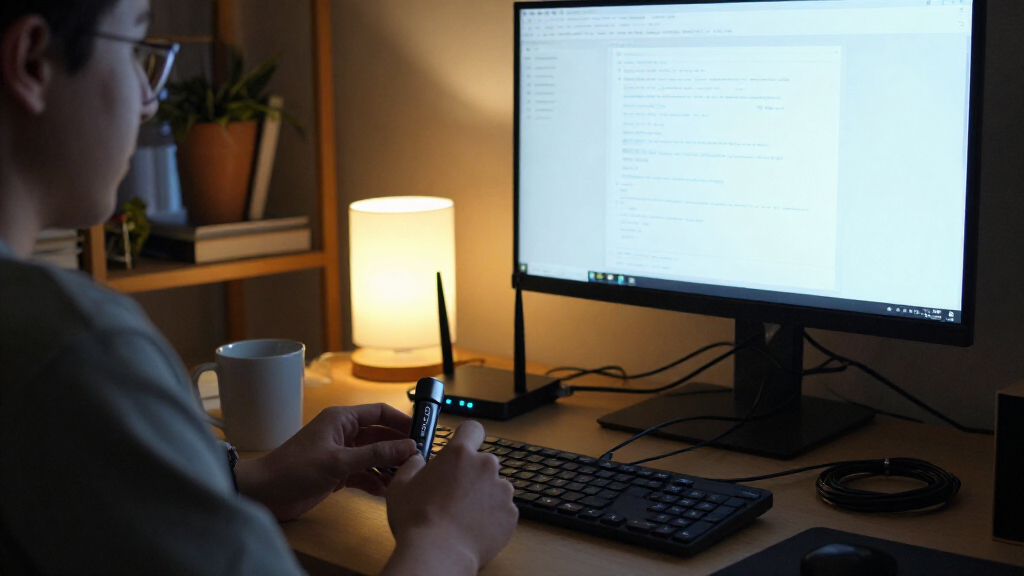
A report by Bosscher describes using a $10 OpenStick as a low-power, silent Debian homelab for a collection of lightweight services. The setup includes DNS filtering, service monitoring, RSS and bookmark tools, plus a Telegram-connected AI agent; the account is a personal example, not an independent performance test.
Bosscher says a $10 OpenStick is running a small collection of self-hosted services on Debian, including DNS filtering, monitoring, an RSS reader and a Telegram-connected AI agent. The personal setup shows how a low-cost, passively cooled device with 512 MB of RAM can serve as a quiet home server, though the report does not offer independent testing or establish how well the configuration performs for other users.
The device in Bosscher’s account has four 1 GHz ARM Cortex-A53 cores, 512 MB of RAM, 4 GB of eMMC storage, Wi-Fi, a cellular modem and GPS. Bosscher says about 450 MB of memory is usable. The OpenStick is passively cooled, so it runs without a fan; the installation takes some effort, but the resulting system runs Debian, systemd and Podman.
Among the services listed are AdGuard Home for DNS-level blocking, CastSponsorSkip for skipping sponsorships on Google Cast devices, and Beszel for resource graphs and alerts. Bosscher reports that about 60% of DNS queries are blocked after adding blocklists, but does not provide a measurement period or comparison baseline. The author also runs Gatus for service checks, Dozzle for container logs, Fusion for RSS feeds, and Shiori for bookmarks and archived pages.
Bosscher reports that the selected programs use modest amounts of memory: examples include about 20 MB for Beszel’s agent and server combined, 22 MB for Fusion, and roughly 10–20 MB for Shiori. These are figures from the author’s account, not controlled benchmarks. The OpenStick also runs Zeroclaw, an AI agent harness that Bosscher says uses about 3 MB of memory while idle and communicates through Telegram. The author grants it access to the device, describing that access as effectively a root shell, but says it has no access beyond the OpenStick.
A Small Server With Practical Uses
The account illustrates a practical entry point for self-hosting: a low-cost device can consolidate everyday tools without the noise and power demands associated with a larger computer. Services such as DNS filtering, uptime checks and RSS reading can run continuously, while alerts let the owner check on the server remotely.
It also highlights real constraints. With limited memory and 4 GB of storage, the device depends on lightweight software and careful choices about what to install. Bosscher says Dozzle overlaps with Beszel in some areas and might be removed if memory becomes scarce. The setup is best read as one person’s working arrangement, not evidence that the hardware suits every workload or that every listed application will fit comfortably together.
Products Worth Considering

Jackery Explorer 1000 v2 Portable Power Station with 200W Solar Panel

DJI Mini 3 Drone with DJI RC, 4K Camera and 3-Axis Gimbal

EcoFlow DELTA 3 Portable Power Station, 1024Wh, 1800W
As an affiliate, we earn on qualifying purchases.
From Novelty Gadget to Debian Host
Bosscher says the OpenStick was purchased on a whim for $10 including shipping, initially as a novelty. Its appeal as a server comes from its small size, passive cooling and ability to run Debian. That gives the owner access to familiar Linux service management and container tools, while the device’s limited capacity makes resource use a central consideration.
The software choices reflect distinct jobs rather than one large platform: Beszel tracks host resources, Gatus checks whether services respond, and Dozzle provides a container-log interface. Bosscher says a larger Grafana stack used previously on a Kubernetes cluster felt powerful but excessive for this use. For DNS filtering, the author runs a personal AdGuard Home fork designed to handle larger blocklists, while advising readers to use the official version rather than binaries from unknown sources.
““For 10 dollars you basically get a home server with minimal power usage and zero noise!””
— Bosscher, describing the OpenStick
Limits of the Reported Setup
The report does not state when the measurements were taken, how long the full service collection has run, or how much storage remains after installation. It also gives no power draw, uptime record, network throughput results or stress testing. The reported 60% blocked-query share has no stated measurement window or baseline, so it should not be treated as a general estimate of DNS traffic or as proof that all unwanted requests are blocked.
Bosscher acknowledges that DNS filtering cannot block every unwanted connection and says a firewall is needed for broader control. The post also does not independently verify the software’s memory figures or assess security risks across the complete setup. The author’s decision to give an AI agent root-level access to the device is a personal risk judgment, not a general security recommendation.
Further Software and Setup Details
Bosscher points readers to project documentation and repositories for the listed tools, and says a future Zeroclaw version may add richer Telegram message support through a contribution by the author. The source does not give a release date for that feature or announce a change to the OpenStick configuration.
For readers considering a similar build, the next practical steps are to review the installation instructions, compare official software sources, and check whether the device’s memory and storage suit the intended services. The post remains a personal account; further performance or security conclusions would require additional measurements and testing.
Key Questions
What is an OpenStick in this report?
It is a small computing device that Bosscher bought for $10 including shipping. The listed specifications include four 1 GHz ARM Cortex-A53 cores, 512 MB of RAM, 4 GB of eMMC storage, Wi-Fi, a cellular modem and GPS.
Which services does Bosscher run on it?
The account lists AdGuard Home, CastSponsorSkip, Zeroclaw, Cloudflare Tunnel, Beszel, Dozzle, Gatus, Fusion and Shiori. The services handle tasks including DNS filtering, monitoring, container logs, RSS reading and bookmark archiving.
Can the device run every kind of server workload?
The report does not establish that. Its 512 MB of RAM and 4 GB of storage favor lightweight services, and Bosscher describes choosing programs partly for their low memory use. Larger or resource-intensive workloads may not suit the device.
Is the reported 60% DNS blocking rate independently verified?
No. Bosscher reports that about 60% of queries are blocked after adding blocklists, but gives no measurement period or comparison baseline. The figure describes the author’s setup and should not be generalized.
Does the AI agent have access to other devices?
Bosscher says Zeroclaw has access to the OpenStick, effectively as a root shell, but nothing beyond that device. The post describes this as the author’s own security decision, not advice for other users.
Source: blog.bosscher.ch