To separate data and power cables properly, plan your routing early and keep them apart using dedicated channels or conduits. Keep data cables away from high-current power lines and cross cables at right angles when crossing is unavoidable. Use cable clips or trays to organize and secure cables, maintaining consistent spacing to minimize electromagnetic interference. Proper insulation and shielding are essential for signal integrity. Continuing with these tips will help you master effective cable separation for reliable system performance.

Get networking and server gear delivered free — and shop member deals
- Fast, free delivery on millions of items
- Access to Prime Big Deal Days deals on October 6–7
- Prime Video, Amazon Music and more included
Key Takeaways
- Identify and designate separate pathways or conduits for data and power cables early in the installation process.
- Keep data cables at least a few inches away from high-current power lines to minimize electromagnetic interference.
- Cross cables at right angles when crossing to reduce electromagnetic coupling and interference.
- Use cable management tools like clips, trays, or conduits to physically separate and organize different cable types.
- Regularly inspect and maintain insulation integrity to prevent interference and ensure proper separation over time.
Separating data and power cables is essential for maintaining system performance and preventing electrical interference. When these cables run too close together or cross paths without proper separation, it can lead to signal interference, which degrades data quality and causes system malfunctions. One of the key factors in preventing this problem is paying close attention to cable insulation. Good cable insulation acts as a barrier, reducing the risk that electromagnetic interference (EMI) from power cables will seep into data lines. When cables are properly insulated, they’re less vulnerable to external noise, ensuring your signals stay clear and reliable.
Proper cable insulation is crucial for preventing interference and ensuring reliable data transmission.
To start, you should plan your cable layout carefully. Identify the routes for both data and power cables early in your setup process. Keep the data cables away from high-current power lines as much as possible, because proximity increases the chance of signal interference. When crossing cables is unavoidable, do so at right angles rather than running parallel, minimizing the exposure of data cables to the electromagnetic fields generated by power lines. This simple step drastically reduces the likelihood of interference issues.
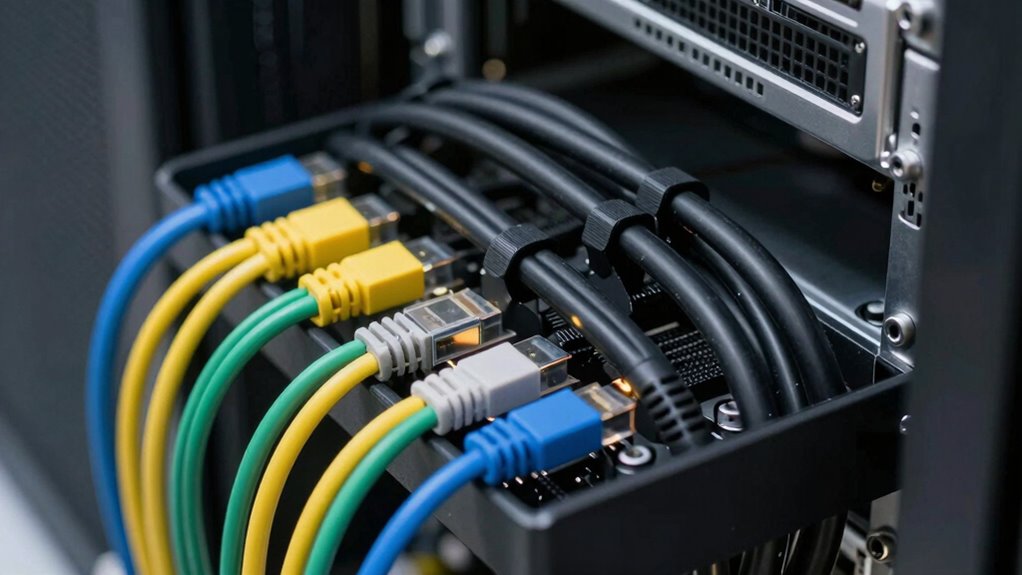
Using cable management tools like cable clips, conduits, or cable trays can help you maintain separation and organization. Group your power cables together and secure them separately from your data cables. This physical separation creates a barrier that limits electromagnetic coupling — the process where interference transfers from one cable to another. When running cables through walls or ceilings, use dedicated channels or conduits designed to shield and isolate different types of cables. This not only prevents accidental contact but also keeps the cables insulated from potential interference sources. Additionally, understanding electromagnetic coupling can help you implement better strategies to reduce interference in your setup. Properly insulated cables and shielding are vital for reducing electromagnetic coupling and ensuring reliable signals. Being mindful of cable insulation quality can further enhance your system’s resilience against interference. Ensuring that your cables are also properly installed helps prevent accidental damage that could compromise insulation and increase susceptibility to interference. Be sure to avoid bundling multiple cables tightly together; leave some space between them to improve airflow and reduce potential interference.
Ultimately, sticking to best practices in cable insulation and layout ensures your system runs smoothly. Proper separation, strategic routing, and quality cables with effective insulation are your best defenses against signal interference. When you take the time to plan and implement these measures, you’ll enjoy clearer signals, fewer errors, and a more reliable system overall.
cable management clips for data and power cables
As an affiliate, we earn on qualifying purchases.
As an affiliate, we earn on qualifying purchases.
Frequently Asked Questions
What Tools Are Recommended for Cable Separation?
You should use cable ties to bundle and organize your data and power cables, keeping them separated and neat. Additionally, cable labels are essential for easy identification, preventing confusion during maintenance or troubleshooting. These tools help you maintain a clear, safe setup, reducing interference and damage risks. Always choose durable cable ties and clear labels to guarantee long-lasting organization and quick access whenever needed.
How Do Cable Lengths Affect Separation Methods?
Cable lengths considerably influence your separation methods. Following distance guidelines helps prevent interference, especially when data and power cables are lengthy. Keep data cables as short as possible, ideally within recommended distances, to reduce electromagnetic interference. For longer runs, use shielding or separation techniques to guarantee interference prevention. Properly managing cable lengths ensures ideal performance and minimizes signal disruption, making your setup more reliable and efficient.
Can Cable Separation Impact Signal Quality?
Yes, cable separation can considerably impact signal quality. When data and power cables are too close, electromagnetic interference increases, leading to crosstalk and degraded signals. Proper separation minimizes this interference, enhancing crosstalk reduction and ensuring clearer data transmission. By maintaining adequate distance and using shielded cables where necessary, you protect your signals from electromagnetic interference, resulting in more reliable performance and improved overall system integrity.
Are There Specific Materials for Cable Management?
You should choose materials like cable labels and color-coded sleeves for effective cable management. These tools make it easy to identify and separate data and power cables, preventing confusion and interference. While flexible plastic or rubber conduits offer protection, labels and color coding provide clarity. Using contrasting colors or clear labels helps you quickly locate cables, streamline maintenance, and avoid accidental disconnections, ensuring your setup stays organized and efficient.
How Often Should Cables Be Inspected After Separation?
You should inspect your cables regularly, ideally every three to six months, to guarantee cable insulation remains intact and fire safety isn’t compromised. Look for signs of wear, damage, or fraying that could increase fire risks. Maintaining proper separation and secure cable management helps prevent issues. Frequent inspections help catch problems early, ensuring your setup stays safe and functional, reducing the chance of electrical fires or equipment failures.
cable conduits for electrical wiring
As an affiliate, we earn on qualifying purchases.
As an affiliate, we earn on qualifying purchases.
Conclusion
By keeping your data and power cables separated, you’re like a skilled conductor directing a symphony—each element working in harmony without interference. When you follow proper separation techniques, you prevent electrical noise and guarantee your system runs smoothly. Remember, a little organization now saves a lot of troubleshooting later. Think of your cables as a well-orchestrated band; with clear boundaries, they perform perfectly without clashing. Your setup will be cleaner, safer, and more reliable.
electromagnetic interference shielding for cables
As an affiliate, we earn on qualifying purchases.
As an affiliate, we earn on qualifying purchases.
cable trays for organized wiring
As an affiliate, we earn on qualifying purchases.
As an affiliate, we earn on qualifying purchases.
Fall Picks
fall essentials
As an affiliate, we earn on qualifying purchases.