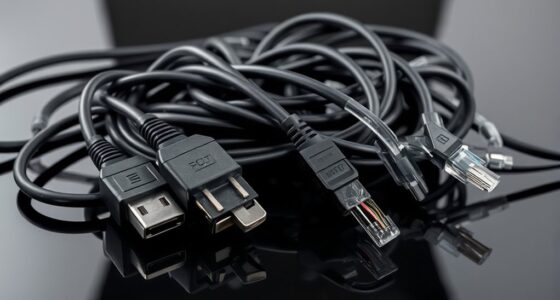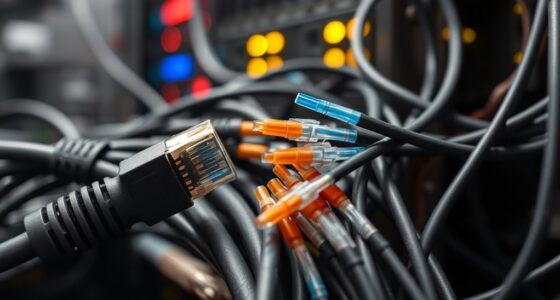
When it comes to connecting devices, size often speaks louder than words, but in the case of RJ11 and RJ45, appearances can be deceiving. These connectors may look similar, yet they serve very different purposes, with distinct designs that can’t be swapped without consequences. Understanding their differences isn’t just about knowing which cable fits where—it’s about ensuring your equipment stays safe and functions properly. So, what exactly sets them apart?
Key Takeaways
- RJ11 is a smaller connector used for telephone lines, while RJ45 is larger and designed for Ethernet networking.
- RJ11 typically has 2 or 4 wires; RJ45 contains 8 wires supporting high-speed data transmission.
- RJ11 connectors fit into RJ45 ports but are not designed for data, risking damage or improper connections.
- RJ45 cables have better insulation and shielding for reliable, high-speed network communication.
- RJ11 is suited for basic telephony, whereas RJ45 supports data, voice, and video in modern networks.

When choosing between RJ11 and RJ45 connectors, understanding their differences is essential, as they serve different purposes in telecommunications and networking. The first major aspect to consider is cable compatibility. RJ11 connectors are designed primarily for telephone lines and are compatible with smaller, narrower cables that typically contain two or four wires. These cables are used for landline phones, fax machines, and some modems. In contrast, RJ45 connectors are built for Ethernet networks and are compatible with larger, thicker cables, such as Cat5e, Cat6, and Cat7 cables. These cables contain eight wires and support high-speed data transmission, making them the standard for modern networking. Additionally, the insulation and shielding requirements differ significantly between the two, with RJ45 cables often featuring better shielding for data integrity.
Another critical factor to look at is connector pinouts. The pin configuration in RJ11 connectors is simpler, usually involving only two or four wires, arranged in a specific order that matches the phone line requirements. This limited pinout makes RJ11 suitable for basic telephony connections but unsuitable for data networking. On the other hand, RJ45 connectors feature eight pins arranged in a standardized pattern, which supports multiple pairs of wires for data, voice, and video signals. The pinouts in RJ45 are designed to facilitate high-speed communication, with each pin assigned to carry specific signals. Understanding these connector pinouts helps you determine whether a given cable or device will work correctly, especially when you’re troubleshooting or setting up networks. Proper knowledge of connector standards ensures compatibility and prevents potential damage.
It’s also worth noting that while RJ11 connectors are physically smaller and can sometimes fit into RJ45 ports, doing so isn’t recommended because their pinouts and purposes differ. Attempting to connect an RJ11 cable into an RJ45 port can result in improper connections or damage to the equipment. Similarly, RJ45 connectors are larger, and their design ensures they won’t fit into RJ11 jacks, preventing accidental misuse.

TOYAYAYO 3Pack RJ11 Cable Phone Cord for Landline – 6ft Telephone Cord – Male to Male for Landline Phone and Fax – Black
[DURABLE]: Heavy duty and premium quality cable cord Made from high quality material to last in rough weather…
As an affiliate, we earn on qualifying purchases.
As an affiliate, we earn on qualifying purchases.
Frequently Asked Questions
Can RJ11 Connectors Be Used With Ethernet Cables?
You can’t really use RJ11 connectors with Ethernet cables because of their different sizes and wiring standards. RJ11 connectors are designed for telephone wiring and are smaller, fitting into phone jacks, while RJ45 connectors are larger and meant for Ethernet cables. Attempting to connect an RJ11 to an Ethernet cable won’t work properly, as the connector size and wiring configuration don’t match, which can cause connectivity issues.
Are RJ45 Connectors Compatible With All Phone Lines?
Yes, RJ45 connectors are compatible with some phone lines, but not all. You need to check phone line compatibility and connector pinouts before connecting. RJ45 is primarily designed for Ethernet, but its pins can be configured for phone lines. Just make certain your phone line matches the connector’s pinouts, as mismatched pinouts can cause connectivity issues. Always verify your device’s specifications before switching connectors to avoid problems.
How Do I Identify RJ11 vs. RJ45 Connectors Visually?
To identify RJ11 versus RJ45 connectors visually, look at color coding and pin configuration. RJ11 connectors are smaller, typically with four or six pins, and often use a single color wire like red or black. RJ45 connectors are larger, have eight pins, and usually have multiple colored wires arranged in a specific pattern. The size difference and pin arrangement are clear ways to distinguish them easily.
Do RJ11 and RJ45 Support Different Data Transmission Speeds?
You’ll find that RJ11 and RJ45 support different data transmission speeds due to bandwidth limitations and signal compatibility. RJ45 connectors, used for Ethernet, handle higher speeds and larger bandwidths, enabling faster internet connections. In contrast, RJ11 connectors, primarily for phone lines, support slower data rates. So, if you need rapid data transfer, RJ45 is your best bet, while RJ11 suits basic voice communication.
Can RJ45 Ports Be Used for Telephone Connections?
Yes, you can use RJ45 ports for telephone connections because of their cable compatibility and connector design. RJ45 ports are primarily designed for Ethernet, but they can support telephone lines if wired correctly. The key is ensuring the right wiring configuration matches the phone’s requirements. Keep in mind that RJ45 connectors are larger and more versatile, so they can handle multiple phone lines or data, making them suitable for various telecommunications needs.

Cable Matters 10Gbps Snagless Cat 6 Ethernet Cable – 25ft, Cat 6 Cable, Cat6 Cord, Ethernet Cord, Black
High-Performance Connectivity: This Cat 6 ethernet cable is designed for superior performance, with a 24 AWG copper wire…
As an affiliate, we earn on qualifying purchases.
As an affiliate, we earn on qualifying purchases.
Conclusion
Remember, even though RJ11 and RJ45 connectors look similar, they’re designed for very different purposes. You might think you can swap them easily, but doing so can cause damage or connectivity issues. Always use the correct connector for your device—RJ11 for phones, RJ45 for Ethernet. Taking a moment to double-check guarantees your setup stays safe and functions perfectly. Don’t compromise your equipment—choose the right connector every time!
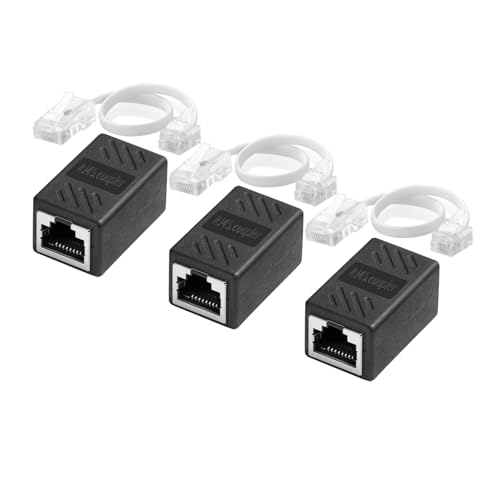
Menewstart RJ11 to RJ45 Cable Adapter 8 inches, 3 Pack, Phone Jack Line 6P4C to Ethernet 8P8C Coupler, RJ45 Female to RJ11 Male for Landline Telephone Service
[Wide Compatibility]: This cable with Phone Jack Line RJ11 6P4C to Ethernet RJ45 8P8C Coupler to provide landline…
As an affiliate, we earn on qualifying purchases.
As an affiliate, we earn on qualifying purchases.

Klein Tools VDV526-200 Cable Tester, LAN Scout Jr. 2 Ethernet Tester for CAT 5e, CAT 6/6A Cables with RJ45 Connections
VERSATILE CABLE TESTING: Cable tester for data (RJ45) terminated cables and patch cords, ensuring comprehensive testing capabilities
As an affiliate, we earn on qualifying purchases.
As an affiliate, we earn on qualifying purchases.