To build a resilient cabling layout for critical spaces, you should install multiple fiber paths with strategic routing to ensure fault tolerance. Use redundant power backups like UPS and generators to maintain uptime during outages. Keep cables physically separated from interference sources and protect them with proper management tools. Regularly document, test, and maintain your system to identify weak spots early. Implement monitoring for real-time oversight. Following these steps can considerably strengthen your network’s reliability, and you’ll find more tips to optimize your setup below.

Get business pricing on networking and server gear
- Business-only prices and quantity discounts
- Tax-exempt purchasing
- Multiple users, one account, clear invoices
Key Takeaways
- Implement multiple fiber optic pathways with strategic routing to ensure fault tolerance and seamless data rerouting during failures.
- Incorporate redundant power backup systems like UPS and generators to maintain operation during outages.
- Physically separate critical cables from interference sources and use protective conduits for damage prevention.
- Maintain detailed documentation, conduct routine testing, and schedule regular maintenance to identify and address vulnerabilities.
- Deploy real-time monitoring systems with alerts to proactively detect issues and minimize network downtime.
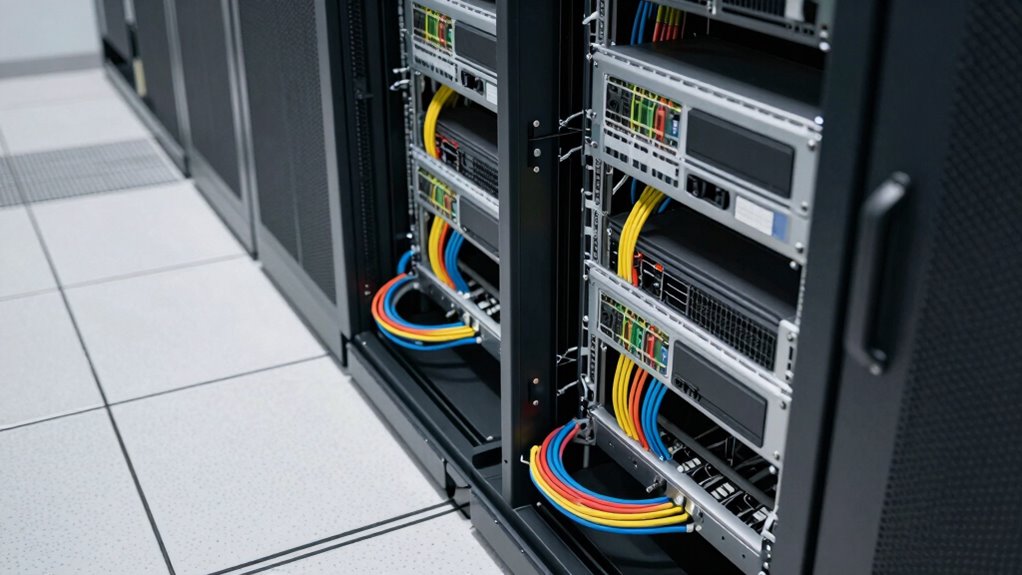
Creating a resilient cabling layout is fundamental to guarantee your network remains reliable and efficient, even in the face of disruptions. You need a system designed for fault tolerance, which means planning for potential failures and ensuring they don’t cripple your critical operations. One of the most effective ways to achieve this is through fiber redundancy. By installing multiple fiber optic paths, you guarantee that if one cable or connection fails, your data can reroute seamlessly through alternate routes. Fiber redundancy isn’t just about adding extra cables; it’s about strategic placement and configuration that allows your network to adapt quickly when issues occur.
Implement fiber redundancy with strategic placement to ensure seamless data rerouting during failures.
Along with fiber redundancy, implementing a robust power backup system is essential. Power outages can disrupt your entire network, leading to data loss and operational downtime. To prevent this, you should incorporate uninterruptible power supplies (UPS) or backup generators directly into your cabling infrastructure. These power backup solutions keep critical network hardware running during outages, giving you indispensable time to respond or switch to secondary power sources. Properly designed power backup not only maintains network uptime but also protects sensitive equipment from power surges or fluctuations, which can cause hardware damage. Incorporating redundant power supplies can further ensure continuous operation even if one power source fails.
When designing your cabling layout, consider physical separation and strategic routing to avoid single points of failure. Keep critical cables away from sources of interference and ensure that your fiber runs are protected from physical damage. Use cable management tools like trays and conduits to organize and secure cables, reducing the risk of accidental disconnections or wear over time. Additionally, employ redundant pathways for power and fiber connections—if one route becomes compromised, your network can quickly switch to an alternate pathway without service interruption. Network resilience is greatly enhanced by thoughtful physical separation and strategic routing to minimize vulnerabilities. Incorporating proper documentation of your cabling setup can further streamline troubleshooting and future expansions. Regular testing of fiber links and backup power systems is equally important. Routine checks help identify potential weak spots before they cause problems, ensuring your entire setup remains resilient. Including routine maintenance as a key element in your plan ensures ongoing system health and performance. To further enhance reliability, consider implementing monitoring systems that provide real-time status updates and alerts for your critical cabling infrastructure. By proactively maintaining these systems, you minimize downtime and optimize your network’s reliability.
fiber optic cable redundancy kit
As an affiliate, we earn on qualifying purchases.
As an affiliate, we earn on qualifying purchases.
Frequently Asked Questions
How Often Should Cabling Infrastructure Be Inspected for Resilience?
You should inspect your cabling infrastructure at least quarterly to guarantee resilience maintenance. Regular inspection frequency helps identify potential vulnerabilities or damage early, preventing outages in critical spaces. Additionally, consider more frequent checks if your environment faces higher risks like physical wear, environmental factors, or increased usage. Consistent inspections allow you to address issues proactively, maintaining the integrity and resilience of your cabling system, and ensuring uninterrupted operations.
What Are the Latest Materials Used in Durable Cabling?
You should consider using materials that feature recent innovations like enhanced insulation and flexible, high-strength sheathing. These innovations improve durability, especially under stress or harsh environments. Look for cabling tested through rigorous durability testing, guaranteeing they withstand temperature fluctuations, moisture, and mechanical wear. Such advanced materials help maintain your critical space’s resilience, reducing downtime and maintenance needs. Staying updated on material innovations ensures your cabling layout remains robust and reliable over time.
How Does Environmental Change Affect Cabling Resilience?
Environmental factors greatly impact cable durability, affecting your cabling resilience. Changes in temperature, humidity, and exposure to chemicals can weaken materials over time, leading to failures. You should choose cables with protective coatings and insulation suited for your environment. Regular inspections and environmental monitoring help you identify vulnerabilities early. By considering these factors, you guarantee your cabling remains durable and reliable, even under challenging environmental conditions.
Are There Specific Standards for Resilient Cabling in Critical Spaces?
They say, “Prepare for the worst, hope for the best,” and when it comes to resilient cabling, standards like TIA-568 and IEEE set the tone. You should implement redundant pathways to guarantee continuous operation during failures and use shielding techniques to protect against electromagnetic interference. These standards guide you in designing a robust cabling system that minimizes downtime, ensuring your critical spaces stay operational no matter what challenges arise.
What Is the Cost Difference Between Standard and Resilient Cabling Layouts?
The cost comparison between standard and resilient cabling layouts shows that resilient systems usually cost 20-40% more upfront. Material differences, such as higher-quality cables, redundancy components, and protective enclosures, drive these costs. While resilient cabling requires a larger initial investment, it offers better protection and uptime, making it worthwhile for critical spaces where reliability is non-negotiable. Your long-term savings outweigh the initial expense, ensuring continuous operation.
uninterruptible power supply UPS
As an affiliate, we earn on qualifying purchases.
As an affiliate, we earn on qualifying purchases.
Conclusion
By now, you’ve learned how to craft a resilient cabling layout that can withstand even the most unpredictable storms—think of it as your own modern-day Swiss Army knife. Remember, don’t just set it and forget it; regularly review and upgrade your infrastructure like a vigilant knight guarding a priceless relic. With these strategies, your critical spaces will stay connected and operational, ensuring you’re not left hanging in the digital dark ages—because in today’s world, resilience is your best ally.
cable management trays and conduits
As an affiliate, we earn on qualifying purchases.
As an affiliate, we earn on qualifying purchases.
network monitoring and alert system
As an affiliate, we earn on qualifying purchases.
As an affiliate, we earn on qualifying purchases.
Fall Picks
fall essentials
As an affiliate, we earn on qualifying purchases.