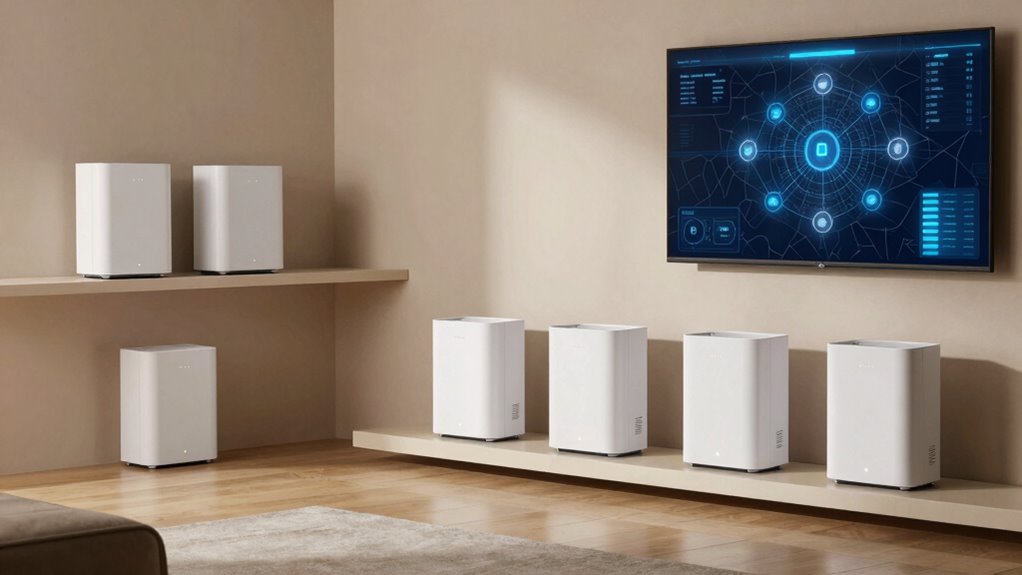

For most smart homes, I recommend the TP-Link Deco BE63 as the best overall pick: it pairs Wi-Fi 7 with a tri-band design for households balancing connected devices, streaming, and wireless backhaul. The Deco XE75 3-pack is a practical Wi-Fi 6E alternative when broad coverage matters more than adopting the newest standard, while the Deco XE70 Pro offers another 6E route for buyers comparing port and speed needs. The main tradeoff is between newer Wi-Fi 7 features and the value or coverage of Wi-Fi 6E multi-node kits. I also found several listings that appear to repeat the same Deco models, so the number of distinct choices is smaller than the seven entries suggest. Read on for the full breakdown of what separates these systems and how to choose for your home.

Get business pricing on networking and server gear
- Business-only prices and quantity discounts
- Tax-exempt purchasing
- Multiple users, one account, clear invoices
Key Takeaways
The lineup contains fewer than seven clearly distinct systems. The BE63 appears twice, and the Deco 7 Pro 10Gbps listings may overlap; check the exact model and package before comparing.
Wi-Fi 7 is the main step up. The Deco BE63 and Deco 7 Pro options suit homes that want newer client-device support and faster network capacity, but older smart devices may not benefit from those features.
Wi-Fi 6E remains a meaningful alternative. The XE75 and XE70 Pro offer a 6GHz band without requiring a Wi-Fi 7 mesh, which can make more sense when most devices are not ready for Wi-Fi 7.
Node count changes the coverage equation. A 3-pack can be a better fit for a spread-out home than a faster two-node setup, depending on layout, construction, and placement.
Smart-home compatibility is broader than Wi-Fi speed. Check app controls, wired ports, security support, and whether your connected devices use Wi-Fi or a separate hub-based protocol.
| TP-Link Deco 7 Pro BE63 Tri-Band WiFi 7 Whole Home Mesh System |  | Best Overall for Wi-Fi 7 Smart Homes | Wi-Fi standard: Wi-Fi 7 (802.11be) | Frequency bands: Tri-band | Maximum speed: Up to 10 Gbps | VIEW ON AMAZON | See Our Full Breakdown |
| TP-Link Deco XE75 AXE5400 Tri-Band WiFi 6E Mesh System, 3-Pack |  | Best for Maximum Listed Coverage | Wi-Fi generation: Wi-Fi 6E | Frequency bands: Tri-band | Wi-Fi speed: Up to 5,400 Mbps | VIEW ON AMAZON | See Our Full Breakdown |
| TP-Link Deco XE70 Pro AXE4900 Tri-Band WiFi 6E Mesh WiFi System, 3-Pack |  | Best for Large Homes with Many Devices | Wi-Fi standard: Wi-Fi 6E | Frequency bands: Tri-band | Maximum speed: Up to 4.9 Gbps | VIEW ON AMAZON | See Our Full Breakdown |
| Deco 7 Pro Tri-Band Wi-Fi 7 Mesh System, 10Gbps Internet, 3 Pack |  | Best for the Largest Wi-Fi 7 Coverage | Wi-Fi technology: Tri-band Wi-Fi 7 | Total bandwidth: 14 Gbps | Coverage: Up to 8,100 sq. ft. | VIEW ON AMAZON | See Our Full Breakdown |
| TP-Link Deco XE75 AXE5400 Tri-Band WiFi 6E Mesh System, 2-Pack |  | Best Two-Unit Wi-Fi 6E Option | Wi-Fi standard: Wi-Fi 6E (802.11ax) | Frequency bands: Tri-band | Speed: Up to 5,400 Mbps | VIEW ON AMAZON | See Our Full Breakdown |
| TP-Link Deco 7 Pro BE63 Tri-Band WiFi 7 Whole Home Mesh System |  | Best for High-Density Smart Homes | Coverage: Up to 3,000 sq. ft. | Wi-Fi generation: Wi-Fi 7 | Bands: Tri-band: 6 GHz, 5 GHz, and 2.4 GHz | VIEW ON AMAZON | See Our Full Breakdown |
| Deco 7 Pro Tri-Band WiFi 7 BE10000 Whole Home Mesh System 6-Stream 10 Gbps |  | Best for Very Large Homes | Coverage: Up to 7,600 sq. ft. | Wi-Fi generation: Wi-Fi 7 | Bands: Tri-band | VIEW ON AMAZON | See Our Full Breakdown |
| tri band mesh wifi systems for smart home | Coverage | Ports | Frequency bands | Device capacity |
|---|---|---|---|---|
| TP-Link Deco 7 Pro BE63 Tri-Ba | Up to 5,800 sq. ft. | Four 2.5G WAN/LAN ports; USB 3.0 | Tri-band | Over 200 devices |
| TP-Link Deco XE75 AXE5400 Tri- | Up to 7,200 sq. ft. | 9 total | Tri-band | — |
| TP-Link Deco XE70 Pro AXE4900 | Up to 7,200 sq. ft. | 9, including a 2.5 Gbps WAN/LAN port | Tri-band | Up to 200 devices |
| Deco 7 Pro Tri-Band Wi-Fi 7 Me | Up to 8,100 sq. ft. | 1x 10 Gbps WAN, 1x 2.5 Gbps WAN/LAN, 1x USB 3.0 | — | — |
| TP-Link Deco XE75 AXE5400 Tri- | Up to 5,500 sq. ft. | 6 | Tri-band | — |
| TP-Link Deco 7 Pro BE63 Tri-Ba | Up to 3,000 sq. ft. | Four 2.5G WAN/LAN ports and USB 3.0 | — | Over 200 devices |
| Deco 7 Pro Tri-Band WiFi 7 BE1 | Up to 7,600 sq. ft. | Four 2.5G WAN/LAN ports and USB 3.0 | — | Over 200 devices |
More Details on Our Top Picks
TP-Link Deco 7 Pro BE63 Tri-Band WiFi 7 Whole Home Mesh System
The Deco 7 Pro BE63 is my strongest all-around choice for a smart home that needs current-generation Wi-Fi, broad coverage, and useful wired connections. Its stated 5,800-square-foot coverage and support for over 200 devices suit homes with many connected lights, cameras, speakers, and screens. Four 2.5G WAN/LAN ports give wired equipment more headroom than the XE75 options, while Wi-Fi 7 offers a newer standard than their Wi-Fi 6E. The tradeoff is that the XE75 3-pack claims wider coverage, so buyers prioritizing area over Wi-Fi generation may prefer it. This system also needs a separate modem, and HomeShield’s advanced controls may be more involved than a basic household needs.
Pros:- Wi-Fi 7 tri-band networking for compatible newer devices
- Listed coverage of up to 5,800 square feet
- Supports over 200 devices
- Four 2.5G WAN/LAN ports plus USB 3.0
Cons:- Requires a separate modem for internet service
- Advanced HomeShield features may be more involved than some households need
Best for: Smart-home households with many connected devices, Wi-Fi 7 clients, and wired equipment that can use multi-gigabit ports.
Not ideal for: Homes focused on covering the largest possible area on the listed specifications, or buyers seeking a simple setup without a separate modem.
- Wi-Fi standard:Wi-Fi 7 (802.11be)
- Frequency bands:Tri-band
- Maximum speed:Up to 10 Gbps
- Coverage:Up to 5,800 sq. ft.
- Device capacity:Over 200 devices
- Ports:Four 2.5G WAN/LAN ports; USB 3.0
- Security:TP-Link HomeShield
- Setup:Deco app
Our verdict“Choose the BE63 for a device-heavy smart home that values Wi-Fi 7 and multiple multi-gigabit ports more than maximum listed coverage.”
TP-Link Deco XE75 AXE5400 Tri-Band WiFi 6E Mesh System, 3-Pack
The Deco XE75 3-pack is the coverage-first choice here, with a stated reach of up to 7,200 square feet. Its 6 GHz band can give compatible devices a less crowded connection, a useful advantage in busy homes with streaming, calls, and smart-home traffic sharing the network. Compared with the Wi-Fi 7 BE63, the XE75 uses an older wireless generation, but its listed coverage is greater and the 3-pack is aimed at spreading service across a larger floor plan. The same coverage figure appears on the XE70 Pro, which claims support for up to 200 devices; the XE75 description does not give a device-capacity figure. It also needs a modem and app-based setup, so it is less compelling for buyers who want Wi-Fi 7 or minimal configuration.
Pros:- Listed coverage of up to 7,200 square feet
- Tri-band Wi-Fi 6E includes a 6 GHz band
- Deco app setup and AI-driven mesh technology
- HomeShield security features
Cons:- Wi-Fi 6E is an older generation than the BE63’s Wi-Fi 7
- Requires a separate modem for most internet providers
- Description does not state a maximum supported device count
Best for: Owners of large homes who want a three-unit mesh system with 6 GHz Wi-Fi 6E and broad stated coverage.
Not ideal for: Buyers who specifically want Wi-Fi 7, a stated high device-capacity figure, or a network setup that does not require a modem and app.
- Wi-Fi generation:Wi-Fi 6E
- Frequency bands:Tri-band
- Wi-Fi speed:Up to 5,400 Mbps
- Coverage:Up to 7,200 sq. ft.
- Package:3-pack
- Ports:9 total
- Security protocols:WPA3-Personal, WPA2-Personal, WPA-Personal
- Control method:App
Our verdict“Pick this 3-pack when broad listed coverage and Wi-Fi 6E matter more than stepping up to Wi-Fi 7.”
TP-Link Deco XE70 Pro AXE4900 Tri-Band WiFi 6E Mesh WiFi System, 3-Pack
The Deco XE70 Pro pairs broad stated coverage with an explicit capacity of up to 200 devices, making it a strong fit for smart homes where sensors, cameras, phones, and entertainment gear add up. Its Wi-Fi 6E tri-band design includes access to the 6 GHz band, while the 2.5 Gbps WAN/LAN port gives a compatible wired connection more bandwidth than a standard gigabit port. The XE75 3-pack lists the same 7,200-square-foot coverage and a higher 5,400 Mbps speed, but it does not state a device limit in the supplied details. Against the BE63, the XE70 Pro gives up Wi-Fi 7 and some wired-port detail. It also relies on app-based setup and lists HomeShield Basic rather than a more broadly described security package.
Pros:- Supports up to 200 devices
- Listed coverage of up to 7,200 square feet
- Tri-band Wi-Fi 6E with speeds up to 4.9 Gbps
- Includes a 2.5 Gbps WAN/LAN port
Cons:- Wi-Fi 6E is not as new as the BE63’s Wi-Fi 7
- Setup and management require the Deco app
- Security listing is limited to HomeShield Basic and WPA3
Best for: Large households with many smart-home devices that want a stated 200-device capacity and at least one 2.5 Gbps connection.
Not ideal for: Wi-Fi 7 adopters, buyers seeking the highest listed speed, or people who do not want app-based setup and management.
- Wi-Fi standard:Wi-Fi 6E
- Frequency bands:Tri-band
- Maximum speed:Up to 4.9 Gbps
- Coverage:Up to 7,200 sq. ft.
- Number of units:3
- Device capacity:Up to 200 devices
- Ports:9, including a 2.5 Gbps WAN/LAN port
- Security:HomeShield Basic; WPA3
Our verdict“Choose the XE70 Pro if a stated 200-device capacity matters more than Wi-Fi 7 or the XE75’s higher listed speed.”
Deco 7 Pro Tri-Band Wi-Fi 7 Mesh System, 10Gbps Internet, 3 Pack
The Deco 7 Pro BE67 3-pack combines the strongest listed coverage in this group with Wi-Fi 7: up to 8,100 square feet and support for over 200 devices. That makes it the clearest fit for a large, device-dense home where a single mesh kit needs to reach several areas. Its 10 Gbps WAN port and 2.5 Gbps WAN/LAN port add more wired flexibility than the XE70 Pro, while the XE75 3-pack offers a lower-generation Wi-Fi 6E alternative with a lower stated coverage figure. The BE67’s listed total bandwidth is 14 Gbps, but that figure is not the same as a guarantee of internet speed in every room. It requires a separate modem, and its advanced controls may be more than a basic home network needs.
Pros:- Listed coverage of up to 8,100 square feet
- Wi-Fi 7 tri-band system with 14 Gbps total bandwidth
- Supports over 200 devices
- Includes a 10 Gbps WAN port and 2.5 Gbps WAN/LAN port
Cons:- Requires a separate modem
- Advanced features may be more involved than basic users need
Best for: Owners of very large homes who want Wi-Fi 7, stated support for over 200 devices, and multi-gigabit wired connections.
Not ideal for: Smaller homes or households that do not need Wi-Fi 7 and would rather avoid a separate modem and more involved network controls.
- Wi-Fi technology:Tri-band Wi-Fi 7
- Total bandwidth:14 Gbps
- Coverage:Up to 8,100 sq. ft.
- Number of units:3
- Device support:Over 200 devices
- Ports:1x 10 Gbps WAN, 1x 2.5 Gbps WAN/LAN, 1x USB 3.0
- Dimensions:4.23 x 4.23 x 6.93 inches
Our verdict“The BE67 is the fit for a large smart home that needs the widest stated Wi-Fi 7 coverage and multi-gigabit wired options.”
TP-Link Deco XE75 AXE5400 Tri-Band WiFi 6E Mesh System, 2-Pack
The Deco XE75 2-pack keeps the same Wi-Fi 6E foundation as the XE75 3-pack but is specified for up to 5,500 square feet, making it a more restrained fit for a medium-to-large home that does not need three nodes. Its 6 GHz band can reduce congestion for compatible devices, while the app, guest mode, and parental-control features address common smart-home needs. Compared with the XE75 3-pack, the tradeoff is a lower listed coverage area and six ports rather than nine. The BE63 is a better match for buyers ready to move to Wi-Fi 7 and seeking four 2.5G WAN/LAN ports, but it lists less coverage than this 2-pack. A separate modem may still be needed, and some premium security features may require a subscription.
Pros:- Two-unit configuration with listed coverage up to 5,500 square feet
- Tri-band Wi-Fi 6E with speeds up to 5,400 Mbps
- Includes guest mode, parental control, and Alexa compatibility
- WPA3, WPA2, and WPA security protocol support
Cons:- Wi-Fi 6E is an older generation than Wi-Fi 7 systems such as the BE63
- Six listed ports, compared with nine on the XE75 3-pack
- Requires a modem for most internet providers; some premium features may require a subscription
Best for: Households seeking a two-unit Wi-Fi 6E mesh kit for a medium-to-large home, with guest access and parental controls.
Not ideal for: Owners of very large homes who need the XE75 3-pack’s greater listed coverage, or buyers who want Wi-Fi 7 and multi-gigabit ports.
- Wi-Fi standard:Wi-Fi 6E (802.11ax)
- Frequency bands:Tri-band
- Speed:Up to 5,400 Mbps
- Coverage:Up to 5,500 sq. ft.
- Number of units:2
- Ports:6
- Security protocols:WPA3, WPA2, WPA
- Special features:Alexa compatible, guest mode, parental control, beamforming
- Warranty:2 years, with an additional 1-year support
Our verdict“Choose this two-pack for Wi-Fi 6E coverage across a sizable home without moving up to the XE75 3-pack.”
TP-Link Deco 7 Pro BE63 Tri-Band WiFi 7 Whole Home Mesh System
The Deco 7 Pro BE63 is a strong match for homes where many connected devices share the network: it’s rated for over 200 devices, with coverage up to 3,000 sq. ft. Its three bands include 6 GHz, which gives compatible newer devices another band to use alongside 5 GHz and 2.4 GHz. That can help households with demanding streaming, gaming, and smart-home traffic, though actual performance depends on the home and device placement.
Compared with the larger-coverage Deco 7 Pro BE10000, the BE63 is the more contained fit for a smaller footprint, rather than a choice for sprawling homes. Four 2.5G WAN/LAN ports and USB 3.0 add wired flexibility. The tradeoffs are the need for a separate modem and the possibility that some HomeShield features require a subscription.
Pros:- Rated to cover up to 3,000 sq. ft.
- Supports over 200 connected devices
- Tri-band Wi-Fi 7 includes 6 GHz, 5 GHz, and 2.4 GHz
- Four 2.5G WAN/LAN ports plus USB 3.0
Cons:- Requires a compatible modem for internet access
- Some HomeShield features may require a subscription
- Stated coverage may not match real-world results in every layout
Best for: Households with many smart-home devices and a home up to about 3,000 sq. ft. that want Wi-Fi 7 and multi-gig wired connections.
Not ideal for: Owners of very large or sprawling homes who need the BE10000 model’s stated 7,600 sq. ft. coverage, or buyers who want an all-in-one modem and router.
- Coverage:Up to 3,000 sq. ft.
- Wi-Fi generation:Wi-Fi 7
- Bands:Tri-band: 6 GHz, 5 GHz, and 2.4 GHz
- Maximum stated speed:Up to 10,388 Mbps
- Device capacity:Over 200 devices
- Ports:Four 2.5G WAN/LAN ports and USB 3.0
- Security:TP-Link HomeShield
- Compatibility:Wi-Fi 6, Wi-Fi 5, and Wi-Fi 4
Our verdict“Choose the BE63 for a device-heavy home within its stated coverage range; choose the BE10000 if your main need is coverage across a much larger area.”
Deco 7 Pro Tri-Band WiFi 7 BE10000 Whole Home Mesh System 6-Stream 10 Gbps
The Deco 7 Pro BE10000 is the coverage-focused pick here, with a stated range of up to 7,600 sq. ft. and support for over 200 devices. Its Wi-Fi 7 tri-band design and six-stream configuration are aimed at homes where many people and smart devices need network access across a wide area. Four 2.5G WAN/LAN ports also give wired devices and compatible internet equipment room to connect at multi-gig speeds.
Compared with the Deco 7 Pro BE63, its defining advantage is the larger stated coverage, not a higher headline speed: both list speeds up to 10 Gbps. That reach makes the BE10000 a better fit for a large home, but less compelling for a smaller one. Placement and building materials affect real coverage, and a separate modem is required; some HomeShield features may also involve a subscription.
Pros:- Stated coverage reaches up to 7,600 sq. ft.
- Supports over 200 connected devices
- Tri-band Wi-Fi 7 with speeds listed up to 10 Gbps
- Four 2.5G WAN/LAN ports, USB 3.0, and VPN support
Cons:- Requires a separate modem
- Actual performance and coverage depend on placement and the home environment
- Some HomeShield features may require a subscription
Best for: Owners of large homes who need mesh coverage across multiple rooms or floors and have many connected smart-home devices.
Not ideal for: People in smaller homes who do not need the stated 7,600 sq. ft. coverage, or buyers who need a modem included.
- Coverage:Up to 7,600 sq. ft.
- Wi-Fi generation:Wi-Fi 7
- Bands:Tri-band
- Maximum stated speed:Up to 10 Gbps
- Streams:6-stream
- Device capacity:Over 200 devices
- Ports:Four 2.5G WAN/LAN ports and USB 3.0
- Features:AI-Roaming, HomeShield security, VPN support, and mesh compatibility
Our verdict“Pick the BE10000 when coverage across a very large home matters more than matching a compact system to a smaller footprint.”

How We Picked
I ranked these systems around the needs of a connected home: dependable coverage across rooms, capacity for many active clients, useful wired connectivity, and a setup and management experience that is reasonable for a household. I also weighed the generation of Wi-Fi against the likely benefit to a buyer; Wi-Fi 7 can offer more headroom, but it is not automatically a better purchase for a home whose devices are mostly older or whose internet plan is modest.
The ranking favors models with a clearer fit and stronger stated capability, then accounts for package size and practical tradeoffs. I treated listings that appear to describe the same model as duplicates rather than separate innovations, and I would verify the exact SKU, node count, and included hardware before ordering. Because product names alone do not confirm coverage in a specific floor plan, I give multi-node coverage and realistic device needs more weight than headline speed figures.
| tri band mesh wifi systems for smart home | Coverage | Device capacity |
|---|---|---|
| TP-Link Deco 7 Pro BE63 Tri-Ba | Up to 5,800 sq. ft. | Over 200 devices |
| TP-Link Deco XE75 AXE5400 Tri- | Up to 7,200 sq. ft. | — |
| TP-Link Deco XE70 Pro AXE4900 | Up to 7,200 sq. ft. | Up to 200 devices |
| Deco 7 Pro Tri-Band Wi-Fi 7 Me | Up to 8,100 sq. ft. | — |
| TP-Link Deco XE75 AXE5400 Tri- | Up to 5,500 sq. ft. | — |
| TP-Link Deco 7 Pro BE63 Tri-Ba | Up to 3,000 sq. ft. | Over 200 devices |
| Deco 7 Pro Tri-Band WiFi 7 BE1 | Up to 7,600 sq. ft. | Over 200 devices |
Factors to Consider When Choosing Tri Band Mesh Wifi Systems For Smart Homes
Choosing mesh for a smart home is less about chasing the largest speed number and more about matching the system to your floor plan, device mix, and upgrade plans. I would work through these factors before deciding between Wi-Fi 7, Wi-Fi 6E, and different kit sizes.
Match Wi-Fi Generation to Your Devices
A newer router can serve older phones, TVs, and smart devices, but those clients do not gain every feature of Wi-Fi 7 or Wi-Fi 6E. Start by checking the Wi-Fi standards supported by the devices that carry your most demanding tasks, such as laptops and streaming equipment. Many smart plugs, cameras, and bulbs use older Wi-Fi bands, so a newer mesh will not automatically make each one faster. Wi-Fi 7 is a better fit when you already own compatible devices or expect to add them soon. Wi-Fi 6E can be a sensible middle ground if you want access to 6GHz-capable clients without paying for features your household cannot use. Avoid choosing by generation alone; coverage and stable connections matter more to many smart-home routines.
Choose Node Count for the Floor Plan
Node count should follow the shape and materials of your home, not just its square footage. Multiple floors, long layouts, dense walls, and distant rooms can all make a three-node kit more useful than a faster two-node kit. On the other hand, extra nodes placed too close together can add clutter without improving coverage. Plan likely node locations near open areas with power, rather than hiding them in cabinets or placing them at the very edge of a weak signal. A mesh node also needs a reliable connection back to the main unit, so placement affects both coverage and performance. Check the kit’s included node count and avoid assuming similarly named listings contain the same package.
Understand the Role of the Third Band
Tri-band systems offer an additional band that can help separate traffic or support communication between mesh nodes, depending on the model and configuration. That can be useful when wireless backhaul carries traffic between floors and rooms while household devices are streaming or making calls. It does not guarantee a faster connection in every home: distance, interference, node placement, and client capability still matter. If you can connect mesh nodes by Ethernet, wired backhaul may reduce the burden on wireless links and change how much you value a dedicated wireless path. Do not assume every band is reserved exclusively for backhaul; check the manufacturer’s description of how the system allocates it. A tri-band label is a capability clue, not a substitute for planning the network layout.
Count Ports and Plan Wired Connections
Smart homes often include devices that benefit from a direct Ethernet connection, including a TV, desktop computer, game console, or network storage device. Check the number and speed of ports on each unit, especially if the main node must connect to a modem, switch, or wired backhaul. The product names in this roundup include references to 10Gbps, but that label alone does not explain which port supports that speed or whether every node has it. Match port capability to your internet service and local network equipment rather than assuming a headline figure applies to every connection. If you need more ports, a separate Ethernet switch may be a simple addition. Confirm the exact hardware version and package contents before making a choice.
Check Smart-Home Control and Security Needs
Mesh Wi-Fi handles devices that connect over Wi-Fi; it does not automatically replace a hub or bridge used by other smart-home protocols. Before buying, list whether your sensors, locks, bulbs, and cameras depend on Wi-Fi, a dedicated hub, or another wireless standard. Then check the router app for guest access, device controls, parental settings, and security tools that match how your household manages its network. Frequent software and security updates can matter more over time than a small difference in advertised speed. If several people need to manage the network, a clear app and straightforward troubleshooting can prevent routine changes from becoming a chore. Treat the mesh system as one part of the smart-home setup, not as a universal controller for every device.
Compare Exact Model Numbers Before Buying
This roundup includes repeated or closely related Deco 7 Pro and BE63 names, along with XE75 packages in different node counts. Product titles can omit suffixes or use broad speed labels, so compare the full model number, hardware revision, number of units, and port details. A listing described as a three-pack may solve a coverage problem that a two-pack does not, even when both share a model family. Avoid treating repeated listings as evidence of different performance unless the specifications show a real hardware difference. Keep the packaging and return terms in mind if the delivered kit does not match the stated node count. This check is especially useful when comparing near-identical Wi-Fi 7 entries in this lineup.
Frequently Asked Questions
Should I choose the Deco BE63 Wi-Fi 7 system over a Deco XE75 Wi-Fi 6E kit?
I would choose the BE63 if you have Wi-Fi 7 clients now, expect to add them, or want a newer platform for a busy network. The XE75 may be a better fit when your priority is multi-node coverage and your household devices mostly use Wi-Fi 6 or earlier. Wi-Fi 6E can still serve compatible 6GHz clients, so it is not simply an outdated option. Compare the exact kit size and port layout as well as the wireless generation. If neither your devices nor your internet service can use the newer capability, coverage and practical setup may matter more than the standard printed on the box.
Is a three-pack worth choosing over a two-pack for a smart home?
A three-pack can help when the home has multiple floors, separated rooms, or walls that weaken the signal between a router and distant devices. It is not automatically the better choice for a smaller, open layout, where two well-placed nodes may cover the space. Think about where cameras, speakers, and other devices need a dependable connection, then check whether each mesh node can reach the main unit reliably. Adding nodes too close together can waste hardware and complicate placement. Compare the included node count carefully, since the XE75 entries in this roundup are offered in both two- and three-unit packages.
Will a tri-band mesh system improve connections for older smart-home devices?
It can improve the network environment by helping distribute traffic and extend coverage, but older devices only use the Wi-Fi features and bands they support. A smart plug limited to an older band will not become a Wi-Fi 7 client after you replace the router. The most visible benefit may be a steadier connection in a room that previously had weak coverage, rather than a higher speed on the device itself. Check device requirements, including whether some products need a dedicated hub or a specific Wi-Fi band. If older devices are your main concern, prioritize compatible bands, reliable coverage, and simple network controls.
Do I need Wi-Fi 7 if my internet plan is slower than the system’s advertised speed?
Not necessarily: a mesh system can manage communication within your home as well as the link to the internet. Wi-Fi 7 may still offer useful capacity for compatible local devices or a busy household, but its benefits depend on client support and network setup. If your main goal is reliable browsing, video calls, and smart-device connections, good node placement may matter more than a higher speed label. Also check wired port capability if you use fast internet or transfer files across a local network. Choose a newer standard for a clear device or upgrade reason, not just because its headline number is larger.
How can I tell whether two Deco 7 Pro listings are different systems or duplicates?
Compare the complete model number and hardware details, not just the title wording. Check the Wi-Fi standard, stated band configuration, number of mesh units, Ethernet port speeds, and included accessories. The entries here repeat the BE63 name and include other Deco 7 Pro descriptions that may refer to overlapping hardware, so a different headline speed is not enough to prove a meaningful difference. If the listing does not clearly identify the exact SKU or package size, consult the manufacturer’s specification page before ordering. That step helps prevent paying for a supposed upgrade that is only a differently worded listing.
Conclusion
For most households planning a capable, current mesh network, I would start with the Deco BE63 as the best overall, especially when Wi-Fi 7 clients or future upgrades are part of the plan. The Deco XE75 3-pack is my best value-oriented coverage choice for buyers who want three nodes and do not need Wi-Fi 7; the XE70 Pro is another option for shoppers weighing a 6E system’s specific connectivity needs. For a premium, newer-standard direction, compare the Deco 7 Pro Wi-Fi 7 listings with the BE63 by exact SKU and ports rather than assuming the similar names mean distinct performance. Beginners should favor the clearly documented kit size and an app experience they can manage, while buyers with large or multi-floor homes should focus on node placement and three-unit coverage. If your smart-home devices are mostly older, choose for dependable coverage and compatibility first, and leave Wi-Fi 7 as a bonus rather than a requirement.
Halloween Picks
halloween
As an affiliate, we earn on qualifying purchases.