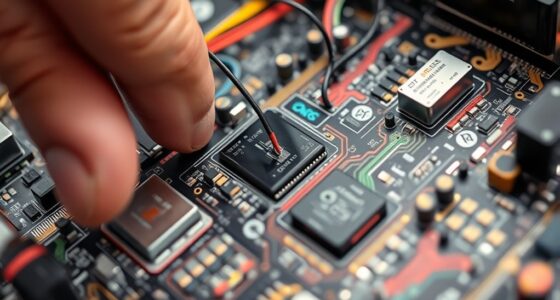
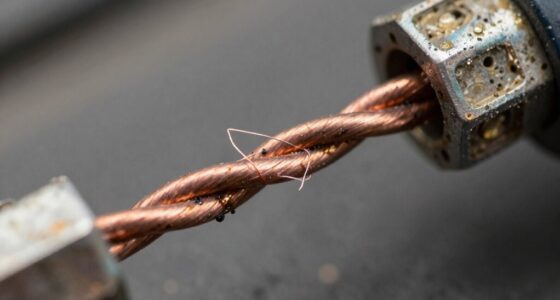
When it comes to maintaining and troubleshooting electronic systems, choosing the right testing tool can make all the difference. A multimeter helps you measure voltage, current, and resistance in circuits, while a cable tester checks if your network cables are wired correctly and functioning properly. Understanding their differences can save you time and prevent costly errors, but knowing when to use each tool is just the beginning of optimizing your diagnostics.

Get business pricing on networking and server gear
- Business-only prices and quantity discounts
- Tax-exempt purchasing
- Multiple users, one account, clear invoices
Key Takeaways
- Multimeters measure electrical parameters like voltage, current, and resistance, mainly for troubleshooting electronic circuits.
- Cable testers verify network cable integrity, detecting wiring faults, shorts, or breaks affecting data transmission.
- Multimeters are versatile, portable tools for hardware and electronic diagnostics; cable testers specialize in network wiring verification.
- Use multimeters for power and circuit issues; use cable testers for ensuring proper network cable wiring and connectivity.
- Combining both tools enhances troubleshooting efficiency for hardware components and network infrastructure.

Testing tools play a essential role in ensuring software quality by helping you identify bugs early and streamline your development process. While many associate testing tools with software, hardware testing is equally critical, especially when working with electronic devices and networks. When comparing tools like multimeters and cable testers, understanding their specific functions can help you choose the right equipment for your needs.
A multimeter is a versatile device that measures electrical parameters like voltage, current, and resistance. It’s an indispensable tool for troubleshooting circuits, guaranteeing proper power flow, and verifying component functionality. If you’re working with wireless testing, a multimeter can help confirm voltage levels and continuity in circuits that support wireless devices, ensuring your hardware can handle the demands of digital diagnostics. For instance, when diagnosing issues in wireless routers or IoT devices, a multimeter helps identify power supply problems, which are often the root cause of connectivity failures. Its portability and straightforward operation make it a must-have in any electronics toolkit, especially when you need quick insights into circuit health.
On the other hand, cable testers focus on verifying the integrity of network cables, such as Ethernet or coaxial cables. They are indispensable in environments where reliable connectivity is critical. Using a cable tester, you can quickly detect wiring faults, shorts, or breaks that could disrupt your network performance. For digital diagnostics, cable testers ensure your data transmission lines are functioning correctly, reducing downtime and troubleshooting time. Modern cable testers often include features like remote testing and diagnostics, making them suitable for complex setups. They help you confirm that your wiring adheres to standards, which is essential for maintaining network performance, especially in environments with wireless testing components that depend on stable wired connections.
While a multimeter provides broad electrical measurements applicable to a wide array of hardware testing scenarios, cable testers specialize in guaranteeing your network infrastructure is sound. If your work involves both hardware troubleshooting and network setup, having both tools is ideal. For example, you might use a multimeter to check power supply voltages in wireless devices, then employ a cable tester to verify the Ethernet connections that support network communication.
Ultimately, choosing between a multimeter and a cable tester depends on your specific needs. If you’re troubleshooting circuits or working with electronic components, a multimeter is your go-to. For maintaining network integrity and ensuring reliable data transfer, a cable tester is essential. Both tools contribute profoundly to digital diagnostics, helping you identify issues before they escalate. Incorporating these testing tools into your workflow enhances your ability to deliver reliable, efficient wireless systems and network setups, ensuring optimal performance across your projects. Understanding the differences in their functions can help you make more informed decisions about which tool to prioritize in your toolkit.
Frequently Asked Questions
Can a Multimeter Detect Cable Faults?
Yes, you can use a multimeter to detect some cable faults, like broken wires or short circuits, by checking cable impedance. However, it has limitations; it won’t identify issues like insulation damage or internal faults that require specialized tools. While a multimeter is handy for basic tests, for thorough cable fault detection, a cable tester is more effective and accurate.
Which Tool Is Better for Troubleshooting Network Issues?
Think of troubleshooting network issues like a detective searching for clues. A cable tester acts as your magnifying glass, quickly pinpointing faults in fiber optic or Ethernet cables. Meanwhile, a multimeter is your versatile toolkit, essential for wireless diagnostics and electrical checks. For fast, precise results, a cable tester is your best partner, but keep a multimeter handy for broader troubleshooting tasks. Both are invaluable in your network detective arsenal.
Are Cable Testers Suitable for All Types of Cables?
Cable testers aren’t suitable for all types of cables, especially when it comes to wireless testing or fiber optic compatibility. They work well with Ethernet and coaxial cables, but for fiber optics, you need specialized testers designed to handle light signals. Wireless testing also requires different tools, like signal analyzers. So, select your testing device based on the cable type and application to guarantee accurate results.
How Accurate Are Multimeters in Testing Electrical Continuity?
You’ll find that multimeters are quite accurate for testing electrical continuity, but they do have limitations. Their accuracy depends on proper use and calibration. Keep in mind that multimeter limitations can affect results, especially with high-resistance or complex circuits. While they excel at checking continuity, cable tester accuracy varies based on the device and cable type. For precise results, make certain your multimeter is well-maintained and used correctly.
Do Cable Testers Require Calibration?
Cable testers typically don’t require calibration like multimeters do, but it’s important to follow proper calibration procedures and testing standards to guarantee accuracy. Regularly checking the device against known good connections helps maintain reliable results. Some advanced models may need periodic calibration, so always consult the manufacturer’s guidelines. Proper calibration procedures help verify your cable tester’s performance, ensuring it accurately identifies issues in your wiring or network systems.
Conclusion
While it might seem like you need both a multimeter and a cable tester for every issue, remember they serve different purposes. A multimeter helps you troubleshoot electrical problems in hardware, while a cable tester ensures your network cables are wired correctly. Don’t get overwhelmed—knowing which tool to use guarantees you time and frustration. Investing in both might be ideal, but mastering their specific uses will always keep your diagnostics on point.
Fall Picks
fall essentials
As an affiliate, we earn on qualifying purchases.