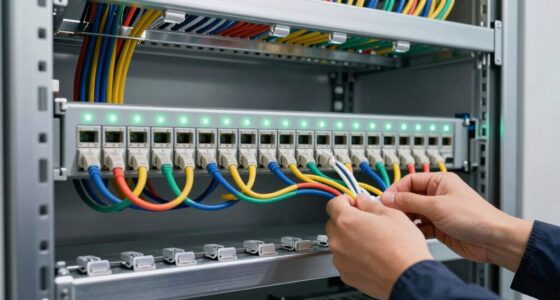

To troubleshoot network loops and broadcast storms, start by checking your switch configurations and topology for misconfigured links or redundant paths without proper management. Enable and verify STP to block unnecessary loops and prevent broadcast storms. Segment your network with VLANs to limit broadcast traffic and monitor switch logs for unusual activity. Temporarily disable suspect ports or VLANs to isolate issues. For detailed steps and prevention tips, continue exploring how to keep your network secure and resilient.

Get business pricing on networking and server gear
- Business-only prices and quantity discounts
- Tax-exempt purchasing
- Multiple users, one account, clear invoices
Key Takeaways
- Use network analyzers and switch logs to identify unusual broadcast traffic and pinpoint potential loops.
- Ensure Spanning Tree Protocol (STP) is enabled and correctly configured to block redundant paths.
- Check switch topology and cabling to eliminate unintended physical or logical loops.
- Segment networks with VLANs to contain broadcast storms within specific segments.
- Temporarily disable affected ports or VLANs during storms to isolate and resolve issues quickly.

Network loops and broadcast storms can cause severe disruptions, slowing down or even crashing your entire network. When these issues occur, your network becomes overwhelmed with excessive traffic, making it nearly impossible for legitimate data to pass through efficiently. To troubleshoot effectively, you need to understand how network topology and configuration contribute to these problems. One critical tool in preventing loops is the Spanning Tree Protocol (STP). STP dynamically identifies and blocks redundant paths in your network, ensuring there’s only one active path between any two points. By enabling STP on your switches, you reduce the risk of loops forming, which are often responsible for broadcast storms. Additionally, implementing VLAN segmentation helps contain broadcast traffic within specific segments, preventing storms from spreading across the entire network. Proper VLAN segmentation isolates traffic, so even if one VLAN experiences a broadcast storm, it doesn’t impact other parts of your network.
When you notice signs of broadcast storms, such as network slowdowns, frequent disconnections, or high CPU utilization on switches, start by examining your network topology. Check for redundant links that may not be properly managed with STP. If your switches aren’t running STP or it’s misconfigured, loops can easily form, leading to broadcast storms. Review your switch configurations to ensure STP is enabled and operating correctly. You might also consider adjusting the STP priority settings to ensure the most suitable path is selected, preventing unnecessary topology changes that could trigger storms. Alongside STP, VLAN segmentation should be configured correctly across your switches. Ensure that each VLAN is assigned to the correct ports, and that inter-VLAN routing is only enabled where necessary. Proper VLAN design reduces the scope of broadcast traffic, making it easier to manage and troubleshoot issues.
Monitoring tools are invaluable during troubleshooting. Use network analyzers and switch logs to identify unusual broadcast traffic levels or loops. When you detect a broadcast storm, disable the offending port or VLAN temporarily to contain the problem. Confirm that your network devices support and are configured to run STP and VLAN segmentation properly. Regularly update your firmware and software to patch vulnerabilities that could be exploited, causing broadcast storms or loops. Remember, proactive network design—such as implementing spanning tree and VLAN segmentation—serves as the foundation for a resilient network. When problems arise, these measures allow you to isolate, identify, and resolve issues swiftly, minimizing downtime and maintaining most effective network performance.
As an affiliate, we earn on qualifying purchases.
Frequently Asked Questions
How Can I Prevent Network Loops From Occurring Initially?
To prevent network loops from occurring, you should enable Spanning Tree Protocol (STP) on your switches. STP automatically detects potential loops and blocks redundant paths, guaranteeing a loop-free topology. Implement proper loop prevention measures by configuring STP parameters correctly and avoiding unnecessary cabling that could create loops. Regularly monitor your network for changes that might introduce loops, and keep your firmware updated to ensure peak loop prevention performance.
What Tools Are Best for Detecting Broadcast Storms?
Did you know that over 60% of network outages are caused by broadcast storms? To detect these storms, you should use SNMP Monitoring to identify abnormal traffic patterns and Loop Detection Tools that pinpoint potential network loops. These tools help you quickly locate the source of broadcast storms, allowing you to respond promptly and prevent network disruptions. Combining both guarantees a proactive approach to maintaining a stable, efficient network.
How Do VLANS Help in Controlling Broadcast Traffic?
VLAN segmentation helps you control broadcast traffic by dividing your network into smaller, isolated segments. This containment limits broadcast domains, so broadcast storms stay within each VLAN instead of spreading across the entire network. By implementing VLANs, you reduce unnecessary broadcast traffic, improve network performance, and prevent broadcast storms from affecting other parts of your network. This strategic segmentation enhances overall network stability and security.
Can Software Updates Fix Network Loop Issues?
Sure, software updates might seem like a magic fix for network loop issues, but they’re really only part of the solution. While they can improve loop prevention features, they won’t redesign your network topology or eliminate physical loops. Relying solely on updates is like trying to fix a tangled wire with a new coat of paint. Proper topology design and loop mitigation strategies are your best bets for avoiding recurring problems.
What Are the Signs of a Persistent Network Loop?
You notice your network slows down or becomes unresponsive, which are signs of a persistent network loop. Poor cable management and incorrect port configuration often cause it. You might see repeated traffic or high CPU usage on switches. To prevent this, guarantee proper cable management and double-check your port configurations. Regularly inspect your setup to catch issues early, minimizing broadcast storms and keeping your network running smoothly.
As an affiliate, we earn on qualifying purchases.
Conclusion
By staying vigilant, monitoring traffic, and swiftly isolating issues, you prevent network loops and broadcast storms from spiraling out of control. You control the flow, you break the chain, you restore stability. With each action, you clear the chaos, calm the storm, and bring order back to your network. Keep your eyes open, your tools ready, and your mindset focused—because a well-maintained network is a network that runs smoothly, swiftly, and securely.
network analyzer tool for switches
As an affiliate, we earn on qualifying purchases.
As an affiliate, we earn on qualifying purchases.
As an affiliate, we earn on qualifying purchases.
Fall Picks
fall essentials
As an affiliate, we earn on qualifying purchases.