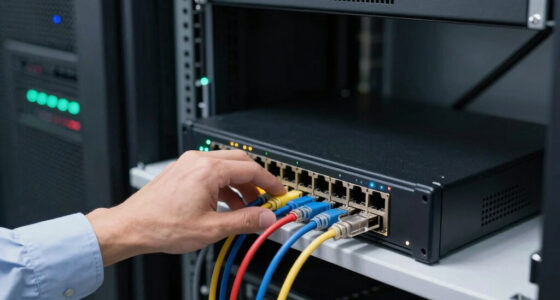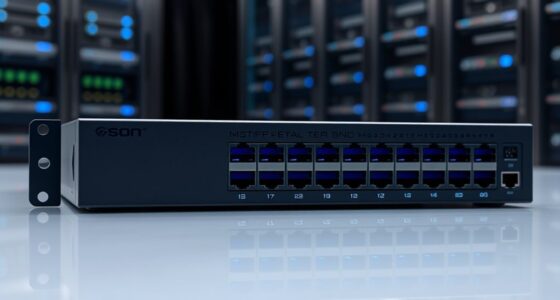
The NETGEAR MS308 is my best overall pick among these multi-gigabit Ethernet switches, pairing eight 2.5GbE ports with a straightforward unmanaged setup. For mixed-speed connections, the NICGIGA 6-Port adds two 10GbE RJ45 ports, while the TP-Link TL-SX1008 suits networks that need 10GbE across all eight ports. The main tradeoff is whether you need more 2.5GbE ports, a smaller five-port footprint, or faster 10GbE links—and whether your devices can use those speeds. All ten picks are unmanaged, so buyers seeking VLANs or other managed controls will need a different class of switch. Read on for the full breakdown, selection criteria, and help matching port speeds to your network.

Get networking and server gear delivered free — and shop member deals
- Fast, free delivery on millions of items
- Access to Prime Big Deal Days deals on October 6–7
- Prime Video, Amazon Music and more included
Key Takeaways
- Eight 2.5GbE ports are the roundup’s practical middle ground: the NETGEAR MS308 and TP-Link TL-SG108S-M2 offer room for several faster wired devices without moving every connection to 10GbE.
- The NICGIGA switch fills a distinct speed-mixing role: its two 10GbE RJ45 ports can serve fast uplinks or storage links while four 2.5GbE ports connect other devices.
- The TP-Link TL-SX1008 is the dedicated 10GbE choice: all eight ports support 10GbE, which fits a fast wired core but may be excessive if most endpoints top out at 2.5GbE.
- Five-port models trade expansion room for a smaller setup: the UGREEN, BrosTrend, TP-Link TL-SG105S-M2, and NETGEAR MS305 suit a few high-speed connections, but leave less room for later additions.
- Every listed pick is unmanaged: the lineup favors plug-and-play connectivity over VLANs and granular network controls, so control-focused buyers should look beyond this group.
| NETGEAR MS308 8-Port 2.5G Multi-Gigabit Unmanaged Ethernet Switch |  | Best for Eight-Port 2.5G Expansion | Ports: 8 RJ45 | Maximum port speed: 2.5Gbps | Switching bandwidth: 40Gbps | VIEW LATEST PRICE | See Our Full Breakdown |
| NICGIGA 6-Port Unmanaged Ethernet Switch with 2 × 10Gb RJ45 and 4 × 2.5Gb Ports |  | Best for 10GbE Uplinks | Ports: 6 total: 4 × 2.5GbE and 2 × 10GbE RJ45 | Port speeds: Ports 1–4: 2.5Gbps, 1Gbps, or 100Mbps; ports 5–6: 10Gbps, 5Gbps, 2.5Gbps, 1Gbps, or 100Mbps | Switching capacity: 60Gbps | VIEW LATEST PRICE | See Our Full Breakdown |
| BrosTrend 8-Port 2.5Gbps Unmanaged Ethernet Switch |  | Best for Quiet, High-Port-Count Setups | Ports: 8 RJ45 | Data transfer rate: 2.5Gbps | Switching capacity: Up to 40Gbps | VIEW LATEST PRICE | See Our Full Breakdown |
| UGREEN 5-Port 2.5Gb Ethernet Switch |  | Best Compact Pick | Ports: 5 RJ45 | Connection speeds: 100Mbps, 1Gbps, and 2.5Gbps | Switch type: Unmanaged | VIEW LATEST PRICE | See Our Full Breakdown |
| TP-Link TL-SG105S-M2 5-Port 2.5G Unmanaged Ethernet Switch |  | Best Five-Port Spec Transparency | Ports: 5 RJ45 | Port speeds: 100Mbps, 1Gbps, and 2.5Gbps | Switching capacity: 25Gbps | VIEW LATEST PRICE | See Our Full Breakdown |
| TP-Link TL-SX1008 8-Port 10G Multi-Gigabit Unmanaged Ethernet Switch |  | Best for 10G Expansion | Ports: 8 RJ45 | Port speeds: 100 Mbps, 1 Gbps, 2.5 Gbps, 5 Gbps, 10 Gbps | Switching capacity: Up to 160 Gbps | VIEW LATEST PRICE | See Our Full Breakdown |
| UGREEN 8-Port 2.5Gb Ethernet Switch | 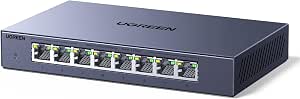 | Best Quiet 8-Port Pick | Ports: 8 RJ45 | Port speeds: 100 Mbps, 1 Gbps, 2.5 Gbps | Switch type: Unmanaged | VIEW LATEST PRICE | See Our Full Breakdown |
| BrosTrend 5-Port 2.5Gb Ethernet Switch |  | Best Compact Wall-Mount Pick | Ports: 5 RJ45 | Port speed: 2.5 Gbps | Switching capacity: Up to 25 Gbps | VIEW LATEST PRICE | See Our Full Breakdown |
| TP-Link TL-SG108S-M2 8-Port 2.5G Unmanaged Ethernet Switch |  | Best Silent Office Upgrade | Ports: 8 RJ45 | Port speeds: 100 Mbps, 1 Gbps, 2.5 Gbps | Switching capacity: Up to 40 Gbps | VIEW LATEST PRICE | See Our Full Breakdown |
| NETGEAR MS305 5-Port 2.5G Multi-Gigabit Unmanaged Ethernet Switch |  | Best Five-Port Metal Pick | Model: MS305-100NAS | Ports: 5 RJ45 | Port speed: 2.5 Gbps | VIEW LATEST PRICE | See Our Full Breakdown |
| multi gigabit ethernet switch | Ports | Switch type | Mounting | Switching capacity |
|---|---|---|---|---|
| NETGEAR MS308 8-Port 2.5G Mult | 8 RJ45 | Unmanaged | Desktop or wall mount | — |
| NICGIGA 6-Port Unmanaged Ether | 6 total: 4 × 2.5GbE and 2 × 10GbE RJ45 | Unmanaged | Desktop or wall mount | 60Gbps |
| BrosTrend 8-Port 2.5Gbps Unman | 8 RJ45 | — | Desktop or wall mount | Up to 40Gbps |
| UGREEN 5-Port 2.5Gb Ethernet S | 5 RJ45 | Unmanaged | Desktop or wall mount | — |
| TP-Link TL-SG105S-M2 5-Port 2. | 5 RJ45 | Unmanaged | Desktop or wall mount | 25Gbps |
| TP-Link TL-SX1008 8-Port 10G M | 8 RJ45 | Unmanaged | — | Up to 160 Gbps |
| UGREEN 8-Port 2.5Gb Ethernet S | 8 RJ45 | Unmanaged | Desktop or wall | — |
| BrosTrend 5-Port 2.5Gb Etherne | 5 RJ45 | Unmanaged | Desktop or wall mount | Up to 25 Gbps |
| TP-Link TL-SG108S-M2 8-Port 2. | 8 RJ45 | Unmanaged multi-gigabit Ethernet | Desktop or wall mount | Up to 40 Gbps |
| NETGEAR MS305 5-Port 2.5G Mult | 5 RJ45 | Unmanaged | Desktop or wall mount | — |
More Details on Our Top Picks
NETGEAR MS308 8-Port 2.5G Multi-Gigabit Unmanaged Ethernet Switch
The NETGEAR MS308 is a straightforward way to give eight wired devices access to 2.5GbE without adding configuration work. Its 40Gbps switching bandwidth matches the combined capacity of its eight ports, while support for 100Mbps and 1Gbps devices lets it join a mixed-speed network. Compared with the NICGIGA 6-Port, the MS308 gives you two more 2.5GbE connections, but it lacks that model’s pair of 10GbE ports for faster uplinks or high-speed storage. A fanless metal case keeps operation quiet, and desktop or wall mounting offers placement flexibility. The tradeoff is a strictly unmanaged feature set: there are no software controls for traffic or network segmentation. Its stated regional compatibility is limited to the U.S. and Canada.
Pros:- Eight 2.5GbE ports accommodate more wired devices than the five-port models in this group
- 40Gbps switching bandwidth matches the capacity of all eight ports
- Fanless metal housing supports quiet desktop or wall-mounted placement
- Plug-and-play operation and IEEE 802.3az support
Cons:- Unmanaged design provides no software-based traffic or network configuration
- No 10GbE ports, unlike the NICGIGA 6-Port
- Regional compatibility is specified for the U.S. and Canada
Best for: Home offices or small workgroups adding several 2.5GbE computers, access points, or NAS devices without needing managed controls.
Not ideal for: Buyers who need 10GbE ports, VLAN or traffic-management features, or a switch specified for use outside the U.S. and Canada.
- Ports:8 RJ45
- Maximum port speed:2.5Gbps
- Switching bandwidth:40Gbps
- Switch type:Unmanaged
- Compatible cables:Cat5e or Cat6
- Mounting:Desktop or wall mount
- Case and cooling:Metal; fanless
- Regional compatibility:U.S. and Canada
Our verdict“Choose the MS308 when you need eight quiet 2.5GbE connections and value a simple setup over 10GbE uplinks or management features.”
NICGIGA 6-Port Unmanaged Ethernet Switch with 2 × 10Gb RJ45 and 4 × 2.5Gb Ports
The NICGIGA 6-Port is the specialist pick here: four ports handle everyday 2.5GbE devices, while two 10GbE RJ45 ports can connect a fast NAS, workstation, or higher-capacity network link. Those ports also negotiate at several lower speeds, making the switch more adaptable than a 2.5GbE-only unit. Compared with the NETGEAR MS308, NICGIGA trades two device ports for much faster connections where throughput matters most. Its 60Gbps switching capacity and fanless metal construction suit a quiet desktop or wall-mounted setup. The cost of that flexibility is a smaller total port count, and the unmanaged design offers no traffic controls. Buyers should also account for its one-year warranty rather than assuming the longer coverage listed for some alternatives.
Pros:- Two 10GbE RJ45 ports complement four 2.5GbE ports
- 10GbE ports also support 5Gbps, 2.5Gbps, 1Gbps, and 100Mbps links
- 60Gbps switching capacity
- Fanless metal enclosure supports desktop or wall mounting
Cons:- Six ports total provide fewer 2.5GbE device connections than the NETGEAR MS308
- Unmanaged operation offers no configuration options
- One-year warranty is shorter than the limited lifetime protection specified for the BrosTrend 8-Port
Best for: Power users connecting a 10GbE NAS or workstation alongside a few 2.5GbE computers and access points.
Not ideal for: Households or offices needing eight or more 2.5GbE device connections, or administrators who need managed network controls.
- Ports:6 total: 4 × 2.5GbE and 2 × 10GbE RJ45
- Port speeds:Ports 1–4: 2.5Gbps, 1Gbps, or 100Mbps; ports 5–6: 10Gbps, 5Gbps, 2.5Gbps, 1Gbps, or 100Mbps
- Switching capacity:60Gbps
- Switch type:Unmanaged
- Mounting:Desktop or wall mount
- Case and cooling:Metal; fanless
- Lightning protection:6KV
- Warranty:1 year
Our verdict“Pick the NICGIGA when a 10GbE NAS or workstation link matters more than having a larger bank of 2.5GbE ports.”
BrosTrend 8-Port 2.5Gbps Unmanaged Ethernet Switch
The BrosTrend 8-Port gives a multi-device setup eight 2.5GbE RJ45 connections and up to 40Gbps switching capacity, a useful fit for a mix of computers, consoles, access points, and NAS gear. Like the NETGEAR MS308, it offers eight ports and fanless operation, so the choice is less about capacity than the details of the hardware: BrosTrend lists a plastic case and a limited lifetime protection warranty, while NETGEAR specifies metal construction and U.S. and Canada regional compatibility. Its plug-and-play setup and desktop or wall mounting keep installation uncomplicated. The switch remains a basic Layer 2 unmanaged option, with no advanced network configuration; it also has no optical SFP connectivity. Choose it for a quiet all-RJ45 setup, not for fiber links or fine-grained control.
Pros:- Eight 2.5GbE RJ45 ports serve a dense wired setup
- Up to 40Gbps switching capacity
- Fanless design and desktop or wall mounting allow quiet, flexible placement
- Limited lifetime protection warranty
Cons:- Plastic case rather than the metal housing specified for the NETGEAR MS308
- No SFP or optical connectivity
- Unmanaged design lacks advanced network configuration
Best for: Home labs and small offices with up to eight 2.5GbE wired devices that want quiet operation and do not need managed features.
Not ideal for: Network builders who need optical SFP connections, advanced configuration, or a metal enclosure.
- Ports:8 RJ45
- Data transfer rate:2.5Gbps
- Switching capacity:Up to 40Gbps
- Switch type and layer:Unmanaged Layer 2
- Maximum power:12W
- Case and cooling:Plastic; fanless
- Mounting:Desktop or wall mount
- Warranty:Limited lifetime protection
Our verdict“Choose the BrosTrend when you want eight quiet 2.5GbE RJ45 ports and prefer its stated warranty coverage over a metal enclosure.”
UGREEN 5-Port 2.5Gb Ethernet Switch
For a desk or small media area, the UGREEN 5-Port keeps the essentials together: five 2.5GbE RJ45 ports, automatic speed adaptation, and a compact 4.9 × 3.2 × 1.1-inch body. That is enough for a router, computer, NAS, and a couple of other wired devices without the footprint of an eight-port unit such as the NETGEAR MS308. Its metal, fanless housing supports quiet desktop or wall-mounted placement. The tradeoff is capacity: five ports leave less room for later expansion, and the product data does not list a switching-capacity figure, so buyers comparing total backplane specifications have less information than they do for the TP-Link TL-SG105S-M2. Like the other unmanaged picks, it does not provide software configuration. Its 24-month warranty is a useful stated coverage detail.
Pros:- Five ports support connections up to 2.5Gbps
- Compact dimensions suit desk and media-area placement
- Metal fanless housing supports quiet desktop or wall mounting
- Automatically adapts to 100Mbps, 1Gbps, and 2.5Gbps devices
Cons:- Five-port limit offers less expansion room than eight-port options such as the NETGEAR MS308
- No software-based configuration
- Product data does not specify switching capacity
Best for: People building a compact workstation, media-center, or small home-network cluster with no more than five wired devices.
Not ideal for: Small offices with plans to add several wired devices, or buyers who require managed controls or a published switching-capacity figure.
- Ports:5 RJ45
- Connection speeds:100Mbps, 1Gbps, and 2.5Gbps
- Switch type:Unmanaged
- Case and cooling:Metal; fanless
- Dimensions:4.9 × 3.2 × 1.1 inches
- Weight:12.8 ounces
- Mounting:Desktop or wall mount
- Warranty:24 months
Our verdict“Pick the UGREEN for a quiet, compact five-device 2.5GbE setup when adding ports later is not a priority.”
TP-Link TL-SG105S-M2 5-Port 2.5G Unmanaged Ethernet Switch
The TP-Link TL-SG105S-M2 suits buyers who want a small 2.5GbE switch with a clearly stated switching-capacity figure: its five ports are backed by 25Gbps capacity. It automatically negotiates 100Mbps, 1Gbps, and 2.5Gbps connections, so older wired devices can share the switch with newer gear. Compared with the UGREEN 5-Port, it offers the same port count and speed range but publishes its capacity and lists a three-year warranty; UGREEN, by contrast, specifies a more compact set of dimensions. A fanless metal case allows quiet desktop or wall-mounted use. Its main limitation is the familiar one for this group: unmanaged operation means no advanced configuration. The listed dimensions are relatively large for a five-port model, so check available placement space before choosing it.
Pros:- Five ports support 100Mbps, 1Gbps, and 2.5Gbps links
- 25Gbps switching capacity is explicitly stated
- Fanless metal case supports quiet desktop or wall-mounted placement
- Three-year warranty
Cons:- Five-port capacity is less suited to expansion than the NETGEAR MS308’s eight ports
- Unmanaged design has no advanced configuration features
- Listed dimensions of 5.45 × 5.45 × 3.98 inches may take more space than the UGREEN 5-Port
Best for: Home-office users or workstation owners who want five 2.5GbE ports, a stated switching-capacity figure, and a three-year warranty.
Not ideal for: Buyers who need more than five connections, managed networking, or a more compact footprint than the listed dimensions allow.
- Ports:5 RJ45
- Port speeds:100Mbps, 1Gbps, and 2.5Gbps
- Switching capacity:25Gbps
- Switch type:Unmanaged
- Case and cooling:Metal; fanless
- Mounting:Desktop or wall mount
- Dimensions:5.45 × 5.45 × 3.98 inches
- Warranty:3 years
Our verdict“Choose the TL-SG105S-M2 if five 2.5GbE connections are enough and you value a published switching capacity and three-year warranty.”
TP-Link TL-SX1008 8-Port 10G Multi-Gigabit Unmanaged Ethernet Switch
The TL-SX1008 is the clear step-up choice when 2.5GbE is no longer enough: all eight RJ45 ports support speeds up to 10 Gbps, with auto-negotiation down to 100 Mbps. Its 160 Gbps switching capacity gives several high-speed devices room to communicate at once. Compared with the TP-Link TL-SG108S-M2, it offers far more headroom for fast NAS links, workstations, or a 10G-capable backbone, but that extra capacity comes with a fan and a larger, heavier chassis. The adjustable-speed fan and desktop or rackmount placement suit a wiring area better than a quiet desk. Setup is straightforward, but the unmanaged design leaves no controls for VLANs or other network configuration. The listing also gives inconsistent warranty terms, so I would verify coverage before buying.
Pros:- Eight RJ45 ports support link speeds up to 10 Gbps
- 160 Gbps switching capacity suits multiple high-throughput connections
- Auto-negotiates across 100 Mbps, 1 Gbps, 2.5 Gbps, 5 Gbps, and 10 Gbps
- Can be installed on a desktop or in a rack
Cons:- Adjustable-speed fan may be audible in quiet rooms
- Unmanaged operation provides no configurable network controls
- The listing gives conflicting warranty durations
Best for: Home labs, small studios, and offices connecting multiple 10G-capable workstations, servers, or NAS devices over RJ45
Not ideal for: Quiet living spaces or buyers who only need 2.5GbE; the fan, larger chassis, and unused 10G capacity may be poor fits
- Ports:8 RJ45
- Port speeds:100 Mbps, 1 Gbps, 2.5 Gbps, 5 Gbps, 10 Gbps
- Switching capacity:Up to 160 Gbps
- Switch type:Unmanaged
- Flow control:IEEE 802.3X
- Installation:Desktop or rackmount
- Case material:Metal
- Dimensions:11.57 × 7.09 × 1.73 inches
- Weight:3.3 pounds
Our verdict“Choose the TL-SX1008 if you need several 10G RJ45 connections and can accommodate its fan and unmanaged design.”
UGREEN 8-Port 2.5Gb Ethernet Switch
The UGREEN 8-Port 2.5Gb Ethernet Switch is a practical match for buyers who want more multi-gigabit connections without adding fan noise. All eight RJ45 ports handle up to 2.5 Gbps and also support 100 Mbps and 1 Gbps devices, making it easier to mix newer computers or a NAS with existing gear. Its fanless cooling, metal housing, and desktop or wall placement make it more living-space-friendly than the TP-Link TL-SX1008, which offers 10G speeds but includes an adjustable-speed fan. Against the eight-port TP-Link TL-SG108S-M2, the UGREEN’s standout is its stated cooling and placement setup rather than a higher speed tier; both remain unmanaged. That means no VLAN or port-level configuration, and the RJ45-only design excludes fiber connections.
Pros:- Eight ports support connections up to 2.5 Gbps
- Fanless operation avoids fan noise in shared rooms
- Metal housing with heatsinks and ventilation
- Desktop or wall placement provides installation flexibility
Cons:- Unmanaged design has no configurable network controls
- RJ45-only ports do not support optical SFP connections
Best for: Home and small-office users who need eight quiet 2.5GbE connections for PCs, a NAS, access points, and media devices
Not ideal for: Network admins needing VLANs or buyers planning 10G or fiber links; this switch is unmanaged and RJ45-only
- Ports:8 RJ45
- Port speeds:100 Mbps, 1 Gbps, 2.5 Gbps
- Switch type:Unmanaged
- Cooling:Fanless, with heatsinks and ventilation
- Case material:Metal
- Mounting:Desktop or wall
- Dimensions:7 × 4.09 × 1.1 inches
- Weight:490 g
- Warranty:24 months
Our verdict“Pick the UGREEN for a quiet eight-port 2.5GbE network at home or in a small office, not for managed features or 10G links.”
BrosTrend 5-Port 2.5Gb Ethernet Switch
The BrosTrend 5-Port 2.5Gb Ethernet Switch makes sense when five wired connections are enough and a small, silent unit matters more than a metal chassis. Its ports support up to 2.5 Gbps, with a stated 25 Gbps switching capacity, and fanless operation suits a desk or a wall-mounted spot near a router. Compared with the NETGEAR MS305, it offers the same five-port, 2.5GbE class and placement flexibility, while the NETGEAR has a metal case and listed traffic-prioritization and jumbo-frame support. BrosTrend’s plastic case keeps the design distinct but may be less reassuring for buyers seeking a metal enclosure. Like the eight-port UGREEN, it is unmanaged; choose it for a few fast endpoints, not for network segmentation or future growth across many devices.
Pros:- Five RJ45 ports support up to 2.5 Gbps
- Up to 25 Gbps switching capacity
- Fanless design operates silently
- Supports desktop or wall mounting
Cons:- Five ports leave less room to expand than the eight-port UGREEN or TP-Link models
- Plastic case rather than a metal enclosure
- Unmanaged RJ45-only design lacks configurable controls and optical SFP ports
Best for: Apartment users or small desks connecting a router, gaming PC, console, and NAS who want a compact fanless switch
Not ideal for: Growing offices that need more than five wired ports, or buyers who need managed controls, SFP, or a metal enclosure
- Ports:5 RJ45
- Port speed:2.5 Gbps
- Switching capacity:Up to 25 Gbps
- Switch type:Unmanaged
- Cooling:Fanless
- Case material:Plastic
- Mounting:Desktop or wall mount
- Maximum power:12 W
- Operating temperature:32–104 °F
Our verdict“Choose BrosTrend for a compact, quiet five-port 2.5GbE setup where wall mounting matters more than metal construction or management features.”
TP-Link TL-SG108S-M2 8-Port 2.5G Unmanaged Ethernet Switch
For an office or home network that needs eight multi-gigabit ports but not 10G, the TP-Link TL-SG108S-M2 keeps the choice simple: every RJ45 port supports up to 2.5 Gbps, while auto-negotiation accommodates 100 Mbps and 1 Gbps equipment. The fanless design is a strong fit for a desk or media area, unlike the faster TP-Link TL-SX1008, whose adjustable fan and 10G capability suit a more demanding network space. Compared with the five-port NETGEAR MS305, this TP-Link gives you three extra connections for wired devices without changing to a higher speed tier. Its tradeoff is shared across this roundup’s unmanaged options: there are no advanced configuration controls, so it cannot serve buyers who need VLANs or managed traffic rules.
Pros:- Eight ports support speeds up to 2.5 Gbps
- Auto-negotiates with 100 Mbps and 1 Gbps devices
- Fanless cooling is suited to quiet rooms
- Desktop or wall mounting offers placement options
Cons:- Unmanaged operation lacks advanced configuration features
- No 5 Gbps or 10 Gbps ports for faster links
Best for: Small offices and home networks with several 2.5GbE computers, access points, or storage devices that need silent operation
Not ideal for: Users needing 10G ports, VLAN configuration, or fewer than five connections in a particularly space-constrained setup
- Ports:8 RJ45
- Port speeds:100 Mbps, 1 Gbps, 2.5 Gbps
- Switching capacity:Up to 40 Gbps
- Switch type:Unmanaged multi-gigabit Ethernet
- Cooling:Fanless
- Mounting:Desktop or wall mount
- Dimensions:6.2 × 4 × 1 inches
- Weight:0.53 kg
- Warranty:3 years
Our verdict“Choose the TL-SG108S-M2 for eight quiet 2.5GbE connections; step up to the TL-SX1008 only if you need 10G.”
NETGEAR MS305 5-Port 2.5G Multi-Gigabit Unmanaged Ethernet Switch
The NETGEAR MS305 is a good fit when a compact five-port switch needs to blend into a home office or sit near a router without fan noise. Its five 2.5GbE ports work with Cat5e and Cat6 cables, so buyers may be able to upgrade link speed without replacing suitable existing cabling. The metal enclosure and desktop or wall mounting distinguish it from the plastic-cased BrosTrend 5-Port 2.5Gb Ethernet Switch; NETGEAR also lists per-port LED monitoring, traffic prioritization, and jumbo-frame support. Those features add useful visibility and compatibility, though they do not make this an administrable switch. If you need more wired connections, the eight-port TP-Link TL-SG108S-M2 is the more expandable option. The MS305 is also specified for U.S. and Canada use, which limits its fit elsewhere.
Pros:- Five 2.5 Gbps ports support multi-gigabit wired devices
- Metal case with fanless cooling
- Works with Cat5e and Cat6 cables
- Per-port LEDs, traffic prioritization, and jumbo-frame support are listed
Cons:- Unmanaged design does not provide configurable network controls
- Five ports offer less expansion room than the eight-port TP-Link models
- Regional compatibility is specified for the U.S. and Canada
Best for: U.S. and Canadian home-office users who need five quiet 2.5GbE ports in a metal desktop or wall-mounted enclosure
Not ideal for: Buyers outside the stated regional market, users needing more than five ports, or administrators who require configurable network controls
- Model:MS305-100NAS
- Ports:5 RJ45
- Port speed:2.5 Gbps
- Switch type:Unmanaged
- Case material:Metal
- Cooling:Fanless
- Mounting:Desktop or wall mount
- Dimensions:1.1 × 4 × 6.3 inches
- Regional compatibility:U.S. and Canada
Our verdict“Choose the MS305 for a quiet, metal five-port 2.5GbE setup in the U.S. or Canada; select an eight-port model if your device count is growing.”

How We Picked
I ranked these switches by how well their port speeds and port counts match common multi-gigabit needs: connecting a Wi-Fi access point, a workstation, network storage, or a faster uplink without paying in complexity for features a buyer may not use. I gave more weight to practical flexibility than to a large headline speed alone. That puts the eight-port 2.5GbE NETGEAR MS308 first as a broadly useful fit, while the NICGIGA earns a distinct place for mixed 10GbE and 2.5GbE connections and the TP-Link TL-SX1008 serves buyers who need 10GbE on every port.
I also considered setup simplicity, how easily each port layout can accommodate growth, and the tradeoff between a compact five-port switch and a larger unit. The similarly specified models are separated by their intended role rather than treated as interchangeable winners: a smaller switch can be the better fit for a few devices, while extra ports reduce the chance of needing another switch later. Since all ten are unmanaged, none ranks higher for advanced traffic controls; buyers who need VLANs or detailed monitoring should seek a managed alternative.
| multi gigabit ethernet switch | Switch type | Mounting | Case and cooling |
|---|---|---|---|
| NETGEAR MS308 8-Port 2.5G Mult | Unmanaged | Desktop or wall mount | Metal; fanless |
| NICGIGA 6-Port Unmanaged Ether | Unmanaged | Desktop or wall mount | Metal; fanless |
| BrosTrend 8-Port 2.5Gbps Unman | — | Desktop or wall mount | Plastic; fanless |
| UGREEN 5-Port 2.5Gb Ethernet S | Unmanaged | Desktop or wall mount | Metal; fanless |
| TP-Link TL-SG105S-M2 5-Port 2. | Unmanaged | Desktop or wall mount | Metal; fanless |
| TP-Link TL-SX1008 8-Port 10G M | Unmanaged | — | — |
| UGREEN 8-Port 2.5Gb Ethernet S | Unmanaged | Desktop or wall | — |
| BrosTrend 5-Port 2.5Gb Etherne | Unmanaged | Desktop or wall mount | — |
| TP-Link TL-SG108S-M2 8-Port 2. | Unmanaged multi-gigabit Ethernet | Desktop or wall mount | — |
| NETGEAR MS305 5-Port 2.5G Mult | Unmanaged | Desktop or wall mount | — |
Factors to Consider When Choosing Multi Gigabit Ethernet Switches
Before choosing among these switches, map the devices that will connect and the speeds they actually support. The label on a switch describes its port capability, not a guarantee that every part of your network will run at that rate. These broader checks can help prevent both overspending on unused bandwidth and buying a switch that becomes cramped too quickly.
Match Port Speed to the Whole Network Path
A multi-gigabit switch only helps when the devices and links around it can make use of the faster connection. Check the Ethernet speed of your router, access point, computer, and storage device, along with the cable run between them. A 2.5GbE access point connected through a 1GbE router port may still serve local clients at higher speeds, but internet traffic can remain limited by the router’s uplink. Likewise, a 10GbE switch port connected to a 2.5GbE network card will negotiate at the lower supported speed. Avoid paying for faster ports based only on a future upgrade plan; identify which link is slowing you down now and what you expect to change next.
Choose Port Count With Growth in Mind
Count every wired connection, including the router uplink, access points, computers, printers, cameras, and network storage. Leave at least one or two unused ports if you expect to add equipment, since a nearly full five-port switch can force a second device into the setup sooner than expected. A larger port count does not automatically mean more useful capacity if most connected devices only need 1GbE. Also check whether a switch’s uplink consumes one of its ports; on these unmanaged models, each listed Ethernet port is part of the available connection count. The right choice balances immediate needs with room for the next likely addition.
Decide Whether You Need 2.5GbE or 10GbE
For many home and small-office upgrades, 2.5GbE can be a sensible step up for Wi-Fi access points, newer PCs, and shared files without requiring every device to move to 10GbE. The NICGIGA’s two 10GbE ports offer a middle path when only an uplink or a pair of high-throughput devices need the faster rate. An all-10GbE model makes more sense when several endpoints already have 10GbE adapters or a fast storage workflow justifies that capacity across the switch. Faster ports do not speed up a 1GbE endpoint, and mixed link rates are normal in a network. Buy around the devices that exchange the most data rather than treating the highest port speed as a goal by itself.
Know What Unmanaged Means Before Buying
All ten switches in this roundup are unmanaged, which favors simple connections over configuration. That can be a good fit when devices only need to communicate and you do not want to manage network settings. If you need to separate guest, work, and smart-home traffic with VLANs, configure link aggregation, or inspect traffic by port, confirm those functions on a managed model before buying. Do not assume a switch can add controls that belong on a router or managed switch. For a household or small office with straightforward wiring, unmanaged operation can reduce setup effort; for a segmented network, it may be the wrong category.
Check Placement, Cooling, and Noise
A switch’s location affects whether its physical design works for your setup. Check the listed dimensions and mounting options if it must sit on a desk, shelf, or in a wiring space, and leave room for cable bends and airflow. Higher-speed equipment can produce more heat than a basic 1GbE switch, so avoid enclosing a unit in a tight, unventilated cabinet. If it will sit beside a desk or in a bedroom, verify the manufacturer’s noise and cooling details rather than assuming every compact switch is silent. A slightly larger footprint may be a worthwhile trade for a placement that stays accessible and ventilated.
Think About Cabling and Upgrade Costs
Before buying faster Ethernet gear, inspect the cable runs and network adapters already in place. Many existing home runs can support 2.5GbE, but actual results depend on cable quality, length, termination, and connected hardware. Replacing every cable is not always necessary, yet a damaged run or an older adapter can hold a link to a lower rate. For 10GbE, check the capabilities of both ends and the cable type recommended for the intended distance. Budget for the full connection path, including adapters where needed, so the switch does not become the only upgraded part of an otherwise slower link.
Frequently Asked Questions
Will a 2.5GbE switch make my internet connection faster?
Only if the internet plan, modem, and router can deliver more than 1Gbps to the switch and the relevant connection ports support that speed. A 2.5GbE switch can still help local transfers between compatible computers or network storage even when internet service is slower. Check whether the router’s LAN port is multi-gigabit; a 1GbE router connection can limit internet traffic passing through it. The switch does not increase bandwidth from your provider. It gives capable devices a faster wired path where the rest of the network supports it.
Is an eight-port 2.5GbE switch a better choice than a five-port model?
Choose eight ports if you have several wired devices, expect to add equipment, or want to avoid linking a second switch later. A five-port unit can be a better fit when only a few devices need multi-gigabit connections and space is limited. Count the router or upstream connection as one port, then include access points and any wired peripherals. If most of your devices remain on Wi-Fi or 1GbE, paying for unused ports may not help. The useful choice is the smallest port count that handles your current setup with sensible room to grow.
When do I need 10GbE instead of 2.5GbE?
10GbE is most useful when both ends of a link have 10GbE ports and regularly move large files or serve multiple fast clients. It can suit a workstation-to-storage connection or a fast network backbone, but it will not speed up devices limited to 1GbE or 2.5GbE. A mixed-speed option such as the NICGIGA can make sense when only a couple of links need 10GbE. An all-10GbE switch is easier to justify when many connected devices can use that speed. Factor in compatible network adapters and cabling, not just the switch ports.
Can I use one of these unmanaged switches with a router and Wi-Fi access point?
Yes, an unmanaged switch commonly connects to a router’s LAN port and provides additional Ethernet connections for access points and wired devices. Check that the router and access point support the link speed you want; a multi-gigabit switch cannot raise a slower port’s rate. If the access point needs VLAN tagging or other managed network settings, confirm that your router and the rest of the setup support those features. These listed switches do not provide switch-side managed controls. For a basic network that needs extra wired ports, their simpler operation may be suitable.
Should I choose a switch with extra ports now, even if I do not need them yet?
Extra ports can be useful if you expect to add a workstation, another access point, or network storage soon, since they may avoid replacing or cascading switches later. If your device count is unlikely to change and the switch needs to fit a small space, a five-port model can be the more fitting choice. Consider where the switch will sit and whether each added port comes with a larger unit or different cabling needs. Plan around likely additions rather than vague future possibilities. An unused port provides flexibility, but it does not improve speed for the devices already connected.
Conclusion
For most buyers in this roundup, I recommend the NETGEAR MS308 as the best overall: its eight 2.5GbE ports provide a useful balance of speed and room for wired devices. The best value by role is the TP-Link TL-SG105S-M2 when a compact five-port 2.5GbE layout matches your needs; buyers who want eight 2.5GbE ports can compare the TL-SG108S-M2 and other eight-port options. For a best premium, high-speed fit, choose the TP-Link TL-SX1008 when multiple devices need 10GbE, not simply because its maximum speed is higher. Beginners who want a straightforward small setup can start with the NETGEAR MS305 or another five-port unmanaged pick. For specific needs, choose the NICGIGA 6-Port for a mix of 10GbE and 2.5GbE, and skip this unmanaged lineup if VLANs or detailed network controls are part of your plan.
Fall Picks
fall essentials
As an affiliate, we earn on qualifying purchases.