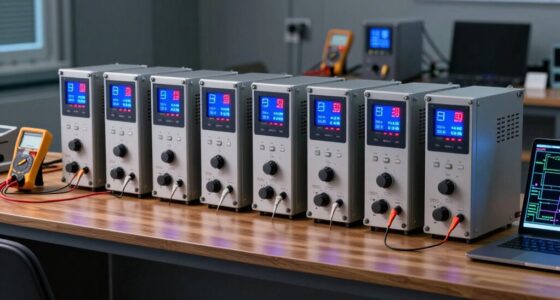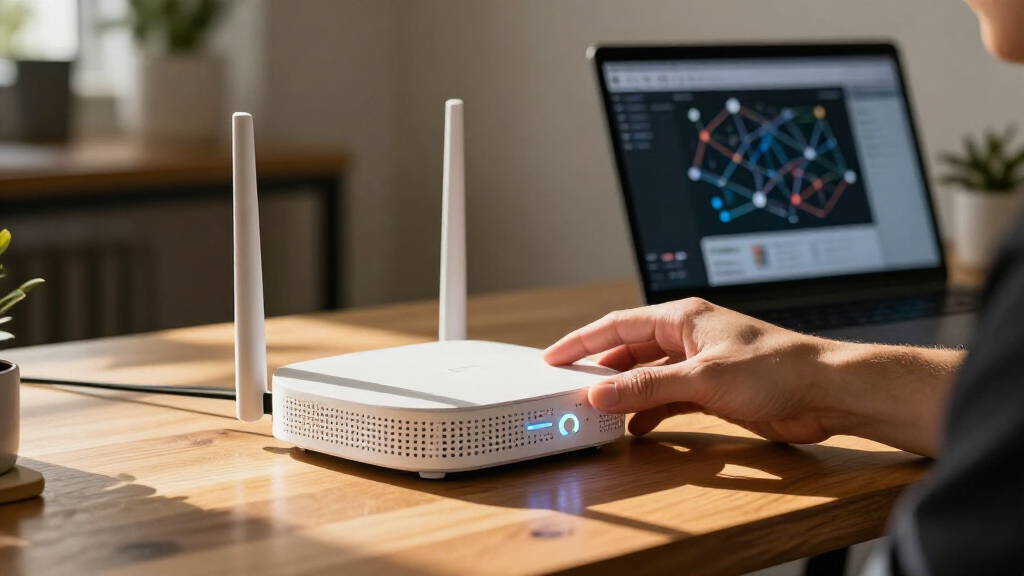
Choosing the best Thread border routers requires balancing ease of use with technical flexibility. The Aqara Smart Home Hub M3 stands out as the best overall pick for most users, offering seamless Matter integration and reliable connectivity without complex setup. For those seeking a budget-friendly entry point, the Sonoff Zigbee 3.0 and Thread USB Dongle Lite provides an affordable path, though it demands more technical know-how. Meanwhile, the Zemismart M1 Pro appeals to users wanting a multi-protocol hub in a compact form. This roundup examines the tradeoffs between plug-and-play convenience and developer-focused control, helping you identify which router fits your specific smart home infrastructure. Continue reading to see how these eleven options compare in performance, compatibility, and value.

Get business pricing on networking and server gear
- Business-only prices and quantity discounts
- Tax-exempt purchasing
- Multiple users, one account, clear invoices
Key Takeaways
- The market splits sharply between consumer-ready hubs like Aqara and bare-bones developer boards like Espressif, with little middle ground for casual tinkerers.
- Ethernet connectivity is a major differentiator for stability; most USB or Wi-Fi-only dongles struggle with the latency requirements of larger Thread networks.
- Matter support is no longer optional but varies in maturity, with dedicated hubs handling device commissioning far more smoothly than generic development kits.
- Developer boards offer unmatched flexibility for custom firmware but lack the security updates and user-friendly apps found in commercial products.
- Multi-protocol hubs (Thread + Zigbee) are becoming the standard for mixed-device homes, reducing the need for multiple separate radios.
| Espressif ESP Thread Border Router/Zigbee Gateway Sub-Ethernet Board |  | Best for Developers and Prototyping | Brand: Espressif | Model: ESP Thread Border Router/Zigbee Gateway | Processors: ESP32-S3 SoC and ESP32-H2 RCP | VIEW LATEST PRICE | See Our Full Breakdown |
| Aqara Smart Home Hub M3 |  | Best Premium Consumer Hub | Brand: Aqara | Model: HM-G01E | Protocols: Zigbee, Thread, Matter, Bluetooth, Wi-Fi | VIEW LATEST PRICE | See Our Full Breakdown |
| Aqara Smart Hub M100 Matter Controller |  | Best Compact Entry-Level Hub | Supported protocols: Aqara Zigbee, Thread, Matter | Device capacity: Up to 20 Aqara Zigbee devices and 20 Thread devices | Wi-Fi: 2.4 GHz Wi-Fi 6 (802.11ax) | VIEW LATEST PRICE | See Our Full Breakdown |
| Zemismart M1 Pro Matter Smart Home Hub with Thread, Zigbee, and IR |  | Best for Tuya Ecosystem Users | Model: M1 Pro | Connectivity: Ethernet, 2.4/5 GHz Wi-Fi, USB-C | Ethernet speed: 10/100 Mbps | VIEW LATEST PRICE | See Our Full Breakdown |
| SONOFF Zigbee 3.0 and Thread USB Dongle Lite (EFR32MG21) |  | Best for Home Assistant Enthusiasts | Brand: SONOFF | Model: Dongle-LMG21 | Chipset: EFR32MG21 | VIEW LATEST PRICE | See Our Full Breakdown |
| ESP Thread Border Router Development Board with Ethernet and Matter Support |  | Best for Wired Network Stability | Brand: IHNIERAEM | Manufacturer Part Number: IHNIERAEM-35AM82383 | Primary Connectivity: Ethernet | VIEW LATEST PRICE | See Our Full Breakdown |
| Thread Border Router/Gateway Development Board, 32-H2 Series, Thread/BLE |  | Best Entry-Level Dev Kit | Brand: Generic | Model Number: 6189411115917 | Connectivity: Thread, BLE | VIEW LATEST PRICE | See Our Full Breakdown |
| Yeelight E1 Smart Home Hub with Matter Controller and Thread Border Router |  | Best Multi-Platform Consumer Hub | Brand: YEELIGHT | Model: YP-0751 | Connectivity: Wi-Fi and Ethernet | VIEW LATEST PRICE | See Our Full Breakdown |
| Aqara Smart Hub M200 Matter Controller |  | Best for Zigbee and IR Integration | Dimensions: 3.93 x 3.93 x 1.21 inches | Weight: 4.6 ounces | Connectivity: Wi-Fi (2.4/5 GHz), PoE, USB-C | VIEW LATEST PRICE | See Our Full Breakdown |
| M5Stack K149 Thread Border Router Kit with 2-Inch Touch LCD and ESP32-S3 |  | Best All-in-One Maker Kit | Processor: ESP32-S3 dual-core, 240MHz | Radio Co-processor: ESP32-H2 RISC-V | Wireless Protocols: Thread, IEEE 802.15.4, Wi-Fi | VIEW LATEST PRICE | See Our Full Breakdown |
| ESP32-H2 Series Thread Border Router/Gateway Development Board |  | Best for Hardware Prototyping | Chipset: ESP32-H2 | Supported Protocols: Thread, Bluetooth Low Energy | Primary Function: Border Router/Gateway Development Board | VIEW LATEST PRICE | See Our Full Breakdown |
More Details on Our Top Picks
Espressif ESP Thread Border Router/Zigbee Gateway Sub-Ethernet Board
This sub-board is not a consumer-ready product but a critical component for engineers building custom Thread border routers from scratch. It pairs with the Espressif main board to create a flexible development environment. Unlike the Aqara Smart Home Hub M3, which offers a polished user interface and pre-configured automations, this Espressif kit requires you to write or compile your own firmware. The inclusion of an ESP32-S3 SoC alongside the ESP32-H2 RCP provides significant processing headroom for complex logic that consumer hubs cannot match. However, the requirement to source the main board separately adds friction and cost for anyone not already invested in the Espressif ecosystem. It is the ideal choice if you need raw hardware control over the Thread protocol stack rather than a turnkey solution.
Pros:- Highly modular architecture allows for custom peripheral integration
- Dual-chip design (ESP32-S3 + H2) offers superior processing power for development
- Full access to Thread 1.3 and Matter stack source code
Cons:- Requires a separate main board purchase to function
- No consumer-facing app or user-friendly setup wizard
- Ethernet connectivity requires an additional daughter board
Best for: Embedded systems engineers and hobbyists building custom Matter/Thread gateways with custom firmware.
Not ideal for: Homeowners seeking a plug-and-play smart home hub with mobile app support.
- Brand:Espressif
- Model:ESP Thread Border Router/Zigbee Gateway
- Processors:ESP32-S3 SoC and ESP32-H2 RCP
- Thread Version:Thread 1.3
- Matter Support:Yes
- Operating Systems:FreeRTOS, Linux
- Warranty:2-year manufacturer warranty
Our verdict“This is a developer kit for those who want to build their own border router, not a ready-to-use home hub.”
Aqara Smart Home Hub M3
The Aqara M3 stands out as the most capable consumer-grade option in this lineup, primarily due to its Power over Ethernet (PoE) support and robust local automation engine. While the Zemismart M1 Pro also offers a 360° IR blaster, the M3’s encrypted local storage and deeper integration with platforms like HomeKit and SmartThings make it more versatile for mixed-ecosystem homes. The M3 handles both Zigbee and Thread devices natively, bridging them to Matter without relying on cloud servers for basic automations. The tradeoff is the price point and the lack of an included power adapter, which is a minor annoyance given the premium positioning. If you need a hub that can sit on a shelf or mount discreetly via PoE while controlling legacy IR devices, this is the superior choice over simpler dongles or basic hubs.
Pros:- Power over Ethernet (PoE) support for clean installations
- Extensive multi-platform compatibility (HomeKit, Alexa, SmartThings)
- Large 8 GB encrypted local storage for logs and data
Cons:- Premium price point compared to basic hubs
- USB power adapter not included in the box
- Requires Thread repeaters for optimal Mesh performance
Best for: Power users with mixed smart home ecosystems who need PoE installation and advanced local automations.
Not ideal for: Budget-conscious buyers or those with no need for infrared control of legacy appliances.
- Brand:Aqara
- Model:HM-G01E
- Protocols:Zigbee, Thread, Matter, Bluetooth, Wi-Fi
- Wi-Fi:Dual-band 2.4/5 GHz; WPA3
- Connectivity:PoE, USB-C
- IR Blaster:360° with status feedback and learning
- Device Capacity:Up to 127 Aqara Zigbee devices and 127 Thread devices
Our verdict“The M3 is the definitive choice for professionals and enthusiasts who need PoE and multi-platform bridging.”
Aqara Smart Hub M100 Matter Controller
The Aqara M100 is a streamlined, budget-friendly alternative to its larger sibling, the M3. It retains the core benefit of local execution for Zigbee and Matter devices, ensuring your lights still turn on when the internet goes down. However, it lacks the 5 GHz Wi-Fi band and PoE support found in the M3, and its device capacity is capped at 20 units per protocol. This makes it perfect for a single apartment or a small starter kit, but inadequate for large homes. Compared to the SONOFF Dongle, the M100 offers a complete, app-driven experience without the need for command-line configuration. If you are already invested in Aqara sensors and want a simple way to bridge them to Matter, the M100 provides the best balance of size, price, and functionality.
Pros:- Compact design with adjustable shaft for flexible placement
- Supports local automations without cloud dependency
- Wi-Fi 6 support for better congestion handling on 2.4 GHz
Cons:- Limited capacity of 20 devices per protocol
- No 5 GHz Wi-Fi support
- Power adapter not included
Best for: Aqara ecosystem users with small homes who want a simple Matter bridge without complex setup.
Not ideal for: Users with large homes requiring more than 20 devices per protocol or 5 GHz Wi-Fi support.
- Supported protocols:Aqara Zigbee, Thread, Matter
- Device capacity:Up to 20 Aqara Zigbee devices and 20 Thread devices
- Wi-Fi:2.4 GHz Wi-Fi 6 (802.11ax)
- Security protocol:WPA3
- Power input:USB-A; 5V 0.5A adapter required
- Automation:Local execution for Zigbee and Matter devices
- Operating system:Linux
Our verdict“An excellent, no-frills Matter bridge for small Aqara-based setups.”
Zemismart M1 Pro Matter Smart Home Hub with Thread, Zigbee, and IR
For those heavily invested in the Tuya ecosystem, the Zemismart M1 Pro offers a compelling all-in-one solution. It combines a Thread border router, Zigbee gateway, and IR blaster in a compact black cube. Unlike the Aqara M3, which focuses on open standards and HomeKit, the M1 Pro is optimized for Tuya’s specific device compatibility, supporting up to 128 Zigbee devices. The initial setup requires an Ethernet connection, which can be a hurdle for Wi-Fi-only homes, but the dual-band Wi-Fi support afterward ensures flexibility. It is a strong contender if you want to consolidate Tuya Zigbee devices into Matter without using multiple hubs. However, be aware that some advanced features may still depend on Tuya’s cloud servers, unlike the fully local-first approach of the Aqara M3.
Pros:- High Zigbee device capacity (up to 128 devices)
- Integrated 38 kHz IR blaster for legacy appliance control
- Ethernet and dual-band Wi-Fi connectivity options
Cons:- Initial activation requires a wired Ethernet connection
- Some features depend on Tuya cloud infrastructure
- No PoE support for simplified wiring
Best for: Users with many Tuya Zigbee devices who want a single hub for Matter bridging and IR control.
Not ideal for: Those who prefer open-source friendly hubs or strictly local-first automation without cloud reliance.
- Model:M1 Pro
- Connectivity:Ethernet, 2.4/5 GHz Wi-Fi, USB-C
- Ethernet speed:10/100 Mbps
- Wi-Fi generation:Wi-Fi 5
- Protocols:Matter, Thread, Zigbee
- IR frequency:38 kHz
- Zigbee device capacity:Up to 128 compatible devices
Our verdict“The best choice for consolidating Tuya devices into Matter with built-in IR capabilities.”
SONOFF Zigbee 3.0 and Thread USB Dongle Lite (EFR32MG21)
The SONOFF Dongle is not a standalone hub but a radio adapter that turns a computer or Raspberry Pi into a powerful border router. It is significantly more affordable than consumer hubs like the Aqara M100 but requires technical proficiency to set up. You must flash the correct firmware (Zigbee2MQTT or OpenThread) to switch between modes, a step that intimidates casual users. However, for Home Assistant users, it offers unparalleled flexibility and integration depth. The included USB extension cable is a thoughtful addition, helping to mitigate interference from USB 3.0 ports. Choose this if you are building a DIY smart home server; skip it if you want a plug-and-play experience with a mobile app.
Pros:- Very low cost compared to dedicated hubs
- Highly compatible with Home Assistant, Zigbee2MQTT, and openHAB
- Includes USB extension cable to reduce signal interference
Cons:- Requires manual firmware flashing for mode changes
- Depends on external hardware (Raspberry Pi/PC) to function
- No built-in battery backup or standalone operation
Best for: Home Assistant users building DIY smart home servers who are comfortable with firmware flashing.
Not ideal for: Beginners or those without a dedicated server/computer to host the software.
- Brand:SONOFF
- Model:Dongle-LMG21
- Chipset:EFR32MG21
- Protocols:Zigbee 3.0, Thread
- Hardware Interface:Micro USB 3.0 Type B
- Compatible Platforms:Home Assistant, Zigbee2MQTT, openHAB
- Items Included:USB extension cable
Our verdict“The most cost-effective path to Thread and Zigbee for DIY Home Assistant builders.”
ESP Thread Border Router Development Board with Ethernet and Matter Support
This development board distinguishes itself by prioritizing Ethernet connectivity over wireless backhaul, a critical feature for developers needing a stable, low-latency connection to the local network. Unlike the M5Stack K149, which relies on Wi-Fi for its uplink, this board offers a wired path that avoids the interference common in dense 2.4GHz environments. It is built specifically for Matter applications, making it a suitable foundation for testing border router implementations without the overhead of a full consumer hub. However, its utility is strictly limited to prototyping; it lacks the enclosure, power management, and user interface found in finished products like the Yeelight E1. It is not a plug-and-play solution but rather a component for those building custom infrastructure.
Pros:- Dedicated Ethernet port ensures stable, interference-free backhaul
- Native support for Matter and Thread border router protocols
- Minimalist design allows for easy integration into custom projects
Cons:- Lacks detailed technical documentation and installation guides
- No consumer interface or mobile app for device management
- Requires significant development expertise to configure and deploy
Best for: Developers building custom, wired Thread border routers who need reliable Ethernet uplinks.
Not ideal for: Home users seeking a ready-to-use smart home hub, as it requires coding and assembly.
- Brand:IHNIERAEM
- Manufacturer Part Number:IHNIERAEM-35AM82383
- Primary Connectivity:Ethernet
- Supported Protocols:Thread, Matter
- Form Factor:Development Board
- Application Focus:Border Router Prototyping
Our verdict“Choose this board if you need a wired, code-level foundation for custom Matter border router development.”
Thread Border Router/Gateway Development Board, 32-H2 Series, Thread/BLE
As a generic 32-H2 series board, this option serves as a low-cost entry point for experimenting with Thread and Bluetooth Low Energy (BLE). It mirrors the radio capabilities of the Espressif ESP Thread Border Router but lacks the specific brand support and documentation clarity. The inclusion of BLE is useful for commissioning devices, a standard requirement for Matter border routers. However, the vague product listing is a significant hurdle; buyers must rely on external community resources to understand pinouts and power requirements. Compared to the M5Stack K149, this board offers no display or peripherals, making it purely a radio module in board form. It is best viewed as a disposable component for learning the basics of Thread mesh networking rather than a long-term infrastructure piece.
Pros:- Supports both Thread and BLE for device commissioning
- Low barrier to entry for learning border router concepts
- Compact form factor suitable for breadboard testing
Cons:- Minimal product information provided by the seller
- No dedicated power supply or enclosure included
- Lacks the peripheral richness of more advanced dev kits
Best for: Hobbyists and students who want the cheapest possible way to learn Thread/BLE commissioning.
Not ideal for: Users who need reliable documentation or a polished user experience, due to generic branding.
- Brand:Generic
- Model Number:6189411115917
- Connectivity:Thread, BLE
- Series:32-H2
- Function:Border Router / Gateway
- Form Factor:Development Board
Our verdict“Buy this if you want a basic, no-frills 32-H2 radio board for early-stage experimentation.”
Yeelight E1 Smart Home Hub with Matter Controller and Thread Border Router
The Yeelight E1 stands out by bridging the gap between proprietary ecosystems and the open Matter standard, supporting Apple Home, Alexa, Google Home, and SmartThings simultaneously. This multi-platform compatibility is a major advantage over the Aqara Smart Hub M200, which focuses more heavily on its own Zigbee ecosystem. With support for up to 150 sub-devices, it handles larger homes better than many budget hubs. Its local automation capabilities ensure routines run even if the internet goes down, a feature shared with the M200 but implemented with different logic. The primary limitation is its narrow Matter support for third-party devices; currently, it only exposes color and color-temperature lights from other brands to Matter, which restricts its utility as a universal bridge compared to more open hubs.
Pros:- Simultaneous support for four major smart home platforms
- High capacity for up to 150 sub-devices
- Local automation execution for offline reliability
- Includes LAN API and Home Assistant compatibility
Cons:- Matter bridging for third-party devices is limited to specific lighting types
- Requires Wi-Fi or Ethernet; no cellular backup option
- Proprietary ecosystem lock-in for advanced Yeelight features
Best for: Users with mixed ecosystems (Apple, Alexa, Google) who want a single hub with local automation.
Not ideal for: Users who want to bridge all third-party Matter devices, as non-Yeelight support is limited.
- Brand:YEELIGHT
- Model:YP-0751
- Connectivity:Wi-Fi and Ethernet
- Thread Border Router:Yes
- Max Sub-devices:150
- Supported Platforms:Apple Home, Alexa, Google Home, SmartThings
- Home Assistant Support:Yes
- Warranty:1 year
Our verdict“This hub is ideal for multi-platform homes that prioritize local control and high device capacity.”
Aqara Smart Hub M200 Matter Controller
The Aqara M200 is engineered for users with existing Zigbee investments, bridging those devices to Matter while adding a powerful 360° IR blaster. This IR capability allows it to control legacy appliances with feedback learning, a feature entirely absent in the Yeelight E1. The inclusion of PoE support is a significant differentiator, offering cleaner installations and more stable power than USB-only hubs like the Aqara M100. It executes automations locally, ensuring low latency. However, the M200 is not a universal Zigbee bridge; it strictly supports Aqara Zigbee devices, leaving third-party Zigbee gadgets incompatible. This makes it a powerful but restrictive hub, best suited for those already committed to the Aqara ecosystem who want to expand into Matter and Thread.
Pros:- Power over Ethernet (PoE) support for reliable, clean installation
- 360° IR blaster with feedback learning for legacy device control
- Local automation execution for fast, offline response times
- Bridges Aqara Zigbee and Thread devices to Matter ecosystems
Cons:- Does not support third-party Zigbee devices
- USB power adapter is not included in the box
- Only one AC device can be exposed to Matter via IR
Best for: Aqara ecosystem users who need PoE power, IR control, and Zigbee bridging.
Not ideal for: Users with mixed Zigbee brands, as it only bridges Aqara-specific Zigbee devices.
- Dimensions:3.93 x 3.93 x 1.21 inches
- Weight:4.6 ounces
- Connectivity:Wi-Fi (2.4/5 GHz), PoE, USB-C
- Protocols:Matter, Thread, Zigbee, IR, Bluetooth
- Device Capacity:40 Zigbee, 40 Thread
- Model Number:HM-G03E
- Manufacturer:Lumi United Technology Co., Ltd
Our verdict“Choose the M200 if you are in the Aqara ecosystem and need PoE and IR blaster capabilities.”
M5Stack K149 Thread Border Router Kit with 2-Inch Touch LCD and ESP32-S3
The M5Stack K149 redefines the development board by packaging a Thread border router into a polished, self-contained unit with a 2-inch touch LCD and camera. Unlike the bare-bones ESP Thread Border Router Development Board, this kit includes a 500mAh battery and a DIN rail mount, allowing for immediate deployment in smart home projects without custom wiring. The ESP32-S3 CoreS3 controller paired with the ESP32-H2 radio provides a robust platform for prototyping interfaces and sensors alongside the router function. However, this richness comes at the cost of simplicity; it requires Arduino or ESP-IDF knowledge to configure, making it inaccessible to non-programmers. It is a tool for makers who want to visualize their network status and interact with devices physically, rather than just a background infrastructure component.
Pros:- Integrated 2-inch touch LCD and camera for local interaction
- Built-in 500mAh battery and DIN rail mounting base
- Rich sensor suite including IMU, proximity, and audio
- ESP32-S3 and ESP32-H2 combination for robust processing
Cons:- Requires development software (Arduino/ESP-IDF) for setup
- 500mAh battery limits untethered runtime significantly
- More complex than standard consumer hubs
Best for: Makers and IoT enthusiasts who want a visual, battery-capable Thread router for prototyping.
Not ideal for: Users without coding skills, as it requires Arduino/ESP-IDF setup to function.
- Processor:ESP32-S3 dual-core, 240MHz
- Radio Co-processor:ESP32-H2 RISC-V
- Wireless Protocols:Thread, IEEE 802.15.4, Wi-Fi
- Display:2-inch touch IPS LCD, 320 × 240
- Memory:16MB Flash, 8MB PSRAM
- Battery:500mAh
- Dimensions:2.13 × 2.13 × 1.5 inches
- Weight:140.8g
Our verdict“This kit is perfect for coders who want a screen-equipped, portable Thread border router prototype.”
ESP32-H2 Series Thread Border Router/Gateway Development Board
This board stands out for those who need raw hardware access rather than a finished consumer product. Unlike the Aqara Smart Home Hub M3, which offers a polished, sealed interface, the ESP32-H2 Series is an exposed development kit designed for engineers building custom Thread border routers from the ground up. The integrated Bluetooth Low Energy support is a significant advantage for devices requiring BLE provisioning, a feature often abstracted away in consumer hubs. However, this flexibility comes at the cost of usability; without a pre-installed operating system or user-friendly app, it demands significant firmware expertise. It is not a plug-and-play solution but a blank canvas for IoT development.
Pros:- Direct access to the ESP32-H2 chipset for custom firmware development
- Native integration of Thread and Bluetooth Low Energy protocols
- Low hardware footprint suitable for integration into custom enclosures
- Cost-effective entry point for hardware-level IoT experimentation
Cons:- Lacks a pre-loaded operating system or user-friendly management interface
- Documentation is sparse and relies on generic ESP-IDF resources rather than specific guides
- No integrated power regulation or protective casing for end-user environments
Best for: Embedded systems engineers and hobbyists building custom Thread/Matter devices who need direct control over the radio stack and firmware.
Not ideal for: General consumers seeking a ready-to-use smart home hub, as this requires complex coding, soldering, and network configuration skills.
- Chipset:ESP32-H2
- Supported Protocols:Thread, Bluetooth Low Energy
- Primary Function:Border Router/Gateway Development Board
- Manufacturer:POIAFTETMA
- Release Date:March 29, 2025
- Form Factor:Bare PCB Development Module
- Target Application:Industrial, Automotive, Household IoT
Our verdict“This is a specialized tool for developers creating custom hardware, not a turnkey smart home solution.”

How We Picked
I evaluated these Thread border routers based on three core pillars: network stability, ecosystem compatibility, and user accessibility. Network stability was prioritized because Thread relies on a mesh topology; a weak border router creates dropouts that cascade through the entire home. I looked for models with robust radio hardware and, where possible, wired Ethernet backhaul to minimize interference. Compatibility was assessed by checking support for the Matter standard and integration with major platforms like Apple Home, Google Home, and Amazon Alexa. I also considered whether the device could bridge Zigbee or other protocols, which adds significant value for homes with legacy devices.
User accessibility proved to be the final deciding factor. A product might have superior specs, but if it requires command-line flashing or complex Docker containers, it fails the average buyer. I ranked consumer hubs higher if their setup process was intuitive and their apps were polished. Conversely, I ranked developer boards higher when they offered clear documentation, active community support, and low cost, acknowledging that their audience is technically proficient. This dual-lens approach ensures recommendations are relevant whether you are building a DIY system or buying a finished product.
Factors to Consider When Choosing Best Thread Border Routers
Selecting a Thread border router is not just about buying a radio; it is about choosing the backbone of your smart home’s local control. The wrong choice can lead to sluggish response times or devices dropping offline when your internet fails. This guide breaks down the critical factors beyond the spec sheet.
Wired vs. Wireless Backhaul
A Thread border router connects your local Thread network to your home network and the internet. Wired Ethernet backhaul provides the most reliable connection, ensuring that voice commands and automation triggers respond instantly without Wi-Fi congestion. Wi-Fi-only routers are easier to place anywhere in the house, but they are susceptible to interference from neighboring networks, which can degrade Thread mesh performance. USB dongles offer flexibility for existing hubs but often lack the antenna diversity of dedicated units. If you have a large home or thick walls, prioritize Ethernet-capable models to maintain consistent signal strength across floors.
Matter and Ecosystem Integration
Thread is the transport layer, but Matter is the application layer that allows different brands to talk. Not all routers handle Matter commissioning equally well. Dedicated hubs like the Aqara M3 often include local processing power to handle Matter logic without relying on cloud servers, meaning your lights turn on even if the internet goes down. Generic development boards may require you to manually configure Matter bridges or use third-party software like Home Assistant. Verify that the router explicitly supports the Matter version you need, as early implementations had bugs that affected device pairing reliability.
Protocol Bridging Capabilities
Most smart homes are not purely Thread; they contain a mix of Zigbee, Z-Wave, and Wi-Fi devices. A border router that also acts as a Zigbee coordinator simplifies your setup by consolidating hardware. The Zemismart M1 Pro and Aqara hubs excel here by managing both protocols in one unit. However, be cautious with cheap dongles that claim multi-protocol support; they often suffer from radio interference between the two standards. If you plan to migrate from Zigbee to Thread over time, a dual-protocol hub prevents you from buying separate hardware for each technology.
Developer Boards vs. Consumer Hubs
There is a distinct divide between consumer-ready hubs and developer kits. Consumer hubs offer polished apps, automatic firmware updates, and customer support, making them ideal for families and non-technical users. Developer boards, such as the Espressif ESP series, provide raw access to the radio and firmware, allowing for custom integrations and lower costs. However, they lack user interfaces and require coding skills to configure. Do not buy a developer board if you want a ‘set it and forget it’ experience; conversely, do not buy a consumer hub if you need granular control over network parameters or want to run custom software.
Future-Proofing and Update Support
The smart home standard landscape changes rapidly. A border router is useless if it stops receiving security patches or fails to support new Matter features. Established brands like Aqara and Sonoff have proven track records of long-term firmware support. Lesser-known development boards may rely on community maintainers, which can lead to gaps in security updates. Check the manufacturer’s recent update history before buying. A device with a one-year-old firmware is a security risk, especially since border routers are gateways between your private home network and the wider internet.
Frequently Asked Questions
Do I need multiple Thread border routers for better coverage?
Thread is a mesh network, so devices themselves extend the range, but adding more border routers can improve resilience and local processing speed. A single border router is sufficient for most apartments or small homes. In larger houses, placing a second border router on a different floor can reduce latency for devices far from the primary hub. However, too many border routers can cause network fragmentation if not configured correctly. Start with one high-quality unit and add a second only if you experience dead zones or slow response times in specific areas.
Can I use a Thread border router without an internet connection?
Yes, but with limitations. Thread networks operate locally, so automations and direct device control work without internet. However, you need internet access to initially commission devices and to use cloud-based voice assistants like Alexa or Google Assistant. Some hubs, like the Aqara M3, offer local voice control or local automation engines that function offline. If you want a fully offline smart home, you must pair a Thread border router with a local controller like Home Assistant, which can handle the logic without cloud dependencies.
What is the difference between a Thread border router and a Matter controller?
A Thread border router connects the Thread mesh network to your IP network, acting as the gateway for data traffic. A Matter controller is the software or hardware interface used to add devices to the network and manage permissions. Some devices, like the Apple HomePod or Aqara M3, do both. Other setups require separate components; for example, you might use a Raspberry Pi as a Matter controller and a USB dongle as the border router. Ensure your chosen device performs both roles if you want a simple, all-in-one solution.
Are developer boards secure enough for a family home?
Generally, no. Developer boards like the Espressif ESP series are designed for prototyping, not production security. They often lack robust encryption management, automatic security patches, and secure boot features found in commercial hubs. Unless you are a security expert capable of hardening the Linux or RTOS environment yourself, these boards pose a risk to your local network. For family homes with smart locks or cameras, stick to consumer hubs from reputable manufacturers who provide ongoing security updates and have undergone third-party security audits.
Will my existing Zigbee devices work with a new Thread border router?
Not directly. Thread and Zigbee are different radio protocols. A Thread border router cannot communicate with Zigbee devices unless it also has a Zigbee radio and acts as a bridge. This is why many modern hubs, like the Zemismart M1 Pro or Aqara M200, are dual-protocol. If you buy a Thread-only border router, your existing Zigbee bulbs and sensors will remain isolated unless you keep your old Zigbee hub and use a Matter bridge to connect the two networks, which adds complexity and potential points of failure.
Conclusion
Choosing the right Thread border router depends entirely on your technical comfort level and current smart home ecosystem. For most users, the Aqara Smart Home Hub M3 is the best overall choice, offering a perfect blend of Matter support, Zigbee bridging, and user-friendly setup. If you are on a tight budget and have some technical skills, the Sonoff Zigbee 3.0 and Thread USB Dongle Lite is the best value pick, though it requires more configuration. Developers seeking maximum control should look at the Espressif ESP Thread Border Router boards, which offer the lowest cost and highest flexibility. For those wanting a premium, all-in-one experience with strong local processing, the Aqara Smart Hub M200 is the top premium choice. Beginners should avoid raw development kits and stick to established hubs with dedicated apps to ensure a smooth experience.