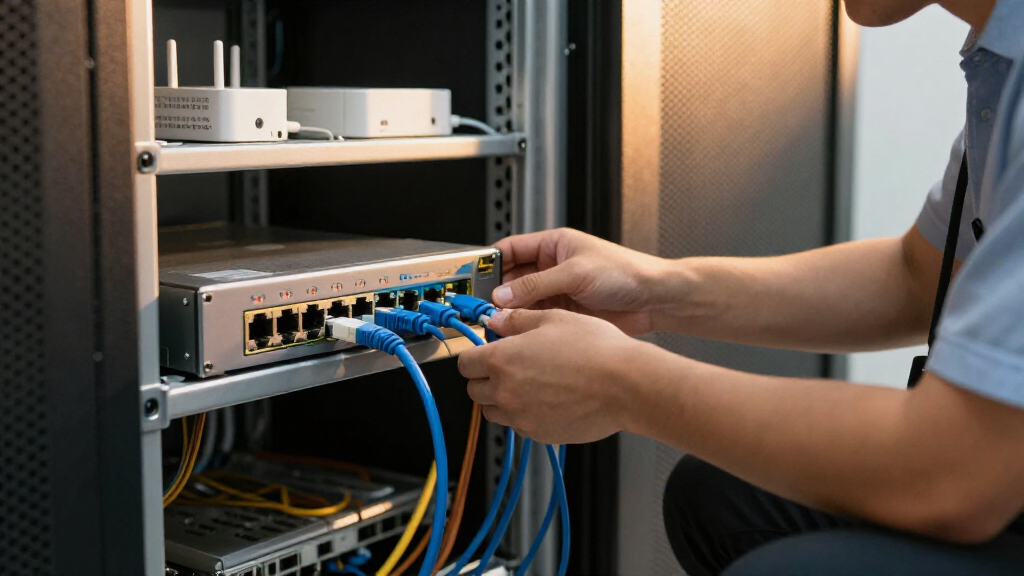
For a balanced mix of managed features, port capacity, and room to grow, I’d start with the TP-Link Omada SG2428LP; the NETGEAR GS310TPv2 is a more compact choice, while the TP-Link TL-SG108PE V3 suits smaller setups with basic management needs. These managed PoE network switches differ most in how much control they offer, how many devices they can power, and whether their uplinks and management tools fit your network. More ports can help with expansion, but they do not automatically mean a better fit if your PoE needs are modest. I’ve compared all 12 by management depth, PoE practicality, port layout, and likely setup needs. Read on for the full breakdown and a guide to choosing the right switch for your devices and growth plans.

Get business pricing on networking and server gear
- Business-only prices and quantity discounts
- Tax-exempt purchasing
- Multiple users, one account, clear invoices
Key Takeaways
- The Omada SG2428LP and TP-Link TL-SG1428PE both offer 28 ports, but buyers should compare their management approach and PoE needs rather than treating port count as the deciding factor.
- Small-network choices split between managed and simpler switching: the GS305EP offers smart management, while the TL-SG1005P is a basic PoE+ option without the same management emphasis.
- The 16-port group is not interchangeable. The STEAMEMO model calls out two Gigabit uplinks and SFP, while TP-Link and NETGEAR options offer different management and expansion tradeoffs.
- PoE budget matters as much as the number of PoE ports. The STEAMEMO 8-port model specifies a 120W budget, a useful planning detail that buyers should compare against the combined draw of their devices.
- Easy Smart and Smart Managed models suit different expectations. Buyers who need specific controls should verify the feature set and management method rather than assume every managed label means the same depth.
| TP-Link TL-SG108PE V3 8-Port Gigabit Easy Smart PoE Switch |  | Best Compact Gigabit Pick | Ports: 8 Gigabit Ethernet ports | PoE ports: 4 | PoE standard: IEEE 802.3af | VIEW LATEST PRICE | See Our Full Breakdown |
| TP-Link TL-SG1428PE 28-Port Gigabit Easy Smart PoE+ Switch |  | Best for Larger PoE Installations | Ports: 24 PoE+ Gigabit RJ45, 2 Gigabit non-PoE, and 2 SFP | PoE standard: IEEE 802.3at/af | Maximum PoE power per port: 30 W | VIEW LATEST PRICE | See Our Full Breakdown |
| STEAMEMO 16-Port Managed PoE+ Ethernet Switch with 2 Gigabit Uplinks and SFP |  | Best for Camera Networks with Separate Uplinks | Total ports: 19 | PoE ports: 16 × 100 Mbps | PoE standard: IEEE 802.3at PoE+ | VIEW LATEST PRICE | See Our Full Breakdown |
| NETGEAR GS305EP 5-Port Gigabit Ethernet PoE+ Smart Managed Switch |  | Best for a Small PoE+ Setup | Total ports: 5 Gigabit Ethernet | PoE+ ports: 4 | Total PoE budget: 63 W | VIEW LATEST PRICE | See Our Full Breakdown |
| STEAMEMO 8-Port Managed PoE+ Ethernet Switch with 2 Uplink Ports, 120W, VLAN and QoS |  | Best for Budget-Conscious 100 Mbps Camera Setups | PoE ports: 8 | Uplink ports: 2 | Data transfer rate: 100 Mbps | VIEW LATEST PRICE | See Our Full Breakdown |
| TP-Link TL-SG1005P 5-Port Gigabit PoE+ Switch |  | Best for Simple, Small PoE Setups | Ports: 5 Gigabit RJ45 | PoE+ ports: 4, IEEE 802.3af/at | Total PoE budget: 65W | VIEW LATEST PRICE | See Our Full Breakdown |
| Omada SG2428LP 28-Port Gigabit PoE+ Managed Switch |  | Best for Managed Network Expansion | Total ports: 28 | PoE+ ports: 16 | Non-PoE ports: 8 | VIEW LATEST PRICE | See Our Full Breakdown |
| TP-Link TL-SG1016PE 16-Port Gigabit Easy Smart PoE+ Switch |  | Best for Straightforward VLAN Management | Ports: 16 Gigabit RJ45 | PoE+ ports: 8, IEEE 802.3at/af | Listed PoE budget: 150W; listing also states 110W | VIEW LATEST PRICE | See Our Full Breakdown |
| TP-Link TL-SG1218MPE 18-Port Gigabit Easy Smart PoE+ Switch |  | Best for High PoE Port Count | Total ports: 18 | PoE+ ports: 16, IEEE 802.3af/at | Maximum power per PoE port: 30W | VIEW LATEST PRICE | See Our Full Breakdown |
| NETGEAR GS316EP 16-Port Gigabit Ethernet PoE+ Easy Smart Managed Switch |  | Best for Flexible Placement | Total ports: 16 | Gigabit Ethernet ports: 15 × 1Gbps | PoE+ ports: 15 | VIEW LATEST PRICE | See Our Full Breakdown |
| TP-Link LS108GP 8-Port Gigabit PoE+ Ethernet Switch |  | Best for Simple, Long-Range PoE | Ports: 8 Gigabit RJ45 ports with PoE+ | PoE standards: IEEE 802.3at/af | Maximum PoE power per port: 30 W | VIEW LATEST PRICE | See Our Full Breakdown |
| NETGEAR GS310TPv2 10-Port Gigabit PoE Smart Managed Switch |  | Best for Small-Business Fiber Uplinks | Ports: 8 Gigabit Ethernet ports and 2 dedicated 1 Gbps SFP ports | PoE ports: 8 PoE+ ports | PoE power budget: 55 W total | VIEW LATEST PRICE | See Our Full Breakdown |
| managed PoE network switch | Dimensions | Ports | Management | Total PoE budget |
|---|---|---|---|---|
| TP-Link TL-SG108PE V3 8-Port G | — | 8 Gigabit Ethernet ports | Web-based smart management | — |
| TP-Link TL-SG1428PE 28-Port Gi | 17.3 × 8.7 × 1.73 in | 24 PoE+ Gigabit RJ45, 2 Gigabit non-PoE, and 2 SFP | Web-based Easy Smart management | 250 W |
| STEAMEMO 16-Port Managed PoE+ | — | — | — | 240 W stated |
| NETGEAR GS305EP 5-Port Gigabit | 6.2 × 4 × 1.1 in | — | Web-based Easy Smart management | 63 W |
| STEAMEMO 8-Port Managed PoE+ E | — | — | — | 120 W |
| TP-Link TL-SG1005P 5-Port Giga | 3.94 × 3.86 × 0.98 in | 5 Gigabit RJ45 | — | 65W |
| Omada SG2428LP 28-Port Gigabit | 8.7 × 17.3 × 1.7 in | — | Omada cloud, standalone web, CLI, SNMP, and RMON | 150W |
| TP-Link TL-SG1016PE 16-Port Gi | 11.57 × 7.09 × 1.73 in | 16 Gigabit RJ45 | Easy Smart, web-based | — |
| TP-Link TL-SG1218MPE 18-Port G | — | — | — | — |
| NETGEAR GS316EP 16-Port Gigabi | 11.26 × 4.02 × 1.06 in | — | Easy Smart, web and mobile interfaces | — |
| TP-Link LS108GP 8-Port Gigabit | — | 8 Gigabit RJ45 ports with PoE+ | — | — |
| NETGEAR GS310TPv2 10-Port Giga | 236 x 101 x 30 mm (9.3 x 4.0 x 1.2 in) | 8 Gigabit Ethernet ports and 2 dedicated 1 Gbps SFP ports | — | — |
More Details on Our Top Picks
TP-Link TL-SG108PE V3 8-Port Gigabit Easy Smart PoE Switch
The TL-SG108PE V3 suits a small network that needs managed controls without giving up Gigabit speeds. Its eight ports can connect a mix of PoE devices and ordinary wired equipment, while VLANs, QoS, and IGMP snooping help organize traffic for cameras, phones, or access points. Compared with the NETGEAR GS305EP, it offers three extra network ports, though the NETGEAR provides PoE+ on four ports and lists a higher 63 W power budget. This TP-Link’s PoE budget is reported inconsistently as 57 W and 53 W, so I would verify the available power before planning a load near that limit. Its fanless metal case favors quiet placement, but PoE reaches only four of its eight ports.
Pros:- Eight Gigabit Ethernet ports accommodate PoE and non-PoE equipment.
- VLAN, QoS, and IGMP snooping provide useful traffic controls.
- Traffic monitoring and cable diagnostics can help with basic troubleshooting.
- Fanless metal construction supports quiet operation.
Cons:- Only four ports provide PoE.
- The supplied product details conflict on the total PoE budget: 53 W or 57 W.
Best for: Home offices and small installations that need Gigabit connections, basic smart management, and PoE for up to four devices.
Not ideal for: Installers powering more than four devices or planning near the full PoE budget, given the limited PoE port count and conflicting budget figures.
- Ports:8 Gigabit Ethernet ports
- PoE ports:4
- PoE standard:IEEE 802.3af
- PoE budget:Listed as 53 W in one section and 57 W in another
- Switching capacity:16 Gbps
- Management:Web-based smart management
- Management features:VLAN, QoS, IGMP snooping, rate limiting, traffic monitoring, and cable diagnostics
- Construction and cooling:Metal case; fanless
Our verdict“Choose this for a quiet, compact Gigabit network with a few PoE devices, but check the power budget and skip it if most ports need PoE.”
TP-Link TL-SG1428PE 28-Port Gigabit Easy Smart PoE+ Switch
For a camera-heavy office or growing small business, the TL-SG1428PE combines 24 Gigabit PoE+ ports with a 250 W total budget, two non-PoE Gigabit ports, and two SFP slots. That gives an installer room to connect many powered devices while reserving fiber uplinks or extra wired connections. It is a larger step up from the eight-port TP-Link TL-SG108PE V3: the bigger model has far more PoE capacity and supports PoE+ at up to 30 W per port, but its Easy Smart management is still web-based rather than a reason to buy a fully featured enterprise platform. PoE auto recovery can restart unresponsive devices, although it must be configured. Its rack-sized footprint and 3.1 kg weight make it less suitable for a discreet desktop setup.
Pros:- Twenty-four Gigabit PoE+ ports support a dense device deployment.
- 250 W total PoE budget and up to 30 W per PoE port.
- Two SFP slots add options for fiber uplinks.
- VLAN, QoS, IGMP, LAG, and configurable PoE auto recovery extend basic network control.
Cons:- PoE auto recovery requires configuration before it can restart unresponsive devices.
- Its 17.3-inch-wide chassis is bulky compared with compact options such as the NETGEAR GS305EP.
- Easy Smart web management may not meet needs for advanced network administration.
Best for: Small-business IT staff and installers connecting numerous PoE+ cameras, access points, or phones, especially where SFP uplinks are useful.
Not ideal for: Home users or small offices with only a few PoE devices who do not need 24 powered ports, SFP slots, or a larger switch chassis.
- Ports:24 PoE+ Gigabit RJ45, 2 Gigabit non-PoE, and 2 SFP
- PoE standard:IEEE 802.3at/af
- Maximum PoE power per port:30 W
- Total PoE budget:250 W
- Management:Web-based Easy Smart management
- Features:VLAN, QoS, IGMP, LAG, and PoE auto recovery
- Dimensions:17.3 × 8.7 × 1.73 in
- Weight:3.1 kg
Our verdict“Pick this when you need many Gigabit PoE+ ports and SFP uplinks in one switch, not for a small network that can manage with a compact model.”
STEAMEMO 16-Port Managed PoE+ Ethernet Switch with 2 Gigabit Uplinks and SFP
The STEAMEMO 16-port makes sense for a camera installation where PoE port count and power capacity matter more than Gigabit speed at every endpoint. It supplies 16 PoE+ ports with a stated 240 W PoE budget, plus two Gigabit uplinks and a 1.25G SFP port. VLAN, QoS, DHCP snooping, and port mirroring offer more management tools than the smaller eight-port STEAMEMO, while managed and unmanaged modes give buyers a simpler operating option. The key compromise is that its PoE ports are only 100 Mbps, unlike the Gigabit ports on the TP-Link TL-SG1428PE. The product details also list 200 W maximum power alongside a 240 W PoE budget, so I would clarify power figures before relying on the full stated PoE capacity.
Pros:- Sixteen PoE+ ports serve a larger device group than compact switches.
- The stated 240 W PoE budget supports a substantial powered-device load.
- VLAN, QoS, DHCP snooping, and port mirroring provide useful management controls.
- Fanless metal construction supports quiet desktop or wall-mounted placement.
Cons:- All 16 PoE ports are limited to 100 Mbps.
- The listing gives conflicting figures: a 240 W PoE budget and 200 W maximum power.
- The supplied warranty is limited to one year.
Best for: Camera-system installers who need many PoE+ connections, separate Gigabit uplinks, and management controls, and whose endpoint traffic fits 100 Mbps ports.
Not ideal for: Buyers needing Gigabit links to powered devices, or anyone who needs clear, consistent power specifications before sizing a system.
- Total ports:19
- PoE ports:16 × 100 Mbps
- PoE standard:IEEE 802.3at PoE+
- Maximum PoE power per port:30 W
- Total PoE budget:240 W stated
- Uplinks:2 Gigabit uplink ports and 1 × 1.25G SFP
- Management features:VLAN (802.1Q), QoS, DHCP snooping, and port mirroring
- Operating modes:Managed and unmanaged
- Construction and mounting:Fanless metal case; desktop or wall mount
Our verdict“Consider this for a managed camera network with 100 Mbps endpoints, but choose the Gigabit-port TP-Link TL-SG1428PE for faster connections to powered devices.”
NETGEAR GS305EP 5-Port Gigabit Ethernet PoE+ Smart Managed Switch
The NETGEAR GS305EP is a compact choice for someone who needs PoE+ on only a handful of devices but still wants Gigabit connections and smart management. Four PoE+ ports share a 63 W budget, and the fifth port can connect a non-PoE device. VLAN, QoS, IGMP snooping, and per-port PoE controls offer more tuning than a basic unmanaged switch; uninterrupted PoE is useful when a switch update or reboot should not cut power to connected equipment. Compared with the eight-port TP-Link TL-SG108PE V3, the NETGEAR has fewer total ports but lists a higher PoE budget and supports PoE+. That compact footprint also limits growth: it is not a good fit if the installation may soon need more than four powered devices.
Pros:- Four PoE+ ports share a 63 W total budget.
- Gigabit Ethernet supports faster wired links than the 100 Mbps PoE ports on the STEAMEMO models.
- VLAN, QoS, IGMP snooping, and per-port PoE controls support tailored network settings.
- Fanless metal design supports quiet desktop or wall-mounted placement.
Cons:- Only five total Ethernet ports leave little room for network growth.
- The 63 W budget is shared across four PoE+ ports, so it does not provide 63 W to each device.
Best for: Home offices, small retail sites, and compact camera or access-point setups with up to four PoE+ devices and a need for web-based controls.
Not ideal for: Growing installations that need more than four PoE devices or multiple expansion ports; a larger switch such as the TP-Link TL-SG1428PE is a better fit for those loads.
- Total ports:5 Gigabit Ethernet
- PoE+ ports:4
- Total PoE budget:63 W
- Management:Web-based Easy Smart management
- Features:VLAN, QoS, IGMP snooping, per-port PoE controls, and uninterrupted PoE
- Mounting:Desktop or wall mount
- Cooling:Fanless
- Dimensions:6.2 × 4 × 1.1 in
Our verdict“Choose the GS305EP for a quiet, tightly sized Gigabit PoE+ network with up to four powered devices, and look to a larger model if expansion is likely.”
STEAMEMO 8-Port Managed PoE+ Ethernet Switch with 2 Uplink Ports, 120W, VLAN and QoS
This eight-port STEAMEMO is aimed at installations that need PoE+ for several devices but can accept 100 Mbps links at the powered endpoints. All eight PoE ports share a 120 W budget, and two uplink ports keep those connections separate from the device ports. VLAN, QoS, DHCP snooping, and port mirroring add meaningful controls, while managed and unmanaged modes let buyers choose how much configuration they need. Compared with the 16-port STEAMEMO, this model occupies less space and has fewer PoE connections; compared with the Gigabit NETGEAR GS305EP, it offers more PoE ports and a larger listed power budget but gives up endpoint speed. The supplied one-year replacement warranty and 100 Mbps limit may rule it out for longer-term or higher-throughput deployments.
Pros:- Eight PoE+ ports provide more powered connections than the NETGEAR GS305EP.
- The stated 120 W total budget serves a modest multi-device load.
- VLAN, QoS, DHCP snooping, and port mirroring support managed network control.
- Fanless metal case supports quiet desktop or wall-mounted installation.
Cons:- The eight PoE ports are limited to 100 Mbps.
- The supplied warranty is a one-year replacement warranty.
- The listed voltage is 220 V, which buyers should check against their installation’s power supply.
Best for: Small camera installations with up to eight PoE+ devices that do not require Gigabit speeds at the endpoints.
Not ideal for: Access points, workstations, or other devices where Gigabit endpoint links matter, and buyers seeking a warranty longer than one year.
- PoE ports:8
- Uplink ports:2
- Data transfer rate:100 Mbps
- PoE standard:IEEE 802.3at
- Maximum power per port:30 W
- Total PoE budget:120 W
- Management features:VLAN, QoS, DHCP snooping, and port mirroring
- Operating modes:Managed and unmanaged
- Construction and mounting:Fanless metal case; desktop or wall mount
Our verdict“Pick this for a compact, quiet 100 Mbps camera setup needing up to eight PoE+ connections, but choose a Gigabit switch for faster endpoint traffic.”
TP-Link TL-SG1005P 5-Port Gigabit PoE+ Switch
The TL-SG1005P suits a compact setup where the main goal is powering a few devices, not managing network traffic. Four PoE+ ports share a 65W budget, while the fifth port connects a non-PoE device; plug-and-play setup keeps configuration simple. QoS and IGMP Snooping add some traffic-handling features, but this remains an unmanaged switch, unlike the managed TL-SG1016PE or NETGEAR GS316EP. That means no VLAN setup or per-port management here. Its fanless metal case is a practical fit for a quiet desk or small wall-mounted installation. The tradeoff is limited expansion: once all four PoE ports are occupied, adding powered cameras or access points means replacing the switch rather than managing a larger device pool.
Pros:- Four PoE+ ports with a 65W shared power budget
- Plug-and-play setup requires no network configuration
- Fanless metal case supports quiet desktop or wall-mounted placement
- QoS and IGMP Snooping are included
Cons:- No managed controls such as VLAN configuration or per-port administration
- Only four of the five ports provide PoE+
- The 65W total budget limits the combined power available to connected devices
Best for: Home users or small offices connecting up to four PoE cameras, phones, or access points who want a quiet, no-configuration switch.
Not ideal for: Buyers who need VLANs, remote port controls, or more than four PoE-powered devices; this model is unmanaged and has only four PoE+ ports.
- Ports:5 Gigabit RJ45
- PoE+ ports:4, IEEE 802.3af/at
- Total PoE budget:65W
- Maximum power per PoE port:30W
- Switch type:Unmanaged
- Features:QoS, IGMP Snooping, IEEE 802.3X flow control
- Case and mounting:Metal; desktop or wall mount
- Dimensions:3.94 × 3.86 × 0.98 in
Our verdict“Choose the TL-SG1005P for a quiet, low-maintenance setup with up to four PoE devices, but pick a managed model if you need network control or room to grow.”
Omada SG2428LP 28-Port Gigabit PoE+ Managed Switch
The Omada SG2428LP is the strongest fit here for a growing small-business network that needs central control across many connected devices. It combines 16 PoE+ ports and a 150W budget with four SFP slots, giving it more uplink flexibility than the TL-SG1218MPE’s two combo SFP slots. Its Omada cloud platform sits alongside standalone web, CLI, SNMP, and RMON management, so it can suit both centralized deployments and administrators who prefer direct control. The fanless metal case is attractive for noise-sensitive offices, though the 28-port, rack-style footprint is less convenient than the compact NETGEAR GS316EP. Its 1Gbps ports and lack of 10G uplinks also set a ceiling for faster backbone links, and the single power input offers no redundancy.
Pros:- Sixteen PoE+ ports and a 150W total PoE budget
- Four SFP slots provide multiple fiber uplink options
- Omada cloud control plus web, CLI, SNMP, and RMON management
- Fanless cooling keeps operation quiet
Cons:- No 10G uplink options; listed ports operate at 1Gbps
- Single power input does not provide power redundancy
- 28-port rack-style footprint may be awkward in tight spaces
Best for: Small and midsize businesses deploying multiple access points, cameras, or phones that need centralized Omada oversight and flexible SFP uplinks.
Not ideal for: Teams needing 10G uplinks, redundant power, or a compact desktop switch; this model is large and has a single power input.
- Total ports:28
- PoE+ ports:16
- Non-PoE ports:8
- SFP ports:4
- Total PoE budget:150W
- Switching capacity:56Gbps
- Management:Omada cloud, standalone web, CLI, SNMP, and RMON
- Dimensions:8.7 × 17.3 × 1.7 in
- Weight:6.8 lb
Our verdict“Pick the SG2428LP when you want broad managed connectivity, quiet operation, and multiple SFP uplinks, but look elsewhere if 10G or redundant power is required.”
TP-Link TL-SG1016PE 16-Port Gigabit Easy Smart PoE+ Switch
The TL-SG1016PE offers a middle ground for buyers who want basic network segmentation and PoE automation without the broader management options of the Omada SG2428LP. Its web-based Easy Smart controls cover VLANs, QoS, and IGMP Snooping, while PoE Auto Recovery can restart an unresponsive powered device without a manual unplug. Eight of its 16 Gigabit ports supply PoE+, making it a sensible fit for a mixed network of cameras or access points alongside wired computers and printers. The TL-SG1218MPE gives you twice as many PoE+ ports and SFP slots, so it is the better match for a more device-heavy installation. One source of uncertainty here is the conflicting 150W and 110W PoE figures in the listing; I would verify the applicable budget before planning a full load.
Pros:- Eight PoE+ ports across a 16-port Gigabit switch
- Web-based management includes VLAN, QoS, and IGMP Snooping
- PoE Auto Recovery can restart unresponsive powered devices
- Metal case supports rack mounting
Cons:- Listing conflicts between 150W and 110W PoE budget figures
- Only eight ports provide PoE+
- Easy Smart management is more limited than the SG2428LP’s broader controls
Best for: Small offices or home labs that need web-managed VLANs and PoE recovery for a moderate number of powered devices.
Not ideal for: Installations requiring more than eight PoE endpoints or a clearly documented power budget; the listing gives conflicting PoE figures.
- Ports:16 Gigabit RJ45
- PoE+ ports:8, IEEE 802.3at/af
- Listed PoE budget:150W; listing also states 110W
- Maximum power per PoE port:30W
- Management:Easy Smart, web-based
- Features:VLAN, QoS, IGMP Snooping, PoE Auto Recovery
- Case and mounting:Metal; rack mountable
- Dimensions:11.57 × 7.09 × 1.73 in
- Warranty:3 years
Our verdict“Choose the TL-SG1016PE for basic VLAN control and automated PoE recovery, but confirm the actual power budget and consider the TL-SG1218MPE if you need more PoE ports.”
TP-Link TL-SG1218MPE 18-Port Gigabit Easy Smart PoE+ Switch
For a deployment where most endpoints need power, the TL-SG1218MPE stands apart from the TL-SG1016PE: it supplies 16 PoE+ ports rather than eight, while keeping two non-PoE ports and adding two combo SFP slots. VLAN, QoS, and IGMP Snooping offer useful Easy Smart controls, and PoE Auto Recovery can restore a stalled camera or access point without a site visit. The stated 192W PoE budget is substantial for this class, though the separate 250W maximum-power figure may confuse capacity planning; those numbers describe different limits, so they should not be treated as interchangeable. Compared with the Omada SG2428LP, this is a more focused PoE-heavy option with fewer total ports and less expansive management. It is a practical pick for a compact rack, not a high-end backbone switch.
Pros:- Sixteen PoE+ ports support a high count of powered endpoints
- Two combo SFP slots provide fiber uplink options
- VLAN, QoS, and IGMP Snooping support basic traffic management
- PoE Auto Recovery can reboot unresponsive devices
Cons:- The 250W maximum-power figure and 192W PoE budget can be confusing
- Only two ports are non-PoE
- Easy Smart controls are less extensive than the SG2428LP’s management options
Best for: Small businesses and surveillance installers powering many cameras, access points, or phones while needing basic VLAN controls and SFP connectivity.
Not ideal for: Buyers who need extensive enterprise-style management, many non-PoE connections, or a straightforward power specification without checking the listed figures.
- Total ports:18
- PoE+ ports:16, IEEE 802.3af/at
- Maximum power per PoE port:30W
- PoE budget:192W per product description
- Maximum power:250W
- Non-PoE ports:2
- Combo SFP slots:2
- Switching capacity:36Gbps
- Warranty:3 years
Our verdict“Choose the TL-SG1218MPE when a high PoE port count matters more than advanced management, and confirm the usable PoE budget before sizing a large device load.”
NETGEAR GS316EP 16-Port Gigabit Ethernet PoE+ Easy Smart Managed Switch
The NETGEAR GS316EP is a straightforward choice for buyers who need many powered connections but want a switch that can sit on a desktop or mount on a wall. It gives you 15 PoE+ ports with a shared 180W budget, plus one 1G SFP port for a fiber link. Web and mobile management cover VLANs, QoS, IGMP Snooping, and per-port PoE controls, with uninterrupted PoE support for devices that should remain powered during switch changes. Compared with the TL-SG1218MPE, it has one fewer PoE+ port and a single SFP port rather than two combo slots, but its placement flexibility is a clear advantage in smaller wiring areas. The 180W budget is shared, so high-draw devices can limit how many ports run at once, and Easy Smart management is not full enterprise-grade control.
Pros:- Fifteen PoE+ ports with a shared 180W budget
- One 1G SFP port supports a fiber connection
- Web and mobile controls include VLANs, QoS, IGMP Snooping, and per-port PoE
- Desktop or wall mounting accommodates varied installation locations
Cons:- The 180W PoE budget is shared across all PoE+ ports
- Only one SFP port is provided
- Easy Smart management is more limited than the SG2428LP’s broader control options
Best for: Small offices or installers who need up to 15 PoE+ connections, one fiber uplink, and desktop or wall-mount placement.
Not ideal for: Networks requiring a large shared PoE reserve, multiple SFP uplinks, or advanced managed-switch controls beyond the Easy Smart feature set.
- Total ports:16
- Gigabit Ethernet ports:15 × 1Gbps
- PoE+ ports:15
- PoE budget:180W
- SFP port:1 × 1G
- Management:Easy Smart, web and mobile interfaces
- Features:VLAN, QoS, IGMP Snooping, per-port PoE control, uninterrupted PoE
- Mounting:Desktop or wall mount
- Dimensions:11.26 × 4.02 × 1.06 in
Our verdict“Pick the GS316EP for a flexible installation with broad PoE coverage and one fiber uplink, but choose a higher-capacity or more fully managed switch for heavier demands.”
TP-Link LS108GP 8-Port Gigabit PoE+ Ethernet Switch
The LS108GP is the straightforward choice for powering a small group of PoE devices when management features are not required. Its plug-and-play setup avoids the VLAN and QoS configuration available on the NETGEAR GS310TPv2, so it suits a basic camera or access-point installation rather than a network that needs traffic controls. The standout is Extend mode, rated for runs up to 820 feet, which can help place a device farther from the switch without adding a nearby power source; actual results depend on cabling and device needs. PoE auto recovery can reboot an unresponsive powered device, while the fanless metal case keeps operation quiet. The main tradeoff is its 65 W total PoE budget, shared across eight ports, and its unmanaged design leaves no way to configure or monitor network behavior.
Pros:- Eight Gigabit PoE+ ports support a compact set of powered devices.
- Extend mode supports transmission distances up to 820 feet.
- PoE auto recovery can reboot an unresponsive powered device.
- Fanless metal case supports quiet desktop or wall-mounted installation.
Cons:- Unmanaged operation provides no VLAN, QoS, or other configuration options.
- The 65 W total PoE budget limits the combined power available across all ports.
Best for: Home users or small-site installers powering a few cameras or access points, especially where a device needs a longer cable run and simple plug-and-play operation is preferred.
Not ideal for: Small businesses that need VLANs, QoS, or configurable network controls, and installations with several high-power devices that could exceed the 65 W shared PoE budget.
- Ports:8 Gigabit RJ45 ports with PoE+
- PoE standards:IEEE 802.3at/af
- Maximum PoE power per port:30 W
- Total PoE power budget:65 W
- Extended transmission distance:Up to 820 ft
- Switch type:Unmanaged
- Cooling and case:Fanless metal case
- Mounting:Desktop or wall mount
Our verdict“Choose the LS108GP for a quiet, simple PoE setup with long cable runs, but pick a smart-managed model such as the GS310TPv2 if you need network controls.”
NETGEAR GS310TPv2 10-Port Gigabit PoE Smart Managed Switch
The GS310TPv2 is the more management-focused pick here: compared with the unmanaged TP-Link LS108GP, it adds VLAN and QoS controls through a web interface, with an optional CLI for buyers who want another way to manage the switch. Those tools help separate traffic and prioritize services on a small business network. Its two dedicated 1 Gbps SFP ports also provide fiber uplink options without using the eight PoE+ Ethernet ports, a useful distinction from compact switches without dedicated fiber connections. The tradeoff is a 55 W PoE budget, which may restrict how many high-draw cameras, phones, or access points can run together. Eight Ethernet data ports may also be tight as a deployment grows, and there is no redundant power supply for added resilience.
Pros:- Eight Gigabit Ethernet ports provide PoE+ for cameras, phones, or access points.
- Two dedicated 1 Gbps SFP ports support fiber uplinks and network expansion.
- Layer 2/3 Lite features include VLAN and QoS controls.
- Web interface, optional CLI, and desktop or wall mounting offer flexible setup.
Cons:- The 55 W total PoE budget can limit the number of high-power devices.
- Eight Ethernet data ports may be insufficient as a small network expands.
- No redundant power supply is provided.
Best for: Small-business owners or IT administrators connecting up to eight PoE devices who need VLAN or QoS controls and dedicated SFP fiber uplinks.
Not ideal for: Growing deployments that need more than eight Ethernet device ports, several high-power PoE devices, or a redundant power supply.
- Ports:8 Gigabit Ethernet ports and 2 dedicated 1 Gbps SFP ports
- PoE ports:8 PoE+ ports
- PoE power budget:55 W total
- Maximum power:69.5 W
- Management type:Smart Managed Essentials, Layer 2/3 Lite
- Management features:VLANs and QoS; web interface and optional CLI
- Dimensions:236 x 101 x 30 mm (9.3 x 4.0 x 1.2 in)
- Mounting:Desktop or wall mount
Our verdict“Pick the GS310TPv2 when a small business needs VLAN and QoS management plus fiber uplinks, but not a large PoE budget or more than eight Ethernet device ports.”
How We Picked
I ranked these managed PoE network switches by how clearly their port count, management features, and PoE capabilities match common home, office, and small-business needs. I gave more weight to options that present a useful balance of powered ports and network control than to models that simply offer the most connections. I also considered whether the product details identify practical expansion features, such as uplinks or SFP, and whether the stated PoE budget helps a buyer plan for connected devices.
The order reflects versatility and fit, not a claim that every buyer needs the largest or most feature-rich switch. Models with larger port counts rank well for growing networks, while compact choices remain relevant for smaller installations and straightforward setups. Since “managed” can describe different levels of control, I treat Easy Smart, Smart Managed, and managed models as distinct categories and recommend checking the exact management features before purchase. I also call out tradeoffs where a simpler or smaller model may make more sense than a higher-ranked alternative.
| managed PoE network switch | Management |
|---|---|
| TP-Link TL-SG108PE V3 8-Port G | Web-based smart management |
| TP-Link TL-SG1428PE 28-Port Gi | Web-based Easy Smart management |
| STEAMEMO 16-Port Managed PoE+ | — |
| NETGEAR GS305EP 5-Port Gigabit | Web-based Easy Smart management |
| STEAMEMO 8-Port Managed PoE+ E | — |
| TP-Link TL-SG1005P 5-Port Giga | — |
| Omada SG2428LP 28-Port Gigabit | Omada cloud, standalone web, CLI, SNMP, and RMON |
| TP-Link TL-SG1016PE 16-Port Gi | Easy Smart, web-based |
| TP-Link TL-SG1218MPE 18-Port G | — |
| NETGEAR GS316EP 16-Port Gigabi | Easy Smart, web and mobile interfaces |
| TP-Link LS108GP 8-Port Gigabit | — |
| NETGEAR GS310TPv2 10-Port Giga | — |
Factors to Consider When Choosing Managed PoE Network Switches
Before choosing a switch, I’d map the devices you plan to connect and power, then match those needs to management depth and installation constraints. These decisions often matter more than choosing the model with the largest port count.
Choose Management Depth for the Tasks You Actually Need
“Managed” is not a single feature level, so I’d check the specific controls listed for the switch rather than rely on the label. VLANs can separate guest Wi-Fi, cameras, and office devices, while QoS can help prioritize time-sensitive traffic on a busy network. If you only need to monitor basic link activity or separate a few device groups, an Easy Smart model may be enough. Buyers running several network segments or a more involved deployment should confirm the switch supports their planned configuration and management workflow. A common mistake is paying for controls that will never be configured—or buying a simple switch, then discovering it lacks a needed VLAN or monitoring function. Match the feature list to a short written plan before comparing models.
Calculate PoE Demand, Not Just Device Count
Count the powered devices and check each device’s expected power draw, then compare their combined demand with the switch’s PoE budget. A switch with enough PoE ports can still fall short if the total power allocation is too low. Leave room for devices that may draw more power during startup or under heavier use, and check whether the switch supports the PoE standard your equipment requires. Do not assume every port can deliver the maximum stated power at the same time; the overall budget can limit simultaneous output. This is especially relevant when mixing access points, cameras, and phones. A little headroom can prevent a replacement purchase when the system grows.
Plan for Port Growth and Uplink Needs
List wired endpoints separately from links to routers, servers, or other switches so you do not count every port as an interchangeable device connection. Uplink ports and SFP slots can preserve regular Ethernet ports for endpoints and may give you more options for linking equipment. Their value depends on your existing network: an SFP port does little for a setup with no compatible fiber or transceiver plan. For a small installation, five or eight ports may be tidy and sufficient; for an office adding cameras and access points, a 16- or 28-port model can reduce the need to replace the switch soon. Avoid buying far more ports than your site can use unless growth or centralized wiring justifies it. Check the physical port layout against where the switch will sit.
Check How You Will Configure and Maintain the Switch
Management can happen through a local web interface, a controller, or another vendor-specific workflow, and those approaches affect setup and ongoing administration. Before buying, confirm whether the switch requires extra software, compatible hardware, or an account for the features you plan to use. A controller-based approach may suit someone managing several network devices, while a standalone interface can be simpler for one switch. Also check how you will back up settings and recover access if the network configuration changes. Buyers sometimes focus on feature lists and overlook the time needed to maintain them. Pick the administration style that fits the person responsible for the network, not just the person placing the order.
Account for Noise, Placement, and Power
A switch installed in a bedroom or quiet office has different practical requirements from one mounted in a wiring closet. Check the unit’s size, mounting options, cooling design, and any available noise information before deciding where it will live. PoE switches can produce more heat as their powered-device load rises, so a cramped shelf or enclosed cabinet may be a poor location. You should also plan for a nearby power outlet, cable access, and enough room to inspect connections. A compact switch can be easier to place but may offer fewer ports or less PoE capacity. Choose the installation location first, then confirm the hardware fits it.
Frequently Asked Questions
Can I use a managed PoE switch with a router from another brand?
Usually, a switch and router from different brands can work together for standard Ethernet and PoE connections. The key question is whether you need brand-specific controller integration or advanced features across both devices. Basic VLAN use may require matching configuration on the router and switch, so check that both support the same tagging setup. If you plan to manage several devices through one controller, confirm compatibility before buying. For a standalone switch, cross-brand use is generally less of a concern than matching the network settings.
How can I tell whether a switch has enough PoE capacity for my cameras and access points?
Add the power requirements of all devices you expect to run at once and compare that total with the switch’s stated PoE budget. Check each device’s required PoE standard and maximum draw, not just its typical consumption. Leave some capacity unused for startup demand and later additions. Also confirm how many ports provide PoE; the total budget does not mean every port can deliver the maximum independently. If the product information does not make the budget clear, verify it in the manufacturer’s specifications before deciding.
Is an Easy Smart switch enough for a small office?
It can be, if the office mainly needs basic controls such as VLANs, traffic prioritization, or simple monitoring and the model supports the exact features required. The term Easy Smart does not guarantee the same management tools as a more advanced managed switch. Write down the planned network segments and any monitoring needs, then compare those requirements with the feature list. If staff or devices are likely to expand, consider whether the management interface and available controls will still suit the network later. A more advanced model is useful only when its additional controls solve a real operational need.
Should I choose a 28-port switch if I only need 12 ports today?
Not automatically. A larger switch can provide room for growth and keep future devices on one unit, but it may add unused capacity and require more space than your installation needs. First include uplinks, printers, access points, cameras, and other wired devices in your port count. Then consider how likely expansion is and whether the switch’s PoE budget can support it, not just its total port count. If your network is stable and compact, a smaller model may be a better fit; if new endpoints are planned, spare ports can reduce future disruption.
When do SFP or dedicated uplink ports make a real difference?
They matter when you need a distinct link to another switch, router, or compatible fiber connection without using a regular endpoint port. SFP can support certain fiber-based links, but you must check the supported transceiver type and distance for your installation. Dedicated uplinks can also make cable planning clearer in a network cabinet. They offer little benefit if your current equipment has no matching connection or your link requirements are modest. Confirm compatibility with the devices at both ends before treating an uplink feature as a reason to choose one model.
Conclusion
For most buyers seeking a capable, expandable managed PoE switch, I’d put the Omada SG2428LP first, with its 28-port format suited to networks that need substantial connection capacity. For a best value pick among compact options, the TP-Link TL-SG108PE V3 is a practical starting point when basic management and a smaller footprint matter more than extensive expansion. Beginners who need only a few powered connections should compare the NETGEAR GS305EP for smart management with the simpler TP-Link TL-SG1005P. For a premium or larger-installation choice, compare the Omada SG2428LP and TL-SG1428PE against the management features your network will use. If your priority is a stated power budget and uplink options, review the STEAMEMO 8-port 120W model and the 16-port STEAMEMO model closely. I’d make the final choice by matching management depth, PoE budget, port layout, and future device count—not by port count alone.
Halloween Picks

Kalolary 12ft Halloween Witch Haunted House Inflatable Archway

9 ft Halloween Inflatable Haunted Castle with Dragon and Ghost

Panefright Halloween Window Projector – Scary Projector for Spooky Decor
As an affiliate, we earn on qualifying purchases.