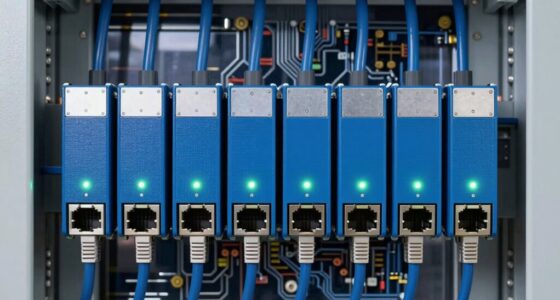
When searching for a network attached storage (NAS) device, the main factors to consider are performance, ease of use, scalability, and price. The QNAP TS-433-4G-US stands out as the best overall with its powerful ARM processor and versatile connectivity. For those on a budget, the BUFFALO LinkStation 210 offers reliable storage at a lower cost, while the Ugreen NAS DXP4800 Pro delivers high-end features for content creators. Buyers face tough tradeoffs between raw power, affordability, and ease of setup. Continue reading for a detailed breakdown of these options and more to find the best fit for your needs.

Get business pricing on networking and server gear
- Business-only prices and quantity discounts
- Tax-exempt purchasing
- Multiple users, one account, clear invoices
Key Takeaways
- High-performance NAS devices with multi-core processors and 10GbE ports are best suited for demanding workloads and media editing.
- Diskless models typically offer better long-term value but require buyers to purchase drives separately, adding initial complexity.
- Compact rackmount options like the QNAP TS-433eU-US are ideal for enterprise or professional environments with space constraints.
- Entry-level NAS units with pre-installed drives serve beginners or casual users but often lack advanced features.
- Content creators and power users benefit from models with multiple M.2 NVMe slots, HDMI outputs, and fast network interfaces for multimedia tasks.





More Details on Our Top Picks
QNAP TS-433-4G-US Storage NAS (2.0GHz 4-core Cortex-A55 ARM/4GB built-in/1×2.5Gigabit Ethernet Port (2.5G/1G/100M)/4BAYS/80TB/TOWER/*NO HDD*)
The QNAP TS-433-4G-US stands out for its versatile 4-bay tower design and 2.5GbE port, making it a solid choice for small offices needing fast network access. Compared with the Synology DS223, it offers more storage bays and higher flexibility but lacks the robust app ecosystem of Synology’s DSM. Its ARM-based CPU and 4GB RAM support basic multitasking, yet may struggle with heavy workloads or virtualization. This model makes the most sense for growing small businesses or tech-savvy home offices looking for expandable storage without the complexity of enterprise solutions.
Pros:- Versatile 4-bay tower design for easy upgrades
- Supports 2.5GbE for faster network speeds
- Expandable storage capacity up to 80TB with no HDD included
- 4-core Cortex-A55 ARM CPU balances performance and power efficiency
Cons:- No included HDDs, additional cost for drives
- Limited RAM for heavy multitasking or virtualization
- ARM CPU may limit compatibility with some software
Best for: Small business owners and tech-savvy home office users needing expandable, fast network storage.
Not ideal for: Large enterprises or users requiring high-end virtualization or intensive data processing, as the hardware may be limiting.
- Processor:2.0GHz 4-core Cortex-A55 ARM
- Built-in RAM:4GB
- Network Ports:1×2.5GbE
- Bays:4
- Max Storage Capacity:80TB
- Form Factor:Tower
- HDD Included:No
- Price Range:Mid-range
Bottom line: This NAS suits small offices seeking flexible storage and faster network connectivity without enterprise-level complexity.
BUFFALO LinkStation SoHo 220 2-Bay Personal Cloud Office NAS 8TB (2x4TB) with Hard Drives Included
The BUFFALO LinkStation SoHo 220 offers a straightforward 2-bay design with RAID 1 support and hard drives included, making it ideal for home users or small offices prioritizing data security. Unlike the UGREEN DXP4800, it lacks high-end processing power but excels in simplicity and ease of use, especially with pre-installed drives. Its 8TB capacity and RAID 1 configuration provide reliable backup and data redundancy, although the slower Ethernet (up to 1GbE) may limit transfer speeds for large media files. Best suited for users who want a plug-and-play solution with minimal setup and support for Windows and macOS.
Pros:- Includes hard drives for immediate use
- Supports RAID 1 for data redundancy
- Compatible with Windows and macOS
- 24/7 US-based support and 3-year warranty
Cons:- Limited network speed (up to 1GbE)
- Basic processor limits multitasking and media server capabilities
- No support for higher-speed Ethernet beyond 1GbE
Best for: Home users and small offices seeking reliable, subscription-free backup with included drives.
Not ideal for: Power users or content creators needing high transfer speeds or advanced virtualization, due to its limited network and processing capabilities.
- Capacity:8TB (2x4TB drives included)
- Network Speed:1GbE
- RAID Support:RAID 1
- Supported OS:Windows, macOS
- Included Drives:Yes
- Form Factor:Desktop
- Warranty:3 years
Bottom line: This NAS is perfect for users who want simple, reliable backup with included storage for everyday use.
Synology DS223 Home & Office Backup Hub – Centralize Files, Protect Data & Monitor Property (2-Bay Diskless NAS)
The Synology DS223 excels as a central hub for file management, offering robust DSM software for private cloud, collaboration, and backup. Its 2-bay design is ideal for users who prefer flexible storage options, especially compared with the UGREEN DXP4800’s enterprise focus. The DS223 provides a user-friendly interface, seamless integration with cloud services, and strong support for backups across multiple devices. However, its diskless configuration means additional investment in drives, and its hardware might be less powerful for heavy multitasking or virtualization. This pick makes sense for home users and small offices seeking reliable, easy-to-manage file centralization and backup solutions without enterprise complexity.
Pros:- Excellent DSM software ecosystem
- Supports private cloud and collaboration features
- Flexible diskless setup for custom storage choices
- High user ratings and reliable customer support
Cons:- Requires separate drives, adding initial cost
- Limited hardware performance for intensive tasks
- Only 2 bays restrict large storage capacity
Best for: Home users and small offices requiring straightforward file centralization and reliable backup solutions.
Not ideal for: Power users needing high-performance virtualization or high-capacity storage out of the box, due to limited bays and hardware specs.
- Number of Bays:2
- Processor:Intel CPU (unspecified model)
- Memory:Unspecified, supports upgrades
- Max Storage:Dependent on drives
- Supported OS:DSM (Synology DiskStation Manager)
- Network:Ethernet
- Form Factor:Desktop
- Warranty:2 years
Bottom line: This NAS is ideal for users wanting a simple, reliable, and expandable file management hub for home or small office use.
Asustor Drivestor 2 Gen 2 AS1202T 2-Bay NAS Storage with Quad-Core CPU and 2.5GbE Network (Diskless)
The Asustor Drivestor 2 Gen 2 offers a compact, budget-conscious solution for home users and small offices, supporting 2 drives with 2.5GbE for faster network transfer. Compared to the BUFFALO LinkStation 220, it provides a more modern quad-core processor, though its 1GB RAM might limit multitasking performance. Its tool-free drive bays simplify setup, but as it’s diskless, users will need to purchase drives separately, adding to the overall cost. Its lower price point and basic feature set make it ideal for those starting with NAS or needing a simple backup and media server without enterprise features or extensive expansion options.
Pros:- Affordable price point
- Supports 2 drives for flexible RAID options
- Supports 2.5GbE for faster local network transfers
- Tool-free drive installation for easy setup
Cons:- Limited 1GB RAM may restrict performance
- Basic hardware may struggle with multitasking
- No included drives, additional purchase required
Best for: Home users and small offices seeking an affordable, easy-to-use NAS for basic backups and media streaming.
Not ideal for: Power users or those wanting high-end virtualization, as its hardware limits intensive applications and large-scale storage.
- Number of Bays:2
- Processor:Quad-core 1.7GHz
- Network Speed:2.5GbE
- RAM:1GB DDR4
- Diskless:Yes
- Dimensions:3.94 x 3.94 x 3.94 inches
- Weight:1160 grams
- Warranty:2 years
Bottom line: This NAS is best suited for budget-conscious users who need simple, reliable storage and media sharing at home.
UGREEN NAS DXP4800 Pro 4-Bay Desktop Network Attached Storage, Intel Core i3-1315U 6-Core CPU, 8GB DDR5 RAM, Built-in 128GB SSD, 1x 10GbE, 1x 2.5GbE, 2X M.2 NVMe Slots, 4K HDMI (Diskless)
The UGREEN DXP4800 Pro is designed for demanding workflows, featuring a powerful Intel Core i3-1315U 6-core CPU, 8GB DDR5 RAM, and dual high-speed network ports including 10GbE. Its 4-bay configuration supports up to 144TB with drives added, and the built-in 128GB SSD provides quick access to critical data. Compared with the Synology DS223, it offers enterprise-level hardware and advanced features like Docker support, virtual machines, and AI-powered photo recognition, making it suitable for professional content creators, developers, and small teams. The main tradeoff is a higher price and increased complexity, which might be unnecessary for casual users or small-scale backups.
Pros:- Powerful multi-core Intel CPU
- Supports virtualization and Docker containers
- Dual high-speed network ports (10GbE + 2.5GbE)
- Massive storage capacity and expandability
Cons:- Higher cost compared to basic NAS systems
- Complex setup for non-technical users
- Requires drives for full storage potential, increasing initial expense
Best for: Creative professionals, developers, and small teams needing high performance, virtualization, and AI features.
Not ideal for: Casual users or those looking for simple, out-of-the-box backup solutions, as setup and costs are higher.
- Processor:Intel Core i3-1315U 6-core
- RAM:8GB DDR5
- Network Ports:10GbE + 2.5GbE
- Max Capacity:144TB
- Supports:Docker, VMs, AI
- Form Factor:Desktop
- Built-in SSD:128GB
- Warranty:2 years
Bottom line: This NAS is best for power users who need high performance, virtualization, and AI capabilities in a compact, enterprise-ready package.
Synology DS124 1-Bay Diskless NAS – Personal Backup & File Hub
The Synology DS124 stands out for its all-in-one approach to personal backups, private cloud storage, and AI-powered home surveillance. Compared to the QNAP TS-216G-US, it offers a more streamlined setup for individual users who prioritize security and automation without the complexity of enterprise features. The diskless design means you’ll need to purchase compatible drives separately, but this allows flexibility in choosing capacity and brand. While it excels in privacy and smart home integration, the setup process may be challenging for less tech-savvy buyers. Its 2-year warranty adds peace of mind, and without subscription fees, it provides long-term savings. Overall, this makes sense for individuals seeking a reliable, secure, and expandable personal NAS that doubles as a home security hub.
Pros:- Automated backup for photos, documents, and videos
- Private file cloud with no monthly fees
- AI-powered surveillance with instant alerts
Cons:- Requires separate purchase of storage drives
- May need technical setup and configuration
Best for: Tech-savvy homeowners wanting a private, expandable backup and smart surveillance hub
Not ideal for: Beginners or users seeking an all-in-one preconfigured system with included drives
- Warranty:2 years
- Unit Count:1
- Diskless Design:Yes
- Connectivity:Network only
- AI Surveillance:Yes
- Private Cloud:Yes
Bottom line: Ideal for users who want a customizable, privacy-focused NAS with smart home features.
BUFFALO LinkStation 210 4TB 1-Bay NAS Network Attached Storage with HDD Hard Drives Included NAS Storage that Works as Home Cloud or Network Storage Device for Home
The Buffalo LinkStation 210 offers a straightforward, budget-friendly solution for home users who want ready-to-use storage with included drives. Unlike the Synology DS124, it comes with built-in 4TB drives, making it a plug-and-play option ideal for those who prefer simplicity over customization. Its single bay limits expandability, but it still provides reliable centralized storage for basic backups and media sharing. The device’s compact size makes it suitable for small spaces, though its performance may lag behind more advanced NAS options. Buffalo’s support in the US provides added reassurance, but the lack of advanced features like RAID or multi-device management makes it less suitable for tech enthusiasts. This pick best suits users seeking a hassle-free, preloaded device for basic home storage needs.
Pros:- HDDs included, ready to use out of the box
- Affordable price point
- Compact, space-saving design
Cons:- Limited to a single drive bay, no expandability
- Lower performance compared to multi-bay NAS
Best for: Home users needing an easy, all-in-one storage solution with included drives
Not ideal for: Power users requiring RAID support, multi-user access, or drive flexibility
- Storage Capacity:4TB
- Drive Bays:1
- Included Drives:Yes
- Connectivity:Ethernet
- Warranty:2 years
- Support:US-based
Bottom line: Perfect for casual users wanting simple, reliable storage with no extra setup or drives needed.
QNAP TS-216G-US – The Most Affordable 2-Bay 2.5GbE Desktop NAS, Equipped with ARM Cortex-A55 Quad-Core CPU, Built-in NPU and 4GB DDR4 RAM (Diskless)
The QNAP TS-216G-US offers a compelling mix of affordability and performance, thanks to its ARM Cortex-A55 quad-core processor and built-in NPU for AI acceleration. Compared to the Synology DS223j, it provides more raw processing power suitable for multimedia streaming and AI-enhanced tasks. Its diskless design means users can customize storage but will need to purchase drives separately. While it supports 2.5GbE for faster network transfers, it lacks enterprise-grade features like virtualization or extensive app support, making it ideal for home or small office users. Its user-friendly interface makes setup accessible for newcomers, though power users seeking extensive customization or enterprise-grade features should look elsewhere. This NAS excels as a versatile, budget-friendly entry point for multimedia and smart home applications.
Pros:- Affordable 2-bay setup with high performance
- Built-in NPU for AI-based recognition
- Supports 2.5GbE for faster network speeds
Cons:- No preloaded drives, requires separate purchase
- Limited to basic NAS features without virtualization support
Best for: Home and small office users wanting a budget-friendly NAS with AI capabilities
Not ideal for: Power users needing virtualization, extensive app support, or enterprise features
- Processor:ARM Cortex-A55 2.0GHz
- RAM:4GB DDR4
- Network Speed:2.5GbE
- Drive Bays:2
- Diskless:Yes
- Support:Home/Small Office
Bottom line: Suitable for users seeking a cost-effective, AI-capable NAS for multimedia and smart home tasks.
Synology 2-Bay DiskStation DS223j (Diskless)
The Synology DS223j emphasizes security and ease of use, creating a private cloud environment suitable for households and small offices. Its energy-efficient design and robust backup options make it comparable to the QNAP TS-216G-US but with a focus on data security and multi-platform access. Being diskless, it requires separate storage drives, which can be tailored to your capacity needs. Its built-in surveillance support makes it appealing for users wanting a combined backup and security solution, although its higher price point reflects its more comprehensive feature set. For users prioritizing data security and simple management, this device offers a reliable, user-friendly platform, though less tech-savvy buyers may find initial setup a bit daunting.
Pros:- Secure private cloud with multi-platform access
- Automated backup for multiple devices
- Supports home security IP cameras
Cons:- Requires separate purchase of drives
- Higher price for entry-level features
Best for: Home users needing a secure private cloud with integrated surveillance support
Not ideal for: Users seeking an all-in-one preconfigured system with included drives or enterprise features
- Warranty:2 years
- Unit Count:1
- Diskless Design:Yes
- Multi-Platform Access:Yes
- Home Surveillance:Supported
- Energy Efficient:Yes
Bottom line: Perfect for security-conscious users aiming for a private, manageable cloud with home surveillance integration.
BUFFALO LinkStation 210 2TB 1-Bay NAS Network Attached Storage with HDD Hard Drives Included NAS Storage that Works as Home Cloud or Network Storage Device for Home
This model stands out for offering a straightforward, entry-level NAS solution with pre-installed hard drives, making it ideal for users seeking simple, centralized storage at an affordable price. Compared to the BUFFALO LinkStation SoHo 220, it provides a basic setup without advanced features or RAID options, which can be a tradeoff for those needing more data redundancy. Its plug-and-play design suits small households or light users who prioritize ease of use over scalability. The included HDDs mean no additional investment upfront, but that also limits flexibility for future upgrades. While lacking advanced backup or multi-user controls, this NAS offers secure local data storage with SSL encryption. This pick is perfect for families or individuals wanting reliable, secure home storage without complexity or monthly fees.
Pros:- Includes HDDs, reducing initial setup cost
- Simple, user-friendly setup with plug-and-play design
- Secure data transfer with SSL encryption
- 24/7 US-based support and 2-year warranty
Cons:- Limited to 2TB capacity, not suitable for high storage needs
- No RAID support for data redundancy
- Basic management features lacking advanced user controls
Best for: Home users needing simple, reliable storage with minimal setup and no ongoing costs
Not ideal for: Power users or small businesses requiring RAID redundancy and advanced management features
- Digital Storage Capacity:2 TB
- Hard Disk Interface:Serial ATA-300
- Connectivity Technology:Ethernet
- Hard Disk Form Factor:3.5 Inches
- Compatible Devices:Desktop, Laptop
- Item Weight:2.43 Pounds
Bottom line: This NAS is a solid choice for casual home users prioritizing straightforward storage without extra features.
QNAP TS-433eU-US Compact 1U Short-Depth rackmount 2.5GbE NAS, Affordable Edge Storage with NPU Acceleration (Diskless)
This pick makes the most sense for small businesses or environments with limited rack space, thanks to its compact 1U form factor and flexible mounting options. Compared with the Buffalo LinkStation 210, it offers higher scalability, RAID support, and more advanced management, but at a higher price point and without pre-installed drives. Its space-efficient design suits environments like small offices, factories, or surveillance setups where rackmount installation is preferred. The dual 2.5GbE ports provide faster network transfers, ideal for small teams sharing large files or streaming media. While it lacks built-in drives, its compatibility with third-party HDDs or SSDs offers flexible storage expansion. This NAS is best for IT-savvy users who need reliable, scalable, and space-conscious storage solutions in tight spaces.
Pros:- Compact 1U rackmount design fits tight spaces
- Supports RAID for data redundancy
- High-speed 2.5GbE network ports
- Supports third-party HDDs for flexible storage
Cons:- No pre-installed drives, requiring additional setup
- More expensive than basic desktop NAS options
- Requires technical knowledge for installation and configuration
Best for: Small business or technical users needing space-efficient, scalable rackmount NAS with advanced features
Not ideal for: Home users or those seeking an out-of-the-box solution with pre-installed drives
- Size:1U rackmount
- Processor:ARM Cortex-A55 2.0GHz
- RAM:4GB DDR4
- Network Ports:2x 2.5GbE
- Drive Bays:2-Bay (diskless)
- Maximum Storage Capacity:Up to 80TB with drives
- Warranty:3 Years
Bottom line: This NAS is ideal for space-constrained environments needing scalable, high-performance storage with RAID support.
UGREEN NAS DXP2800 2-Bay Desktop Network Attached Storage, Intel N100 Quad-Core CPU, 8GB DDR5 RAM, 2.5GbE, 2X M.2 NVMe Slots, 4K HDMI, Ideal for Content Creators and Enthusiasts (Diskless)
This model makes a compelling case for content creators or tech enthusiasts who need robust hardware, including an Intel N100 quad-core processor and 8GB DDR5 RAM, for demanding tasks like media editing, virtual machines, or large backups. Compared with the QNAP TS-433eU, it offers higher RAM capacity and faster transfer speeds, but at a higher cost and requiring separate storage drives. Its M.2 NVMe slots and 4K HDMI output enable direct media playback and fast cache SSD setups, appealing to users who want an integrated multimedia experience. It supports up to 80TB with third-party drives, making it suitable for extensive media libraries and professional workflows. The user-friendly app simplifies management, but the diskless design means extra purchase of HDDs or SSDs is necessary. This NAS best serves power users, streamers, or creative professionals seeking top-tier hardware and multimedia features.
Pros:- Powerful Intel N100 quad-core CPU
- 8GB DDR5 RAM for demanding multitasking
- Dual 2.5GbE ports for fast network transfers
- Supports M.2 NVMe SSDs and 4K HDMI output
Cons:- Requires separate purchase of drives, adding to overall cost
- Higher price point compared to basic NAS options
- More complex setup for non-technical users
Best for: Content creators, media professionals, and tech-savvy enthusiasts needing high performance and multimedia capabilities
Not ideal for: Home users seeking an all-in-one, ready-to-use NAS with included drives or simple backup features
- Processor:Intel N100 Quad-Core
- RAM:8GB DDR5
- Network Ports:2x 2.5GbE
- Drive Bays:2-Bay (diskless)
- Max Storage Capacity:Up to 80TB
- Features:4K HDMI, M.2 NVMe slots
Bottom line: This NAS is best suited for creative professionals and power users demanding high hardware performance and multimedia features.
How We Picked
These products were selected based on a combination of performance, build quality, usability, expandability, and value for different user profiles. Priority was given to models that offer a balanced mix of powerful hardware and user-friendly interfaces. We also considered the variety of use cases—from simple backups to complex media editing—to ensure options cater to beginners, enthusiasts, and professionals alike. The ranking reflects how well each NAS meets these criteria while offering meaningful tradeoffs, such as cost versus features or scalability versus complexity.Factors to Consider When Choosing Network Attached Storage
Choosing the right NAS depends on your specific needs, whether you prioritize performance, ease of use, or future scalability. Understanding key factors before purchasing can help you avoid costly mistakes and select a device that truly fits your environment and budget.Performance and Hardware Power
Look for models with multi-core processors, ample RAM, and fast network interfaces like 2.5GbE or 10GbE. These specs ensure smooth handling of large files or multimedia workflows. If you plan to run multiple services or virtual machines, investing in higher-end hardware can prevent bottlenecks. However, more powerful units tend to cost more and may be overkill for simple backups or light file sharing.
Ease of Use and Setup
Intuitive interfaces and streamlined setup processes are essential, especially for beginners. Brands like Synology and QNAP excel here, offering user-friendly apps and comprehensive support. Be cautious of models with complex configurations that might demand advanced networking knowledge. Consider whether the device offers plug-and-play drives or if you’ll need to manually install disks, which impacts setup time and complexity.
Scalability and Expandability
If future growth matters, look for NAS units with multiple drive bays and support for expansion cards or M.2 SSDs. This allows you to add storage or upgrade performance over time without replacing the entire device. However, highly expandable units often come with higher initial costs and more complicated management interfaces, which might not be necessary for casual users.
Price and Value
Balance your budget against desired features. Diskless models can save money upfront but require additional investment in drives. Pre-configured systems with drives included are simpler but more expensive. Determine whether spending more on a premium brand or high-end hardware translates into tangible benefits for your use case, or if a budget model suffices for your needs.
Additional Features and Use Cases
For multimedia enthusiasts, features like HDMI output, M.2 slots, and multi-user support matter. Business users should prioritize data redundancy, security options, and remote access capabilities. Content creators benefit from fast networking, high-capacity drives, and media streaming features. Recognize which extras are worth paying for based on your primary NAS functions.
Frequently Asked Questions
Can I start with a 2-bay NAS and upgrade later?
Yes, many 2-bay NAS devices support adding additional drives or upgrading existing disks to larger capacities. However, the ability to expand beyond the initial configuration depends on the specific model and its hardware design. It’s important to verify whether the device supports RAID expansion or additional drive bays if future growth is anticipated. Starting small can be cost-effective, but ensure future upgrade paths are available if your storage needs increase.
Is it better to buy a NAS with pre-installed drives or without?
Pre-installed drives offer convenience and a ready-to-use setup, making them ideal for beginners or those who want a quick deployment. However, they tend to be more expensive upfront and limit your choice of drives. Diskless NAS units are more flexible, allowing you to select and upgrade drives as needed, often providing better long-term value. The decision depends on your comfort with hardware installation and your budget.
What network speed should I look for in a NAS for media streaming?
For smooth 4K media streaming or multi-user access, a NAS with at least 2.5GbE or 10GbE networking is advisable. These faster interfaces reduce buffering and latency, especially when working with large files or high-resolution content. If your existing network infrastructure supports only 1GbE, consider upgrading your switch or router to maximize your NAS’s potential. The right speed ensures seamless media playback without interruptions.
Are rackmount NAS units worth considering for home use?
Rackmount NAS devices like the QNAP TS-433eU-US are typically designed for enterprise or professional environments where space, rack integration, and high capacity are priorities. For home users, these units can be overkill in size and complexity, but they excel in scalability and performance. If you have a dedicated server room or need extensive storage with enterprise features, a rackmount NAS might be justified. Otherwise, a desktop model usually offers better simplicity and value for home settings.
How important are hardware encryption features in a NAS?
Hardware encryption can significantly boost data security, especially for sensitive or business-critical information. It allows for faster encryption and decryption processes without taxing the CPU, maintaining overall system performance. If data privacy is a priority, look for models with built-in encryption support and secure access controls. For casual use or small-scale backups, software encryption might suffice, but hardware options add an extra layer of protection.
Conclusion
For everyday consumers seeking reliable storage, the Synology DS223 or QNAP TS-216G offer straightforward performance with user-friendly interfaces. Power users and media professionals should consider the Ugreen NAS DXP4800 Pro or UGREEN NAS DXP2800 for advanced features like 10GbE, NVMe slots, and HDMI outputs. Small businesses or enterprise environments will benefit from scalable, rackmount solutions like the QNAP TS-433eU-US. Budget shoppers can start with models like the BUFFALO LinkStation 210, while enthusiasts needing top-tier performance may justify investing in premium options with extensive expandability. Your ideal choice hinges on your specific storage demands, technical comfort, and future growth plans. As an affiliate, we earn on qualifying purchases.Fall Picks
fall essentials