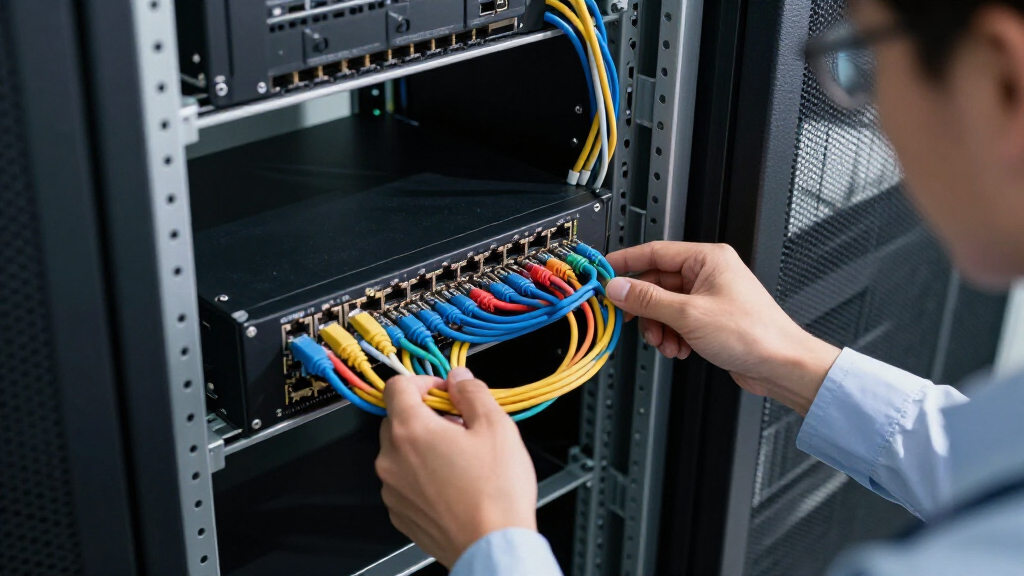

When selecting rack mount network switches, the key considerations are performance, scalability, and ease of management. The NETGEAR GS324 stands out as the best overall due to its reliable 24-port design and plug-and-play setup. For those prioritizing PoE capabilities, the NETGEAR GS324P offers excellent value, while the TP-Link TL-SG1024 provides a budget-friendly unmanaged option. These choices reveal a common tradeoff: balancing features like PoE, port count, and management complexity against cost. Continue reading for a detailed breakdown of each option and how to pick the right switch for your network.

Get business pricing on networking and server gear
- Business-only prices and quantity discounts
- Tax-exempt purchasing
- Multiple users, one account, clear invoices
Key Takeaways
- Top picks differentiate mainly on PoE support, port density, and management features.
- Unmanaged switches generally offer better value for small setups but lack advanced controls.
- PoE switches are ideal for powering devices like cameras and access points, but come at a higher price.
- Build quality and cooling features impact long-term reliability, especially in rack environments.
- Higher port counts and 10G SFP options are typically found in premium models, not in budget choices.
| NETGEAR 24-Port Gigabit Ethernet Unmanaged Network Switch (GS324) |  | Best Overall for Small Office Ethernet Expansion | Number of Ports: 24 | Compatible Devices: Various wired devices including PCs, printers, media players | Voltage: 230 volts | VIEW LATEST PRICE | See Our Full Breakdown |
| UGREEN 16 Port Gigabit Ethernet Switch, Rackmount & Desktop, Fanless, Unmanaged Network Hub |  | Best for Flexible Installation and Quiet Operation | Ports: 16 | Speed: Gigabit (10/100/1000Mbps) | Installation: Rackmount, Wall Mount, Desktop | VIEW LATEST PRICE | See Our Full Breakdown |
| TP-Link TL-SG1024 24-Port Gigabit Unmanaged Ethernet Switch |  | Best Budget 24-Port Unmanaged Switch | Number of Ports: 24 | Port Speed: Gigabit (10/100/1000 Mbps) | Form Factor: Rack-mountable | VIEW LATEST PRICE | See Our Full Breakdown |
| NICGIGA 24 Port 2.5Gb Ethernet Switch Unmanaged, Plug & Play, Desktop or Rack Mount, Fanless Metal Design |  | Best for High-Speed Home and Small Business Networks | Number of Ports: 24 | Port Speed: 2.5Gbps | Switching Capacity: 160Gbps | VIEW LATEST PRICE | See Our Full Breakdown |
| NETGEAR 24-Port PoE Gigabit Ethernet Unmanaged Network Switch (GS324P) |  | Best for Power-over-Ethernet Deployment | Number of Ports: 24 | PoE+ Ports: 16 | Total PoE Power Budget: 190W | VIEW LATEST PRICE | See Our Full Breakdown |
| NETGEAR 16-Port PoE Gigabit Ethernet Unmanaged Network Switch (GS116LP) |  | Best for Power-Ready, Easy Deployment in Small Networks | Number of Ports: 16 | Port Speed: Gigabit Ethernet (1.0Gbps) | PoE+ Ports: 16 | VIEW LATEST PRICE | See Our Full Breakdown |
| TP-Link 24 Port Gigabit Ethernet Switch (TL-SG1024S) |  | Best for Durable, Quiet Network Expansion | Number of Ports: 24 | Port Speed: Gigabit (10/100/1000Mbps) | Form Factor: Desktop/Rackmount | VIEW LATEST PRICE | See Our Full Breakdown |
| NETGEAR 24-Port Gigabit Ethernet Unmanaged Network Switch (GS524) |  | Best for High-Density, Easy Network Expansion | Number of Ports: 24 | Port Speed: 1.0Gbps | Mounting Options: Desktop, Wall, Rack | VIEW LATEST PRICE | See Our Full Breakdown |
| Tenda 16 Port Gigabit Ethernet Switch – Unmanaged, Desktop/Rackmount, Metal, Quiet |  | Best for Quiet, Cost-Effective Home and Small Office Networks | Ports: 16 | Port Speed: Gigabit Ethernet | Buffer: 2MB | VIEW LATEST PRICE | See Our Full Breakdown |
| TP-Link TL-SG1016 16-Port Gigabit Unmanaged Ethernet Switch |  | Best for Cost-Effective, Easy Expansion with High Throughput | Number of Ports: 16 | Switching Capacity: 32Gbps | Port Type: Gigabit Ethernet | VIEW LATEST PRICE | See Our Full Breakdown |
| UGREEN 24 Port Gigabit Ethernet Switch, Rackmount, Fanless, Unmanaged |  | Best for High-Density Office Environments | Number of Ports: 24 | Compatible Devices: Camera, Desktop, Laptop, Printer, Router | Interface: RJ45 | VIEW LATEST PRICE | See Our Full Breakdown |
| TP-Link TL-SG1218MP 16-Port Gigabit PoE Switch |  | Best for Power-Enabled, Professional Deployments | Number of Ports: 16 PoE+ ports, 2 uplink gigabit ports, 2 combo SFP | PoE Power Budget: 250W | PoE Standards: 802.3at/af | VIEW LATEST PRICE | See Our Full Breakdown |
| 16 Port 2.5G Network Ethernet Switch, 16 x 2.5Gb RJ45 Ports, 4 x 10G SFP Slots |  | Best for High-Speed, Low-Latency Data Transfers | Number of Ports: 16 x 2.5Gb RJ45, 4 x 10G SFP | Switching Capacity: 240Gbps | Supported Speeds: 100/1000/2500Mbps | VIEW LATEST PRICE | See Our Full Breakdown |
| rack mount network switch | Number of Ports | Port Speed |
|---|---|---|
| NETGEAR 24-Port Gigabit Ethern | 24 | — |
| UGREEN 16 Port Gigabit Etherne | — | — |
| TP-Link TL-SG1024 24-Port Giga | 24 | Gigabit (10/100/1000 Mbps) |
| NICGIGA 24 Port 2.5Gb Ethernet | 24 | 2.5Gbps |
| NETGEAR 24-Port PoE Gigabit Et | 24 | Gigabit |
| NETGEAR 16-Port PoE Gigabit Et | 16 | Gigabit Ethernet (1.0Gbps) |
| TP-Link 24 Port Gigabit Ethern | 24 | Gigabit (10/100/1000Mbps) |
| NETGEAR 24-Port Gigabit Ethern | 24 | 1.0Gbps |
| Tenda 16 Port Gigabit Ethernet | — | Gigabit Ethernet |
| TP-Link TL-SG1016 16-Port Giga | 16 | — |
| UGREEN 24 Port Gigabit Etherne | 24 | — |
| TP-Link TL-SG1218MP 16-Port Gi | 16 PoE+ ports, 2 uplink gigabit ports, 2 combo SFP | — |
| 16 Port 2.5G Network Ethernet | 16 x 2.5Gb RJ45, 4 x 10G SFP | — |
More Details on Our Top Picks
NETGEAR 24-Port Gigabit Ethernet Unmanaged Network Switch (GS324)
The NETGEAR GS324 stands out for its straightforward plug-and-play setup, making it ideal for users who want reliable gigabit connectivity without complexity. Compared to the TP-Link TL-SG1024, it offers a more modern build and energy efficiency, though it lacks advanced management features. Its silent, fanless design is perfect for quiet office environments, and the flexible mounting options allow for versatile installation. However, being an unmanaged switch, it does not support VLANs or traffic prioritization, which could limit its use in more demanding networks. This pick makes the most sense for small businesses or home offices that need simple, high-speed connectivity with minimal fuss.
Pros:- Plug-and-play setup with no software required
- Supports multiple mounting options for versatile installation
- Silent, fanless operation ideal for quiet environments
- Energy-efficient with power-saving features
Cons:- Limited to unmanaged switch functionality without advanced management
- No included power supply details, potential need for external power
Best for: Small office setups or home users seeking reliable, easy-to-install gigabit switching
Not ideal for: Large enterprise networks requiring managed configurations and VLAN support
- Number of Ports:24
- Compatible Devices:Various wired devices including PCs, printers, media players
- Voltage:230 volts
- Data Transfer Rate:24 gigabits per second
- Interface:RJ45
- Item Dimensions:13.5″L x 11.12″W x 3″H
Our verdict“This switch is best suited for small networks needing straightforward, high-speed gigabit connectivity without management complexity.”
UGREEN 16 Port Gigabit Ethernet Switch, Rackmount & Desktop, Fanless, Unmanaged Network Hub
The UGREEN 16 Port Gigabit Switch offers excellent versatility with rackmount, wall mount, and desktop options, making it suitable for professional environments with space constraints. Its fanless design ensures silent operation, similar to the NETGEAR GS324, but it adds the benefit of multiple modes and surge protection, enhancing durability. Unlike the TP-Link TL-SG1024, this switch supports VLAN and link aggregation, providing some network management capabilities despite being unmanaged. Its 6KV surge protection adds reliability in varied conditions. The tradeoff is that it still remains unmanaged, so advanced features like traffic prioritization are unavailable. This makes it ideal for small to medium-sized offices needing flexible, silent high-speed connections.
Pros:- Supports multiple installation modes including rackmount and wall mount
- Fanless design ensures silent operation and effective cooling
- Includes surge protection for enhanced durability
- Supports VLAN, link aggregation, and flow control modes
Cons:- Limited to unmanaged switch features without advanced management
- No included power supply, may require external power source
- Lacks wireless connectivity features
Best for: Small to medium-sized businesses needing flexible mounting and basic network segmentation
Not ideal for: Enterprises requiring managed switches with detailed traffic control
- Ports:16
- Speed:Gigabit (10/100/1000Mbps)
- Installation:Rackmount, Wall Mount, Desktop
- Cooling:Fanless with aluminum heatsinks
- Protection:6KV surge protection
Our verdict“This switch is ideal for professionals who need adaptable, silent gigabit connections with some basic network features.”
TP-Link TL-SG1024 24-Port Gigabit Unmanaged Ethernet Switch
The TP-Link TL-SG1024 provides a reliable, cost-effective solution for expanding wired networks in small to medium environments. Its sturdy steel case and simple plug-and-play setup make it straightforward for users who do not need management features. Unlike the NETGEAR GS324, it lacks energy-efficient technology but offers a more traditional, durable build. The absence of cooling fans means it may generate some heat during long operation, and it does not support VLAN or traffic prioritization, limiting its use in more complex setups. This switch is a solid choice for those who want dependable gigabit ports with basic expansion capabilities, especially when budget is a concern.
Pros:- Easy plug-and-play setup
- Sturdy steel construction for durability
- Supports full/half duplex transfer modes
- Rack-mountable design
Cons:- Lacks advanced configuration options
- No fanless cooling, may produce noise or heat
Best for: Small offices or home networks that need reliable gigabit expansion without management features
Not ideal for: Network environments requiring VLANs, traffic shaping, or advanced configurations
- Number of Ports:24
- Port Speed:Gigabit (10/100/1000 Mbps)
- Form Factor:Rack-mountable
- Case Material:Steel
- Flow Control:IEEE 802.3X
Our verdict“This switch is best suited for budget-conscious users needing reliable gigabit ports with simple, unmanaged operation.”
NICGIGA 24 Port 2.5Gb Ethernet Switch Unmanaged, Plug & Play, Desktop or Rack Mount, Fanless Metal Design
The NICGIGA 24 Port 2.5Gb Switch introduces faster speeds with 2.5Gbps ports, surpassing traditional gigabit switches like the NETGEAR GS324. Its fanless, durable metal design ensures silent operation and robust heat dissipation, making it suitable for environments demanding higher data transfer rates. Compared to the UGREEN 16 Port 1Gb Switch, it offers more ports and higher speeds, but at the cost of increased power needs and potential device compatibility considerations. While it shares the unmanaged nature of the other options, its 160Gbps switching capacity supports more demanding data flows. The limitation remains that it lacks management features, but for users with compatible devices, it provides a significant speed boost—perfect for high-speed data transfer needs in small networks.
Pros:- Supports high-speed 2.5Gbps connections for fast data transfer
- Fanless, durable metal design for silent operation
- Easy plug-and-play setup
- Supports up to 160Gbps switching capacity
Cons:- Limited to unmanaged switch features
- Requires compatible 2.5Gbps devices to realize full speed
- No included power supply details
Best for: Small businesses or advanced home users needing 2.5Gbps speeds for high data throughput
Not ideal for: Networks requiring managed features or compatibility with legacy devices only supporting 1Gbps
- Number of Ports:24
- Port Speed:2.5Gbps
- Switching Capacity:160Gbps
- Design:Fanless Metal
- Mounting Options:Desktop or Rack Mount
Our verdict“This switch is ideal for users seeking significantly faster wired connections in a silent, durable package without management complexity.”
NETGEAR 24-Port PoE Gigabit Ethernet Unmanaged Network Switch (GS324P)
The NETGEAR GS324P excels in environments where powering devices over Ethernet is needed, such as VoIP phones, cameras, and wireless access points. Its 16 PoE+ ports with a total power budget of 190W make it a strong choice for small to medium deployments, especially compared with the unmanaged TP-Link TL-SG1024 or NETGEAR GS324. Its gigabit ports guarantee fast data transfer, and the fanless, energy-efficient design minimizes noise and power consumption. The main tradeoff is that it remains unmanaged, so network segmentation and traffic prioritization are not available, which could limit use in larger or more complex setups. This pick is best for small networks focused on PoE device integration with simple management needs.
Pros:- High-speed gigabit Ethernet ports
- Supports PoE+ with a 190W power budget
- Silent, energy-efficient, fanless design
- Flexible mounting options
Cons:- Lacks advanced management features
- Limited to unmanaged setup without traffic prioritization
Best for: Small business or office environments needing PoE for devices like cameras and phones
Not ideal for: Large enterprise networks requiring managed switches with VLANs and traffic control
- Number of Ports:24
- PoE+ Ports:16
- Total PoE Power Budget:190W
- Port Speed:Gigabit
- Design:Fanless, Metal
Our verdict“This switch is best suited for small networks that need reliable PoE power delivery without management complexity.”
NETGEAR 16-Port PoE Gigabit Ethernet Unmanaged Network Switch (GS116LP)
This switch excels in environments where powering devices like cameras or VoIP phones is essential, thanks to its full PoE+ support on all ports. Compared to the TP-Link TL-SG1016, it offers PoE capabilities that the TP-Link lacks, making it more versatile for surveillance or VoIP setups. However, its unmanaged design means limited control over traffic management and device prioritization. The plug-and-play setup and fanless, silent operation make it highly suitable for small offices or retail spaces that prioritize simplicity. The expandable power budget is a plus, but it requires an additional purchase, which adds to the overall cost. This model’s straightforward design and PoE support make it ideal for users needing reliable, low-maintenance power delivery without advanced management features.
Pros:- All ports support PoE+ for powering devices directly from the switch
- Plug-and-play setup simplifies deployment
- Fanless, silent operation reduces noise in quiet environments
- Flexible mounting options for varied installation needs
Cons:- Power budget expansion requires additional hardware purchase
- Limited to unmanaged setup, lacks advanced traffic controls
Best for: Small business owners deploying IP cameras or VoIP phones who need quick, reliable PoE power.
Not ideal for: Large enterprise networks requiring detailed traffic control and VLAN management.
- Number of Ports:16
- Port Speed:Gigabit Ethernet (1.0Gbps)
- PoE+ Ports:16
- Total Power Budget:76W (expandable to 183W with additional power supply)
- Mounting Options:Desktop, Wall Mount, Rack Mount
- Design:Fanless, Metal
Our verdict“This switch is perfect for small setups needing PoE power without complex management.”
TP-Link 24 Port Gigabit Ethernet Switch (TL-SG1024S)
This 24-port switch offers a robust metal case and a fanless design, making it ideal for environments where quiet operation matters, such as offices or labs. Compared to the NETGEAR GS524, it provides a similar number of ports with sturdy construction but lacks energy-efficient features or advanced management. Its plug-and-play setup is straightforward, but no mounting hardware is included, which might be a drawback for some installations. Its non-blocking architecture ensures maximum throughput, making it suitable for high-demand tasks, yet it forgoes PoE support, limiting use cases involving powered devices. This switch makes sense for users seeking a durable, silent solution for expanding network capacity without the need for management features.
Pros:- Heavy-duty metal casing for durability
- Fanless design ensures silent operation
- Plug-and-play simplifies deployment
- Supports high throughput with non-blocking architecture
Cons:- No management features for traffic prioritization or VLANs
- No included mounting hardware
Best for: IT managers needing a reliable, silent switch for network core expansion in a secure, noise-sensitive environment.
Not ideal for: Organizations requiring PoE support or advanced traffic management features.
- Number of Ports:24
- Port Speed:Gigabit (10/100/1000Mbps)
- Form Factor:Desktop/Rackmount
- Casing Material:Metal
- Fanless:Yes
- Warranty:3 years
Our verdict“This switch suits environments demanding durability and quiet operation over advanced network control.”
NETGEAR 24-Port Gigabit Ethernet Unmanaged Network Switch (GS524)
The GS524 stands out with its 24 gigabit ports and solid build quality, making it suitable for data centers or small enterprise floors. Compared to the TP-Link TL-SG1024S, it offers similar non-blocking throughput but with a slightly larger form factor and a focus on high-speed, unmanaged operation. It features flexible mounting options and a fanless, metal design for silent, reliable operation. While it lacks management capabilities, its high port density makes it well-suited for quick expansion in environments where simplicity and speed are priorities. The limited regional compatibility and absence of PoE support restrict some use cases, but for most general network expansions, this switch offers excellent performance at a reasonable price.
Pros:- High port count for dense network environments
- Fanless and metal design for durability and quiet operation
- Plug-and-play with no configuration needed
- Flexible mounting options for various setups
Cons:- Limited regional compatibility (U.S. & CA only)
- No management features for traffic control or VLANs
Best for: Network administrators expanding office or server room networks needing plug-and-play high port density.
Not ideal for: Networks requiring PoE, VLANs, or traffic prioritization for managed networking setups.
- Number of Ports:24
- Port Speed:1.0Gbps
- Mounting Options:Desktop, Wall, Rack
- Energy Efficiency:IEEE 802.3az compliant
- Design:Fanless, Metal
Our verdict“This switch provides high-density, unmanaged gigabit connections ideal for expanding simple networks quickly.”
Tenda 16 Port Gigabit Ethernet Switch – Unmanaged, Desktop/Rackmount, Metal, Quiet
This Tenda switch provides 16 gigabit ports in a compact, fanless metal enclosure, making it perfect for home or small office environments where noise levels matter. Compared with the NETGEAR GS116LP or TP-Link TL-SG1016, it offers comparable port count without PoE support or advanced features, focusing instead on simplicity and reliability. Its jumbo frame support and lightning protection are pluses for transferring large files securely, but the lack of management limits its use to basic setups. Its sturdy build and heat dissipation ensure long-term durability, yet the absence of PoE or management features can be a drawback for expanding or more complex networks. This pick fits best where ease of use and quiet operation outweigh advanced control.
Pros:- Fanless, quiet operation
- Durable metal housing with good heat dissipation
- Supports jumbo frames for large file transfers
- Lightning protection for added reliability
Cons:- No managed features for advanced network control
- Limited to unmanaged plug-and-play setup
Best for: Home users or small offices needing a reliable, silent switch for basic network expansion.
Not ideal for: Businesses requiring PoE, VLANs, or managed traffic prioritization.
- Ports:16
- Port Speed:Gigabit Ethernet
- Buffer:2MB
- Switch Capacity:32Gbps
- Jumbo Frame Support:10K
- Lightning Protection:6 KV
Our verdict“This switch is ideal for cost-conscious users seeking quiet, reliable network expansion in small-scale environments.”
TP-Link TL-SG1016 16-Port Gigabit Unmanaged Ethernet Switch
The TL-SG1016 provides a straightforward, reliable solution for expanding networks with its 16 ports and non-blocking architecture. Compared to the NETGEAR GS116LP, it lacks PoE support but offers a very budget-friendly, durable metal case and a plug-and-play experience. Its auto MDI/MDIX feature simplifies connections without additional crossover cables. However, it does not include management features, which limits traffic control or VLAN segmentation. The absence of a power supply means users must supply their own, adding a minor layer of setup. This switch makes the most sense for small businesses or home offices needing a simple, high-throughput switch without extra frills.
Pros:- Easy plug-and-play installation
- Durable metal construction for long-term use
- Supports high-speed, non-blocking throughput
- Auto MDI/MDIX port auto-detection
Cons:- No PoE support for powered devices
- No included power supply, requiring user setup
Best for: Small business owners or home users expanding their network with high-speed, unmanaged gigabit ports.
Not ideal for: Organizations needing PoE, VLAN management, or advanced traffic features.
- Number of Ports:16
- Switching Capacity:32Gbps
- Port Type:Gigabit Ethernet
- Flow Control:IEEE 802.3x
- Auto MDI/MDIX:Yes
- Design:Fanless, Rackmount
Our verdict“This switch offers a reliable, simple way to expand gigabit networks without the complexity or added cost of management features.”
UGREEN 24 Port Gigabit Ethernet Switch, Rackmount, Fanless, Unmanaged
This UGREEN 24-port switch is well-suited for expanding network capacity in busy offices or small data centers. Its high port density allows connecting numerous devices without complexity, unlike smaller switches such as the TP-Link TL-SG1024. The fanless metal design ensures silent operation, which is a key advantage over noisier options like the 16 Port 2.5G Network Ethernet Switch, which uses fan cooling that can generate noise. However, being unmanaged, it lacks advanced configuration features, making it less ideal for networks requiring detailed control. Its surge protection and durable build increase reliability under constant use, but it doesn’t support Power over Ethernet (PoE), limiting its applicability for powering devices like cameras or VoIP phones.
Pros:- High port count simplifies expansion and reduces clutter
- Fanless design ensures silent, maintenance-free operation
- Multiple installation options including rackmount and wall mount
- Durable metal housing with excellent surge protection
Cons:- Lacks managed features like VLANs and advanced traffic control
- No PoE support limits device powering capabilities
Best for: IT managers seeking a reliable, high-density switch for office networks with silent operation.
Not ideal for: Advanced users needing managed switches with VLANs, QoS, or PoE support for complex setups.
- Number of Ports:24
- Compatible Devices:Camera, Desktop, Laptop, Printer, Router
- Interface:RJ45
- Data Transfer Rate:1000 megabits_per_second
- Switch Type:Unmanaged
- Case Material:Metal
Our verdict“A strong choice for organizations requiring high-density, silent switches in straightforward network environments.”
TP-Link TL-SG1218MP 16-Port Gigabit PoE Switch
The TP-Link TL-SG1218MP excels where powering devices is critical, offering 16 PoE+ ports with a 250W budget, making it ideal for deploying access points, cameras, and VoIP phones simultaneously. Compared to the UGREEN 24 Port Gigabit Ethernet Switch, it has fewer ports but provides PoE, which is essential for many modern setups. Its plug-and-play nature and sturdy metal construction make it accessible for users who prefer simplicity without sacrificing durability. However, the 250W power budget may fall short in larger deployments needing more power per port, and it remains unmanaged, so advanced network segmentation or QoS customization is limited. It’s not suited for gigabit speeds beyond standard Ethernet or high-end managed networks.
Pros:- Plug-and-play setup accelerates deployment
- Generous PoE power budget manages multiple PoE devices
- Metal case provides durability for various environments
- Includes 3-year warranty for peace of mind
Cons:- Limited to Gigabit speeds, no 10GbE support
- PoE power may be insufficient for larger or high-power devices
- Lacks advanced management features beyond basic QoS
Best for: Small-to-medium business installations needing easy PoE device deployment without complex management.
Not ideal for: Large, high-throughput data centers or networks requiring managed switches with VLANs and traffic prioritization.
- Number of Ports:16 PoE+ ports, 2 uplink gigabit ports, 2 combo SFP
- PoE Power Budget:250W
- PoE Standards:802.3at/af
- Maximum Power per Port:30W
- Switch Type:Gigabit Ethernet
- Warranty:3 years
Our verdict“This switch makes the most sense for straightforward PoE deployments in small to medium offices without demanding network management needs.”
16 Port 2.5G Network Ethernet Switch, 16 x 2.5Gb RJ45 Ports, 4 x 10G SFP Slots
This unmanaged 16-port 2.5G switch offers a notable upgrade for users needing faster network links, such as gamers or small data centers. Its 240Gbps switching capacity and support for speeds up to 2.5Gbps make it stand out from standard gigabit switches like the TP-Link TL-SG1024. The inclusion of four 10G SFP ports further boosts its flexibility for uplinks or future expansion. However, being unmanaged, it lacks configuration options to optimize traffic or security, and the fan cooling system can generate noise, making it less suitable for quiet office environments. Its plug-and-play setup simplifies deployment but limits control over network traffic and security settings.
Pros:- High-speed 2.5G connectivity supports modern devices
- Four 10G SFP slots for flexible uplinks
- Durable metal case with effective fan cooling
- Plug-and-play for quick setup
Cons:- Fan cooling may be noisy in quiet environments
- Limited to unmanaged operation, restricting traffic control
- No support for managed features like VLAN or advanced QoS
Best for: Tech-savvy users seeking a low-latency, high-speed connection for gaming, streaming, or small-scale data centers.
Not ideal for: Large enterprise networks requiring managed switches, VLANs, or extensive security features.
- Number of Ports:16 x 2.5Gb RJ45, 4 x 10G SFP
- Switching Capacity:240Gbps
- Supported Speeds:100/1000/2500Mbps
- Cooling:Fan cooling
- Installation:Desktop or rack mount
- Material:Metal
Our verdict“Ideal for users needing fast, low-latency connections in small setups without complex management requirements.”
How We Picked
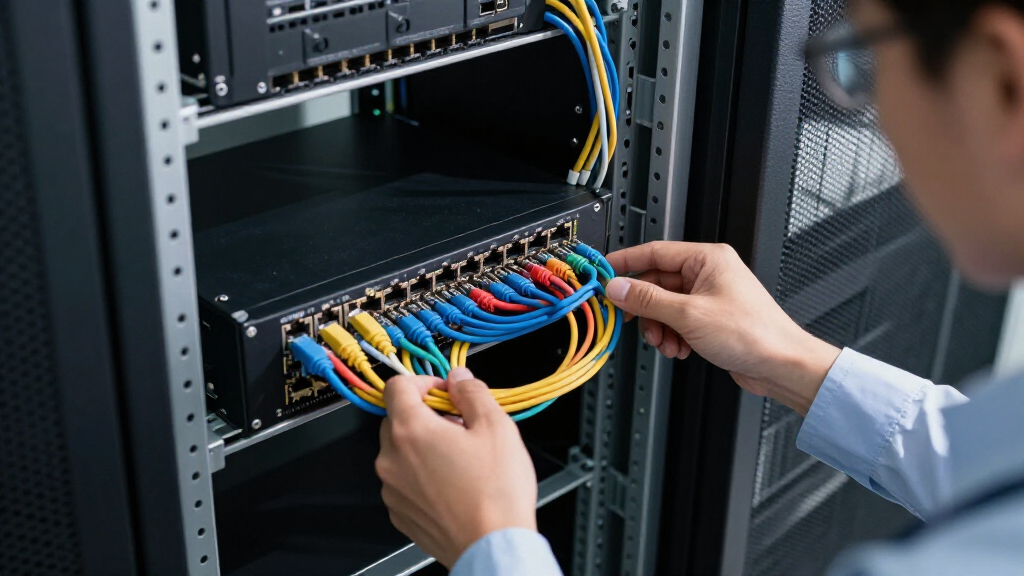
I evaluated these rack mount network switches based on several criteria that matter most to network administrators and IT professionals. Performance metrics included switching capacity, port speed, and PoE power availability. Usability factors such as plug-and-play setup, management features, and build quality were also crucial. Additionally, I considered value by comparing features relative to price and looked at scalability options for future expansion. The ranking reflects a balance of these factors, favoring models that deliver reliable performance with practical features for various network sizes and budgets.Factors to Consider When Choosing Rack Mount Network Switches
Choosing the right rack mount network switch involves understanding your current network demands and future growth plans. Beyond raw port numbers, it’s essential to consider management capabilities, PoE needs, build quality, and compatibility with your existing infrastructure. Making the wrong choice can lead to bottlenecks, security issues, or unnecessary costs down the line. This guide highlights key factors to help you make an informed decision that aligns with your technical requirements and budget constraints.Port Count and Speed
When selecting a switch, consider how many devices you need to connect now and in the future. Higher port counts provide scalability, but often at a higher cost. The speed of ports—whether Gigabit or 10G—is critical for performance, especially in data-heavy environments. A mismatch between your network’s bandwidth and switch capabilities can cause bottlenecks, so plan for growth and choose a switch that offers appropriate port speeds and density.
Managed vs. Unmanaged
Unmanaged switches are straightforward plug-and-play devices suitable for small or less complex networks. Managed switches, however, offer granular control over traffic, security, and network configuration, making them ideal for larger or more dynamic environments. Consider your technical expertise and network complexity—if you need VLANs, QoS, or remote management, investing in a managed switch will be worthwhile, despite the higher cost and setup complexity.
Power over Ethernet (PoE)
If you plan to power devices such as IP cameras, VoIP phones, or wireless access points directly through your network switch, PoE support is essential. PoE switches tend to be more expensive and generate more heat, so ensure your environment can accommodate this. While PoE adds cost, it simplifies wiring and reduces the need for additional power supplies, making it a worthwhile feature for certain setups.
Build Quality and Cooling
In rack environments, durability and thermal management matter. Look for switches with sturdy metal cases and effective cooling features, such as fanless designs for quiet operation or fans for better heat dissipation in high-density setups. Poor build quality or inadequate cooling can lead to hardware failures or reduced lifespan, especially in always-on network environments.
Scalability and Future-Proofing
Assess your long-term needs—do you anticipate expanding your network or upgrading to higher speeds? Features like SFP ports for fiber connectivity or 10G uplinks can future-proof your setup. Choosing a switch with modular options or higher capacity can prevent costly replacements later, but often at a premium. Balance your current requirements with potential growth to avoid bottlenecks down the line.
Frequently Asked Questions
What is the main difference between managed and unmanaged switches?
Managed switches provide advanced control over network traffic, security, and configuration, making them suitable for larger or more complex networks. Unmanaged switches are simpler, plug-and-play devices that are ideal for small setups or environments where minimal configuration is needed. The choice depends on whether you need features like VLANs, QoS, and remote management, or if you’re looking for straightforward connectivity without extra complexity.
Should I prioritize PoE support in my rack mount switch?
If your network includes devices like IP cameras, wireless access points, or VoIP phones, PoE support can simplify wiring and reduce clutter by powering devices directly through Ethernet cables. However, PoE switches tend to be more expensive and generate more heat, so consider your current and future device needs. For small networks without PoE devices, a standard Gigabit switch is usually sufficient and more cost-effective.
How many ports should I look for in a rack mount switch?
The ideal port count depends on your current setup and future plans. If you have a small office or server room, a 16- or 24-port switch typically suffices. Larger networks or data centers may require 48 or more ports, or modular switches that can expand. Always consider potential growth—buying a switch with slightly more ports than you currently need can save money and hassle later.
Is fanless design better for rack mount switches?
Fanless switches operate silently and generate less dust, making them suitable for quiet environments like offices or noise-sensitive spaces. However, they may have lower thermal headroom, which can affect performance in high-density setups or in warm environments. Fans improve cooling and can extend hardware lifespan in demanding conditions, but they also introduce noise and potential points of failure. Choose based on your environment and noise tolerance.
What should I consider when choosing a switch for future upgrades?
Look for switches with higher capacity options, such as SFP ports for fiber links or 10G uplinks, and modular designs for easy expansion. Compatibility with emerging standards and the ability to handle increased traffic loads are key. Investing in a slightly more advanced model now can prevent costly replacements later, especially if your network is expected to grow or require higher speeds in the near future.
Conclusion
For small offices or home labs, the UGREEN 16 Port Gigabit Ethernet Switch offers a budget-friendly, straightforward option. Larger enterprises or data centers should consider the NETGEAR GS324P for PoE needs or the TP-Link TL-SG1218MP for managed, high-capacity environments. If you’re new to network management, the TP-Link TL-SG1024 provides reliable performance without added complexity. For those seeking long-term scalability, models with fiber options or higher speeds will save costs down the line. Choose based on your current requirements and anticipated growth—your ideal switch balances performance, manageability, and future-proofing.
Fall Picks
fall essentials
As an affiliate, we earn on qualifying purchases.