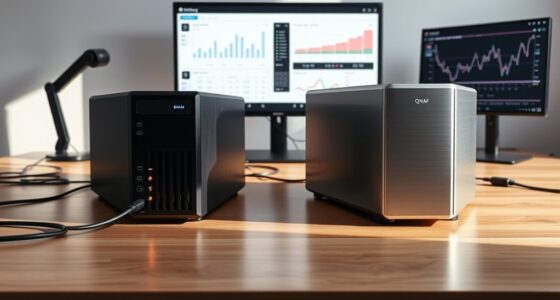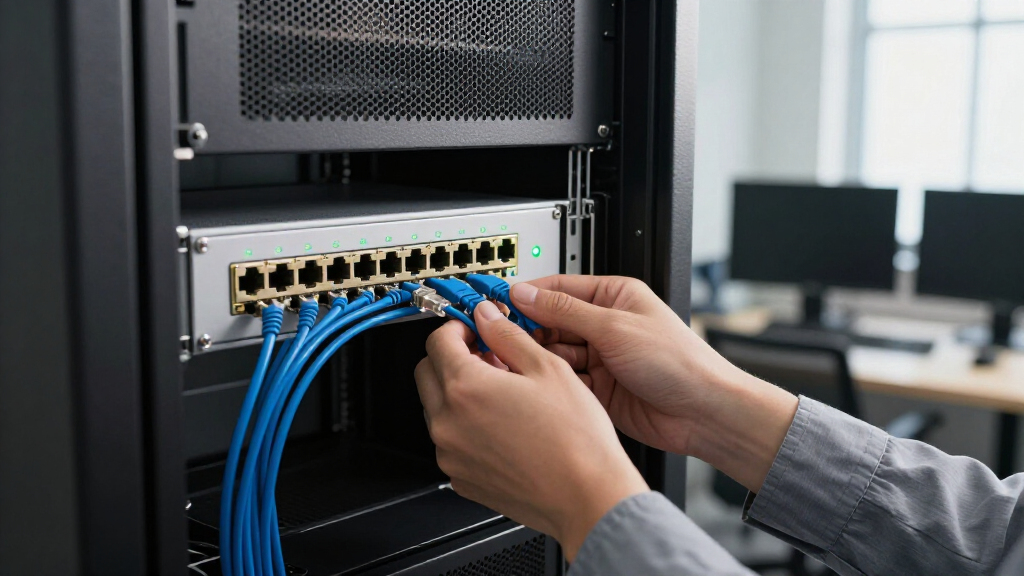

Among these 10GbE network switches, I rank the TP-Link TL-SX1008 as the best overall for buyers who need eight dedicated 10GbE ports without a mixed-speed layout. The QNAP QSW-L2110-10T-US is a standout for flexible multi-gig connectivity, while the TRENDnet TEG-S762 suits setups that need a compact combination of 10GbE and 2.5GbE. The main choice is between more full-speed 10GbE ports and a lower-cost or quieter switch with a mix of link speeds. I also weigh management, cooling, mounting, and how well each port layout fits real devices. Read on for the full breakdown and guidance on matching a switch to your network.

Get business pricing on networking and server gear
- Business-only prices and quantity discounts
- Tax-exempt purchasing
- Multiple users, one account, clear invoices
Key Takeaways
- TP-Link TL-SX1008 leads for buyers who want eight dedicated 10GbE ports; mixed-speed models trade some 10GbE connections for more 2.5GbE ports.
- The roundup includes several ways to build a multi-gig network: options such as the NICGIGA 18-port and 10-port models pair a small number of 10GbE ports with numerous 2.5GbE connections.
- Port count alone can mislead: the NETGEAR XS308Mv2 and TP-Link TL-SX1008 are both eight-port choices, but buyers should compare their stated speed mix and management needs before choosing.
- Cooling and placement divide this group: fanless desktop and wall-mount designs suit noise-sensitive spaces, while fan-cooled or rack-ready switches may fit equipment closets better.
- The TRENDnet TEG-S750 and TEG-S762 serve different connection plans; check the exact port layout rather than assuming every 10GbE switch offers the same mix.
| 5 Port 10Gb RJ45 Web Managed Ethernet Network Switch |  | Best for Compact Managed 10GbE | Ports: 5 | Interface: RJ45 | Supported speeds: 10G, 5G, 2.5G, 1G, 100M | VIEW LATEST PRICE | See Our Full Breakdown |
| TP-Link TL-SX1008 8-Port 10G/Multi-Gig Unmanaged Ethernet Switch |  | Best for Straightforward 10GbE Port Capacity | Ports: 8 | Interface: RJ45 | Link speeds: 10G and multi-gigabit | VIEW LATEST PRICE | See Our Full Breakdown |
| NICGIGA 10 Port 10Gbps Unmanaged Ethernet Switch with 2 x 10Gb RJ45 and 8 x 2.5Gb Base-T Ports |  | Best for Mixed 10GbE and 2.5GbE Devices | Total ports: 10 | 10GbE ports: 2 × 10Gb RJ45 | 2.5GbE ports: 8 × 2.5Gb Base-T | VIEW LATEST PRICE | See Our Full Breakdown |
| TP-Link TL-SX105 5-Port 10G Multi-Gig Ethernet Switch |  | Best Quiet, Simple 10GbE Switch | Ports: 5 | Interface: RJ45 | Link speeds: 10G and multi-gigabit | VIEW LATEST PRICE | See Our Full Breakdown |
| QNAP QSW-L2110-10T-US 10-Port Multi-Gigabit Network Switch |  | Best Lite-Managed Mixed-Speed Upgrade | Total ports: 10 | 10GbE ports: 2 | 2.5GbE ports: 8 | VIEW LATEST PRICE | See Our Full Breakdown |
| NICGIGA 5-Port 10G Ethernet Switch, Unmanaged, 5 x 10Gb Base-T RJ45 |  | Best Compact All-10G Port Option | Ports: 5 | Port interface: RJ45 | Supported link speeds: 100Mbps, 1Gbps, 2.5Gbps, 5Gbps, and 10Gbps | VIEW LATEST PRICE | See Our Full Breakdown |
| NICGIGA 8-Port 10G Ethernet Switch, Unmanaged, 8 x 10Gb Base-T |  | Best for Eight All-10G Connections | Ports: 8 | Port type: 10Gb Base-T RJ45 | Supported link speeds: 100Mbps, 1Gbps, 2.5Gbps, 5Gbps, and 10Gbps | VIEW LATEST PRICE | See Our Full Breakdown |
| TRENDnet TEG-S762 6-Port 10G Switch |  | Best Quiet Mixed-Speed Switch | Total ports: 6 | 10Gb ports: 2 | 2.5Gb ports: 4 | VIEW LATEST PRICE | See Our Full Breakdown |
| NICGIGA 18-Port 10Gbps Network Switch, 2 x 10Gb RJ45 and 16 x 2.5Gb Base-T |  | Best High-Port-Count 2.5Gb Upgrade | Total ports: 18 | 10Gb ports: 2 x 10Gb RJ45 | 2.5Gb ports: 16 x 2.5Gb Base-T | VIEW LATEST PRICE | See Our Full Breakdown |
| NICGIGA 6-Port 10Gbps Network Switch, 2 x 10Gb RJ45 and 4 x 2.5Gb Ports |  | Best Lightweight Desktop and Wall-Mount Pick | Total ports: 6 | 10Gb ports: 2 x 10Gb RJ45 | 2.5Gb ports: 4 | VIEW LATEST PRICE | See Our Full Breakdown |
| TRENDnet 5-Port 10G Switch, 100Gbps Switching Capacity TEG-S750 |  | Best for Silent 10G Networking | Ports: 5 | Switch type: Unmanaged | Maximum data rate: 10Gbps | VIEW LATEST PRICE | See Our Full Breakdown |
| VunLink 6 Port 10G/2.5G Multi-Gigabit Unmanaged Network Switch |  | Best Compact Mixed-Speed Pick | Port count: Listed as 6 in the title; description lists 8 x 2.5GbE and 2 x 10GbE | Interface: RJ45 | Switch type: Unmanaged | VIEW LATEST PRICE | See Our Full Breakdown |
| NETGEAR 8-Port 10G/Multi-Gigabit Ethernet Unmanaged Network Switch XS308Mv2 |  | Best for Eight Full-Speed 10G Ports | Ports: 8 | All-port capability: 10G and multi-gigabit Ethernet | Interface: RJ45 | VIEW LATEST PRICE | See Our Full Breakdown |
| 6-Port 10Gb Ethernet Network Switch Unmanaged with 4 x 2.5G Network Ports |  | Best for Basic VLAN Segmentation | Ports: 6 | Port configuration: 4 x 2.5GbE and 2 x 10Gbps | Interface: RJ45 | VIEW LATEST PRICE | See Our Full Breakdown |
| 10GbE network switch | Warranty | Switch type | Ports | Interface |
|---|---|---|---|---|
| 5 Port 10Gb RJ45 Web Managed E | 1 year | — | 5 | RJ45 |
| TP-Link TL-SX1008 8-Port 10G/M | Limited lifetime | Unmanaged | 8 | RJ45 |
| NICGIGA 10 Port 10Gbps Unmanag | 1 year | Unmanaged | — | — |
| TP-Link TL-SX105 5-Port 10G Mu | 3 years | Unmanaged | 5 | RJ45 |
| QNAP QSW-L2110-10T-US 10-Port | 2 years | — | — | RJ45 |
| NICGIGA 5-Port 10G Ethernet Sw | 1 year | Unmanaged | 5 | — |
| NICGIGA 8-Port 10G Ethernet Sw | 1 year | Unmanaged | 8 | — |
| TRENDnet TEG-S762 6-Port 10G S | Lifetime protection | — | — | RJ45 |
| NICGIGA 18-Port 10Gbps Network | 1 year | Unmanaged | — | — |
| NICGIGA 6-Port 10Gbps Network | 1 year | Unmanaged | — | — |
| TRENDnet 5-Port 10G Switch | — | Unmanaged | 5 | — |
| VunLink 6 Port 10G/2.5G Multi- | 1 year | Unmanaged | — | RJ45 |
| NETGEAR 8-Port 10G/Multi-Gigab | — | Unmanaged | 8 | RJ45 |
| 6-Port 10Gb Ethernet Network S | — | Unmanaged | 6 | RJ45 |
More Details on Our Top Picks
5 Port 10Gb RJ45 Web Managed Ethernet Network Switch
I’d choose this five-port switch when 10GbE access and basic network controls matter more than having room for many devices. Its RJ45 ports support several link speeds, while VLAN, QoS, and SNMP give admins tools to separate traffic and monitor the network—capabilities the plug-and-play TP-Link TL-SX105 does not offer. The tradeoff is capacity: five ports can fill quickly once a NAS, server, workstation, and router are connected. It also has a cooling fan, unlike the TL-SX105’s fanless design, so I’d favor it for a rack or utility area over a quiet desk. Buyers should check cable suitability for their run; the supplied information calls for CAT6A or higher for full 10Gbps links.
Pros:- Five RJ45 ports support multiple link speeds, including 10Gbps.
- VLAN, QoS, and SNMP provide management options absent from unmanaged alternatives.
- Metal casing and rack-mountable design suit a network cabinet.
- Fan provides active cooling for a managed, high-speed setup.
Cons:- Five ports leave little room for expansion.
- The cooling fan may be audible in a quiet workspace.
- Full 10Gbps connections may require CAT6A or higher cabling.
Best for: Small-office administrators or home-lab builders who need a few 10GbE RJ45 connections plus VLAN, QoS, or SNMP controls.
Not ideal for: Quiet-office users and growing networks that need more than five wired ports; the fan and limited port count are real constraints.
- Ports:5
- Interface:RJ45
- Supported speeds:10G, 5G, 2.5G, 1G, 100M
- Management:Managed; VLAN, QoS, and SNMP support
- Cooling:Built-in fan
- Mounting:Rack-mountable
- Weight:1.21 kg
- Warranty:1 year
Our verdict“Pick this model if a compact 10GbE network needs management controls; choose the fanless TP-Link TL-SX105 for a simpler, quieter setup.”
TP-Link TL-SX1008 8-Port 10G/Multi-Gig Unmanaged Ethernet Switch
For a buyer who needs several 10GbE-capable connections without configuring a managed network, I’d put the eight-port TL-SX1008 ahead of smaller unmanaged switches such as the TP-Link TL-SX105. Its extra ports make it easier to connect multiple workstations, storage devices, and a router without immediately adding another switch, and auto-negotiation supports mixed-speed devices. The cost of that simplicity is control: unlike the five-port web-managed option in this roundup, it does not provide VLAN or QoS settings. Its metal case suits desktop or rack use, but the listed dimensions and 3.3-pound weight make it less of a compact desk accessory. I’d shortlist it for a straightforward wired network, not a setup that needs traffic policies or detailed administration.
Pros:- Eight ports provide more direct connections than the five-port TP-Link TL-SX105.
- 10G and multi-gig support with auto-negotiation accommodates mixed-speed devices.
- Unmanaged plug-and-play setup avoids configuration work.
- Metal casing supports desktop or rackmount placement.
Cons:- No advanced management features such as VLAN or QoS are listed.
- Its larger footprint and weight take more space than compact five-port options.
- The supplied product information does not list a power cord or installation guide.
Best for: Small teams or home labs connecting several 10GbE-capable computers and storage devices that want plug-and-play operation.
Not ideal for: Network administrators who need VLANs, QoS, or other configurable traffic controls, or users seeking a compact five-port switch.
- Ports:8
- Interface:RJ45
- Link speeds:10G and multi-gigabit
- Switch type:Unmanaged
- Auto-negotiation:Supported
- Case material:Metal
- Dimensions:11.57 × 7.09 × 1.73 in
- Weight:3.3 lb
- Warranty:Limited lifetime
Our verdict“Choose the TL-SX1008 for eight simple, high-speed wired connections, but look at the managed five-port switch if traffic controls matter more than capacity.”
NICGIGA 10 Port 10Gbps Unmanaged Ethernet Switch with 2 x 10Gb RJ45 and 8 x 2.5Gb Base-T Ports
This NICGIGA makes the most sense when a network has a few high-throughput endpoints and a larger group of devices that need less than 10Gbps. It pairs two 10GbE ports with eight 2.5GbE ports, a more targeted mix for a NAS, router, or workstation alongside multi-gig access points and everyday clients. Compared with the all-10G-port TP-Link TL-SX1008, it gives up six 10GbE connections but offers two additional total ports and a layout better matched to mixed-speed networks. Plug-and-play operation keeps setup simple, while the fanless design avoids adding fan noise. The tradeoff is that it is unmanaged, so there are no listed VLAN or QoS controls, and buyers should not assume all ten ports can link at 10Gbps.
Pros:- Two 10GbE RJ45 ports suit high-bandwidth endpoints or uplinks.
- Eight 2.5GbE ports provide multi-gig connections for additional devices.
- Unmanaged plug-and-play setup requires no network configuration.
- Fanless metal design avoids fan noise.
Cons:- Only two of the ten ports support 10GbE.
- No advanced management features are listed.
- Power consumption and wall-mount hardware details are not provided.
Best for: Home-network builders connecting one or two 10GbE devices alongside several 2.5GbE access points, computers, or other clients.
Not ideal for: Teams that need 10Gbps on every port or administrators who require VLAN, QoS, or other managed features.
- Total ports:10
- 10GbE ports:2 × 10Gb RJ45
- 2.5GbE ports:8 × 2.5Gb Base-T
- Switch type:Unmanaged
- Data transfer rate:60 Gbps
- Cooling:Fanless
- Operating temperature:-10°C to 50°C
- Warranty:1 year
Our verdict“Choose this NICGIGA for a mixed-speed network with a small number of 10GbE devices, not for an all-10GbE switch replacement.”
TP-Link TL-SX105 5-Port 10G Multi-Gig Ethernet Switch
I’d favor the TL-SX105 when quiet operation and uncomplicated 10GbE connectivity matter more than management tools or extra ports. Its five RJ45 ports support 10G and multi-gig speeds, and fanless cooling makes it a more natural fit for a desk or shared workspace than the fan-equipped five-port managed switch in this roundup. Setup is plug-and-play, so there are no VLAN or QoS controls to configure; that simplicity is also its limit. Compared with the eight-port TL-SX1008, it serves fewer devices, but takes a smaller listed footprint. I’d choose it for a compact group of high-speed endpoints, while buyers with many clients or a need for traffic segmentation should look to a higher-capacity or managed model.
Pros:- Five RJ45 ports support 10G and multi-gig links.
- Fanless operation avoids fan noise in desk-side installations.
- Plug-and-play setup keeps installation straightforward.
- Metal casing and a compact listed footprint suit desktop placement.
Cons:- Unmanaged design offers no listed VLAN or QoS controls.
- Five ports may be restrictive as a network grows.
- No PoE support is listed.
Best for: Home-office users or small workgroups needing a quiet, five-device multi-gig switch for computers, storage, and network equipment.
Not ideal for: Buyers needing VLAN or QoS controls, PoE, or enough ports for a larger office network.
- Ports:5
- Interface:RJ45
- Link speeds:10G and multi-gigabit
- Switch type:Unmanaged
- Cooling:Fanless
- Dimensions:8.9 × 5.2 × 0.98 in
- Weight:1.15 kg
- Warranty:3 years
Our verdict“Pick the TL-SX105 for quiet, simple multi-gig switching at a desk; choose the TL-SX1008 for more ports or the managed five-port model for network controls.”
QNAP QSW-L2110-10T-US 10-Port Multi-Gigabit Network Switch
The QNAP is aimed at networks that have outgrown basic unmanaged switching but do not need every endpoint to run at 10Gbps. Its eight 2.5GbE ports and two 10GbE uplinks create a practical split: multi-gig access for Wi-Fi access points and clients, with faster links for a NAS or upstream connection. Unlike the unmanaged NICGIGA with a similar two-plus-eight port arrangement, this model lists VLAN, QoS, and traffic management, giving network owners more control over how traffic is handled. That added flexibility brings a steeper setup curve for beginners, and there is no PoE, so access points still need separate power. I’d treat it as a home or small-business upgrade rather than an enterprise core switch, especially when the network needs managed basics but not 10GbE on every port.
Pros:- Two 10GbE uplinks support fast links to a NAS or upstream network.
- Eight 2.5GbE ports suit multi-gig access points and client devices.
- VLAN, QoS, and traffic management offer more control than an unmanaged alternative.
- The mixed-speed port layout can support an incremental network upgrade.
Cons:- Only two ports are 10GbE; the other eight are 2.5GbE.
- Lite-managed features may take more setup than a plug-and-play switch.
- No PoE support is listed.
Best for: Small-business IT owners or advanced home-network builders who need two 10GbE uplinks, 2.5GbE access ports, and basic traffic management.
Not ideal for: Beginners seeking a no-configuration switch, users needing PoE for access points, or networks requiring 10GbE on every port.
- Total ports:10
- 10GbE ports:2
- 2.5GbE ports:8
- Interface:RJ45
- Management:Lite-managed
- Listed features:VLAN, QoS, and traffic management
- Compatible devices:Wi-Fi 6/6E/7 access points, NAS, workstations
- Warranty:2 years
Our verdict“Choose the QNAP if you want managed traffic controls and two 10GbE uplinks for a mixed-speed network; skip it if you need PoE or simple all-10GbE switching.”
NICGIGA 5-Port 10G Ethernet Switch, Unmanaged, 5 x 10Gb Base-T RJ45
I’d choose this NICGIGA when the goal is to connect a small group of devices at 10GbE over RJ45 without adding a managed-switch setup. All five ports support multiple link speeds down to 100Mbps, so it can serve a mix of NAS, computers, and slower equipment. Compared with the NICGIGA 6-port hybrid switch in this roundup, this model gives every port 10Gb capability, but has fewer connections and no 2.5Gb-only ports for extending capacity economically. Its unmanaged, plug-and-play design keeps setup simple, while also ruling out advanced network controls. The metal enclosure and desktop or rack-mount options add placement flexibility; the tradeoffs are a one-year warranty and no supplied power-adapter details in the provided specs.
Pros:- All five RJ45 ports support speeds up to 10GbE
- Auto-compatible multi-speed links from 100Mbps through 10GbE
- Plug-and-play setup avoids switch configuration
- Metal case supports desktop or rack placement
Cons:- Unmanaged design lacks advanced network controls
- Five ports limit room for additional wired devices
- Provided specifications do not detail the power supply, and the warranty is one year
Best for: Home-lab owners or small offices connecting up to five 10Gb-capable devices over existing RJ45 cabling.
Not ideal for: Buyers who need VLANs or other managed controls, PoE, or more than five connections; the 8-port NICGIGA provides more capacity.
- Ports:5
- Port interface:RJ45
- Supported link speeds:100Mbps, 1Gbps, 2.5Gbps, 5Gbps, and 10Gbps
- Switch type:Unmanaged
- Case:Black metal
- Mounting:Desktop or rack
- Weight:1.47 kg
- Warranty:1 year
Our verdict“Pick this when five all-10GbE RJ45 ports matter more than management features or a larger port count.”
NICGIGA 8-Port 10G Ethernet Switch, Unmanaged, 8 x 10Gb Base-T
This is the straightforward choice when eight wired devices each need a path to 10GbE. Unlike the TRENDnet TEG-S762, which pairs two 10Gb ports with four 2.5Gb ports, this NICGIGA gives all eight RJ45 ports multi-gig capability up to 10Gbps. That suits a lab with several fast workstations and storage devices, but can be unnecessary if most clients top out at 2.5GbE. The unmanaged setup is simple and supports mixed link speeds, though there are no advanced controls or PoE. Its metal enclosure and desktop or rack mounting make it more adaptable to a fixed network space than a portable setup. The listed 160Gbps switching capacity supports the eight-port design; buyers should still plan for the unit’s 1.91kg weight and one-year warranty.
Pros:- Eight RJ45 ports support links up to 10GbE
- Multi-speed support accommodates slower Ethernet devices
- Plug-and-play operation with auto-negotiation
- Metal case and desktop or rack mounting options
Cons:- Unmanaged operation offers no advanced configuration
- No built-in PoE for powering access points or other devices
- Heavier than compact desktop alternatives at 1.91kg, with a one-year warranty
Best for: Small offices and home labs with up to eight 10Gb-capable NAS units, workstations, or servers using RJ45 connections.
Not ideal for: Networks with mostly 2.5GbE clients, PoE access points, or a need for managed controls; a mixed-port switch may fit better.
- Ports:8
- Port type:10Gb Base-T RJ45
- Supported link speeds:100Mbps, 1Gbps, 2.5Gbps, 5Gbps, and 10Gbps
- Switching capacity:160Gbps
- Switch layer:Layer 1
- Switch type:Unmanaged
- Case material:Metal
- Mounting:Desktop or rack
- Warranty:1 year
Our verdict“Choose this for eight wired 10GbE-capable devices; skip it if a few 10Gb links and several 2.5Gb ports would meet your needs.”
TRENDnet TEG-S762 6-Port 10G Switch
The TEG-S762 suits a network where a couple of devices need 10GbE and several others benefit from more than standard gigabit, but not full 10Gb speeds. Its two 10Gb RJ45 ports can serve a NAS and an uplink, while four 2.5Gb ports provide faster connections for compatible clients. That makes it a more balanced fit than the NICGIGA 5-port all-10G switch when 2.5Gb devices outnumber 10Gb ones. The fanless metal design keeps switch noise out of a desk or small office, and wall mounting can free up workspace. The tradeoff is limited 10Gb port count: buyers with several 10Gb workstations may prefer the 8-port NICGIGA. Its provided specs list lifetime protection, and NDAA and TAA compliance may matter for certain procurement requirements.
Pros:- Combines two 10Gb RJ45 ports with four 2.5Gb ports
- Fanless construction is suited to quiet work areas
- Metal enclosure supports wall mounting
- NDAA and TAA compliance listed in product data
Cons:- Only two ports support 10GbE
- No managed features are specified
- Requires compatible 10Gb network adapters and links to reach 10Gb speeds
Best for: Home-office and small-business buyers who need two 10Gb links plus four quieter, lower-speed 2.5Gb connections.
Not ideal for: Users connecting more than two 10Gb devices or requiring managed features; the two 10Gb ports limit expansion.
- Total ports:6
- 10Gb ports:2
- 2.5Gb ports:4
- Interface:RJ45
- Switching capacity:60Gbps
- Cooling:Fanless
- Mounting:Desktop or wall
- Compliance:NDAA and TAA
- Warranty:Lifetime protection
Our verdict“Pick the TEG-S762 for quiet, mixed-speed networking when two 10Gb ports are enough.”
NICGIGA 18-Port 10Gbps Network Switch, 2 x 10Gb RJ45 and 16 x 2.5Gb Base-T
For a network with many wired clients, this NICGIGA prioritizes port density and 2.5Gb access over having 10Gb on every connection. It combines 16 2.5Gb Base-T ports with two 10Gb RJ45 ports, giving a NAS or server a faster connection while allowing numerous PCs and access points to move beyond gigabit. Compared with the NICGIGA 8-port all-10G switch, it offers ten more ports but only two 10Gb links, so it is the better fit for a broad client network rather than a cluster of 10Gb workstations. The unmanaged plug-and-play design avoids configuration but also means no advanced traffic controls. Its 120Gbps capacity and fanless metal design suit a fixed office or home lab; the one-year warranty and lack of wireless or PoE features limit what it can replace.
Pros:- Provides 18 wired ports, including 16 at 2.5GbE
- Two 10Gb RJ45 ports support faster NAS or server links
- 120Gbps stated data-transfer capacity
- Fanless metal design and plug-and-play setup
Cons:- Only two ports support 10GbE
- Unmanaged operation lacks advanced configuration options
- No built-in Wi-Fi or PoE; one-year warranty
Best for: Small offices or home labs with many 2.5Gb wired clients and one or two 10Gb NAS, server, or uplink connections.
Not ideal for: Teams needing more than two 10Gb ports, managed network controls, or PoE to power access points.
- Total ports:18
- 10Gb ports:2 x 10Gb RJ45
- 2.5Gb ports:16 x 2.5Gb Base-T
- Data-transfer capacity:120Gbps
- Switch type:Unmanaged
- Cooling:Fanless
- Operating temperature:-10°C to 50°C
- Warranty:1 year
Our verdict“Choose this when you need many 2.5GbE connections and only a pair of 10GbE links.”
NICGIGA 6-Port 10Gbps Network Switch, 2 x 10Gb RJ45 and 4 x 2.5Gb Ports
This NICGIGA is a compact way to add a pair of 10Gb RJ45 links without dedicating every port to that speed. Two 10Gb ports can connect a NAS and router or server, while four 2.5Gb ports serve faster-than-gigabit PCs and other clients. Compared with the TRENDnet TEG-S762, it has the same basic port mix and a stated 60Gbps capacity, but lists a lower weight of 0.58kg and a one-year warranty rather than lifetime protection. The fanless metal case and plug-and-play setup make it a practical desk or wall-mount option. The tradeoff is the unmanaged feature set: it does not provide advanced controls, and its 10Gb ports only help when connected devices and cabling support those speeds.
Pros:- Two 10Gb RJ45 ports alongside four 2.5Gb ports
- Lightweight at 0.58kg for desktop placement
- Fanless metal case supports quiet operation
- Plug-and-play setup with auto MDI/MDIX support
Cons:- Only two ports support 10GbE
- Unmanaged design lacks advanced network controls
- One-year warranty and compatible devices are needed to use the higher link speeds
Best for: Home-office users who want two 10Gb connections and four 2.5Gb ports in a lightweight, quiet switch.
Not ideal for: Buyers needing more than two 10Gb links, VLAN or other managed controls, or a longer warranty.
- Total ports:6
- 10Gb ports:2 x 10Gb RJ45
- 2.5Gb ports:4
- Data-transfer rate:60Gbps
- Switch type:Unmanaged
- Case material:Metal
- Weight:0.58kg
- Mounting:Desktop or wall mount
- Warranty:1 year
Our verdict“Choose this for a light, quiet desktop switch with two 10Gb links and four 2.5Gb client ports.”
TRENDnet 5-Port 10G Switch, 100Gbps Switching Capacity TEG-S750
I’d choose the TRENDnet TEG-S750 when silence and straightforward 10G connectivity matter more than port count or management controls. Its five RJ45 ports support 10G, 5G, and 2.5G, letting compatible devices use existing cabling at the fastest mutually supported rate. The fanless metal housing suits a desk or quiet workspace, while its stated 100Gbps switching capacity is ample for a compact setup.
Compared with the NETGEAR XS308Mv2, this TRENDnet gives up three ports but adds stated NDAA and TAA compliance, which may matter for procurement requirements. Like the NETGEAR, it is unmanaged, so setup is simple but network controls are limited. Buyers also need 10G-capable adapters and devices to reach 10Gb speeds; its five-port limit can become restrictive as a network grows.
Pros:- Five RJ45 ports support 10G, 5G, and 2.5G connections.
- Fanless design supports quiet placement in a workspace.
- 100Gbps stated switching capacity for a compact network.
- NDAA and TAA compliance may fit relevant procurement requirements.
Cons:- Five ports leave less room to expand than the eight-port NETGEAR XS308Mv2.
- Unmanaged operation does not provide advanced configuration options.
- Full 10G performance requires compatible network adapters and connected devices.
Best for: Home-office users or small professional teams needing a quiet 10G link for a NAS, workstation, and a few other wired devices, especially where NDAA or TAA compliance matters.
Not ideal for: Buyers connecting many 10G devices or requiring VLAN configuration and other managed-switch controls; five ports and unmanaged operation may fall short.
- Ports:5
- Switch type:Unmanaged
- Maximum data rate:10Gbps
- Switching capacity:100Gbps
- Supported connection speeds:10G, 5G, and 2.5G
- Housing:Metal
- Dimensions:7 x 5.7 x 1.3 inches
- Operating temperature:32°F to 104°F
Our verdict“Choose the TEG-S750 for a quiet, compact 10G network where five ports and unmanaged operation are enough.”
VunLink 6 Port 10G/2.5G Multi-Gigabit Unmanaged Network Switch
The VunLink is aimed at a mixed-speed network: its description lists eight 2.5GbE ports and two 10GbE ports, a layout that can connect several everyday wired devices while reserving faster links for a NAS or server. The fanless, plug-and-play design and desktop or wall-mount placement make it appealing for a small home setup where quiet operation and simple installation count.
There is a significant specification conflict, though: the title calls it a 6-port switch, while the description claims ten ports. I would verify the actual port count with the seller before buying rather than assume either figure is correct. Compared with the TRENDnet TEG-S750, it appears geared toward more 2.5GbE endpoints, but the TRENDnet’s five-port count is clearly stated. VunLink is also unmanaged, and the supplied data does not specify power-supply details.
Pros:- Description lists 2.5GbE ports for multiple devices and 10GbE ports for faster links.
- Fanless operation suits quiet home and office spaces.
- Plug-and-play setup avoids software configuration.
- Desktop and wall-mount installation options are listed.
Cons:- The title says six ports, but the description lists ten, leaving the actual configuration unclear.
- Unmanaged operation does not offer advanced network configuration.
- Power-supply details are not provided in the supplied specifications.
Best for: Home users who want 10G uplinks for a NAS or server alongside multiple 2.5GbE devices, provided the seller confirms the actual port layout.
Not ideal for: Buyers who need a verified port count, managed network controls, or clear power-supply information before purchase.
- Port count:Listed as 6 in the title; description lists 8 x 2.5GbE and 2 x 10GbE
- Interface:RJ45
- Switch type:Unmanaged
- Data transfer rate:60Gbps
- Installation:Desktop or wall mount
- Cooling:Fanless
- Dimensions:6.3 x 3.74 x 1.14 inches
- Warranty:1 year
Our verdict“Consider the VunLink only if you need mixed 2.5GbE and 10GbE connectivity and can confirm its port count before ordering.”
NETGEAR 8-Port 10G/Multi-Gigabit Ethernet Unmanaged Network Switch XS308Mv2
The NETGEAR XS308Mv2 is the clearest fit here for a buyer who wants eight 10G-capable RJ45 ports rather than a blend of a few 10G links and several slower multi-gigabit ports. That uniform port capability can simplify planning for a small business or workstation cluster: each connected device can have access to 10G, assuming its network adapter and cabling support it. Plug-and-play operation also keeps setup simple, and desktop or wall mounting gives some placement flexibility.
Against the TRENDnet TEG-S750, the NETGEAR offers three more ports and 10G support across all eight, but it lacks the TRENDnet’s stated NDAA and TAA compliance. Neither is managed, so buyers needing detailed traffic controls should look beyond both. The supplied data also identifies U.S. and Canadian regional positioning, which may limit suitability elsewhere.
Pros:- Eight RJ45 ports support 10G, according to the supplied product data.
- Plug-and-play setup avoids software configuration.
- Metal case and desktop or wall-mount options suit flexible placement.
- Uniform 10G capability avoids dividing devices between slower and faster port groups.
Cons:- Unmanaged functionality does not provide advanced configuration controls.
- Regional positioning may make it unsuitable for buyers outside the U.S. and Canada.
- Requires compatible 10G network adapters and connected equipment to deliver 10G links.
Best for: Small businesses, gaming setups, and workstation groups that need several RJ45 devices connected at 10G without switch-management setup.
Not ideal for: Networks that need VLAN or other advanced management features, or buyers outside the stated U.S. and Canadian market regions.
- Ports:8
- All-port capability:10G and multi-gigabit Ethernet
- Interface:RJ45
- Switch type:Unmanaged
- Case material:Metal
- Mounting options:Desktop or wall mount
- Compatible device:Desktop
- Regional positioning:U.S. and Canada
Our verdict“Pick the XS308Mv2 when eight 10G-capable ports matter more than managed features or mixed-speed port allocation.”
6-Port 10Gb Ethernet Network Switch Unmanaged with 4 x 2.5G Network Ports
This six-port model stands apart from the other compact options by listing VLAN support, a useful addition for separating compatible network traffic even though the switch is described as unmanaged. Its stated layout—four 2.5GbE ports and two 10Gbps ports—suits a small network with several standard multi-gigabit devices and a pair of faster links for a NAS, server, or workstation. Fanless operation and desktop or wall mounting also make it easy to place near connected equipment.
Compared with the TRENDnet TEG-S750, this switch offers one more port and explicit VLAN support, while the TRENDnet lists 5G connectivity and 100Gbps switching capacity. The provided data does not explain how VLANs are configured, so buyers needing detailed controls should not assume it replaces a managed switch. Its 2.5GbE-heavy layout also provides fewer 10G connections than the eight-port NETGEAR XS308Mv2.
Pros:- Four 2.5GbE ports and two 10Gbps ports support a mixed-speed small network.
- VLAN support is listed for network segmentation.
- Fanless design supports quiet operation.
- Desktop and wall-mount placement options are specified.
Cons:- Only two ports are listed as 10Gbps, fewer than the eight on the NETGEAR XS308Mv2.
- Unmanaged classification leaves the depth of VLAN and other configuration controls unclear.
- Power-supply details are not provided in the supplied data.
Best for: Home-office users or small teams who need four 2.5GbE connections, two 10G links, and basic traffic separation through VLAN support.
Not ideal for: Buyers who need multiple 10G endpoints, a larger managed feature set, or verified details about VLAN configuration and included power supply.
- Ports:6
- Port configuration:4 x 2.5GbE and 2 x 10Gbps
- Interface:RJ45
- Switch type:Unmanaged
- Data transfer rate:60Gbps
- VLAN support:Yes
- Mounting:Desktop or wall mount
- Weight:0.63 kg
Our verdict“Choose this switch for a small mixed-speed setup that benefits from listed VLAN support, not for a network needing many 10G ports.”
How We Picked
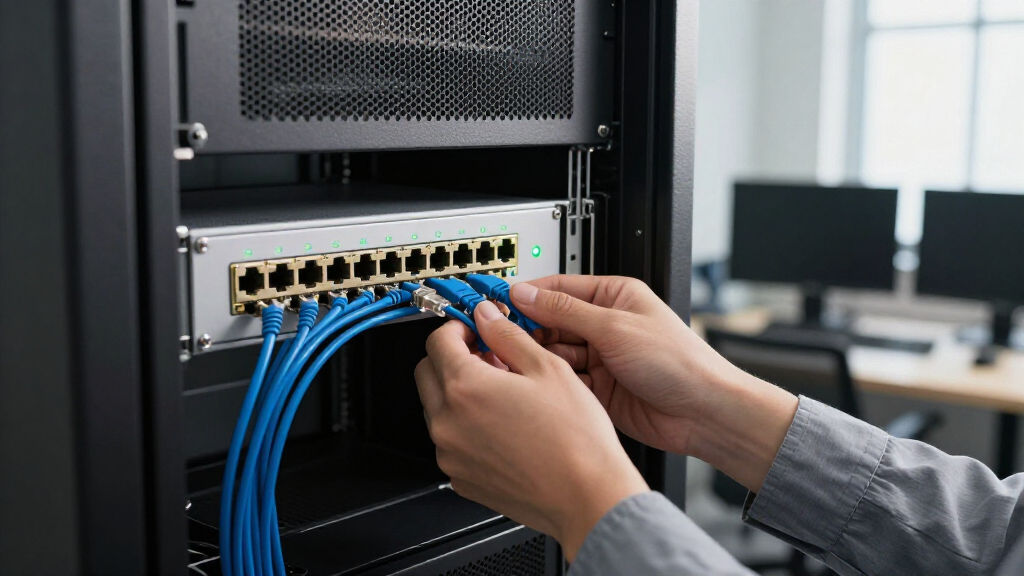
I ranked these switches by how well their port speed and count match common home-lab, workstation, storage, and small-office needs. Dedicated 10GbE ports favor buyers connecting several high-throughput devices, while mixed 10GbE/2.5GbE layouts can make more sense when most endpoints use 2.5GbE. I also weighed managed versus unmanaged operation, stated switching capacity where provided, cooling and mounting details, and the practical implications of each design. A switch earned a stronger position when its role and port layout were clear; a more specialized configuration ranked lower for buyers who need a general-purpose 10GbE upgrade.
The lineup spans compact five- and six-port models, eight-port switches, and larger mixed-speed units, so ranking is not simply a contest of port totals. I favored flexible choices near the top, then placed products for narrower needs—such as lots of 2.5GbE endpoints, a small desktop footprint, or rack-oriented installation—where they offer a better fit than an all-10GbE layout. Since the supplied product details do not establish every model’s noise level, management feature set, or performance under load, I avoid treating unlisted specifications as confirmed advantages.
Factors to Consider When Choosing 10GbE Network Switches
Choosing a 10GbE switch starts with your devices and cabling, not the largest port count on the box. These points can help you avoid paying for unused high-speed ports or buying a layout that leaves your slower devices awkwardly served.
Match Port Speeds to the Devices You Own
List the equipment that will connect to the switch and its negotiated link speed: a NAS, workstation, access point, server, or router may not all need 10GbE. A mixed-speed switch can be a better fit if only a NAS and one workstation need 10GbE while several other devices use 2.5GbE. By contrast, a switch with many dedicated 10GbE ports gives room for multiple fast endpoints without splitting them across separate devices. A common mistake is to count every port as equally useful without checking its speed. Also check whether each connected device actually has a 10GbE-capable network interface; the switch cannot upgrade a slower NIC. Choose for the devices you can connect now, with a little headroom for likely additions.
Check the Whole Link, Including Cabling and Distance
A 10GbE switch only provides a fast link when the device adapter, cable, and every connection in between support the target speed. Existing copper cabling may work, but the result depends on cable category, condition, length, and the hardware at both ends. Before replacing cables, verify the requirements of the specific switch and network adapters rather than assuming every installed run will negotiate at 10Gbps. If you are building links across rooms or through an equipment closet, plan the path and cable type before settling on a switch. A port labeled 10G does not guarantee the rest of the network can carry that speed. This check can prevent a costly switch upgrade from delivering only a slower end-to-end connection.
Decide Whether You Need Managed Features
Unmanaged switches keep setup simple, but they offer less control over how network traffic is separated and monitored. If you need VLANs, traffic prioritization, link aggregation, or detailed diagnostics, confirm that the model supports the specific functions your network requires. Do not infer management capabilities from a product’s port count or from the word multi-gig. For a basic connection between computers and storage, plug-and-play operation may be preferable to a feature set you will not use. For a growing home lab or office, the lack of management can become limiting once you want to segment devices or troubleshoot traffic. Compare the switch’s documented controls with your router and access-point features so the devices can work together.
Plan for Heat, Fan Noise, and Placement
Fast copper networking can make cooling and switch placement part of the buying decision, especially in a quiet room or a tightly packed cabinet. A fanless desktop or wall-mount design may suit a workspace, but it still needs the ventilation and installation conditions specified by its maker. Fan-cooled or rack-ready choices may be more appropriate for a dedicated equipment area, where noise matters less and mounting is useful. Avoid placing any switch in an enclosed space just because it fits physically. Check dimensions, mounting options, power access, and airflow before buying. The quietest design is not automatically the best if its port layout or installation limits do not suit your network.
Buy Enough Capacity, Not Just the Highest Port Count
Switching capacity can help you judge whether a model is designed to handle traffic across its ports, but it does not tell the whole story about performance in your setup. Look at the stated capacity alongside port speeds, management, and the way your devices will communicate. Traffic between a workstation and NAS may stay within the switch, while internet-bound traffic also depends on your router and service connection. A large number of 2.5GbE ports can be more useful than a smaller all-10GbE layout if most endpoints are not 10GbE-capable. On the other hand, buying too few 10GbE ports may force an early replacement as you add fast devices. Map current and near-term connections before deciding how much capacity to pay for.
Choose a Form Factor That Fits Your Network
Five- and six-port switches can suit a small cluster of fast devices, while eight-port and larger models give more room for expansion. More ports are not automatically better if the extra connections sit unused or the unit does not fit your intended location. Desktop and wall-mount options can be convenient outside a rack; rack-mountable hardware may be neater in a structured installation. Check whether mounting hardware is included and confirm the switch’s physical dimensions rather than relying on a product name. Leave room for power cables and airflow when planning a rack or shelf. A good form-factor choice reduces cable clutter and makes later troubleshooting easier.
Frequently Asked Questions
Will a 10GbE switch make my internet connection faster?
Not by itself. A 10GbE switch can speed up supported connections between local devices, such as a workstation and network storage, but internet traffic is also limited by your router, modem, and internet service. If your internet plan is slower than the switch link, browsing will not suddenly run at 10Gbps. Check the router’s LAN ports and the speed of the devices connected upstream. A switch is most useful when local file transfers or other network traffic are the bottleneck.
Can I connect 2.5GbE or 1GbE devices to a 10GbE switch?
Many multi-gig switches support more than one link speed, but support depends on the particular model and port. Read the specifications for the exact speeds each port can negotiate; do not assume every product with “10G” in its name accepts all slower rates. On mixed-speed models, some ports may be 10GbE while others are limited to 2.5GbE. Your endpoint’s network adapter also affects the negotiated link. Confirming these details before purchase helps avoid a mismatch with existing equipment.
Should I choose a mixed 10GbE and 2.5GbE switch or one with all 10GbE ports?
Choose a mixed-speed model when a few devices need 10GbE and most endpoints use 2.5GbE; it can provide a practical balance without dedicating every port to a speed you do not need. An all-10GbE model makes more sense when several workstations, servers, or storage devices need full-speed links now or soon. Count the fast endpoints, then allow for likely additions rather than guessing from the total number of devices. Also verify that the switch’s slower ports still meet the requirements of access points and other high-demand equipment. The right choice follows your device mix, not a general rule that one layout is always better.
Do I need a managed 10GbE switch for a home lab?
Not necessarily. An unmanaged switch can handle straightforward connections between a router, computers, and storage without requiring network configuration. A managed model may be useful if your lab needs VLANs, traffic controls, link aggregation, or monitoring, but those features only help if your other network equipment supports the plan too. Check the switch’s documented feature set rather than relying on the word “managed” alone. If you are learning network administration or expect to segment devices, management can offer room to grow; if not, simplicity may be the better fit.
Do I need to replace my Ethernet cables to use a 10GbE switch?
Not always, but you should verify the cabling path rather than assume existing cables will support 10GbE. The usable speed depends on cable type, condition, run length, and the capabilities of the connected hardware. Check the switch and network-adapter specifications for their supported cabling requirements. If a link negotiates below the expected speed, test the cable and connection points before concluding that the switch is at fault. Planning cable checks alongside the switch purchase can save time and keep a fast network upgrade from being held back by one link.
Conclusion
For a general-purpose upgrade, I recommend the TP-Link TL-SX1008 as best overall for buyers who want eight dedicated 10GbE connections. The best value depends on your port mix: choose a mixed-speed NICGIGA option when most devices use 2.5GbE and only a few need 10GbE, rather than paying for unused full-speed ports. For a best premium pick, compare the QNAP QSW-L2110-10T-US and NETGEAR XS308Mv2 against the management and installation features you actually need; the listed details do not justify assuming one has unconfirmed extras. Beginners who want straightforward setup should favor an unmanaged model with a port layout that matches their devices, such as the TP-Link TL-SX105 for a smaller all-10GbE group. For specific needs, the NICGIGA 18-port suits a larger 2.5GbE-heavy network, while a compact fanless mixed-speed unit such as the VunLink may fit a quieter desktop or wall-mounted setup. Before deciding, count your 10GbE devices, verify cable and adapter support, and match the switch’s cooling and mounting style to its location.
Fall Picks
fall essentials
As an affiliate, we earn on qualifying purchases.