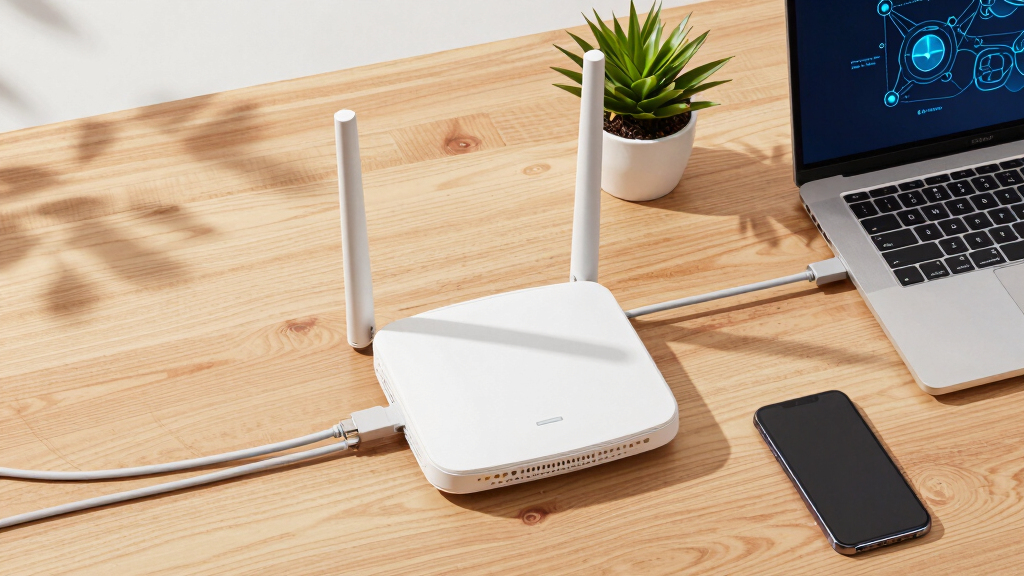

Choosing the right enterprise wireless access points is critical for ensuring reliable, fast, and secure Wi-Fi coverage across your organization. The best options balance performance, scalability, and management features, but the tradeoff often lies in cost versus sophistication. The Ubiquiti U6+ stands out as a top overall pick for its high performance and ease of deployment, while the Fortinet FortiAP 241K offers advanced security features suited for sensitive environments. Meanwhile, budget-conscious buyers may lean toward the TP-Link EAP225 for its solid value. Keep reading to see how these options compare and find the best fit for your network.

Get business pricing on networking and server gear
- Business-only prices and quantity discounts
- Tax-exempt purchasing
- Multiple users, one account, clear invoices
Key Takeaways
- Performance varies significantly based on Wi-Fi standards and hardware capabilities, with Wi-Fi 6 and Wi-Fi 7 models offering future-proof speeds.
- Security features like WPA3, integrated firewalls, and BLE/ZigBee support are key for protecting enterprise networks.
- Management complexity differs; cloud-managed solutions tend to be easier for large deployments, while standalone units may suit smaller setups.
- Build quality and weatherproofing are crucial for outdoor or harsh environments, impacting longevity and reliability.
- Cost often correlates with feature set; premium access points provide advanced features but may be overkill for small or less complex networks.


More Details on Our Top Picks
Cudy AC1200 Gigabit Wireless Access Point with Mesh Support
The Cudy AC1200 stands out for its high-speed dual-band Wi-Fi and support for over 100 devices, making it well-suited for large networks. Compared to the EnGenius AX3600, it offers similar MU-MIMO features but at a more accessible price point, though it does require compatible PoE equipment since the package omits the power adapter. The easy installation options, including ceiling and wall mount, combined with multiple power choices, give it flexibility in deployment. However, its advanced features may need extra configuration, and it’s less suited for environments needing a managed cloud platform. Its support for mesh integration makes it ideal for expanding networks without additional hardware complexity.
Pros:- High-speed dual-band Wi-Fi with MU-MIMO technology
- Supports over 100 devices for dense network environments
- Flexible ceiling and wall-mount installation options
- Multiple power options including PoE and DC
Cons:- Package does not include a DC power adapter, requiring additional purchase
- Requires compatible PoE switch or injector for PoE power
- Advanced features may require technical setup
Best for: Large enterprises or organizations needing reliable, high-capacity Wi-Fi with flexible installation options
Not ideal for: Small businesses or casual users who lack PoE infrastructure or require plug-and-play simplicity
- Wi-Fi Speed:up to 867 Mbps + 300 Mbps
- Bands:Dual Band (2.4 GHz and 5 GHz)
- Device Capacity:Supports 100+ devices
- Power Options:PoE (802.3af/at), Passive PoE, DC 12V
- Installation:Ceiling and wall-mount options
- Technology:MU-MIMO, Beamforming, Mesh Support
Our verdict“This access point is ideal for large-scale deployments where high capacity, flexibility, and advanced management matter most.”
TP-Link Omada WiFi 7 Wireless Access Point – BE11000 Tri-Band, 2.5G Port, PoE+ or DC Powered, Adapter Included, 5-Year Warranty, Mesh, WPA3, Roaming, Business WiFi
The TP-Link Omada BE11000 offers cutting-edge Wi-Fi 7 tri-band performance, reaching speeds up to 11.0 Gbps, making it ideal for environments demanding ultra-fast connectivity. Its 2.5G Ethernet port and support for PoE+ or DC power provide flexible deployment options, similar to the EnGenius AX3600 but with a much higher throughput capacity. This model targets large networks with over 380 concurrent devices and comprehensive security features like WPA3, plus centralized cloud management for easy oversight. The main tradeoff involves its complexity—setting up and managing Wi-Fi 7 networks can be daunting for less experienced teams, and its performance relies heavily on compatible infrastructure. Compared with cheaper Wi-Fi 6 options, it is a substantial investment but suits expansive, demanding environments.
Pros:- Exceptional speeds with Wi-Fi 7 tri-band technology
- Supports over 380 devices simultaneously
- Flexible power options with PoE+ and DC support
- Advanced security protocols with WPA3
Cons:- Requires compatible network hardware to realize full performance
- Complex setup process for non-technical teams
- Higher cost compared to Wi-Fi 6 access points
Best for: Enterprises seeking future-proof, high-capacity Wi-Fi with extensive device support and centralized management
Not ideal for: Small offices or organizations without the infrastructure to support Wi-Fi 7 technology
- Wi-Fi Standard:Wi-Fi 7 (802.11ax)
- Bands:Tri-band (6GHz, 5GHz, 2.4GHz)
- Total Speed:up to 11.0 Gbps
- Ethernet Port:2.5G
- Coverage Area:1500 sq.ft
- Device Capacity:380+ devices
Our verdict“This pick is best for large, high-demand networks that want to invest in scalable, next-generation Wi-Fi infrastructure.”
EnGenius Wireless Access Point 4×4 Wi-Fi 6 Dual Band AX3600 with 2.5Gbe PoE+
The EnGenius AX3600 delivers impressive Wi-Fi 6 performance with dual-band speeds up to 2,400 Mbps on 5 GHz and 1,148 Mbps on 2.4 GHz, matching the capabilities of many enterprise-grade access points like Ubiquiti U6+ but at a competitive price point. Its 4×4 antenna configuration boosts coverage and reliability, while the 2.5Gbe PoE+ port simplifies deployment by providing both power and high-speed Ethernet. Compared to the HPE AP22, it offers similar advanced features like MU-MIMO and OFDMA, but with a slightly more straightforward setup. It’s a solid choice for small to medium-sized businesses looking for scalable Wi-Fi 6, though it might be less suitable for very large deployments or environments needing cloud management integrated into a broader platform.
Pros:- High-speed Wi-Fi 6 dual-band performance
- Supports MU-MIMO and OFDMA for efficiency
- 2.5Gbe PoE+ port for flexible installation
- Affordable compared to premium Wi-Fi 6 solutions
Cons:- Limited to indoor environments only
- No integrated cloud management platform
- Requires PoE+ switch or injector
Best for: Mid-sized businesses or growing teams needing robust Wi-Fi 6 with straightforward setup
Not ideal for: Small organizations or those seeking Wi-Fi 7 or cloud-based management as a priority
- Wi-Fi Standard:Wi-Fi 6 (802.11ax)
- Antenna Configuration:4×4
- Max Speed:2400 Mbps on 5 GHz, 1148 Mbps on 2.4 GHz
- Port:2.5Gbe PoE+
- Management:Cloud & App & On-Premises
- Coverage:Indoor, up to 328 feet with PoE+
Our verdict“This access point offers reliable Wi-Fi 6 performance suitable for mid-sized networks with straightforward management needs.”
HPE Networking Instant On Access Point AP22 2×2 WiFi 6 Indoor Wireless Access Point (3 Pack)
The HPE Instant On AP22 offers a balanced mix of Wi-Fi 6 performance and ease of deployment, especially for small to mid-sized businesses. With dual 2×2 antennas delivering 1200 Mbps, it’s comparable to other enterprise options like Ubiquiti’s nanoHD but with simplified setup via mobile app or web portal. Its ability to support Smart Mesh enables easy network expansion without complex wiring, similar to the Mesh support on TP-Link’s models. However, since the package includes three units, it’s ideal for broader coverage within small offices, yet it lacks advanced cloud management features found in higher-end enterprise products. Its affordability and quick setup make it attractive, though its limited to indoor use and requires PoE or local power sources.
Pros:- Supports Wi-Fi 6 for fast, reliable wireless connectivity
- Includes three units for wide coverage
- Supports Smart Mesh for seamless network extension
- Easy management via mobile app
Cons:- Power sources (PoE or power adapter) not included
- Limited to indoor use only
- No advanced cloud management platform
Best for: Small businesses or branch offices needing reliable Wi-Fi 6 with easy network expansion
Not ideal for: Large enterprises or outdoor environments requiring weatherproof hardware
- Wi-Fi Standard:Wi-Fi 6 (802.11ax)
- Number of Units:3
- Max Data Rate:1200 Megabits Per Second
- LAN Port:1
- Management:App
- Coverage:Indoor
Our verdict“This set of access points is best suited for small offices needing quick deployment and reliable coverage without complex management tools.”
TP-Link Omada Point to Point Wireless Bridge Outdoor – 5GHz, 867Mbps, PtP&PtMP, 1km Range, 3 Gigabit Ports, PoE or DC Powered, IP65 Weatherproof, Preconfigured, Plug&Play
The TP-Link Omada P2P Wireless Bridge excels at establishing reliable outdoor links over distances up to 1 km, making it suitable for campus, industrial, or large outdoor facilities. Its 5 GHz band provides a maximum throughput of 867 Mbps, comparable to other outdoor devices like the Ubiquiti U6+ but with a focus on point-to-point or point-to-multipoint setups. The IP65 weatherproof enclosure ensures durability against the elements, and its preconfigured, plug-and-play design simplifies deployment. However, its single-band operation limits flexibility, and the setup process may demand technical knowledge, especially for optimal alignment and security configurations. Unlike indoor Wi-Fi access points, it lacks integrated management for broader network control.
Pros:- High-speed wireless transfer up to 867 Mbps
- Long-range connectivity up to 1 km
- Weatherproof IP65 enclosure suitable for outdoor use
- Flexible power options with PoE or DC
Cons:- Limited to 5 GHz band, no dual-band support
- Requires technical expertise for optimal setup
- No built-in modem or broader network management features
Best for: Outdoor environments requiring high-speed, long-distance point-to-point links
Not ideal for: Indoor networks or environments needing dual-band support or integrated cloud management
- Frequency Band:5 GHz
- Wireless Data Transfer Rate:867 Mbps
- Range:1 km
- Number of Ports:3 Gigabit Ethernet
- Weatherproof:IP65
- Power Options:PoE or DC
Our verdict“This outdoor bridge is best for establishing high-speed, long-distance outdoor links where weatherproof robustness is essential.”
Fortinet FortiAP 241K Wi-Fi 7 Indoor Access Point | Quad-Radio | 2.4GHz/5GHz/6GHz Bands | 10 Gigabit Ethernet | BLE/ZigBee | WPA3 Security | PoE+ | Ceiling/Wall Mount
The Fortinet FortiAP 241K stands out for supporting Wi-Fi 7 with four radios and triple-band operation, making it ideal for environments demanding high throughput and minimal latency. Its integrated BLE and ZigBee modules set it apart for IoT-heavy deployments, while its strong security features—including WPA3 and enterprise-grade firewalls—are a step above many competitors like the TP-Link Omada BE5000. However, its setup can be complex, requiring specialized knowledge, and its premium pricing may put it out of reach for smaller organizations. Compared to the Ubiquiti U6+, it offers more advanced security and IoT integration, but that comes with a need for more technical management and higher costs.
Pros:- Supports Wi-Fi 7 with high throughput and low latency
- Integrated BLE and ZigBee for IoT applications
- Enterprise-grade security features including WPA3 and firewall
- Flexible mounting options for ceiling and wall deployment
Cons:- Setup process is complex and may require technical expertise
- High price point may be prohibitive for smaller organizations
- Requires compatible management infrastructure for full feature utilization
Best for: Enterprises needing robust security, high-density Wi-Fi, and IoT integration in mission-critical environments
Not ideal for: Smaller businesses or organizations with limited technical resources due to its complexity and cost
- Radio Bands:2.4GHz, 5GHz, 6GHz
- Number of Radios:4
- Ethernet Ports:1x 10 Gigabit, 1x 1 Gigabit
- Security:WPA3, Firewall, IPS, Application Control, Web Filter
- Mounting Options:Ceiling, Wall
- Integrated Technologies:BLE, ZigBee
Our verdict“This is best suited for large-scale, security-conscious organizations with advanced IoT needs and technical capacity.”
TP-Link Omada WiFi 7 Wireless Access Point – BE5000 Dual Band, 2.5G Port, PoE+ or DC Powered, Adapter Included, 5yr Warranty, Captive Portal, Mesh, WPA3, Roaming, Business WiFi
The TP-Link Omada BE5000 makes a compelling case for businesses seeking future-proof WiFi with support for Wi-Fi 7, offering speeds up to 5 Gbps across dual bands. Its 2.5G Ethernet port and flexible power options—PoE+ or DC—facilitate straightforward deployment, especially compared to more complex setups like the Fortinet FortiAP 241K. Advanced features such as captive portals, seamless roaming, and mesh support are integrated for easy network management, backed by a 5-year warranty. However, its enterprise features may be overkill for small offices, and the setup can be intricate for less tech-savvy users. Compared to the Ubiquiti U6+, it offers more dedicated enterprise management but is generally pricier.
Pros:- Supports Wi-Fi 7 with speeds up to 5 Gbps
- Flexible power options with PoE+ or DC supply
- Built-in captive portal and mesh support for easy management
- Long 5-year warranty with technical support
Cons:- Setup complexity may challenge non-technical staff
- Could be overpowered for small or simple networks
- Higher price compared to basic WiFi 6 access points
Best for: Mid-sized businesses requiring high-speed WiFi with centralized management and flexible deployment options
Not ideal for: Small offices or casual users who don’t need advanced enterprise features or high throughput
- Wireless Standard:WiFi 7
- Dual Band:Yes
- Max Speed:5.0 Gbps
- Ethernet Port:2.5G
- Power Options:PoE+ or DC
- Warranty:5 years
Our verdict“Ideal for growing enterprises seeking high performance and manageable, scalable WiFi infrastructure.”
TP-Link EAP225 Omada AC1350 Gigabit Wireless Access Point with Mesh Support and PoE
The TP-Link EAP225 offers a reliable dual-band Wi-Fi solution supporting MU-MIMO speeds up to 1350 Mbps, making it suitable for small to medium business environments. Its integration with Omada SDN allows centralized management, akin to the TP-Link Omada BE5000, but without Wi-Fi 7 capabilities. Mesh support and seamless roaming facilitate flexible deployment across multiple locations. While it is a solid choice for budget-conscious organizations, its feature set is more limited compared to Wi-Fi 7 models, and some advanced features require Omada SDN controllers. For organizations that don’t need ultra-high speeds or enterprise IoT, it provides a balanced mix of performance and affordability.
Pros:- Supports MU-MIMO with speeds up to 1350 Mbps
- Centralized management via Omada SDN
- Mesh network support for flexible placement
- PoE support simplifies installation
Cons:- Limited to Wi-Fi 5, no Wi-Fi 6 or 7 support
- Advanced features depend on SDN controller setup
- Not designed for very high-density environments
Best for: Small to medium-sized businesses seeking affordable, manageable Wi-Fi with decent speeds
Not ideal for: Large enterprises or high-density environments requiring the latest Wi-Fi standards and maximum throughput
- Wi-Fi Speed:1350 Mbps
- Technology:802.11ac Wave 2 MU-MIMO
- Power Supply:PoE (802.3af/at)
- Warranty:5 years
- Features:Mesh WiFi, Seamless Roaming
- Control Options:Omada SDN, standalone
Our verdict“A budget-friendly, manageable Wi-Fi option well-suited for small to medium businesses with moderate throughput needs.”
NETGEAR Wireless Access Point WAX210PA – WiFi 6 Dual-Band AX1800, PoE, 1G Ethernet, Supports Up to 128 Devices
The NETGEAR WAX210PA emphasizes WiFi 6 advantages, supporting AX1800 speeds and up to 128 devices, making it suitable for small office environments. Its dual-band operation and support for multiple SSIDs help segregate guest and staff networks efficiently, comparable to the Ubiquiti U6+ in terms of speed and device capacity. Its straightforward PoE setup allows for simple deployment, but it lacks advanced enterprise features like mesh or seamless roaming without additional infrastructure. This device is best suited for organizations that need reliable WiFi 6 coverage without overextending into complex management features or large-scale deployments.
Pros:- Supports WiFi 6 for faster speeds and higher capacity
- Supports up to 128 devices concurrently
- PoE support simplifies installation
- Multiple SSIDs for better network segmentation
Cons:- Limited indoor coverage of 1,500 sq. ft.
- No built-in mesh or advanced management features
- Requires existing wired network for setup
Best for: Small businesses or offices needing reliable WiFi 6 coverage with support for many devices
Not ideal for: Large enterprises or environments requiring mesh networking or extensive management features
- WiFi Standard:802.11ax
- Speed:AX1800
- Bands:Dual-Band
- Ethernet Port:1G
- PoE Support:Yes
- Maximum Devices:128
Our verdict“A solid, straightforward WiFi 6 access point ideal for small offices prioritizing device capacity and ease of deployment.”
Ubiquiti U6+ Dual Band IEEE 802.11 a/b/g/n/ac/ax Wireless Access Point
The Ubiquiti U6+ offers broad compatibility with Wi-Fi standards from 802.11a to ax, providing a flexible option for mixed-device environments. Its impressive data transfer rate of up to 3 Gbit/s makes it suitable for high-demand settings, especially when paired with Ubiquiti’s management ecosystem. Its PoE+ port simplifies installation, and its wall-mount design allows for discreet placement. Unlike the more specialized Wi-Fi 7 models, it emphasizes compatibility and speed, but may lack some of the latest security and IoT features found in enterprise-grade products like the Fortinet FortiAP 241K. Its complexity may challenge non-technical users during setup, but it offers reliable performance once deployed.
Pros:- Supports Wi-Fi standards from a/b/g/n/ac/ax
- High data transfer up to 3 Gbit/s
- PoE+ support simplifies cabling
- Wall-mountable for flexible placement
Cons:- No included accessories or mounting hardware
- Setup complexity may challenge non-technical users
- Lacks integrated IoT or advanced security features
Best for: Organizations needing high-speed, versatile Wi-Fi coverage with broad device support
Not ideal for: Organizations seeking the latest Wi-Fi 7 features or integrated IoT protocols
- Wireless Standards:a/b/g/n/ac/ax
- Max Data Transfer Rate:3 Gbit/s
- Ethernet Port:Gigabit Ethernet
- PoE Support:Yes, up to 25.5W
- Form Factor:Wall Mountable
Our verdict“A highly capable, speed-oriented access point suited for environments demanding broad compatibility and high throughput.”
TP-Link Omada WiFi 6 Wireless Access Point AX3000 Dual Band with PoE+ and Cloud Management
The TP-Link Omada EAP650 stands out for delivering high-speed WiFi 6 performance up to 2976 Mbps, making it ideal for busy office environments that demand reliable, high-capacity networks. Compared with the TP-Link EAP610, it offers slightly faster speeds and more advanced mesh capabilities but requires the Omada SDN controller for seamless roaming, adding complexity for smaller setups. Its flexible power options, including PoE+ and a DC supply, enhance deployment options. However, this model is designed primarily for enterprise use and might be overkill for small businesses or remote work setups. Its main tradeoff involves the need for cloud management familiarity and potential setup complexity.
Pros:- High-speed WiFi 6 performance with speeds up to 2976 Mbps
- No additional fees for cloud management via Omada SDN
- Flexible power options including PoE+ and DC supply
- Supports mesh networking and seamless roaming
Cons:- Requires Omada SDN controller for mesh roaming features
- Advanced features may need additional setup or hardware
- Limited to business environments; not suitable for home use
Best for: Large enterprises or tech-savvy IT teams seeking scalable, high-performance WiFi 6 solutions with centralized control
Not ideal for: Small businesses or remote offices that prefer plug-and-play solutions without extensive management requirements
- Wireless Technology:WiFi 6 (802.11ax)
- Speed:up to 2976 Mbps
- Bands:Dual Band
- Port:1G Ethernet port
- Power Options:PoE+ (802.3at), DC power supply
- Management:Cloud management, Omada SDN
- Warranty:5 years
Our verdict“This access point is best suited for large, resource-heavy networks where performance and centralized management are priorities.”
TP-Link AC1200 Wireless Gigabit Access Point – Dual-Band WiFi Bridge with MU-MIMO, Beamforming, Multi-SSID, and Passive PoE
The TP-Link AC1200 Wireless Access Point offers a balanced mix of performance and versatility, supporting dual-band speeds up to 1200 Mbps with MU-MIMO technology, making it suitable for moderate enterprise deployments or larger office setups. Its support for multiple modes, including Range Extender and Client, provides flexible deployment options that the Ubiquiti nanoHD cannot match in terms of multi-functionality. External antennas with Beamforming improve coverage, though some users might find the fixed antennas limiting in very large or complex environments. Powering via Passive PoE simplifies installation, but the lack of built-in modem limits its standalone use, making it more of a network extender or access point than an all-in-one solution.
Pros:- Dual-band Wi-Fi speeds up to 1200 Mbps with MU-MIMO
- Supports multiple operation modes including Extender and Client
- External Beamforming antennas enhance coverage
- Flexible installation with Passive PoE
Cons:- No built-in modem functionality or standalone routing
- Limited security options compared to enterprise-grade devices
- Requires compatible PoE supply for operation
Best for: Mid-sized businesses or branch offices needing adaptable WiFi solutions with multi-mode capabilities
Not ideal for: Small offices or home environments where simplicity and minimal configuration are preferred
- Speed:1200 Mbps
- Frequency Band:Dual-Band
- Wireless Standards:802.11a/b/g/n/ac
- Number of Antennas:4
- Antenna Type:Fixed
- Power Supply:Passive PoE
- Coverage:Extensive
- Control Method:Touch
Our verdict“This access point is ideal for organizations seeking flexible, multi-mode WiFi solutions with solid coverage at a reasonable price point.”
Ubiquiti UniFi nanoHD Compact 802.11ac Wave2 MU-MIMO Enterprise Access Point
The Ubiquiti UniFi nanoHD stands out with its compact design supporting over 200 concurrent users, making it a strong choice for high-density environments like cafes or conference rooms. Its MU-MIMO support and PoE compatibility simplify deployment and scalability, especially compared with bulkier enterprise options like the TP-Link Omada AX3000. However, the need to purchase optional covers separately and its limited to 802.11ac Wave2 technology mean it may lag behind newer WiFi 6 models in speed and future-proofing. This pick is best for environments where discreet installation and high user capacity matter more than cutting-edge WiFi standards.
Pros:- Supports over 200 concurrent users
- Compact and discreet design for unobtrusive installation
- PoE compatible for simple, flexible deployment
Cons:- Covers sold separately, adding to total cost
- Limited to 802.11ac Wave2, not WiFi 6
- Requires separate purchase for covers
Best for: Small to medium-sized enterprise spaces or venues needing discreet, high-capacity Wi-Fi
Not ideal for: Organizations requiring WiFi 6 or the latest security and performance features
- Wireless Standard:802.11ac Wave2
- Concurrent Users:200+
- PoE Compatibility:802.3af
- Supports Optional Covers:Yes
- Size:Compact
Our verdict“This access point is ideal for high-density environments prioritizing discreet form factor and capacity over the latest WiFi standards.”
TP-Link EAP610 Omada Business WiFi 6 AX1800 Wireless Access Point, Dual-Band, PoE+ Powered
The TP-Link EAP610 offers a solid WiFi 6 experience up to 1800 Mbps, making it a good fit for small to medium enterprises seeking fast, reliable wireless connectivity. Its support for cloud management through Omada SDN, similar to the TP-Link Omada AX3000, provides centralized control but at a more affordable level. Compared to the Ubiquiti nanoHD, it delivers newer WiFi standards and better future-proofing, though it may require additional setup for mesh roaming. Its sleek design and flexible power options—PoE+ and DC—make it suitable for various deployment scenarios, but some advanced features might need firmware updates or additional hardware.
Pros:- Supports WiFi 6 for faster speeds up to 1800 Mbps
- Cloud management with no extra fees
- Flexible power options including PoE+ and DC adapter
- Compact, sleek design
Cons:- Requires Omada SDN controllers for full mesh roaming
- Some advanced features need setup or firmware updates
- Not the latest WiFi 7 standard
Best for: Growing businesses or offices looking for WiFi 6 with easy management and scalable features
Not ideal for: Organizations that prioritize mesh roaming without extra configuration or who need the latest WiFi 7 technology
- Wireless Standard:Wi-Fi 6 (802.11ax)
- Speed:1800 Mbps
- Bands:Dual-Band
- Power:PoE+ (802.3at), 48V/0.5A Passive PoE
- Management:Cloud, Omada SDN
- Warranty:5 years
Our verdict“This access point makes the most sense for small to medium enterprises prioritizing WiFi 6 performance with centralized management.”
How We Picked
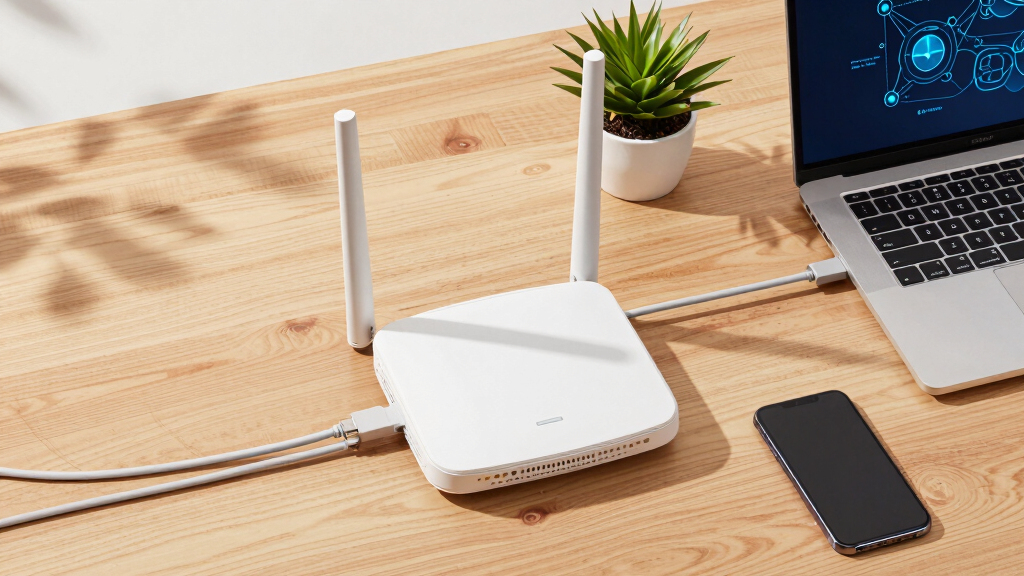
These products were selected based on a comprehensive evaluation of key factors including performance benchmarks, security features, scalability, ease of deployment, and management options. We prioritized devices with proven reliability in enterprise environments, assessing their support for modern Wi-Fi standards like Wi-Fi 6 and Wi-Fi 7, as well as their compatibility with enterprise-grade security protocols. Cost-effectiveness was also considered, ensuring options for different budgets without sacrificing core capabilities. Devices were ranked to provide a clear hierarchy of value, performance, and suitability for various enterprise sizes and needs.Factors to Consider When Choosing Enterprise Wireless Access Points
When selecting enterprise wireless access points, understanding the key factors that influence performance, security, and scalability can help avoid costly mistakes. The right choice depends on your organization’s size, growth plans, security requirements, and technical expertise. Below are the most important considerations to keep in mind beyond just the specs.Performance and Wi-Fi Standards
Choosing an access point that supports the latest Wi-Fi standards, such as Wi-Fi 6 or Wi-Fi 7, ensures higher speeds and better handling of multiple devices. Consider your current and future bandwidth needs; investing in newer standards can provide a degree of future-proofing. However, keep in mind that hardware supporting Wi-Fi 7 may come at a premium and might not be necessary for smaller networks. Balancing speed requirements with budget constraints is key here.
Security Features
Enterprise-grade security features like WPA3 encryption, integrated firewalls, and support for BLE or ZigBee are vital for protecting sensitive data and maintaining compliance. Devices with advanced security can help prevent breaches and unauthorized access, especially in environments with high device density. However, more security features often mean increased complexity in setup and management, so consider your team’s technical expertise.
Management and Scalability
Cloud-managed solutions offer simplified deployment and easier ongoing management, ideal for large or distributed networks. On the other hand, standalone units may suffice for smaller setups but can become cumbersome as the network grows. Think about your future expansion plans and whether centralized management aligns with your IT team’s capabilities. Compatibility with existing network infrastructure is another key factor.
Build Quality and Environmental Resistance
For outdoor or industrial environments, weatherproofing and rugged construction are non-negotiable. Devices rated with IP65 or higher can withstand dust, water, and temperature extremes, extending their lifespan. Indoor units may not need such durability but should still have reliable hardware to minimize downtime. Investing in durable hardware can reduce maintenance costs over time.
Cost and Total Cost of Ownership
While initial purchase price is important, consider the total cost of ownership, including management software, security features, and maintenance. Premium models with advanced features may save time and reduce future expenses but require a larger upfront investment. Conversely, budget options might meet basic needs but could lead to higher operational costs or limitations in performance.
Frequently Asked Questions
How do I know if my current network infrastructure can support Wi-Fi 6 or Wi-Fi 7 access points?
Supporting newer Wi-Fi standards requires compatible hardware, including network switches with PoE+ support and modern routers or controllers. Before upgrading, verify that your existing network components can handle increased data throughput and support the necessary management protocols. Upgrading network infrastructure in tandem with access points ensures seamless performance and avoids bottlenecks. Consulting with a network specialist can help identify gaps and plan a phased upgrade if needed.
Are cloud-managed access points better for large deployments?
Cloud-managed access points generally simplify deployment, monitoring, and troubleshooting across multiple locations, making them an attractive choice for large or distributed networks. They enable centralized control, which reduces the need for on-site IT staff to manage individual units. However, they may introduce ongoing subscription costs and potential latency issues if internet connectivity is unreliable. For very sensitive or highly secure environments, on-premises management might still be preferable.
What security features should I prioritize in enterprise access points?
Prioritize access points that support WPA3 encryption for the latest security standards, along with features like VLAN support, integrated firewalls, and support for enterprise security protocols. Some models also include BLE or ZigBee for IoT device management, adding layers of security. Remember, security isn’t just about features—proper configuration and regular firmware updates are equally important. Investing in devices with comprehensive security options helps protect your entire network ecosystem.
How important is outdoor weatherproofing for enterprise access points?
Weatherproofing is critical if you plan to deploy access points outdoors or in challenging environments. Devices with IP65 or higher ratings are designed to resist dust, water, and temperature fluctuations, ensuring reliable operation over time. Failure to choose weatherproof units for outdoor locations can lead to hardware damage and network downtime. For indoor use, durability is less critical, but quality construction still helps minimize maintenance issues.
Should I prioritize higher throughput or more device support?
This depends on your network’s primary use case. If your organization relies on high-bandwidth applications like video conferencing or large file transfers, prioritizing throughput is essential. Conversely, if your environment hosts many IoT devices or has dense user populations, supporting a large number of concurrent connections becomes more important. Striking a balance between both factors ensures your network remains responsive and scalable as your needs grow.
Conclusion
For most organizations seeking a reliable, scalable network, the Ubiquiti U6+ offers a compelling combination of high performance and ease of management, making it the best overall choice. Those prioritizing security will find the Fortinet FortiAP 241K to be an excellent premium option, especially for sensitive data environments. Budget-conscious buyers should consider the TP-Link EAP225 for its solid value and straightforward setup. Beginners or smaller businesses will benefit from cloud-managed solutions like the TP-Link Omada series, while larger, growing networks should look toward models supporting Wi-Fi 6 or Wi-Fi 7 with advanced management features. Tailoring your choice to your specific size, security, and performance needs will ensure your investment pays off.
Halloween Picks
halloween
As an affiliate, we earn on qualifying purchases.