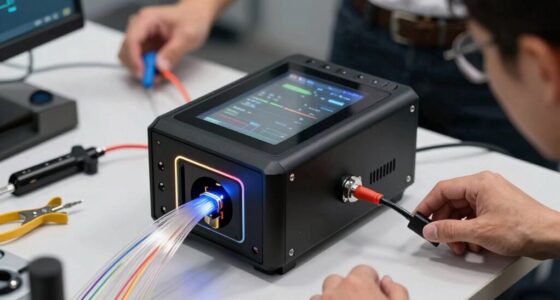
The best NAS devices for Plex balance playback performance, storage growth, and straightforward setup. I rank the Synology DS225+ as the best overall fit for many Plex households because its Intel processor and hardware-transcoding focus suit shared media libraries. The UGREEN DXP4800 Plus stands out for a four-bay setup, while the Asustor Flashstor 6 is a distinctive choice for buyers who want an all-SSD system. The main tradeoffs are transcoding capability, drive-bay capacity, software preferences, and how much setup and maintenance you want to handle. Read on for the full comparison, buying advice, and picks for different Plex setups.

Get business pricing on networking and server gear
- Business-only prices and quantity discounts
- Tax-exempt purchasing
- Multiple users, one account, clear invoices
Key Takeaways
- Transcoding changes the shortlist: the Synology DS225+ is a stronger match for households that need hardware-assisted video conversion than entry-level ARM-based two-bay models.
- Four bays offer room to grow: the UGREEN DXP4800 Plus and Synology DS425+ provide more drive slots than two-bay systems, reducing the chance that a growing media collection forces an early replacement.
- Fast storage is not the same as broad Plex compatibility: the Asustor Flashstor 6’s all-SSD design favors quiet, responsive storage, but buyers still need to match its processing capabilities to their playback and transcoding needs.
- Brand and software priorities matter: Synology, QNAP, Asustor, and UGREEN differ in interface and ecosystem, so the easiest NAS is often the one whose maintenance and management style suits its owner.
- Not every Plex server needs a traditional NAS: the 512GB smart personal cloud device may suit a small, modest library, but its fixed storage starting point is less flexible than a multi-bay diskless system.
| Asustor Drivestor 2 Pro Gen2 AS3302T v2 2-Bay NAS Home Cloud Backup |  | Best Value for a 2.5GbE Plex Setup | Model: AS3302T v2 | Drive bays: 2 | Processor: Realtek quad-core | VIEW LATEST PRICE | See Our Full Breakdown |
| Synology DiskStation DS223j 2-Bay NAS (Diskless) |  | Best for Beginners Prioritizing Backups | Model: DS223j | Drive bays: 2 | Drive configuration: Diskless | VIEW LATEST PRICE | See Our Full Breakdown |
| Asustor Flashstor 6 FS6706T 6-Bay All-SSD NAS for Content Creators |  | Best Compact All-Flash Plex NAS | Model: FS6706T | Storage slots: 6 M.2 NVMe | Processor: Intel quad-core | VIEW LATEST PRICE | See Our Full Breakdown |
| UGREEN DXP4800 Plus 4-Bay NAS for Families, Creators & Small Teams |  | Best for Large Libraries and Advanced Home Labs | Drive bays: 4 | Listed maximum capacity: 144TB | Processor: Intel 5-core CPU | VIEW LATEST PRICE | See Our Full Breakdown |
| Synology DS225+ Private Cloud Media Server – 2-Bay Diskless NAS with Intel CPU for Hardware Transcoding |  | Best 2-Bay Synology for Plex and Media Management | Model: DS225+ | Drive bays: 2 | Processor: Intel CPU | VIEW LATEST PRICE | See Our Full Breakdown |
| Smart Personal Cloud Storage Device with 512GB SSD, USB Expansion, Plex & Home Assistant Compatibility |  | Best Compact Personal Plex Library | Built-in storage: 512GB SSD | Drive interface: USB 3.0 | Connectivity: Ethernet and Wi-Fi | VIEW LATEST PRICE | See Our Full Breakdown |
| QNAP TS-233-US 2-Bay Desktop NAS with ARM Cortex-A55 Quad-core Processor and 2GB RAM |  | Best Entry-Level Two-Bay NAS | Drive bays: 2 | Processor: Quad-core ARM Cortex-A55 | Memory: 2GB RAM | VIEW LATEST PRICE | See Our Full Breakdown |
| UGREEN NAS DH4300 Plus 4-Bay Network Attached Storage for Home and Small Business |  | Best for Expanding a Large Media Library | Drive bays: 4 | Maximum listed storage capacity: 128TB | Drive interface: Serial ATA | VIEW LATEST PRICE | See Our Full Breakdown |
| Synology 4-Bay DiskStation DS925+ (Diskless) |  | Best for a Managed, Multi-Purpose Home Server | Drive bays: 4 | Network ports: 2 × 2.5GbE | Read throughput: Up to 522 MB/s | VIEW LATEST PRICE | See Our Full Breakdown |
| Asustor Lockerstor 4 Gen2+ AS6704T v2 4-Bay NAS for Content Creators |  | Best for Plex Transcoding and Creator Workloads | Processor: Intel Celeron N5105 quad-core | Memory: 4GB DDR4, expandable to 16GB | Drive bays: 4 | VIEW LATEST PRICE | See Our Full Breakdown |
| Asustor Drivestor 4 Gen 2 AS1204T 4-Bay NAS Personal Cloud Backup |  | Best for Budget-Minded 4-Bay Libraries | Processor: Realtek RTD1619B, 1.7GHz quad-core | Memory: 1GB DDR4 | Drive bays: 4 | VIEW LATEST PRICE | See Our Full Breakdown |
| UGREEN NAS DXP4800 GT 4-Bay for Creators, Tech Enthusiasts, and Office Teams |  | Best for Plex Power Users and Multitasking | Processor: AMD Ryzen Embedded R2514, 4 cores, up to 3.70GHz | Memory: 8GB DDR4, expandable to 64GB | Storage bays: 4 SATA bays | VIEW LATEST PRICE | See Our Full Breakdown |
| Synology DS425+ Private Cloud Media Server – 4-Bay Diskless NAS |  | Best for a Managed, Multi-User Media Library | Model: DS425+ | Drive bays: 4 | Listed storage volume: 80TB | VIEW LATEST PRICE | See Our Full Breakdown |
| Synology DS423 4-Bay Diskless NAS for Backup, File Sharing, Photo Vault & Video Surveillance |  | Best for a General-Purpose Synology Home Server | Model: DS423 | Drive bays: 4 | Dimensions: 9 × 6.6 × 7.24 inches | VIEW LATEST PRICE | See Our Full Breakdown |
| UGREEN NAS DXP2800 2-Bay for Advanced Home Users, Remote Workers & Creators |  | Best Compact NAS for a Smaller Plex Library | Drive bays: 2 | Listed maximum capacity: 80TB | Hardware platform: x86 | VIEW LATEST PRICE | See Our Full Breakdown |
| NAS devices for Plex | Drive bays | Warranty | Processor |
|---|---|---|---|
| Asustor Drivestor 2 Pro Gen2 A | 2 | 3 years | Realtek quad-core |
| Synology DiskStation DS223j 2- | 2 | 2 years | — |
| Asustor Flashstor 6 FS6706T 6- | — | 3 years | Intel quad-core |
| UGREEN DXP4800 Plus 4-Bay NAS | 4 | 2 years | Intel 5-core CPU |
| Synology DS225+ Private Cloud | 2 | 3 years | Intel CPU |
| Smart Personal Cloud Storage D | — | One-year limited | — |
| QNAP TS-233-US 2-Bay Desktop N | 2 | — | Quad-core ARM Cortex-A55 |
| UGREEN NAS DH4300 Plus 4-Bay N | 4 | — | — |
| Synology 4-Bay DiskStation DS9 | 4 | 3 years | — |
| Asustor Lockerstor 4 Gen2+ AS6 | 4 | 3 years | Intel Celeron N5105 quad-core |
| Asustor Drivestor 4 Gen 2 AS12 | 4 | — | Realtek RTD1619B, 1.7GHz quad-core |
| UGREEN NAS DXP4800 GT 4-Bay fo | — | — | AMD Ryzen Embedded R2514, 4 cores, up to 3.70GHz |
| Synology DS425+ Private Cloud | 4 | 3 years | — |
| Synology DS423 4-Bay Diskless | 4 | 2 years | — |
| UGREEN NAS DXP2800 2-Bay for A | 2 | 2 years | — |
More Details on Our Top Picks
Asustor Drivestor 2 Pro Gen2 AS3302T v2 2-Bay NAS Home Cloud Backup
The Drivestor 2 Pro Gen2 is a practical fit for a small Plex library when quick local transfers matter more than running many services at once. Its 2.5GbE connection can move files faster than standard gigabit Ethernet when the rest of your network supports it, and the listed 4K transcoding support gives it a media-focused advantage over the backup-oriented Synology DS223j. The tradeoff is a lean 2GB of memory and just two drive bays: that limits room for expansion and leaves less headroom for multitasking alongside Plex. Tool-free drive installation makes setup less fiddly, but drives are sold separately. I’d choose it for a modest, mostly single-purpose home server, not a growing media library with several simultaneous demands.
Pros:- 2.5GbE supports faster transfers than gigabit on a compatible network.
- Listed 4K transcoding support suits media streaming workloads.
- Tool-free drive installation simplifies fitting disks.
- Private cloud access adds remote file access beyond Plex.
Cons:- Two bays limit capacity and future storage expansion.
- 2GB of memory may constrain multitasking and additional services.
- Diskless, so storage drives must be purchased separately.
Best for: Home Plex users with a modest library, a compatible 2.5GbE network, and little need to run several apps at once.
Not ideal for: Households planning a large media archive or heavy concurrent apps; two bays and 2GB of memory leave limited expansion and multitasking headroom.
- Model:AS3302T v2
- Drive bays:2
- Processor:Realtek quad-core
- Memory:2GB DDR4
- Network:2.5GbE Ethernet
- Media support:4K transcoding
- Drive installation:Tool-free
- Warranty:3 years
Our verdict“Choose the Drivestor 2 Pro Gen2 for a modest Plex library that benefits from 2.5GbE, but skip it if you need more bays or heavier multitasking.”
Synology DiskStation DS223j 2-Bay NAS (Diskless)
The Synology DS223j makes more sense as a simple private-cloud and backup hub than as a Plex-first purchase. Its strengths are automated backups, multi-platform file access, and remote monitoring support; the supplied details do not list a Plex-focused processor, hardware transcoding, or a network speed beyond the two-bay format. That makes it a less convincing media-server choice than the Asustor Drivestor 2 Pro Gen2, which explicitly lists 4K transcoding and 2.5GbE. I’d put the DS223j on the shortlist when Plex is secondary to protecting family files and sharing them across devices. Its two bays also cap expansion, and the diskless setup means the total storage arrangement is up to the buyer.
Pros:- Automated backup support for multiple devices.
- Private-cloud access across platforms.
- Remote access and monitoring support.
- Ongoing software updates are listed as a product benefit.
Cons:- No drives are included.
- Two bays limit storage expansion.
- The supplied product details do not specify Plex-oriented transcoding or network speed.
Best for: First-time NAS buyers who want automated household backups and private file access, with Plex as a secondary use.
Not ideal for: Plex users who expect hardware transcoding or faster-than-gigabit networking; those capabilities are not specified for this model.
- Model:DS223j
- Drive bays:2
- Drive configuration:Diskless
- Primary uses:Private cloud, automated backups, file sharing, surveillance monitoring
- Remote access:Supported
- Software updates:Ongoing updates listed
- Warranty:2 years
Our verdict“Pick the DS223j when backups and private-cloud access matter more than Plex transcoding or high-speed media transfers.”
Asustor Flashstor 6 FS6706T 6-Bay All-SSD NAS for Content Creators
For a Plex library built around fast access and a small footprint, the Flashstor 6 takes a different path from the disk-based options here: six M.2 NVMe slots keep storage all-flash, while dual 2.5GbE ports support high-throughput network connections. Its Intel quad-core processor, hardware transcoding, and HDMI output make it the most media-workflow-focused choice in this batch, particularly for users who also move creator files over the network. Compared with the UGREEN DXP4800 Plus, it gives up conventional 3.5-inch drive capacity and the listed 10GbE port in favor of compact NVMe storage. That premium-style setup has real limits: compatible SSDs are not included, and the product data gives no capacity figure. I’d pick it for speed and compactness, not economical bulk storage.
Pros:- Six M.2 NVMe slots enable an all-flash storage setup.
- Dual 2.5GbE ports support fast network workflows.
- Hardware transcoding and 4K media playback support suit Plex use.
- HDMI output adds a direct display connection.
Cons:- NVMe SSDs are not included and add to the system build.
- All-flash storage is a less natural fit for economical, high-capacity media libraries.
- No storage capacity figure is specified in the supplied product data.
Best for: Creators and Plex users who value compact all-flash storage, fast file access, and hardware transcoding over low-cost bulk capacity.
Not ideal for: Buyers assembling a large, budget-conscious movie archive or seeking standard 3.5-inch drive bays; NVMe drives must be sourced separately.
- Model:FS6706T
- Storage slots:6 M.2 NVMe
- Processor:Intel quad-core
- Network:Dual 2.5GbE
- Media features:Hardware transcoding; 4K media playback
- Video output:HDMI
- Listed data transfer rate:295 MB/s
- Warranty:3 years
Our verdict“Choose the Flashstor 6 for compact, fast NVMe-based Plex and creator workflows, not for the most affordable way to store a large library.”
UGREEN DXP4800 Plus 4-Bay NAS for Families, Creators & Small Teams
The UGREEN DXP4800 Plus is the strongest fit here for buyers who want Plex storage to share a box with demanding network transfers and other self-hosted services. Four SATA bays and a listed capacity of up to 144TB offer a much roomier foundation than the two-bay Synology DS225+. Its 10GbE and 2.5GbE ports, 8GB DDR5, and x86 platform also suit creators or small teams moving large files and running Docker or virtual machines. Those advantages make this a more ambitious system, not a simpler Plex appliance: the supplied details do not specify Plex hardware transcoding, and setup may call for more technical confidence. Drives are not included, and wired-only connectivity means it needs an Ethernet connection. I’d favor it for capacity and flexibility over a plug-and-play media setup.
Pros:- Four SATA bays and listed capacity up to 144TB provide room for a large library.
- 10GbE and 2.5GbE ports support fast wired transfers.
- 8GB DDR5 and an x86 platform support more demanding workloads.
- Docker and virtual machine features extend use beyond media storage.
Cons:- Hard drives are not included.
- Setup complexity may challenge buyers who want a simple appliance.
- The supplied data does not specify hardware transcoding for Plex.
Best for: Technically confident households, creators, and small teams building a large media library while running Docker, virtual machines, or fast file workflows.
Not ideal for: Beginners seeking a straightforward Plex-only NAS or buyers who require specified Plex hardware transcoding; the setup is more involved and drives are separate.
- Drive bays:4
- Listed maximum capacity:144TB
- Processor:Intel 5-core CPU
- Memory:8GB DDR5
- Network ports:1x 10GbE; 1x 2.5GbE
- Storage interface:Serial ATA
- Additional features:Docker; virtual machines
- Warranty:2 years
Our verdict“Choose the DXP4800 Plus if you want substantial Plex storage and a flexible home server, but not if you need a simple, explicitly transcoding-focused setup.”
Synology DS225+ Private Cloud Media Server – 2-Bay Diskless NAS with Intel CPU for Hardware Transcoding
The Synology DS225+ is the clearest choice in this group for buyers who want a compact, media-oriented two-bay NAS with an Intel CPU and listed hardware transcoding. Automated backups and RAID redundancy add useful protection around a Plex library, while support for up to 30 IP cameras broadens its role beyond streaming. Compared with the Synology DS223j, the DS225+ is the more media-focused pick; compared with the four-bay UGREEN DXP4800 Plus, it is smaller and simpler but has far less room to grow. The main compromise is its two-bay limit, with a listed maximum capacity of 40TB, plus a diskless purchase that requires separate drives. Advanced features may take technical setup. I’d choose it when Plex capability and Synology’s backup-oriented feature set matter more than expansion.
Pros:- Intel CPU and listed hardware transcoding support media-server use.
- Automated backups and RAID redundancy help protect stored files.
- Supports up to 30 IP cameras for added surveillance use.
- Compact tabletop design suits home or small-office setups.
Cons:- Two drive bays limit expansion compared with the four-bay DXP4800 Plus.
- Diskless configuration requires purchasing drives separately.
- Advanced functions may require technical setup.
Best for: Home users or small offices seeking a compact Synology for Plex, automated backups, RAID redundancy, and optional surveillance.
Not ideal for: Owners of large or rapidly expanding libraries who need more than two drive bays, or buyers seeking a NAS with drives included.
- Model:DS225+
- Drive bays:2
- Processor:Intel CPU
- Maximum storage capacity:40TB
- Media features:4K media streaming; hardware transcoding
- Surveillance support:Up to 30 IP cameras
- Dimensions:9.14 x 4.25 x 6.5 inches
- Warranty:3 years
Our verdict“Pick the DS225+ for a compact Synology Plex server with backup and surveillance features, but choose a four-bay model for a library that needs room to grow.”
Smart Personal Cloud Storage Device with 512GB SSD, USB Expansion, Plex & Home Assistant Compatibility
I’d choose this compact device for a small, straightforward Plex library rather than a growing household media archive. Its built-in 512GB SSD means there’s no separate drive to buy before getting started, and its Ethernet and Wi-Fi connectivity gives it more placement flexibility than the wired-only UGREEN NAS DH4300 Plus. USB expansion offers a path to add capacity, while compatibility with Plex and Home Assistant makes it appealing as a small private-cloud hub. The tradeoff is scale: 512GB can fill quickly with high-bitrate video, and the supplied details don’t establish the processor or hardware-transcoding capability. I’d treat it as a simple streaming and backup device, not a substitute for a multi-bay NAS built for a larger Plex collection.
Pros:- Built-in 512GB SSD provides ready-to-use storage without a separate drive purchase
- Ethernet and Wi-Fi connectivity suit different home network layouts
- USB expansion can add capacity as a small library grows
- Plex and Home Assistant compatibility support media streaming and smart-home use
Cons:- 512GB built-in capacity is modest for a high-resolution Plex collection
- Product details do not specify processor capability or hardware transcoding support
- USB-based expansion does not provide the integrated multi-bay storage of the QNAP TS-233-US
Best for: A single user or couple who want a small, simple Plex library, local backups, and Wi-Fi flexibility without installing internal drives.
Not ideal for: Households building a large movie library or needing confirmed hardware transcoding, substantial drive redundancy, or multi-bay expansion.
- Built-in storage:512GB SSD
- Drive interface:USB 3.0
- Connectivity:Ethernet and Wi-Fi
- Media speed:500–600 MB/s
- Form factor:2.5-inch
- Dimensions:4.9 × 4.9 × 1.5 inches
- Weight:300 g
- Warranty:One-year limited
Our verdict“I’d pick this for a compact, low-maintenance Plex setup, but not for a large library or demanding transcoding.”
QNAP TS-233-US 2-Bay Desktop NAS with ARM Cortex-A55 Quad-core Processor and 2GB RAM
The QNAP TS-233-US makes sense for a first NAS owner who wants shared storage and a modest Plex server in one two-drive enclosure. Its quad-core ARM Cortex-A55 and 2GB of RAM suit basic home-server duties, while snapshot protection adds a useful layer against unwanted file changes. Compared with the Smart Personal Cloud device, the QNAP offers two drive bays for a more conventional, expandable NAS setup; compared with the four-bay UGREEN NAS DH4300 Plus, it takes less space but has less room to grow. I would not choose it for multiple demanding Plex streams or expect strong transcoding performance: the supplied specifications do not confirm hardware transcoding, and the limited memory constrains heavier multitasking. Drives are also sold separately.
Pros:- Two drive bays allow more storage flexibility than a fixed-capacity personal cloud device
- Quad-core ARM processor supports everyday home NAS tasks
- Snapshot protection can help recover from unwanted file changes
- Remote access and multimedia management support a centralized home library
Cons:- The 2GB of RAM may limit heavier apps and concurrent workloads
- Diskless setup requires buyers to provide compatible drives
- The listed specifications do not confirm hardware transcoding for Plex
Best for: First-time NAS buyers who want two-drive storage, snapshots, and a basic Plex library for a small household.
Not ideal for: Plex users who need confirmed hardware transcoding, frequent simultaneous streams, or four-bay capacity for a large collection.
- Drive bays:2
- Processor:Quad-core ARM Cortex-A55
- Memory:2GB RAM
- Drive interface:Serial ATA-600
- Data transfer rate:3 gigabits per second
- Media speed:125 MB/s
- Weight:1 kg
- Enclosure material:Metal
Our verdict“I’d choose the TS-233-US for basic Plex and two-drive home storage, not for demanding transcoding or substantial growth.”
UGREEN NAS DH4300 Plus 4-Bay Network Attached Storage for Home and Small Business
For a Plex library that needs room to expand, the DH4300 Plus offers four drive bays and listed support for up to 128TB, a much better fit for accumulated movies and shows than the two-bay QNAP TS-233-US. Its reported 312 MB/s read speed supports brisk file access, while automatic photo backups and AI album organization add value beyond media serving. This is a diskless, wired NAS: buyers need to supply drives and connect it by Ethernet, so it won’t suit anyone seeking a wireless or ready-to-use box. The supplied details also do not specify its processor or confirm Plex hardware transcoding, and support for Docker is not the same as support for virtual machines. I’d rank it for capacity-first Plex users, not for buyers who need proven transcoding performance.
Pros:- Four bays provide more room to expand than the QNAP TS-233-US
- Listed capacity support reaches up to 128TB
- 312 MB/s read speed is suited to responsive file access
- Automatic photo backups and AI album organization add household storage features
Cons:- Drives are sold separately, so setup requires additional hardware
- Ethernet-only connectivity rules out a Wi-Fi installation
- Product details do not specify Plex hardware-transcoding support or virtual-machine capability
Best for: Families and media collectors who want four-bay storage for a growing Plex library, automatic backups, and wired home-network access.
Not ideal for: Buyers who need Wi-Fi, virtual machines, included drives, or clearly specified hardware-transcoding capability for Plex.
- Drive bays:4
- Maximum listed storage capacity:128TB
- Drive interface:Serial ATA
- Connectivity:Ethernet, HDMI, SATA, and USB
- Read speed:312 MB/s
- Drive form factor:3.5-inch
- Virtualization support:Docker; virtual machines not supported
- Drive status:Diskless
Our verdict“I’d choose the DH4300 Plus for a wired Plex library that needs four-bay capacity, provided transcoding is not the deciding requirement.”
Synology 4-Bay DiskStation DS925+ (Diskless)
The DS925+ is the pick for buyers who value a polished management and protection platform alongside Plex storage. Its four bays allow a larger library than the two-bay QNAP TS-233-US, and its dual 2.5GbE ports support faster network connections than the DH4300 Plus’s listed Ethernet setup. The stated 522/565 MB/s throughput is relevant for moving media and backups across a capable network, but it is not proof of Plex transcoding ability. The product information highlights file management, data protection, virtualization, and surveillance rather than a specific Plex-focused processor, so I would verify the exact playback and transcoding needs before choosing it over the Intel-based Asustor Lockerstor 4 Gen2+. It is diskless and may take more setup than a beginner wants.
Pros:- Four bays offer more library capacity than the two-bay QNAP TS-233-US
- Dual 2.5GbE ports support fast wired networking and link options
- Stated throughput reaches 522 MB/s read and 565 MB/s write
- Built-in management and data-protection solutions suit broader NAS workloads
Cons:- Diskless configuration requires a separate drive purchase
- Product details do not specify a processor or confirm Plex hardware transcoding
- The feature set may be more complex to configure than a basic home-media NAS
Best for: Home-server owners who want four-bay media storage, robust file-management tools, and faster wired networking for a multi-purpose NAS.
Not ideal for: Plex buyers whose priority is confirmed 4K hardware transcoding or a simple, beginner-oriented setup without separate drive purchases.
- Drive bays:4
- Network ports:2 × 2.5GbE
- Read throughput:Up to 522 MB/s
- Write throughput:Up to 565 MB/s
- Configuration:Diskless
- Warranty:3 years
Our verdict“I’d choose the DS925+ for a four-bay, multi-purpose NAS with fast networking, after confirming that its Plex playback capabilities match my clients.”
Asustor Lockerstor 4 Gen2+ AS6704T v2 4-Bay NAS for Content Creators
Among these five options, the Lockerstor 4 Gen2+ has the clearest hardware case for a demanding Plex setup: its Intel Celeron N5105 is listed alongside 4K media transcoding. That makes it a more direct fit for mixed playback devices than the Synology DS925+, whose supplied details emphasize throughput and management but do not identify a transcoding processor. Four bays provide room for a serious media library, while expandable memory and four M.2 slots give creators more flexibility for multitasking and cache use. The tradeoffs are a diskless setup and only 4GB of RAM out of the box; buyers with intensive workloads may need to upgrade. Dual 5GbE is fast, but it only helps when the rest of the network can use it.
Pros:- Intel Celeron N5105 and stated 4K transcoding support make it Plex-focused
- Four drive bays balance library capacity with a desktop-sized enclosure
- Memory can expand from 4GB to 16GB for heavier multitasking
- Dual 5GbE ports and four M.2 SSD slots support fast transfers and cache options
Cons:- Diskless configuration requires separate drive purchases
- The included 4GB RAM may be restrictive for intensive multitasking
- Dual 5GbE offers limited benefit without compatible network equipment
Best for: Plex households with varied playback devices, plus creators who want four-bay storage, stated 4K transcoding support, and room to expand memory and cache.
Not ideal for: Beginners seeking a simple ready-to-run appliance, or buyers without compatible drives and a network that can benefit from dual 5GbE.
- Processor:Intel Celeron N5105 quad-core
- Memory:4GB DDR4, expandable to 16GB
- Drive bays:4
- Storage support:SATA HDD/SSD and NVMe SSD cache
- Network connectivity:Dual 5GbE ports
- Video output:HDMI
- Dimensions:9.06 × 6.69 × 7.3 inches
- Warranty:3 years
Our verdict“I’d pick the Lockerstor 4 Gen2+ for Plex users who need stated 4K transcoding and creator-friendly expansion, and can handle a diskless setup.”
Asustor Drivestor 4 Gen 2 AS1204T 4-Bay NAS Personal Cloud Backup
I’d choose the Drivestor 4 Gen 2 when four drive bays and room to grow matter more than running many demanding Plex tasks at once. Its 2.5GbE port can speed up transfers on a compatible network, while four bays allow RAID choices that balance capacity and redundancy. Btrfs snapshots add a way to recover earlier file versions, a useful safeguard for a growing media library.
The main Plex limitation is its 1GB of RAM and entry-level Realtek processor: this is a better fit for direct streaming than a household relying on frequent transcoding or heavy concurrent services. Compared with the UGREEN DXP4800 GT, it offers less processing and network headroom, but a simpler specification set for a more basic NAS role. Setup may take technical patience, and drives are not included.
Pros:- Four bays support flexible RAID configurations and future capacity growth.
- 2.5GbE networking can improve transfers when the rest of the network supports it.
- Btrfs snapshots provide file-version recovery options.
- Supports 4K media streaming and remote access.
Cons:- 1GB of RAM limits headroom for multitasking and demanding Plex workloads.
- The supplied information does not establish strong hardware-transcoding capability, so frequent transcoding is a poor fit.
- Drives are sold separately, and setup may challenge less technical buyers.
Best for: Plex users building a four-drive library who mostly direct-play media and want RAID flexibility plus snapshot protection.
Not ideal for: Households that regularly transcode 4K video, run many NAS apps at once, or need a ready-to-use system with drives included.
- Processor:Realtek RTD1619B, 1.7GHz quad-core
- Memory:1GB DDR4
- Drive bays:4
- Network:2.5-Gigabit Ethernet
- Supported RAID:0/1/5/6/10
- USB ports:3
Our verdict“Choose this Asustor for a growing, mostly direct-play Plex library on a four-bay budget, but look to a stronger platform for regular transcoding.”
UGREEN NAS DXP4800 GT 4-Bay for Creators, Tech Enthusiasts, and Office Teams
Among these four-bay picks, the UGREEN DXP4800 GT has the most convincing hardware brief for a busy Plex setup. Its four-core Ryzen Embedded processor and expandable 8GB of RAM give it more room for simultaneous users and background workloads than the Asustor Drivestor 4 Gen 2, whose 1GB memory is a clear constraint. The supplied data does not confirm specific Plex transcoding support, so I would not buy it on an assumption that it handles every 4K conversion.
Storage flexibility is a major distinction: four SATA bays sit alongside U.2 and M.2 slots, while dual 10GbE ports suit fast networks and large file transfers. That makes this a stronger fit for creators sharing a library across devices, but its feature set may be excessive for a basic home server. Setup is more involved, drives are absent, and the listed memory is non-ECC.
Pros:- Ryzen Embedded R2514 processor and 8GB RAM suit heavier multitasking than entry-level four-bay options.
- Memory can be expanded to 64GB.
- Four SATA bays plus U.2 and M.2 slots offer broad storage expansion.
- Dual 10GbE ports support high-throughput network setups.
Cons:- No drives are included, adding planning and setup work.
- The feature-rich configuration may be complex for non-technical owners.
- Included RAM is non-ECC; ECC requires a compatible upgrade, and Plex transcoding capability is not specified in the supplied data.
Best for: Technical Plex users, creators, or small teams who need a four-bay library, concurrent workloads, fast networking, and room to expand memory and SSD storage.
Not ideal for: First-time NAS owners seeking simple setup, or Plex users who only need basic direct playback and will not use its expansion or networking features.
- Processor:AMD Ryzen Embedded R2514, 4 cores, up to 3.70GHz
- Memory:8GB DDR4, expandable to 64GB
- Storage bays:4 SATA bays
- SSD slots:2 U.2 NVMe slots and 2 M.2 SSD slots
- Network:Dual 10GbE with link aggregation support
- Listed maximum capacity:Up to 144TB
- Connectivity:USB 3.2, USB-C, HDMI, and SD card slot
Our verdict“Pick the DXP4800 GT if you can make use of its Ryzen performance, expansion slots, and dual 10GbE; otherwise, a simpler NAS may suit your Plex library better.”
Synology DS425+ Private Cloud Media Server – 4-Bay Diskless NAS
I’d put the Synology DS425+ on the shortlist for buyers who want a four-bay media server alongside organized file sharing, backups, and surveillance. The listed 278 MB/s network speed and support for multiple users point to a system designed for shared access, while its compact enclosure takes less space than many desktop NAS units. Those figures describe network performance, not a guarantee of Plex transcoding capacity; the supplied specifications do not identify its processor or confirm hardware transcoding.
Compared with the Synology DS423, the DS425+ has a stated transfer-speed figure and support for up to 30 IP cameras, giving buyers more concrete performance and surveillance details. Still, both models require separate drives, and the DS425+ does not list enough Plex-specific hardware information to make it an automatic choice for conversion-heavy libraries. It suits users who value Synology’s broader storage role as much as Plex.
Pros:- Four bays provide room for a substantial library and RAID-based storage arrangements.
- Listed network speed of 278 MB/s is suited to shared file access.
- Supports multi-user access and up to 30 IP cameras.
- Compact tabletop footprint for a four-bay enclosure.
Cons:- No hard drives are included.
- The supplied product data does not identify the processor or confirm Plex hardware transcoding.
- Setup and configuration may be difficult for non-technical users.
Best for: Households or small offices that want a four-bay Synology system for Plex, shared files, backups, and multi-user access.
Not ideal for: Buyers whose main requirement is confirmed 4K hardware transcoding or a diskless NAS with minimal setup and configuration.
- Model:DS425+
- Drive bays:4
- Listed storage volume:80TB
- Network speed:278 MB/s
- Supported IP cameras:Up to 30
- Dimensions:8.78 × 7.83 × 6.54 inches
- Warranty:3 years
Our verdict“Choose the DS425+ if you want a compact four-bay Synology for shared storage and Plex, but verify transcoding needs before buying.”
Synology DS423 4-Bay Diskless NAS for Backup, File Sharing, Photo Vault & Video Surveillance
The Synology DS423 is the more straightforward pick for buyers who want Plex to share a four-bay NAS with backups, photo management, and file sharing. Its appeal is the wider home-server role rather than a standout Plex specification: the supplied data gives no processor, memory, network-speed figure, or transcoding details. I’d treat it as a library host for compatible direct-play clients, not assume it will smoothly convert demanding video formats.
Compared with the DS425+, the DS423 has less performance information available and a shorter listed warranty, so the newer sibling is easier to assess for a performance-focused setup. The DS423 still offers Synology’s DiskStation Manager tools and a compact four-bay tabletop design. Its limits are practical: drives are extra, surveillance camera licenses may add requirements, and initial configuration can take time for a first-time NAS owner.
Pros:- Four bays allow a larger library and flexible storage planning.
- DiskStation Manager includes tools for file sharing, photo management, and surveillance.
- Compact tabletop form suits home storage setups.
- Can serve as a shared storage hub beyond Plex.
Cons:- No drives are included.
- The supplied specifications do not state processor, RAM, network speed, or Plex transcoding support.
- Surveillance may require separately purchased camera licenses, and setup can be complex.
Best for: Home users who want one four-bay Synology for a modest Plex library, photo storage, backups, and file sharing.
Not ideal for: Plex users who need confirmed hardware transcoding, detailed performance guarantees, or a simple plug-and-play setup.
- Model:DS423
- Drive bays:4
- Dimensions:9 × 6.6 × 7.24 inches
- Weight:2,210 g
- Enclosure material:Metal
- Mounting type:Tabletop
- Warranty:2 years
Our verdict“Choose the DS423 for a general-purpose Synology home server that includes Plex, not for a workload that depends on proven transcoding performance.”
UGREEN NAS DXP2800 2-Bay for Advanced Home Users, Remote Workers & Creators
The UGREEN DXP2800 is the compact alternative in this group: two bays can be enough for a smaller Plex collection, especially when the priority is managing media and large files rather than building a broad RAID array. Its listed x86 hardware platform and stated read and transfer rates make it more appealing for advanced home users than a bare-bones storage box, but the supplied data does not name its processor or establish Plex transcoding support.
Compared with the four-bay Asustor Drivestor 4 Gen 2, the DXP2800 sacrifices two drive bays and RAID flexibility for a smaller-scale setup. The listed capacity reaches 80TB, though that is a maximum claim and the drives are not included. AI-powered surveillance and multi-device management broaden its role, but may be unnecessary for a Plex-only buyer. It also asks more of the owner during setup than a beginner-oriented appliance.
Pros:- Two-bay design suits a smaller media collection and compact home setup.
- Listed support for up to 80TB provides capacity headroom, subject to drive configuration.
- x86 platform is a useful foundation for an advanced home NAS.
- AI-powered surveillance and multi-device management extend use beyond media storage.
Cons:- Two bays offer less expansion and RAID flexibility than the four-bay models in this roundup.
- Drives are not included, and the listed data does not confirm Plex hardware transcoding.
- Setup may require technical knowledge.
Best for: Advanced home users or remote workers who want a two-bay NAS for a moderate Plex library, large files, and connected-device storage.
Not ideal for: Collectors planning rapid library growth, users who need four-bay RAID choices, or households requiring confirmed hardware transcoding for 4K conversion.
- Drive bays:2
- Listed maximum capacity:80TB
- Hardware platform:x86
- Hard drive interface:Serial ATA
- Read speed:312 megabits per second
- Data transfer rate:334 megabits per second
- Warranty:2 years
Our verdict“Pick the DXP2800 for a compact, two-bay Plex library with extra home-server uses, but choose a four-bay model if storage growth is a priority.”
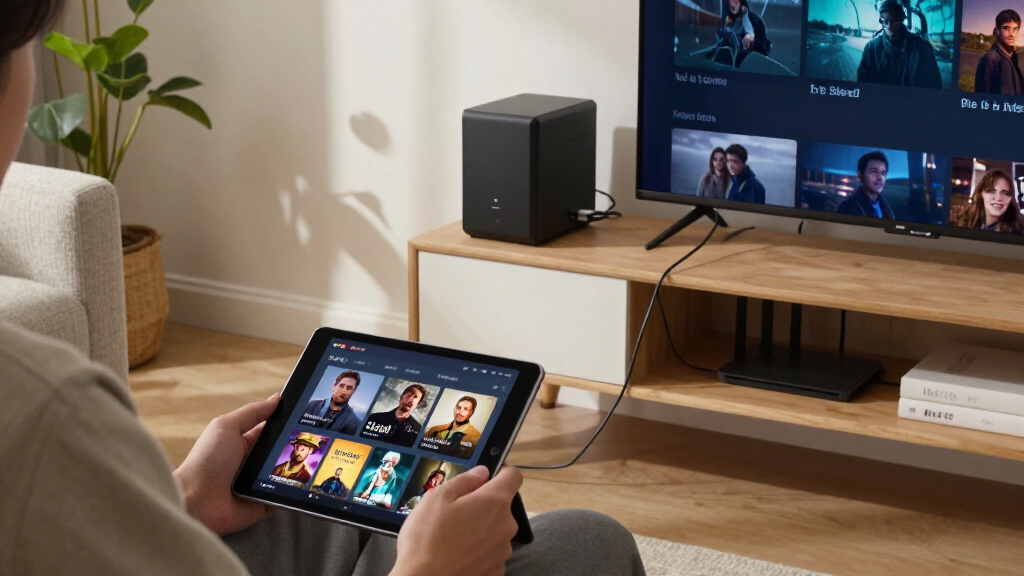
How We Picked
I ranked these NAS devices around Plex-specific performance, not headline specifications alone. The main questions were whether the model’s processor and platform are a plausible fit for direct play and hardware-assisted transcoding, how much storage capacity and expansion it offers, and whether its design matches a home library, a creator workflow, or a small team. I also weighed setup and administration demands, the flexibility of the drive arrangement, and whether the product’s intended role gives Plex buyers a clear benefit.
The order favors balanced systems that pair useful Plex capability with room to build a library and manageable ownership. Two-bay entry models rank lower for buyers with several simultaneous streams or a growing collection, while higher-capacity and all-SSD devices earn their place when those traits answer a specific need. I treat product claims as starting points: Plex behavior can vary with media format, client support, software version, and network conditions, so no NAS should be chosen on a processor label alone.
Factors to Consider When Choosing Best NAS Devices For Plex
Choosing a Plex NAS is less about finding the biggest number on a spec sheet and more about matching the server to your files, clients, and tolerance for ongoing setup. I would settle these questions before buying drives or choosing a bay count.
Know When Plex Will Transcode
Direct play sends a compatible media file to a client without converting it, which can let a modest NAS handle a library smoothly. Transcoding asks the server to change the file’s format, resolution, or bitrate, and that can put much more load on the processor. Before choosing a model, check the formats your TVs, streaming boxes, and phones can play and whether remote viewing will need lower-bitrate versions. A common mistake is buying an entry-level NAS for a household with several clients that regularly need conversion. Hardware transcoding support can help, but Plex features, software setup, and client compatibility also affect the result. If most playback is direct play on a capable home network, you may be better off spending on storage and backup than on a more powerful CPU.
Choose Bay Count for Your Growth Plan
Two bays can be a sensible starting point for a small library, while four bays give you more flexibility as your collection expands. More bays do not automatically mean more usable capacity: redundancy arrangements reserve some space, and the exact capacity depends on drive sizes and the storage configuration. Think about how quickly you add media and whether replacing a full NAS would be inconvenient. A frequent misstep is counting on a future expansion path that the specific model does not support. Diskless systems also require separate drive purchases, so plan for the full storage setup rather than comparing the enclosure alone. If the library is modest and unlikely to grow quickly, an extra pair of bays may add cost and maintenance without helping Plex playback.
Separate Media Storage From Backup
A NAS is not automatically a backup just because it stores a second copy of files from a computer. A drive failure, accidental deletion, malware, or a damaged unit can still affect the library, depending on how it is configured. Decide which content would be difficult to replace and keep another copy on a separate device or in another location. Redundancy can keep a storage pool running after some drive failures, but it does not replace an independent backup. Buyers sometimes fill every bay with media drives and leave no practical space or budget for protection. For a replaceable movie library, a simpler setup may be acceptable; for personal videos and recorded work, give backup planning more weight than raw capacity.
Match the Network and Plex Clients
Network speed only helps when the whole path supports it, from the NAS port and router or switch to the playback device. For one household stream, a wired gigabit connection is often ample for many media files, but high-bitrate video, multiple users, or large transfers can make faster networking useful. Wi-Fi performance varies by distance, interference, and client hardware, so a fast NAS port cannot fix a weak wireless link. Check whether your intended Plex clients can decode the files directly; client limitations can trigger transcoding even when the NAS is well connected. Do not buy faster networking solely because a model advertises it—first identify a real bottleneck. Remote playback also depends on upload bandwidth and network configuration, not just NAS throughput.
Compare Software and Maintenance Needs
The operating system shapes daily ownership: managing users, updates, storage, apps, and remote access is part of running Plex, not a one-time setup task. A beginner may value clear tools and a familiar app ecosystem more than advanced customization, while a technical owner may prefer broader control. Check the current Plex installation options and supported features for the exact NAS model and software version before committing. Avoid assuming that every feature shown in a product listing is available in the same way across all models or firmware releases. Also plan for updates, drive-health alerts, and a secure remote-access method. A simpler system can be the better buy if it reduces upkeep that you do not want to take on.
Spend on the Bottleneck, Not the Flashiest Spec
More memory, faster networking, or SSD storage can matter, but each solves a different problem. SSDs can reduce noise and improve responsiveness for workloads that benefit from fast access; they do not by themselves make a weak processor a strong transcoding server. Extra memory can help with broader NAS workloads, but it is not a substitute for compatible video conversion or adequate storage. A premium model makes more sense when it addresses a defined need such as multiple users, demanding creator work, or a large collection with room to grow. For a basic single-user Plex library, money spent on dependable drives and a separate backup may deliver more practical value. Before upgrading, identify whether the limit is CPU, storage capacity, network performance, or the playback client.
Frequently Asked Questions
Can an entry-level two-bay NAS run Plex well?
Yes, when most playback is direct play and the library is modest. A capable Plex client can play compatible files without asking the NAS to convert them, keeping demands low. The same system may struggle when several users need video transcoding, especially at higher resolutions. Check your clients and file formats before choosing a lower-powered model. If you expect frequent conversion or growth, a model such as the Synology DS225+ is a more suitable starting point than an entry-level ARM system.
Should I choose a four-bay NAS instead of a two-bay model for Plex?
Choose four bays for capacity flexibility, not because Plex inherently requires four drives. A larger library, more users, or a desire to keep room for expansion can make the extra slots useful. Two-bay systems can be easier to manage and may be sufficient for a smaller collection. Remember that redundancy affects usable space, so four drive slots do not translate directly into four drives’ full capacity for media. If you are unsure how quickly your collection will grow, compare the cost and effort of expanding a two-bay setup with starting on four bays.
Do I need hardware transcoding for a Plex NAS?
Not if your clients can direct play your media and your network can carry the original files reliably. Hardware transcoding becomes more useful when devices cannot handle a file’s format, when remote viewers need lower bitrates, or when multiple streams require conversion. Check the exact NAS processor, Plex support, and relevant software requirements rather than relying on a general claim that a device supports transcoding. Subscription and configuration details can also affect access to particular Plex features. If your household regularly watches on varied devices, favor a model with a clear hardware-transcoding path, such as the DS225+ in this lineup.
Is an all-SSD NAS a good choice for a Plex library?
An all-SSD NAS suits buyers who value quiet operation and responsive storage, or who have creator workloads alongside media streaming. It is not automatically the best-value way to store a large movie collection, since capacity needs and drive costs can make a hard-drive-based system more practical. SSD speed also does not guarantee better transcoding; the processor and Plex setup remain separate factors. The Asustor Flashstor 6 is the lineup’s specialist all-SSD option, rather than the default choice for every home. Compare the size of your library, acceptable noise, and non-Plex workloads before selecting this format.
Can the 512GB personal cloud device replace a multi-bay Plex NAS?
It may fit a small library or a compact personal setup, especially if USB expansion suits your storage plan. Its 512GB starting capacity is much less flexible than the drive-bay capacity of the diskless two- and four-bay NAS models in this roundup. Before treating expansion as a substitute for internal bays, check how the device handles Plex libraries, external-drive availability, and backup. A multi-bay NAS is generally a better fit for a collection that will grow or needs a more structured storage arrangement. Choose the compact device only when its size and simplicity matter more than built-in capacity options.
Conclusion
For a balanced Plex setup, I would choose the Synology DS225+ as the best overall option, particularly when hardware-assisted transcoding matters. The UGREEN DXP4800 Plus is my best value-style pick for buyers who want four bays and room to expand, while the Synology DS425+ is a sensible alternative for those who prefer Synology’s approach in a four-bay format. Beginners should look at a simpler two-bay system such as the Synology DS223j if their clients can direct play and their library is small. For premium or specialist needs, consider the Synology DS925+ for a higher-capacity setup or the Asustor Flashstor 6 for an all-SSD workflow. If you want a compact personal-cloud device, the 512GB model may suit a limited collection, but I would favor a multi-bay NAS for a Plex library expected to grow.
Halloween Picks
halloween
As an affiliate, we earn on qualifying purchases.