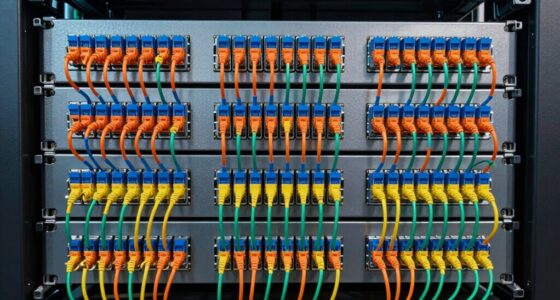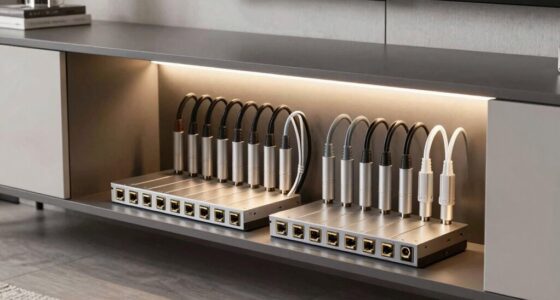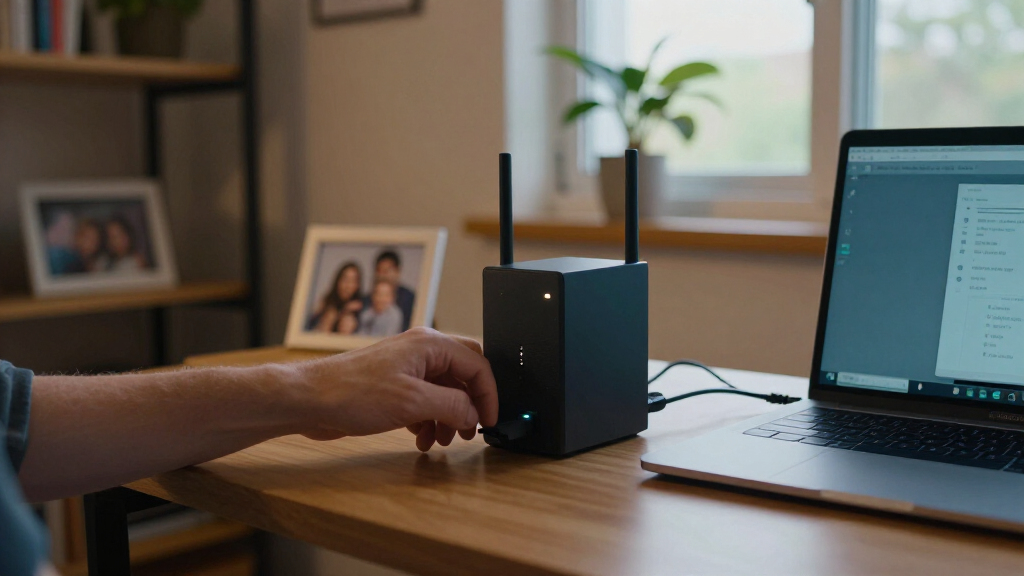

The best network attached storage devices make shared files and backups available across your home or small office, but the right choice depends on how much control and capacity you need. I rank the Synology DS425+ as the best overall option for buyers who want a four-bay system with room to grow, while the UGREEN DXP2800 stands out as a capable two-bay alternative and the Synology BeeStation as a simpler personal-cloud choice. The main tradeoffs are simplicity versus control, included drives versus choosing your own, and a lower starting capacity versus room for expansion. One-bay devices suit basic file access but offer less flexibility than multi-bay models. Read on for the full breakdown, selection criteria, and advice on matching a NAS to your backup and storage needs.

Get business pricing on networking and server gear
- Business-only prices and quantity discounts
- Tax-exempt purchasing
- Multiple users, one account, clear invoices
Key Takeaways
- Four bays create the clearest upgrade path: the Synology DS425+ and UGREEN DXP4800 GT are better fits than two-bay units when you expect a growing library or want more drive-layout choices.
- Two bays are the practical middle ground: models such as the Synology DS225+ and UGREEN DXP2800 offer more flexibility than one-bay options without the footprint of a four-bay system.
- Included storage is convenient, not automatically a better long-term fit: the DS120j, Buffalo LinkStation 210, and BeeStation arrive with storage, while diskless NAS models let buyers choose drive capacity and replacement timing.
- Simple personal storage and a full NAS are different experiences: BeeStation prioritizes an easier personal-cloud setup, while Synology, UGREEN, ASUSTOR, and LincStation models offer more hardware and configuration choices.
- Legacy and one-bay designs have narrower roles: the WD My Book World Edition and single-drive Synology models make more sense for limited or specific backup needs than for buyers planning a flexible, long-lived storage hub.
| Synology DiskStation DS120j 1-Bay NAS Server with 2TB SATA HDD |  | Best for a Simple Synology Starter Setup | Drive bays: 1 | Included storage: 2TB 7,200 RPM SATA HDD | Processor: Marvell Armada 3700 88F3720 dual-core, 800 MHz with boost up to 1.2 GHz | VIEW LATEST PRICE | See Our Full Breakdown |
| BUFFALO LinkStation 210 2TB 1-Bay NAS with Included Hard Drive |  | Best for Straightforward, Subscription-Free Backup | Model: LS210D0201 | Drive bays: 1 | Included storage: 2TB hard drive | VIEW LATEST PRICE | See Our Full Breakdown |
| UGREEN NAS DH2300 2-Bay Personal Network Attached Storage |  | Best for Cross-Device Photo and File Backups | Drive bays: 2 | Maximum capacity: Up to 64TB | Memory: 4GB | VIEW LATEST PRICE | See Our Full Breakdown |
| Synology DS425+ 4-Bay Diskless NAS |  | Best for Small Teams and Expandable Storage | Drive bays: 4 | Drive configuration: Diskless | Networking: 2.5GbE | VIEW LATEST PRICE | See Our Full Breakdown |
| Western Digital My Book World Edition 1 TB Network Storage System |  | Best for Basic Network Sharing in a Legacy Setup | Storage capacity: 1 TB | Drive form factor: 3.5 in | Drive interface: RAID | VIEW LATEST PRICE | See Our Full Breakdown |
| LincStation N1 6-Bay NAS, Intel N5105, 16GB RAM, 128GB eMMC, Diskless |  | Best for Mixed SSD Storage | Processor: Intel Celeron N5105 quad-core, up to 2.9 GHz | Memory: 16GB RAM | Internal storage: 128GB eMMC | VIEW LATEST PRICE | See Our Full Breakdown |
| UGREEN DH2300 2-Bay Desktop NAS, Diskless, with 10 ft Cat 8 Ethernet Cable |  | Best for Straightforward Family Backups | Bays: 2 | Maximum stated storage: Up to 64 TB | Processor: High-performance processor | VIEW LATEST PRICE | See Our Full Breakdown |
| Synology DS225+ 2-Bay Diskless NAS |  | Best Overall for a Feature-Rich Two-Bay NAS | Drive bays: 2 | Drive configuration: Diskless | Stated transfer speed: Up to 282 MB/s | VIEW LATEST PRICE | See Our Full Breakdown |
| Synology DS124 1-Bay Diskless NAS Backup and File Hub |  | Best Compact Synology File Hub | Drive bays: 1 | Drive configuration: Diskless | Dimensions: 2.8 x 6.54 x 8.82 in | VIEW LATEST PRICE | See Our Full Breakdown |
| Synology BeeStation 4TB Personal Cloud Storage Device (BST150-4T) |  | Best for NAS Beginners Who Want Storage Included | Storage capacity: 4 TB | Connectivity: Wired Ethernet | Hard drive form factor: 3.5 inches | VIEW LATEST PRICE | See Our Full Breakdown |
| UGREEN DXP2800 2-Bay NAS |  | Best 2-Bay NAS for Apps and Fast Local Transfers | Drive bays: 2 HDD bays | Maximum storage capacity: Up to 80TB | M.2 slots: 2 NVMe SSD slots | VIEW LATEST PRICE | See Our Full Breakdown |
| Yxk Zero1 2-Bay Desktop NAS for Home and Personal Storage (Diskless) |  | Best for Beginners Who Want Recovery Tools | Bays: 2 | Drive configuration: Diskless; hard drives sold separately | Network connectivity: 2.5GbE | VIEW LATEST PRICE | See Our Full Breakdown |
| ASUSTOR Drivestor 2 Gen 2 AS1202T 2-Bay NAS |  | Best Compact NAS with Simple Drive Installation | Drive bays: 2 | Processor: Realtek RTD1619B quad-core, 1.7 GHz | Memory: 1GB DDR4; 1GB maximum | VIEW LATEST PRICE | See Our Full Breakdown |
| UGREEN NAS DXP4800 GT 4-Bay Network Attached Storage |  | Best Premium NAS for High-Speed, Expandable Storage | Drive bays: 4 | Maximum storage capacity: Up to 144TB | Processor: AMD Ryzen Embedded R2514, 4 cores, 8 threads, up to 3.70GHz | VIEW LATEST PRICE | See Our Full Breakdown |
| Synology DiskStation DS223j 2-Bay NAS (Diskless) |  | Best for Straightforward Private-Cloud Backups | Drive bays: 2 | Drive status: Diskless | Backup support: Macs, PCs, and mobile devices | VIEW LATEST PRICE | See Our Full Breakdown |
| network attached storage device | Drive bays | Warranty |
|---|---|---|
| Synology DiskStation DS120j 1- | 1 | — |
| BUFFALO LinkStation 210 2TB 1- | 1 | 2 years |
| UGREEN NAS DH2300 2-Bay Person | 2 | — |
| Synology DS425+ 4-Bay Diskless | 4 | 3 years |
| Western Digital My Book World | — | 3-year limited warranty |
| LincStation N1 6-Bay NAS | 2 x 2.5-inch SATA and 4 x M.2 2280 NVMe | 2 years |
| UGREEN DH2300 2-Bay Desktop NA | — | — |
| Synology DS225+ 2-Bay Diskless | 2 | 3 years |
| Synology DS124 1-Bay Diskless | 1 | 2 years |
| Synology BeeStation 4TB Person | — | — |
| UGREEN DXP2800 2-Bay NAS | 2 HDD bays | 2 years |
| Yxk Zero1 2-Bay Desktop NAS fo | — | — |
| ASUSTOR Drivestor 2 Gen 2 AS12 | 2 | — |
| UGREEN NAS DXP4800 GT 4-Bay Ne | 4 | — |
| Synology DiskStation DS223j 2- | 2 | 2 years |
More Details on Our Top Picks
Synology DiskStation DS120j 1-Bay NAS Server with 2TB SATA HDD
The DS120j suits buyers who want a ready-to-use 2TB network storage setup and Synology DSM’s tools for backups, sharing, and remote access. Its included drive removes the separate drive-shopping step required by the diskless Synology DS425+, though the four-bay model is far more suitable when storage growth or multi-user workloads matter. Here, the tradeoff is clear: one bay and 512 MB of memory keep the system focused on basic home or small-office tasks, not an expanding media library or heavier services. Mobile apps and built-in security tools add convenience, but the low memory and 1GbE connection set limits on workload and network throughput. I’d choose it for straightforward file access and backup, not as a long-term, expandable NAS platform.
Pros:- Includes a 2TB SATA hard drive for a ready-to-configure storage setup
- Synology DSM supports backup, file sharing, and media streaming
- Mobile app integrations and remote access make files available away from home
- Built-in security tools support safer network storage
Cons:- One drive bay limits capacity growth and drive redundancy options
- 512 MB of memory restricts heavier applications and concurrent workloads
- Only 1GbE networking and USB 2.0 ports limit wired transfer and peripheral options
Best for: Home users or very small offices seeking a compact Synology NAS with a drive included for everyday backups and file sharing
Not ideal for: Buyers planning to expand storage, serve many users, or run demanding applications; its single bay and 512 MB of memory leave little room to grow
- Drive bays:1
- Included storage:2TB 7,200 RPM SATA HDD
- Processor:Marvell Armada 3700 88F3720 dual-core, 800 MHz with boost up to 1.2 GHz
- Memory:512 MB DDR3L
- Networking:1 x RJ-45 1GbE LAN
- USB ports:2 x USB 2.0
- Operating system:Synology DSM
- File system:EXT4
Our verdict“Choose the DS120j for simple Synology-based home backups with a drive included, but pick a multi-bay model if expansion or heavier use is likely.”
BUFFALO LinkStation 210 2TB 1-Bay NAS with Included Hard Drive
The LinkStation 210 is a practical choice for households that want 2TB of shared storage and automated backups without assembling a diskless NAS. Like the Synology DS120j, it includes a drive and uses a single bay, so neither is a strong fit for buyers who expect capacity to grow. BUFFALO’s distinction is its subscription-free personal cloud access, folder-level sharing controls, and a supplied Ethernet cable, keeping setup focused on basic storage rather than a broader NAS platform. SSL encryption and a closed system address privacy, while the two-year warranty and US-based support add a clear support path. Its stated macOS compatibility stops at version 15, though, so buyers on newer systems should check compatibility before choosing it.
Pros:- Includes a 2TB hard drive and Ethernet cable
- Automated backups support multiple computers and devices
- Folder access controls allow selective file sharing
- Subscription-free personal cloud access, SSL encryption, and a two-year warranty
Cons:- Single-bay design limits expansion and drive redundancy
- Listed macOS compatibility is limited to version 15 and earlier
Best for: Windows and macOS 15-or-earlier households that want included storage, automated device backups, and remote file access without a cloud subscription
Not ideal for: Users who need multi-bay expansion, advanced NAS services, or confirmed compatibility with macOS versions newer than 15
- Model:LS210D0201
- Drive bays:1
- Included storage:2TB hard drive
- Compatibility:Windows and macOS 15 and earlier
- Security:Closed system and SSL encryption
- Warranty:2 years
- Included accessories:AC adapter, Ethernet cable, LinkStation, Quick Start Guide, Setup CD-ROM, warranty statement
Our verdict“Pick the LinkStation 210 for uncomplicated backups and subscription-free remote access if its operating-system compatibility fits your devices.”
UGREEN NAS DH2300 2-Bay Personal Network Attached Storage
The DH2300 makes more sense than the one-bay DS120j or LinkStation 210 for buyers who want two drive bays and room to expand, with support for up to 64TB using compatible drives. Its 4GB of memory and automatic backups across Windows, iOS, Android, and macOS also give it a more flexible starting point for a multi-device household. The AI photo tagging and duplicate detection target people managing growing photo libraries, while RAID modes and two-factor authentication add storage and account protections. The tradeoff is that drives are not included, and its 1GbE wired connection is the only listed network option. Unlike a general-purpose server, it does not support Docker or virtual machines, so I’d keep it focused on personal storage rather than server workloads.
Pros:- Two bays support expansion, with a stated maximum capacity of 64TB using compatible drives
- Automatic backups cover Windows, iOS, Android, and macOS
- AI photo tagging and duplicate detection help organize large photo collections
- RAID modes and two-factor authentication add storage and account safeguards
Cons:- Drives are sold separately, adding setup and configuration work
- No built-in Wi-Fi; connection is through wired Ethernet unless an external USB adapter is used
- Does not support Docker or virtual machines, limiting server and application workloads
Best for: Households with phones and computers across several operating systems that want expandable shared storage and photo organization
Not ideal for: Buyers seeking a ready-to-use NAS with drives included, Wi-Fi without an adapter, or Docker and virtual-machine support
- Drive bays:2
- Maximum capacity:Up to 64TB
- Memory:4GB
- Networking:1GbE wired Ethernet
- Transfer speed:Up to 125MB/s
- Drive compatibility:HDDs and SSDs; drives not included
- Wi-Fi:Not supported without an external USB adapter
- Unsupported features:Docker, virtual machines, SAN Manager
Our verdict“Choose the DH2300 for expandable, cross-platform home backups and photo management, not for a turnkey or server-focused NAS.”
Synology DS425+ 4-Bay Diskless NAS
For a home office or small team, the DS425+ offers the broadest workload range in this group: four drive bays, 2.5GbE networking, and support for 10 or more concurrent users. That makes it a more capable shared-storage hub than the single-bay DS120j, while its surveillance support gives it a role beyond backups and media streaming. Synology DSM also brings file sharing, synchronization, and backup into one system. The costs of that flexibility are practical rather than hidden: it ships without drives, so buyers must choose and install storage before use, and its larger capacity is unnecessary for a simple household backup target. The stated transfer speed reaches 278 MB/s, but actual results depend on the drives and network. I’d shortlist it when several users or cameras need one central system.
Pros:- Four bays provide more storage-growth options than the one- and two-bay alternatives here
- Built-in 2.5GbE offers more network bandwidth than the 1GbE models in this group
- Supports concurrent access for 10 or more users
- Surveillance support covers up to 30 IP cameras alongside backup, sharing, and streaming
Cons:- Diskless configuration requires separate drive purchases and installation
- Four-bay capacity and business-oriented features may be unnecessary for basic personal backups
Best for: Small businesses and advanced home users who need shared storage for multiple people, backups, media, or IP-camera recording
Not ideal for: Buyers seeking a low-complexity, ready-to-use personal backup device; it is diskless and its four bays may be more than they need
- Drive bays:4
- Drive configuration:Diskless
- Networking:2.5GbE
- File transfer speed:Up to 278 MB/s
- Concurrent users:10+
- IP camera support:Up to 30
- Storage volume:Up to 80TB
- Warranty:3 years
Our verdict“Choose the DS425+ when multiple users, camera recording, or expandable shared storage justify a diskless four-bay system.”
Western Digital My Book World Edition 1 TB Network Storage System
The My Book World Edition is best understood as a basic shared-drive appliance for a simple home or office network, rather than as an expandable NAS platform. It combines 1TB of storage with Ethernet, remote file access, and scheduled or on-demand backup software. Gigabit Ethernet gives it a faster listed link than the 1GbE devices in this roundup, but the product data does not specify a modern NAS feature set or multi-bay growth path. Compared with the Synology DS120j, it offers less storage and fewer stated platform details; the DS120j is the clearer pick for buyers seeking DSM tools and a 2TB included drive. This model’s 3.5-inch drive and 1TB capacity also make it a limited fit for growing libraries. Conflicting listed weights add uncertainty when planning placement or transport.
Pros:- Remote access and file sharing support access beyond a single computer
- Backup software offers scheduled and on-demand options
- Gigabit Ethernet is listed alongside Ethernet and USB connectivity
- Convection cooling is described as supporting quiet operation
Cons:- 1TB capacity is limited compared with the 2TB included-drive options in this roundup
- No multi-bay expansion path is specified
- Product information lists conflicting weights
Best for: Buyers with a simple home or office network who need shared access and scheduled backups for a modest file collection
Not ideal for: Users seeking expandable storage, modern NAS software features, a large media archive, or consistent product weight information
- Storage capacity:1 TB
- Drive form factor:3.5 in
- Drive interface:RAID
- Connectivity:Ethernet, USB
- Ethernet speeds:10/100/1000 Mbps
- Dimensions:2.2 x 5.6 x 6.8 in
- Weight:Conflicting listings: 2.6 lbs and 4 lbs
- Warranty:3-year limited warranty
Our verdict“Choose the My Book World Edition only for modest shared-file and backup needs on a simple network, not for an expandable NAS setup.”
LincStation N1 6-Bay NAS, Intel N5105, 16GB RAM, 128GB eMMC, Diskless
I’d choose the LincStation N1 for a home server where storage flexibility matters more than a conventional, high-capacity hard-drive layout. Its unusual mix of four M.2 NVMe slots and two 2.5-inch SATA bays lets buyers combine fast SSD storage with SATA capacity, while 16GB of RAM and the included Unraid Starter License give technically inclined owners room to configure services and media workflows. Compared with the beginner-focused UGREEN DH2300, this NAS offers more hardware and software flexibility, but also asks the buyer to make more setup and drive choices. It is not a six-bay NAS in the usual sense of six full-size drive bays: the SATA side is limited to two slim 2.5-inch drives, and every drive must be supplied separately. The 2.5GbE connection is useful only if the rest of the network can take advantage of it.
Pros:- Four M.2 NVMe slots plus two 2.5-inch SATA bays allow mixed storage layouts.
- Includes an Unraid Starter License.
- 2.5GbE can support faster transfers on a compatible network.
- USB-C, USB-A, HDMI 2.0, and customizable fan control add setup flexibility.
Cons:- Diskless purchase means all storage drives must be sourced separately.
- SATA storage is limited to two 2.5-inch drives up to 9.5mm thick.
- Its flexible Unraid setup can be more involved than a beginner-focused NAS.
Best for: Home-server builders who want to combine NVMe SSDs and 2.5-inch SATA drives, and are comfortable configuring Unraid.
Not ideal for: Buyers seeking a simple plug-in backup appliance or a NAS built around several large 3.5-inch hard drives.
- Processor:Intel Celeron N5105 quad-core, up to 2.9 GHz
- Memory:16GB RAM
- Internal storage:128GB eMMC
- Drive bays:2 x 2.5-inch SATA and 4 x M.2 2280 NVMe
- Networking:2.5GbE
- Ports:USB-C 5Gbps, 2 x USB 3.2 Gen 2 Type-A, HDMI 2.0, 3.5mm audio
- Operating system:Unraid Starter License included
- Drive status:Diskless
- Warranty:2 years
Our verdict“Choose the LincStation N1 if you want a configurable SSD-heavy home server, not a straightforward NAS for several large hard drives.”
UGREEN DH2300 2-Bay Desktop NAS, Diskless, with 10 ft Cat 8 Ethernet Cable
The UGREEN DH2300 is aimed at households that want shared storage and automatic backups, not a small server to customize. Its cross-platform backup support covers Windows, macOS, iOS, and Android, while AI photo organization can help sort a growing family library without requiring buyers to build their own workflow. The included 10-foot Ethernet cable also makes it easier to place the unit where a wired connection is available. Compared with the Synology DS225+, the DH2300 is more clearly pitched at simple personal use, but its 1GbE port and up to 125 MB/s transfer speed leave less headroom for demanding network workloads. It supports up to 64 TB across two bays, though drives are not included. Buyers who want Docker or virtual machines should look elsewhere; those server features are unsupported.
Pros:- Automatic backup support spans Windows, macOS, iOS, and Android.
- AI photo features include tagging and duplicate detection.
- Two bays support up to 64 TB of stated storage capacity.
- A 10-foot Cat 8 Ethernet cable is included.
Cons:- Drives are not included, so setup requires a separate storage purchase.
- 1GbE networking and the stated 125 MB/s speed limit transfer headroom.
- Docker and virtual machines are unsupported.
Best for: Families who want one wired, shared destination for phone and computer backups across different operating systems.
Not ideal for: Home-lab users who need Docker, virtual machines, or faster-than-1GbE networking.
- Bays:2
- Maximum stated storage:Up to 64 TB
- Processor:High-performance processor
- Memory:4 GB LPDDR4X
- Networking:1GbE Ethernet
- Stated transfer speed:Up to 125 MB/s
- Compatibility:Windows, iOS, Android, and macOS
- Included cable:10 ft Cat 8 Ethernet cable
- Drive status:Diskless; drives not included
Our verdict“Pick the DH2300 for easy cross-device household backups, but skip it if you want to run server applications or virtual machines.”
Synology DS225+ 2-Bay Diskless NAS
I’d put the Synology DS225+ ahead of simpler personal-cloud devices for buyers who want a two-bay NAS with room to handle more than basic file storage. Its stated up to 282 MB/s transfer speed, 4K streaming and hardware transcoding support make it a stronger fit for media libraries than the one-bay Synology DS124. Snapshot protection adds a way to recover from unwanted file changes, while support for up to 30 IP cameras gives it a broader surveillance role than either the DS124 or UGREEN DH2300. That versatility comes with a setup and drive-purchasing commitment: this is a diskless unit, and two bays provide less expansion room than four-bay options such as the Synology DS425+. Its compact dimensions suit a home or small office, but its feature set may be more than a basic backup user needs.
Pros:- Supports 4K media streaming and hardware transcoding.
- Snapshot protection complements automated backup and file-sharing features.
- Supports management of up to 30 IP cameras.
- Stated transfer speed reaches up to 282 MB/s.
Cons:- Diskless configuration requires a separate drive purchase before use.
- Two bays offer less capacity expansion than four-bay NAS options.
- Its media and surveillance features may be unnecessary for buyers who only need a simple file hub.
Best for: Households or small offices that want shared storage, media features, snapshots, and the option to manage multiple IP cameras.
Not ideal for: Buyers who need a ready-to-use device with included drives or expect to expand beyond two drive bays.
- Drive bays:2
- Drive configuration:Diskless
- Stated transfer speed:Up to 282 MB/s
- Stated storage volume:40 TB
- Surveillance support:Up to 30 IP cameras
- Dimensions:9.14 x 4.25 x 6.5 in
- Weight:1300 g
- Enclosure material:Metal and plastic
- Warranty:3 years
Our verdict“Choose the DS225+ for a capable two-bay NAS that can serve media and surveillance needs, provided you are ready to supply the drives.”
Synology DS124 1-Bay Diskless NAS Backup and File Hub
The Synology DS124 makes sense for someone who wants centralized file access and backup but does not need a multi-drive array. Its single-bay design keeps the role focused: collect photos, documents, and videos from computers and phones, then provide private-cloud access and sharing. Home surveillance features with alerts for people and vehicles add a use beyond storage. Compared with the two-bay Synology DS225+, the DS124 has less room for storage growth and lacks the DS225+’s stated 4K transcoding and multi-camera capacity, so I’d reserve it for lighter home use. A single drive also means the buyer has no second bay for a multi-drive storage arrangement. The unit is diskless, so a drive must be purchased separately, and this is not the pick for anyone planning a larger media library or growing server workload.
Pros:- Centralizes backups from phones and computers.
- Provides private-cloud file access and sharing.
- Includes home surveillance features with people and vehicle alerts.
- Described solutions do not require monthly subscription fees.
Cons:- Single bay limits storage expansion and drive-layout options.
- Diskless design requires a separate drive purchase.
- Less suited to larger media or surveillance setups than the two-bay DS225+.
Best for: Individuals or small households who want a compact Synology destination for phone and computer backups, file sharing, and light home surveillance.
Not ideal for: Buyers who need multiple drives, room to expand capacity, or the media and surveillance headroom of the DS225+.
- Drive bays:1
- Drive configuration:Diskless
- Dimensions:2.8 x 6.54 x 8.82 in
- Weight:1247 g
- Enclosure material:Alloy steel
- Color:Black
- Compatible devices:Desktop, laptop, server, and smartphone
- Warranty:2 years
Our verdict“Choose the DS124 for compact, single-drive file backup and sharing, not for expandable storage or heavier media use.”
Synology BeeStation 4TB Personal Cloud Storage Device (BST150-4T)
The Synology BeeStation is the simplest choice here for someone who wants a personal cloud without selecting or installing a NAS drive. Its 4 TB capacity is included, and guided setup is designed for buyers without storage or network experience. Automatic photo and video backups, file sharing, and synced edits cover common home tasks; it can also back up files from cloud services and external drives. That all-in-one approach contrasts with the diskless Synology DS124 and DS225+, which require buyers to source drives and offer more conventional NAS flexibility. BeeStation’s tradeoffs are its fixed 4 TB configuration and wired Ethernet requirement. Mac users also have a cap: Time Machine receives up to 2 TB of dedicated space on this 4 TB model. The included Acronis license is limited to one supported computer.
Pros:- Includes 4 TB of storage, avoiding a separate drive purchase.
- Guided setup is designed for people without NAS experience.
- Supports automatic photo and video backups, file access, sharing, and syncing.
- Can back up files from cloud services and external drives without monthly fees.
Cons:- Requires a wired Ethernet connection.
- Time Machine space is limited to up to 2 TB on the 4 TB model.
- Fixed included capacity offers less storage-layout flexibility than the diskless DS225+.
Best for: NAS newcomers who want included storage and guided setup for personal files, photo backups, and device syncing.
Not ideal for: Buyers who need multiple drive bays, wireless networking, or more than 2 TB reserved for Time Machine backups.
- Storage capacity:4 TB
- Connectivity:Wired Ethernet
- Hard drive form factor:3.5 inches
- Compatible devices:Laptop, smartphone, and tablet
- Stated data transfer rate:600 megabytes per second
- Enclosure material:Metal
- Time Machine support:Up to 2 TB dedicated space on the 4 TB model
- Included backup software:3 years of Acronis True Image for one Mac, PC, or Windows device
Our verdict“Choose the BeeStation if you want a guided personal cloud with storage included, and its wired connection and capacity fit your setup.”
UGREEN DXP2800 2-Bay NAS
I’d put the UGREEN DXP2800 near the top for buyers who want a two-bay NAS that can do more than file backups. Its Intel N100 processor, 8GB of DDR5 memory, and 2.5GbE give it more room for Docker, virtual machines, compatible media servers, and simultaneous household access than the compact ASUSTOR Drivestor 2 Gen 2, which has 1GB of memory. The two NVMe slots also offer cache or storage options alongside the HDD bays, though actual capacity depends on compatible drives. The tradeoff is a diskless setup: I’d budget for drives and check app compatibility before treating its software features as a ready-made media or surveillance system. Choose it over the simpler Synology DS223j if you value hardware flexibility; pick Synology if automated backup and private-cloud basics matter more than compute headroom.
Pros:- Intel N100 processor and 8GB DDR5 memory support a broader range of apps and workloads than entry-level two-bay options.
- 2.5GbE can improve transfers on a compatible faster network.
- Two NVMe slots add storage or SSD options beyond the two HDD bays.
- Supports centralized backups and AI photo organization features.
Cons:- Diskless configuration means drives must be purchased separately.
- Surveillance recording requires compatible network cameras.
- Docker, virtual machines, and media-server features may require setup and app compatibility checks.
Best for: Home users who want a two-bay backup and media hub with enough memory and CPU capacity for Docker or virtual machines.
Not ideal for: Buyers who want an out-of-the-box storage kit or a straightforward NAS without selecting drives and checking app compatibility.
- Drive bays:2 HDD bays
- Maximum storage capacity:Up to 80TB
- M.2 slots:2 NVMe SSD slots
- Processor:Intel N100 quad-core
- Memory:8GB DDR5
- Networking:2.5GbE
- Drive status:Diskless; HDDs and SSDs sold separately
- Warranty:2 years
Our verdict“Choose the DXP2800 if you want a two-bay NAS with stronger app and network headroom than a basic backup-focused model.”
Yxk Zero1 2-Bay Desktop NAS for Home and Personal Storage (Diskless)
The Yxk Zero1 is aimed at home users who want more protection options than a basic shared folder, without moving up to a four-bay system. Its automated backups, snapshots, RAID modes, encryption, and user permissions cover common needs such as recovering an earlier file version and keeping household accounts separate. That makes it a more recovery-focused alternative to the ASUSTOR Drivestor 2 Gen 2, whose supplied details emphasize compact size and simple drive installation. The Zero1 also includes 2.5GbE and Docker support, giving technically curious owners room to add services. Still, it arrives diskless, and two bays limit future capacity and drive-layout choices compared with the four-bay UGREEN DXP4800 GT. I’d choose it for personal storage and backup features, but not for a growing multi-drive library.
Pros:- Snapshots and automated backups add recovery options beyond simple file sharing.
- 2.5GbE supports faster transfers on a compatible network.
- Remote access is supported from computers, phones, and a web browser.
- Encryption, user permissions, and Docker support add control and flexibility.
Cons:- Hard drives are sold separately.
- Two bays constrain capacity and expansion compared with four-bay NAS options.
- The supplied product details do not specify processor or memory, making performance harder to judge.
Best for: Individuals or small households setting up shared storage who want snapshots, automated backups, and separate user permissions.
Not ideal for: Buyers expecting substantial capacity growth or a complete storage system with drives included.
- Bays:2
- Drive configuration:Diskless; hard drives sold separately
- Network connectivity:2.5GbE
- Backup and recovery:Automated backups and snapshot recovery
- Other features:RAID modes, Docker support, encryption, and user permissions
- Remote access:Windows, macOS, iOS, Android, and web browser
- Weight:2 kg
Our verdict“Pick the Zero1 for a two-bay home NAS centered on backups, snapshots, and user controls rather than long-term expansion.”
ASUSTOR Drivestor 2 Gen 2 AS1202T 2-Bay NAS
For a buyer who wants a small, uncomplicated place to store backups and personal-cloud files, the ASUSTOR Drivestor 2 Gen 2 has a clear appeal: its roughly 3.94-inch cube-style dimensions take little desk space, and tool-free drive installation lowers the effort of fitting disks. Its 2.5GbE port is a useful step beyond standard Gigabit Ethernet when the rest of the network can take advantage of it. I’d favor this compact option over the more capable UGREEN DXP2800 when size and straightforward setup outweigh running Docker or virtual machines. The major compromise is its 1GB of DDR4 memory, listed as the maximum, which gives it less headroom for demanding apps and multiple tasks. It is diskless too, so the buyer still needs to supply storage drives.
Pros:- Compact dimensions suit desks and limited home-office space.
- Tool-free drive installation simplifies fitting or replacing drives.
- 2.5GbE offers faster networking than standard Gigabit Ethernet when supported by the network.
- Three USB ports provide options for connecting peripherals or external storage.
Cons:- 1GB of DDR4 memory is the maximum, limiting headroom for demanding workloads.
- Diskless configuration requires a separate drive purchase.
- Its listed hardware is less suited to app-heavy use than the UGREEN DXP2800.
Best for: Space-conscious home users who want a compact two-bay NAS for backups and personal-cloud access, with easy drive installation.
Not ideal for: Buyers planning to run several demanding apps, virtual machines, or workloads that need more memory.
- Drive bays:2
- Processor:Realtek RTD1619B quad-core, 1.7 GHz
- Memory:1GB DDR4; 1GB maximum
- Network:2.5GbE Ethernet
- USB ports:3
- Drive installation:Tool-free
- Operating system:ASUSTOR Data Master (ADM)
- Dimensions and weight:3.94 x 3.94 x 3.94 inches; 1160 g
- Drive status and warranty:Diskless; 3-year warranty
Our verdict“Choose the Drivestor 2 Gen 2 for compact, basic home storage rather than a NAS intended for heavier apps.”
UGREEN NAS DXP4800 GT 4-Bay Network Attached Storage
The UGREEN DXP4800 GT is the strongest fit here for users building a high-capacity NAS around demanding transfers and varied workloads. Its four SATA bays, dual 10GbE ports, and expandable memory give it more room for growth than the two-bay DXP2800, while support for SATA, U.2 NVMe, and M.2 storage allows a more flexible configuration. The Ryzen Embedded processor and UGOS Pro features cover backups, media management, Docker, virtual machines, and surveillance. Direct transfers from an SD card and the 4K HDMI output add practical connection options. The cost of that flexibility is complexity: drives are not included, ECC memory requires a compatible upgrade, and Plex needs manual Docker setup. I’d reserve this model for buyers with a fast network and a real need for four bays; a two-bay NAS is simpler for basic household backups.
Pros:- Four drive bays and up to 144TB capacity provide more room for growth than two-bay models.
- Dual 10GbE ports support high-speed transfers and link aggregation.
- Expandable memory and SATA, U.2 NVMe, and M.2 support allow flexible configurations.
- SD card, USB-A, USB-C, and 4K HDMI connections support direct file transfers and varied setups.
Cons:- No storage drives are included.
- Included memory is non-ECC; ECC support requires a compatible upgrade.
- Plex requires manual setup through Docker.
Best for: Power users and small creative teams building a multi-drive NAS for large files, fast network transfers, and multiple services.
Not ideal for: Households seeking a simple backup box, users without a 10GbE network, or anyone unwilling to configure apps and buy drives separately.
- Drive bays:4
- Maximum storage capacity:Up to 144TB
- Processor:AMD Ryzen Embedded R2514, 4 cores, 8 threads, up to 3.70GHz
- Memory:8GB DDR4, expandable to 64GB
- Networking:2 x 10GbE
- Drive compatibility:SATA drives; up to 2 bays compatible with U.2 NVMe SSDs
- M.2 slots:2
- Ports:USB-A 10Gbps, USB-C 10Gbps, USB 2.0, 4K HDMI, SD card slot
- Operating system and included storage:UGOS Pro; diskless, drives not included
Our verdict“Choose the DXP4800 GT if you can use its 10GbE speed and four-bay expansion, not if you only need basic home backups.”
Synology DiskStation DS223j 2-Bay NAS (Diskless)
The Synology DS223j suits buyers whose main goal is a private cloud for file sharing, device syncing, and automated backups—not a box for experimenting with virtual machines. It supports backups for Macs, PCs, and mobile devices, and can record and monitor multiple IP cameras. That practical focus makes it an easier match for a household seeking a familiar backup hub than the app-oriented UGREEN DXP2800, whose stronger listed hardware targets Docker, virtual machines, and media-server use. The DS223j’s tradeoff is narrower detail in the supplied specifications: no processor, memory, or network speed is listed here, so I would not choose it based on performance assumptions. It is also diskless, and camera use requires compatible IP cameras. Choose it for everyday syncing and remote access; look at the four-bay UGREEN DXP4800 GT if expansion and high-speed transfers are the priority.
Pros:- Supports automated backups for Macs, PCs, and mobile devices.
- Private-cloud access, file sharing, and syncing serve everyday household storage needs.
- Supports recording and remote viewing from multiple IP cameras.
Cons:- Diskless configuration requires separate drive purchases.
- The supplied product data does not specify processor, memory, or network speed.
- Two bays offer less expansion room than the four-bay UGREEN DXP4800 GT.
Best for: Households that want a private cloud for syncing files and automating backups across computers and mobile devices.
Not ideal for: Power users who need documented high-speed networking, app-heavy workloads, or four-bay storage expansion.
- Drive bays:2
- Drive status:Diskless
- Backup support:Macs, PCs, and mobile devices
- Security camera support:Multiple IP cameras
- Warranty:2 years
Our verdict“Pick the DS223j for everyday private-cloud syncing and automated backups, rather than high-performance or expansion-focused use.”
How We Picked
I ranked these network attached storage devices by how well their hardware and setup approach fit common home and small-office jobs: shared folders, backups, media storage, and future capacity growth. I weighed bay count, included versus user-supplied drives, stated processor and memory details, connectivity, and the likely upkeep burden. A diskless unit can be a stronger long-term fit for someone who wants to choose drives, but its required extra purchase and setup count against it for a first-time buyer.
The order favors useful flexibility without needless complexity. The DS425+ leads for its four-bay expansion potential and established NAS approach; two-bay models follow where they balance capability and manageable size. Simpler personal-cloud and preconfigured options suit buyers who value convenience over granular control. Older or less expandable products rank lower because limited capacity choices and fewer growth paths make them harder to recommend as a primary NAS today. I treat RAID as a way to manage drive failure, not as a substitute for a separate backup.
Factors to Consider When Choosing Network Attached Storage Devices
Before choosing among these models, I would decide what job the NAS needs to do and how much maintenance I am willing to handle. The bay count is only part of the decision: drive choice, backup habits, network speed, and software complexity can matter just as much.
1. Match bay count to your growth plan
A one-bay NAS can be enough for a small shared folder or a secondary copy of files, but it gives you no second drive for a mirrored arrangement and little room to expand internally. Two bays offer a useful compromise for many households, although using one drive for redundancy reduces the capacity available for files. Four bays cost more to fill and take up more space, but let you add storage in stages and choose from more drive arrangements. Estimate your usable capacity rather than adding up the drives’ advertised capacities. If your library is likely to grow quickly, buying too few bays now can mean replacing the whole unit sooner than planned.
2. Decide whether included drives are worth the convenience
Models sold with drives reduce setup steps and can get a basic file store running sooner. The tradeoff is less control over drive capacity, future upgrades, and the timing of replacements. A diskless NAS lets you select compatible drives for your workload, but the complete system requires a separate drive purchase and some installation work. Check the manufacturer’s compatibility guidance before buying drives, especially if you plan to use multiple capacities or a particular drive type. Do not assume that a bundled drive makes a one-bay NAS protected from drive failure; it still needs an independent backup.
3. Treat redundancy and backup as separate jobs
RAID or a similar multi-drive arrangement can keep a NAS running after certain drive failures, but it does not protect against accidental deletion, theft, fire, malware, or a failed device. Keep another copy of important files on a separate external drive or a remote backup service. For irreplaceable photos and work documents, plan how often the second copy updates and how you would restore it. A two-bay NAS configured for redundancy may offer less usable space than expected, so count that capacity before choosing drive sizes. Buyers who only want a second copy of a computer’s files may find a simpler backup setup easier to maintain than a feature-rich NAS.
4. Check network speed against the work you actually do
A fast Ethernet port cannot make every part of a home network fast: the router, switch, cabling, client device, and NAS storage all affect transfers. Ordinary document sharing and scheduled backups may work well on a standard wired connection, while large video projects or several simultaneous users can benefit from faster networking. Wireless access is convenient, but a wired NAS connection usually gives more predictable performance for large transfers. Check that the computers and network equipment can use the NAS connection’s full speed before paying for a faster port. For remote access, focus on secure setup and a reliable upload connection rather than assuming local network specifications describe performance away from home.
5. Choose a software experience you will maintain
A NAS can offer much more than shared folders, including photo management, user accounts, media services, and automated backup tools. Those extras help only if the interface is understandable and the owner is willing to keep software and access settings updated. A personal-cloud product may suit someone who wants fewer setup decisions, while a full NAS is a better match for custom services and more control. Before buying, list the tasks you need on day one and check whether the device supports them without add-ons or complicated workarounds. Avoid choosing a model solely for features you may never configure.
6. Budget for the whole storage system, not just the enclosure
A diskless enclosure is only one part of the final setup: drives, a backup destination, and sometimes a network upgrade add to the total. Larger multi-bay models can also use more space and require more hands-on drive planning than a compact personal-cloud device. For a small collection, paying for spare bays may not deliver much value; for a growing archive, they can prevent an early replacement. Check the manufacturer’s support and drive compatibility information, and keep a record of the drive layout and backup procedure. The best fit is the system you can afford to populate and continue maintaining.
Frequently Asked Questions
Should I choose a one-bay or two-bay NAS for my first setup?
Choose one bay if you need a modest shared folder or a destination for copies that already exist elsewhere, and you accept that the NAS itself has no second internal drive. A two-bay model gives you the option of mirroring drives, though that reduces usable capacity and still does not replace an external backup. If you are uncertain how quickly your files will grow, two bays usually leave more room to adapt. Also factor in the cost and effort of buying and setting up drives for diskless models. Your backup plan matters more than the bay count alone.
Is a NAS with an included hard drive a better choice than a diskless model?
An included drive can make the initial setup simpler, which may suit buyers who want a ready-to-use personal storage device. A diskless model offers more choice over drive capacity and can be easier to expand around your own needs, but you must budget for compatible drives and install them. Compare the complete setup, not just the enclosure: include the drive or drives and a separate backup destination. Also check whether the included capacity will last for your files and whether the device gives you a practical upgrade path. Convenience is valuable, but it should not leave you with too little storage or a weak backup routine.
Will a two-bay NAS protect my files if one drive fails?
It can, if configured with a supported redundancy arrangement and if the remaining drive is healthy, but that protection has limits. Mirroring uses capacity to keep a copy on each drive, so a two-drive system does not provide the combined capacity of both drives for files. It will not restore files deleted by mistake or protect against theft, damage to the whole NAS, or malicious access. Keep a separate backup on another device or at another location, and test that important files can be restored. Think of drive redundancy as a way to reduce downtime, not as a complete backup plan.
Is a personal-cloud device enough, or do I need a full NAS?
A personal-cloud device can be a sensible choice if your main goal is straightforward access to personal files and you prefer fewer setup decisions. A full NAS is a stronger fit if you need multiple shared folders, more drive choices, expansion, or additional services. The distinction is not simply about technical skill: a simpler device may have fewer options even for an experienced owner. Write down the tasks you expect to run, including backups and access for other household members, before deciding. If you later need more control or capacity, check upgrade and migration paths before choosing a closed or highly simplified system.
How much network speed do I need for a home NAS?
For documents, routine computer backups, and a modest shared library, standard wired networking is often a reasonable starting point. Large video files, frequent transfers, or several active users can make faster networking useful, but every part of the connection must support it. A faster NAS port will not help much if the router, switch, cabling, or client device is the limiting link. For large initial backups, a wired connection is usually more consistent than Wi-Fi. Check the full network path and your actual workload before choosing a device based on its port specifications alone.
Conclusion
For most buyers seeking one versatile home or small-office hub, I would start with the Synology DS425+: its four bays make it the strongest overall fit for planned growth. My best value-style balance is the Synology DS225+ for buyers who want a two-bay diskless system rather than a larger enclosure; the UGREEN DXP2800 is another two-bay choice for shoppers comparing hardware options. For a premium, expansion-minded setup, compare the four-bay DS425+ with the UGREEN DXP4800 GT and choose based on the ecosystem and configuration you prefer. Beginners who want fewer decisions should look at the Synology BeeStation or a drive-included option such as the DS120j, while remembering that simple setup does not remove the need for another backup. For compact, basic file sharing, a one-bay model may be enough; for larger libraries or several users, prioritize multiple bays and a separate backup plan.
Halloween Picks
halloween
As an affiliate, we earn on qualifying purchases.