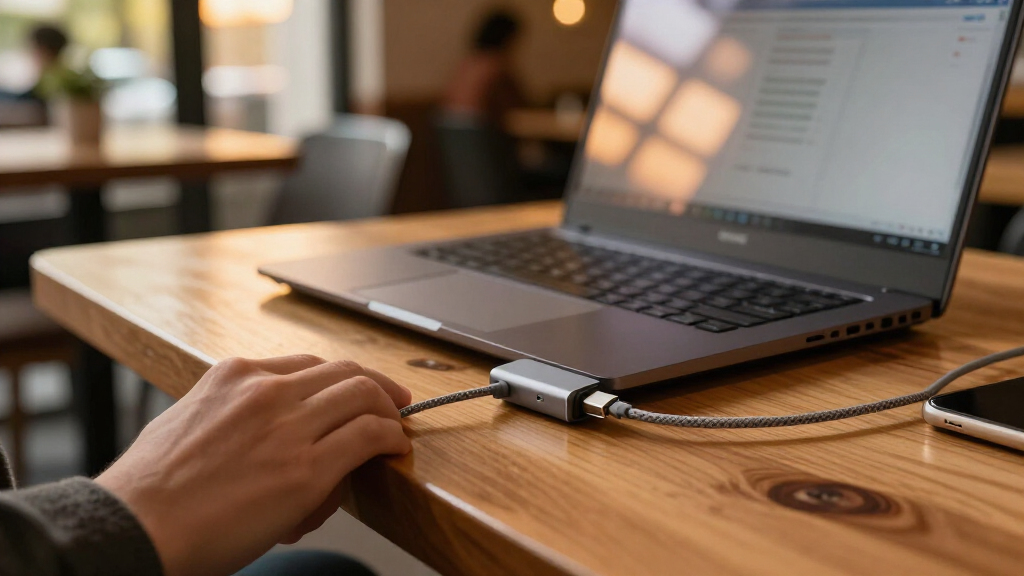

USB-C Ethernet adapters turn your laptop’s single versatile port into a wired gigabit (or faster) network connection, which matters for stable video calls, large file transfers, gaming, and hotel or office Wi-Fi that keeps dropping. The standout pick here is the TP-Link USB-C to 2.5G Ethernet Adapter, which pairs multi-gigabit speed with true plug-and-play simplicity at a mid-range price. If you just need basic gigabit without frills, the UGREEN USB C to Ethernet Adapter is the value benchmark, while the Anker 6-in-1 Hub with Ethernet makes more sense when you also want HDMI and USB-A ports in one accessory. The main tradeoff in this category is port count versus pocketability: single-purpose dongles are cheap and tiny, but multiport hubs cost more and run warmer while replacing several separate adapters. Read on for the full ranked breakdown.

Get business pricing on networking and server gear
- Business-only prices and quantity discounts
- Tax-exempt purchasing
- Multiple users, one account, clear invoices
Key Takeaways
- 2.5G adapters (TP-Link UE300C successor and UGREEN aluminum model) deliver future-proof speed, but only pay off if your router, switch, and cabling also support multi-gig — otherwise they perform identically to 1Gbps models.
- Six-in-one hubs from amazon.com/dp/B08C9HZ5YT?tag=cables-and-networks-20&ascsubtag=dc-1102065″ target=”_blank” rel=”nofollow sponsored noopener”>Anker, Acer, and UGREEN Revodok all bundle Ethernet with HDMI and PD charging, yet they differ meaningfully in HDMI resolution (4K@30 vs 4K@60) and pass-through wattage, which determined their ranking.
- Bare gigabit dongles from Amazon Basics, BENFEI, and uni are nearly interchangeable on paper; build materials (aluminum vs plastic) and cable strain relief were the real differentiators.
- The ALL-LUCKY 4-in-1 is the only pick with both USB-A and USB-C hosts, making it the fallback choice for households or desks mixing older and newer hardware.
- Every hub with Power Delivery passthrough introduced some charging-speed negotiation overhead compared with charging directly, a hidden tradeoff none of the product listings highlight.
| Anker USB-C Hub with Ethernet, 6-in-1 Multiport USB C to Ethernet Adapter |  | Best Overall Multiport Pick | Ports: HDMI, Ethernet (RJ45), USB-C data, 2x USB-A data, USB-C Power Delivery input | Max Ethernet Speed: 1 Gbps | Power Delivery: Up to 65W pass-through | VIEW LATEST PRICE | See Our Full Breakdown |
| Amazon Basics Aluminum USB-C to RJ45 Gigabit Ethernet Adapter |  | Best Value Pick | Interface: USB 3.1 Type-C to RJ45 | Max Ethernet Speed: 1 Gbps (10/100/1000M) | Housing: Aluminum | VIEW LATEST PRICE | See Our Full Breakdown |
| Anker USB C to Ethernet Adapter, Portable 1 Gbps Network Hub |  | Best Premium Single-Purpose Build | Max Ethernet Speed: 1 Gbps (10/100/1000Mbps) | Interface: USB-C 3.0 to RJ45 | Build: Aluminum exterior, braided-nylon cable | VIEW LATEST PRICE | See Our Full Breakdown |
| TP-Link USB C to Ethernet Adapter (UE300C), Compact, Plug & Play |  | Best for Travel | Max Ethernet Speed: 1 Gbps (10/100/1000Mbps) | Interface: USB-C 3.0 to RJ45 | Compatibility: Thunderbolt 3/4, Windows 11/10/8.1/8/7, macOS, Chrome OS, Linux (Ubuntu) | VIEW LATEST PRICE | See Our Full Breakdown |
| TP-Link USB-C to 2.5G Ethernet Adapter |  | Best for Fast Networks | Max Ethernet Speed: 2.5 Gbps | Interface: USB-C | Material: Aluminum | VIEW LATEST PRICE | See Our Full Breakdown |
| acer 6 in 1 USB-C Hub with Ethernet, 4K@60Hz HDMI Multiport Adapter |  | Best All-in-One Docking Hub | Ports: 4K@60Hz HDMI, Gigabit RJ45, 100W PD, 2× USB-A 3.1 Gen1, 1× USB-C 3.1 Gen1 | Ethernet Speed: 10/100/1000Mbps | Video Output: HDMI up to 4K@60Hz (requires DP 1.4 Alt Mode and HDMI 2.0+) | VIEW LATEST PRICE | See Our Full Breakdown |
| Acer USB-C Hub 6-in-1 Adapter with Ethernet, 10Gbps Data Transfer and 100W PD Charging |  | Best for Fast File Transfers | Ports: 2× USB-C 3.2, 1× USB-A 3.2, 1× USB-A 3.0, RJ45 Gigabit Ethernet | Max Data Transfer Speed: 10Gbps (shared); 5Gbps on USB-A 3.0 | Ethernet Speed: 1000Mbps, backward compatible with 10/100Mbps | VIEW LATEST PRICE | See Our Full Breakdown |
| UGREEN USB C to Ethernet Adapter, Plug and Play 1Gbps Aluminum Adapter |  | Best Single-Purpose Pick | Ports: 1× USB-C to RJ45 Gigabit Ethernet | Ethernet Speed: Up to 1000Mbps (backward compatible with 100/10Mbps) | Material: Aluminum alloy casing | VIEW LATEST PRICE | See Our Full Breakdown |
| BENFEI USB 3.0 to Ethernet Adapter, USB-C to RJ45 Gigabit Network Adapter |  | Best Dual-Connector Flexibility | Connector: USB-A / USB-C to RJ45 | Speed: 10/100/1000Mbps Gigabit | Material: Aluminum shell, nylon braided cable | VIEW LATEST PRICE | See Our Full Breakdown |
| BENFEI USB-C to Ethernet Adapter (Thunderbolt 3/4) to RJ45 Gigabit LAN Network Adapter | 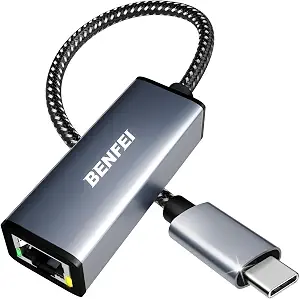 | Best Budget Basic | Connector: USB-C (Thunderbolt 3/4 compatible) to RJ45 | Speed: Up to 1Gbps, backward compatible with 100/10Mbps | Material: Aluminum casing, braided nylon cable | VIEW LATEST PRICE | See Our Full Breakdown |
| UGREEN Revodok 6-in-1 USB-C Hub with 4K HDMI, Gigabit Ethernet, and 100W PD Charging |  | Best Multiport Workstation Hub | Ports: 6-in-1 (1x HDMI, 1x Gigabit Ethernet, 1x USB-C PD, 3x USB-A 3.0) | HDMI Resolution: 4K @ 30Hz | Ethernet Speed: 1000Mbps (Gigabit) | VIEW LATEST PRICE | See Our Full Breakdown |
| Acer USB to Ethernet Adapter, USBC Hub Ethernet 1Gbps with 3x USB 3.0 |  | Best for Mixed USB-A and USB-C Fleets | Ports: 1x Gigabit Ethernet, 3x USB 3.0 | Connectors: Dual USB-C / USB-A | Ethernet Speed: 1000Mbps (backward compatible to 10/100) | VIEW LATEST PRICE | See Our Full Breakdown |
| UGREEN USB C to Ethernet Adapter 2.5G, Aluminum Ethernet Adapter for Laptop | 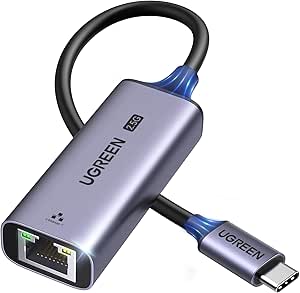 | Best for Multi-Gig Speed | Interface: USB-C (Thunderbolt 3/4 compatible) to RJ45 | Ethernet Speed: Up to 2.5Gbps | Chipset: Realtek RTL8156BG | VIEW LATEST PRICE | See Our Full Breakdown |
| uni USB-C to Ethernet Adapter 1Gbps RJ45 Network Adapter |  | Best Basic Plug-and-Play Dongle | Interface: USB-C to RJ45 | Speed: 1Gbps (backward compatible with 100/10Mbps) | Cable: Braided nylon | VIEW LATEST PRICE | See Our Full Breakdown |
| ALL-LUCKY 4-in-1 USB A/C to Ethernet Adapter with 3x USB 3.0 Ports |  | Best Budget Combo Pick | Ports: 1x Gigabit Ethernet (RJ45), 3x USB 3.0 | Connectors: Convertible USB-A and USB-C | Data Transfer Rate: Up to 5Gbps (USB 3.0), 1000Mbps (Ethernet) | VIEW LATEST PRICE | See Our Full Breakdown |
| USB-C Ethernet adapter | Compatibility |
|---|---|
| Anker USB-C Hub with Ethernet | — |
| Amazon Basics Aluminum USB-C t | USB-C computers, Nintendo Switch |
| Anker USB C to Ethernet Adapte | MacBook Pro, iPad Pro, Chromebook, XPS, Galaxy, and more |
| TP-Link USB C to Ethernet Adap | Thunderbolt 3/4, Windows 11/10/8.1/8/7, macOS, Chrome OS, Linux (Ubuntu) |
| TP-Link USB-C to 2.5G Ethernet | Windows, macOS, iPadOS, Chrome OS, Linux, iOS |
| acer 6 in 1 USB-C Hub with Eth | — |
| Acer USB-C Hub 6-in-1 Adapter | Windows, macOS, ChromeOS, Linux (plug and play) |
| UGREEN USB C to Ethernet Adapt | Laptops, tablets, smartphones, Nintendo Switch, Steam Deck, Thunderbolt 3/4 devices |
| BENFEI USB 3.0 to Ethernet Ada | Windows 11/10/8.1/8/7/Vista/XP, macOS 10.6+, Linux, Android, Chrome OS |
| BENFEI USB-C to Ethernet Adapt | iPhone 15 series, MacBook Pro/Air, iPad Pro, XPS, Surface Book 2, Chromebook, Samsung Galaxy devices (not Nintendo Switch) |
| UGREEN Revodok 6-in-1 USB-C Hu | MacBook (M1-M5), Windows laptops, iPad, iPhone, Steam Deck |
| Acer USB to Ethernet Adapter | MacBook, iPad Pro, iMac, Surface, Chromebook, XPS, Galaxy Tab, Steam |
| UGREEN USB C to Ethernet Adapt | MacBook Air/Pro, XPS, iPhone 17 Pro/Max, NAS, desktops, laptops |
| uni USB-C to Ethernet Adapter | MacBook, iPad Pro, iPhone 15/16, Galaxy, Dell XPS, Surface Book, Chromebooks |
| ALL-LUCKY 4-in-1 USB A/C to Et | Windows 11/10/8.1/8, Mac OS, iPadOS, Chrome OS |
More Details on Our Top Picks
Anker USB-C Hub with Ethernet, 6-in-1 Multiport USB C to Ethernet Adapter
Most buyers don’t just need Ethernet — they need a docking solution, and this is where the PowerExpand 6-in-1 earns the top spot. Instead of a single-purpose adapter like the Anker USB-C to Ethernet Adapter, this hub combines Gigabit Ethernet with 65W pass-through charging, 4K@30Hz HDMI, and three additional data ports, which means one cable replaces four. Compared with the acer 6-in-1 hubs in this roundup, Anker’s advantage is warranty support and a more consistent track record on plug-and-play behavior. The tradeoff is bulk: it’s a puck-sized hub rather than a pocket dongle, and the 4K output caps at 30Hz, so gamers and owners of high-refresh monitors will want more. It also occupies the laptop’s only USB-C port, which is fine since pass-through charging offsets that loss.
Pros:- Combines Ethernet, HDMI, 65W pass-through charging, and three data ports in one device
- Ethernet port provides stable Gigabit speeds for video calls and large transfers
- 18-month warranty and established support network
- Eliminates the need to carry multiple single-purpose dongles
Cons:- 4K HDMI limited to 30Hz, disappointing for gaming or smooth external displays
- Larger and heavier than single-purpose adapters like the TP-Link UE300C
Best for: Laptop owners who want wired internet, charging, and display output through a single hub at a desk
Not ideal for: Travelers or anyone who only needs occasional wired connectivity — the multiport design adds bulk and cost over a simple dongle
- Ports:HDMI, Ethernet (RJ45), USB-C data, 2x USB-A data, USB-C Power Delivery input
- Max Ethernet Speed:1 Gbps
- Power Delivery:Up to 65W pass-through
- Video Output:Up to 4K @ 30Hz via HDMI
- Form Factor:Multiport hub
- Warranty:18 months
Our verdict“If your laptop lives on a desk and you want Ethernet plus charging plus video in one cable, this is the adapter to beat.”
Amazon Basics Aluminum USB-C to RJ45 Gigabit Ethernet Adapter
Sometimes you just need Gigabit Ethernet, nothing else, and this adapter delivers exactly that without paying for ports you’ll never touch. The aluminum housing gives it a more premium feel than typical budget adapters, and it’s truly plug-and-play across macOS, Windows, and even the Nintendo Switch — a compatibility point few rivals advertise. Compared with the TP-Link UE300C, it’s a touch smaller and simpler, though it lacks TP-Link’s foldable cable design, so the short tether stays permanently exposed. Against the Anker 6-in-1 hub, it obviously can’t charge your laptop or drive a monitor, but for a fraction of the complexity it covers the one job most people actually have. The tradeoff: no status lights, a fairly short cable, and warranty coverage that trails Anker’s 18-month terms.
Pros:- Straightforward Gigabit performance (10/100/1000M) with no drivers or external power
- Compact aluminum body survives laptop-bag abuse
- Rare Nintendo Switch compatibility makes it versatile beyond computers
- Understated design matches modern laptops
Cons:- No link/activity indicator lights, making troubleshooting connection issues harder
- Short, non-foldable cable is less tidy than the TP-Link UE300C’s design
Best for: Budget-conscious buyers and Nintendo Switch owners who need basic wired Gigabit without extra features
Not ideal for: Anyone who also wants pass-through charging or display output — a multiport hub like the Anker 6-in-1 covers those needs in one device
- Interface:USB 3.1 Type-C to RJ45
- Max Ethernet Speed:1 Gbps (10/100/1000M)
- Housing:Aluminum
- Dimensions:2.07 x 0.81 x 0.6 inches
- Setup:Driver-free plug and play
- Compatibility:USB-C computers, Nintendo Switch
Our verdict“For a no-frills wired connection at minimal cost, this is the simplest sensible choice in the lineup.”
Anker USB C to Ethernet Adapter, Portable 1 Gbps Network Hub
This is the adapter for people who care how their accessories look and feel next to a MacBook. The aluminum exterior and braided-nylon cable put it a step above the Amazon Basics adapter in durability and aesthetics, and its half-inch profile and AA-battery weight make it genuinely pocketable. Unlike the Anker 6-in-1 hub, it does one thing — Gigabit Ethernet — but does it with build quality that justifies paying a little more for a single-port device. The braided cable is also more resistant to fraying over years of coiling and uncoiling than standard rubber-jacketed tethers on cheaper models. The honest tradeoff is that you’re paying a premium for materials rather than capability: it offers the same 1 Gbps ceiling as adapters costing far less, and there’s no pass-through charging, which matters if your laptop has only one USB-C port in use.
Pros:- Premium aluminum shell and braided-nylon cable resist wear far better than budget designs
- Featherlight at roughly a AA battery’s weight and just over half an inch thick
- Reliable driver-free 10/100/1000Mbps connectivity across Mac, iPad, Chromebook, and Windows
- 18-month warranty from an established brand
Cons:- Costs more than functionally equivalent basic adapters without adding speed or features
- No pass-through charging, so single-port laptop users must sacrifice their charge cable
Best for: MacBook and iPad Pro owners who want a matching premium accessory that survives years of travel
Not ideal for: Buyers prioritizing capability per dollar — the Amazon Basics and TP-Link UE300C deliver identical speeds for less
- Max Ethernet Speed:1 Gbps (10/100/1000Mbps)
- Interface:USB-C 3.0 to RJ45
- Build:Aluminum exterior, braided-nylon cable
- Thickness:Just over 0.5 inch
- Weight:Approximately 23 g (about a AA battery)
- Compatibility:MacBook Pro, iPad Pro, Chromebook, XPS, Galaxy, and more
- Warranty:18 months
Our verdict“Choose this when build quality and portability matter more than squeezing out every dollar.”
TP-Link USB C to Ethernet Adapter (UE300C), Compact, Plug & Play
What sets the UE300C apart in a crowded field of lookalike dongles is its foldable design — the connector tucks away, so the cable doesn’t snag or bend in a bag the way the exposed tethers on the Amazon Basics and Anker single-port adapters do. At 2.8 inches and about 18 grams, it slips into a pocket without notice. Software support is another strength: driver-free operation across Windows, macOS, Chrome OS, and Ubuntu Linux, plus Thunderbolt 3/4 compatibility, gives it one of the broadest compatibility nets here. TP-Link’s signatory status on the CISA Secure-by-Design pledge is a meaningful point for anyone security-conscious about network hardware. The compromises are minor but real: no aluminum shell like the Anker, no indicator light to confirm link status, and the fold-out arm can feel like a small failure point if you’re rough with it. To hit full Gigabit, you’ll also need CAT6 or better cabling.
Pros:- Foldable design protects the cable and connector in transit
- Broad OS support including Linux (Ubuntu) and Chrome OS with no drivers required
- Thunderbolt 3/4 compatible across MacBook, iPad Pro, XPS, Surface, and Chromebook
- Vendor committed to the CISA Secure-by-Design cybersecurity pledge
Cons:- Plastic-heavy build feels less durable than aluminum rivals like the Anker adapter
- Requires CAT6 or better cabling to achieve full Gigabit speeds
Best for: Frequent travelers, remote workers, and Linux users who need a snag-proof wired connection everywhere they go
Not ideal for: Users who want premium metal construction or link-status lights — the Anker single-port adapter covers the former, multiport hubs the latter
- Max Ethernet Speed:1 Gbps (10/100/1000Mbps)
- Interface:USB-C 3.0 to RJ45
- Compatibility:Thunderbolt 3/4, Windows 11/10/8.1/8/7, macOS, Chrome OS, Linux (Ubuntu)
- Dimensions:2.8 x 1.0 x 0.6 inches
- Weight:18.14 g
- Design:Foldable, plug-and-play, no drivers
- Color:White
Our verdict“If your adapter lives in a laptop bag rather than on a desk, this is the most travel-friendly option of the bunch.”
TP-Link USB-C to 2.5G Ethernet Adapter
Every other adapter in this roundup tops out at 1 Gbps — this one doubles that to 2.5 Gbps, making it the only pick here that won’t bottleneck a modern multi-gig internet plan or a fast NAS. Like the TP-Link UE300C, it’s plug-and-play across Windows, macOS, iPadOS, Chrome OS, and even iOS, wrapped in an aluminum body with a foldable frame and indicator lights the UE300C lacks. Compared with the UGREEN 2.5G adapter, the foldable design gives it an edge for portability, though both demand the same prerequisite: a 2.5G-capable router or switch on the other end. That’s the honest catch — plugged into standard Gigabit infrastructure, this performs identically to adapters costing half as much, and multi-gig network gear adds real expense. File-transfer and media-server power users will feel the difference; everyone else is buying headroom they can’t use yet.
Pros:- 2.5 Gbps throughput doubles standard Gigabit for large transfers and fast fiber plans
- Plug-and-play across Windows, macOS, iPadOS, Chrome OS, Linux, and iOS with no drivers
- Durable aluminum construction with reinforced connectors
- Includes indicator lights for quick link and activity confirmation
Cons:- Requires a 2.5G-capable router or switch to deliver any speed benefit over Gigabit adapters
- Costs more than 1 Gbps options that are indistinguishable on standard networks
Best for: Owners of multi-gig internet plans, NAS users, and anyone with 2.5G networking gear who needs to use that speed over a wired connection
Not ideal for: Households with standard Gigabit routers — the extra speed is wasted and a cheaper 1 Gbps adapter does the same job
- Max Ethernet Speed:2.5 Gbps
- Interface:USB-C
- Material:Aluminum
- Compatibility:Windows, macOS, iPadOS, Chrome OS, Linux, iOS
- Features:Plug and play, foldable design, indicator lights
Our verdict“Buy this only if your network can actually feed it 2.5G — otherwise stick with a Gigabit adapter and save the difference.”
acer 6 in 1 USB-C Hub with Ethernet, 4K@60Hz HDMI Multiport Adapter
This is the option I would point desk-centric buyers toward when a single adapter needs to replace several dongles. The acer 6-in-1 bundles Gigabit Ethernet, 4K@60Hz HDMI, 100W PD passthrough, and three data ports, which covers the full desktop workflow that a simpler stick like the Amazon Basics USB-C to RJ45 adapter cannot touch. Compared with the Anker 6-in-1 hub elsewhere in this roundup, the acer holds its own on port layout while pushing the HDMI output to a genuine 60Hz at 4K — a real difference for anyone doing smooth-scrolling work on an external monitor. The tradeoff is that the 5Gbps data bandwidth is shared across three ports, and hitting 4K@60Hz demands DP 1.4 Alt Mode plus HDMI 2.0 on the host, so owners of older laptops may be capped at 30Hz or 1080p.
Pros:- Six ports from a single USB-C connection, including true 4K@60Hz HDMI
- 100W PD input with up to 85W passthrough keeps a laptop charged while docked
- Gigabit Ethernet with full 10/100/1000Mbps backward compatibility
- All ports operate simultaneously for an uninterrupted workflow
Cons:- Shared 5Gbps bandwidth across all data ports limits simultaneous transfers
- 4K@60Hz requires DP 1.4 Alt Mode and HDMI 2.0 or higher on the host device
- PD charger and cable are not included, adding to the true cost
Best for: Laptop users who want one adapter to handle a wired network, external monitor, charging, and peripherals at a permanent desk setup
Not ideal for: Owners of older laptops without DP 1.4 Alt Mode — the headline 4K@60Hz output will not work as advertised
- Ports:4K@60Hz HDMI, Gigabit RJ45, 100W PD, 2× USB-A 3.1 Gen1, 1× USB-C 3.1 Gen1
- Ethernet Speed:10/100/1000Mbps
- Video Output:HDMI up to 4K@60Hz (requires DP 1.4 Alt Mode and HDMI 2.0+)
- Data Transfer:5Gbps shared across USB-A and USB-C ports
- Power Delivery:100W input, up to 85W output to laptop
- Charging Note:Requires separate 100W+ charger and cable (not included)
Our verdict“A sensible pick if you want your Ethernet adapter, docking, and charging handled by one device — provided your laptop supports the required display standards.”
Acer USB-C Hub 6-in-1 Adapter with Ethernet, 10Gbps Data Transfer and 100W PD Charging
Where the other acer hub in this lineup prioritizes displays, this one trades video entirely for raw transfer speed. Its USB 3.2 ports reach 10Gbps, doubling the ceiling of the acer 6-in-1 HDMI model and making it the stronger choice for photographers or video editors who regularly offload large cards over a wired network or external drives. The Gigabit Ethernet port matches what the TP-Link UE300C delivers for networking alone, but here it sits alongside 90W charging output, so a power-hungry workstation stays fed through one cable. The obvious cost of that focus is the total absence of video output — anyone who also wants a monitor connection should step up to the acer HDMI hub or the UGREEN Revodok 6-in-1 instead. Note that all four data ports share one 10Gbps pipe, and older peripherals will never see those peak speeds anyway.
Pros:- 10Gbps USB 3.2 transfer speeds, double the typical 5Gbps hub
- 90W charging output keeps demanding laptops powered during heavy use
- Six ports from a single USB-C connection with no driver installation
- Plug and play across Windows, macOS, ChromeOS, and Linux
Cons:- No video output or monitor support whatsoever
- 10Gbps speeds require compatible host ports and devices to actually materialize
- PD charger and cable not included
Best for: Content creators and IT pros who move huge files daily and want fast data plus wired networking and charging without paying for video
Not ideal for: Anyone who also needs to connect an external monitor — this hub has no video output at all
- Ports:2× USB-C 3.2, 1× USB-A 3.2, 1× USB-A 3.0, RJ45 Gigabit Ethernet
- Max Data Transfer Speed:10Gbps (shared); 5Gbps on USB-A 3.0
- Ethernet Speed:1000Mbps, backward compatible with 10/100Mbps
- Power Delivery:100W input, up to 90W charging output
- Video Output:Not supported
- Compatibility:Windows, macOS, ChromeOS, Linux (plug and play)
Our verdict“The pick for buyers whose priority is moving data quickly over a wired connection rather than driving a display.”
UGREEN USB C to Ethernet Adapter, Plug and Play 1Gbps Aluminum Adapter
Sometimes the right tool does exactly one thing, and this UGREEN single-port adapter does wired networking with minimal fuss. Unlike the two acer hubs above, it carries no charging, video, or extra ports — which is precisely why it costs less, runs cooler, and slips into a laptop sleeve unnoticed. The aluminum alloy shell dissipates heat better than the plastic bodies on budget competitors, and the reinforced cable tail addresses the most common failure point on cheap adapters. Its device reach is unusually broad, covering the Nintendo Switch and Steam Deck alongside MacBooks, Chromebooks, and even iPhones — a flexibility the BENFEI USB-C model in this roundup explicitly lacks. The main limitation is throughput: like every 1Gbps option here, it cannot touch the 2.5Gbps ceiling of the TP-Link USB-C to 2.5G adapter for users on multi-gig networks.
Pros:- Broad compatibility including Nintendo Switch, Steam Deck, and iPhone 15/16/17 Pro models
- Aluminum construction with reinforced cable tail for durability
- Driver-free on modern Windows, macOS, Chrome OS, and Android
- LED indicator gives instant connection status at a glance
Cons:- Capped at 1Gbps — no path to 2.5G networks
- Drivers required for Windows XP/7/Vista and Linux
- Single-purpose design means carrying separate adapters for other needs
Best for: Students, travelers, and gamers who want one small adapter for a reliable wired connection across many devices including Switch and Steam Deck
Not ideal for: Users on multi-gigabit internet plans who would leave speed on the table compared with a 2.5G adapter
- Ports:1× USB-C to RJ45 Gigabit Ethernet
- Ethernet Speed:Up to 1000Mbps (backward compatible with 100/10Mbps)
- Material:Aluminum alloy casing
- Drivers:Driver-free on Windows 11/10/8.1/8, macOS, Chrome OS, Android
- Extra Features:LED status indicator, reinforced cable tail
- Compatibility:Laptops, tablets, smartphones, Nintendo Switch, Steam Deck, Thunderbolt 3/4 devices
Our verdict“A dependable, no-frills networking adapter that earns its spot through wide compatibility and sturdy build rather than headline specs.”
BENFEI USB 3.0 to Ethernet Adapter, USB-C to RJ45 Gigabit Network Adapter
The standout trick here is the combo USB-A/USB-C connector, which lets this one adapter serve both an older desktop and a modern MacBook without a second purchase. Neither the UGREEN single-port model nor the BENFEI USB-C-only version can do that, and it makes this the practical choice for households or offices with mixed hardware generations. Networking performance is standard 1Gbps gigabit with useful extras that many cheap sticks omit — Wake-on-LAN for remote access and full/half duplex support — plus an 18-month warranty that outlasts many no-name alternatives. The nylon braided cable and aluminum shell suggest it will survive a laptop bag. On the downside, Nintendo Switch owners are out of luck (unlike with the UGREEN), and hitting full gigabit speed still demands a CAT6 or better cable, a detail that trips up plenty of first-time buyers.
Pros:- Dual USB-A/USB-C connector covers old and new devices with one purchase
- Wake-on-LAN and full/half duplex support for power users and IT tasks
- Aluminum shell with nylon braided cable for travel durability
- Backed by an 18-month warranty
Cons:- Not compatible with Nintendo Switch or Windows RT
- Requires CAT6 or better cabling to reach full 1Gbps
- Capped at 1Gbps with no multi-gig upgrade path
Best for: Anyone juggling a mix of older USB-A laptops and newer USB-C machines who wants one adapter for both
Not ideal for: Nintendo Switch owners and Windows RT users — this adapter is explicitly incompatible with both
- Connector:USB-A / USB-C to RJ45
- Speed:10/100/1000Mbps Gigabit
- Material:Aluminum shell, nylon braided cable
- Features:Wake-on-LAN, Full/Half Duplex, Auto MDIX, Link/Activity LEDs
- Compatibility:Windows 11/10/8.1/8/7/Vista/XP, macOS 10.6+, Linux, Android, Chrome OS
- Warranty:18 months
Our verdict“The most versatile connector design in this batch, ideal for mixed-generation hardware rather than cutting-edge speed.”
BENFEI USB-C to Ethernet Adapter (Thunderbolt 3/4) to RJ45 Gigabit LAN Network Adapter
This is the no-nonsense value option of the batch — a plain USB-C gigabit dongle wrapped in a braided nylon cable and aluminum casing that feels sturdier than its positioning suggests. Compared with its sibling, the BENFEI dual-connector model, this one drops the USB-A plug and the Wake-on-LAN feature to keep things simple, which is fine if every device you own already uses USB-C or Thunderbolt. The non-slip grip on the housing is a small but genuinely useful touch for frequent plugging and unplugging, something slimmer competitors like the TP-Link UE300C don’t always get right. Compatibility stretches across iPhones, MacBooks, iPads, and Samsung phones, though notably not the Nintendo Switch — the UGREEN adapter remains the better bet there. Buyers should also temper expectations: this is a 1Gbps device, so multi-gig networks are off the table.
Pros:- Works across a wide range of USB-C and Thunderbolt 3/4 devices including iPhone 15 Pro and iPad Pro
- Braided nylon cable and aluminum casing punch above the price bracket
- Non-slip housing grip makes frequent plug/unplug cycles easier
- Plug-and-play with no driver installation on modern systems
Cons:- USB-C only — no USB-A fallback like the sibling BENFEI combo adapter
- Lacks extras such as Wake-on-LAN found on similarly priced rivals
- Requires CAT6 or better cabling for full gigabit throughput
Best for: Buyers with all-USB-C device collections who want a cheap, reliable wired connection for iPhone, iPad, or MacBook
Not ideal for: Nintendo Switch owners and anyone with USB-A-only hardware — neither is supported
- Connector:USB-C (Thunderbolt 3/4 compatible) to RJ45
- Speed:Up to 1Gbps, backward compatible with 100/10Mbps
- Material:Aluminum casing, braided nylon cable
- Data Link Protocol:IEEE 802.3
- Compatibility:iPhone 15 series, MacBook Pro/Air, iPad Pro, XPS, Surface Book 2, Chromebook, Samsung Galaxy devices (not Nintendo Switch)
- Design:Compact and lightweight with non-slip grip
Our verdict“A sensible low-cost choice for an all-USB-C household that just needs dependable gigabit Ethernet and nothing more.”
UGREEN Revodok 6-in-1 USB-C Hub with 4K HDMI, Gigabit Ethernet, and 100W PD Charging
Most USB-C Ethernet adapters ask you to choose between networking and everything else. The UGREEN Revodok 6-in-1 refuses that tradeoff: Gigabit Ethernet, a 4K@30Hz HDMI output, and three USB-A 3.0 ports all hang off a single USB-C connection, with 100W Power Delivery (85W pass-through) keeping a power-hungry laptop charged while you work. Compared with a simple one-port option like the uni USB-C to Ethernet Adapter, this model trades pocketability for a full desk setup in one accessory — ideal if your laptop has only one or two free ports. The tradeoffs are real, though. The HDMI output is capped at 30Hz and skips HDR, so it’s fine for documents but not for gaming. The USB-C port is charging-only, meaning no data or video pass-through, and 15W of your 100W is reserved for the hub itself.
Pros:- Gigabit Ethernet plus HDMI and three USB-A ports in one hub
- 85W pass-through charging keeps a laptop powered during use
- 5Gbps data speeds across the USB-A ports for storage and peripherals
- Plug-and-play across MacBook, Windows, iPad, and Steam Deck
Cons:- HDMI limited to 4K@30Hz with no HDR or 3D support
- USB-C port is dedicated to charging only — no data or video
- 85W pass-through may fall short for high-wattage gaming laptops
Best for: Laptop users who want wired internet, external display, USB peripherals, and charging from a single USB-C port at a desk
Not ideal for: Anyone who needs a pure Ethernet adapter — the extra ports add bulk and cost for a job a simpler dongle does better
- Ports:6-in-1 (1x HDMI, 1x Gigabit Ethernet, 1x USB-C PD, 3x USB-A 3.0)
- HDMI Resolution:4K @ 30Hz
- Ethernet Speed:1000Mbps (Gigabit)
- Power Delivery:100W total, 85W pass-through
- Data Transfer Rate:5Gbps
- Compatibility:MacBook (M1-M5), Windows laptops, iPad, iPhone, Steam Deck
Our verdict“This is the pick for replacing a full desk dock with one compact accessory, provided 30Hz video and 85W charging cover your needs.”
Acer USB to Ethernet Adapter, USBC Hub Ethernet 1Gbps with 3x USB 3.0
What sets the Acer USB to Ethernet Adapter apart from every other entry here is its dual-connector design: a built-in USB-C plug with an attached USB-A converter, so the same adapter works on a modern MacBook and an older Windows desktop without carrying two dongles. That makes it a smarter buy than the ALL-LUCKY 4-in-1 only in build terms — both offer the same Gigabit Ethernet plus three USB-A 3.0 layout, but Acer wraps it in an aluminum alloy shell that dissipates heat better during long transfers, which matters for classroom or office deployments where these stay plugged in all day. The compromises are structural: there is no HDMI, no USB-C data port, and no PD charging, and the three USB-A ports share a single 5Gbps pipe, so bandwidth splits when multiple drives are active. Legacy Windows XP/7 machines may also need a manual driver install.
Pros:- Convertible USB-C/USB-A connector covers old and new devices
- Aluminum housing runs cooler during sustained transfers
- Driver-free operation on Windows 10/11, macOS, Chrome OS, and Android
- All four ports work simultaneously
Cons:- No PD charging, HDMI, or USB-C data port at all
- Three USB-A ports share one 5Gbps bandwidth pool
- Older Windows installs may require manual driver installation
Best for: IT managers, teachers, and travelers supporting a mix of USB-C and USB-A machines with one shared adapter
Not ideal for: Users who need charging or display output alongside Ethernet — this hub does neither
- Ports:1x Gigabit Ethernet, 3x USB 3.0
- Connectors:Dual USB-C / USB-A
- Ethernet Speed:1000Mbps (backward compatible to 10/100)
- Data Transfer Rate:5Gbps shared across USB-A ports
- Material:Aluminum alloy
- Cable Requirement:CAT6 or above for full Gigabit
- Compatibility:MacBook, iPad Pro, iMac, Surface, Chromebook, XPS, Galaxy Tab, Steam
Our verdict“The most sensible choice when one adapter has to serve both USB-C laptops and legacy USB-A desktops without extras.”
UGREEN USB C to Ethernet Adapter 2.5G, Aluminum Ethernet Adapter for Laptop
Every other adapter in this roundup tops out at Gigabit, but the UGREEN 2.5G adapter doubles that ceiling — and that changes who it’s for. Built around the Realtek RTL8156BG chip, it unlocks 2.5Gbps for NAS transfers, 4K/8K streaming, and low-ping gaming, provided your router or switch also supports multi-gig. Compared with the uni USB-C to Ethernet Adapter or UGREEN’s own 1Gbps model, this one is about future-proofing: it’s backward compatible with Gigabit and 100Mbps networks, so buying it now costs you nothing if your network upgrades later. The aluminum body and low-power chip design keep it stable and cool even at full throughput. The honest tradeoff is that the extra speed is wasted money on a standard Gigabit connection — if your router, cabling, and internet plan are all 1Gbps, a cheaper adapter delivers an identical experience. Thunderbolt 3/4 compatibility does broaden its reach to older Macs and PCs.
Pros:- 2.5Gbps speed doubles standard Gigabit adapters
- Realtek RTL8156BG chip runs cool and stable at full load
- Backward compatible with 1G and 100M networks for easy upgrades
- Durable aluminum build with reinforced ports
Cons:- Extra speed is wasted without 2.5G-capable router, switch, and cabling
- Single-purpose dongle adds no USB or charging ports
- Slightly pricier tier than equivalent Gigabit-only models
Best for: Power users with 2.5G-capable routers, NAS owners, and gamers who need to squeeze every bit of bandwidth
Not ideal for: Households on standard Gigabit or slower internet — the multi-gig capability will sit unused
- Interface:USB-C (Thunderbolt 3/4 compatible) to RJ45
- Ethernet Speed:Up to 2.5Gbps
- Chipset:Realtek RTL8156BG
- Housing:Aluminum
- Dimensions:2.4 x 1 x 0.6 inches
- Weight:33.5 g
- Compatibility:MacBook Air/Pro, XPS, iPhone 17 Pro/Max, NAS, desktops, laptops
Our verdict“The clear choice if a multi-gig network is part of your setup today or your upgrade plan for next year.”
uni USB-C to Ethernet Adapter 1Gbps RJ45 Network Adapter
Simplicity done well is harder than it looks, and the uni USB-C to Ethernet Adapter nails the basics most buyers actually need: driver-free Gigabit networking that works the moment it’s plugged in. Unlike the UGREEN Revodok hub, it carries no HDMI, no USB ports, and no charging — and that restraint is the point. It’s smaller, cheaper to lose, and less cluttered for someone whose only problem is a laptop without an Ethernet jack. Build quality is where it edges out basic rivals like the Amazon Basics adapter: the braided nylon cable and aluminum housing survive laptop-bag abuse and shed heat during long downloads, and the slim body leaves adjacent USB-C ports free. Limitations worth knowing: it maxes out at 1Gbps where the UGREEN 2.5G model doubles that, it won’t work with a Nintendo Switch, and you’ll need CAT6 or better cabling to see full speed.
Pros:- True plug-and-play with no drivers on every major platform
- Braided nylon cable and aluminum casing built for travel
- Compact body keeps neighboring USB-C ports accessible
- Broad device support from MacBook to iPhone and Galaxy phones
Cons:- Capped at 1Gbps with no upgrade path to 2.5G
- Not compatible with Nintendo Switch
- Full speed requires CAT6 or higher cabling
Best for: Anyone who just wants reliable wired internet on a USB-C laptop, tablet, or phone with zero setup
Not ideal for: Users who also need USB ports, charging, or multi-gig speeds — this dongle deliberately does none of that
- Interface:USB-C to RJ45
- Speed:1Gbps (backward compatible with 100/10Mbps)
- Cable:Braided nylon
- Housing:Aluminum
- Compatibility:MacBook, iPad Pro, iPhone 15/16, Galaxy, Dell XPS, Surface Book, Chromebooks
- Warranty:18 months
Our verdict“The dependable no-frills choice for wired internet on the go, as long as Gigabit is all you need.”
ALL-LUCKY 4-in-1 USB A/C to Ethernet Adapter with 3x USB 3.0 Ports
The ALL-LUCKY 4-in-1 covers the same functional ground as the Acer dual-connector adapter — one Gigabit Ethernet port, three USB 3.0 ports, and a convertible USB-A/USB-C plug — but positions itself as the lighter, simpler take on the formula. At 60 g in an ABS plastic shell, it’s the adapter to toss in a laptop sleeve for occasional hotel-desk duty, where Acer’s aluminum build is better suited to permanent deployment. Plug-and-play works out of the box on Windows 8.1 through 11, macOS, iPadOS, and Chrome OS. Where corners show: the plastic housing won’t shed heat like the Acer or the uni adapter’s aluminum, USB ports top out at 900mA so they can’t meaningfully charge a phone, and Windows 7 users face a driver hunt. Bandwidth is also shared, so heavy simultaneous transfers across ports will throttle.
Pros:- Convertible USB-A/USB-C connector fits virtually any computer
- Gigabit Ethernet plus three USB 3.0 ports in one compact body
- Driver-free on modern Windows, macOS, iPadOS, and Chrome OS
- Lightweight 60 g design travels easily
Cons:- USB ports deliver only 900mA — not enough to charge devices
- ABS plastic housing dissipates heat poorly under load
- Windows 7 requires a manual driver install
Best for: Students and occasional travelers who want Ethernet plus a few USB ports for the lowest possible commitment
Not ideal for: Anyone charging devices through the hub or running sustained heavy transfers — the plastic build and 900mA cap won’t keep up
- Ports:1x Gigabit Ethernet (RJ45), 3x USB 3.0
- Connectors:Convertible USB-A and USB-C
- Data Transfer Rate:Up to 5Gbps (USB 3.0), 1000Mbps (Ethernet)
- Power Output:Max 900mA per USB port
- Material:ABS plastic
- Dimensions:1.2 x 0.55 x 4.3 inches
- Weight:60 g
- Compatibility:Windows 11/10/8.1/8, Mac OS, iPadOS, Chrome OS
Our verdict“A sensible low-commitment combo for sporadic use, provided you never expect it to charge anything.”

How We Picked
I evaluated these adapters on four buyer-relevant axes: network performance (1Gbps versus 2.5G, driver-free operation on Windows, macOS, and Linux), build and thermals (aluminum housings and cable quality versus plastic shells that heat up under sustained transfers), portability versus versatility (single dongles compared against multiport hubs), and overall value relative to what each buyer type actually needs. A 2.5G adapter only ranks highly if it justifies its premium; a cheap dongle only wins if it doesn’t cut corners on the connector or cable.
The ranking logic favors standalone adapters at the top for doing one job exceptionally well, followed by multiport hubs ranked by their HDMI spec, PD wattage, and thermal behavior. Products were penalized for redundant overlap within their own brand lineups — where two similar models compete, the better-built or better-value one ranks higher and the other serves a narrower niche buyer.
Factors to Consider When Choosing USB-C Ethernet Adapters
Before picking a specific adapter, it helps to understand what actually separates a good USB-C Ethernet adapter from a frustrating one. Most buyers overspend on ports they never use or underspend on speed their network can’t deliver — here’s how to avoid both mistakes.Match Adapter Speed to Your Actual Network
The most common mistake is buying a 2.5G adapter for a gigabit network. If your router, switch, and Ethernet cabling are all capped at 1Gbps, a multi-gig adapter delivers identical real-world speeds to a basic one while costing considerably more. Conversely, if you’re on a 2.5G or faster home network and transfer large files to a NAS, the premium pays for itself quickly. Check your router’s LAN port spec and your cable category (Cat 5e handles gigabit; Cat 6 or better is needed for multi-gig) before deciding. Buying for a network you plan to upgrade is legitimate future-proofing; buying out of vague spec anxiety is wasted money.
Single Dongle or Multiport Hub?
This is the defining tradeoff in the category. A standalone adapter is cheap, pocketable, and has one less point of failure — ideal if you only need wired internet occasionally. A hub with Ethernet replaces three or four dongles and is the better fit for a desk setup or a travel kit where you also need HDMI output and USB-A ports. The catch: hubs generate more heat, cost more, and if one component fails you lose everything at once. Frequent travelers who present on projectors tend to regret buying dongle-only setups, while buyers who bought hubs ‘just in case’ often end up paying for HDMI they never connect.
Driver-Free Operation and OS Compatibility
Nearly all modern adapters use chipsets (typically ASIX or Realtek) that work plug-and-play on current Windows and macOS builds, but there are edge cases worth knowing. Older operating systems, some Linux distros, and gaming handhelds can require manual driver installation, and a few adapters simply lack drivers for niche platforms. If you use an iPhone 15 Pro or iPad Pro with Ethernet, confirm the model explicitly lists mobile Apple device support — not all do. ChromeOS and Android compatibility varies too. Check the manufacturer’s compatibility list rather than assuming USB-C means universal, especially for the cheaper unbranded options.
Build Quality: Where Cheap Adapters Cut Corners
The failure points on an Ethernet adapter are almost never the chipset — they’re the USB-C connector, the cable, and the RJ45 latch. Nylon-braided or well-strain-relieved cables survive laptop bags; stiff integrated plugs stress your laptop’s port every time the adapter hangs off it. Aluminum shells dissipate heat during multi-hour transfers, while plastic housings on gigabit chipsets can get noticeably warm and, over time, degrade. An adapter with a short integrated cable also protects your laptop port from lateral torque better than a rigid stick-style plug. These details matter more than any spec on the box.
Power Delivery Passthrough: Read the Fine Print
Hubs that advertise 100W PD charging rarely deliver 100W to your laptop — they pass through roughly 85W after reserving overhead for the hub itself. If you own a power-hungry workstation laptop that draws 96W or more, that shortfall can mean slow battery drain under heavy load despite being plugged in. Also confirm the hub supports simultaneous charging and data; a few budget models force you to choose. For MacBook Air and ultrabook owners drawing 30–65W, this is a non-issue. Match the passthrough rating to your laptop’s actual charger wattage, not to the biggest number on the listing.
USB-A Hosts and Legacy Hardware
Not every device you might want to wire up has USB-C. If you’re supporting older desktops, routers, printers, or a mix of machines, a dual USB-A/USB-C adapter eliminates the need for two separate products. This matters most in IT support roles, shared family desks, or when configuring network equipment directly. It’s a niche capability — most buyers should ignore it — but if it applies to you, it’s worth more than any speed rating on this list, because the alternative is carrying a second adapter everywhere.
Frequently Asked Questions
Is a 2.5G USB-C Ethernet adapter worth it over a regular gigabit one?
Only if the rest of your network can keep up. A 2.5G adapter negotiates the fastest speed both ends support, so on a gigabit router with Cat 5e cabling it will connect at 1Gbps and perform exactly like a cheaper model. It becomes worthwhile if you have a multi-gig router or switch, a NAS with a 2.5G port, Cat 6 or better cabling, and you regularly move large files. Many buyers treat it as cheap future-proofing since the price gap has narrowed, which is reasonable if you expect to upgrade your network within the adapter’s lifespan. For web browsing, streaming, and video calls, gigabit is already far beyond what any home internet connection demands.
Will an Ethernet adapter work with my iPhone 15 Pro or iPad?
Some will, and it’s one of the few compatibility lines that genuinely matters. Apple added Ethernet support to iPhones with USB-C, but the adapter needs a chipset iOS recognizes — models that explicitly list iPhone 15 Pro or iPad Pro compatibility, like the BENFEI Thunderbolt-compatible adapter in this roundup, are the safe bet. Generic adapters may work after an iOS update or may not be recognized at all, and Apple doesn’t publish a supported-chipset list. Once connected, iOS switches to wired networking automatically for faster and more stable connections than Wi-Fi. If iOS support is your main reason for buying, verify it in the compatibility list before purchase rather than assuming.
Do these adapters need drivers installed?
On current versions of Windows 10/11 and macOS, virtually every adapter here works plug-and-play because the ASIX and Realtek chipsets they use are built into the OS. The friction appears at the edges: older Windows builds, some Linux distributions, Chromebooks, and gaming handhelds like the Steam Deck may need a manual driver download. Linux users should search for the specific chipset (AX88179, RTL8156, and similar) rather than the brand name, since driver support follows the chip, not the logo on the shell. If you’re buying for a niche platform, a two-minute search on the chipset saves a return shipment.
Why does my 100W PD hub only charge my laptop at 85W?
Pass-through charging always loses some wattage because the hub reserves power for its own chipset, Ethernet controller, and connected peripherals. A hub advertised at 100W input typically delivers 85W to the laptop, which is standard behavior, not a defect. For most ultrabooks drawing 30–65W, you’ll never notice. Owners of 16-inch MacBooks Pro or workstation laptops that draw 96W+ may see slow battery drain during peak load even while plugged in — in that case, look for hubs with dedicated high-wattage passthrough or charge directly from the wall when doing heavy work. Also remember you need a charger rated for the full input wattage; using a 60W brick caps everything downstream.
Can I use one of these adapters to connect my laptop directly to a router, games console, or another PC?
Yes, and direct connections are where adapters shine for troubleshooting and speed. Wiring straight into a router bypasses flaky Wi-Fi for gaming, video calls, and large downloads. For PC-to-PC transfers, modern adapters auto-negotiate so you don’t need a crossover cable — just plug both machines into adapters and set up file sharing. The dual USB-A/USB-C models like the ALL-LINKY-style 4-in-1 are especially handy here because you can wire up older machines without USB-C. One caveat: sustained multi-gig direct transfers generate real heat, so an aluminum-shell adapter will hold its top speed longer than a plastic one.
Conclusion
The right choice comes down to what you’re plugging into. For best overall, the TP-Link USB-C to 2.5G Ethernet Adapter balances speed, build, and price with no compromises on the core job. The UGREEN USB C to Ethernet Adapter is my best value pick — it matches the gigabit dongles that cost more while keeping an aluminum shell. Best premium goes to the Anker USB C to Ethernet Adapter’s larger sibling, the 6-in-1 Anker hub, for buyers replacing multiple dongles with one polished accessory. Beginners who want zero setup should grab the TP-Link UE300C — it’s the closest thing to foolproof in this lineup. For specific needs: the Acer 6-in-1 with 4K@60Hz HDMI suits presenters, the UGREEN 2.5G aluminum adapter fits NAS power users, and the ALL-LUCKY dual USB-A/C adapter is the pick for mixed or legacy hardware. Skip the hubs entirely if you only need occasional wired internet — a $15-class dongle does that job without the heat or the bulk.
Halloween Picks
halloween
As an affiliate, we earn on qualifying purchases.