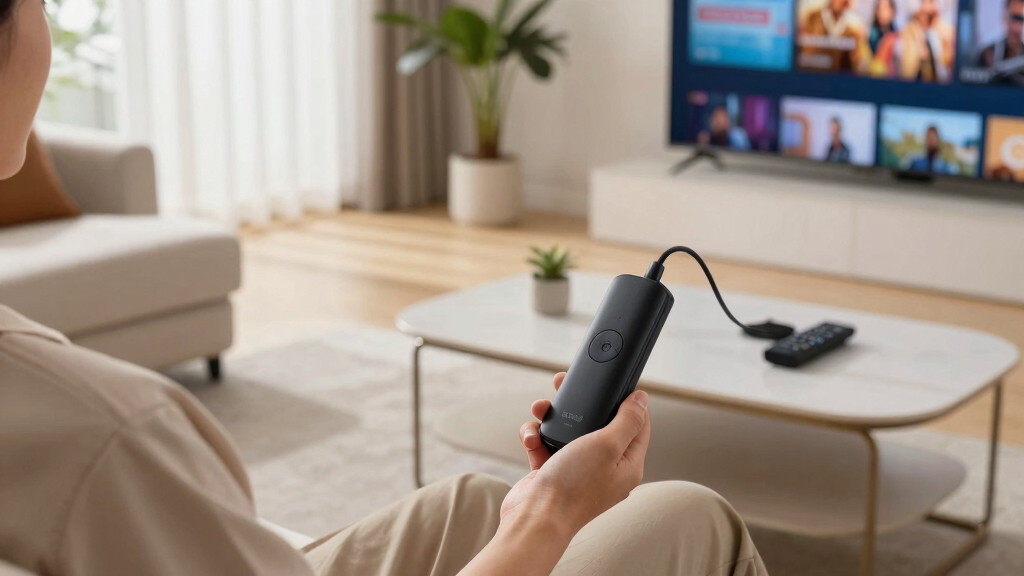

Choosing a wireless streaming device in 2026 means balancing performance, features, and price. The Roku Ultra 4K stands out for its premium visual support and fast interface, while the Fire TV Stick 4K Max offers powerful processing and smart home integration. For budget-conscious users, the Roku Express 4K+ provides excellent value, though it doesn’t match the high-end models’ speed or feature set. Each option caters to different viewing preferences and setups, but understanding the key differences helps make a confident choice.
Key Takeaways
- The Roku Ultra excels with fast performance, HDR support, and a rechargeable remote.
- Fire TV Stick 4K Max offers superior processing and seamless smart home compatibility.
- Roku Express 4K+ provides great 4K and HDR at a lower price, but less processing power.
- Design and connectivity options vary, impacting ease of setup and room placement.
- Price and feature set are the main tradeoffs: premium devices cost more but offer richer features.



More Details on Our Top Picks
Roku Ultra 4K Streaming Device with HDR10+ and Dolby Vision
The Roku Ultra 4K offers a significant upgrade in visual quality with support for HDR10+ and Dolby Vision, ensuring vibrant, lifelike images. Its 30% faster interface compared to other Roku models means less waiting and more watching. The rechargeable Voice Remote Pro adds convenience with backlit buttons, hands-free voice control, and Bluetooth headphone mode for private listening. Compared with the Fire TV Stick, it emphasizes visual fidelity and user-friendly navigation, though its higher price and reliance on a strong Wi-Fi 6 signal may be drawbacks for some.
Pros:- Supports 4K, HDR10+, Dolby Vision, and Dolby Atmos for immersive content
- Faster interface with a responsive remote
- Rechargeable remote with backlit buttons and voice control
- Bluetooth headphone mode for private listening
Cons:- Higher price point ($100-$150)
- Requires strong Wi-Fi 6 signal for optimal performance
- Ethernet cable not included
Best for: Viewers seeking the best visual quality and a premium remote experience.
Not ideal for: Budget shoppers or those with weaker Wi-Fi connections.
- Resolution:4K
- HDR Support:HDR10+, Dolby Vision
- Audio Technology:Dolby Atmos
- Connectivity:Wi-Fi 6, Ethernet
- Remote Features:Rechargeable, backlit, voice control
- Size:N/A
Bottom line: This model is best suited for users who prioritize picture quality and fast, intuitive remote control, and are willing to pay a premium for those features.
Roku Express 4K+ | Roku Streaming Device 4K/HDR with Voice Remote, Free & Live TV
The Roku Express 4K+ is a practical choice for those seeking 4K and HDR support without breaking the bank. It offers sharp resolution and vivid colors, optimized for a range of TVs. Its simple setup process and voice remote make it accessible for less tech-savvy users. While it lacks the processing speed and advanced features of higher-end models, it handles streaming smoothly and supports a broad ecosystem of channels, including free and live TV options. However, it doesn’t include premium remote features like backlit keys or advanced voice control.
Pros:- Supports 4K, HDR, and Dolby Vision
- Affordable price point
- Easy to set up and operate
- Access to 500+ free live TV channels
Cons:- Less processing power compared to premium devices
- Limited remote features
- No Ethernet port included
Best for: Casual viewers or families wanting reliable 4K streaming at a reasonable price.
Not ideal for: Power users needing fast interface or extensive smart home integration.
- Resolution:4K
- HDR Support:HDR10+, Dolby Vision
- Remote:Voice remote
- Connectivity:Wi-Fi
- Channels:500+ free live TV
- Size:N/A
Bottom line: Ideal for budget-conscious users who want solid 4K HDR support without extra bells and whistles.
Amazon Fire TV Stick 4K Max (2nd Gen) Streaming Device with Wi-Fi 6E and Alexa Voice Remote
The Fire TV Stick 4K Max combines robust processing with Wi-Fi 6E tri-band for smooth 4K streaming even with multiple devices connected. It supports Dolby Vision, HDR10+, and Dolby Atmos, delivering cinematic quality. Its standout feature is the integrated Alexa Voice Remote, which allows for seamless voice commands and smart home control. Compared to Roku devices, it emphasizes smart ecosystem integration and gaming capabilities via Xbox Game Pass, though it requires compatible Wi-Fi 6E routers to reach full potential and may need subscriptions for gaming services.
Pros:- Supports 4K Ultra HD, Dolby Vision, HDR10+
- Wi-Fi 6E tri-band for better connectivity
- 16GB storage for apps and downloads
- Alexa Voice Remote with IR for smart home control
Cons:- Requires Wi-Fi 6E router for optimal speed
- Gaming features need Xbox Game Pass subscription
- Some services may not be available internationally
Best for: Smart home enthusiasts and gamers who want fast performance and voice control.
Not ideal for: Users without Wi-Fi 6E routers or those uninterested in gaming features.
- Model:Fire TV Stick 4K Max (2nd Gen)
- Processor:Quad-core 2.0GHz
- Storage:16GB
- Wi-Fi Support:Wi-Fi 6E tri-band
- Remote:Alexa Voice Remote
- Size:99 mm x 30 mm x 14 mm
Bottom line: Best suited for tech-savvy users wanting quick performance, smart home control, and gaming options on a budget.
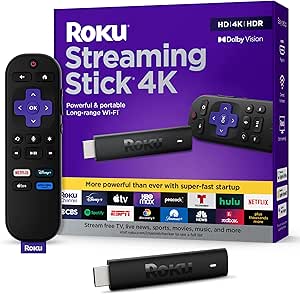
Roku Streaming Stick 4K with HDR & Dolby Vision and Voice Remote
The Roku Streaming Stick 4K packs high-end video support into a compact form factor with HDR10+ and Dolby Vision. Its long-range Wi-Fi ensures stable streaming in large or busy households. The voice remote simplifies navigation, and the device’s small size keeps your HDMI ports accessible for other devices. This pick is ideal for those who want high-quality visuals without cluttering their entertainment setup. However, it may require app switching for different content sources, and setup could be tricky for first-time users.
Pros:- Supports 4K, Dolby Vision, HDR10+
- Long-range Wi-Fi for stable connections
- Compact, non-blocking design
- Easy to plug and play
Cons:- Limited remote features compared to premium options
- Setup might be complex for less tech-savvy users
- Content navigation can require app switching
Best for: Space-conscious users who want premium video quality in a tiny package.
Not ideal for: Users who prefer a more feature-rich remote or need extensive app control.
- Resolution Support:4K
- HDR Formats:Dolby Vision, HDR10+
- Wi-Fi Range:Long-range
- Remote Type:Voice-enabled
- Size:Compact
- Channels:N/A
Bottom line: Ideal for users wanting high-end visuals in a minimal footprint, with some setup patience required.
Amazon Fire TV Stick 4K Plus (newest model) with AI-powered Fire TV Search, Wi-Fi 6, stream hundreds of thousands of movies and shows, free & live TV, find shows faster with Alexa+
The Fire TV Stick 4K Plus elevates streaming with AI-powered search, faster Wi-Fi 6, and a broad content library. Its ability to find shows and movies faster using Alexa makes it a strong choice for binge-watchers and busy households. The device supports Dolby Vision, HDR10+, and Dolby Atmos, providing cinematic visuals and sound. Its integration with smart home devices and gaming through Xbox Game Pass offers a versatile entertainment hub, though some features require subscriptions and a compatible Wi-Fi 6 router for optimal performance.
Pros:- Supports 4K Ultra HD, Dolby Vision, HDR10+
- AI-powered search for faster discovery
- Wi-Fi 6 support for smooth streaming
- Alexa Voice Remote with smart home control
Cons:- Requires Wi-Fi 6 router for best performance
- Some services may need separate subscriptions
- More complex setup for non-technical users
Best for: Power users who value fast search, voice control, and broad content access.
Not ideal for: Users with older Wi-Fi routers or those uninterested in gaming or smart home features.
- Model:Fire TV Stick 4K Plus
- Processor:1.7GHz quad-core
- Storage:8GB
- Wi-Fi Support:Wi-Fi 6
- Remote:Alexa Voice Remote
- Size:99 mm x 30 mm x 14 mm
Bottom line: Best for users craving intelligent search and fast, versatile streaming in a single device.
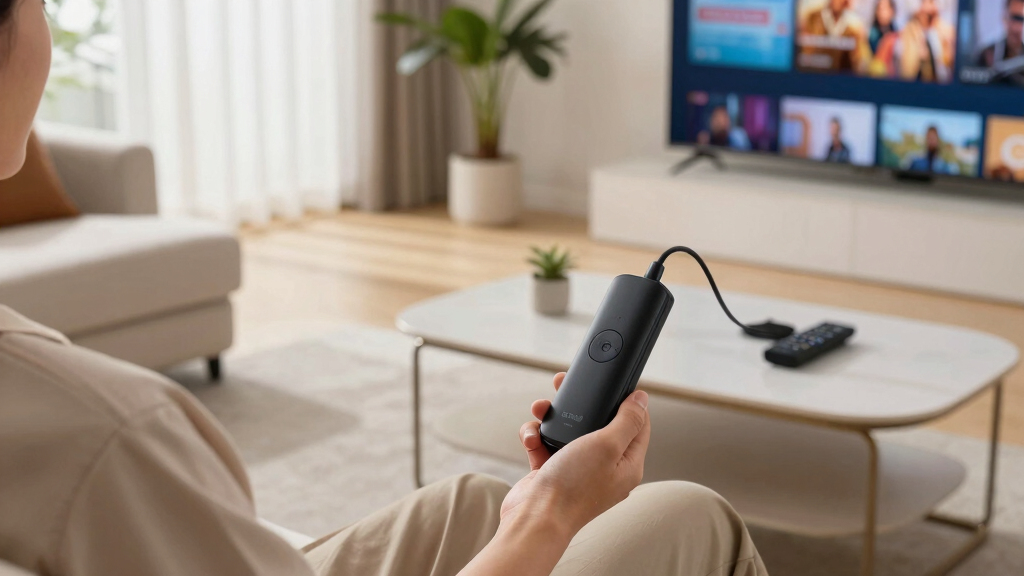
How We Picked
Our selection process focused on streaming quality, device performance, user interface, connectivity options, and value for money. We evaluated the latest models, comparing features like 4K and HDR support, processing speed, remote functionality, and compatibility with smart home systems. We also considered user reviews and the tradeoffs between price and features to identify devices suited for different types of viewers—from casual to tech-savvy.
Factors to Consider When Choosing Wireless Streaming Devices
When selecting a wireless streaming device, consider your desired picture quality, processing speed, remote features, and ecosystem compatibility. Budget options may suffice for casual viewing, but higher-end models deliver richer features like Dolby Vision, faster interfaces, and smart home integration. Think about your space, Wi-Fi setup, and whether additional features like gaming or private listening matter to you.
Performance and Video Quality
Look for devices supporting 4K Ultra HD, HDR, Dolby Vision, and Dolby Atmos if you want premium picture and sound. Cheaper models may only support HD or standard resolution, which is fine for casual viewing but less immersive. Processing speed and interface responsiveness also impact your overall experience, especially if you switch between apps frequently.
Remote and User Interface
The remote’s features, such as backlit keys, voice control, and battery life, influence ease of use. A responsive, intuitive user interface makes browsing content quicker, particularly on devices with faster processors like the Roku Ultra or Fire TV Max. Consider remote compatibility with your smart home or voice assistants for added convenience.
Connectivity and Ecosystem
Wi-Fi support varies from dual-band to Wi-Fi 6E for faster, more reliable streaming. Ethernet ports are a plus for stable connections in fixed setups. Compatibility with your existing smart home devices, voice assistants, and gaming services adds value, especially for users looking for an all-in-one entertainment system.
Price and Value
High-end devices like the Roku Ultra or Fire TV Max cost more but offer richer features, while budget options like Roku Express 4K+ provide excellent value for basic streaming needs. Balance your budget against the features that matter most—picture quality, speed, remote control, and app ecosystem—to find your ideal device.
Frequently Asked Questions
Do I need a 4K TV to use a 4K streaming device?
Yes, to enjoy the full benefits of 4K resolution, your TV must support 4K Ultra HD. If your TV is only HD or Full HD, a 4K streaming device will still work but won’t provide the enhanced picture quality. Matching your device with a compatible TV maximizes your viewing experience.
Is Wi-Fi 6 necessary for these devices?
While Wi-Fi 6 offers faster speeds and more stable connections, especially with multiple devices, it isn’t strictly necessary for basic streaming. Devices like the Fire TV Stick 4K Max benefit most from Wi-Fi 6 or Wi-Fi 6E for optimal performance, particularly in busy networks. Older Wi-Fi standards can still handle streaming but may result in buffering or lower quality.
Can I use these devices with my smart home system?
Many of these streaming devices, including Fire TV and Roku Ultra, support integration with popular smart home ecosystems like Alexa, Google Assistant, and Apple HomeKit. This allows you to control compatible smart devices directly through your remote or voice commands, adding convenience to your entertainment setup.
Are there any ongoing subscription fees?
Most streaming devices are free to use once purchased, but accessing certain content or services may require subscriptions, such as Netflix, Disney+, or gaming platforms like Xbox Game Pass. Some devices also offer free ad-supported channels and content, which require no additional payments.
How difficult is setup for these devices?
Setup is generally straightforward: plug into your TV’s HDMI port, connect to Wi-Fi, and follow on-screen instructions. Devices like Roku Express and Fire TV Stick are designed for quick setup, while more advanced models may involve additional configuration steps, especially if you want to connect via Ethernet or integrate with smart home systems.
Conclusion
If you’re seeking the best overall experience with premium picture quality, the Roku Ultra is the top choice, especially for tech enthusiasts who want Dolby Vision and Atmos support. For those prioritizing speed, smart home features, and gaming, the Fire TV Stick 4K Max offers compelling performance. Budget buyers or casual viewers will find excellent value in the Roku Express 4K+ or Roku Streaming Stick 4K, providing high-quality visuals without extra cost. Ultimately, your ideal device depends on your specific needs—whether that’s immersive visuals, speed, smart home integration, or affordability.