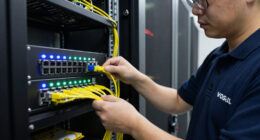
When searching for rack mount network switches, the goal is to find a model that balances performance, reliability, and ease of deployment. The NETGEAR GS524 stands out as the best overall for its solid unmanaged gigabit performance and durability. For those needing Power over Ethernet, the NETGEAR GS324P offers excellent PoE support, while the TP-Link TL-SG1024S makes for a quiet, fanless option suitable for quieter environments. As you compare options, consider tradeoffs like port count, management features, power requirements, and build quality. Continue reading for a detailed breakdown of these choices and what makes each one unique.

Get business pricing on networking and server gear
- Business-only prices and quantity discounts
- Tax-exempt purchasing
- Multiple users, one account, clear invoices
Key Takeaways
- The best switches balance port count with manageability—more ports are useful, but management features matter for larger networks.
- PoE support is a key differentiator for deployments powering devices like VoIP phones or security cameras.
- Fanless designs significantly reduce noise, ideal for office environments, but may limit cooling for higher-performance switches.
- Rackmount switches with durable metal casings tend to offer greater longevity and stability under continuous use.
- Price varies widely; the top picks offer a combination of performance and features suitable for different budgets.
| NETGEAR GS524 24-Port Gigabit Ethernet Unmanaged Network Switch |  | Best Overall for Simple, High-Density Connectivity | Model: GS524 | Port Count: 24 | Port Speed: 1.0 Gbps | VIEW LATEST PRICE | See Our Full Breakdown |
| UGREEN 24 Port Gigabit Ethernet Switch Rackmount 4 Mode Plug & Play |  | Best for Versatile Network Expansion with Advanced Modes | Number of Ports: 24 | Port Speed: 10/100/1000Mbps | Installation Options: Rackmount, wall mount, desktop | VIEW LATEST PRICE | See Our Full Breakdown |
| NETGEAR 24-Port PoE Gigabit Ethernet Unmanaged Network Switch (GS324P) |  | Best for Powering Devices in Small to Medium Networks | Total Ethernet Ports: 24 x 1.0Gbps | PoE+ Ports: 16 | PoE Power Budget: 190W | VIEW LATEST PRICE | See Our Full Breakdown |
| Tenda TEG1016D 16-Port Gigabit Ethernet Switch |  | Best for Small Office or Home Network Expansion | Model: TEG1016D | Ports: 16 | Port Speed: 10/100/1000 Mbps | VIEW LATEST PRICE | See Our Full Breakdown |
| NETGEAR GS316v3 16-Port Gigabit Unmanaged Ethernet Switch |  | Best for Compact, Quiet High-Speed Networking | Model: GS316v3 | Ports: 16 | Port Speed: 1.0 Gbps | VIEW LATEST PRICE | See Our Full Breakdown |
| Tenda 48-Port Gigabit Unmanaged Rackmount Ethernet Switch |  | Best for High-Capacity Enterprise Expansion | Ethernet Ports: 48 | Port Speed: Gigabit Ethernet | Switch Type: Unmanaged | VIEW LATEST PRICE | See Our Full Breakdown |
| TP-Link TL-SG1024S 24-Port Gigabit Ethernet Switch – Unmanaged, Desktop/Rackmount, Fanless, Metal Casing |  | Best for Compact, Durable Networks with Moderate Needs | Ports: 24 x 10/100/1000Mbps | Type: Unmanaged | Form Factor: Desktop / 1U Rackmount | VIEW LATEST PRICE | See Our Full Breakdown |
| UGREEN 16-Port Gigabit Ethernet Switch, Rackmount, Plug & Play, 4 Modes |  | Best for Flexible, Multi-Mode Network Expansion | Ports: 16 x 10/100/1000Mbps | Mounting: Rack, wall, desktop | Modes: Standard, VLAN, Link Aggregation, Flow Control | VIEW LATEST PRICE | See Our Full Breakdown |
| TP-Link TL-SG1016 16-Port Gigabit Unmanaged Ethernet Switch |  | Best for High Throughput, Simple Expansion | Ports: 16 Gigabit | Switching Capacity: 32Gbps | Type: Unmanaged | VIEW LATEST PRICE | See Our Full Breakdown |
| rack mount network switch | Port Speed | Ports |
|---|---|---|
| NETGEAR GS524 24-Port Gigabit | 1.0 Gbps | — |
| UGREEN 24 Port Gigabit Etherne | 10/100/1000Mbps | — |
| NETGEAR 24-Port PoE Gigabit Et | — | — |
| Tenda TEG1016D 16-Port Gigabit | 10/100/1000 Mbps | 16 |
| NETGEAR GS316v3 16-Port Gigabi | 1.0 Gbps | 16 |
| Tenda 48-Port Gigabit Unmanage | Gigabit Ethernet | — |
| TP-Link TL-SG1024S 24-Port Gig | — | 24 x 10/100/1000Mbps |
| UGREEN 16-Port Gigabit Etherne | — | 16 x 10/100/1000Mbps |
| TP-Link TL-SG1016 16-Port Giga | — | 16 Gigabit |
More Details on Our Top Picks
NETGEAR GS524 24-Port Gigabit Ethernet Unmanaged Network Switch
The NETGEAR GS524 excels in providing a straightforward, high-capacity solution for small to medium-sized networks that need reliable gigabit connectivity. Its unmanaged, plug-and-play design makes it ideal for environments where advanced configuration isn’t necessary, contrasting with the UGREEN 24-port model, which offers similar port density but with fewer installation options. The metal enclosure and fanless operation ensure quiet, durable performance, but the device’s lack of management features limits customization. This switch suits users prioritizing ease of use and high port count without complex network features.
Pros:- Provides 24 Gigabit Ethernet ports for high-density connections
- Simple plug-and-play setup with no configuration needed
- Silent fanless operation for noise-sensitive environments
- Supports multiple mounting options including rack, wall, or desktop
Cons:- Limited to unmanaged, basic networking features
- Restricted to use in the U.S. and Canada, limiting regional flexibility
Best for: Small businesses or offices needing plug-and-play expansion without management complexity
Not ideal for: Networks requiring VLAN, QoS, or advanced configuration options, as this model lacks these features
- Model:GS524
- Port Count:24
- Port Speed:1.0 Gbps
- Switch Type:Unmanaged
- Cable Compatibility:Cat5e or Cat6 Ethernet
- Mounting Options:Desktop, wall, or rack
- Enclosure:Metal
- Cooling:Fanless
Our verdict“This switch is perfect for those seeking reliable, high-port-density connectivity with minimal setup effort.”
UGREEN 24 Port Gigabit Ethernet Switch Rackmount 4 Mode Plug & Play
The UGREEN 24 Port Switch stands out for its versatility, offering multiple working modes like VLAN and link aggregation, making it suitable for larger or more complex networks than the basic NETGEAR GS524. Its rackmount, wall, or desktop options provide flexible deployment, but it requires manual setup for advanced features—unlike the plug-and-play simplicity of unmanaged switches. The fanless design ensures quiet operation, yet the lack of detailed power supply info and limited link aggregation speed (up to 2Gbps) may be drawbacks for demanding environments. This pick makes sense for users needing some level of network management without full enterprise features.
Pros:- Supports multiple installation modes including rack, wall, and desktop
- Offers advanced working modes such as VLAN and link aggregation
- Fanless design provides quiet, reliable operation
- Includes surge protection for network stability
Cons:- No included power supply details, which could complicate installation
- Limited link aggregation to 2Gbps, restricting high-bandwidth stacking
Best for: Small to medium businesses that want flexible management options without complex configuration
Not ideal for: Users seeking plug-and-play simplicity or requiring managed switches with VLAN and QoS features
- Number of Ports:24
- Port Speed:10/100/1000Mbps
- Installation Options:Rackmount, wall mount, desktop
- Working Modes:Standard, VLAN, link aggregation, flow control
- Surge Protection:6KV
- Cooling:Fanless with ventilation and heatsinks
Our verdict“This switch is well-suited for network environments that need moderate management and flexible deployment options.”
NETGEAR 24-Port PoE Gigabit Ethernet Unmanaged Network Switch (GS324P)
The NETGEAR GS324P offers a compelling solution for environments that need PoE capabilities, providing 16 PoE+ ports with a total power budget of 190W. Its unmanaged design simplifies deployment, but limited management features mean less control over QoS or VLANs, unlike the UGREEN switch which offers more modes but fewer PoE ports. The fanless, metal chassis ensures silent operation and durability, making it ideal for powering IP cameras, VoIP phones, or wireless access points without extra power supplies. However, only 16 of the 24 ports support PoE, which might limit flexibility in some setups.
Pros:- 16 PoE+ ports with a 190W total power budget for multiple powered devices
- Plug-and-play setup with no configuration required
- Fanless, compact metal design for silent, durable operation
- Supports Energy Efficient Ethernet for power savings
Cons:- Lacks managed network features such as VLAN or QoS
- Only 16 ports support PoE+, limiting total powered devices
Best for: Small business or security setups needing PoE for multiple powered devices
Not ideal for: Large enterprise networks requiring managed PoE functions or full network control
- Total Ethernet Ports:24 x 1.0Gbps
- PoE+ Ports:16
- PoE Power Budget:190W
- Cable Compatibility:Cat5e or Cat6
- Management Type:Unmanaged
- Mounting:Desktop or rack-mount
Our verdict“This switch is ideal for small networks needing reliable PoE and straightforward deployment.”
Tenda TEG1016D 16-Port Gigabit Ethernet Switch
The Tenda TEG1016D provides a solid, straightforward 16-port gigabit switch ideal for small offices or home setups where simplicity is key. Its 32 Gbps switching capacity and jumbo frame support help ensure smooth data flow, surpassing basic switches like the NETGEAR GS316v3 in throughput. The steel, fanless enclosure guarantees quiet operation and efficient heat dissipation, but its unmanaged nature means it lacks VLAN, QoS, or other management features available in higher-end models. No Power over Ethernet support limits its use for powering devices directly.
Pros:- Provides 16 Gigabit Ethernet ports for ample expansion
- Fanless steel enclosure ensures quiet, durable operation
- Supports jumbo frames and lightning protection
- Plug-and-play, easy to install
Cons:- No managed features like VLAN or QoS
- No PoE support, limiting device powering options
Best for: Home users or small office users who need reliable gigabit ports without complex management
Not ideal for: Networks that require managed features or PoE support for powered devices
- Model:TEG1016D
- Ports:16
- Port Speed:10/100/1000 Mbps
- Switching Capacity:32 Gbps
- Buffer:2 MB
- Lightning Protection:6 kV
Our verdict“This switch fits well in simple, small-scale networks where ease of use and reliable gigabit connectivity are priorities.”
NETGEAR GS316v3 16-Port Gigabit Unmanaged Ethernet Switch
The NETGEAR GS316v3 offers a compact, reliable 16-port gigabit switch that emphasizes simplicity and quiet operation. Its unmanaged design makes setup straightforward, similar to the Tenda TEG1016D, but with the advantage of U.S. and Canada regional compatibility. The fanless, metal build ensures silent operation and durability, while support for IEEE 802.3az Energy Efficient Ethernet helps reduce power usage. Compared to the UGREEN 16-port model, it provides regional support and a slightly more refined build, but lacks management features for advanced network control.
Pros:- Provides 16 Gigabit Ethernet ports with no configuration needed
- Fanless, durable metal housing for silent operation
- Supports energy efficiency with IEEE 802.3az
- Compact design with flexible mounting options
Cons:- Limited to unmanaged, basic connectivity
- Design restricted to U.S. and Canada, limiting regional flexibility
Best for: Small offices or home users in North America seeking a silent, plug-and-play gigabit switch
Not ideal for: Environments requiring VLAN, QoS, or managed configurations, as this is unmanaged
- Model:GS316v3
- Ports:16
- Port Speed:1.0 Gbps
- Switch Type:Unmanaged
- Cable Compatibility:Cat5e and Cat6
- Mounting Options:Desktop or wall mount
Our verdict“This switch suits users wanting a straightforward, quiet gigabit network expansion within North America.”
Tenda 48-Port Gigabit Unmanaged Rackmount Ethernet Switch
This model stands out for offering an enormous 48 ports, making it ideal for large-scale network expansion without the complexity of managed switches. Its fanless design ensures silent operation, and the 6KV lightning protection adds resilience in challenging environments. Unlike the smaller TP-Link TL-SG1024S, it supports a greater number of devices, but it sacrifices management features like VLANs, which can limit traffic control in complex setups. Its unmanaged nature simplifies deployment but reduces flexibility for network tuning. A key tradeoff is that it cannot power PoE devices, so it’s not suitable for camera or access point deployment where power over Ethernet is needed.
Pros:- Provides 48 Gigabit Ethernet ports for extensive network expansion
- Fanless design ensures quiet, energy-efficient operation
- One-key VLAN simplifies traffic segmentation
- Built-in 6KV lightning protection enhances durability
Cons:- Lacks PoE support, limiting device powering options
- Unmanaged design restricts traffic monitoring and configuration
Best for: Large enterprises or data centers requiring high port density and reliable protection in rugged environments
Not ideal for: Small offices or setups needing PoE support or advanced network management
- Ethernet Ports:48
- Port Speed:Gigabit Ethernet
- Switch Type:Unmanaged
- Mounting:Rackmount
- PoE Support:No
- Buffer Capacity:12 Mb
- Lightning Protection:6KV
Our verdict“This switch is best suited for large-scale, unmanaged deployments where high port count and durability matter over advanced features.”
TP-Link TL-SG1024S 24-Port Gigabit Ethernet Switch – Unmanaged, Desktop/Rackmount, Fanless, Metal Casing
This switch offers a solid balance of durability and simplicity, with 24 ports suitable for growing networks that don’t require managed features. Its fanless, metal-cased design ensures quiet operation and durability, making it a good fit for server rooms or offices. Compared to the Ugreen 16-Port, it provides more ports but is bulkier, which might be a concern for small desktop setups. While it excels in plug-and-play deployment, it doesn’t support VLANs or advanced management, limiting customization for complex networks. The 24 ports are perfect for mid-sized networks, but the lack of management features means it can’t support traffic prioritization or detailed monitoring.
Pros:- Durable metal casing with good heat dissipation
- Fanless design for silent operation
- Supports auto negotiation and auto MDI/MDIX
- Plug-and-play setup with no configuration required
Cons:- No VLAN or advanced traffic management features
- Large size may be less suitable for compact spaces
Best for: Medium-sized offices or server rooms needing straightforward network expansion without management complexity
Not ideal for: Small offices or setups requiring VLAN segmentation or detailed network control
- Ports:24 x 10/100/1000Mbps
- Type:Unmanaged
- Form Factor:Desktop / 1U Rackmount
- Dimensions:11.6″L x 7.1″W x 1.7″H
- Cooling:Fanless
- Casing:Metal
Our verdict“This switch is ideal for users seeking a durable, unmanaged 24-port solution for straightforward network expansion in medium-sized environments.”
UGREEN 16-Port Gigabit Ethernet Switch, Rackmount, Plug & Play, 4 Modes
The UGREEN 16-Port switch offers versatility with four operation modes, including VLAN isolation and link aggregation, making it suitable for complex or segmented networks. Its plug-and-play design simplifies deployment, and its fanless, heatsink-equipped metal housing maintains silent operation. Compared with the TP-Link TL-SG1016, it provides more mode options, but its unmanaged nature still limits detailed traffic control. Its ability to support link aggregation up to 2Gbps makes it a good choice for users needing bandwidth aggregation in a compact rackmount form, yet continuous high loads could cause it to warm up despite thermal design. It’s perfect for environments demanding both flexibility and silent operation.
Pros:- Supports four working modes, including VLAN and link aggregation
- Plug-and-play with no configuration needed
- Fanless, heatsink design ensures silent operation
- Flexible mounting options: rack, wall, or desktop
Cons:- Unmanaged switch limits traffic and network management
- Potentially runs warm under heavy workloads despite thermal design
Best for: Small to medium businesses needing multi-mode options for segmented or aggregated networks
Not ideal for: Large enterprise deployments requiring managed switches or VLAN control via web interface
- Ports:16 x 10/100/1000Mbps
- Mounting:Rack, wall, desktop
- Modes:Standard, VLAN, Link Aggregation, Flow Control
- Surge Protection:6KV
- Cooling:Heatsinks, metal housing
- Design:Fanless
Our verdict“This switch is well-suited for users who need flexible, multi-mode network expansion in a silent, unmanaged package.”
TP-Link TL-SG1016 16-Port Gigabit Unmanaged Ethernet Switch
The TP-Link TL-SG1016 delivers a straightforward, high-capacity solution with 16 gigabit ports and a 32Gbps non-blocking switching capacity. Its design emphasizes maximum throughput for busy networks that require quick data transfer without the need for management features like VLANs. Compared to the unmanaged Ugreen 16-Port, it offers a higher switching capacity, ensuring smooth data flow even under heavy loads. Its plug-and-play setup makes it accessible for users who want reliable performance without configuration, but it lacks the flexibilities of managed switches, which could be a shortcoming for those needing detailed network control. The absence of quiet operation details and rack-mount options may restrict some deployment environments.
Pros:- 16 gigabit ports for large, fast networks
- High 32Gbps switching capacity with non-blocking architecture
- Auto MDI/MDIX eliminates crossover cables
- Simple, plug-and-play installation
Cons:- No management features like VLANs or traffic monitoring
- Lacks explicit quiet operation or rackmount options
Best for: Large, high-throughput networks that prioritize maximum speed with simple plug-and-play setup
Not ideal for: Small offices needing VLAN management or noise-sensitive environments
- Ports:16 Gigabit
- Switching Capacity:32Gbps
- Type:Unmanaged
- Flow Control:IEEE 802.3x
- Auto MDI/MDIX:Yes
- Installation:Plug and Play
Our verdict“This switch makes sense for high-bandwidth environments that need maximum throughput with minimal fuss without management features.”
How We Picked
I evaluated these rack mount network switches based on several key factors that matter to network reliability and ease of deployment. Performance metrics such as throughput, port speed, and PoE capabilities were prioritized, along with build quality and physical design for durability and quiet operation. Usability features like management options, plug-and-play setup, and compatibility with existing infrastructure also influenced the rankings. Cost-to-value ratio was considered to ensure options provide meaningful features without unnecessary expense. The ranking reflects a balance of these factors, aiming to recommend models suitable for various use cases from small offices to larger enterprise setups.Factors to Consider When Choosing Rack Mount Network Switches
Choosing the right rack mount network switch requires understanding your network’s current demands and future growth. Beyond basic port count, consider features like management options, PoE support, and build quality. The right switch can simplify setup, improve reliability, and ensure smooth operation, but overspending on unnecessary features can inflate costs. Conversely, choosing a switch that’s too basic might limit expandability or cause performance issues. The following factors will guide you toward a model that fits your technical needs and budget.Port Count and Network Size
The number of ports directly impacts how many devices you can connect without additional switches. Larger networks typically require 24 or 48 ports to accommodate all devices, but smaller setups might get by with 8 or 16 ports. It’s wise to consider future expansion—buying a switch with extra ports can save costs later. Keep in mind that more ports often come with increased power and cooling needs, and may affect physical rack space.
Management Features
Managed switches provide greater control over network traffic, security, and troubleshooting, making them suitable for complex setups. Unmanaged switches are simpler and often plug-and-play, ideal for small offices or temporary setups. Decide if your network requires advanced features like VLANs, QoS, or remote management—these can improve efficiency but typically come at a higher cost. Be cautious of switches claiming management capabilities without reliable support or user-friendly interfaces.
Power over Ethernet (PoE)
If your network includes devices like IP cameras, VoIP phones, or wireless access points, PoE support becomes essential. It simplifies wiring by delivering power over Ethernet cables, reducing the need for separate power supplies. However, PoE switches tend to be more expensive and generate more heat, so consider your power budget and cooling capacity. Not all PoE switches deliver the same wattage, so match the switch’s power output with your device requirements.
Build Quality and Cooling
Rack mount switches are often left running 24/7, making durability and heat dissipation critical. Metal casings provide better heat management and physical stability compared to plastic designs. Fanless models operate quietly, suitable for noise-sensitive environments, but may struggle with heat during intensive use. Consider your environment—airflow and cooling infrastructure will influence your choice of physical design.
Budget and Long-Term Value
While budget-friendly switches can handle basic needs, investing a bit more in features like management, PoE, and build quality can extend your network’s lifespan and reduce maintenance costs. Be wary of very cheap models that might lack reliability or scalability. Conversely, over-investing in premium features you don’t need can inflate costs unnecessarily. Aim for a balanced choice that aligns with your current needs and future plans.
Frequently Asked Questions
Can I upgrade an unmanaged switch to a managed switch later?
Upgrading from an unmanaged to a managed switch typically requires replacing the existing hardware, as managed features are built into the switch’s firmware and hardware architecture. While some switches support firmware upgrades that add management capabilities, this is rare. Planning ahead by choosing a managed switch from the start is advisable if you anticipate needing advanced control or scalability in the future, as it saves time and potential additional costs.
What is the main benefit of PoE switches, and are they worth the extra cost?
PoE switches simplify network wiring by delivering both power and data over a single cable, which reduces clutter and installation time. They are particularly valuable for powering IP cameras, phones, and wireless access points. While they cost more upfront and generate more heat, the convenience and reduced infrastructure costs often outweigh these drawbacks. Whether they are worth it depends on your current device needs and future expansion plans.
How do fanless switches handle heat during high network traffic?
Fanless switches rely on passive cooling, which generally suffices for lower to moderate traffic loads. However, during extended periods of high usage, they may operate at higher temperatures, potentially reducing lifespan or causing thermal throttling. For environments with high data transfer demands or poor airflow, a switch with active cooling (fans) might be more reliable, despite the noise. Evaluate your environment’s cooling capacity before choosing a fanless model.
Is a higher port count always better for small networks?
Not necessarily. While more ports provide room for expansion, they also come with increased cost, physical size, and power consumption. For small networks with fewer devices, a 16-port switch often provides ample capacity and better value. Overestimating port needs can lead to unnecessary expense and complexity. Assess your current device count and future growth projections carefully to select the right size.
Should I prioritize managed or unmanaged switches for my business?
Managed switches offer advanced features like VLAN segmentation, QoS, and remote management, making them suitable for larger or more complex networks that require control and security. Unmanaged switches are simpler to set up and cost less, ideal for small offices or temporary setups where minimal configuration is needed. Consider your network complexity, security requirements, and technical expertise before making a choice—opt for managed switches if scalability and control are priorities.
Conclusion
For small offices or temporary setups, the TP-Link TL-SG1016 provides a reliable, budget-friendly unmanaged option. Larger or growing networks will benefit from the NETGEAR GS524 for its balance of performance and simplicity, making it the best overall pick. For networks that require advanced management and PoE, the NETGEAR GS324P stands out as a premium choice. Beginners should lean toward plug-and-play models like the UGREEN 24 Port Gigabit Switch, while enterprise environments should consider investing in managed, high-capacity options. Matching your specific needs with the right features will ensure your network remains robust and scalable.