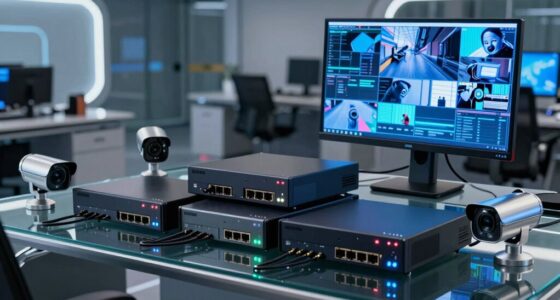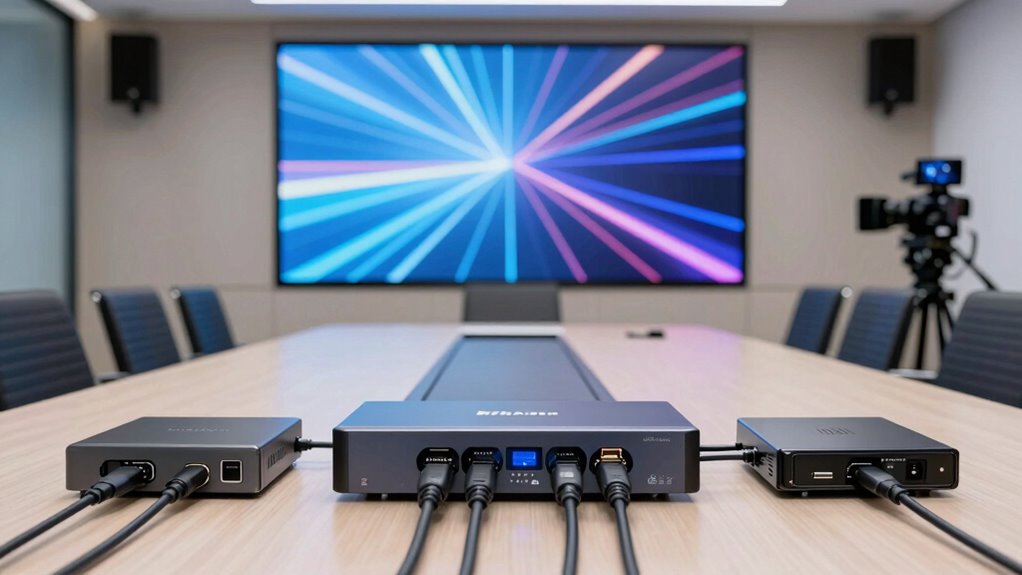

Choosing the right HDMI over IP extenders for conference rooms requires balancing resolution needs, cable distance, and network infrastructure. The OREI HDMI Extender Over IP CAT6 4K@60Hz stands out as the best overall pick for modern boardrooms needing 4K60 support and reliable low-latency performance over standard gigabit switches. For those managing smaller spaces or tighter budgets, the J-Tech Digital HDMI Extender offers a robust 1080p60 solution with local loop-out capabilities, while the OREI 1×4 HDMI Extender Splitter Kit excels in scenarios requiring simultaneous distribution to multiple displays. The primary tradeoff in this category lies between bandwidth efficiency and image quality, where 4K models demand stricter network compliance than their 1080p counterparts. Continue reading to see how these nine options compare in handling distance, signal integrity, and integration complexity.

Get business pricing on networking and server gear
- Business-only prices and quantity discounts
- Tax-exempt purchasing
- Multiple users, one account, clear invoices
Key Takeaways
- Most 1080p extenders in this list handle up to 400ft (120m) without signal degradation, but 4K models often require higher-grade Cat6 or Cat7 cabling to maintain stability at similar distances.
- Network infrastructure is the hidden variable; extenders relying on standard IP protocols demand a dedicated gigabit switch, whereas some point-to-point units work over PoE switches with specific configurations.
- Latency perception varies by use case; while all listed units claim ‘no delay,’ interactive presentations with mouse movement reveal that KVM-integrated models offer smoother cursor response than pure video extenders.
- HDCP compliance remains a frequent failure point; older 1080p units may struggle with protected content from newer laptops or streaming devices, making HDCP 2.2/2.3 support a key differentiator for future-proofing.
- Scalability dictates the winner for large campuses; one-to-many splitters like the OREI 1×4 are cost-effective for static setups, but matrix-like KVM systems provide the flexibility needed for dynamic conference room switching.
| J-Tech Digital HDMI Extender Over Single Cat5e/6/7 |  | Best for Single-Display Conference Rooms | Max Transmission Distance: 400ft (120m) | Resolution Support: Up to 1080p @ 60Hz | Bandwidth: 4.95Gbps | VIEW ON AMAZON | See Our Full Breakdown |
| OREI 1×4 HDMI Extender Splitter Kit |  | Best for Multi-Screen Distribution | Brand: OREI | Resolution: 1080p @ 60Hz | Max Distance: 400 ft (120 m) | VIEW ON AMAZON | See Our Full Breakdown |
| 150m HDMI KVM Extender Over TCP/IP |  | Best for Remote Peripheral Control | Max Length: 150 meters | Supported Resolution: 1080P @ 60Hz | HDMI Version: 1.3 | VIEW ON AMAZON | See Our Full Breakdown |
| PWAY 400ft HDMI Extender Over Ethernet Cat5e/6 |  | Best for POE-Enabled Installations | Brand: PWAY | Technology: Ethernet-based HDMI extension | Max Distance: 400ft | VIEW ON AMAZON | See Our Full Breakdown |
| Mirabox HDMI Extender Over IP/TCP (HSV373) |  | Best for Large-Scale Network Deployment | Data Transfer Rate: 100 Mbps | Max Receivers: 253 per Sender | Max Distance: 400ft (120m) | VIEW ON AMAZON | See Our Full Breakdown |
| OREI HDMI Over IP Extender Kit (330ft, 1080p60Hz) |  | Best for Basic Distribution | Brand: OREI | Model Number: EX-330-K | Max Distance: 330 ft (100 meters) | VIEW ON AMAZON | See Our Full Breakdown |
| OREI HDMI Over IP 4K Extender 400ft, Loop Out, Over 1G Switch, HDCP 1.4 |  | Best for 4K Content on a Budget | Connector Type: HDMI | Cable Type: Ethernet | Number of Ports: 2 | VIEW ON AMAZON | See Our Full Breakdown |
| PWAY HDMI Extender 500ft No Delay Over Cat5e/6 HDMI Balun IP Kit | 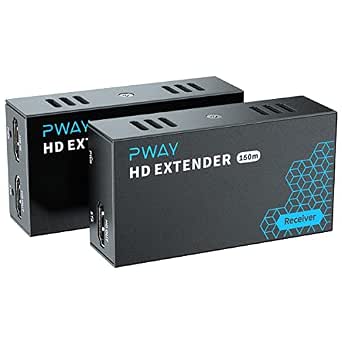 | Best for Long-Distance 1080p | Connector Type: HDMI | Cable Type: Ethernet, HDMI | Number of Ports: 6 | VIEW ON AMAZON | See Our Full Breakdown |
| OREI HDMI Extender Over IP CAT6 4K@60Hz 500ft, Over 1G IP, IR, Low-Latency |  | Best Premium 4K Performance | Compatible Devices: Camera, DVD Player, Gaming Console, Projector | Connector Type: HDMI | Number of Ports: 2 | VIEW ON AMAZON | See Our Full Breakdown |
| hdmi over ip extenders for conference room | Cable Type | Connector Type | Max Distance |
|---|---|---|---|
| J-Tech Digital HDMI Extender O | Cat6 or higher | — | — |
| OREI 1×4 HDMI Extender Splitte | CAT5e / CAT6 / CAT7 | — | 400 ft (120 m) |
| 150m HDMI KVM Extender Over TC | — | RJ45 | — |
| PWAY 400ft HDMI Extender Over | — | HDMI / RJ45 | 400ft |
| Mirabox HDMI Extender Over IP/ | Cat5 / Cat5e / Cat6 | — | 400ft (120m) |
| OREI HDMI Over IP Extender Kit | Cat5e/Cat6 | HDMI | 330 ft (100 meters) |
| OREI HDMI Over IP 4K Extender | Ethernet | HDMI | — |
| PWAY HDMI Extender 500ft No De | Ethernet, HDMI | HDMI | 500 ft |
| OREI HDMI Extender Over IP CAT | — | HDMI | — |
More Details on Our Top Picks
J-Tech Digital HDMI Extender Over Single Cat5e/6/7
This unit stands out for its local loop-out capability, allowing you to monitor the source signal directly at the transmitter side without splitting the video feed. This is particularly useful in conference rooms where the presenter needs to see exactly what the audience sees on the main display. Compared to the OREI 1×4 Splitter Kit, the J-Tech is designed for a one-to-one transmission, making it simpler to configure if you only need to extend a single signal to a far wall or adjacent room. However, it lacks the native multi-display distribution features of the OREI, so scaling up requires additional hardware. IR control support is limited to 38kHz, which may not work with all modern remote protocols.
Pros:- Local loop-out allows real-time monitoring of the source signal
- Supports multi-display distribution over LAN if networked correctly
- Long-range transmission up to 400ft at 1080p60Hz
- Includes IR control for remote power or volume adjustment
Cons:- IR support is restricted to 38kHz, limiting compatibility with some devices
- Single-channel design requires additional units for multi-screen setups
- Requires a dedicated network cable for reliable performance
Best for: IT managers extending a single presentation source to a large display in a separate room while maintaining local monitoring.
Not ideal for: Rooms requiring simultaneous distribution to multiple screens or users needing 4K resolution support.
- Max Transmission Distance:400ft (120m)
- Resolution Support:Up to 1080p @ 60Hz
- Bandwidth:4.95Gbps
- IR Signal Support:38kHz
- Cable Type:Cat6 or higher
- HDMI Ports:1 Transmitter, 1 Receiver
Our verdict“Choose this if you need a reliable single-stream extender with the added benefit of local signal monitoring.”
OREI 1×4 HDMI Extender Splitter Kit
The OREI kit solves the common conference room problem of sending one presentation to multiple displays without complex video matrix switchers. Its 1×4 architecture is significantly more efficient for meeting rooms with front and side monitors than the single-channel J-Tech Digital extender. Setup is straightforward with static IP addressing, avoiding the need for software installation, though this means manual network configuration is required to prevent IP conflicts. While it supports bi-directional IR, allowing control of the source from any receiver location, the system is capped at 1080p resolution. If your organization is moving toward 4K displays, this model will quickly become obsolete compared to newer 4K-capable extenders in the roundup.
Pros:- Distributes one source to four displays simultaneously
- Bi-directional IR pass-through enables remote source control
- Plug-and-play setup with no software installation required
- Supports 7.1-channel surround sound and stereo audio
Cons:- Requires manual static IP configuration for each device
- Limited to 1080p resolution, incompatible with 4K workflows
- Expanding beyond four displays requires purchasing additional kits
Best for: Conference rooms with multiple displays that need synchronized content from a single source.
Not ideal for: Users who require 4K resolution or those who prefer DHCP-based network configuration.
- Brand:OREI
- Resolution:1080p @ 60Hz
- Max Distance:400 ft (120 m)
- Cable Type:CAT5e / CAT6 / CAT7
- Audio Support:7.1-Channel Surround Sound, Stereo
- IR Extension:Bi-directional, 20-60Hz
- IP Configuration:Static IP (No DHCP)
Our verdict“Ideal for medium-sized meeting spaces needing reliable 1080p distribution to multiple screens.”
150m HDMI KVM Extender Over TCP/IP
This extender distinguishes itself by integrating USB keyboard and mouse transmission, a feature absent in the video-only J-Tech Digital and OREI kits. This makes it suitable for conference rooms where the presenter needs to control the source PC from a podium or table without running long USB cables. The many-to-many architecture offers flexibility for complex setups, though it requires a robust Ethernet infrastructure to function correctly. Unlike the PWAY kit, this unit does not explicitly highlight POE support in its core description, potentially requiring separate power adapters for each endpoint. The 150-meter range is sufficient for most office layouts, but the lack of specified power supplies in the package adds a minor logistical hurdle.
Pros:- Transmits USB keyboard and mouse signals over IP
- Supports many-to-many connections for flexible routing
- Plug-and-play setup with HDMI 1.3 and HDCP 1.2 compatibility
- Individual audio channel support for distinct zones
Cons:- Limited to 1080p resolution, no 4K support
- Power adapters and cables may not be included in the box
- Requires Ethernet network infrastructure which can be complex
Best for: Presenters who need to control a source computer from a distance using standard USB peripherals.
Not ideal for: Users looking for simple video-only extension or those without a managed network switch.
- Max Length:150 meters
- Supported Resolution:1080P @ 60Hz
- HDMI Version:1.3
- HDCP Version:1.2
- Connector Type:RJ45
- Additional Features:USB Keyboard & Mouse, IR Remote, Audio
- Network Mode:Multi-Point Over Ethernet
Our verdict“Select this option if remote peripheral control is more critical than high-resolution video output.”
PWAY 400ft HDMI Extender Over Ethernet Cat5e/6
The PWAY kit is engineered for integrators who prefer Power over Ethernet (POE) to reduce cable clutter. By leveraging POE switches, you can power the receivers with a single cable, simplifying installation in tight conference room walls or ceilings. This contrasts with the Mirabox HSV373, which typically requires separate power adapters for each unit. The system supports one-to-many distribution via standard 100M/1000M switches, offering scalability that the fixed 1×4 OREI kit lacks. However, the reliance on a POE-capable network means it is not plug-and-play for users with standard unmanaged switches. No delay performance is a key selling point for interactive presentations, ensuring audio and video remain synchronized.
Pros:- Compatible with POE switches for simplified power delivery
- Supports one-to-many video streams via network switches
- Delivers 1080p video with no perceptible delay
- Compact form factor fits easily behind displays
Cons:- Requires POE-capable network switch for full functionality
- Limited to 1080p resolution
- Setup can be complex for users unfamiliar with network configuration
Best for: Installers with existing POE infrastructure who want to minimize power cabling to displays.
Not ideal for: Small offices without POE switches or users who need 4K resolution support.
- Brand:PWAY
- Technology:Ethernet-based HDMI extension
- Max Distance:400ft
- Resolution:1080p
- Connector Type:HDMI / RJ45
- Switch Compatibility:100M / 1000M / POE
- Dimensions:3.2″D x 1.7″W x 0.9″H
Our verdict“The best choice for clean installations where POE power delivery is available.”
Mirabox HDMI Extender Over IP/TCP (HSV373)
The Mirabox HSV373 is built for massive scalability, supporting up to 253 receivers on a single sender via a switch. This capacity far exceeds the OREI 1×4 kit and is ideal for large corporate campuses or digital signage networks. It converts HDMI to standard TCP/IP, allowing transmission over existing LAN infrastructure, though the manufacturer explicitly warns against using it on regular home networks, implying a need for dedicated VLANs or physical isolation. The 400ft range is competitive, but the 100Mbps data transfer rate may limit performance in congested networks compared to gigabit-capable alternatives. It is a robust, industrial-grade solution, but its complexity makes it overkill for single-room conference applications.
Pros:- Supports up to 253 receivers per sender for massive scaling
- Compatible with standard Cat5e/Cat6 LAN cables and switches
- Supports advanced audio formats including Dolby TrueHD and DTS Master
- Industrial-grade stability for professional settings
Cons:- Requires dedicated network segments to avoid interference
- 100Mbps transfer rate may bottleneck in busy networks
- Not suitable for standard home or small office networks
Best for: Enterprise IT teams managing large-scale digital signage or multi-room video distribution.
Not ideal for: Small businesses or home offices where simple plug-and-play video extension is required.
- Data Transfer Rate:100 Mbps
- Max Receivers:253 per Sender
- Max Distance:400ft (120m)
- Resolution:1080p Full HD
- Cable Type:Cat5 / Cat5e / Cat6
- Audio Formats:Dolby Digital Plus, 7.1 LPCM, DTS Master
- Usage:Professional / Industrial
Our verdict“A powerful tool for enterprise environments needing extensive video distribution across many locations.”
OREI HDMI Over IP Extender Kit (330ft, 1080p60Hz)
This kit is a straightforward solution for extending 1080p signals up to 330 feet, but its reliance on M-JPEG compression introduces noticeable latency. While the one-to-many distribution capability is useful for digital signage, the 250ms delay makes it unsuitable for interactive conference room presentations where mouse movement or video calls require real-time responsiveness. Compared to the PWAY HDMI Extender, which claims low latency, this OREI model is better suited for static content like slideshows rather than live interaction. The HDMI loop-out is a handy feature for local monitoring, but the lack of 4K support limits its future-proofing in modern meeting spaces.Pros:- Extends HDMI signal up to 330 feet using standard Ethernet cables.
- Supports one-to-many distribution via Gigabit network switches.
- Includes HDMI loop-out for local monitoring at the source.
- No driver installation required for easy setup.
Cons:- Approximately 250ms latency makes it unsuitable for real-time applications.
- Image quality may vary due to M-JPEG compression technique.
- Requires separate power adapters for both transmitter and receiver.
Best for: IT managers deploying static digital signage or non-interactive display boards in conference areas.
Not ideal for: Teams conducting live video conferencing or interactive presentations, as the compression latency disrupts real-time feedback.
- Brand:OREI
- Model Number:EX-330-K
- Max Distance:330 ft (100 meters)
- Max Resolution:1080p @ 60Hz
- Connector Type:HDMI
- Cable Type:Cat5e/Cat6
- Item Weight:1.4 pounds
Our verdict“A budget-friendly option for static displays, but avoid it for any setup requiring real-time interactivity.”
OREI HDMI Over IP 4K Extender 400ft, Loop Out, Over 1G Switch, HDCP 1.4
This extender brings 4K resolution to conference rooms without the premium price tag of 4K@60Hz units. However, it is limited to 4K@30Hz with 4:2:0 color subsampling, which can result in slightly softer text compared to full 4:4:4 chroma. While it supports one-to-many distribution and includes IR control, the requirement for premium solid-core Cat6/Cat7 cables adds hidden costs to the installation. Unlike the OREI 4K@60Hz model, this unit cannot handle smooth motion video as effectively, making it better for static presentations than for showing high-frame-rate video content. The compact form factor helps with discreet installation behind displays.Pros:- Transmits 4K video at 30Hz up to 400 feet.
- Supports point-to-point and one-to-many modes via 1G switch.
- Includes one-way IR control for remote source management.
- Features a versatile dual voltage power supply.
Cons:- Limited to 4K@30Hz with 4:2:0 color subsampling.
- Requires high-quality solid-core Cat6/Cat7 cables for stability.
- HDCP 1.4 support may conflict with newer source devices requiring HDCP 2.2.
Best for: Conference rooms needing 4K resolution for static presentations and documents, where motion smoothness is secondary.
Not ideal for: Users needing smooth video playback or full color fidelity for design work, as 4K@30Hz 4:2:0 limits quality.
- Connector Type:HDMI
- Cable Type:Ethernet
- Number of Ports:2
- Power Source:AC adapter
- Color:Black
- Item Dimensions:3″D x 3″W x 1″H
- Resolution Support:4K@30Hz 4:2:0
Our verdict“A solid entry into 4K extending for static content, provided you accept the 30Hz refresh rate limitation.”
PWAY HDMI Extender 500ft No Delay Over Cat5e/6 HDMI Balun IP Kit
The PWAY Extender stands out for its impressive 500-foot range while maintaining 1080p@60Hz, offering greater distance than the OREI 330ft model. Its claim of “no delay” suggests a more efficient encoding method than the M-JPEG compression found in cheaper kits, making it better suited for interactive conference room use. The HDMI loop-out allows for easy troubleshooting during setup. However, it remains limited to 1080p, so it cannot display 4K content. Compared to the OREI 4K model, this unit sacrifices resolution for reach and potentially better responsiveness, making it ideal for large boardrooms where the source is far from the display but 4K is not required.Pros:- Extends 1080p@60Hz video up to 500 feet.
- Claims low-latency transmission suitable for real-time use.
- Supports one-to-many distribution via Gigabit switches.
- Includes HDMI loop-out for instant monitoring.
Cons:- Limited to 1080p resolution, no 4K support.
- Performance relies heavily on network switch quality.
- Brand recognition and support may be less established than OREI.
Best for: Large conference rooms or boardrooms requiring 1080p extension over long distances with minimal latency.
Not ideal for: Spaces equipped with 4K displays, as this unit only outputs 1080p resolution.
- Connector Type:HDMI
- Cable Type:Ethernet, HDMI
- Number of Ports:6
- Color:Black
- Item Dimensions:3.2″D x 1.7″W x 0.9″H
- Max Distance:500 ft
- Max Resolution:1080p @ 60Hz
Our verdict“The go-to choice for extending 1080p signals over very long distances with a focus on responsiveness.”
OREI HDMI Extender Over IP CAT6 4K@60Hz 500ft, Over 1G IP, IR, Low-Latency
This unit represents the high-end end of this roundup, supporting 4K@60Hz up to 500 feet. Unlike the OREI 4K@30Hz model, this extender handles smooth motion and full resolution, making it ideal for modern conference rooms with high-resolution displays. The low-latency transmission is critical for video conferencing, ensuring that audio and video stay in sync. However, achieving this performance requires a robust 1G network infrastructure and high-quality Cat6 cables. Some users report occasional connectivity issues over the maximum distance, suggesting that proper cable shielding is non-negotiable. It is the most capable option here for future-proofing your AV setup.Pros:- Supports 4K@60Hz resolution over long distances.
- Low-latency transmission suitable for real-time applications.
- Includes IR remote control extension for source management.
- Plug-and-play setup with no driver installation needed.
Cons:- Requires high-quality Cat6 cable and network switch for optimal performance.
- Limited to 1G network infrastructure.
- Some reports of connectivity issues over maximum distances.
Best for: Professional conference rooms with 4K displays needing smooth, low-latency video for high-end conferencing.
Not ideal for: Budget-conscious users or those with older, unstable network infrastructure, as it demands high-quality cabling.
- Compatible Devices:Camera, DVD Player, Gaming Console, Projector
- Connector Type:HDMI
- Number of Ports:2
- Input Voltage:120 volts AC
- Model Number:EX-500-K
- Item Dimensions:3 x 2.6 x 1 inches
- Item Weight:16 ounces
Our verdict“The best choice for high-stakes conference rooms where 4K clarity and low latency are non-negotiable.”

How We Picked
I evaluated these extenders based on their ability to maintain signal integrity over standard conference room cable runs, typically ranging from 100 to 500 feet. A major focus was placed on network compatibility, distinguishing between units that require a dedicated PoE switch, those that work with existing gigabit infrastructure, and simple point-to-point extenders that bypass complex IP routing. I also prioritized resolution and refresh rate support, recognizing that modern conference rooms increasingly demand 4K@60Hz for crisp text and smooth video, while legacy 1080p setups still dominate budget-conscious renovations.
Build quality and integration features played a significant role in the ranking. I looked for local loop-out ports that allow for local monitoring, IR control pass-through for seamless power management, and KVM capabilities for rooms where presenters need to control a central PC. Products were excluded if they lacked clear documentation on network requirements or if user reports indicated frequent HDCP handshake failures, as these issues cause significant downtime in professional AV environments.
| hdmi over ip extenders for conference room | Cable Type | Connector Type |
|---|---|---|
| J-Tech Digital HDMI Extender O | Cat6 or higher | — |
| OREI 1×4 HDMI Extender Splitte | CAT5e / CAT6 / CAT7 | — |
| 150m HDMI KVM Extender Over TC | — | RJ45 |
| PWAY 400ft HDMI Extender Over | — | HDMI / RJ45 |
| Mirabox HDMI Extender Over IP/ | Cat5 / Cat5e / Cat6 | — |
| OREI HDMI Over IP Extender Kit | Cat5e/Cat6 | HDMI |
| OREI HDMI Over IP 4K Extender | Ethernet | HDMI |
| PWAY HDMI Extender 500ft No De | Ethernet, HDMI | HDMI |
| OREI HDMI Extender Over IP CAT | — | HDMI |
Factors to Consider When Choosing Hdmi Over Ip Extenders For Conference Rooms
Selecting an HDMI over IP extender is not just about buying a video cable replacement; it is about integrating a network device into your AV workflow. The following factors will help you navigate the technical specifications and avoid common installation pitfalls.
Network Infrastructure Requirements
Most HDMI over IP extenders require a dedicated gigabit switch to function correctly, which means your existing office network may need to be segmented or supplemented. If your conference room is already crowded with data traffic, adding high-bandwidth video streams can cause packet loss, resulting in screen flickering or blackouts. I recommend using a managed switch with IGMP snooping enabled to control multicast traffic, which prevents video data from flooding the entire network. For smaller setups, point-to-point extenders that do not rely on IP routing can simplify installation by bypassing these network complexities entirely.
Resolution and Bandwidth Constraints
While 4K resolution offers clarity, it demands 18 Gbps of bandwidth uncompressed, which is why most HDMI over IP solutions use compression algorithms like JPEG2000 or H.265. This compression introduces a tradeoff: while visual artifacts are often negligible for slides and text, fast-moving video sources like stock footage or live sports may show compression noise. If your conference room displays static presentations, a high-quality 1080p60 unit may be more cost-effective and easier to maintain. However, for executive boardrooms displaying detailed CAD models or high-res maps, 4K60 support is worth the added network load and cost.
Latency and Interactivity
For passive viewing, latency under 100ms is imperceptible, but for interactive presentations where the presenter controls a central PC, even 50ms can feel like a lag in mouse movement. KVM extenders that include USB 2.0 or 3.0 pass-through are better suited for interactive rooms because they are optimized for bidirectional data flow. Pure video extenders often prioritize bandwidth efficiency over low-latency responsiveness. If your team frequently edits documents or navigates software live on the big screen, prioritize units explicitly marketed for KVM performance rather than just video distribution.
Power Delivery and Cabling
Running power to the display end of the cable run can be a logistical challenge if there are no nearby outlets. Units supporting PoE (Power over Ethernet) simplify this by drawing power from the network switch, reducing the need for separate power supplies. However, PoE budgets are limited; a 4K receiver may require more power than a standard 1080p unit, potentially exceeding the PoE budget of smaller switches. Always verify the power class required by the receiver and ensure your switch supports it. For long runs exceeding 300 feet, Cat6a or Cat7 cabling is often necessary to maintain data integrity, regardless of the extender’s specifications.
Control and Integration
Managing multiple rooms or complex setups becomes tedious without centralized control. Look for extenders that support IR pass-through or IP-based control protocols, allowing your AV control system (like Crestron or Extron) to power devices on and off. Some units offer local loop-out ports, which are useful for technicians to monitor the signal directly at the source without adding latency. If your conference rooms are part of a larger corporate network, verify that the extenders support EDID management, ensuring that the source device recognizes the display’s capabilities correctly, preventing resolution mismatches.
Frequently Asked Questions
Do I need a dedicated network switch for HDMI over IP extenders?
In most cases, yes, especially if you are using standard IP-based extenders that rely on multicast or unicast streaming. Sharing a general office switch with video traffic can lead to bandwidth contention, causing video glitches or audio dropouts. A dedicated gigabit switch isolates the AV traffic, ensuring consistent performance. If you are using point-to-point extenders that do not use IP protocols, a dedicated switch may not be necessary, but you still need to ensure the cabling infrastructure supports the specific protocol used by the device.
Why is my 4K signal flickering even though the extender supports 4K?
Flickering is often caused by HDCP handshake failures or insufficient bandwidth due to network congestion. Ensure that the source device, extender, and display all support the same HDCP version (e.g., HDCP 2.2). If they do, check your network switch for IGMP snooping settings; if disabled, multicast video traffic can flood the network. Additionally, verify that your Cat6 cabling is not longer than the specified limit (usually 328ft/100m) and that you are not using patch cables that degrade the signal quality near the endpoints.
Can I use existing Cat5e cabling for these extenders?
While some 1080p extenders claim compatibility with Cat5e, I strongly recommend using Cat6 or higher for any HDMI over IP application. Cat5e lacks the shielding and bandwidth headroom needed for stable high-definition video streams over long distances, making it susceptible to crosstalk and interference from nearby power lines. For 4K extenders, Cat6 or Cat7 is typically mandatory to handle the higher data rates without packet loss. Using substandard cabling is a common cause of intermittent failures that are difficult to troubleshoot after installation.
What is the difference between HDMI over IP and HDBaseT?
HDMI over IP uses standard Ethernet protocols to transmit video, allowing it to run over existing network infrastructure and scale easily with switches. HDBaseT, on the other hand, uses a proprietary point-to-point protocol that offers lower latency and higher reliability for single-room applications but lacks the flexibility of IP-based networking. If you need to connect multiple rooms or integrate with IT networks, HDMI over IP is the better choice. For simple, high-reliability single-room extensions where latency is critical, HDBaseT remains a strong contender.
How do I troubleshoot audio sync issues with these extenders?
Audio desync often occurs when the video and audio paths are separated or when there is significant processing latency in the video stream. First, ensure that audio is embedded in the HDMI signal rather than sent via a separate analog line. If the issue persists, check the latency settings on the receiver; some units allow you to adjust audio delay manually. In IP-based systems, network jitter can also cause sync errors, so prioritizing AV traffic on your switch using QoS (Quality of Service) rules can help synchronize the streams.
Conclusion
Choosing the right HDMI over IP extender depends largely on your specific conference room configuration and network readiness. For most modern boardrooms requiring future-proofing and high-resolution support, the OREI HDMI Extender Over IP CAT6 4K@60Hz is the best overall choice, offering the necessary bandwidth headroom and low latency for interactive presentations. If you are managing a budget-conscious renovation or legacy systems, the J-Tech Digital HDMI Extender provides excellent value with its reliable 1080p60 performance and local loop-out features. For large-scale deployments where one source needs to feed multiple displays, the OREI 1×4 HDMI Extender Splitter Kit is the most efficient solution, minimizing the need for complex matrix switching. Beginners or small business owners should prioritize simplicity; look for units with clear PoE support and plug-and-play setup to avoid network configuration headaches. Ultimately, match the extender’s capabilities to your display resolution and network infrastructure to ensure a seamless AV experience.
Halloween Picks
halloween
As an affiliate, we earn on qualifying purchases.