Choosing the right high port count PoE switch determines whether your security cameras and access points run reliably or suffer from power starvation. The YuanLey 48 Port Gigabit PoE Switch stands out as the best overall choice for large deployments, offering an impressive 800W power budget and dual SFP uplinks without the complexity of managed software. For those needing future-proof speed, the GigaPlus 18-Port Unmanaged PoE Ethernet Switch is a standout for its 2.5G and 10G ports, though it serves a different scale than the 48-port giants. The primary tradeoff in this category is between raw port density and power management; unmanaged switches offer plug-and-play simplicity but lack the granular control needed to prevent overload on mixed-device networks. I recommend continuing to read to see how these models stack up against specific use cases like rackmount server rooms, small office security systems, and high-bandwidth surveillance setups.

Get business pricing on networking and server gear
- Business-only prices and quantity discounts
- Tax-exempt purchasing
- Multiple users, one account, clear invoices
Key Takeaways
- Power budget is the most critical differentiator; the 800W models support far more high-draw devices (like PTZ cameras) than the 250W-400W mid-range options.
- Unmanaged switches dominate the high-port-count market for simplicity, but the NETGEAR managed options provide necessary VLAN isolation for larger corporate networks.
- The emergence of 2.5G and 10G uplinks in unmanaged switches (like GigaPlus) signals a shift toward supporting Wi-Fi 6E and 7 access points without requiring fully managed infrastructure.
- Rackmount form factors are standard for 24+ port models, but fanless designs are increasingly available, reducing noise in office environments despite the high power draw.
- SFP slots have become a baseline expectation for 24+ port switches, allowing fiber uplinks to overcome copper distance limitations in large buildings.
| YuanLey 48 Port Gigabit PoE Switch Unmanaged with 2 SFP Uplink |  | Best for High-Density Deployments | Port Count: 50 Total (48 PoE+) | PoE Power Budget: 800W | Data Transfer Rate: 1000 Mbps (Gigabit) | VIEW ON AMAZON | See Our Full Breakdown |
| Tenda 28 Port Gigabit PoE Switch with 24 PoE+ Ports |  | Best Balanced Performance | Port Count: 28 Total (24 PoE+) | PoE Power Budget: 410W | Data Transfer Rate: 1000 Mbps | VIEW ON AMAZON | See Our Full Breakdown |
| MokerLink 24 Port PoE Switch with 2 Gigabit Uplink Ports | 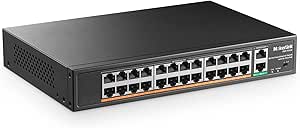 | Best Budget Value | Port Count: 26 Total (24 PoE) | PoE Power Budget: 400W | Data Transfer Rate: 100 Mbps (PoE Ports) | VIEW ON AMAZON | See Our Full Breakdown |
| YuanLey 16 Port PoE Switch with 2 Gigabit Uplink |  | Best Compact Solution | Port Count: 18 Total (16 PoE+) | PoE Power Budget: 250W | Data Transfer Rate: 100 Mbps (PoE Ports) | VIEW ON AMAZON | See Our Full Breakdown |
| NETGEAR 24-Port PoE Gigabit Ethernet Unmanaged Network Switch (GS324P) |  | Best for Silent Office Use | Port Count: 24 Total (16 PoE+) | PoE Power Budget: 190W | Data Transfer Rate: 1000 Mbps | VIEW ON AMAZON | See Our Full Breakdown |
| UGREEN Ethernet Switch, 10-Port PoE Switch, 8 PoE+ @ 60W + 2 Gigabit Uplink |  | Best for Small Home Offices | Port Count: 10 Ports (8 PoE+) | PoE Power Budget: 60W | Uplink Ports: 2 Gigabit RJ45 | VIEW ON AMAZON | See Our Full Breakdown |
| 48 Port Gigabit PoE+ Switch with 2 SFP Uplink Unmanaged , 800W Power Budget |  | Best High-Capacity Value | Port Count: 48 PoE+ Gigabit Ports | PoE Power Budget: 800W | Uplink Ports: 2 SFP Gigabit | VIEW ON AMAZON | See Our Full Breakdown |
| TP-Link TL-SG1218MP 16-Port Gigabit PoE Switch |  | Best Mid-Size Prosumer Choice | Port Count: 16 PoE+ Gigabit Ports | PoE Power Budget: 250W | Uplink Ports: 2 Combo SFP/Gigabit RJ45 | VIEW ON AMAZON | See Our Full Breakdown |
| GigaPlus 18-Port Unmanaged PoE Ethernet Switch with 16x 2.5G Ports and 2x 10G Uplinks |  | Best for Future-Proof Speeds | Port Count: 16x 2.5G PoE + 2x 10G Uplink | Switching Capacity: 120 Gbps | Cooling: Fanless | VIEW ON AMAZON | See Our Full Breakdown |
| NETGEAR GS724TP 24-Port PoE+ Gigabit Ethernet Smart Managed Switch |  | Best Smart Managed Option | Port Count: 24 Gigabit PoE+ | PoE Power Budget: 190W | Management Type: Smart Managed (Web/Cloud) | VIEW ON AMAZON | See Our Full Breakdown |
| TP-Link TL-SG116P 16-Port Gigabit PoE Switch |  | Best Compact Gigabit PoE | Port Count: 16 | PoE Standard: 802.3at/af | Power per Port: 30W | VIEW ON AMAZON | See Our Full Breakdown |
| 24-Port PoE Switch with 2 Gigabit Ethernet Uplinks, 400W Power, Fanless, Unmanaged Rackmount |  | Best High-Power Budget on a Budget | Port Count: 24 PoE + 2 Uplink | Total Power Budget: 400W | PoE Speed: 10/100 Mbps | VIEW ON AMAZON | See Our Full Breakdown |
| NETGEAR 26-Port PoE Gigabit Ethernet Smart Managed Network Switch (GS724TP) |  | Best Managed PoE Switch | Port Count: 24 PoE + 2 SFP | Total Power Budget: 190W | Port Speed: 1 Gbps | VIEW ON AMAZON | See Our Full Breakdown |
| TRENDnet 26-Port Gigabit PoE+ Switch (TPE‑TG262) |  | Best Enterprise-Grade Unmanaged | Port Count: 24 PoE + 2 SFP | Total Power Budget: 380W | Port Speed: 1 Gbps | VIEW ON AMAZON | See Our Full Breakdown |
| high port countpoe switch | Port Count | PoE Power Budget | Uplink Ports | Management Type |
|---|---|---|---|---|
| YuanLey 48 Port Gigabit PoE Sw | 50 Total (48 PoE+) | 800W | 2 SFP Slots | Unmanaged |
| Tenda 28 Port Gigabit PoE Swit | 28 Total (24 PoE+) | 410W | 2 Gigabit + 2 SFP | Unmanaged with Hardware Toggles |
| MokerLink 24 Port PoE Switch w | 26 Total (24 PoE) | 400W | 2 Gigabit | Unmanaged |
| YuanLey 16 Port PoE Switch wit | 18 Total (16 PoE+) | 250W | 2 Gigabit | — |
| NETGEAR 24-Port PoE Gigabit Et | 24 Total (16 PoE+) | 190W | — | Unmanaged |
| UGREEN Ethernet Switch | 10 Ports (8 PoE+) | 60W | 2 Gigabit RJ45 | Unmanaged (with VLAN/Extend modes) |
| 48 Port Gigabit PoE+ Switch wi | 48 PoE+ Gigabit Ports | 800W | 2 SFP Gigabit | — |
| TP-Link TL-SG1218MP 16-Port Gi | 16 PoE+ Gigabit Ports | 250W | 2 Combo SFP/Gigabit RJ45 | — |
| GigaPlus 18-Port Unmanaged PoE | 16x 2.5G PoE + 2x 10G Uplink | — | — | — |
| NETGEAR GS724TP 24-Port PoE+ G | 24 Gigabit PoE+ | 190W | 2 SFP Gigabit | Smart Managed (Web/Cloud) |
| TP-Link TL-SG116P 16-Port Giga | 16 | — | — | — |
| 24-Port PoE Switch with 2 Giga | 24 PoE + 2 Uplink | — | — | — |
| NETGEAR 26-Port PoE Gigabit Et | 24 PoE + 2 SFP | — | — | Smart Managed |
| TRENDnet 26-Port Gigabit PoE+ | 24 PoE + 2 SFP | — | — | — |
More Details on Our Top Picks
YuanLey 48 Port Gigabit PoE Switch Unmanaged with 2 SFP Uplink
This switch stands out for its massive port density and 800W power budget, making it the clear choice for installations requiring more than 24 powered devices. Unlike the Tenda 28 Port or MokerLink 24 Port options, this model supports full Gigabit speeds on all PoE ports, ensuring no bottlenecks for bandwidth-heavy cameras or access points. The inclusion of two SFP uplinks allows for flexible fiber connectivity, which is often lacking in budget-focused alternatives. However, the tradeoff is its physical footprint and weight; at nearly 5 kg, it demands a sturdy rack setup. It is an unmanaged device, so users needing VLAN tagging or QoS configuration beyond simple isolation will find it limiting compared to managed switches.Pros:- 48 PoE+ ports provide high density
- 800W power budget supports numerous devices
- Full Gigabit speed on all PoE ports
- Two SFP slots for fiber uplink flexibility
Cons:- Large physical footprint requires significant rack space
- Unmanaged design lacks advanced configuration options
- Heavy weight may require reinforced mounting
Best for: IT managers deploying large surveillance systems or dense Wi-Fi networks needing 48 powered ports without individual port management.
Not ideal for: Small offices or home labs where 48 ports are excessive and rack space is limited.
- Port Count:50 Total (48 PoE+)
- PoE Power Budget:800W
- Data Transfer Rate:1000 Mbps (Gigabit)
- Uplink Ports:2 SFP Slots
- Case Material:Metal
- Weight:4.66 kg
- Management Type:Unmanaged
Our verdict“This is the go-to solution for large-scale deployments requiring maximum port count and high power capacity in a single unit.”
Tenda 28 Port Gigabit PoE Switch with 24 PoE+ Ports
The Tenda 28 Port switch occupies a sweet spot between capacity and control, offering 24 PoE+ ports with a 410W power budget. Compared to the MokerLink 24 Port, this Tenda model delivers Gigabit speeds on PoE ports, which is critical for modern high-resolution IP cameras. It also includes one-key VLAN and Extend modes, providing a level of traffic isolation and distance extension that purely plug-and-play switches lack. While it lacks the full management suite of a web-managed switch, these hardware toggles make it more versatile for mixed networks. The main drawback is its size; it is bulkier than the YuanLey 16 Port option, and the lack of a web interface means troubleshooting requires manual port isolation rather than software diagnostics.Pros:- Gigabit PoE+ ports ensure high-speed data
- 410W budget supports multiple high-power devices
- Hardware-based VLAN and Extend modes
- Two SFP slots for fiber uplink options
Cons:- No web-based management interface
- Larger chassis than 16-port alternatives
- Limited troubleshooting visibility
Best for: Small to medium businesses needing Gigabit PoE performance and basic traffic isolation without the complexity of a managed switch.
Not ideal for: Users who require remote management, detailed port statistics, or complex VLAN configurations via software.
- Port Count:28 Total (24 PoE+)
- PoE Power Budget:410W
- Data Transfer Rate:1000 Mbps
- Uplink Ports:2 Gigabit + 2 SFP
- Lightning Protection:6 kV
- Case Material:Metal
- Management Type:Unmanaged with Hardware Toggles
Our verdict“This switch offers the best balance of Gigabit performance, power capacity, and simple hardware controls for mid-sized networks.”
MokerLink 24 Port PoE Switch with 2 Gigabit Uplink Ports
For buyers prioritizing cost over speed, the MokerLink 24 Port switch provides a 400W power budget across 24 ports at a lower entry point. However, this value comes with a significant compromise: the PoE ports are 10/100 Mbps only, unlike the Tenda 28 Port or NETGEAR GS324P, which offer Gigabit connectivity. This makes it suitable for standard definition cameras or basic IoT devices but problematic for 4K video streams. The extend mode is a useful feature for pushing signals beyond 100 meters, a capability often missing in premium switches. It is a purely unmanaged device, so users get no visibility into traffic flow or power usage per port, requiring a simpler network topology to function effectively.Pros:- High 400W power budget for its class
- Extend mode supports longer cable runs
- Durable metal housing for industrial use
- Cost-effective for large port counts
Cons:- PoE ports limited to 10/100 Mbps
- No management or monitoring capabilities
- Not suitable for high-bandwidth devices
Best for: Budget-conscious installers deploying basic IP cameras or non-bandwidth-intensive devices where Gigabit speeds are not required.
Not ideal for: Networks with high-bandwidth applications like 4K security cameras or large file transfers that require Gigabit PoE.
- Port Count:26 Total (24 PoE)
- PoE Power Budget:400W
- Data Transfer Rate:100 Mbps (PoE Ports)
- Uplink Ports:2 Gigabit
- Case Material:Metal
- Management Type:Unmanaged
- Standards:IEEE 802.3af/at
Our verdict“This is a solid value option for basic surveillance setups where data speed is less critical than port quantity and power.”
YuanLey 16 Port PoE Switch with 2 Gigabit Uplink
The YuanLey 16 Port switch is designed for smaller spaces, offering a compact form factor that fits easily on shelves or in small racks. With a 250W power budget and VLAN isolation via hardware toggles, it provides more security features than the NETGEAR GS324P, which lacks isolation capabilities. However, like the MokerLink, its PoE ports are limited to 10/100 Mbps, restricting it from high-performance applications. The 250-meter extend mode is a standout feature for large property surveillance, allowing longer runs than standard Ethernet. It is a lighter and less imposing option than the 24-port models, making it ideal for desktop or wall-mount installations where a full rack unit is unnecessary.Pros:- Compact size fits small spaces
- VLAN isolation enhances network security
- Extend mode supports 250m transmission
- Lightweight and easy to install
Cons:- PoE ports limited to 10/100 Mbps
- Lower power budget than 24-port models
- No web-based management interface
Best for: Home users or small offices needing secure, isolated PoE connections for up to 16 devices in a compact footprint.
Not ideal for: High-performance networks requiring Gigabit PoE speeds or more than 16 powered devices.
- Port Count:18 Total (16 PoE+)
- PoE Power Budget:250W
- Data Transfer Rate:100 Mbps (PoE Ports)
- Uplink Ports:2 Gigabit
- Max Transmission Range:250 Meters
- Case Material:Metal
- Weight:1.89 kg
Our verdict“This switch is the ideal choice for small, secure networks where space is limited and basic isolation is needed.”
NETGEAR 24-Port PoE Gigabit Ethernet Unmanaged Network Switch (GS324P)
The NETGEAR GS324P distinguishes itself with a fanless design, ensuring silent operation suitable for office environments where noise is a concern. Unlike the industrial-focused MokerLink or YuanLey models, this switch prioritizes a sleek aesthetic and quiet performance. It offers 16 PoE+ ports with a 190W budget, which is lower than the Tenda 28 Port’s 410W, limiting the number of high-power devices it can support simultaneously. However, all ports are Gigabit capable, guaranteeing fast data throughput for connected devices. The tradeoff is the lack of extend mode or VLAN isolation, features found in competitors like the YuanLey 16 Port. It is a premium-feeling device that sacrifices raw power capacity for reliability and silence.Pros:- Fanless design ensures silent operation
- All ports support Gigabit speeds
- Reliable brand reputation for stability
- Flexible mounting options
Cons:- Lower 190W power budget
- Only 16 PoE ports available
- No extend mode or VLAN isolation
Best for: Office environments requiring silent, reliable Gigabit PoE connectivity for up to 16 devices without rack mounting.
Not ideal for: Large surveillance deployments needing more than 16 PoE ports or high power budgets for PTZ cameras.
- Port Count:24 Total (16 PoE+)
- PoE Power Budget:190W
- Data Transfer Rate:1000 Mbps
- Cooling:Fanless
- Case Material:Metal
- Weight:5.4 lbs
- Management Type:Unmanaged
Our verdict“This switch is best suited for quiet office settings where silent, high-speed connectivity is prioritized over maximum port density.”
UGREEN Ethernet Switch, 10-Port PoE Switch, 8 PoE+ @ 60W + 2 Gigabit Uplink
This compact switch stands out for its plug-and-play simplicity and intelligent power management, making it a solid choice for users who need to connect a handful of cameras or access points without configuring complex settings. Compared to the TP-Link TL-SG1218MP, the UGREEN unit offers significantly less total power (60W vs. 250W), which means it cannot support high-demand devices like PTZ cameras across all ports simultaneously. However, its auto-recovery feature is a practical advantage for home users who want devices to reboot automatically if a camera freezes, a feature often missing in basic unmanaged switches. The metal casing helps with heat dissipation, but the limited port count makes it unsuitable for growing networks. It is best viewed as a starter kit for basic surveillance setups where power draw is low and predictable.Pros:- Auto-recovery feature automatically restarts PoE devices if they stop responding.
- Compact metal design fits easily on a desk or shelf without taking up rack space.
- VLAN and extend modes allow for basic network segmentation and longer cable runs.
Cons:- Total power budget of 60W restricts simultaneous use of high-power devices.
- Limited to 10 ports, which offers little room for network expansion.
- Lacks advanced management features found in smart switches.
Best for: Home users or small offices needing to power 4-6 low-wattage IP cameras or VoIP phones without IT support.
Not ideal for: Users with multiple high-power PTZ cameras or enterprise needs, as the 60W budget will be exhausted quickly.
- Port Count:10 Ports (8 PoE+)
- PoE Power Budget:60W
- Uplink Ports:2 Gigabit RJ45
- Management Type:Unmanaged (with VLAN/Extend modes)
- Case Material:Metal
- Warranty:24 Months
Our verdict“Ideal for small, static home networks where simplicity and automatic device recovery matter more than high power capacity.”
48 Port Gigabit PoE+ Switch with 2 SFP Uplink Unmanaged , 800W Power Budget
With 48 PoE+ ports and an 800W power budget, this switch delivers raw connectivity and power density that smaller options cannot match. It competes directly with other high-port-count units like the YuanLey 48 Port, offering similar port density but distinguishing itself with 4KV lightning protection and a robust industrial-grade fan. While the NETGEAR GS724TP offers superior software control, this VunLink model prioritizes hardware capacity and simplicity, making it a pragmatic choice for large surveillance deployments where remote management is less critical than raw port availability. The unmanaged nature means zero configuration, which is a huge plus for installers needing to deploy quickly. However, the fan noise may be a drawback in quiet office environments, and the lack of VLAN support limits traffic segmentation capabilities.Pros:- Massive 800W power budget supports up to 48 high-power PoE+ devices.
- 4KV lightning protection safeguards equipment in storm-prone areas.
- Rack-mountable design fits standard server cabinets easily.
- Plug-and-play operation requires no software configuration.
Cons:- Active cooling fans generate noise, unsuitable for quiet spaces.
- Unmanaged status prevents advanced network control and monitoring.
- Large physical footprint requires dedicated rack space.
Best for: Large-scale surveillance installations or warehouses needing to power dozens of cameras and access points with minimal setup.
Not ideal for: Quiet office environments or networks requiring detailed traffic monitoring and VLAN segmentation.
- Port Count:48 PoE+ Gigabit Ports
- PoE Power Budget:800W
- Uplink Ports:2 SFP Gigabit
- Switching Capacity:56 Gbps
- Surge Protection:4KV
- Mounting:19-inch Rack Mount
Our verdict“A high-value powerhouse for large networks that prioritize port density and power over software management features.”
TP-Link TL-SG1218MP 16-Port Gigabit PoE Switch
This switch strikes a balance between power and port count, offering 16 PoE+ ports and a 250W budget that comfortably handles mid-sized business needs. Unlike the UGREEN 10-Port, it provides significantly more headroom for adding cameras or access points later, and its QoS features help prioritize voice and video traffic, a benefit over purely unmanaged competitors like the MokerLink 24 Port. The combo SFP ports offer flexibility, allowing users to choose between copper or fiber uplinks depending on their distance requirements. While it lacks the deep management capabilities of the NETGEAR GS724TP, its plug-and-play setup combined with durable metal construction makes it a reliable workhorse for small to medium businesses. The main tradeoff is the lack of VLAN support, which limits network isolation options for security-conscious IT managers.Pros:- 250W power budget supports multiple high-power devices simultaneously.
- Combo SFP ports provide flexible uplink options (RJ45 or Fiber).
- QoS settings help prioritize critical traffic like VoIP and video.
- Durable metal casing ensures longevity in varied environments.
Cons:- No VLAN support limits network security and segmentation.
- Lacks remote management or monitoring capabilities.
- Fixed configuration may not suit complex enterprise networks.
Best for: Small businesses or advanced home users needing reliable power for 10-15 devices with basic traffic prioritization.
Not ideal for: Network administrators requiring VLAN segmentation or remote cloud management capabilities.
- Port Count:16 PoE+ Gigabit Ports
- PoE Power Budget:250W
- Uplink Ports:2 Combo SFP/Gigabit RJ45
- Switching Capacity:36 Gbps
- Dimensions:17.3″ x 7.1″ x 1.73″
- Warranty:3 Years
Our verdict“A reliable, middle-ground option for businesses that need more power and ports than basic switches but don’t require full management.”
GigaPlus 18-Port Unmanaged PoE Ethernet Switch with 16x 2.5G Ports and 2x 10G Uplinks
This switch differentiates itself by focusing on speed rather than just port count, featuring 16 2.5G PoE ports and 2 10G uplinks. While the TP-Link TL-SG1218MP offers standard Gigabit speeds, the GigaPlus model is designed for users with modern WiFi 6 routers or NAS devices that demand higher throughput. The fanless design ensures silent operation, making it suitable for living rooms or quiet offices where the VunLink 48 Port‘s fans would be intrusive. However, the unmanaged nature and limited 18-port count mean it is not a solution for large-scale deployments. It is a niche product for performance enthusiasts who need PoE but refuse to compromise on bandwidth, accepting the tradeoff of fewer ports for significantly faster data transfer rates.Pros:- 2.5G PoE ports support high-bandwidth devices like WiFi 6 APs and NAS.
- 10G uplink ports prevent bottlenecks when connecting to core routers.
- Fanless operation ensures zero noise in quiet environments.
- Rugged metal casing with lightning protection adds durability.
Cons:- Unmanaged design lacks monitoring and configuration options.
- Limited to 18 ports, which is insufficient for large networks.
- Higher cost per port compared to standard Gigabit switches.
Best for: Power users with WiFi 6/6E routers, NAS devices, or gaming PCs who need PoE and high-speed local networking.
Not ideal for: Large enterprises or surveillance-heavy installations needing more than 16 ports or centralized management.
- Port Count:16x 2.5G PoE + 2x 10G Uplink
- Switching Capacity:120 Gbps
- Cooling:Fanless
- Mounting:Desktop and Wall
- Surge Protection:4KV
- Warranty:1 Year
Our verdict“The ideal choice for tech-savvy users who prioritize 2.5G/10G speeds and silent operation over port quantity and management.”
NETGEAR GS724TP 24-Port PoE+ Gigabit Ethernet Smart Managed Switch
As a smart managed switch, this NETGEAR model offers a level of control that unmanaged competitors like the TP-Link TL-SG1218MP simply cannot provide. The 24 PoE+ ports and 190W budget are competitive, but the real value lies in the Insight cloud management, which allows for remote monitoring, VLAN configuration, and traffic analysis. This makes it a superior choice for IT professionals who need to troubleshoot issues or segment networks without being physically present at the switch. While the VunLink 48 Port offers more ports and power, it lacks any management interface, making it a black box for network administrators. The GS724TP is the go-to for small businesses that require network visibility and security features alongside reliable PoE power, justifying its position as the premium managed option in this lineup.Pros:- Smart management features allow for VLANs, QoS, and traffic monitoring.
- Insight cloud management enables remote access and configuration.
- Lifetime hardware warranty provides long-term peace of mind.
- 24 PoE+ ports offer a good balance of connectivity and power.
Cons:- Complexity of managed features may overwhelm casual users.
- 190W power budget is lower than some unmanaged alternatives with similar port counts.
- Higher price point compared to unmanaged switches.
Best for: Small to medium businesses and IT professionals who need remote monitoring, VLANs, and network traffic control.
Not ideal for: Home users or simple surveillance setups who find network management software overly complex or unnecessary.
- Port Count:24 Gigabit PoE+
- PoE Power Budget:190W
- Management Type:Smart Managed (Web/Cloud)
- Uplink Ports:2 SFP Gigabit
- Dimensions:17.3″ x 8″ x 1.7″
- Warranty:Lifetime Hardware
Our verdict“The best choice for businesses that need professional network control, remote management, and security features alongside PoE power.”
TP-Link TL-SG116P 16-Port Gigabit PoE Switch
This model stands out for those needing Gigabit speed in a small footprint. Unlike the 24-port options that dominate this roundup, the TP-Link TL-SG116P fits easily on a desk or small shelf. It delivers full 1 Gbps throughput on all ports, a significant upgrade over the 10/100 Mbps limitation found in the 24-Port PoE Switch with 400W Power. The 120W power budget is sufficient for moderate camera or AP counts but may strain if you run many high-draw devices simultaneously. Its fanless design ensures silent operation, making it ideal for offices where noise is a concern. However, the lack of a included power adapter is an annoying oversight for a budget-focused buyer.
Pros:- All 16 ports support full Gigabit speeds
- Fanless design ensures zero noise
- Compact metal case fits tight spaces
- Includes useful modes like Isolation and Priority
Cons:- 120W total power budget limits device count
- Power adapter sold separately
- Auto PoE recovery requires manual configuration
Best for: Small offices or home networks needing full Gigabit speed for cameras or access points without rack space.
Not ideal for: Large deployments requiring more than 16 ports or a power budget exceeding 120W.
- Port Count:16
- PoE Standard:802.3at/af
- Power per Port:30W
- Total Power Budget:120W
- Data Transfer Rate:1 Gbps
- Form Factor:Desktop
- Cooling:Fanless
Our verdict“Choose this if you need reliable Gigabit PoE in a compact, silent package for a small network.”
24-Port PoE Switch with 2 Gigabit Ethernet Uplinks, 400W Power, Fanless, Unmanaged Rackmount
For buyers prioritizing raw power capacity over speed, this switch offers a massive 400W budget. This is significantly higher than the TP-Link TL-SG116P‘s 120W, allowing you to power more high-draw devices like PTZ cameras. However, the tradeoff is stark: the 24 PoE ports are limited to 10/100 Mbps. If your devices require high bandwidth, such as 4K streaming cameras, this will bottleneck performance compared to the TRENDnet TPE-TG262. The plug-and-play nature simplifies setup, but the lack of management means you cannot isolate traffic beyond basic VLAN modes. It is a volume play, not a performance play.
Pros:- Huge 400W total power budget
- Fanless rackmount design for silent operation
- Gigabit uplinks prevent backbone bottlenecks
- Plug-and-play setup requires no configuration
Cons:- PoE ports limited to 10/100 Mbps speeds
- No advanced management features
- Does not support passive 24V PoE devices
Best for: Large surveillance systems with many low-bandwidth IP cameras needing substantial power.
Not ideal for: Networks requiring high data throughput on PoE ports or advanced traffic management.
- Port Count:24 PoE + 2 Uplink
- Total Power Budget:400W
- PoE Speed:10/100 Mbps
- Uplink Speed:1 Gbps
- PoE Standard:802.3af/at
- Form Factor:Rackmount
- Cooling:Fanless
Our verdict“Buy this if you need to power many devices cheaply and don’t care about port speed.”
NETGEAR 26-Port PoE Gigabit Ethernet Smart Managed Network Switch (GS724TP)
This switch bridges the gap between simple unmanaged units and complex enterprise gear. Unlike the TRENDnet TPE-TG262, which is unmanaged, the NETGEAR GS724TP offers remote management via Insight, allowing you to monitor and configure your network from anywhere. This is critical for IT admins managing distributed sites. The 190W power budget is lower than the 24-Port PoE Switch with 400W Power, so plan your device load carefully. It includes two SFP ports for fiber uplinks, offering more flexibility than copper-only alternatives. The plastic chassis feels less robust than the metal enclosures of competitors, but the software features justify the build compromise for many users.
Pros:- Remote management via NETGEAR Insight cloud
- Gigabit speed on all 24 PoE ports
- Two SFP slots for fiber connectivity
- Flexible mounting for desktop or rack
Cons:- 190W power budget is lower than competitors
- Plastic chassis feels less durable
- Management features can be complex for beginners
Best for: IT professionals managing remote sites who need visibility and control over their PoE network.
Not ideal for: Users who want a simple plug-and-play setup without learning management interfaces.
- Port Count:24 PoE + 2 SFP
- Total Power Budget:190W
- Port Speed:1 Gbps
- Management Type:Smart Managed
- Uplink Type:SFP
- Warranty:Limited Lifetime
- Mounting:Desktop or Rack
Our verdict“Select this if you need remote management capabilities and Gigabit speed in a manageable package.”
TRENDnet 26-Port Gigabit PoE+ Switch (TPE‑TG262)
This unit is the powerhouse of unmanaged switches. It combines Gigabit speed on all ports with a robust 380W power budget, outperforming the NETGEAR GS724TP in raw power delivery while maintaining full bandwidth. The NDAA and TAA compliance makes it a rare choice for government or federal contractors, a niche most consumer brands ignore. The metal 1U rackmount housing feels sturdy and professional, contrasting with the plastic build of some competitors. However, the lack of management features means you cannot troubleshoot remotely or segment traffic deeply, a limitation compared to the NETGEAR GS724TP. It is a ‘set it and forget it’ solution for critical infrastructure.
Pros:- 380W power budget supports many high-draw devices
- Full Gigabit speed on all 24 PoE ports
- NDAA and TAA compliant for government use
- Durable metal 1U rackmount chassis
Cons:- Unmanaged, so no remote configuration or monitoring
- 30W per port limit may not suit all high-end devices
- Heavier than desktop alternatives
Best for: Government contractors or enterprises needing compliant, high-power Gigabit PoE without management overhead.
Not ideal for: Users needing advanced traffic shaping, VLANs, or remote monitoring capabilities.
- Port Count:24 PoE + 2 SFP
- Total Power Budget:380W
- Port Speed:1 Gbps
- Switching Capacity:52 Gbps
- Compliance:NDAA & TAA
- Form Factor:1U Rackmount
- Material:Metal
Our verdict“Choose this for high-power, high-speed, compliant deployments where simplicity and reliability are paramount.”

How We Picked
I evaluated these switches based on three core pillars: power headroom, uplink flexibility, and deployment simplicity. For a high port count device, the total power budget (e.g., 400W vs. 800W) dictates how many high-power PoE+ devices you can connect simultaneously before the switch throttles or fails. I prioritized models with at least two uplink ports (Gigabit or SFP) because bottlenecking a 24 or 48-port switch to a single uplink creates severe network congestion. I also distinguished between unmanaged and smart-managed options. Unmanaged switches were ranked higher for small-to-medium businesses seeking plug-and-play reliability, while smart-managed models were reserved for users needing VLANs and QoS. The ranking reflects a balance between cost-effectiveness and the ability to handle modern, high-bandwidth devices like 4K cameras and Wi-Fi 6 access points without requiring enterprise-level IT staff for configuration.
| high port countpoe switch | Management Type |
|---|---|
| YuanLey 48 Port Gigabit PoE Sw | Unmanaged |
| Tenda 28 Port Gigabit PoE Swit | Unmanaged with Hardware Toggles |
| MokerLink 24 Port PoE Switch w | Unmanaged |
| YuanLey 16 Port PoE Switch wit | — |
| NETGEAR 24-Port PoE Gigabit Et | Unmanaged |
| UGREEN Ethernet Switch | Unmanaged (with VLAN/Extend modes) |
| 48 Port Gigabit PoE+ Switch wi | — |
| TP-Link TL-SG1218MP 16-Port Gi | — |
| GigaPlus 18-Port Unmanaged PoE | — |
| NETGEAR GS724TP 24-Port PoE+ G | Smart Managed (Web/Cloud) |
| TP-Link TL-SG116P 16-Port Giga | — |
| 24-Port PoE Switch with 2 Giga | — |
| NETGEAR 26-Port PoE Gigabit Et | Smart Managed |
| TRENDnet 26-Port Gigabit PoE+ | — |
Factors to Consider When Choosing High Port Countpoe Switch
Selecting a high-density PoE switch is not just about counting ports; it is about managing heat, power distribution, and data throughput. This guide breaks down the technical specifications that actually impact network stability and longevity.
Understanding Power Budgets vs. Port Count
A common mistake is assuming that a 48-port switch can power 48 high-demand devices. PoE power budget is the total wattage available across all ports. For example, a 48-port switch with a 400W budget cannot power 48 PTZ cameras drawing 25W each (which would require 1,200W). You must calculate the maximum simultaneous draw of your devices. If you plan to connect many high-power devices, choose a switch with an 800W+ budget like the YuanLey 48 Port model. If you are powering simple VoIP phones or low-power cameras, a 250W-400W budget is sufficient and more cost-effective. Always leave a 20% buffer above your calculated needs to prevent power starvation during peak usage.
Managed vs. Unmanaged: When Do You Need Control?
Unmanaged switches are plug-and-play, making them ideal for small offices or isolated security networks. However, they lack VLAN segmentation, which is necessary to separate camera traffic from corporate data for security and performance. If your network requires isolating IoT devices or prioritizing video traffic via QoS, a smart-managed switch like the NETGEAR GS724TP is required. For most home and small business users, unmanaged switches offer the best value and simplicity. Do not pay for management features if you do not have the IT knowledge to configure them, as misconfigured managed switches can cause more outages than simple unmanaged ones.
The Importance of SFP Uplinks and Speed
A 48-port switch feeding a single 1Gbps uplink will create a massive bottleneck. SFP uplinks allow you to use fiber optics for longer distances between switches or to connect to core routers without signal degradation. For high-density environments, look for switches with 10G uplinks or multiple Gigabit LAG (Link Aggregation) options. The GigaPlus model with 2.5G ports is particularly relevant if you are deploying Wi-Fi 6E access points, which can exceed 1Gbps throughput. Standard 1Gbps uplinks are becoming a limiting factor in modern, high-bandwidth networks, so check your upstream router’s capabilities before purchasing.
Cooling and Form Factor Considerations
High power PoE switches generate significant heat. Fanless designs are quieter and have fewer moving parts to fail, but they often have lower power budgets or require better ventilation. Rackmount models are standard for 24+ port switches, but ensure you have adequate space in your rack for heat dissipation. If placing a switch in a closet or open office, a fanless model like the 24-Port PoE Switch with 400W power is preferable to reduce noise. However, for maximum power density (800W+), active cooling with fans is often necessary to maintain component longevity and prevent thermal throttling of ports.
PoE Standards: 802.3af vs. 802.3at vs. 802.3bt
Not all PoE ports are created equal. 802.3af (PoE) provides up to 15.4W, suitable for basic cameras and phones. 802.3at (PoE+) provides up to 30W, required for PTZ cameras and high-performance access points. Some newer devices require 802.3bt (PoE++), which delivers 60W-90W. Most high port count switches in this roundup support PoE+ (802.3at). Verify your devices’ power requirements before buying; a switch that only supports 802.3af will not power modern PTZ cameras, leading to costly replacements. Always choose PoE+ as the baseline for future-proofing your infrastructure.
Frequently Asked Questions
Can I use a high port count PoE switch for regular data devices without PoE?
Yes, PoE switches are backward compatible with standard Ethernet devices. You can connect laptops, printers, or NAS drives to the ports, and the switch will simply provide data without power. However, using a high-power PoE switch for non-PoE devices is often overkill. You pay a premium for the power budget and PoE circuitry. If you only need PoE for a few devices, consider a smaller PoE switch for those devices and a standard high-port switch for the rest. This approach saves money and reduces heat generation in your rack.
What happens if I exceed the total power budget of the switch?
If the total power draw exceeds the switch’s budget, the switch will typically stop supplying power to new ports or, in worse cases, randomly disconnect ports to protect the internal power supply. This can cause intermittent outages for cameras or access points that appear random and are hard to troubleshoot. Managed switches often have power priority settings that allow you to define which ports lose power first. Unmanaged switches usually lack this logic, making it critical to calculate your total load carefully and stay well below the advertised maximum wattage to maintain stability.
Do I need SFP slots if I am only connecting switches via Ethernet?
If you are connecting switches via short Ethernet cables (under 100 meters), you can use the standard RJ45 uplink ports. However, SFP slots offer flexibility for fiber optic connections, which are necessary for distances beyond 100 meters or in environments with high electromagnetic interference. Having SFP slots also allows for easier upgrades; if you later need to connect to a building across the street or a different floor with fiber, you can insert a transceiver without replacing the switch. For most small offices, Gigabit RJ45 uplinks are sufficient, but SFP slots are a valuable ‘insurance’ feature for future expansion.
Is a fanless high port count switch reliable for 24/7 operation?
Fanless switches are generally reliable for 24/7 operation as they have no moving parts to wear out. However, they rely on passive cooling, meaning they must be installed in well-ventilated areas. If placed in a sealed rack with other heat-generating equipment, they can overheat, leading to reduced lifespan or thermal throttling of ports. For high-power models (400W+), fanless designs are impressive engineering feats, but active cooling is still preferred for maximum reliability in hot server rooms. Choose fanless for quiet offices; choose active cooling for dense racks.
Can I daisy-chain multiple high port count PoE switches?
Yes, you can daisy-chain switches by connecting an uplink port on one switch to a regular port on another. However, this creates a bandwidth bottleneck. If two 48-port switches are daisy-chained via a single 1Gbps link, all traffic from 96 devices shares that one gigabit pipe. For high-bandwidth applications like video surveillance, this can cause packet loss. It is better to connect both switches back to a central core switch or router with sufficient uplink capacity. Use daisy-chaining only for adding a few low-bandwidth devices in a remote area where running new cabling to the core is impractical.
Conclusion
Choosing the right high port count PoE switch depends on your specific power needs and network complexity. For the best balance of port density, power budget, and ease of use, the YuanLey 48 Port Gigabit PoE Switch is the top recommendation for large-scale deployments. If you are building a future-proof network with high-speed Wi-Fi access points, the GigaPlus 18-Port Unmanaged PoE Ethernet Switch with 2.5G/10G ports is the best premium choice for performance. For small businesses or home offices needing simple, reliable connectivity for 16-24 devices, the NETGEAR 24-Port PoE Gigabit Ethernet Unmanaged Network Switch (GS324P) offers excellent build quality and brand reliability. Budget-conscious users should consider the Tenda 28 Port Gigabit PoE Switch for its feature set at a lower price point, provided they understand its power limitations. Always prioritize your total power budget over port count to avoid connectivity issues.