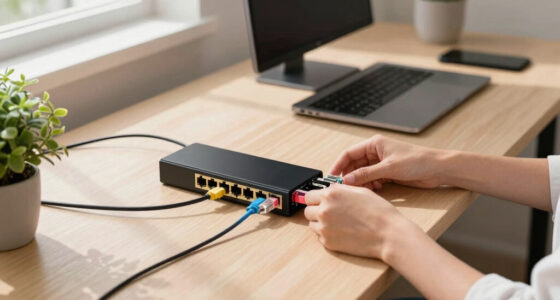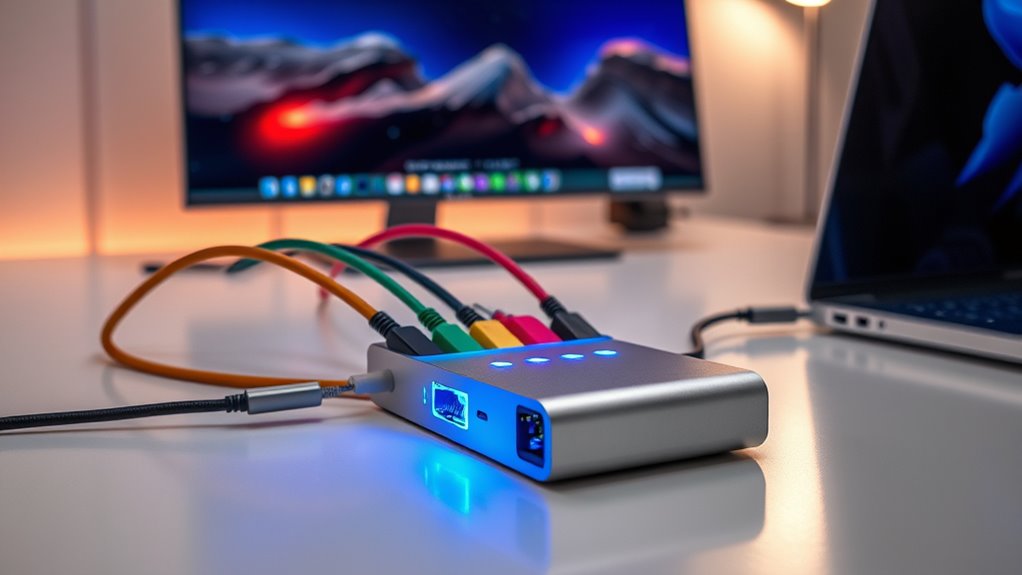

A good Thunderbolt dock with Ethernet should simplify a desk, not add new compatibility questions. I rank the Plugable Thunderbolt 4 Dock with 100W Charging first for its broad mix of ports and charging, the CalDigit TS5 Plus for high-speed 10GbE and Thunderbolt 5, and the UGREEN 8-in-1 for buyers who want a smaller port count with Thunderbolt 4 bandwidth. Those picks serve very different desks: the more connections and power a dock supplies, the more space, host compatibility, or setup attention it can demand.

Get networking and server gear delivered free — and shop member deals
- Fast, free delivery on millions of items
- Access to Prime Big Deal Days deals on October 6–7
- Prime Video, Amazon Music and more included
The central choice is not simply Thunderbolt 4 versus Thunderbolt 5. I would first match the dock to the laptop’s display limits, then decide whether standard Gigabit Ethernet is enough or 10GbE fits a fast local network. These five options range from practical dual-monitor hubs to workstation-focused expansion, so I compare them on network capability, display support, charging, and useful port mix rather than treating every extra port as an automatic advantage.
Key Takeaways
Best all-around balance: I rank the Plugable Thunderbolt 4 Dock first for 13 ports, Ethernet, dual HDMI, and up to 100W laptop charging.
Fastest wired networking: The CalDigit TS5 Plus is the only listed option with 10GbE; its benefits matter most with compatible network gear and a Thunderbolt 5 host.
Less desk sprawl: UGREEN offers an eight-port Thunderbolt 4 layout, but its stated 85W charging and larger listed dimensions deserve a fit check.
Mac display support needs checking: Dock outputs do not override a MacBook’s own external-display limit, which can vary by model and operating mode.
Thunderbolt 5 is not mandatory: Anker and CalDigit offer newer-bandwidth options, while the Plugable and UGREEN Thunderbolt 4 models can make more sense for TB4 laptops and everyday Ethernet.
| Plugable Thunderbolt 4 Dock with 100W Charging, Dual Monitor |  | Best Overall | Interface: Thunderbolt 4 | Ports: 13 total; six USB ports listed | Video outputs: Two HDMI; dual 4K 60Hz or single 8K stated | VIEW ON AMAZON | See Our Full Breakdown |
| Plugable Thunderbolt 4 Dock for M4/M5 MacBook Air & Pro, 100W Charging |  | Best for Newer Mac-Focused Setups | Interface: Thunderbolt 4 | Ports: 13 total; seven USB ports listed | Video outputs: Two HDMI; dual 4K displays on compatible Macs | VIEW ON AMAZON | See Our Full Breakdown |
| CalDigit TS5 Plus Thunderbolt 5 Docking Station 20-Port 10GbE LAN |  | Best for 10GbE Workstations | Interface: Thunderbolt 5; three downstream TB5 ports | Total ports: 20 | Ethernet: 10GbE, backward compatible with 1, 2.5, and 5GbE | VIEW ON AMAZON | See Our Full Breakdown |
| Anker Prime TB5 Docking Station, 14-in-1 Thunderbolt 5 Dock for Laptops |  | Best Compact-Format Thunderbolt 5 Dock | Interface: Thunderbolt 5 | Port count: 14 total; eight USB ports listed | Video output: One HDMI 2.1; up to 8K output stated | VIEW ON AMAZON | See Our Full Breakdown |
| UGREEN 8-in-1 Thunderbolt 4 Docking Station, Dual 4K@60Hz, 3xTBT4, 40Gbps |  | Best for a Leaner Thunderbolt 4 Port Mix | Interface: Thunderbolt 4, 40Gbps | Ports: Eight total; three downstream Thunderbolt 4 ports | Ethernet: Included; speed not specified in supplied details | VIEW ON AMAZON | See Our Full Breakdown |
| thunderbolt dock with ethernet | Interface | Ethernet | Host charging | Ports |
|---|---|---|---|---|
| Plugable Thunderbolt 4 Dock wi | Thunderbolt 4 | Included; speed not specified in supplied details | Up to 100W | 13 total; six USB ports listed |
| Plugable Thunderbolt 4 Dock fo | Thunderbolt 4 | Included; speed not specified in supplied details | Up to 100W | 13 total; seven USB ports listed |
| CalDigit TS5 Plus Thunderbolt | Thunderbolt 5; three downstream TB5 ports | 10GbE, backward compatible with 1, 2.5, and 5GbE | Up to 140W | — |
| Anker Prime TB5 Docking Statio | Thunderbolt 5 | Included; speed not specified in supplied details | — | — |
| UGREEN 8-in-1 Thunderbolt 4 Do | Thunderbolt 4, 40Gbps | Included; speed not specified in supplied details | Up to 85W | Eight total; three downstream Thunderbolt 4 ports |
More Details on Our Top Picks
Plugable Thunderbolt 4 Dock with 100W Charging, Dual Monitor
I place this Plugable first because it brings together the features most desk-based laptop users ask for without making 10GbE or Thunderbolt 5 a prerequisite: 13 ports, Ethernet, dual HDMI, and up to 100W laptop charging. Its stated Thunderbolt 4 bandwidth supports a workstation setup with two 4K 60Hz displays on compatible systems, while the SD card slots and six USB ports reduce the need for separate adapters. Compared with UGREEN’s eight-port dock, it is the more capable central hub for several peripherals; compared with CalDigit, it trades advanced 10GbE and TB5 bandwidth for a more mainstream TB4 setup.
The practical appeal is breadth. A monitor pair, wired network, storage, and everyday USB devices can live on the dock instead of being connected one at a time to the laptop. That makes this a strong fit for a home office or shared desk where the laptop should be easy to disconnect. The listed 100W charging is also more generous than UGREEN’s 85W, though actual delivery and laptop needs should be checked against the manufacturer’s specifications.
There are limits. The dual-display claim does not mean every Mac can drive two external screens: some models impose their own display cap, as the second Plugable listing also warns for certain MacBooks. Full features call for a compatible Thunderbolt 4 or USB4 computer, and the setup may need configuration. I would choose it for a flexible TB4 workstation, not for a small travel kit or a network that specifically needs 10GbE.
Pros:- 13-port layout combines HDMI, USB, Ethernet, and SD card connections.
- Up to 100W charging can power many compatible laptop setups through the dock.
- Thunderbolt 4 supports up to 40Gbps and dual 4K 60Hz displays on compatible hosts.
- Broader workstation connectivity than the eight-port UGREEN option.
Cons:- Display support depends on the laptop; some Mac models may not run two external displays.
- Full features require a compatible host, and setup may need configuration.
- Ethernet is not specified as 10GbE, unlike the CalDigit TS5 Plus.
Best for: Laptop users building a full-time home or office workstation who want Ethernet, dual HDMI, several USB connections, card slots, and up to 100W charging in one TB4 dock.
Not ideal for: Owners who need 10GbE, a highly portable dock, or guaranteed dual external displays from a Mac model with a one-display limit.
- Interface:Thunderbolt 4
- Ports:13 total; six USB ports listed
- Video outputs:Two HDMI; dual 4K 60Hz or single 8K stated
- Host charging:Up to 100W
- Ethernet:Included; speed not specified in supplied details
- Host compatibility:Windows 11 Thunderbolt 4 hosts and Thunderbolt 4 Macs with macOS 11 or later
- Dimensions:8.9 × 3.3 × 0.9 in
Our verdict“I rank this Plugable as the most balanced Thunderbolt 4 Ethernet dock here for a multi-device workstation, provided its display limits match your laptop.”
Plugable Thunderbolt 4 Dock for M4/M5 MacBook Air & Pro, 100W Charging
This second Plugable earns a separate place for buyers who want a 13-port dock with dual HDMI and explicit newer-Mac positioning. Like the first Plugable, it combines Ethernet, 100W charging, card reading, and a full desk-oriented connection set. Its description highlights dual 4K HDMI without drivers and plug-and-play use across Mac and Windows, which can appeal to someone who wants a direct monitor connection rather than a driver-dependent display arrangement. Compared with the first Plugable, its clearest distinction is that Mac compatibility is front and center, not a meaningfully different port count.
For a compatible MacBook, dual HDMI makes the dock straightforward to wire into a two-screen setup, while the seven listed USB ports give it a particularly useful peripheral mix. I would still check the precise laptop model before buying: the supplied compatibility notes say base M1 and M2 MacBooks support only one external display, and some configurations require a specific chip or clamshell mode. A dock’s two HDMI sockets cannot remove a laptop’s built-in display restriction.
It is a less compelling choice if the computer already works well with the first Plugable or if the buyer prioritizes network speed over Mac-facing claims. Neither listing specifies 10GbE, and the CalDigit is the clear pick for that requirement. The stated 1.3kg weight also makes this better suited to a desk than a bag. I see it as a sensible Mac-oriented alternative, not an automatic upgrade over the other 13-port Plugable.
Pros:- 13 ports include dual HDMI, Ethernet, USB, SD card reader, and audio.
- Up to 100W host charging suits many compatible MacBook desk setups.
- Dual 4K HDMI is described as driver-free on supported computers.
- Offers a Mac-centered alternative to the more general Plugable TB4 dock.
Cons:- External-display capability varies by Mac model and may require clamshell mode.
- Ethernet speed is not specified in the supplied product details.
- Listed weight of 1.3kg makes it a desk-oriented choice.
Best for: Owners of compatible newer MacBook Air or Pro models who want dual HDMI, Ethernet, 100W charging, and a large set of desk connections.
Not ideal for: Base M1 or M2 MacBook owners expecting two external displays, travelers seeking a light hub, or buyers who need specified 10GbE networking.
- Interface:Thunderbolt 4
- Ports:13 total; seven USB ports listed
- Video outputs:Two HDMI; dual 4K displays on compatible Macs
- Host charging:Up to 100W
- Ethernet:Included; speed not specified in supplied details
- Operating system:macOS 13 Ventura minimum listed
- Dimensions and weight:8.9 × 3.3 × 0.9 in; 1.3kg
Our verdict“I would pick this Plugable over the general model only when its newer-Mac positioning and stated display workflow better match the laptop on the desk.”
CalDigit TS5 Plus Thunderbolt 5 Docking Station 20-Port 10GbE LAN
The CalDigit TS5 Plus sits at the top of the feature ceiling in this group, but not at the top of my general-purpose ranking. Its distinguishing reason to buy is unusually clear: 10GbE Ethernet, 20 ports, and Thunderbolt 5. For a workstation moving large files across a compatible high-speed local network, 10GbE is a more meaningful upgrade than adding another ordinary USB port. It also includes three TB5 downstream ports, ten 10Gb/s USB ports, DisplayPort 2.1, and UHS-II card readers, so it is aimed at a crowded, high-throughput desk rather than a basic laptop-and-monitor setup.
Charging and display headroom are substantial too: the dock lists up to 140W host charging and support for high-resolution multi-display arrangements when paired with the right host. The 330W supply and aluminum chassis suit sustained connected workloads. Against the Anker Prime, CalDigit offers a specified 10GbE link and substantially more listed ports; against the first Plugable, it is a much more advanced but host-dependent workstation investment in capability. Buyers with ordinary broadband and a TB4 laptop may not see much benefit from those extra ceilings.
The key drawback is compatibility. Full function calls for Thunderbolt 5 or USB4 v2, and older Thunderbolt or USB hosts may expose fewer capabilities. Its network advantage also depends on the rest of the wired network supporting faster links; it cannot make a Gigabit router or switch run at 10GbE. I recommend it to creators and technical teams with matching equipment, not as a default choice for every Ethernet-connected laptop.
Pros:- 10GbE Ethernet supports faster local transfers on a compatible network.
- 20 ports include three Thunderbolt 5 connections and ten 10Gb/s USB ports.
- Up to 140W host charging and high-power downstream ports support demanding desks.
- High-resolution display support and UHS-II card readers suit creative workflows.
Cons:- Full feature set requires a Thunderbolt 5 or USB4 v2 host.
- The 10GbE link needs compatible network equipment and workloads to deliver its value.
- Likely excessive for users who only need ordinary Ethernet and a few peripherals.
Best for: Professionals with a Thunderbolt 5 or USB4 v2 workstation and 10GbE network equipment who need fast local transfers, extensive peripherals, and high host charging.
Not ideal for: People with a TB4-only laptop, standard-speed home networking, or a simple desk setup that will leave much of the 20-port capacity unused.
- Interface:Thunderbolt 5; three downstream TB5 ports
- Total ports:20
- Ethernet:10GbE, backward compatible with 1, 2.5, and 5GbE
- Host charging:Up to 140W
- USB:Five USB-A and five USB-C at 10Gb/s
- Display connections:DisplayPort 2.1; multi-display support varies by host and operating system
- Power supply:330W
- Card readers:SD UHS-II and microSD UHS-II
Our verdict“I recommend the TS5 Plus when 10GbE and TB5 are real workstation needs, not simply because its specifications exceed the other docks.”
Anker Prime TB5 Docking Station, 14-in-1 Thunderbolt 5 Dock for Laptops
Anker’s Prime TB5 dock is the most compact-format Thunderbolt 5 option in this lineup, with a roughly square 4.56-inch footprint and a 14-in-1 port arrangement. Its combination of HDMI 2.1, Ethernet, USB, SD and TF card readers, and audio makes it an appealing hub for a tidy creative desk. Compared with CalDigit, it lists fewer ports and does not specify 10GbE, but it takes up a compact square area instead of serving as a 20-port expansion base. Compared with the Plugable docks, its headline is TB5 and HDMI 2.1 rather than a pair of HDMI outputs.
The stated support for up to 8K video gives compatible high-resolution displays a path through the dock, while the listed 140W power figure signals a strong charging-oriented design. Buyers should check whether that figure refers to host charging or overall product power for their exact configuration; the supplied details do not spell out the same host-delivery wording used for CalDigit. Its 14 ports can be a better match than a larger dock when the desk needs a focused selection of modern connections rather than every possible peripheral socket.
This is not the pick for portability just because its footprint is small: the listed weight is 2.4 pounds. Nor would I choose it over CalDigit for a known 10GbE requirement, since Anker’s Ethernet speed is not stated here. It makes most sense for a TB5-capable laptop user who values a compact desktop hub and HDMI 2.1, and less sense for TB4 users who can meet their needs with the Plugable or UGREEN options.
Pros:- Thunderbolt 5 and HDMI 2.1 support a modern high-bandwidth display setup.
- 14-in-1 layout includes Ethernet, USB, SD and TF readers, and audio.
- Compact square footprint takes less desk area than a wide workstation dock.
- Listed as compatible with selected MacBook models and Thunderbolt 4 or 5 Windows laptops.
Cons:- Ethernet speed is not specified in the supplied details.
- At 2.4 pounds, the compact footprint does not make it a light travel option.
- The 140W listing does not specify host charging delivery in the provided details.
Best for: Thunderbolt 5 or compatible Thunderbolt 4 laptop owners who want a compact-format dock with HDMI 2.1, Ethernet, card readers, and broad USB expansion.
Not ideal for: Buyers who need specified 10GbE, a light travel dock, or two built-in HDMI outputs rather than an HDMI 2.1 connection.
- Interface:Thunderbolt 5
- Port count:14 total; eight USB ports listed
- Video output:One HDMI 2.1; up to 8K output stated
- Ethernet:Included; speed not specified in supplied details
- Power figure:140W listed; host delivery detail not supplied
- Card readers:SD and TF
- Dimensions and weight:4.56 × 4.56 × 2.95 in; 2.4lb
Our verdict“I would choose Anker for a space-conscious TB5 desk that needs HDMI 2.1, but not for 10GbE or maximum port count.”
UGREEN 8-in-1 Thunderbolt 4 Docking Station, Dual 4K@60Hz, 3xTBT4, 40Gbps
UGREEN takes the simpler route: eight ports, three Thunderbolt 4 connections, Ethernet, and up to 85W charging. It retains the 40Gbps TB4 connection and supports dual 4K 60Hz or a single 8K display on compatible systems, so a lower port count does not mean giving up the core high-bandwidth dock experience. Compared with either Plugable, it is a less expansive choice for USB-heavy desks; compared with the TB5 Anker and CalDigit, it is a more straightforward fit for a TB4 computer that does not need next-generation bandwidth.
That more restrained port count can be a benefit if the intended setup is a laptop, one or two displays, wired networking, and a small number of accessories. Its stated compatibility spans many Thunderbolt 4, Thunderbolt 3, USB4, and USB-C devices, though the connection standard and host capability affect which features work. The 85W charging ceiling is below the Plugable docks’ 100W, so owners of laptops with higher power demands should check whether it suits their machine and workload.
One detail deserves a careful fit check: the listed dimensions are 9.5 by 9.5 by 2.5 inches, which is not especially small despite the eight-port role. The supplied description also says the included charger is required for full charging power, and Mac display limits still apply. I would select UGREEN when its three downstream TB4 ports and lighter port mix fit the setup—not on the assumption that fewer ports automatically means a smaller dock.
Pros:- Three Thunderbolt 4 ports provide flexible high-bandwidth expansion.
- Supports dual 4K 60Hz or a single 8K display on compatible systems.
- Includes Ethernet and up to 85W host charging.
- Compatibility listing includes Thunderbolt 3, Thunderbolt 4, USB4, and some USB-C devices.
Cons:- 85W charging is lower than the 100W listed for both Plugable docks.
- Full charging power requires the included charger.
- Listed 9.5-inch square dimensions may not suit compact desks despite the eight-port count.
Best for: Thunderbolt 4 users who need Ethernet, several downstream Thunderbolt connections, dual-display support, and a more focused port set than the 13-port Plugable docks.
Not ideal for: Laptop owners who need 100W or more charging, a genuinely tiny travel hub, 10GbE, or guaranteed dual external screens on a Mac with a display limit.
- Interface:Thunderbolt 4, 40Gbps
- Ports:Eight total; three downstream Thunderbolt 4 ports
- Ethernet:Included; speed not specified in supplied details
- Host charging:Up to 85W
- Video support:Dual 4K 60Hz or single 8K on compatible hosts
- Compatibility:Thunderbolt 4, Thunderbolt 3, USB4, or USB-C computers and tablets; features vary
- Operating system:macOS 11 Big Sur and Windows 10 minimum listed
- Dimensions and weight:9.5 × 9.5 × 2.5 in; 1.4kg
Our verdict“I recommend UGREEN for a TB4 setup that needs a focused set of connections, as long as 85W charging and its listed footprint fit.”
How We Picked
I compared these docks against the job named in this guide: connecting a laptop to a wired network through a Thunderbolt dock while also providing useful desk expansion. I gave the most weight to Ethernet capability, usable host charging, display connectivity, and the number and type of ports. A dock with a faster network link earns a distinct place, but only when the rest of its feature set and host requirements support a real workstation use case.
I also looked for the difference between the advertised dock capability and what a laptop can actually use. Display limits depend on the computer, chip, operating system, and sometimes clamshell mode; Thunderbolt 5 features similarly require a compatible host to reach their full potential. I treated unclear or varied compatibility claims as a reason for buyers to check the exact laptop model rather than assume every output works at its maximum specification.
Finally, I ranked the options by fit, not by raw port count alone. The two Plugable docks offer fuller 13-port layouts, but one is positioned as a broad workstation choice and the other foregrounds newer Mac compatibility. UGREEN is the leaner Thunderbolt 4 alternative, Anker provides a compact-format TB5 option with HDMI 2.1, and CalDigit is aimed at demanding network and peripheral workloads. I did not treat the supplied descriptions as evidence of hands-on testing.
| thunderbolt dock with ethernet | Interface | Host charging |
|---|---|---|
| Plugable Thunderbolt 4 Dock wi | Thunderbolt 4 | Up to 100W |
| Plugable Thunderbolt 4 Dock fo | Thunderbolt 4 | Up to 100W |
| CalDigit TS5 Plus Thunderbolt | Thunderbolt 5; three downstream TB5 ports | Up to 140W |
| Anker Prime TB5 Docking Statio | Thunderbolt 5 | — |
| UGREEN 8-in-1 Thunderbolt 4 Do | Thunderbolt 4, 40Gbps | Up to 85W |
Factors to Consider When Choosing Thunderbolt Dock With Ethernet
I would narrow the choice by starting with the wired network and laptop, not the dock’s largest headline number. A dock can connect Ethernet, but the useful speed depends on its network port, the computer, and the router or switch at the other end. Next, verify display and charging limits against the exact laptop model; those details separate a smooth one-cable desk from an expensive set of ports the computer cannot fully use.
Decide whether Gigabit Ethernet is enough
For ordinary office work, video calls, and internet access, a standard Ethernet connection may be all the network performance you need. The supplied details do not state the Ethernet speed for the Plugable, Anker, or UGREEN docks, so I would confirm the exact specification before buying if throughput matters. The CalDigit TS5 Plus explicitly lists 10GbE, with backward compatibility to 1, 2.5, and 5GbE. That link is most useful for large transfers to a fast local server or storage system, and only when your switch, cabling, and other endpoint can support it. A 10GbE dock connected to a slower network will not raise that network’s speed.
Match the dock to the laptop’s display limits
Two display sockets do not guarantee two independent external screens on every computer. The laptop chip, operating system, display mode, and dock’s video path all affect the result. The Plugable descriptions flag limits on some Mac models, including base M1 and M2 systems in the newer-Mac listing. I would verify the manufacturer’s compatibility details for the exact computer before choosing a dual-monitor setup. If the laptop is limited to one external display, the dock’s second output may not deliver the expected arrangement, even if the dock itself supports dual 4K.
Choose Thunderbolt 4 or Thunderbolt 5 on actual need
Thunderbolt 5 gives the CalDigit and Anker docks a newer bandwidth platform, but a compatible host is needed to take full advantage of it. For many desks, Thunderbolt 4’s 40Gbps is already a useful foundation for displays, storage, and peripherals. The two Plugable docks and UGREEN make sense when the laptop is TB4 and the feature set covers the intended setup. I would move to TB5 when the computer and workflow can use its added headroom, rather than buying by generation label alone.
Treat charging wattage as a laptop match
The listed host-charging figures differ: the Plugable docks specify 100W, UGREEN lists up to 85W, and CalDigit specifies up to 140W. Higher output can better suit a laptop with substantial power needs, but the host’s requirements and dock’s actual power-delivery behavior still matter. Anker lists 140W in its supplied specifications without the same explicit host-delivery wording, so I would verify what that figure represents before counting on it to charge a laptop. Also check whether the dock needs its external power supply connected for full operation.
Count the ports you will connect every day
More ports help only when they match your equipment. The two Plugable docks provide 13-port layouts for USB devices, monitors, Ethernet, and card-based workflows. CalDigit’s 20-port design is for a substantially busier workstation, with multiple high-speed USB connections and card readers. Anker’s 14-in-1 arrangement uses a compact square footprint, while UGREEN supplies eight ports including three downstream Thunderbolt 4 connections. I would list the devices that stay on the desk—screens, storage, input devices, audio, and network—then compare the dock’s actual connectors rather than relying on total-port count.
Check dimensions and placement
A smaller connector count does not always mean a smaller chassis. UGREEN’s supplied dimensions are notably broad, while Anker has a compact square footprint but is still listed at 2.4 pounds. The Plugable models are low-profile rectangular docks; CalDigit is built as a substantial workstation base with a large external power supply. Before settling on one, measure the desk space and think about where the power brick, host cable, and Ethernet cable will go. A dock is easier to live with when the cables can reach without crossing the work area.
Frequently Asked Questions
Can a Thunderbolt dock add Ethernet to a laptop?
Yes. Each dock in this roundup lists Ethernet, allowing a compatible laptop to connect to a wired network through the dock. The network speed varies by dock, and the supplied details do not specify it for most of these models. CalDigit explicitly lists 10GbE. The usable connection also depends on the computer, network adapter path, router or switch, cabling, and network service; a dock cannot make slower equipment run at a faster link speed.
Will any of these docks run two external monitors on my Mac?
Not necessarily. A dock may have two video outputs while a particular Mac model supports only one external display, or may need clamshell mode or a particular chip configuration for more. The newer-Mac Plugable listing specifically warns about base M1 and M2 limits. I would check the dock maker’s compatibility notes and Apple’s specifications for the exact Mac model before buying, rather than assuming that two HDMI ports guarantee two independent screens.
Is the CalDigit 10GbE dock worth choosing over a standard Ethernet dock?
I would choose the CalDigit TS5 Plus when the laptop, network switch, and other endpoint support faster Ethernet and the work involves large local transfers or a high-throughput storage workflow. For routine browsing, office applications, and typical internet use, the advantage may not justify choosing a much more capable TB5 workstation dock. The other four models list Ethernet but do not specify its speed in the supplied product details, so confirm that figure if it is central to your decision.
Do I need Thunderbolt 5 to use these docks?
No. The Plugable and UGREEN options use Thunderbolt 4 and may be a better match for a TB4 laptop. Anker and CalDigit are Thunderbolt 5 docks, but the full set of TB5 features requires a compatible host; older systems can have reduced functionality. Before choosing a dock, check the laptop’s port standard and the manufacturer’s backward-compatibility information, since a connector that looks the same does not by itself confirm every feature.
How much charging power should I look for?
Match the dock’s host-charging specification to the laptop’s power needs and the way you use it. The Plugable docks list up to 100W, UGREEN up to 85W, and CalDigit up to 140W host charging. Anker lists a 140W figure, though the supplied details do not clarify host delivery in the same way. I would check the laptop’s recommended charger and the dock maker’s power-delivery notes, especially if the laptop draws more power during demanding work.
Conclusion
For the broadest balance of wired networking and desk expansion, I would start with the Plugable Thunderbolt 4 Dock with 100W Charging; it pairs 13 ports with dual HDMI and a clear 100W host-charging figure. If your Mac model is compatible and its stated dual-display behavior suits your setup, the second Plugable is a close Mac-focused alternative. For a TB4 desk that needs fewer connections, UGREEN offers a focused port mix, though I would check its 85W charging and substantial listed dimensions before choosing it.
Choose CalDigit TS5 Plus when 10GbE and Thunderbolt 5 support a real fast-network workstation, not just for the largest specification list. Choose Anker Prime TB5 when a compact-format footprint, HDMI 2.1, and newer Thunderbolt support matter more than a specified 10GbE link. My final check would be the exact laptop’s network, display, and charging compatibility: that match matters more than buying the dock with the most ports.
Halloween Picks
halloween
As an affiliate, we earn on qualifying purchases.