Choosing the right intrusion detection appliance requires balancing raw throughput, security depth, and management complexity. My analysis focuses on five distinct devices that cater to different network scales, from home offices to small branch deployments. The WatchGuard Firebox M295 stands out for its multi-gigabit performance and robust enterprise features, making it a strong contender for growing SMBs. Meanwhile, the SonicWall TZ370 offers a comprehensive security suite with SD-WAN capabilities, ideal for businesses needing integrated traffic management. For those prioritizing ease of use and cloud management, the Meraki MX67-HW provides a streamlined experience, though it lacks included security licenses. The Firewalla Purple SE serves as an excellent entry-level option for home and very small business users, while the legacy Juniper IDP 200 remains a niche choice for specific legacy compliance needs. This guide examines how each appliance handles threat detection, management overhead, and connectivity to help you make an informed decision.

Get business pricing on networking and server gear
- Business-only prices and quantity discounts
- Tax-exempt purchasing
- Multiple users, one account, clear invoices
Key Takeaways
- The WatchGuard Firebox M295 offers the best balance of multi-gigabit connectivity and enterprise-grade security features for small branches.
- SonicWall TZ370 is superior for businesses requiring integrated SD-WAN and a comprehensive, pre-configured security suite.
- Meraki MX67-HW provides the easiest cloud-managed experience but requires separate subscriptions for full security functionality.
- Firewalla Purple SE is the most user-friendly option for home offices, though its IPS throughput is capped at 500 Mbps.
- Legacy appliances like the Juniper IDP 200 should generally be avoided for new deployments due to outdated hardware and lack of support.
| WatchGuard Firebox M295 with 3-Year Basic Security Suite |  | Best Overall for Growing SMBs | Number of Ports: 10 | Data Transfer Rate: 1.85 Gbps | Interfaces: 4x 2.5Gb RJ45, 4x 1Gb RJ45, 2x 10Gb SFP+ | VIEW ON AMAZON | See Our Full Breakdown |
| SonicWall TZ370 TotalSecure 1-Year Essential Edition |  | Best for Integrated Security and SD-WAN | Model: TZ370 | Protection Service: 1 Year Essential Edition | Firewall Performance: Multi-gigabit | VIEW ON AMAZON | See Our Full Breakdown |
| MX67-HW Cloud Managed Security & SD-WAN Appliance |  | Best for Cloud-Managed Simplicity | Throughput: 450 Mbps | Ports: 5x GbE ports | Warranty: ACE 3 Year Warranty | VIEW ON AMAZON | See Our Full Breakdown |
| IDP 200 Intrusion Detection and Prevention Appliance | 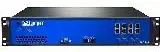 | Best for Legacy Niche Applications | Package Dimensions: 28 x 22 x 9 inches | Item Weight: 40 pounds | Model number: NS-IDP-200 | VIEW ON AMAZON | See Our Full Breakdown |
| Firewalla Purple SE Cyber Security Firewall |  | Best for Home Offices and Micro-SMBs | Compatibility: Limited to 500 Mbits IPS functionality | Protection Features: Intrusion prevention, malware and hacking protection | Router Mode: Yes, with policy-based routing | VIEW ON AMAZON | See Our Full Breakdown |
| intrusion detection appliance | Data Transfer Rate | Security Features |
|---|---|---|
| WatchGuard Firebox M295 with 3 | 1.85 Gbps | TLS decryption, proxy-based inspection |
| SonicWall TZ370 TotalSecure 1- | 1.5 Gbps | Gateway Anti-Virus, Intrusion Prevention, RTDMI sandboxing |
| MX67-HW Cloud Managed Security | — | Content filtering, intrusion detection, malware protection |
| IDP 200 Intrusion Detection an | — | — |
| Firewalla Purple SE Cyber Secu | 500 Mbps | — |
More Details on Our Top Picks
WatchGuard Firebox M295 with 3-Year Basic Security Suite
This appliance stands out for its multi-gigabit connectivity and robust security architecture. Compared to the SonicWall TZ370, the WatchGuard M295 offers higher data transfer rates and more flexible port configurations, including 10Gb SFP+ ports. It is designed for environments where bandwidth demands are increasing, such as small branches with heavy cloud usage. The inclusion of a 3-year Basic Security Suite provides immediate value, covering essential threats without additional upfront costs. However, the setup process is complex and often requires professional configuration to fully leverage its TLS decryption and proxy inspection capabilities. While it is more powerful than the Meraki MX67-HW, it lacks the same level of intuitive cloud management, making it better suited for IT teams with dedicated security expertise.
Pros:- High-speed multi-gig connectivity with multiple port options
- Enterprise-grade security features including TLS decryption
- Supports SD-WAN and high availability for resilience
- Centralized management via WatchGuard Cloud and Dimension
Cons:- Complex setup may require technical expertise
- Limited to small branch deployments, not for large enterprises
- Higher initial complexity compared to cloud-managed alternatives
Best for: Small to medium businesses with high bandwidth needs and dedicated IT staff.
Not ideal for: Home users or businesses without technical network administration resources.
- Number of Ports:10
- Data Transfer Rate:1.85 Gbps
- Interfaces:4x 2.5Gb RJ45, 4x 1Gb RJ45, 2x 10Gb SFP+
- Security Features:TLS decryption, proxy-based inspection
- Form Factor:1U rackmount
Our verdict“A powerful, feature-rich appliance for SMBs that need serious security and speed.”
SonicWall TZ370 TotalSecure 1-Year Essential Edition
The SonicWall TZ370 is engineered for businesses that value all-in-one security management. Unlike the WatchGuard M295, which offers a basic suite, the TZ370 includes a 1-year Essential Protection Service Suite with intrusion prevention, anti-malware, and RTDMI sandboxing. This makes it a strong choice for organizations that want a comprehensive security posture out of the box. Its SD-WAN capabilities are particularly beneficial for multi-location setups, allowing for optimized traffic routing. However, the one-year subscription limit means users must budget for renewals sooner than with the WatchGuard’s three-year term. While it offers wireless compatibility, its primary strength lies in wired security performance. It is a direct competitor to the WatchGuard but appeals more to those prioritizing integrated threat defense over raw port flexibility.
Pros:- High-performance multi-gigabit firewall suitable for SMBs
- Comprehensive security suite including anti-malware and IPS
- Includes SD-WAN for optimized traffic management
- Supports multiple ports and wireless connectivity
Cons:- Complex setup may require technical expertise
- Limited to one year of protection service included
- Potentially expensive long-term due to subscription renewals
Best for: Multi-location SMBs needing integrated SD-WAN and comprehensive threat defense.
Not ideal for: Users who prefer long-term subscription-free hardware or have very low bandwidth needs.
- Model:TZ370
- Protection Service:1 Year Essential Edition
- Firewall Performance:Multi-gigabit
- Security Features:Gateway Anti-Virus, Intrusion Prevention, RTDMI sandboxing
- SD-WAN:Yes
- Number of Ports:10
- Data Transfer Rate:1.5 Gbps
Our verdict“An excellent choice for businesses prioritizing integrated security services and SD-WAN.”
MX67-HW Cloud Managed Security & SD-WAN Appliance
This appliance excels in ease of management through its cloud-based dashboard. Compared to the WatchGuard and SonicWall, the Meraki MX67-HW requires significantly less technical expertise to deploy and monitor. It is ideal for distributed organizations where IT staff cannot physically visit each site. The 450 Mbps throughput is sufficient for many small offices, though it trails behind the multi-gigabit performance of its competitors. A major drawback is that it does not include a license for its security features, meaning the base hardware provides only basic connectivity and management. This contrasts sharply with the SonicWall TZ370, which bundles security services. Consequently, the total cost of ownership can rise quickly once subscriptions are added. It is best for those who prioritize administrative simplicity over raw performance or bundled security features.
Pros:- High-speed 450 Mbps throughput suitable for business needs
- Cloud management offers remote control and monitoring
- Advanced security features protect against threats
- Multiple Gigabit Ethernet ports for wired connectivity
Cons:- No included license for security features
- May be complex for users unfamiliar with network management
- Lower throughput compared to multi-gigabit competitors
Best for: Distributed SMBs with limited on-site IT support.
Not ideal for: High-bandwidth environments or users unwilling to pay for separate security subscriptions.
- Throughput:450 Mbps
- Ports:5x GbE ports
- Warranty:ACE 3 Year Warranty
- Security Features:Content filtering, intrusion detection, malware protection
- Management:Cloud-based dashboard
- SD-WAN:Yes
Our verdict“The go-to solution for cloud-centric networks, provided you budget for security licenses.”
IDP 200 Intrusion Detection and Prevention Appliance
This appliance is a relic of earlier network security architectures. Unlike the modern, cloud-integrated options like the Meraki MX67-HW, the Juniper IDP 200 relies on older stateful detection techniques. It provides inline attack protection and zero-day malware defense, which were advanced for their time. However, its product information is outdated, and it lacks the sophisticated application control and sandboxing found in the SonicWall TZ370. I recommend this only for specific legacy environments where existing configurations depend on it. For new deployments, it is obsolete. Its physical footprint is large, and its lack of current support makes it a risky investment compared to the active development cycles of WatchGuard or SonicWall. It serves as a benchmark for how far intrusion detection technology has come, rather than a viable current solution.
Pros:- Provides comprehensive inline attack protection
- Offers zero-day malware defense
- Includes extensive logging and customizable reports
- Helps enforce security policies and maintain compliance
Cons:- Product information is outdated (first available in 2006)
- No current pricing or user reviews available
- Potentially complex setup for non-technical users
Best for: Legacy environments with specific compliance requirements for older hardware.
Not ideal for: Any new network deployment or modern security architecture.
- Package Dimensions:28 x 22 x 9 inches
- Item Weight:40 pounds
- Model number:NS-IDP-200
- Manufacturer:JUNIPER NETWORKING
Firewalla Purple SE Cyber Security Firewall
This device redefines what an intrusion detection appliance looks like for non-enterprise users. Unlike the rackmount complexity of the WatchGuard M295, the Firewalla Purple SE is compact, app-controlled, and designed for plug-and-play setup. It offers behavior analytics for active threat detection, a feature usually reserved for higher-end appliances. However, its IPS functionality is capped at 500 Mbps, which is significantly lower than the 1.85 Gbps of the WatchGuard or the 1.5 Gbps of the SonicWall. This makes it unsuitable for high-speed fiber connections where full IPS inspection is required. It is the best choice for home offices or very small businesses that prioritize ease of use and parental controls over raw inspection throughput. It bridges the gap between consumer routers and professional firewalls.
Pros:- Provides comprehensive network security and parental controls
- Supports both router and bridge modes for flexible setup
- Includes deep insight and behavior analytics for active threat detection
- App-controlled management simplifies configuration
Cons:- Limited IPS functionality to 500 Mbps
- Setup may require router configuration and technical knowledge
- Requires app control and additional hardware for full functionality
Best for: Home offices and micro-businesses seeking easy-to-use network security.
Not ideal for: Networks with internet speeds exceeding 500 Mbps requiring full IPS inspection.
- Compatibility:Limited to 500 Mbits IPS functionality
- Protection Features:Intrusion prevention, malware and hacking protection
- Router Mode:Yes, with policy-based routing
- Deep Insight:Behavior analytics for active threat detection
- Ports:1 LAN port
- Data Transfer Rate:500 Mbps
- RAM:3 GB
Our verdict“An accessible, powerful security device for home and small office users.”

How We Picked
I selected these appliances based on their ability to provide effective intrusion detection and prevention while managing network traffic efficiently. My criteria included throughput capacity, the depth of security features (such as TLS decryption and sandboxing), and the ease of centralized management. I prioritized devices that offer scalable solutions for small to medium-sized businesses, as this is where most standalone intrusion detection appliances are deployed. I also evaluated the balance between hardware cost and ongoing subscription requirements, a critical factor for long-term budgeting. Devices were compared on their port density, form factor, and compatibility with modern network standards like SD-WAN. This approach ensures that the recommendations reflect real-world deployment scenarios rather than just theoretical specifications.
| intrusion detection appliance | Security Features |
|---|---|
| WatchGuard Firebox M295 with 3 | TLS decryption, proxy-based inspection |
| SonicWall TZ370 TotalSecure 1- | Gateway Anti-Virus, Intrusion Prevention, RTDMI sandboxing |
| MX67-HW Cloud Managed Security | Content filtering, intrusion detection, malware protection |
| IDP 200 Intrusion Detection an | — |
| Firewalla Purple SE Cyber Secu | — |
Factors to Consider When Choosing Intrusion Detection Appliance
When selecting an intrusion detection appliance, the primary tradeoff is between performance, feature depth, and management complexity. I found that no single device excels at all three for every user type. Your choice should depend on your network size, technical expertise, and budget for ongoing subscriptions.
Throughput and Port Density
Throughput determines how much data the appliance can inspect without slowing down your network. The WatchGuard Firebox M295 leads in this category with 1.85 Gbps and multi-gig ports. If your internet connection exceeds 500 Mbps, devices like the Firewalla Purple SE will become a bottleneck when IPS is enabled. Port density is also critical; the SonicWall TZ370 offers 10 ports, allowing for complex segmentation without additional switches, whereas the Firewalla has limited physical connectivity.
Management and Ease of Use
Enterprise appliances often require specialized knowledge. Meraki MX67-HW simplifies this with cloud management, allowing remote configuration of distributed sites. In contrast, the WatchGuard and SonicWall require more hands-on configuration, though they offer deeper customization. For non-technical users, the Firewalla’s app-based control is a significant advantage, removing the steep learning curve associated with traditional firewall command-line interfaces.
Security Features and Subscriptions
Hardware alone is not enough; you need updated threat intelligence. The SonicWall TZ370 includes a 1-year security suite, providing immediate protection. The Meraki MX67-HW requires a separate license for its advanced features, which can increase the total cost of ownership. The WatchGuard includes a 3-year basic suite, offering a longer grace period before subscription costs hit. Always factor in the recurring cost of security subscriptions, as these are necessary for effective intrusion detection.
Frequently Asked Questions
What is the main difference between an intrusion detection appliance and a standard firewall?
A standard firewall primarily controls access based on rules, allowing or blocking traffic between networks. An intrusion detection appliance, or more commonly an Intrusion Prevention System (IPS), actively inspects the content of the traffic for malicious patterns, anomalies, or known attack signatures. While modern appliances like the SonicWall TZ370 combine both functions, the key distinction is the active inspection of payloads to prevent attacks, rather than just filtering connections based on ports and IP addresses.
Do I need a subscription for an intrusion detection appliance to work effectively?
Generally, yes. Threat signatures and security intelligence databases need to be updated constantly to detect new attacks. Devices like the SonicWall TZ370 and WatchGuard Firebox M295 include initial subscription periods, but ongoing renewals are required for the most current protection. The Meraki MX67-HW hardware may function without a subscription for basic routing, but its advanced security and SD-WAN features are locked behind a license. Without updates, the appliance’s ability to detect emerging threats degrades significantly over time.
Is the Firewalla Purple SE suitable for a business with multiple locations?
The Firewalla Purple SE is primarily designed for single-site deployments, such as home offices or small businesses. While it offers cloud management, it lacks the native multi-site SD-WAN orchestration found in the Meraki MX67-HW or SonicWall TZ370. Managing multiple locations would require separate devices and manual configuration for each, making it less efficient for distributed networks. It is best suited for environments where centralized, multi-site traffic management is not a primary requirement.
Why is the Juniper IDP 200 not recommended for new deployments?
The Juniper IDP 200 is an outdated device with hardware and software limitations that do not align with modern network demands. It lacks the throughput, port density, and advanced application control features of contemporary appliances. Furthermore, support and security updates for this model are likely discontinued or severely limited, leaving networks vulnerable to new threats. I recommend avoiding legacy hardware like this in favor of actively supported platforms like the WatchGuard Firebox or SonicWall TZ370.
How does SD-WAN benefit an intrusion detection appliance?
SD-WAN allows an appliance to dynamically route traffic across multiple internet connections based on application priority and network conditions. For security, this means that critical security-inspected traffic can be prioritized over less sensitive data. The SonicWall TZ370 and WatchGuard Firebox M295 use SD-WAN to ensure that intrusion detection processes do not become a bottleneck during peak usage. This optimization ensures that security policies are enforced without compromising network performance or user experience.
Conclusion
To choose the right intrusion detection appliance, match the device to your specific operational needs. If you are a small business with high bandwidth demands and dedicated IT staff, the WatchGuard Firebox M295 offers the best performance and feature set. For those needing integrated SD-WAN and a comprehensive security suite out of the box, the SonicWall TZ370 is the superior choice. If your priority is ease of management across multiple sites, the Meraki MX67-HW provides the simplest cloud-managed experience, despite requiring separate security licenses. For home offices and micro-businesses, the Firewalla Purple SE delivers impressive security features in a user-friendly package, provided your internet speed is under 500 Mbps. Avoid the legacy Juniper IDP 200 for any new deployment.