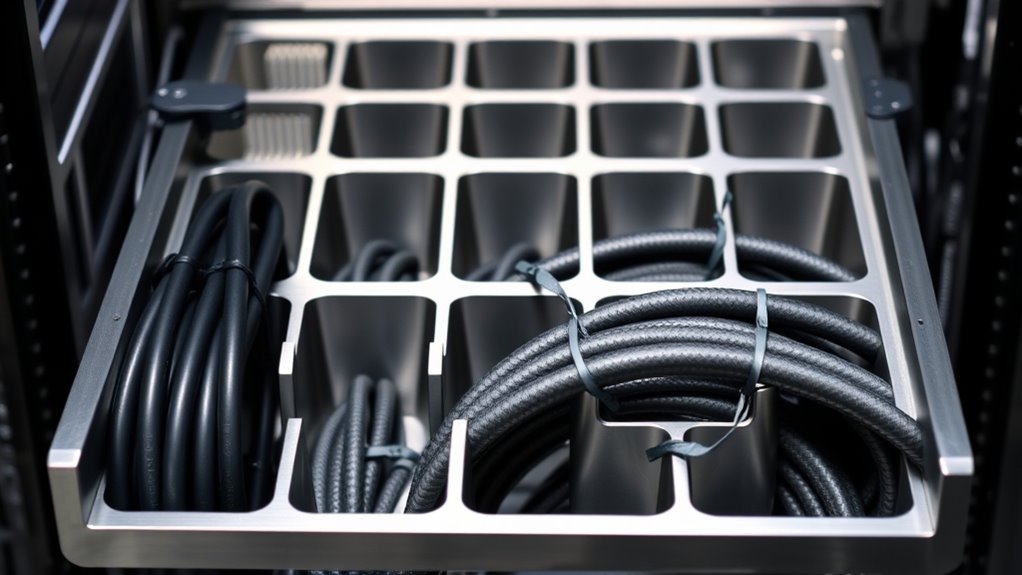

A rackmount cable organizer tray keeps patch leads and equipment cables routed neatly across a rack, but the right choice depends on rack width, cable volume, and how often you need access. My best overall pick is the Leinuosen 4 Pack 1U 24-slot manager, which offers several horizontal organizers for distributing cables across a setup. The Tecmojo covered 1U model stands out for a more enclosed front, while the Tecmojo 0.5U model suits compact 10-inch racks. The main tradeoffs are cable capacity versus rack space, open access versus a covered appearance, and metal construction versus plastic. Read on for the full breakdown and guidance on matching a tray to your rack and cabling needs.

Get business pricing on networking and server gear
- Business-only prices and quantity discounts
- Tax-exempt purchasing
- Multiple users, one account, clear invoices
Key Takeaways
- The Leinuosen 4-pack leads for multi-point organization: its four 1U, 24-slot managers give larger setups more places to separate cable runs than the two-piece kits.
- Slot layout matters as much as slot count: the two 12-slot designs, including the all-metal model and the 2U plastic manager, suit different cable bundles and occupy different amounts of rack space.
- A cover changes access as well as appearance: the Tecmojo covered 1U manager can conceal cables, while open designs make frequent rerouting easier.
- Half-width rack setups call for a purpose-built option: the Tecmojo 0.5U manager with D-rings is aimed at 10-inch racks, unlike the full-width 19-inch choices.
- Not every cable organizer is a horizontal tray: NavePoint‘s 34-inch toolless vertical duct addresses side-of-rack routing rather than front-of-rack patch-cord management.


| rackmount cable organizer tray | Material | Rack height | Dimensions | Panel count |
|---|---|---|---|---|
| Leinuosen 4 Pack 1U 19” Cable | Metal | 1U | — | 4 |
| 2 Pack 1U 19 Inch Cable Manage | Cold-rolled steel | 1U | 19 x 1.85 x 1.75 inches | 2 |
| 2 Pack of All Metal 1U Cable M | Cold-rolled steel with powder coating | 1U | 19 x 2.75 x 1.7 inches | 2 |
| Tecmojo 2 Pack 1U Horizontal C | Plastic | 1U | 17.2 x 2.6 x 1.75 inches | 2 |
| Tecmojo 2 Pack 0.5U Horizontal | Cold-rolled steel | 0.5U | 9.92 x 1.81 x 0.86 inches | 2 |
| 2U Plastic 19" Rack Mount Cabl | Plastic with metal brackets | 2U | 3.5 in H x 3.4 in D x 19 in W | — |
| NavePoint 1 Channel Toolless S | Alloy steel | — | 34.02 in L x 2.42 in W x 1.93 in H | — |
More Details on Our Top Picks
Leinuosen 4 Pack 1U 19” Cable Management 24 Slot Horizontal Rack Mount
The four-panel bundle makes this the strongest fit for buyers organizing several rack positions or keeping matching spares on hand. Each 1U panel has 24 slots and a metal construction, giving cables multiple routing points while leaving the panel open rather than enclosing them. Compared with the two-panel 2 Pack 1U 19 Inch Cable Manager, Leinuosen supplies twice as many panels, which is useful for a larger installation but less sensible if you only need one or two cable paths. Installation uses four screws per panel, keeping setup straightforward. The tradeoff is a basic open-panel design: it does not provide a cover or the larger openings of the 12 Big Finger Slots model, and it fits only 19-inch racks.
Pros:- Four panels cover more rack positions than the two-panel alternatives.
- Twenty-four slots provide many cable routing points in a 1U space.
- Metal construction is suited to rack-mounted use.
- Four-screw installation keeps each panel’s mounting process simple.
Cons:- Only fits 19-inch rack cabinets.
- Open, basic design does not conceal cables with a cover.
- Small slots may be less convenient for routing especially bulky bundles.
Best for: IT teams or home-lab builders fitting out multiple 19-inch rack positions who want matching 1U metal panels.
Not ideal for: Owners of 10-inch racks, or buyers who need a covered cable channel or larger finger openings for bulky bundles.
- Panel count:4
- Rack size:19 inches
- Rack height:1U
- Slots per panel:24
- Material:Metal
- Panel dimensions:19 x 1.85 x 1.77 inches
- Color:Black
- Included accessories:Screws
Our verdict“Choose the Leinuosen set when you need several matching 1U organizers for 19-inch racks, and skip it if you need covered routing or a compact 10-inch solution.”
2 Pack 1U 19 Inch Cable Manager Horizontal Rack Mount 24 Slot
This pair is a practical choice when you want two standard 1U panels without committing to a four-panel bundle. Its 24 slots per panel match the Leinuosen set, while cold-rolled steel and rounded edges provide a sturdy, rack-friendly format. The listed 0.28-inch slot width helps buyers judge whether their cables will pass through comfortably before installation. Compared with the four-pack Leinuosen, this set takes less storage and suits a smaller job; compared with Tecmojo’s covered plastic organizer, it keeps cables exposed for quick access rather than hiding them behind a lid. Screws and cage nuts are included, though the basic open layout offers no cover, labeling, or other advanced routing features.
Pros:- Two 24-slot panels suit a modest rack cleanup without requiring a larger bundle.
- Cold-rolled steel offers a sturdy alternative to Tecmojo’s plastic covered units.
- Rounded edges help reduce snagging during cable routing.
- Mounting screws and cage nuts are included.
Cons:- Compatible only with 19-inch racks.
- Open layout leaves cables visible and does not include a cover.
- The 0.28-inch slot width may limit routing for thicker cable bundles.
Best for: Small office or home-lab owners with a 19-inch rack who need two open metal cable panels and included rack hardware.
Not ideal for: Buyers managing several racks, using 10-inch equipment, or needing a cover to conceal and protect cable runs.
- Panel count:2
- Rack size:19 inches
- Rack height:1U
- Slots per panel:24
- Slot width:0.28 inch
- Material:Cold-rolled steel
- Dimensions:19 x 1.85 x 1.75 inches
- Included mounting hardware:Screws and cage nuts
Our verdict“Pick this two-pack for straightforward open cable routing in a 19-inch rack; choose the Leinuosen four-pack for a larger installation or Tecmojo for covered access.”
2 Pack of All Metal 1U Cable Manager with 12 Big Finger Slots
Where the 24-slot Leinuosen and two-pack steel manager favor numerous narrower routing points, this pair uses 12 large finger slots for cable groups that need more room. That layout can make it easier to route thicker bundles horizontally behind rack equipment, and the powder-coated cold-rolled steel construction gives the panels a rigid metal form. At 2.75 inches deep, each panel also extends farther than the 1.85-inch-deep 24-slot options, offering more room for cable paths but taking up more space behind equipment. The package contains two panels, not the four supplied with Leinuosen. There are no included labeling or tie features listed, so buyers wanting a finished, covered channel should look instead at Tecmojo’s removable-cover model.
Pros:- Twelve large finger slots accommodate bigger cable groups than the 24-slot panels.
- Cold-rolled steel with powder coating provides a sturdy rack-mounted structure.
- Two panels support routing at separate equipment positions.
- Fits standard 19-inch server racks.
Cons:- The 2.75-inch depth takes more space than the 24-slot alternatives.
- Only supports horizontal cable management.
- No labeling or cable ties are listed as included.
Best for: Network installers with a 19-inch rack who need fewer, wider openings for thicker horizontal cable bundles.
Not ideal for: Buyers with shallow clearance behind equipment, or those who need many small routing points, cable labels, or a cover.
- Panel count:2
- Rack size:19 inches
- Rack height:1U
- Slots per panel:12 large finger slots
- Material:Cold-rolled steel with powder coating
- Dimensions:19 x 2.75 x 1.7 inches
- Color:Black
- Weight:1.43 kg
Our verdict“Choose this pair when wide openings and metal construction matter more than a shallow profile or a high count of small routing slots.”
Tecmojo 2 Pack 1U Horizontal Cable Management with Cover for 19 inch Racks
Tecmojo stands apart from the open metal panels by adding a removable top cover, so a rack can look tidier and cables can be reached by lifting the lid rather than pulling them through exposed openings. Its 12 slots and back access points support routing, while the 2.6-inch depth offers more room than the 1.85-inch-deep 24-slot panels. The cost of that enclosure is material: these units are plastic, not the steel used by the 12 Big Finger Slots pair or the two 24-slot options. That makes Tecmojo a better match for buyers who value access and a concealed appearance over an all-metal build. Its 17.2-inch width is listed, so confirm the mounting fit for your rack before buying.
Pros:- Removable cover allows access to cables while keeping the run visually contained.
- Twelve slots and back access points provide multiple routing paths.
- Two units support organization at more than one rack position.
- Suitable for server, network, data, and AV cabinet setups.
Cons:- Plastic construction is less suited to buyers seeking an all-metal organizer.
- The 12-slot layout offers fewer routing points than the 24-slot panels.
- Listed dimensions give a 17.2-inch width, so rack fit should be checked rather than assumed.
Best for: AV or IT installers with a 19-inch rack who want cable access behind a removable lid and a neater enclosed appearance.
Not ideal for: Buyers who prioritize metal construction, need 24 routing slots, or require a 10-inch rack organizer.
- Panel count:2
- Listed rack compatibility:19-inch racks
- Rack height:1U
- Slots:12
- Cover:Removable top cover
- Material:Plastic
- Dimensions:17.2 x 2.6 x 1.75 inches
- Color:Black
Our verdict“Choose Tecmojo for a covered, accessible cable run in a compatible 19-inch rack, but pick a metal panel if build material is your priority.”
Tecmojo 2 Pack 0.5U Horizontal Cable Manager with 3 D-Rings for 10″ Server Racks and Network Cabinets, Black
This is the only product in the group built for a 10-inch rack, making it the clear fit for compact network cabinets that cannot accept the 19-inch panels. At 0.5U high, each steel panel uses three D-rings to guide cables without taking a full rack unit. That compact format contrasts with the full-height Leinuosen and 24-slot panels, which offer more routing points but require more rack space and a wider rack. The D-rings give cables open, simple paths rather than individually slotted channels or Tecmojo’s covered 19-inch design. This keeps the organizer compact, but limits its capacity for bulky bundles. Buyers should also note that its rack compatibility is specific: it will not fit standard 19-inch cabinets.
Pros:- Designed specifically for 10-inch racks, unlike the other products in this lineup.
- Half-U height preserves rack space for compact installations.
- Three D-rings per panel provide simple cable routing points.
- Cold-rolled steel with powder-coated finish offers a metal alternative to plastic organizers.
Cons:- Not compatible with 19-inch racks.
- Three D-rings provide fewer routing paths than the 12- and 24-slot panels.
- The 0.5U profile may not provide enough capacity for large bundles.
Best for: Home-network owners or small-office installers with a 10-inch rack who need a low-profile steel organizer for modest cable runs.
Not ideal for: Anyone with a 19-inch rack or large cable bundles that need more than three D-ring paths per panel.
- Panel count:2
- Rack compatibility:10-inch racks and cabinets
- Rack height:0.5U
- Material:Cold-rolled steel
- Finish:Electrostatic powder-coated
- Dimensions:9.92 x 1.81 x 0.86 inches
- D-rings:3 per panel; each 1.57 x 0.86 inches
- Weight:4.96 ounces
Our verdict“Choose this pair for modest cable runs in a 10-inch rack; buyers with a 19-inch rack should select one of the full-width panels instead.”
2U Plastic 19″ Rack Mount Cable Management 12 Slots
I’d choose this 12-slot 2U organizer when a rack needs cable routing in more than one orientation. Its stated support for horizontal or vertical mounting, including wall installations, gives it more placement flexibility than the Tecmojo 1U horizontal cable managers, which are designed around horizontal rack mounting. The metal brackets add reinforcement while keeping the unit light at 0.6 kg, and the 12 slots provide defined paths for separating cable runs. The tradeoff is its plastic body: buyers prioritizing an all-metal construction may prefer the 12-slot metal alternative in this roundup. It also occupies 2U, so it uses more rack height than the 1U options, and the product data lists no warranty. Its standard 19-inch fit rules it out for smaller 10-inch cabinets.
Pros:- Supports horizontal and vertical mounting, including wall installations.
- Twelve slots provide separate paths for organizing cable runs.
- Metal brackets reinforce the lightweight plastic body.
- Includes screws and is described as easy to assemble.
Cons:- Plastic construction may be less durable over time than an all-metal organizer.
- Uses 2U of rack space, more than the 1U horizontal options in the roundup.
- Limited to standard 19-inch racks, with no warranty listed.
Best for: Network installers who need a lightweight cable organizer that can be mounted horizontally or vertically in a standard 19-inch rack, cabinet, or wall setup.
Not ideal for: Buyers with 10-inch racks, limited free rack height, or a preference for all-metal construction and stated warranty coverage.
- Rack compatibility:Standard 19-inch racks
- Rack height:2U
- Dimensions:3.5 in H x 3.4 in D x 19 in W
- Number of slots:12
- Material:Plastic with metal brackets
- Weight:0.6 kg
- Color:Black
- Mounting options:Rack mount; horizontal or vertical
Our verdict“Choose this model for flexible horizontal or vertical routing in a 19-inch setup, but skip it if you need an all-metal build or want to conserve rack height.”
NavePoint 1 Channel Toolless Steel Vertical Duct Cable Manager, 34 Inch with Tray Mount Buttons
I’d assign this NavePoint manager a different job from the roundup’s horizontal trays: it organizes cables along a rack’s 34-inch vertical run rather than using rack units for a short cross-rack pass. Its alloy-steel construction suits buyers who would rather avoid the plastic body of the 2U, 12-slot organizer, while the snap-hinge cover helps keep routed cables contained. Tool-less mounting buttons are presented as an installation convenience, though the listed mounting type is screw-in, so buyers should check that the included mounting approach matches their rack. The main compromise is its single channel, with no cable-capacity figure provided. It is also a 4.8-pound vertical component, not a compact substitute for the Tecmojo 1U horizontal manager when only a short rack-level run needs tidying.
Pros:- 34-inch length supports cable routing along a substantial vertical rack run.
- Alloy-steel construction avoids the plastic body used by the 2U 12-slot organizer.
- Snap-hinge cover helps contain and shield routed cables.
- Tool-less mounting buttons are intended to simplify installation.
Cons:- Single-channel design offers less separation than multi-slot horizontal organizers.
- Cable capacity is not specified in the product data.
- At 4.8 pounds and 34 inches long, it is less suited to compact or horizontal-only setups.
Best for: Data-center and network-rack installers who need a steel, covered vertical route for cable runs along a standard 19-inch rack or cabinet.
Not ideal for: Buyers seeking a compact horizontal tray, multiple routing channels, or a clearly stated cable-capacity limit.
- Dimensions:34.02 in L x 2.42 in W x 1.93 in H
- Material:Alloy steel
- Mounting type:Screw-in
- Mounting feature:Tool-less mounting buttons
- Channel count:1
- Cover:Snap-hinge cable tray cover
- Color:Black
- Item weight:4.8 pounds
- Rack compatibility:Standard 19-inch racks and cabinets
Our verdict“Pick the NavePoint for a covered, steel vertical cable path in a 19-inch rack, not for compact horizontal cable management.”

How We Picked
I ranked these products by how well their format matches common rack-cabling jobs: horizontal patch-cord routing, compact-cabinet organization, bundle separation, and vertical cable runs. I weighed rack compatibility, usable routing capacity, access for changes, mounting approach, and material because each affects whether an organizer fits the cabinet and remains practical after installation. I also considered how much rack space a design occupies relative to the routing it offers.
The order favors versatile horizontal organizers first, then options with a clear specialized advantage. The Leinuosen set ranks highest for the breadth of its multi-piece configuration; covered, all-metal, and compact designs follow when their particular use justifies the tradeoff. The 2U plastic unit and NavePoint vertical duct rank lower for buyers seeking a conventional horizontal tray, though each may be a better match for its intended layout. I have not treated unlike formats as interchangeable: buyers should verify rack dimensions and mounting needs before choosing.
| rackmount cable organizer tray | Material |
|---|---|
| Leinuosen 4 Pack 1U 19” Cable | Metal |
| 2 Pack 1U 19 Inch Cable Manage | Cold-rolled steel |
| 2 Pack of All Metal 1U Cable M | Cold-rolled steel with powder coating |
| Tecmojo 2 Pack 1U Horizontal C | Plastic |
| Tecmojo 2 Pack 0.5U Horizontal | Cold-rolled steel |
| 2U Plastic 19" Rack Mount Cabl | Plastic with metal brackets |
| NavePoint 1 Channel Toolless S | Alloy steel |
Factors to Consider When Choosing Rackmount Cable Organizer Tray
Before choosing a rackmount cable organizer tray, map where cables enter and leave the rack and how often they change. A tidy-looking organizer can still create awkward bends or block access if it is fitted in the wrong place. These checks help narrow the format before comparing individual models.
Match the Organizer to Rack Width and Mounting Location
Start with the rack’s usable width, not just the cabinet’s advertised size. A 19-inch rack accessory will not suit every compact network cabinet, and a 10-inch unit may leave an unsuitable gap in a full-width setup. Also decide whether you need a horizontal organizer between patch panels or a vertical duct along the cabinet side. A vertical channel can reduce cable crossings down the rack, but it does not replace a front-facing horizontal manager where patch leads connect. Check mounting clearance and neighboring equipment before ordering, especially in shallow cabinets or tightly packed racks.
Estimate Cable Volume and Bundle Shape
Count the cables that need routing now, then leave room for expected additions. Slot count alone is a poor measure of capacity: large openings may suit thick bundles, while more numerous narrow slots can help separate individual leads. Avoid compressing cables into a tight bundle simply because a manager has limited openings. Overcrowding can make later changes slower and may pull on connectors. If cable types vary in thickness, favor a layout that lets you route groups separately rather than forcing every lead through the same opening.
Choose Open Access or a Covered Front
An open organizer makes it easier to add, trace, and remove cables during frequent network changes. A cover can create a cleaner front and help keep loose leads visually contained, but it adds a step whenever you need to work behind it. Consider who maintains the rack and how often ports are repatched. In a static installation, a covered design may be worthwhile; in a lab or frequently updated cabinet, unobstructed access can save effort. Do not choose a cover only for appearance if it will discourage routine cable maintenance.
Balance Rack Units Against Routing Space
Every rack unit used for cable management is unavailable for equipment, so compare the organizer’s height with the cable volume it serves. A 2U manager may provide more room for routing than a 1U unit, but it can displace a switch, panel, or other hardware. A half-unit design can preserve space in a compact rack, although its smaller footprint limits how much it can handle. Plan the rack layout as a whole rather than buying organizers one at a time. Leave room for bend paths and service access instead of filling every open unit.
Consider Material, Edges, and Long-Term Handling
Metal and plastic construction affect weight, rigidity, and how the manager feels during repeated cable changes. Metal designs may appeal where a sturdy, durable structure is preferred, while plastic can be a practical fit for lighter-duty routing. In either case, inspect how cables enter and leave the organizer and whether edges or fingers could catch on jackets. Treat cable protection as a system-level choice: gentle bends, appropriate strain relief, and uncluttered routing matter beyond the tray material. When comparing materials, focus on the demands of your installation rather than assuming one construction suits every rack.
Plan for Changes and Service Access
Racks often evolve as devices, ports, and patching plans change. Choose an organizer that lets you trace a cable without disturbing neighboring runs, and avoid routing critical links so tightly that a single change pulls a whole bundle. Tool-less mounting can help when reconfiguration is frequent, but confirm that the attachment method fits your rack and leaves the duct stable. Labeling cables and separating them by destination or function can make a larger difference than adding another organizer. A little spare routing capacity now can prevent a crowded, hard-to-service rack later.
Frequently Asked Questions
Can a horizontal rack cable manager replace a vertical cable duct?
Usually not, because they address different parts of the cable path. A horizontal manager organizes leads across the front of the rack, often near switches or patch panels, while a vertical duct carries runs along the cabinet side. A rack with many devices may benefit from both, particularly when cables need to travel between several rack levels. If you only need to tidy patch cords at one panel, a horizontal design may be enough. Choose based on where cable congestion occurs rather than treating the two formats as substitutes.
How do I choose between 1U and 2U cable management?
Choose based on the bundle size and rack space available, not height alone. A 1U organizer preserves more room for equipment and can be suitable for modest runs. A 2U design may provide more room to separate or route cables, but it takes an extra rack unit away from other hardware. Before buying, sketch the rack layout and account for cable bends and access to nearby ports. If the cable load is light, a taller manager can add bulk without solving a real problem.
Is a covered cable manager better for a frequently changed network rack?
A cover can make the rack front look more contained, but it may slow access when cables are regularly added, traced, or replaced. For frequent repatching, an open manager is often easier to work with because leads remain visible and accessible. A covered design can still suit an active rack if the cover is easy to remove and the cable layout is well labeled. Think about maintenance habits, not just appearance. If technicians need quick access, simplicity may matter more than concealment.
Can I install a 19-inch rack cable manager in a 10-inch cabinet?
A 19-inch accessory generally will not fit a 10-inch rack as intended. Confirm the cabinet’s mounting width and the accessory’s specified rack compatibility before ordering, since nominal cabinet dimensions can be confused with usable mounting space. A compact, purpose-built manager is a better starting point for a 10-inch cabinet. Also check available depth and side clearance, particularly if cables need to turn toward a side channel. Do not rely on adapting a wider unit unless the manufacturer supports that mounting arrangement.
Should I buy a multi-pack or one cable organizer at a time?
A multi-pack can help when several rack locations need the same kind of organization, such as cable runs above multiple patch panels. It can also leave unused pieces if your rack needs only one manager or if a different format is better at each location. Map the cable paths first and identify how many horizontal positions need management. For mixed setups, combining a horizontal organizer with a compact or vertical option may make more sense than using identical units everywhere. Buy for the planned layout, with a modest allowance for future expansion.
Conclusion
For a versatile horizontal setup, I recommend the Leinuosen 4 Pack 1U 24-slot manager as best overall, especially when several rack positions need organization. The 2 Pack 1U 19 Inch 24 Slot Cable Manager is my best value-style pick for buyers who need a simpler two-unit arrangement, while the Tecmojo covered 1U manager is my best premium-style choice for a more concealed front. Beginners can start with a straightforward open 1U organizer and prioritize easy access over extra features. For specific needs, choose the Tecmojo 0.5U model for a 10-inch rack, the all-metal 12-slot unit where metal construction is preferred, the 2U plastic model when extra routing height suits the layout, or the NavePoint vertical duct for side-of-rack cable runs. Check rack fit and available units before deciding; those two details will narrow the choice quickly.