If you’re searching for the best network analyzers for PoE troubleshooting in 2025, I can help. I’ve found top tools like TREND Networks’ PoE Pro, Fluke’s cable testers, and NOYAFA models that offer advanced PoE, fiber, and cable diagnostics. These devices support high wattage PoE standards, guarantee accurate measurements, and are built for field use. Keep going, and you’ll discover even more options to suit your specific needs.
Key Takeaways
- Highlights multifunctional devices supporting high-power PoE, fiber, and copper testing for comprehensive troubleshooting in 2025.
- Emphasizes user-friendly interfaces with automated, quick diagnostics suitable for field technicians and IT professionals.
- Details devices’ compatibility with latest PoE standards and their ability to verify source class, voltage, and power accurately.
- Covers advanced features like remote port testing, fiber fault locating, and detailed reporting for effective network maintenance.
- Addresses device reliability, affordability, and suitability for diverse environments, aiding informed selection for PoE troubleshooting.
TREND Networks PoE Pro Cable Tester and Verifier

If you’re a network technician seeking a reliable, all-in-one tool for PoE troubleshooting, the TREND Networks PoE Pro Cable Tester and Verifier is an excellent choice. It combines cable testing and advanced PoE analysis in a single device, supporting up to 90 Watts of power. I can quickly identify source class, voltage, power availability, and IEEE standards, making troubleshooting more straightforward. The device also tests cable integrity, wiremap, and pair activity, providing instant Pass/Fail results. Plus, it connects to TREND’s cloud app for easy report generation and remote access, saving time and ensuring accurate documentation.
Best For: network technicians and data installers seeking an all-in-one tool for reliable PoE troubleshooting and cable testing.
Pros:
- Combines cable testing and advanced PoE analysis in a single, portable device
- Supports PoE testing up to 90 Watts, including source class and IEEE standards
- Facilitates easy report generation and remote access via TREND’s cloud app
Cons:
- May be more expensive than basic cable testers for users only needing simple tests
- Requires a compatible device or app for cloud reporting, which may involve additional setup
- The advanced features could have a learning curve for new users
TREND Networks SignalTEK 10G Pro Troubleshooter & Bandwidth Tester Kit
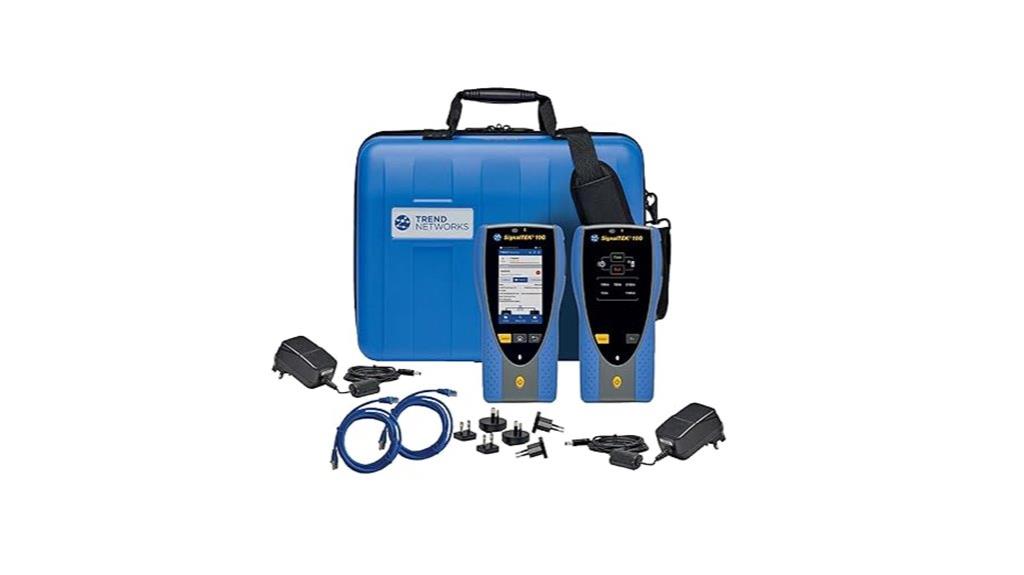
The TREND Networks SignalTEK 10G Pro Troubleshooter & Bandwidth Tester Kit is an ideal choice for network professionals who need accurate, all-encompassing testing of high-speed Ethernet and fiber cabling. It minimizes downtime by simulating real network traffic, helping troubleshoot and document performance up to 10Gbps. The device supports fiber testing, WiFi, and includes a PDF reporting feature for seamless documentation. It can verify PoE source class and power capacity up to 90W, ensuring proper power delivery. Plus, it allows you to confirm cabling support for multi-Gigabit switches before installation, saving time and costs, all accessible via TREND’s cloud system.
Best For: network technicians, data installers, and system integrators seeking comprehensive testing and troubleshooting solutions for high-speed Ethernet and fiber networks up to 10Gbps.
Pros:
- Supports testing of Ethernet, fiber, WiFi, and PoE with detailed pass/fail results.
- Enables verification of cabling support for multi-Gigabit switches before installation, saving time and costs.
- Cloud integration with real-time reporting and PDF documentation streamlines network management.
Cons:
- May be costly for small-scale or casual users due to advanced features.
- Requires training to fully utilize all functionalities and reporting capabilities.
- Limited details on battery life and portability for extended field use.
Fluke Networks MicroScanner Copper Cable Verifier and PoE Tester
https://m.media-amazon.com/images/I/61lVykvaZ3L._SY679_.jpg
Designed for technicians who need accurate PoE verification in active networks, the Fluke Networks MicroScanner Copper Cable Verifier and PoE Tester offers thorough testing features that simplify installation and troubleshooting. It verifies Ethernet-powered devices like VoIP phones, cameras, and access points, ensuring reliable setups. The device supports Class 0-8 PoE standards, detects power from PSE devices, and measures voltage up to 90 Watts. Its network testing capabilities include cable length measurement, wire map testing, fault location, and support for high-speed switch ports up to 10G Ethernet. The rugged design, bright LCD, and intuitive icons make it easy to use in any environment, streamlining network diagnostics.
Best For: technicians and network professionals who need reliable PoE verification and cable testing in active network environments.
Pros:
- Supports a wide range of PoE standards (Class 0-8, 802.3at, af, bt, UPOE, PoH) for comprehensive power testing.
- Combines PoE verification with detailed network and cable diagnostics, including cable length, wire map, and fault location.
- Rugged, easy-to-read LCD display and ergonomic design facilitate use in various environments.
Cons:
- Additional accessories like remote ID locators and tone probes are sold separately, increasing overall cost.
- Limited compatibility with non-standard or proprietary cable types beyond UTP, FTP, SSTP.
- The device may require some training or experience to fully utilize all testing features effectively.
NOYAFA NF-8209S Network Cable Tester
https://m.media-amazon.com/images/I/71iSxOn-fzL._SX522_.jpg
For network professionals and DIY enthusiasts seeking a versatile tool for troubleshooting PoE and cable issues, the NOYAFA NF-8209S Network Cable Tester stands out with its all-encompassing multifunctionality. It offers extensive testing, including continuity, fault detection, port tracing, and cable length measurement up to 600 meters with 99% accuracy. The device supports various cable types (CAT5 to CAT8) and can detect shorts, crossed pairs, and wiring faults. Its PoE, voltage, and NCV detection capabilities make it ideal for diagnosing power issues. With features like port flashing for port identification, LED illumination, and a rechargeable battery, it’s a reliable, cost-effective solution for both professionals and DIY users.
Best For: DIY enthusiasts, network installers, and IT professionals seeking an affordable, multifunctional tool for cable testing, PoE verification, and troubleshooting in complex network environments.
Pros:
- Comprehensive testing functions including continuity, fault detection, and cable length measurement up to 600 meters
- Supports various cable types (CAT5 to CAT8) and detects wiring faults, shorts, and crossed pairs
- Built-in rechargeable battery with USB-C charging, LED illumination, and port flashing for easy identification
Cons:
- Some users report durability issues with the carrying case over time
- Not as advanced as high-end Fluke testers for data transfer performance
- Limited to basic network diagnostics; lacks detailed data analysis features
TREND Networks PoE Pro Data Cable and PoE Verifier
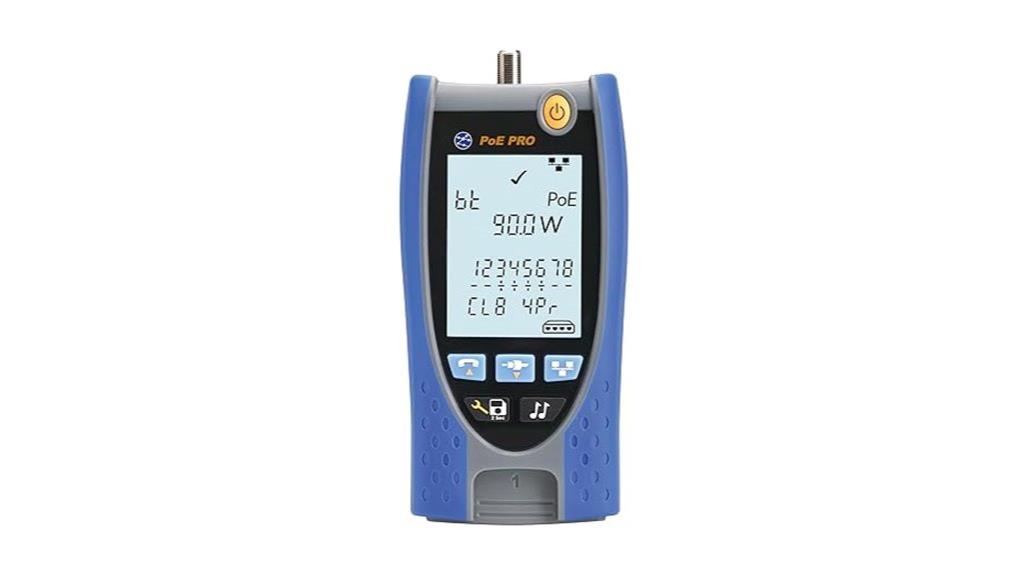
If you need a reliable tool that combines cable testing with PoE troubleshooting, the TREND Networks PoE Pro Data Cable and PoE Verifier stands out. I find it invaluable for quickly diagnosing PoE issues, supporting up to 90 Watts, and identifying source class, voltage, and IEEE standards. It seamlessly tests cable integrity with features like wiremap, voltage, and pair activity, providing instant Pass/Fail results. The device also connects directly to switches or injectors, saving time and reducing guesswork. Plus, with cloud connectivity, I can generate professional PDF reports easily, making documentation and remote troubleshooting straightforward. It’s a versatile, efficient solution for network techs.
Best For: network technicians and data installers seeking an all-in-one tool for reliable cable testing and PoE troubleshooting with cloud reporting capabilities.
Pros:
- Combines cable testing and PoE troubleshooting in a single device for efficiency.
- Supports PoE testing up to 90 Watts, including source class and IEEE standards.
- Cloud connectivity allows easy creation of professional PDF reports for documentation and remote access.
Cons:
- May be more expensive than basic cable testers, which could be a consideration for budget-conscious users.
- The device’s advanced features might require some training for optimal use.
- Limited to professional use, potentially overkill for simple network setups.
NOYAFA NF-8508 Network Cable Tester with Optical Power Meter and Fault Locator
https://m.media-amazon.com/images/I/51MaxTRAoWL._SY445_SX342_QL70_FMwebp_.jpg
The NOYAFA NF-8508 stands out as a versatile tool for network professionals who need extensive testing capabilities in a single device. It combines cable continuity testing, automatic scanning, fiber fault location, and an optical power meter, making it ideal for diagnosing wiring issues and fiber faults. With support for PoE testing, it detects voltage, polarity, and power on switches, ensuring network stability. Its visual fault locator helps locate fiber breaks, bends, or cracks quickly. Designed for ease of use, it features a user-friendly interface, USB-C charging, and an LED flashlight, making it suitable for both indoor and outdoor environments.
Best For: network engineers, IT professionals, and maintenance personnel seeking an all-in-one tool for cable testing, fiber fault locating, and PoE verification.
Pros:
- Combines multiple testing functions including cable continuity, fiber fault location, and optical power measurement in one device
- Supports various cable types and fiber interfaces, reducing the need for multiple tools
- User-friendly with features like port flashing, LED flashlight, and USB-C charging for ease of use in different environments
Cons:
- Optical power meter may require calibration for precise measurements
- Some advanced features might have a learning curve for new users
- Battery life could be limiting during extended outdoor or field use
TREND Networks SignalTEK NT Network Tester Kit
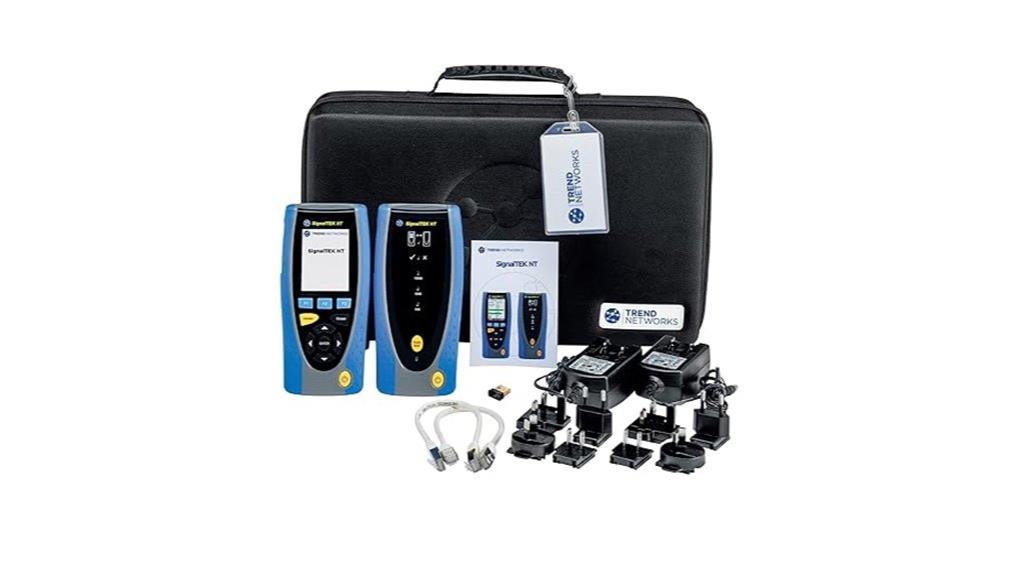
The TREND Networks SignalTEK NT Network Tester Kit stands out as an all-in-one solution designed for network professionals who need reliable copper and fiber testing capabilities. It offers industry-standard testing for network traffic, PoE load, and cable integrity, all accessible with a single autotest button. I appreciate its touchscreen interface and detailed diagnostics, including port identification and speed testing. Reports can be generated as PDFs and shared via USB or the TREND mobile app, streamlining workflow. However, in some environments, especially with port security, data loading can be inconsistent, and battery life falls short of expectations. Overall, it’s a versatile tool, but some limitations impact its value.
Best For: network technicians and data installers seeking an all-in-one copper and fiber testing solution with industry-standard diagnostics and report generation capabilities.
Pros:
- Touchscreen interface and detailed diagnostics simplify troubleshooting
- Supports testing according to IEEE802.3ab and TIA-568 standards
- Easy report sharing via USB and mobile app integration
Cons:
- Inconsistent data loading in environments with port security enabled
- Battery life shorter than advertised, limiting on-the-go use
- Slow PDF report processing and lack of direct report export to PC
Fluke Networks MicroScanner Copper Cable Verifier & PoE Tester (5018513)
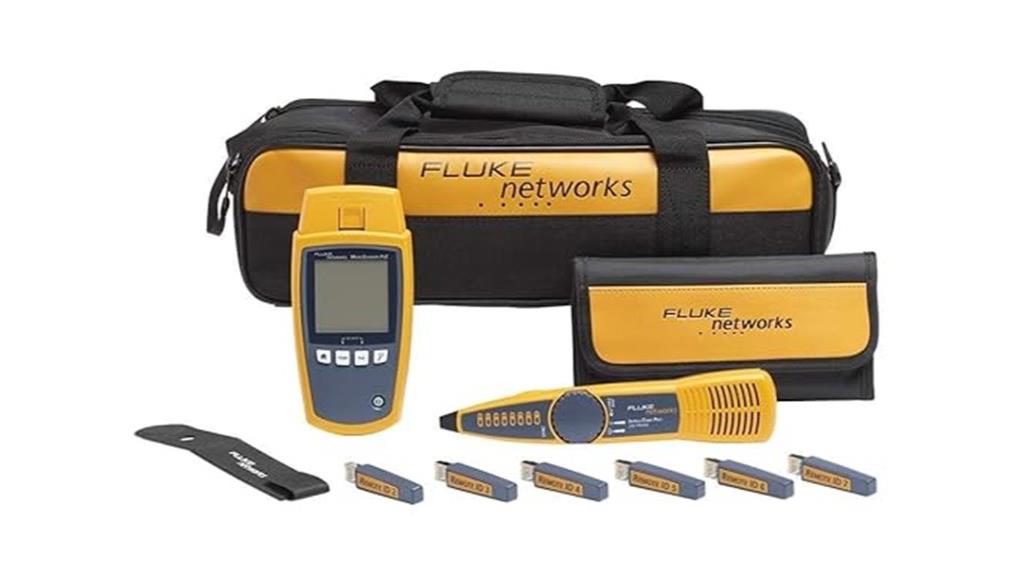
Designed for network technicians who need reliable PoE troubleshooting on the go, the Fluke Networks MicroScanner Copper Cable Verifier & PoE Tester (5018513) stands out with its all-encompassing testing capabilities. It detects active PoE sources up to 90 Watts, negotiates and identifies PoE standards from Class 1 to 8, and supports PoH and UPOE. The device measures cable length up to 460 meters, performs wiremap testing, and locates faults quickly. Its oversized backlit LCD makes results clear in any environment, while the rugged design ensures durability in active network settings. Complete with accessories like remote locators, IntelliTone probes, and a durable carrying case, it’s a thorough troubleshooting tool.
Best For: network technicians and IT professionals seeking a reliable, all-in-one tool for PoE testing, cable verification, and troubleshooting in active network environments.
Pros:
- Supports detection of PoE sources up to 90 Watts, including PoH and UPOE standards.
- Measures cable length up to 460 meters with high accuracy, facilitating efficient fault location.
- Rugged, ergonomic design with a large backlit LCD for easy use in various lighting conditions.
Cons:
- May require familiarity with network testing standards for optimal operation.
- Limited to copper cabling; does not support fiber optic testing.
- Additional accessories and batteries are needed for full functionality, which can add to the total cost.
NOYAFA NF-8508 Network Cable Tester with Optical Power Meter
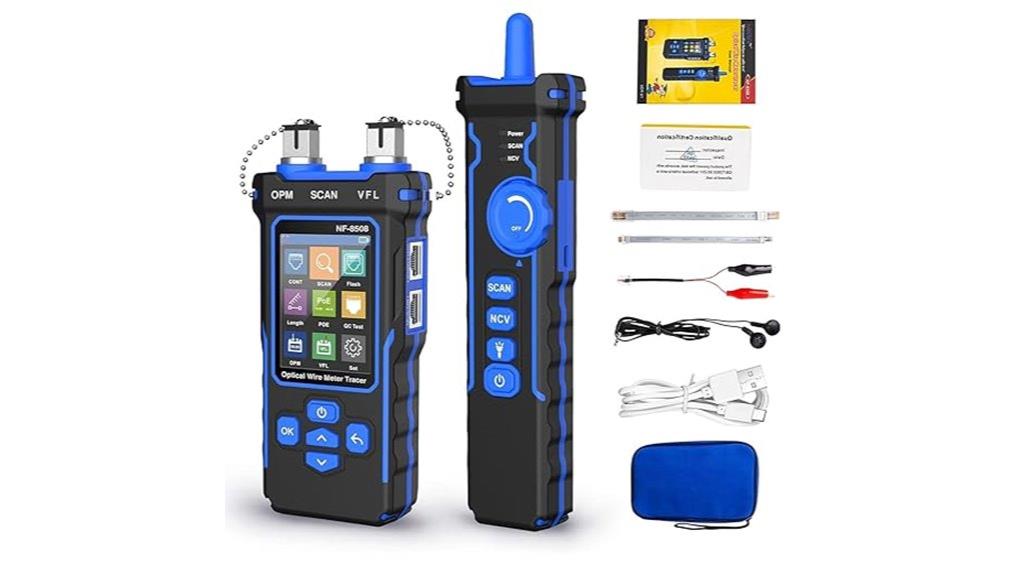
If you’re looking for a versatile tool that combines cable testing with optical power measurement, the NOYAFA NF-8508 Network Cable Tester with Optical Power Meter is an excellent choice. It’s compact yet packed with features like high sensitivity modes, anti-interference, and a built-in 1500mAh battery that lasts around 10 hours. The device quickly measures cable length up to 200 meters and performs continuity tests, port flashing, and cable scans. It also detects optical fiber signals, displays working speeds, and supports PoE testing to verify voltage, polarity, and network compatibility. Overall, it’s a all-encompassing tool ideal for network troubleshooting and maintenance.
Best For: network technicians and engineers seeking a comprehensive, portable device for cable testing, optical power measurement, and PoE verification.
Pros:
- Combines multiple functions including cable testing, optical power measurement, and PoE verification in one compact device.
- Supports high sensitivity modes and anti-interference features for accurate readings even in challenging environments.
- Built-in 1500mAh battery provides about 10 hours of continuous use, reducing the need for frequent recharging.
Cons:
- The wide range of features may require a learning curve for new users.
- Limited cable length measurement up to 200 meters, which may not suit very large installations.
- The device’s multifunctionality could make it slightly bulkier compared to single-function testers.
PoE-T100 PoE and DC Tester with OLED Display
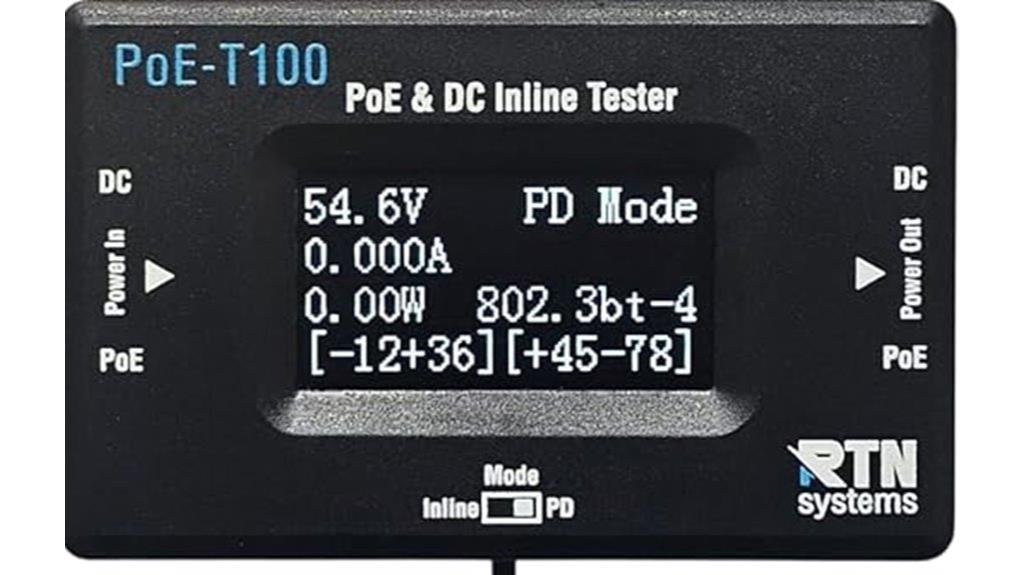
For network professionals seeking precise, real-time PoE diagnostics, the PoE-T100 PoE and DC Tester with OLED Display stands out as an essential tool. It’s self-powered, drawing power directly from PoE standards (802.3af/at/bt, PoE++, Passive PoE) or DC supplies (12–57V), so no batteries are needed. It supports three testing modes: PD, Inline, and DC, providing detailed measurements of voltage, current, power, and polarity. The bright OLED display shows all data clearly on a single screen, enabling quick, accurate troubleshooting. Its broad compatibility and real-time insights make it invaluable for installers and network engineers, streamlining diagnostics and preventing downtime.
Best For: network installers, engineers, and IT professionals seeking precise, real-time PoE and power source diagnostics for efficient troubleshooting and reliable network performance.
Pros:
- Self-powered design eliminates the need for external batteries, ensuring continuous operation during testing.
- Supports multiple PoE standards and non-PoE DC sources, offering broad compatibility for various network setups.
- Bright OLED display provides clear, real-time measurements of voltage, current, power, and polarity for quick diagnostics.
Cons:
- Limited to testing within the specified voltage ranges (12–57V), which may not cover all specialized power sources.
- Does not include advanced features such as remote connectivity or data logging capabilities.
- May require familiarity with PoE standards to interpret some measurements accurately for less experienced users.
NOYAFA NF-859GK Network Cable Tester with IP Tester
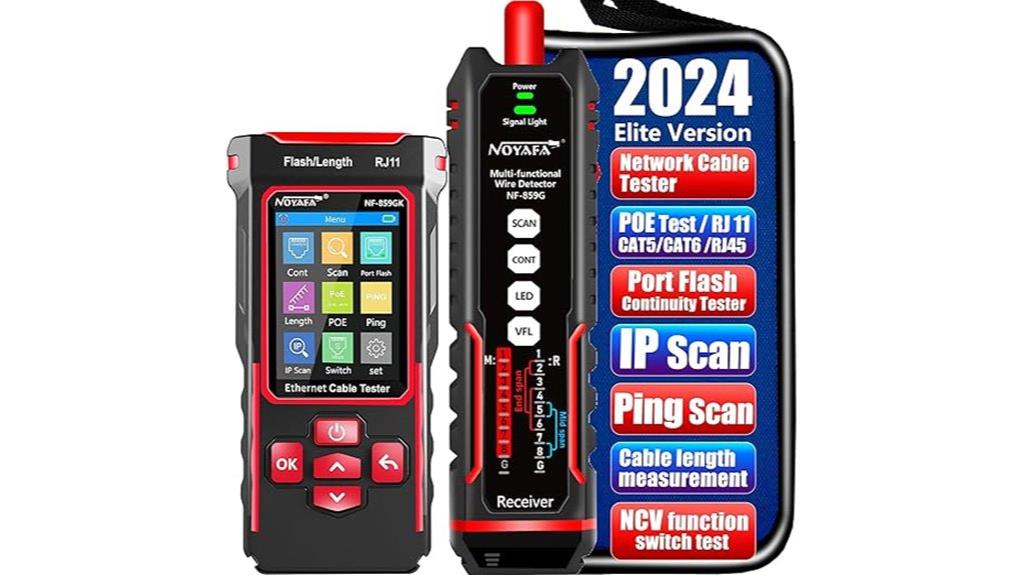
The NOYAFA NF-859GK Network Cable Tester with IP Tester stands out as an all-in-one solution for network technicians who need quick, accurate diagnostics. It combines cable testing, fault detection, and IP scanning, supporting CAT5, CAT6, RJ45, RJ11, and CAT3 cables. Its features include cable length measurement, sensitivity adjustment, and real-time data for identifying issues like breaks or shorts. The device also offers PoE detection, Ethernet speed testing, and network connectivity diagnostics, making troubleshooting more efficient. Its dual-function VFL and port indicator lights help locate faults and verify port status easily. Compact and portable, it’s perfect for on-the-go network maintenance and troubleshooting.
Best For: professional network technicians and IT specialists seeking an all-in-one tool for cable testing, fault detection, and network diagnostics on the go.
Pros:
- Combines multiple functions such as cable testing, fault detection, IP scanning, PoE detection, and network speed testing in one device.
- Supports a wide range of cable types including CAT5, CAT6, RJ45, RJ11, and CAT3, offering versatile compatibility.
- Compact, portable design with real-time data, sensitivity adjustment, and LED indicators for easy, on-site troubleshooting.
Cons:
- May be complex for beginners due to its multifunctionality and numerous features.
- The device’s advanced features might require some training or familiarity to maximize effectiveness.
- Limited detailed specifications on supported transmitters, which could impact compatibility in certain setups.
NOYAFA Network Cable Tester (NF-8601S)
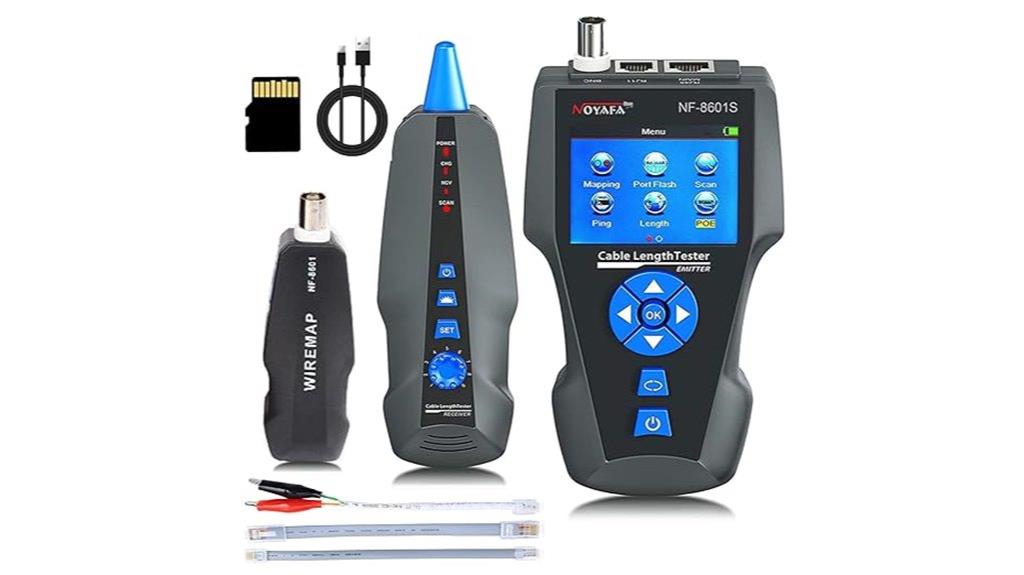
The NOYAFA Network Cable Tester (NF-8601S) stands out for its thorough fault detection and network performance testing capabilities, making it ideal for professional technicians who need a reliable tool for diagnosing cable issues and verifying PoE function. It can measure cable length, pinpoint fault distances, and identify open or short circuits, using an AC filter to trace cables with minimal noise. The device also detects PoE presence and voltage, tests network performance metrics like ping and packet loss, and supports data export via a TF card. Despite its robust features, some users report reliability concerns, especially with port blinking and tone functions, so caution is advised when using PoE cables.
Best For: Professional network technicians seeking a comprehensive tool for cable fault detection, network performance testing, and PoE verification.
Pros:
- Offers detailed fault detection, cable length measurement, and fault pinpointing with graphical line diagrams and line mapping.
- Capable of testing network performance metrics including ping, packet loss, and host reachability, with data export via TF card.
- Detects PoE presence and voltage, making it useful for verifying PoE network connections.
Cons:
- Some users report device damage when connecting to PoE network cables; caution is required.
- Port blink and fox-and-hound tone functions often fail, reducing their reliability.
- Reliability concerns have led some users to prefer alternative brands like Klein for consistent performance.
NOYAFA NF-8506 Network Cable Tester with IP Scan, PoE, Ping, TDR, LAN Ethernet & Telephone Cable Finder

If you’re looking for a versatile tool to tackle multiple network testing tasks, the NOYAFA NF-8506 stands out with its all-encompassing capabilities. It combines cable continuity, length measurement, PoE detection, IP scanning, ping testing, and LAN analysis in one device. Supporting CAT5, CAT6, RJ11, RJ45, Ethernet, and telephone cables, it’s suitable for various environments. Features like port flashing, sensitivity adjustment, and real-time fault scanning help identify issues quickly. While some users report limitations with IP and PoE detection, overall, it’s a practical, portable tool ideal for basic diagnostics, making it a valuable addition for network professionals and enthusiasts alike.
Best For: network technicians, IT professionals, and DIY enthusiasts seeking an all-in-one, portable tool for basic cable testing and network diagnostics.
Pros:
- Combines multiple functions such as cable continuity, length measurement, PoE detection, IP scanning, and ping testing in one device.
- Supports various cable types including CAT5, CAT6, RJ11, RJ45, Ethernet, and telephone cables.
- Portable design with LED indicators and tone generator for easy use in dark environments and cable location.
Cons:
- Some features like IP scanning and PoE detection may have reliability issues or timeouts.
- Length measurement and tone detection can experience delays or sensitivity limitations.
- Complex manual instructions due to translation quality may hinder ease of use for some users.
NOYAFA NF-8209 Network Cable Tester with PoE, Line Tracker, and LCD Display
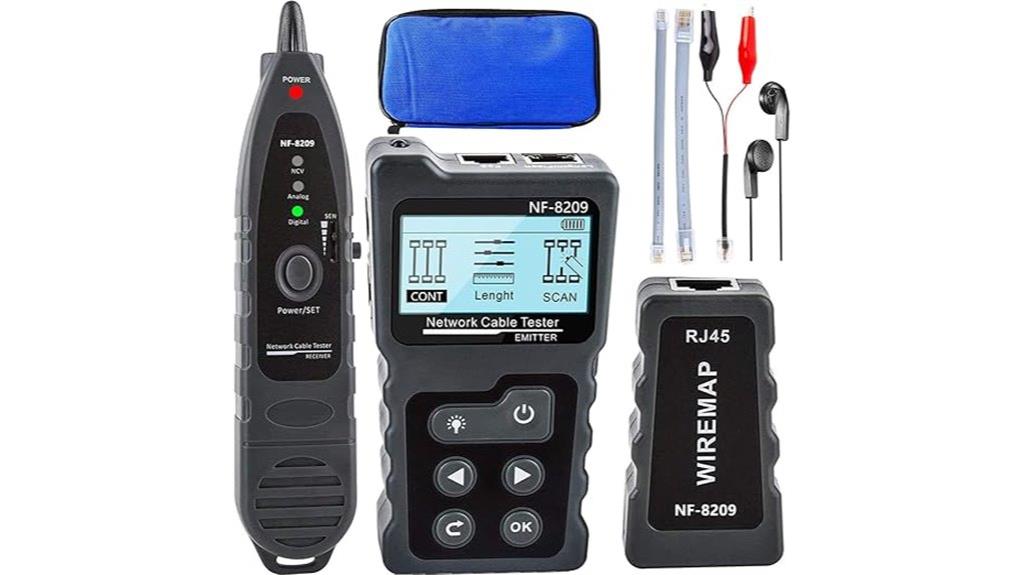
Designed for network professionals and serious DIYers, the NOYAFA NF-8209 stands out with its versatile multi-function testing capabilities, including PoE detection, cable verification, and length measurement. It supports three modes—AC FILTER, analog, and PoE—to identify PoE voltage, power, and PSE standards, while also verifying RJ45, CAT5, and CAT6 cables. The device scans Ethernet cables for faults, shorts, and poor contacts, supporting shielded and unshielded LAN cables. Its cable length measurement ranges from 2.5m to 200m with high accuracy, and remote inspection helps locate faults quickly. This tool simplifies network troubleshooting for both professionals and enthusiasts.
Best For: network professionals and serious DIYers seeking a versatile tool for cable testing, PoE detection, and network troubleshooting.
Pros:
- Supports multiple testing modes including PoE, AC filter, and analog for comprehensive diagnostics
- Accurate cable length measurement from 2.5m to 200m with remote inspection features
- Compatible with shielded and unshielded LAN cables, suitable for various network environments
Cons:
- Receiver requires a 9V battery (not included), adding an extra step for setup
- Slightly complex interface may require some training for optimal use
- Limited to indoor and outdoor use but may not be fully rugged for extreme conditions
Fluke Networks LIQ-KIT-IE Industrial Ethernet Tester Kit

For field technicians seeking a reliable and all-encompassing tool to troubleshoot PoE and network issues, the Fluke Networks LIQ-KIT-IE Industrial Ethernet Tester Kit stands out. It validates cable performance up to 10GBASE-T, supports Ethernet/IP, PROFINET, and EtherCAT networks, and provides detailed switch diagnostics like data rate, switch name, port, and VLAN info. The kit detects PoE classes, measures power levels, and performs load tests, ensuring proper PoE delivery. It also quickly identifies wiring problems and simplifies troubleshooting, even for non-technical users. With tools like the IntelliTone Probe and straightforward results, it’s an excellent choice for ensuring network stability and PoE reliability.
Best For: field technicians and network professionals seeking a reliable, all-in-one tool for diagnosing PoE and Ethernet network issues in industrial environments.
Pros:
- Supports validation of cable performance up to 10GBASE-T with detailed diagnostics
- Capable of detecting PoE classes, measuring power, and performing load tests for PoE verification
- Includes intuitive features like the IntelliTone Probe and user-friendly results for easy troubleshooting
Cons:
- Used and missing some original items, which may affect complete functionality
- Not as advanced as high-end models like DSX-5000 or DSX-8000, limiting certain testing capabilities
- Designed primarily for troubleshooting, so may lack some features found in dedicated cable certifiers
Factors to Consider When Choosing a Network Analyzer for Poe Troubleshooting
When selecting a network analyzer for PoE troubleshooting, I consider several key factors to guarantee it meets my needs. These include PoE power capacity, compatibility with standards, ease of use, port accessibility, and measurement accuracy. Focusing on these points helps me find a reliable tool that simplifies diagnosing network issues effectively.
PoE Power Capacity
Choosing the right network analyzer for PoE troubleshooting requires careful attention to its power measurement capabilities. Make certain it can measure power levels up to at least 90 Watts to handle high-power standards like 802.3bt. It’s crucial that the device supports PoE source class detection, covering Classes 0-8, so you can accurately identify the power supplied by switches and injectors. The analyzer should also distinguish between different PoE standards such as IEEE 802.3af, at, bt, UPOE, and PoH, to verify compatibility. Simultaneous measurement of voltage and current is essential for evaluating actual power delivery. Lastly, look for real-time power reporting and maximum wattage verification to prevent overloads and ensure stable, reliable power to connected devices.
Compatibility With Standards
Selecting a network analyzer that supports multiple PoE standards guarantees accurate testing across various devices and configurations. Confirm it supports IEEE 802.3af, at, and bt standards to test different power sources effectively. Compatibility with passive PoE and non-standard setups is vital, as these are common in diverse environments. The device should measure voltage, wattage, and power classes up to 90 Watts to handle high-power applications. Active pair detection and source class identification are essential features for diagnosing issues precisely. Additionally, verify that the analyzer can check PoE standards across different switch and injector models, guaranteeing comprehensive troubleshooting. Supporting all these standards and configurations helps you confidently identify problems and verify proper power delivery in any network setup.
Ease of Use
An intuitive, user-friendly interface is essential for efficient PoE troubleshooting, especially when time is limited. A clear layout with icons and menus makes navigation straightforward, reducing the learning curve. Devices with large, backlit displays allow me to read results easily in any environment, whether bright or dark. Automated testing functions and one-touch autotest buttons save time by minimizing manual setup, letting me focus on diagnosing issues quickly. Simple setup procedures and straightforward instructions help me avoid errors and speed up diagnostics. Features like port flashing, visual indicators, and step-by-step guides enhance usability, making it easier for both beginners and experienced technicians to operate confidently. Overall, ease of use guarantees faster, more accurate troubleshooting with less frustration.
Port Accessibility Features
When evaluating network analyzers for PoE troubleshooting, I pay close attention to port accessibility features that make testing more efficient. I look for devices that support port flashing or blinking, which helps quickly identify active ports on switches or routers. Remote port testing capabilities are essential, allowing me to verify port functionality without needing physical access, saving time. Clear port mapping and labeling are critical for accurate identification, especially in complex networks. Compatibility with various port types like RJ45, SFP, and fiber ensures I can troubleshoot across different infrastructure components seamlessly. Additionally, visual indicators or alarms for port status changes help me detect issues promptly. These features collectively streamline troubleshooting, making the analyzer an indispensable tool for efficient network management.
Measurement Accuracy
Achieving high measurement accuracy is essential for reliable PoE troubleshooting because it guarantees I can precisely detect voltage, current, and power levels. Accurate readings help me classify PoE sources correctly according to standards like IEEE 802.3af, at, or bt. This ensures I’m within safe operational limits, preventing equipment damage. Consistent precision across different cable lengths and qualities means I can troubleshoot effectively in various environments. The ability to detect subtle differences in power delivery helps me identify issues such as insufficient power or faulty injectors early. Reliable measurements reduce the risk of misdiagnosis, saving time and effort. When choosing a network analyzer, prioritizing measurement accuracy makes all the difference in diagnosing and resolving PoE problems confidently and efficiently.
Battery or Power Supply
Choosing the right power source for a network analyzer is crucial because it directly impacts the device’s reliability and ease of use during PoE troubleshooting. A built-in rechargeable battery with at least 8-10 hours of capacity ensures extended testing without interruptions. Devices powered by external power supplies should feature surge protection and fail-safe circuitry to prevent damage from power fluctuations. Battery indicators and low-power alerts are essential, so I can monitor remaining power and avoid sudden shutdowns during critical tasks. Some analyzers can draw power directly from PoE sources, reducing the need for separate batteries—though I need to verify that this doesn’t affect device performance. Considering power consumption helps extend battery life, especially during prolonged use, ensuring consistent and reliable troubleshooting sessions.
Data Reporting Options
The way a network analyzer reports its test results can substantially influence how I share, store, and analyze data during PoE troubleshooting. I look for options that make it easy to generate clear, thorough reports—whether on-screen summaries, PDF documents, or spreadsheets. Automated report features with customizable templates help streamline documentation, saving time during audits or client meetings. Cloud connectivity is a big plus, enabling remote access and real-time monitoring, which boosts team collaboration. Exporting reports in formats like PDF, CSV, or XML ensures compatibility with my existing network management tools. Integrated reporting that includes test summaries, diagnostics, and visual graphs is invaluable for troubleshooting, trend analysis, and verifying compliance. These options directly impact my efficiency and the clarity of my findings.
Durability and Build
When selecting a network analyzer for PoE troubleshooting, durability is crucial because field conditions can be unpredictable. I look for devices with rugged, shock-resistant casings that can survive drops and impacts. Water resistance, like IP-rated enclosures, is essential for reliable operation in humid or rainy environments. Reinforced or sealed buttons and connectors help prevent damage from dust, dirt, and moisture ingress. Long-lasting rechargeable batteries with protective casings ensure extended use without frequent replacements. High-quality build materials and reinforced cables are indispensable for enduring wear and tear in demanding scenarios. A durable analyzer reduces downtime and maintenance, making it a reliable tool for fieldwork. Ultimately, investing in a well-built device means better performance and longevity in tough troubleshooting conditions.
Frequently Asked Questions
Which Network Analyzer Offers the Best Portability for On-Site Poe Troubleshooting?
The Fluke Networks Microscanner2 is my top pick for portability in on-site PoE troubleshooting. It’s lightweight, compact, and easy to carry around, making it perfect for quick diagnostics in the field. Its rugged design withstands tough environments, and the intuitive interface helps me identify PoE issues rapidly. If you need a reliable, portable analyzer that fits in your pocket, I highly recommend the Microscanner2 for on-the-go troubleshooting.
How Do Different Testers Handle Mixed Cable Types and Complex Wiring Scenarios?
Different testers handle mixed cable types and complex wiring scenarios by using advanced algorithms and multi-protocol support. I find that testers with auto-detection features quickly identify cable types and wiring issues, saving me time. Some models also offer detailed diagnostics and visualization, which help me understand complex setups better. Overall, I prefer testers that adapt seamlessly to varied environments, ensuring accurate results regardless of cable or wiring complexity.
Can These Analyzers Detect and Troubleshoot Poe Voltage and Power Issues Effectively?
Imagine a flashlight piercing through a dark room—that’s how these analyzers reveal hidden power issues. Yes, they can detect and troubleshoot PoE voltage and power problems effectively. I’ve seen them pinpoint voltage drops and power inconsistencies quickly, helping me resolve issues before they cause network failures. Their precision guarantees I identify faulty connections or insufficient power supplies, keeping my network running smoothly without guesswork.
What Are the Maintenance and Calibration Requirements for Long-Term Accuracy?
To guarantee long-term accuracy, I regularly calibrate my network analyzer according to the manufacturer’s guidelines, usually every 6 to 12 months. I also perform routine maintenance like cleaning connectors and inspecting cables for wear or damage. Keeping the device stored in a controlled environment helps prevent drift in measurements. Consistent calibration and proper maintenance are key to reliable PoE troubleshooting over time.
Are There Compatibility Concerns With Existing Network Infrastructure When Using These Testers?
You might wonder if these testers will play nice with your existing network. The good news is, most modern analyzers are designed with broad compatibility, supporting standard protocols and commonly used hardware. However, I always recommend double-checking specific device requirements and firmware versions before testing. A quick review safeguards you headaches later and ensures seamless integration, so your troubleshooting stays smooth and efficient.
Conclusion
Think of choosing the right Poe network analyzer as picking the perfect compass for a voyage. With the right tool in hand, you’ll navigate complex cables and signals with confidence, avoiding pitfalls and dead ends. Remember, the right device isn’t just gear—it’s your guiding star through the technical night. Trust your instincts, choose wisely, and let your troubleshooting journey become a smooth sail toward seamless connectivity.