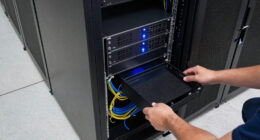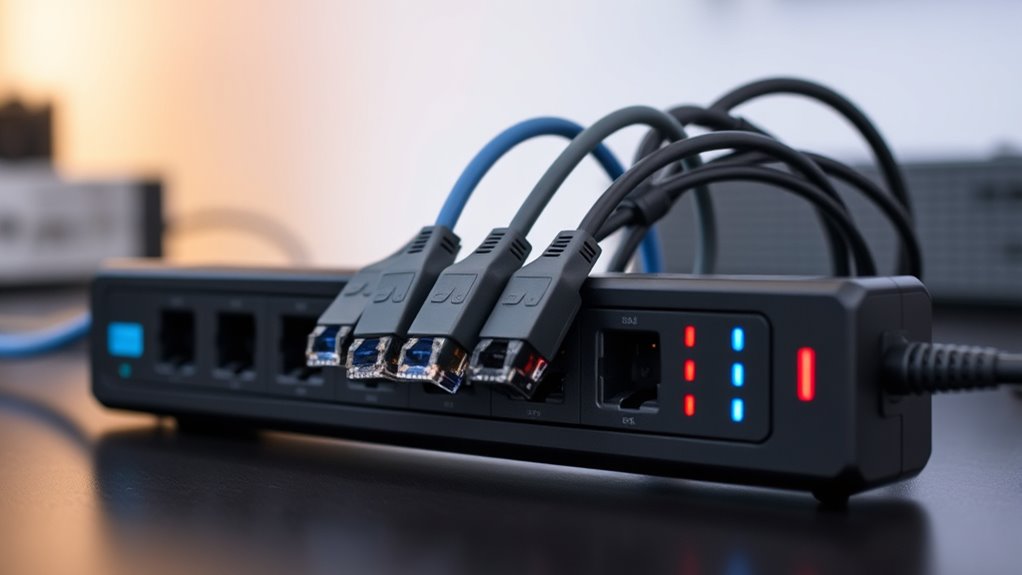
For most home and small-office networks, I’d start with the CyberPower EC850LCD: it combines outlet surge protection with battery backup, so a brief outage need not immediately drop your router or modem. For rack installations, the StarTech 8-Outlet 1U PDU adds a rack-ready layout, while the Ubiquiti ETH-SP-G2 targets protection on Ethernet cable runs. The main tradeoff is that a power strip or UPS protects equipment on AC power, while an Ethernet protector addresses surges arriving over the network cable; many setups need both. PoE support, speed, grounding, and indoor or outdoor placement also narrow the choice. Read on for the full breakdown and a guide to matching protection to your network.

Get business pricing on networking and server gear
- Business-only prices and quantity discounts
- Tax-exempt purchasing
- Multiple users, one account, clear invoices
Key Takeaways
- The EC850LCD stands apart by adding battery backup. That makes it the strongest all-round fit here when keeping a modem, router, or small network setup online during short outages matters alongside AC surge protection.
- Rack format changes the shortlist. The StarTech and HHSOET are better suited to rack-mounted equipment than desktop setups, while the CyberPower CPS1215RMS offers a rack-oriented power strip without the EC850LCD’s battery-backup role.
- Ethernet protection is a separate job from outlet protection. The CERRXIAN, Ubiquiti, and other RJ45 models address surges traveling along network cabling; they do not replace a surge protector for the equipment’s power cord.
- PoE compatibility needs a closer match than the word “Ethernet.” Several listed protectors specify PoE or PoE++, but buyers still need to match the device’s power, link speed, cable, and installation requirements.
- Outdoor cable runs call for attention to placement and grounding. Outdoor-focused options such as the outdoor Gigabit/PoE++ protector are aimed at exposed links, but installation and grounding remain part of the protection plan.


More Details on Our Top Picks
CyberPower EC850LCD Ecologic UPS Battery Backup and Surge Protector
For a router, modem, and small network switch that need to stay on through a brief outage, I’d choose the CyberPower EC850LCD over a basic rack power strip: it adds battery backup, while the CyberPower CPS1215RMS provides surge protection without backup power. Its 12 outlets and LCD status panel make it easier to check system conditions and connect a mix of networking and desktop gear. ECO mode may also cut power use for compatible connected equipment. The tradeoff is runtime: the listed two minutes at full load is enough for a short interruption or orderly shutdown, not extended service. The product data also lists 230V output alongside 120V input, so I’d verify the output specification and device compatibility before buying. The LCD may be hard to read in low light.
Pros:- Provides battery backup as well as surge protection, unlike the CyberPower CPS1215RMS rack surge protector.
- 12 outlets accommodate networking and desktop equipment together.
- LCD panel displays operating status.
- ECO mode is designed to reduce energy use with compatible connected equipment.
Cons:- Listed runtime is only two minutes at full load, limiting its usefulness during extended outages.
- The listed 230V output conflicts with the 120V input specification and should be verified.
- LCD visibility may be difficult in low light.
Best for: Home-office users who want battery backup for a modem, router, and other low-power network devices during short outages.
Not ideal for: Network operators who need long backup runtime, or buyers who need clearly confirmed 120V output specifications before connecting equipment.
- Maximum power:500 watts
- Output wattage:510 watts
- Number of outlets:12
- Input voltage:120 volts
- Listed output voltage:230 volts AC
- Runtime:2 minutes
- Battery type:Sealed lead acid
- Warranty:3 years, including batteries
Our verdict“Choose the EC850LCD for short-duration battery backup for home-network gear, but verify its output voltage and don’t expect extended runtime.”
HHSOET 8 Outlet PDU Power Strip, 1U Rack Surge Protection, 6FT, Black
The HHSOET is a straightforward fit for a rack that needs eight outlets and a space-saving 1U form factor, rather than battery backup or network-line protection. Its 1200-joule surge rating, built-in circuit breaker, and metal construction make it more rack-oriented than the CyberPower EC850LCD, which is a UPS with a status display and battery. Independent switches can help manage individual connected devices, though they also introduce the possibility of accidentally switching off network equipment. The six-foot cord suits nearby outlets but offers less placement flexibility than the CyberPower CPS1215RMS and its 15-foot cord. This unit protects power connections, not Ethernet lines, and the listing does not include mounting hardware or smart monitoring. I’d pick it for simple rack distribution, not as a complete protection plan for a network exposed to surges on data cabling.
Pros:- 1U rack-mount format keeps power distribution within a rack.
- 1200-joule surge protection and a built-in circuit breaker are specified.
- Independent outlet switches allow separate control of connected equipment.
- Metal construction is suited to rack use.
Cons:- Six-foot cord gives less placement flexibility than the CyberPower CPS1215RMS with its 15-foot cord.
- No battery backup or smart monitoring is listed.
- Mounting hardware is not included, and it does not protect Ethernet cabling.
Best for: Home-lab and small-office owners who need a basic 1U rack strip for networking devices and can supply their own mounting hardware.
Not ideal for: Buyers seeking battery backup, Ethernet surge protection, remote monitoring, or a long power cord for a distant outlet.
- Outlets:8
- Mounting:1U rack mount
- Surge protection:Up to 1200 joules
- Voltage:125 volts
- Power cord length:6 feet
- Enclosure material:Metal, plastic, and rubber
- Additional features:Circuit breaker, indicator light, independent on/off switches
Our verdict“Choose this PDU for simple, rack-mounted power distribution, but add separate Ethernet protection and don’t expect UPS features.”
CERRXIAN Ethernet Surge Protector RJ45 Coupler Female to Female Network Surge Protector Outdoor Arrester Protection Device Extension Adapter (2-Pack)
Unlike the CyberPower CPS1215RMS, which protects equipment through its power connection, the CERRXIAN pair sits directly in an RJ45 Ethernet run. That makes it relevant when the concern is a surge arriving along a network cable, and the coupler format also joins two cable sections. The two-pack gives a buyer protection points for two runs, with plug-and-play female-to-female connections and stated indoor and outdoor use. Its defining limitation is the specified 100Mbps transmission rate: I would not put it on a gigabit LAN or a high-throughput PoE link. The Gigabit Ethernet Surge Protector in this lineup is a better match for gigabit and PoE applications, though it calls for attention to grounding. The CERRXIAN listing also supplies sparse electrical protection details, so buyers needing documented surge ratings should look elsewhere.
Pros:- Protects at the Ethernet connection rather than only at the power outlet.
- Two female-to-female RJ45 couplers are included.
- Plug-and-play design also joins Ethernet cable sections.
- Listing describes indoor and outdoor use.
Cons:- Specified data transmission is limited to 100Mbps, unlike the Gigabit Ethernet Surge Protector.
- Detailed surge ratings and grounding requirements are not provided in the supplied product data.
- Not a substitute for power-outlet surge protection or battery backup.
Best for: Owners of 100Mbps Ethernet connections who need an inline RJ45 coupler and want two units for separate cable runs.
Not ideal for: Gigabit-network users, high-speed PoE installations, or buyers who need clearly stated surge ratings and detailed electrical specifications.
- Quantity:2 couplers
- Connector type:RJ45 female-to-female
- Stated data rate:Up to 100Mbps
- Use:Indoor and outdoor
- Compatible device listed:Personal computer
- Item weight:0.02 kg
Our verdict“Pick the CERRXIAN pair for basic 100Mbps Ethernet runs, but choose a gigabit-rated protector for faster or PoE networks.”
Gigabit Ethernet Surge Protector, 10KV RJ45 Lightning Protector for PoE/PoE++ Devices, 120W/Port, 10/100/1000Mbps Network Surge Suppressor, GDT Technology, CAT5e/CAT6 Compatible, Flange Mount
For a gigabit access point, camera, or other PoE device connected over a cable run, this is the most capable Ethernet-focused choice in this batch. It supports 10/100/1000Mbps and lists IEEE 802.3af/at/bt compatibility with power support up to 120W per port, unlike the CERRXIAN couplers, which are specified only for 100Mbps. Its aluminum-alloy housing and wall, rail, or desktop mounting options suit installations where a simple inline adapter may not be enough. The benefit depends on correct installation: the included 12AWG grounding wire needs a suitable ground, so this is less plug-and-play than the CERRXIAN pair. It also does not replace a power strip such as the CyberPower CPS1215RMS; it protects the network path, not the device’s AC supply. Cable-length guidance is not detailed in the supplied data.
Pros:- Supports gigabit Ethernet, unlike the CERRXIAN couplers’ stated 100Mbps limit.
- Lists IEEE 802.3af/at/bt support and up to 120W per port.
- Aluminum-alloy housing and wall, rail, or desktop mounting options suit varied installations.
- 12AWG grounding wire and stated surge-discharge specifications support a grounded installation.
Cons:- Proper grounding requires installation knowledge and a suitable ground connection.
- Protects Ethernet cabling, not AC power connections; a separate power protector may still be needed.
- Maximum cable-length guidance is not provided in the supplied data.
Best for: Installers and technically confident network owners protecting a gigabit PoE or PoE++ device on a cable run with a proper grounding point.
Not ideal for: Buyers wanting a simple, ungrounded plug-in accessory, or anyone seeking AC outlet surge protection or battery backup in one unit.
- Network speed:10/100/1000Mbps
- Supported PoE standards:IEEE 802.3af/at/bt
- Power support:Up to 120W per port
- Discharge current:10kA
- Common-mode surge:20kV
- Differential-mode surge:1.5kV
- Housing material:Aluminum alloy
- Grounding wire:12AWG
- Mounting options:Wall, rail, or desktop
Our verdict“Choose this for grounded gigabit PoE links where Ethernet-line protection matters, not as a standalone power surge protector.”
CyberPower CPS1215RMS Surge Protector
When a network rack needs many protected AC connections and no battery backup, the CyberPower CPS1215RMS is a stronger fit than the HHSOET 8-outlet PDU. It provides 12 outlets, a listed 1800-joule surge rating, and a 15-foot cord, giving it more outlet capacity and reach than the HHSOET’s eight outlets and six-foot cord. The metal housing and rack-oriented design suit a fixed network closet or home office, but the product data does not specify a 1U mounting format, so buyers should check rack fit before ordering. At five pounds, it is also less convenient to move around. Like the HHSOET, it protects equipment connected to AC power; it does not protect Ethernet lines or keep a router running during an outage. Pair it with a suitable network-line protector when cable surges are a concern.
Pros:- 12 outlets offer more connections than the HHSOET’s eight-outlet PDU.
- Listed 1800-joule surge protection.
- 15-foot power cord allows placement farther from an outlet than the HHSOET’s six-foot cord.
- Metal enclosure is suited to fixed rack or network-closet use.
Cons:- No battery backup is listed, so connected network equipment will shut down during a power outage.
- Five-pound weight makes it less portable.
- Rack-oriented design is not suitable for every setup, and a 1U format is not specified in the supplied data.
- Does not provide Ethernet-line surge protection.
Best for: Network-closet and home-office owners who need numerous AC outlets, a long cord, and rack-oriented surge protection without battery backup.
Not ideal for: Buyers who need a UPS, Ethernet-line protection, a lightweight portable strip, or confirmed 1U mounting dimensions.
- Outlets:12
- Surge protection:1800 joules
- Voltage:120 volts
- Maximum current:15 amps
- Power cord length:15 feet
- Power plug:Type B, 3-pin North American
- Enclosure material:Metal
- Item weight:5 pounds
- Warranty:3 years
Our verdict“Choose the CPS1215RMS for a rack or network closet needing 12 AC outlets and a long cord, but add separate Ethernet protection if needed.”
StarTech 8-Outlet 1U PDU, 120V/15A, Surge, 6ft Cord, TAA
For a network rack that needs several devices powered from one protected strip, the StarTech 1U PDU is the most direct fit in this group. Its eight outlets, steel chassis, and standard 19-inch rack mounting keep power distribution tidy for switches, routers, and other rack gear. LED ground and surge indicators also make it easier to spot a protection or grounding issue than with an Ethernet-only device such as the Ubiquiti ETH-SP-G2. The tradeoff is scope: this protects AC-connected equipment, not the Ethernet line running to an outdoor camera or access point. It is also limited to 120V/15A and lacks remote switching or USB ports. I’d choose it for rack organization and basic surge protection, then add line-level Ethernet protection where cabling leaves the building.
Pros:- Eight outlets fit multiple rack-mounted network devices
- 1U design installs in a standard 19-inch rack
- LED ground and surge indicators provide at-a-glance status
- Rugged steel chassis and reset switch
Cons:- Limited to 120V and 15A applications
- Does not protect Ethernet cabling from surges
- No USB ports or remote power-control features
Best for: Home-lab and small-business rack owners who need eight AC outlets and surge status indicators in a standard 19-inch rack.
Not ideal for: Installations needing remote outlet control, higher-capacity power distribution, or direct protection for outdoor Ethernet runs.
- Outlets:8
- Voltage:120 volts
- Maximum current:15 A
- Mounting:Standard 19-inch rack
- Cord length:6 ft
- Chassis:Steel
- Indicators:LED ground and surge indicators
- Warranty:2 years
Our verdict“Choose this PDU to distribute and protect AC power for a standard network rack, but pair it with Ethernet surge protection for exposed data lines.”
Outdoor Ethernet Surge Protector – Gigabit and PoE++ Compatible
When several outdoor Ethernet runs need protection at one mounting point, the TP303 has a clear advantage over the single-line Ubiquiti ETH-SP-G2: it provides four ports and is described as weather-resistant for outdoor installation. Gigabit and PoE++ support make it a fit for cameras or access points receiving both data and power over Ethernet. Its gas discharge tube protection and listed line-to-line and line-to-ground clamping address network-line surges rather than AC power at the rack. That distinction matters: this won’t replace a rack PDU such as the StarTech 8-Outlet. The protection figures and installation quality matter in practice, and the product data gives limited detail about enclosure sealing or included mounting hardware. I’d favor it for grouped exterior lines, but not where a detailed weatherproof rating is required.
Pros:- Four ports can protect multiple network lines at one location
- Supports gigabit Ethernet and PoE++
- Weather-resistant design and several mounting options
- GDT protection with line-to-line and line-to-ground clamping
Cons:- Protects Ethernet lines only, not AC power
- Proper mounting and grounding are needed for protection
- Product details do not specify a formal weatherproof rating or included accessories
Best for: Installers protecting multiple gigabit PoE++ Ethernet runs at an outdoor wall, panel, or rack location.
Not ideal for: Buyers who need AC outlet surge protection, a documented enclosure rating, or a simple solution without mounting and grounding work.
- Model:TP303
- Ports:4
- Network support:Gigabit Ethernet
- PoE support:PoE++
- Operating voltage:60 volts DC
- Surge element:Gas discharge tube
- Mounting options:Wall, electrical panel, or network rack
Our verdict“Pick the TP303 for a mounted outdoor cluster of PoE++ lines, but choose a single-line protector if you need a smaller, simpler installation.”
Ubiquiti Ethernet Surge Protector ETH-SP-G2
The Ubiquiti ETH-SP-G2 suits a narrow job: protecting one outdoor Ethernet connection without adding a multi-port block to the installation. Its small footprint and quick installation are useful beside a camera, access point, or cable entry, while 2.5 Gigabit support avoids the speed ceiling of a gigabit-only device such as the TP302. Against the four-port TP303, though, this is a one-line solution, so a site with several exposed runs needs multiple units. The supplied information also identifies passive RJ45 ports but does not list a surge rating, PoE power ceiling, or weather-resistance specification. I’d choose it for a compact, compatible Ubiquiti-oriented setup where straightforward placement matters, but compare the missing electrical details against the demands of higher-power PoE equipment.
Pros:- Compact, lightweight form factor
- Supports 2.5 Gigabit Ethernet
- Quick installation for a single connection
- Passive RJ45 ports fit Ethernet-line protection use
Cons:- Only one unit is included, so larger setups need more protectors
- Product data does not state a surge rating or PoE power ceiling
- Does not protect AC power
Best for: Network installers seeking a small, single-line protector for an outdoor Ethernet device on a 2.5 Gigabit link.
Not ideal for: Sites with multiple exposed Ethernet runs or buyers who need a stated surge rating, PoE power limit, or weather-resistance specification.
- Model:ETH-SP-G2
- Ethernet speed:Up to 2.5 Gigabit
- Port type:Passive RJ45
- Package dimensions:4 × 2.5 × 1.5 inches
- Item weight:2.82 ounces
- Protection use:Outdoor Ethernet equipment
Our verdict“Choose the ETH-SP-G2 for compact protection on one compatible outdoor Ethernet line, not for multi-line sites or installations requiring fully specified ratings.”
Ethernet Surge Protector – Gigabit and PoE++ Compatible – TP302
The TP302 is the most clearly specified choice here for a single Ethernet line carrying substantial PoE power: the product data lists Class 8, up to 154W and 3.2A, plus gigabit networking and a cast-aluminum body. That makes it a stronger match for power-hungry PoE equipment than the Ubiquiti ETH-SP-G2, whose supplied details do not state a PoE ceiling. The tradeoff is that the TP302 protects one Ethernet connection, unlike the four-port TP303, and its stated 1 Gbps speed does not match the Ubiquiti unit’s 2.5 Gigabit support. It is listed for indoor and outdoor use, but no weatherproof rating is provided. I’d select it for a high-power PoE link where the 1 Gbps limit is acceptable and installation can be properly grounded.
Pros:- Supports PoE Class 8 up to 154W and 3.2A
- Gigabit Ethernet and Cat 6 compatibility
- Cast-aluminum construction
- Listed for indoor and outdoor use
Cons:- Protects Ethernet and PoE lines only
- Limited to 1 Gbps, below the ETH-SP-G2’s stated 2.5 Gigabit support
- No specific weatherproof rating is listed
Best for: Network technicians protecting a single gigabit connection to a high-power PoE++ device such as a camera or access point.
Not ideal for: Buyers needing multiple protected lines, 2.5 Gigabit throughput, or a specified outdoor weatherproof rating.
- Ethernet speed:Gigabit, up to 1 Gbps
- Maximum voltage:60 V
- Cable category:Cat 6
- Connector:Ethernet
- Material:Cast aluminum
- Item weight:2.4 ounces
- Use:Indoor and outdoor
Our verdict“Choose the TP302 when one gigabit Ethernet line carries high PoE power, and look to a multi-port protector for grouped runs.”
4-Port RJ45 Ethernet Surge Protector, 10KV Lightning Arrestor, PoE++ Compatible, Gigabit Speed, Metal Shielded, CAT5/CAT6
For an installation that needs several Ethernet lines protected together, this four-channel protector combines a stated 10 kV surge protection voltage with 20 kA lightning discharge current, aluminum-alloy housing, and wall, DIN-rail, or desktop mounting. Independent channel protection is a useful distinction from the single-line TP302: it is aimed at grouped network connections rather than one high-power link. Each port supports PoE++ up to 120W, below the TP302’s listed 154W ceiling, so I would not treat the two as interchangeable for the most demanding PoE loads. The broad temperature range suits harsher installation environments, but the multi-channel format takes more room and may call for technical knowledge to mount and ground correctly. This is a better fit for planned industrial wiring than a quick, single-device add-on.
Pros:- Four input and four output ports with independent channel protection
- Supports gigabit Ethernet and PoE++ up to 120W per port
- Aluminum-alloy housing with wall, DIN-rail, and desktop mounting
- Wide operating temperature range from -40°F to 185°F
Cons:- Installation and grounding may require technical knowledge
- Bulkier than a single-line protector
- Per-port PoE ceiling is lower than the TP302’s stated 154W
Best for: Technically capable installers protecting several gigabit PoE++ lines in industrial, utility, or temperature-variable environments.
Not ideal for: Buyers protecting only one device, needing more than 120W per port, or wanting a plug-in protector with minimal installation work.
- Ports:4 in / 4 out
- Surge protection voltage:10 kV
- Lightning discharge current:20 kA
- Ethernet speed:Gigabit, up to 1000 Mbps
- PoE++ support:Up to 120W per port
- Cable compatibility:Cat 5, Cat 5e, and Cat 6
- Operating temperature:-40°F to 185°F
- Housing and mounting:Aluminum alloy; wall, DIN rail, or desktop
- Grounding wire:12 AWG
Our verdict“Choose this unit to protect several gigabit PoE++ lines in a demanding installation, provided 120W per port and hands-on mounting suit your setup.”

How We Picked
I compared the 10 options by the kind of network risk they address, rather than treating every product labeled a surge protector as interchangeable. The core criteria were protection type (AC outlets or Ethernet lines), compatibility with common network links and PoE use, suitability for rack or outdoor placement, and practical fit for a home, office, or network installation. I also looked at whether a model adds a meaningful capability, such as battery backup, multiple protected outlets, or a multi-port RJ45 design.
The ranking favors broad usefulness first, then products that serve a clear setup particularly well. That puts the CyberPower EC850LCD first for combining outlet protection and battery backup, while rack PDUs and Ethernet protectors follow according to their more specific jobs. A low-profile or specialized Ethernet device can still be the better pick for a buyer with that exact need; it ranks lower only because it does not cover the same range of equipment or hazards. I did not treat a rack strip as a substitute for a UPS, or an Ethernet arrester as a substitute for AC protection.
Factors to Consider When Choosing Surge Protector For Network Equipment
Before choosing a model, identify how a surge could reach your equipment and what you need to keep running. A network cabinet may need protected AC outlets and a UPS, while a long cable leading outdoors can call for an Ethernet line protector as well. These choices are complementary, not interchangeable.
Separate AC protection from Ethernet-line protection
Start by tracing both the power cords and the network cables connected to your router, switch, access point, and modem. A power strip or UPS protects connected devices through its AC outlets, while an RJ45 protector is installed in the Ethernet path. Neither type covers the other path, so a vulnerable installation may call for both. A common mistake is buying an Ethernet arrester and assuming it protects the switch’s power supply. Another is adding a power strip while leaving a long outdoor cable unprotected. Match each device to the route a surge could follow, and check the installation instructions for where the protector belongs.
Match PoE support, speed, and port layout
For PoE equipment, check the protector’s stated PoE standard or power capacity against the injector or switch and the powered device. A protector that passes data may still be unsuitable for the power level or PoE type in your setup. Match the Ethernet speed as well: gigabit support matters when a slower device could limit a fast link. Multi-port products can simplify protection for several lines, but confirm that each port serves the role you need rather than assuming ports are interchangeable. Check the cable category and connector arrangement too. Compatibility is a chain, and the weakest or mismatched component can constrain the link.
Treat grounding as part of the protection system
An Ethernet surge protector is not a standalone fix; its grounding method and installation location affect how it can work. Read whether the unit uses a grounding wire, a grounded mounting point, or another specified connection, then confirm your site can provide it. Do not assume a metal case or rack automatically supplies an adequate ground. For outdoor cable runs, follow the maker’s installation directions and local electrical requirements, and ask a qualified installer when the grounding arrangement is unclear. A poor ground can undermine the purpose of adding a protector. This is one reason a simple plug-and-play choice indoors may not suit a building-to-building link.
Choose between a strip, rack PDU, and UPS
Choose a standard surge strip when you mainly need more protected outlets, and a rack PDU when the equipment and cable management are organized in a rack. A PDU’s rack format does not automatically provide battery backup, so it will not keep a router or switch running through a power cut. A UPS adds stored power for a controlled ride-through or shutdown, but it takes more space and requires battery care over time. Estimate the connected load and runtime you need before deciding that a UPS is necessary. Avoid plugging more equipment into a unit than its ratings allow. For a small network that must stay connected during brief interruptions, the added UPS function can matter more than extra outlet count.
Account for location, cable exposure, and maintenance
Indoor equipment, rack installations, and exposed outdoor cable runs have different physical demands. Check whether the protector is intended for the location, how it mounts, and whether its enclosure and connectors fit the environment. Outdoor placement also raises questions about weather exposure, cable entry, and grounding that a compact indoor adapter does not answer. Plan access for inspection or replacement rather than burying a protector where its status or connections cannot be checked. If choosing a UPS, remember that its battery is a wear item and will need attention during the unit’s service life. Paying for a feature that does not match the site adds complexity without addressing the actual risk.
Frequently Asked Questions
Do I need both an Ethernet surge protector and a surge-protected power strip?
Possibly, because they protect different paths into your equipment. A power strip or UPS addresses surges coming through AC power, while an Ethernet protector is fitted to the network cable path. If your network has only short indoor Ethernet runs and no unusual exposure, your needs may differ from a setup with long or outdoor cabling. For a cable entering from outside or running between buildings, consider Ethernet-line protection alongside appropriate power protection. Follow the product’s grounding and installation instructions for each device.
Will an Ethernet surge protector slow down my gigabit or PoE connection?
A suitably specified protector should match the speed and PoE requirements of the link, but compatibility is not universal. Check the listed data rate, cable category, and supported PoE type or power capacity against every device in the path. A mismatch may limit link speed or make the protector unsuitable for a powered device. Also verify whether the unit protects one line or multiple lines, and connect it in the orientation shown by its maker. If a link is critical, confirm the complete cable path rather than judging the protector by its label alone.
Is a rack PDU enough to keep my router and switch online during a power outage?
Not by itself unless that PDU includes battery backup, which should be confirmed from its specifications. A rack power strip or PDU distributes AC power and may provide surge protection, but it does not necessarily supply electricity when the outlet loses power. A UPS is the relevant choice when you need runtime for a modem, router, or switch during an interruption. Size it for the load and the runtime you need, rather than assuming any UPS will keep the entire rack online for a long period. You can pair a UPS with a rack PDU if the setup and ratings allow it.
What should I check before putting an Ethernet protector on an outdoor cable?
Check that the model is intended for the location and supports the cable’s data speed and any PoE power in use. Read its grounding requirements and mounting directions before installation; outdoor protection depends on more than plugging in an RJ45 adapter. Consider where the cable enters the building and whether the protector can be installed accessibly at the recommended point. Weather exposure and local electrical rules also affect the installation. If you are unsure about grounding or building-to-building cabling, consult a qualified installer instead of relying on the product label alone.
When is a UPS a better choice than a basic surge protector for network equipment?
A UPS makes more sense when a brief outage would interrupt work, disconnect security or communications equipment, or leave devices vulnerable to abrupt shutdown. It combines surge protection with stored power, unlike a basic strip whose primary job is distributing AC and, on some models, addressing surges. The tradeoff is extra size, cost, and battery maintenance, so it may be unnecessary for a network that can simply restart after an outage. Estimate the actual load and the time needed to ride through an interruption or shut equipment down cleanly. For a small home network, keeping only the modem and router on battery may meet the need better than backing up every device.
Conclusion
For a single pick that covers the widest range of common home and small-office needs, I’d choose the CyberPower EC850LCD as best overall because it pairs AC surge protection with battery backup. For best value in a rack-oriented setup, compare the HHSOET 8 Outlet PDU and CyberPower CPS1215RMS by outlet layout and fit; choose the HHSOET when its 1U format suits your rack, and the CPS1215RMS when its rack power-strip design better matches your installation. My best premium-style rack recommendation is the StarTech 8-Outlet 1U PDU for buyers who prioritize a named, rack-ready specification set and TAA status, not battery runtime. Beginners who want one unit for a small network should start with the EC850LCD and add Ethernet protection only where the cabling calls for it. For exposed links, PoE installations, or multiple Ethernet lines, choose among the Ubiquiti ETH-SP-G2, outdoor Gigabit/PoE++ models, and the four-port protector by matching grounding, speed, PoE, and port needs; the right choice depends on the cable run, not on outlet count.