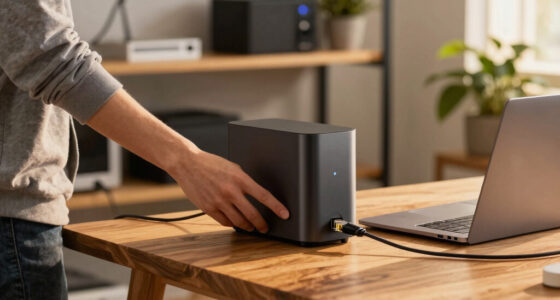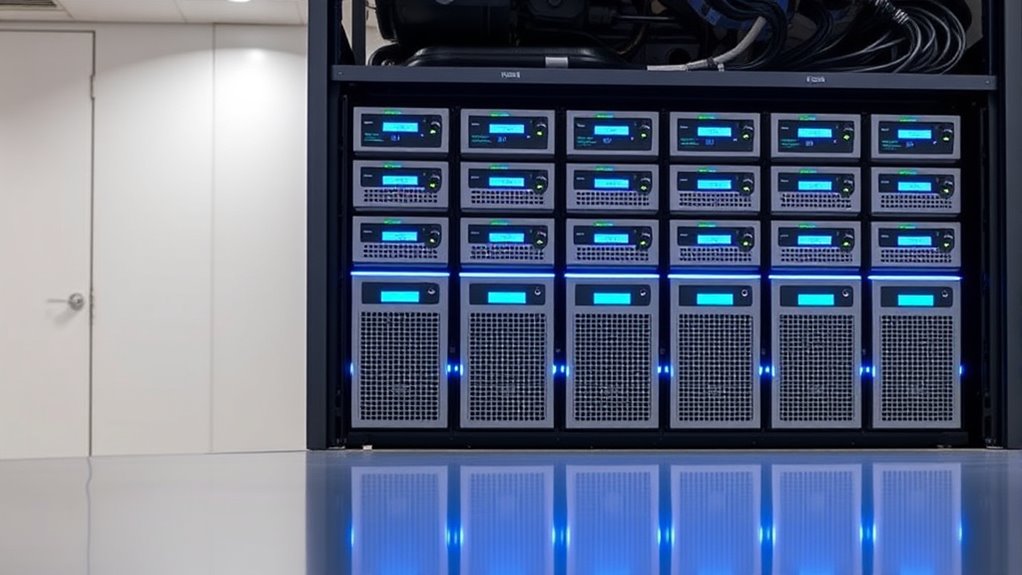

When searching for a rackmount NAS system, you’re likely balancing performance, expandability, and ease of management. The QNAP TS-864eU stands out as the overall best pick for its speed and versatility, while the Synology RS1221+ offers excellent scalability for growing businesses. The main tradeoffs involve choosing between compact, budget-friendly models and high-performance, feature-rich units. Keep reading for a detailed breakdown of these options to find your best match.

Get business pricing on networking and server gear
- Business-only prices and quantity discounts
- Tax-exempt purchasing
- Multiple users, one account, clear invoices
Key Takeaways
- High-speed models like the QNAP TS-864eU make sense for demanding workflows, but they come at a higher price.
- Synology models excel in ease of use and software ecosystem, ideal for users prioritizing management simplicity.
- Compact short-depth NAS options are perfect for limited rack space, though they may sacrifice some expandability.
- Diskless units offer flexibility in choosing drives, but require additional setup time and effort.
- Choosing the right NAS depends heavily on whether your priority is performance, scalability, or budget.
| QNAP TS-464eU 4-Bay Short Depth Rackmount NAS |  | Best Overall for Compact Power and Versatile Performance | Processor: Intel Celeron N5095 quad-core (burst up to 2.9 GHz) | RAM: 8GB DDR4 (upgradable to 16GB) | Storage Bays: 4 | VIEW ON AMAZON | See Our Full Breakdown |
| Synology 4-Bay Rackmount NAS RackStation RS422+ (Diskless), Black |  | Best for Small Business Data Transfer and Failover Reliability | Brand: Synology | Model Number: RS422+ | Number of Bays: 4 | VIEW ON AMAZON | See Our Full Breakdown |
| Synology 4-Bay RackStation RS822+ (Diskless) |  | Best for Expandable Enterprise Storage and Reliable Transfer | Maximum Drive Bays: 8 | Network Ports: 4 x 1GbE | Expansion Support: Yes (with RX418) | VIEW ON AMAZON | See Our Full Breakdown |
| QNAP TS-864eU 8-Bay High-Speed Short Depth Rackmount NAS with Dual 2.5GbE, Intel Celeron CPU, 8GB DDR4 Memory |  | Best for High-Performance 8-Bay Storage and Media Streaming | Processor: Intel Celeron N5105/N5095 | Memory: 8GB DDR4 (non-expandable) | Storage Slots: 8 bays, 2 M.2 NVMe SSD slots | VIEW ON AMAZON | See Our Full Breakdown |
| QNAP TS-432XeU 4-Bay 1U Short-Depth Rackmount NAS |  | Best for Centralized Storage with High-Speed Connectivity | Processor: Annapurna Labs Alpine Cortex-A57 Quad-core | RAM: 4 GB DDR4 | Number of Bays: 4 | VIEW ON AMAZON | See Our Full Breakdown |
| Synology 8 Bay RackStation RS1221+ (Diskless) |  | Best for High-Performance Multi-User Environments | Number of Bays: 8 | Performance: Up to 2,315 MB/s read, 1,147 MB/s write | Form Factor: Rackmount | VIEW ON AMAZON | See Our Full Breakdown |
| rackmount nas system | Processor | Network Ports | Number of Bays |
|---|---|---|---|
| QNAP TS-464eU 4-Bay Short Dept | Intel Celeron N5095 quad-core (burst up to 2.9 GHz) | Dual 2.5GbE | — |
| Synology 4-Bay Rackmount NAS R | — | 2 x 1GbE | 4 |
| Synology 4-Bay RackStation RS8 | — | 4 x 1GbE | — |
| QNAP TS-864eU 8-Bay High-Speed | Intel Celeron N5105/N5095 | — | — |
| QNAP TS-432XeU 4-Bay 1U Short- | Annapurna Labs Alpine Cortex-A57 Quad-core | — | 4 |
| Synology 8 Bay RackStation RS1 | — | — | 8 |
More Details on Our Top Picks
QNAP TS-464eU 4-Bay Short Depth Rackmount NAS
The QNAP TS-464eU stands out for combining a compact 1U rackmount form factor with powerful hardware that can handle demanding workloads. Its Intel Celeron N5095 processor and upgradable RAM make it suitable for small offices needing media streaming, secure data encryption, and real-time transcoding. Compared to the Synology RS422+, it offers a more robust processor and support for 4K media, though it’s less scalable due to only 4 bays and comes without included accessories like HDMI cables. This model strikes a balance between space efficiency and performance, making it ideal for users who need reliable, versatile storage in tight spaces but are willing to upgrade RAM for heavier tasks.
Pros:- Compact 1U rackmount design fits limited space environments
- Powerful Intel quad-core processor with high-speed dual 2.5GbE ports
- Supports 4K media playback and real-time transcoding
- Upgradeable RAM for performance tuning
Cons:- Initial RAM is only 8GB, which may limit performance for heavy workloads
- Limited to 4 drive bays, less scalable than larger solutions
- No included HDMI cable or accessories listed
Best for: Small business users or media professionals needing a compact yet capable NAS with multimedia support.
Not ideal for: Large enterprises requiring extensive scalability or those who need a large number of drive bays upfront.
- Processor:Intel Celeron N5095 quad-core (burst up to 2.9 GHz)
- RAM:8GB DDR4 (upgradable to 16GB)
- Storage Bays:4
- Network Ports:Dual 2.5GbE
- SSD Slots:2 M.2 PCIe Gen 3 x1
- Display Output:HDMI 1.4b (4K @30Hz)
Our verdict“This NAS is best suited for users needing a powerful, space-efficient solution with multimedia capabilities, provided they are willing to upgrade RAM if necessary.”
Synology 4-Bay Rackmount NAS RackStation RS422+ (Diskless), Black
The Synology RS422+ offers a streamlined 4-bay solution focused on data transfer speeds and network resilience. Its dual 1GbE ports support failover, ideal for small business environments where continuous uptime is critical. Unlike the QNAP TS-464eU, it doesn’t include multimedia features or high-speed connectivity but excels in stable, straightforward data sharing and backup with easy upgrade modules for additional 10GbE ports. Its compact 1U rackmount form makes it suitable for tight server rooms, though it requires separate drive purchase and lacks advanced enterprise features. It’s a practical choice for users prioritizing reliable network performance over multimedia support or extensive scalability.
Pros:- High sequential read/write speeds for stable data transfer
- Compact 1U rackmount design saves space
- Dual 1GbE ports with failover support
- Easy to upgrade network interfaces with plug-and-play modules
Cons:- No included drives, additional purchase needed
- Limited to small business and home lab needs
- Lacks advanced features like SSD caching or multimedia capabilities
Best for: Small business users requiring reliable data transfer and network failover with straightforward setup.
Not ideal for: Media professionals or users seeking multimedia playback, as it lacks HDMI or transcoding features.
- Brand:Synology
- Model Number:RS422+
- Number of Bays:4
- Item Type:SAN/NAS Storage System
- Network Ports:2 x 1GbE
- Warranty:3 years
Our verdict“Ideal for small business networks prioritizing stability and failover, but not suited for multimedia or high scalability needs.”
Synology 4-Bay RackStation RS822+ (Diskless)
The Synology RS822+ is a robust, expandable 4-bay NAS designed for growing storage needs. Its support for up to 8 drives with an expansion unit and multiple network ports with failover and load balancing makes it suitable for medium-sized offices or data-intensive tasks. Compared to the smaller RS422+, it offers higher throughput over 2,103 MB/s sequential read/write speeds, but requires a separate purchase of drives and SSD cache for optimal performance. Its higher scalability and optional SSD cache make it a strong choice for users planning future expansion, though its setup can be more complex and costly. This NAS is ideal for businesses needing a balance between high performance and extendability.
Pros:- High sequential transfer speeds support intensive workloads
- Supports up to 8 drives with expansion units
- Multiple network ports with failover and load balancing
- Expandable storage capacity for future needs
Cons:- Requires purchasing drives separately
- No included SSD cache, optional for performance boost
- More complex setup due to expandability options
Best for: Growing businesses or technical users wanting scalable, high-speed storage with optional SSD caching.
Not ideal for: Small offices or casual users who don’t need large capacity or expansion capabilities.
- Maximum Drive Bays:8
- Network Ports:4 x 1GbE
- Expansion Support:Yes (with RX418)
- Throughput:Over 2,103/1,074 MB/s
Our verdict“Best for users needing scalable, high-performance storage that can grow with their business demands, with some additional setup complexity.”
QNAP TS-864eU 8-Bay High-Speed Short Depth Rackmount NAS with Dual 2.5GbE, Intel Celeron CPU, 8GB DDR4 Memory
The QNAP TS-864eU offers a high-density 8-bay configuration with dual 2.5GbE ports, making it a strong choice for users needing fast network connectivity and media capabilities. Its Intel Celeron processor and 8GB RAM ensure decent performance for media streaming, backups, and general file sharing, though the non-expandable RAM limits future upgrades. Compared to the RS822+, it provides more bays in a compact form, but lacks the scalability of additional drives without a dedicated expansion unit. The inclusion of SSD caching via M.2 slots improves performance, making it a good fit for small to medium workloads in space-constrained environments. It’s well-suited for users who prioritize speed and storage density but don’t require extensive hardware upgrades.
Pros:- High-density 8-bay design in a compact form
- Supports SSD caching with M.2 slots for faster performance
- Dual 2.5GbE ports for fast network connectivity
- Supports 4K media playback and HDMI output
Cons:- Non-expandable RAM limits future upgrade potential
- No included drives, additional purchase needed
- Limited to 8GB RAM out of the box
Best for: Media teams or small offices needing dense storage with reliable network performance in a compact rackmount.
Not ideal for: Power users requiring extensive expandability or large RAM capacity for intensive tasks.
- Processor:Intel Celeron N5105/N5095
- Memory:8GB DDR4 (non-expandable)
- Storage Slots:8 bays, 2 M.2 NVMe SSD slots
- Network:Dual 2.5GbE
- Video Output:HDMI 1.4b, 4K @30Hz
Our verdict“Ideal for media and storage-intensive workflows needing dense, high-speed storage in a small space, with some future upgrade limitations.”
QNAP TS-432XeU 4-Bay 1U Short-Depth Rackmount NAS
The QNAP TS-432XeU is designed for efficient, centralized storage in small rack spaces, with a focus on remote access, backups, and team collaboration. Its quad-core Annapurna Labs processor and 4GB DDR4 RAM provide solid performance for typical NAS tasks, while the 10GbE/2.5GbE/SFP+ interfaces enable fast data transfers across networks. Compared to the RS422+ and RS822+, it sacrifices scalability for a compact, short-depth design, which may restrict future expansion. Its support for snapshots and remote access makes it suitable for teams handling sensitive data, but the limited RAM can hamper performance with intensive applications. This NAS works best for teams prioritizing quick, reliable access over raw scalability.
Pros:- Compact 1U short-depth design fits small rack spaces
- High-speed 10GbE/2.5GbE connectivity options
- Supports snapshots and remote access for data security
- Quad-core processor provides reliable performance
Cons:- Limited RAM (4GB) may restrict intensive workloads
- No drive bays included, additional drives needed
- Limited expandability due to small form factor
Best for: Small teams or remote offices needing fast, reliable access and data protection within tight rack spaces.
Not ideal for: Large-scale enterprise deployments or users requiring extensive future expansion.
- Processor:Annapurna Labs Alpine Cortex-A57 Quad-core
- RAM:4 GB DDR4
- Number of Bays:4
- Connectivity:10GbE/2.5GbE/SFP+
Our verdict“Best for small teams needing fast, secure access within limited rack space, though it offers limited future scalability.”
Synology 8 Bay RackStation RS1221+ (Diskless)
The Synology RS1221+ stands out for its impressive data transfer speeds, reaching up to 2,315 MB/s read and 1,147 MB/s write, making it ideal for demanding multi-user setups. Compared with the QNAP TS-864eU, which also offers high-speed connectivity but includes a more powerful CPU and built-in RAM, the RS1221+ sacrifices some out-of-the-box performance for flexibility and potential upgrades. Its compact design with short depth (298 mm / 399 mm) allows for easier rack placement, an advantage over bulkier models. However, being diskless means you’ll need to purchase drives separately, adding to initial costs, and the setup process can be complex for less experienced users. This NAS is best suited to organizations needing high uptime and clustering capabilities, but less so for those seeking an all-in-one solution without additional configuration effort.
Pros:- Exceptional high-speed data transfer for demanding workloads
- Supports advanced clustering for high availability
- Compact form factor suitable for limited rack space
- Supports network upgrades via PCIe ports
Cons:- Requires purchasing and installing drives separately
- Setup can be intimidating for users unfamiliar with enterprise NAS configurations
- Lacks pre-installed drives, delaying initial use
Best for: IT teams in medium to large businesses that require high throughput, clustering, and reliable uptime.
Not ideal for: Small offices or home users who prefer ready-to-use systems or minimal setup complexity.
- Number of Bays:8
- Performance:Up to 2,315 MB/s read, 1,147 MB/s write
- Form Factor:Rackmount
- Diskless:Yes
- Depth:298 mm / 399 mm
- Network Upgrade Support:PCIe SFP+ or RJ-45
Our verdict“This pick is best for IT professionals needing a high-performance, scalable rackmount NAS with maximum uptime capabilities, willing to handle a complex setup.”

How We Picked
To evaluate these rackmount NAS systems, I focused on performance benchmarks, build quality, expandability, and ease of setup. I also considered the versatility of features like network ports, drive bays, and software support. Each product was ranked based on how well it balances these factors relative to its target user—whether for small businesses, home labs, or enterprise environments. The goal was to highlight options that stand out in specific categories, rather than choosing a one-size-fits-all solution.| rackmount nas system | Processor |
|---|---|
| QNAP TS-464eU 4-Bay Short Dept | Intel Celeron N5095 quad-core (burst up to 2.9 GHz) |
| Synology 4-Bay Rackmount NAS R | — |
| Synology 4-Bay RackStation RS8 | — |
| QNAP TS-864eU 8-Bay High-Speed | Intel Celeron N5105/N5095 |
| QNAP TS-432XeU 4-Bay 1U Short- | Annapurna Labs Alpine Cortex-A57 Quad-core |
| Synology 8 Bay RackStation RS1 | — |
Factors to Consider When Choosing Rackmount Nas System
Selecting a rackmount NAS system involves more than just looking at drive bays or CPU specs. Consider how much data transfer speed you need, whether you want room to grow, and how much you’re willing to spend. Understanding these factors helps avoid common pitfalls like underestimating future storage needs or overspending on unnecessary features.Performance and Speed
The performance of a NAS system is critical if you’re handling large files, running virtual machines, or streaming high-resolution media. Look for units with fast processors, ample RAM, and network interfaces with higher throughput (like 10GbE if your infrastructure supports it). A faster NAS can streamline workflows but often comes with a higher price tag, so assess your needs carefully.
Expandability and Scalability
Consider how many drives you might need in the future. Some models, like the Synology RS1221+, offer extensive expansion options, making them suitable for growing organizations. Others, like compact short-depth models, prioritize space-saving design but limit future expansion. Think about your long-term storage growth when choosing a system.
Ease of Use and Software Ecosystem
User-friendly interfaces and reliable software are essential, especially for smaller teams or less technical users. Synology’s DiskStation Manager is renowned for its intuitive interface, reducing setup time and ongoing management effort. Conversely, more complex systems with advanced features may require extra technical know-how.
Form Factor and Space Constraints
Rackmount NAS units come in different sizes, with short-depth options fitting into tighter spaces. However, smaller or more compact designs may limit drive bays or expandability. Measure your rack space carefully and match it with a NAS that fits both physically and functionally.
Cost and Value
Price varies widely across this category. While high-end models offer top-tier performance and features, they may be overkill for basic storage needs. Conversely, budget options might lack essential features or scalability. Prioritize what features are most important to your use case to avoid overspending or underfunding your storage solution.
Frequently Asked Questions
Can I upgrade drives in a rackmount NAS after purchase?
Most rackmount NAS systems support drive upgrades, but the ease and method depend on the model. Many units allow hot-swappable drives, enabling upgrades without shutting down the system. It’s important to verify the specific NAS’s drive compatibility and upgrade process before purchasing to ensure it meets your future needs.
Is a 10GbE network port necessary for my NAS?
A 10GbE port is beneficial if you frequently transfer large files or stream high-definition media across your network. For typical home or small business use, 1GbE ports may suffice, but they can become a bottleneck as data demands increase. Consider your current network infrastructure and future bandwidth needs before opting for higher-speed ports.
How important is software support and user interface?
Software support significantly impacts how easily you can manage and maintain your NAS. User-friendly interfaces like Synology’s DiskStation Manager simplify setup and daily management, which is especially advantageous for less technical users. More advanced systems may offer greater customization but require a steeper learning curve.
Should I choose a diskless NAS or one with drives pre-installed?
Diskless NAS units provide flexibility to select your drives based on capacity and performance preferences, often at a lower initial cost. However, they require additional setup time. Pre-installed or bundled drives simplify the purchase process but might limit customization options. Your choice depends on your comfort with hardware setup and need for specific drives.
How do I decide between a short-depth and standard rackmount NAS?
The choice depends largely on your rack space constraints. Short-depth models are ideal for limited space environments but may sacrifice some expandability or number of drive bays. Standard models often provide more capacity and expansion options but require more rack space. Measure your available rack space carefully before deciding.
Conclusion
For small businesses or tech-savvy users, the QNAP TS-864eU offers a compelling combination of speed and expandability, making it the best overall choice. Budget-conscious buyers or those with space constraints will find the QNAP TS-432XeU and Synology RS1221+ excellent value options. Beginners or users seeking straightforward management should consider the Synology lineup for its user-friendly software. Meanwhile, enterprises needing maximum scalability may prefer the RS822+ for its extensive drive bays and future-proof design. Tailor your pick to your specific needs, balancing performance, space, and budget.
As an affiliate, we earn on qualifying purchases.Fall Picks
fall essentials