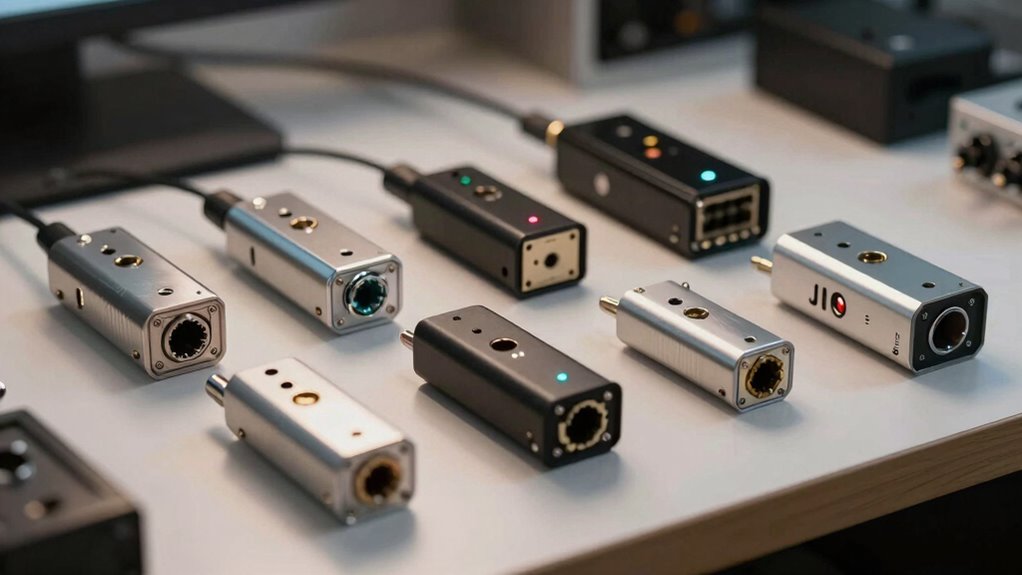

For serial adapters for legacy network hardware, my best overall pick is the StarTech.com 3ft USB-to-Serial Cable for its familiar USB-to-DB9 setup and broad operating-system support. The SerialGuardX USB-C adapter suits newer laptops, while the USR-TCP232-302 is the distinct choice when you need to reach an RS232 device over a network rather than connect directly by USB. The main tradeoffs are connector and pinout compatibility, host-device driver support, and whether you need local console access or serial-over-network capability. RJ45 adapters can help match console cabling, but they do not convert Ethernet data into serial communication. Read on for the full breakdown of how these 11 options differ and which fits your setup.

Get business pricing on networking and server gear
- Business-only prices and quantity discounts
- Tax-exempt purchasing
- Multiple users, one account, clear invoices
Key Takeaways
- USB-to-DB9 cables lead for direct computer access: The StarTech.com 3ft model is my best overall pick, while FTDI-based alternatives favor buyers prioritizing chipset and cable-length details.
- USB-C and USB-A are not interchangeable conveniences: SerialGuardX serves USB-C hosts, while the DriverGenius and other USB-A cables suit systems with traditional ports.
- RJ45-shaped connectors do not make a serial adapter an Ethernet adapter: The DTECH and multipack options address connector and wiring arrangements, not TCP/IP conversion.
- Pinout and gender matter as much as connector shape: The DTECH set and 10-piece assortment offer more ways to match DB9-to-RJ45 arrangements, but buyers still need the correct wiring for their device.
- Remote access calls for a different class of device: The USR-TCP232-302 converts RS232 communication to TCP/IP, unlike the USB cables and passive-style RJ45 adapters in this lineup.
| RJ45 to RS232 DB9 9-Pin Serial Port Female to RJ45 Ethernet LAN Console Cable 3.3Ft |  | Best Direct Console Cable | Connectors: RJ45 to DB9 9-pin female | Cable length: 3.3 feet | Compatible devices: Routers and switches with console ports | VIEW ON AMAZON | See Our Full Breakdown |
| StarTech.com 3ft USB to Serial Cable, DB9 Male RS232 to USB Converter, Prolific IC, Windows/Mac/Linux Compatible |  | Best for Cross-Platform USB Access | Connectors: USB-A to DB9 male RS232 | Cable length: 3 feet (91 cm) | Chipset: Prolific PL2303 | VIEW ON AMAZON | See Our Full Breakdown |
| SerialGuardX USB-C to RS232 DB9 Serial Adapter with 9-LED Indicators and FTDI Chipset (1-Pack) |  | Best for Industrial Monitoring and Protection | Connectors: USB Type-C to male RS232/DB9 | Ports: 1 | Supported baud rates: 300 to 921.6 Kbps | VIEW ON AMAZON | See Our Full Breakdown |
| DTECH DB9 to RJ45 Serial Adapter RS232 Female to RJ-45 Female Ethernet Converter |  | Best Single Adapter for Custom Serial Runs | Connector A: DB9 9-pin female | Connector B: RJ45 8-pin female | Maximum stated distance: Up to 20 meters (65 feet) | VIEW ON AMAZON | See Our Full Breakdown |
| DTECH DB9 to RJ45 Serial Adapter Set, RS232 Male & Female to RJ45 Coupler |  | Best Complete Kit for Extending DB9 Serial | Included adapters: 1 DB9 male-to-RJ45 female and 1 DB9 female-to-RJ45 female | Cable requirement: Separate Cat5e or Cat6 cable | Maximum stated distance: Up to 20 meters (65 feet) | VIEW ON AMAZON | See Our Full Breakdown |
| DriverGenius SerialEdgeX USB-A to Serial RS232 Cable (3-LED, 1-Pack) |  | Best for Signal Monitoring | Host connector: USB Type-A male | Serial interface: RS232, DB9 | Cable length: 3 ft | VIEW ON AMAZON | See Our Full Breakdown |
| 10PCS DB9 Serial to RJ45 Ethernet Adapter (5PCS Male + 5PCS Female) |  | Best Bulk Connector Set | Connector type: DB9 to RJ45 | Package quantity: 10 adapters | DB9 connector mix: 5 male and 5 female | VIEW ON AMAZON | See Our Full Breakdown |
| USR-TCP232-302 RS232 to TCP/IP Converter Ethernet Server Module |  | Best for Network-Accessible Serial Hardware | Model: USR-TCP232-302 | Serial ports: 1 RS232 | Supported protocols: TCP, UDP, HTTP | VIEW ON AMAZON | See Our Full Breakdown |
| StarTech 3ft 1-Port USB to Serial Cable, Prolific (ICUSB232DB25) |  | Best for DB9 and DB25 Compatibility | Host connector: USB Type-A | Serial connectors: DB9 male with DB9-to-DB25 adapter | Cable length: 3 ft (91 cm) | VIEW ON AMAZON | See Our Full Breakdown |
| USB to RS232 Serial Adapter with FTDI Chipset, USB 2.0 to Male DB9 Cable, 6ft |  | Best for Longer-Reach FTDI Connections | Host connector: USB Type-A | Serial connector: Male DB9, 9 pins | Cable length: 6 ft | VIEW ON AMAZON | See Our Full Breakdown |
| Tera Grand – Premium USB 2.0 to RS232 Serial DB9 Adapter Cable 6 Feet – Supports Windows 11, 10, 8, 7, Vista, XP, 2000, 98, Linux and Mac – Built with FTDI Chipset and Thumbscrews |  | Best for Broad Legacy OS Support | Interface: USB 2.0 to RS-232 serial | Serial connector: DB9 with thumbscrews | Cable length: 6 feet | VIEW ON AMAZON | See Our Full Breakdown |
| serial adapters for legacy network hardware | Cable length |
|---|---|
| RJ45 to RS232 DB9 9-Pin Serial | 3.3 feet |
| StarTech.com 3ft USB to Serial | 3 feet (91 cm) |
| SerialGuardX USB-C to RS232 DB | — |
| DTECH DB9 to RJ45 Serial Adapt | — |
| DTECH DB9 to RJ45 Serial Adapt | — |
| DriverGenius SerialEdgeX USB-A | 3 ft |
| 10PCS DB9 Serial to RJ45 Ether | — |
| USR-TCP232-302 RS232 to TCP/IP | — |
| StarTech 3ft 1-Port USB to Ser | 3 ft (91 cm) |
| USB to RS232 Serial Adapter wi | 6 ft |
| Tera Grand | 6 feet |
More Details on Our Top Picks
RJ45 to RS232 DB9 9-Pin Serial Port Female to RJ45 Ethernet LAN Console Cable 3.3Ft
For a router or switch with an RJ45 console port, this 3.3-foot cable offers a direct link to a DB9 serial connection without a separate RJ45-to-DB9 adapter pair. Its short length suits a laptop placed beside network hardware during configuration, while double shielding and oxygen-free copper are intended to limit signal interference. Unlike the DTECH DB9-to-RJ45 extension set, this is presented as a console cable rather than a way to carry an existing DB9 serial connection farther over Cat5 or Cat6. That distinction matters: check the device’s console pinout and the computer’s serial-port needs before buying, since the listing does not describe a USB interface. The cable is a narrow fit for network console work, not a general-purpose printer or peripheral lead.
Pros:- Connects RJ45 console ports to a DB9 serial connection in one cable
- 3.3-foot length suits nearby configuration and troubleshooting
- Oxygen-free copper conductors and double shielding are specified
- Described for bi-directional data transmission
Cons:- Short length limits placement flexibility
- No USB-to-serial conversion is specified
- Compatibility depends on the device’s console port and pinout
Best for: Network technicians connecting a router or switch with an RJ45 console port to compatible DB9 serial equipment at close range.
Not ideal for: Buyers who need USB connectivity, a longer cable run, or a general RS232 extension for printers and other peripherals.
- Connectors:RJ45 to DB9 9-pin female
- Cable length:3.3 feet
- Compatible devices:Routers and switches with console ports
- Construction:Oxygen-free copper wiring
- Shielding:Double-shielded
- Data transmission:Bi-directional
- Model:GU13
Our verdict“Choose this for short-range access to a compatible RJ45 router or switch console, but pick the DTECH extension set when you need to carry DB9 serial data over a longer Cat5 or Cat6 run.”
StarTech.com 3ft USB to Serial Cable, DB9 Male RS232 to USB Converter, Prolific IC, Windows/Mac/Linux Compatible
This StarTech cable is the clearest pick here when a computer lacks a native serial port but still needs to manage legacy hardware through USB-A to DB9 RS232. Its Prolific PL2303 chipset and support for Windows, macOS, and Linux make it more adaptable across mixed workstations than the RJ45 console cable, which does not specify USB conversion. The stated maximum baud rate of 921.6 Kbps and configurable data bits and parity suit many routine serial-management tasks, though buyers with unusually demanding industrial equipment should confirm the device’s required settings. At three feet, it works best with nearby equipment; the SerialGuardX USB-C model adds signal LEDs and isolation features, while this one fits computers with USB-A ports. The tradeoff is that it is not a long-run cable or a network-side RJ45 adapter.
Pros:- Converts USB-A to a DB9 male RS232 connection
- Supports Windows, macOS, and Linux
- Maximum baud rate specified as 921.6 Kbps
- Offers multiple data-bit and parity settings
Cons:- Requires a USB Type-A port
- Three-foot cable restricts device placement
- May not suit equipment requiring baud rates above 921.6 Kbps
Best for: IT staff and technicians using Windows, macOS, or Linux computers with USB-A ports to access DB9 RS232 network or industrial equipment.
Not ideal for: Buyers whose computers only have USB-C, or who need an RJ45 console lead, extended cabling, or serial speeds beyond the stated maximum.
- Connectors:USB-A to DB9 male RS232
- Cable length:3 feet (91 cm)
- Chipset:Prolific PL2303
- Maximum baud rate:921.6 Kbps
- Supported operating systems:Windows, macOS, and Linux
- Data bits:5, 6, 7, or 8
- Parity modes:Odd, even, mark, space, or none
- Ports:1
Our verdict“Pick this when your USB-A computer needs a broadly compatible DB9 serial connection; choose the SerialGuardX instead if USB-C access and signal-status indicators matter more.”
SerialGuardX USB-C to RS232 DB9 Serial Adapter with 9-LED Indicators and FTDI Chipset (1-Pack)
The SerialGuardX is the specialist choice for a USB-C workstation that needs more than a basic serial link. Its nine status LEDs can make signal activity easier to observe during setup and fault-finding, while the listed ESD, surge, and optical-isolation protections target installations where electrical noise or exposure is a concern. That gives it a different role from the StarTech USB-A adapter, which emphasizes broad operating-system compatibility and a stated 921.6 Kbps ceiling but does not list comparable protection or indicators. The SerialGuardX also supports up to 921.6 Kbps and common serial framing settings. Its limits are practical: it requires USB-C, provides only one port, and the supplied details do not specify a cable length or included power plug. Buyers should verify system and device compatibility before relying on it for a particular installation.
Pros:- Nine LEDs provide visible signal-status indications
- Lists ESD, surge, and optical-isolation protection
- USB-C to DB9 serial connection suits newer computers
- Supports baud rates from 300 to 921.6 Kbps
Cons:- Requires a USB-C port
- Single-port design does not serve multi-device setups
- No power plug is included, and cable length is not specified
Best for: Industrial automation and data-acquisition technicians with USB-C computers who need visible serial activity and listed electrical protection.
Not ideal for: Users with only USB-A computers, those needing several serial connections, or buyers who require a clearly specified cable length or included power supply.
- Connectors:USB Type-C to male RS232/DB9
- Ports:1
- Supported baud rates:300 to 921.6 Kbps
- Protection:ESD protection (8 kV–15 kV), surge protection, and optical isolation
- Status indicators:9 LEDs
- Input voltage:5 volts
- Data bits:7 or 8
- Parity modes:None, odd, even, mark, or space
- Stop bits:1 or 2
Our verdict“Choose the SerialGuardX for USB-C serial work where signal visibility and listed electrical protection outweigh the StarTech model’s USB-A fit.”
DTECH DB9 to RJ45 Serial Adapter RS232 Female to RJ-45 Female Ethernet Converter
This DTECH unit suits buyers assembling a DB9-to-RJ45 serial extension from existing parts rather than looking for a finished console cable. It adapts DB9 female to RJ45 female and can carry RS232 data over Cat5 or Cat6 for a stated distance of up to 65 feet, which can help place legacy equipment farther from a computer. Unlike the included two-piece DTECH set, this listing describes a single adapter, so a matching adapter or compatible wiring arrangement may be needed at the other end. It is also not the same as an Ethernet network converter: the cable carries serial data, not internet traffic. Thumbscrews provide a more secure DB9 attachment than a loose friction fit, but buyers must confirm wiring and gender requirements before ordering. For a complete extension kit, the paired DTECH set is the more straightforward option.
Pros:- Adapts DB9 female to RJ45 female
- Supports serial extension over Cat5 or Cat6 cable
- Stated transmission distance reaches up to 65 feet
- DB9 thumbscrews help secure the connection
Cons:- Single-adapter listing may require a second compatible unit
- Carries serial data only, not Ethernet or internet traffic
- Wiring and endpoint compatibility need to be checked
Best for: Technicians extending a DB9 RS232 connection over Cat5 or Cat6 who already have, or can source, a compatible adapter for the far end.
Not ideal for: Buyers expecting a complete two-ended extension kit, an RJ45 network connection, or a direct router-console cable.
- Connector A:DB9 9-pin female
- Connector B:RJ45 8-pin female
- Maximum stated distance:Up to 20 meters (65 feet)
- Cable type:Cat5 or Cat6
- Data type:RS232 serial data
- Ports:2
- Color and finish:Black, matte
Our verdict“Choose this single adapter for a custom RS232-over-Cat5/6 run, but choose the paired DTECH set if you need both ends supplied.”
DTECH DB9 to RJ45 Serial Adapter Set, RS232 Male & Female to RJ45 Coupler
For a longer run between DB9 equipment and a workstation, this DTECH set is the most ready-to-assemble choice in this group: it includes one male and one female DB9-to-RJ45 adapter for carrying RS232 data over Cat5 or Cat6, with a stated maximum of 65 feet. That paired format makes it more complete than the single DTECH female-to-female listing, which may leave buyers sourcing the far-end adapter separately. It can suit older routers among other DB9 serial devices, but the product explicitly says it is not a console adapter and does not provide Ethernet connectivity. That distinction rules it out for buyers expecting a direct RJ45 router-console cable or network access. You will also need a separate Cat5e or Cat6 cable and should check the device pinout; the kit’s value is in extending a serial link, not converting it into a different interface.
Pros:- Includes both male and female DB9-to-RJ45 adapters
- Carries RS232 serial data over Cat5 or Cat6 cable
- Stated maximum extension distance is 65 feet
- Thumbscrews support a secure DB9 connection
Cons:- Requires a separate Cat5e or Cat6 cable
- Does not provide Ethernet or internet connectivity
- Not a direct RJ45 console adapter; endpoint wiring must be compatible
Best for: Technicians needing both ends of an RS232 extension between DB9 equipment, with a separate Cat5 or Cat6 cable available for runs up to 65 feet.
Not ideal for: Network operators seeking a direct RJ45 console cable, Ethernet connectivity, or an adapter that works without a second endpoint and modular cable.
- Included adapters:1 DB9 male-to-RJ45 female and 1 DB9 female-to-RJ45 female
- Cable requirement:Separate Cat5e or Cat6 cable
- Maximum stated distance:Up to 20 meters (65 feet)
- Data type:RS232 serial data only
- DB9 connectors:One male and one female
- RJ45 connectors:Female on both adapters
- Connection feature:DB9 thumbscrews
Our verdict“Choose this paired set when you need both ends of a DB9 serial extension, while the single DTECH adapter is a better fit if you already have the matching endpoint.”
DriverGenius SerialEdgeX USB-A to Serial RS232 Cable (3-LED, 1-Pack)
For direct console access to legacy switches or setup work on serial equipment, the SerialEdgeX pairs a USB-A connection with a DB9 RS232 link and adds three status LEDs for transmit, receive, and power. Those indicators make it easier to spot whether a session is sending or receiving data, unlike the StarTech ICUSB232DB25, which offers DB9/DB25 flexibility but no listed signal LEDs. Its 921.6 Kbps maximum baud rate also exceeds that StarTech model’s stated 230.4 Kbps ceiling. The tradeoff is a 3-foot cable and a PL2303 chipset, so buyers should check driver and operating-system support for their exact computer, especially since Windows ARM is excluded. It is a focused USB-to-RS232 cable, not a way to put serial equipment onto an Ethernet network.
Pros:- Three LEDs indicate transmit, receive, and power status.
- Supports baud rates up to 921.6 Kbps and includes a 512-byte FIFO.
- Full-pin RS232 support and DB9 screw locks help maintain a secure device connection.
- Works with Windows, macOS, and Linux, with stated two-year support.
Cons:- The 3-foot cable can be restrictive when the computer and hardware are not close together.
- Uses USB-A and does not support Windows ARM.
- The PL2303 driver requirement may need attention, and some nonstandard serial devices are excluded.
Best for: IT staff who connect a USB-A laptop directly to RS232 network hardware and want visible transmit, receive, and power activity during setup.
Not ideal for: Technicians who need a network-connected serial device server, USB-C, Windows ARM support, or compatibility with nonstandard serial peripherals such as some printers.
- Host connector:USB Type-A male
- Serial interface:RS232, DB9
- Cable length:3 ft
- Maximum baud rate:921.6 Kbps
- Chipset:PL2303
- FIFO buffer:512 bytes
- Status indicators:3 LEDs: TX, RX, and power
- Supported systems:Windows (not ARM), macOS, and Linux
Our verdict“Choose the SerialEdgeX for direct RS232 setup when its signal LEDs and higher stated baud ceiling matter more than longer reach or network access.”
10PCS DB9 Serial to RJ45 Ethernet Adapter (5PCS Male + 5PCS Female)
This set is for technicians who need DB9-to-RJ45 physical adapters on hand, not a USB serial interface or an active network converter. Ten pieces split between male and female DB9 ends give a maintenance team options for matching connector gender across several legacy installations. The stated CAT5 cable reach of up to 100 feet may help when the serial device and terminal point are separated, while the USR-TCP232-302 is the more capable choice when serial data must actually travel over an Ethernet network using TCP or UDP. These adapters’ main limitation is that RJ45 does not make the connection Ethernet: the pinout must match the target device or console, and the product data does not specify wiring standards or protocol conversion. I would skip this set unless the required pin mapping is confirmed.
Pros:- Includes five male and five female DB9 adapters for varied connector-gender needs.
- Designed to use CAT5 cable for runs stated up to 100 feet.
- Compact, passive adapters need no external power.
- ABS and alloy construction is specified.
Cons:- Does not itself convert serial data to Ethernet or provide a network connection.
- Pinout details are not provided, so compatibility must be checked against the target hardware.
- A ten-piece set may be excessive for an individual technician with a single device.
Best for: Network and industrial maintenance teams that already know the required DB9-to-RJ45 pinout and need multiple passive adapters for serial cabling jobs.
Not ideal for: Buyers expecting USB connectivity, Ethernet networking, automatic protocol conversion, or clearly documented pinouts for a particular switch or router console.
- Connector type:DB9 to RJ45
- Package quantity:10 adapters
- DB9 connector mix:5 male and 5 female
- Stated cable reach:Up to 100 ft over CAT5
- Shell material:ABS
- Wire:1007 #26 tinned copper wire
- Item weight:4 oz
Our verdict“Buy this set only when you need passive DB9-to-RJ45 cabling and have verified the wiring; choose the USR-TCP232-302 for actual network access.”
USR-TCP232-302 RS232 to TCP/IP Converter Ethernet Server Module
Unlike the USB cables in this roundup, the USR-TCP232-302 is an RS232 device server: it links one serial device to an Ethernet network, allowing applications to exchange data through TCP, UDP, or HTTP modes. DHCP, DNS, and static IP support give network administrators options for fitting it into an existing LAN, while web configuration and remote firmware upgrades can simplify ongoing management. The StarTech ICUSB232DB25 is a better fit for a technician standing at a laptop and connecting directly to a serial port; this USR module is aimed at equipment that needs to be reached across a network. That flexibility brings setup work: users must configure network settings and select an appropriate operating mode. It also supports RS232 only, has no Wi-Fi, and tops out at 230.4 Kbps, so it is not a universal or high-speed serial bridge.
Pros:- Provides bidirectional RS232-to-Ethernet data transmission.
- Offers TCP server/client, UDP server/client, and HTTP client modes.
- Supports DHCP, DNS, and static IP configuration.
- Network-based configuration and firmware upgrades support remote administration.
Cons:- Requires network and serial configuration rather than simple direct USB connection.
- Works with RS232 only and has no built-in Wi-Fi.
- Maximum stated baud rate is 230.4 Kbps.
Best for: Industrial or IT teams that need to access one RS232 device over a wired LAN using configurable TCP, UDP, or HTTP communication.
Not ideal for: Users seeking a simple laptop-to-console cable, wireless access, support for another serial standard, or baud rates above 230.4 Kbps.
- Model:USR-TCP232-302
- Serial ports:1 RS232
- Supported protocols:TCP, UDP, HTTP
- Work modes:TCP Server, TCP Client, UDP Client, UDP Server, HTTPD Client
- Baud rate:600 bps to 230.4 Kbps
- Ethernet speed:10/100 Mbps
- Network support:DHCP, DNS, and static IP
- Power adapter:Included
Our verdict“Choose this device server when a legacy RS232 endpoint must be reachable over wired Ethernet; use a USB serial cable for local console work.”
StarTech 3ft 1-Port USB to Serial Cable, Prolific (ICUSB232DB25)
The ICUSB232DB25 earns its place for mixed legacy environments where a technician cannot assume every RS232 device uses a DB9 socket. Its DB9-to-DB25 adapter expands the connection options while the USB-A cable presents the serial link to a modern computer. That makes it more adaptable across older peripherals than the DriverGenius SerialEdgeX, which lists DB9 connectivity and a higher maximum baud rate but no DB25 adapter. The StarTech’s 230.4 Kbps ceiling is adequate for many console and peripheral tasks, though it trails the SerialEdgeX’s stated 921.6 Kbps. A 3-foot lead keeps the setup compact but limits placement, and this remains a direct computer-to-device cable rather than a network bridge. Confirm operating-system driver support and the target device’s connector and pin requirements before ordering.
Pros:- Includes a DB9-to-DB25 adapter for broader RS232 connector compatibility.
- Three-foot integrated cable connects directly without requiring a separate cable.
- 512-byte FIFO and multiple parity modes support common serial configurations.
- Supports Windows, macOS, and Linux, with stated two-year support.
Cons:- Maximum baud rate of 230.4 Kbps is lower than the DriverGenius SerialEdgeX’s stated ceiling.
- The 3-foot cable may not reach conveniently positioned equipment.
- Provides direct USB-to-serial access, not serial networking.
Best for: IT technicians who support a mix of older RS232 equipment with DB9 and DB25 connectors and want one USB-A cable kit for local access.
Not ideal for: Buyers needing long cable reach, network-based serial access, USB-C, or a higher stated baud rate than 230.4 Kbps.
- Host connector:USB Type-A
- Serial connectors:DB9 male with DB9-to-DB25 adapter
- Cable length:3 ft (91 cm)
- Maximum baud rate:230.4 Kbps
- Chipset:Prolific PL2303GC
- FIFO buffer:512 bytes
- Data bits:4, 5, 6, 7, or 8
- Supported systems:Windows, macOS, and Linux
Our verdict“Pick the StarTech when DB25 compatibility matters more than higher baud capacity or network access.”
USB to RS232 Serial Adapter with FTDI Chipset, USB 2.0 to Male DB9 Cable, 6ft
For a technician who needs more room between a workstation and legacy equipment, this adapter combines a 6-foot cable with an FTDI chipset and a male DB9 RS232 connector. That extra reach is the clearest distinction from the 3-foot DriverGenius SerialEdgeX and StarTech cables, which are easier to manage in a tight console setup but may require the computer to sit closer to the device. The FTDI-based design and stated Windows, Mac, and Linux compatibility suit common router, scanner, modem, and other serial-device work. Its DB9-only connection is less flexible than the StarTech package, which includes a DB25 adapter. The product data also calls for downloading drivers from official websites, so I would not treat setup as guaranteed plug-and-play on every system. Check the target device’s connector and driver needs first.
Pros:- Six-foot cable offers more placement flexibility than the 3-foot USB serial options.
- Uses an FTDI chipset and lists Windows, Mac, and Linux compatibility.
- Male DB9 connector suits common RS232 console and peripheral ports.
- Gold-plated connectors are specified.
Cons:- DB9-only design lacks the DB25 adapter supplied with the StarTech ICUSB232DB25.
- Driver downloads may be needed, so setup is not guaranteed to be automatic.
- Direct USB-to-RS232 only; it does not make serial equipment network-accessible.
Best for: Technicians who need a longer USB-A-to-DB9 cable for local configuration of routers, scanners, modems, or other RS232 equipment.
Not ideal for: Users who need DB25 connectivity, an Ethernet device server, or explicit operating-system driver details before committing to a setup.
- Host connector:USB Type-A
- Serial connector:Male DB9, 9 pins
- Cable length:6 ft
- Chipset:FTDI
- USB standard:USB 2.0
- Listed compatible systems:Windows, Mac, and Linux
- Listed data transfer rate:480 Mbps
- Warranty:1 year
Our verdict“Choose this FTDI cable when extra local reach matters more than DB25 flexibility or network access.”
Tera Grand – Premium USB 2.0 to RS232 Serial DB9 Adapter Cable 6 Feet – Supports Windows 11, 10, 8, 7, Vista, XP, 2000, 98, Linux and Mac – Built with FTDI Chipset and Thumbscrews
I’d choose the Tera Grand six-foot adapter when a legacy workstation or maintenance laptop needs to connect directly to a DB9 serial device across a wide range of operating systems. Its FTDI chipset and support for older Windows releases, Linux, and Mac systems make it a more versatile OS match than the StarTech.com 3ft USB to Serial Cable, which is listed with a Prolific chipset. The extra cable length can also give a technician more room to reach a rack-mounted modem, barcode scanner, or network device without moving the computer.
The tradeoff is that this is a USB-to-RS232 cable, not an Ethernet console cable or a serial-to-network server like the USR-TCP232-302. Check the target device’s DB9 gender and fastening style before ordering: this model uses thumbscrews, while devices with hex jack nuts may require a different connector arrangement. It also isn’t for VGA monitors, whose connector is different.
Pros:- FTDI chipset supports a broad selection of current and legacy operating systems.
- Six-foot cable offers more reach than the three-foot StarTech.com USB serial option.
- Provides the listed RS-232 modem-control and data signals for connecting compatible DB9 equipment.
- Thumbscrews help secure the DB9 connection against accidental loosening.
Cons:- DB9 thumbscrew style may not match devices that require female hex jack nuts.
- Does not connect directly to RJ45 console ports or provide serial-over-Ethernet access.
- Six-foot cable is less compact for tightly packed workstations than a shorter adapter.
Best for: IT technicians maintaining DB9 serial equipment across newer and older Windows, Linux, or Mac systems who need a six-foot USB connection.
Not ideal for: Network administrators whose hardware exposes an RJ45 console port, or users who need remote serial access over Ethernet rather than a local USB connection.
- Interface:USB 2.0 to RS-232 serial
- Serial connector:DB9 with thumbscrews
- Cable length:6 feet
- Chipset:FTDI
- Operating systems:Windows 11, 10, 8, 7, Vista, 2000, XP, 98; Mac OS 8 or later; Linux 2.4.0 or later; OpenBSD 2.9 or later; FreeBSD 4.7 or later
- Serial signals:TxD, RxD, RTS, CTS, DSR, DTR, DCD, RI, GND
- Power:Powered by USB
- Item weight:4 ounces
Our verdict“Choose this Tera Grand cable for broad OS support and extra reach with local DB9 serial equipment, but skip it if your legacy network hardware uses an RJ45 console port.”

How We Picked
I ranked these products by how clearly they fit common legacy-network tasks: connecting a computer to an RS232 console port, adapting DB9 and RJ45 connector arrangements, or carrying serial data over an IP network. I weighed interface and connector fit, chipset information, host compatibility, cable length, indicator features, and whether a product provides a defined function beyond changing connector format. Those details affect setup time and the chance of buying a cable that physically fits but cannot communicate with the device.
The ranking gives priority to versatile direct-connect options with a clearly stated USB-to-serial role, then separates picks by host port, chipset, cable length, or connector flexibility. Passive DB9-to-RJ45 adapters rank lower for buyers who need a complete computer connection, though they can be the right fit for a correctly wired console setup. The TCP/IP converter has a specialist role: it ranks as a network-access option, not as a substitute for a basic USB serial cable. Product names and stated specifications guide these comparisons; readers should verify pinout, operating-system support, and included accessories against their own equipment.
Factors to Consider When Choosing Serial Adapters For Legacy Network Hardware
Start with the path your data needs to take: from a computer’s USB port to a console port, between DB9 and RJ45 wiring, or from an RS232 device onto a network. The products here may share serial terminology, but they solve different connection problems. These checks can prevent the common mistake of ordering a cable based on connector shape alone.
Match the Communication Path, Not Just the Connector
Write down the full connection chain before choosing hardware: computer port, adapter, cable, and target device. A USB-to-DB9 cable creates a serial port for a computer, while a DB9-to-RJ45 adapter changes the connector arrangement and may rely on a specific wiring map. An RS232-to-TCP/IP converter serves a different purpose by making serial communication available through a network connection. An RJ45 plug by itself does not indicate Ethernet networking or guarantee console compatibility. Check the target device’s manual for its console interface and cable requirements. If the documentation specifies a direct console cable or a particular adapter pinout, match that rather than buying by connector appearance.
Verify Pinout, Gender, and Null-Modem Requirements
DB9 and RJ45 describe connector formats, not a universal serial wiring standard. Devices can differ in which pins carry transmit, receive, and ground, and some connections require a null-modem crossover instead of a straight-through cable. Also check whether the DB9 port on the device is male or female and whether the adapter’s gender matches without an unplanned coupler. Multi-piece sets add flexibility, but every extra join is another place for a mismatched pinout or loose connection. Compare the device’s pinout diagram with the adapter documentation before ordering. When a vendor does not state the wiring, ask for confirmation rather than assuming all console cables follow the same pattern.
Choose the Host Port and Driver for the Computer You Have
USB-A and USB-C adapters solve the same broad host-side problem but fit different computers, and a port that physically fits does not prove the driver will work. Check the operating system version and chipset support, especially on managed or older systems where installing a driver may require administrator access. FTDI and Prolific are chipset details, not automatic guarantees that every operating system or application will recognize the adapter. If the computer has only USB-C, a USB-A model adds another adapter or hub to the chain. For a shared maintenance kit, prioritize explicit support for the computers technicians actually carry. Confirm that the terminal or management software can select the serial port the adapter creates.
Decide Whether Indicators and Cable Length Solve a Real Problem
LED indicators can help show activity or connection status, which is useful when diagnosing a silent console session, but they do not confirm that the pinout or settings are correct. A short cable keeps a workstation setup compact and may reduce clutter around a rack. A longer cable gives more reach between a laptop and network cabinet, but can add slack and snag points in a busy service area. Thumbscrews can help keep a DB9 connection secure during repeated work or movement. Select these features around the physical layout and troubleshooting routine, not as substitutes for compatible wiring. For permanent installations, plan cable routing and strain relief alongside the adapter choice.
Know When a Network Serial Server Is Worth the Extra Setup
A USB serial adapter is usually the direct choice when a technician can connect a computer at the equipment. A TCP/IP serial converter is better suited to a device that needs remote access over a network or a centrally managed connection. That network path can require configuration of addressing, access controls, firewall rules, and the remote terminal software, so it brings more setup than a plug-in USB cable. It may also introduce network dependencies that a local console connection avoids during outages. Decide whether remote reach is a firm requirement before choosing a converter over a simpler cable. For recovery access when the network itself is down, retain a local serial method if the hardware supports one.
Balance Multipacks Against Known Compatibility
A multipack of DB9-to-RJ45 adapters can be practical for teams maintaining several device types or keeping spares in a service kit. Its value depends on whether the included male and female arrangements match the equipment in the field; extra pieces do not correct an incompatible pinout. A single documented adapter is often easier to support when the connection standard is already known. Before buying a set, list the connector genders and wiring needs for each device rather than treating all ports as alike. Label adapters by function and pinout after confirming them. That small inventory step can reduce mix-ups during urgent maintenance.
Frequently Asked Questions
Can I use any DB9-to-RJ45 adapter to connect a network switch console port?
No. The RJ45 connector shape alone does not define the serial pinout, and console wiring differs between device makers and models. Check the switch’s documentation for the required console cable or pin map, then compare it with the adapter’s specifications. You may also need the right DB9 gender or a particular straight-through or crossover arrangement. If the product listing does not identify its wiring, treat compatibility as unconfirmed before relying on it for maintenance.
Do USB-to-serial cables work with every terminal program and operating system?
Not automatically. The computer needs a compatible driver for the adapter’s chipset, and the terminal program must be able to use the serial port the driver creates. Operating-system support claims should be checked against the exact version installed, particularly on locked-down work computers. The target device’s baud rate, parity, data bits, and stop bits must also match the terminal settings. Confirm both host compatibility and device settings before diagnosing a connection problem as faulty hardware.
Should I buy an RJ45 adapter or a USB-to-DB9 cable for console access?
Choose based on the ports at both ends of the connection. A USB-to-DB9 cable connects a computer’s USB port to an RS232 DB9 interface, while an RJ45 adapter changes connector format for a device whose serial console uses RJ45 wiring. Some setups require both a USB serial adapter and a correctly wired console lead, so neither product alone may complete the connection. Check the device manual for the intended cable type and pinout. Avoid assuming that an RJ45 adapter can replace a USB serial interface.
When does an RS232-to-TCP/IP converter make more sense than a USB adapter?
It makes sense when the serial device needs to be accessed through an IP network rather than only from a computer plugged in nearby. A USB adapter is simpler for local setup and often preferable for direct recovery access. A network converter adds configuration and relies on network availability, so it may not help if the network path is down. Check how the converter is managed, how remote software connects to it, and what access controls your environment requires. For critical equipment, consider whether local fallback access is still needed.
Is an FTDI chipset enough reason to choose one serial cable over another?
No. Chipset information can help you compare driver ecosystems, but it does not settle connector fit, pinout, cable length, or compatibility with the device and host operating system. A cable with the right chipset can still be the wrong choice if it has the wrong DB9 gender or does not match the target’s electrical and wiring requirements. Compare the full connection path and the vendor’s current compatibility information. Choose chipset as one factor, not as a substitute for checking the complete setup.
Conclusion
For most buyers who need a direct computer-to-serial connection, I recommend the StarTech.com 3ft USB-to-Serial Cable as the best overall choice in this lineup. For a best-value pick, the 10-piece DB9-to-RJ45 assortment is suited to teams that need multiple connector genders and have already confirmed the wiring; skip it if you need a complete USB connection or a known device-specific pinout. Buyers seeking a best premium-style USB option can shortlist the Tera Grand FTDI cable for its stated six-foot length and thumbscrews, while beginners may find the USB-to-DB9 StarTech cable easier to match to a direct connection. For USB-C hosts, choose SerialGuardX; for remote serial access over IP, choose the USR-TCP232-302. Before ordering any of them, confirm the device’s pinout, port gender, host operating system, and whether your job requires local console access or network access.
Halloween Picks

12.5-Foot Lighted Halloween Inflatable Archway

ELAMAS 11ft Animatronic Flying Witch Halloween Decoration

Haunted Hill Farm 2-Ft. Zombie Raccoon Halloween Animatronic
As an affiliate, we earn on qualifying purchases.