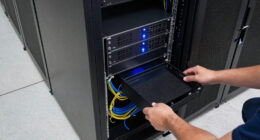

For most small networks, I’d choose the TP-Link TL-SG108E as the best overall fit here: its smart management features offer more control than a basic unmanaged switch without requiring enterprise-level setup. The NETGEAR GS108MX stands out for adding 10G connectivity, while the NETGEAR GS305P suits compact installations that need PoE for devices such as access points. The main tradeoffs are port count, management, uplink speed, and whether you need actual switch stacking rather than several switches connected together. Most models in this lineup are unmanaged or easy-smart devices, not hardware-stackable switches, so check that distinction before buying. Read on for the full breakdown and guidance on choosing the right fit.

Get business pricing on networking and server gear
- Business-only prices and quantity discounts
- Tax-exempt purchasing
- Multiple users, one account, clear invoices
Key Takeaways
- Most models here are not true stackable switches. They can connect to one another over Ethernet, but that does not provide a shared control plane or the management benefits of hardware stacking.
- The TL-SG108E offers the clearest middle ground. It adds basic smart management to an eight-port gigabit format, while the TL-SG108 keeps things simpler with plug-and-play operation.
- The GS108MX is the speed-focused standout. Its 10G port can serve as a faster link to a NAS or another network device, but the remaining gigabit ports still limit ordinary connected clients.
- Large port counts trade compactness for fewer separate devices. The UGREEN and TP-Link 24-port options suit dense wired setups better than five-port desktop switches, but take more space and require planning for rack or cable placement.
- PoE and multi-gig address different needs. The GS305P can power compatible devices over Ethernet, while the MS305 raises port speed; neither feature replaces the need to check device compatibility and network bottlenecks.
| NETGEAR 5-Port Gigabit Ethernet Unmanaged Network Switch (GS305) |  | Best for Quiet, Simple Expansion | Ports: 5 | Port speed: 1.0 Gbps | Switch type: Unmanaged | VIEW ON AMAZON | See Our Full Breakdown |
| UGREEN 24 Port Gigabit Ethernet Switch, Rackmount, Plug & Play |  | Best for Flexible, Feature-Rich Port Expansion | Ports: 24 auto-negotiation ports | Port speed: 10/100/1000 Mbps | Network modes: VLAN, link aggregation, and flow control | VIEW ON AMAZON | See Our Full Breakdown |
| NETGEAR 8-Port 1G/10G Multi-Gigabit Unmanaged Switch (GS108MX) |  | Best for a Fast Uplink | Ports: 8 | Port configuration: One 10G Multi-Gig port and eight 1G Ethernet ports, as described | Interface: RJ45 | VIEW ON AMAZON | See Our Full Breakdown |
| NETGEAR 24-Port Gigabit Ethernet Unmanaged Network Switch (GS324) |  | Best High-Capacity Plug-and-Play Pick | Ports: 24 | Data transfer rate: 24 Gbps | Interface: RJ45 | VIEW ON AMAZON | See Our Full Breakdown |
| TP-Link TL-SG105 5-Port Gigabit Unmanaged Ethernet Switch |  | Best Compact Pick with QoS | Ports: 5 x 10/100/1000 Mbps RJ45 | Switch type: Unmanaged | Design: Fanless metal casing | VIEW ON AMAZON | See Our Full Breakdown |
| NETGEAR 5-Port Gigabit Ethernet Easy Smart Managed Network Switch (GS305E) |  | Best Compact Managed Pick | Ports: 5 | Port speed: 1.0 Gbps | Management: VLAN, QoS, port monitoring, security | VIEW ON AMAZON | See Our Full Breakdown |
| NETGEAR 5-Port Gigabit Ethernet Unmanaged Network Switch (GS105NA) |  | Best Metal Plug-and-Play Pick | Ports: 5 x 1.0 Gbps Ethernet | Operation: Unmanaged, plug-and-play | Energy efficiency: IEEE 802.3az | VIEW ON AMAZON | See Our Full Breakdown |
| TP-Link LS1005G Litewave 5 Port Gigabit Ethernet Unmanaged Switch |  | Best Lightweight Starter Pick | Ports: 5 | Port type: RJ45 | Data transfer rate: 1000 Mbps | VIEW ON AMAZON | See Our Full Breakdown |
| NETGEAR 5-Port PoE Gigabit Ethernet Unmanaged Essentials Switch (GS305P) |  | Best for Small PoE Setups | Ethernet ports: 5 x 1.0 Gbps | PoE+ ports: 4 | Total PoE power budget: 63 W | VIEW ON AMAZON | See Our Full Breakdown |
| TP-Link 24 Port Gigabit Ethernet Switch Desktop/Rackmount Plug & Play Shielded Ports |  | Best High-Capacity Expansion Pick | Number of ports: 24 | Interface: 24 x 10/100/1000 Mbps RJ45 with auto-negotiation and auto MDI/MDIX | Data transfer rate: 48 Gbps | VIEW ON AMAZON | See Our Full Breakdown |
| NETGEAR 5-Port 2.5G Multi-Gigabit Ethernet Unmanaged Network Switch (MS305) |  | Best Compact Multi-Gigabit Pick | Ports: 5 RJ45 | Data transfer rate: 2.5Gbps | Switch type: Unmanaged | VIEW ON AMAZON | See Our Full Breakdown |
| TP-Link TL-SG108E 8-Port Gigabit Easy Smart Managed Switch |  | Best for Basic Network Segmentation | Ports: 8 Gigabit Ethernet | Management: Easy Smart managed | VLAN support: Up to 32 active VLANs simultaneously | VIEW ON AMAZON | See Our Full Breakdown |
| TP-Link TL-SG108 8-Port Gigabit Ethernet Network Switch |  | Best Simple Eight-Port Expansion | Ports: 8 RJ45 Gigabit Ethernet | Speed: 10/100/1000Mbps | Switch type: Unmanaged | VIEW ON AMAZON | See Our Full Breakdown |
| stackable network switch | Ports | Mounting | Switch type |
|---|---|---|---|
| NETGEAR 5-Port Gigabit Etherne | 5 | Desktop or wall | Unmanaged |
| UGREEN 24 Port Gigabit Etherne | 24 auto-negotiation ports | Rack, wall, or desktop | — |
| NETGEAR 8-Port 1G/10G Multi-Gi | 8 | Desktop or wall | Unmanaged |
| NETGEAR 24-Port Gigabit Ethern | 24 | Desktop, wall, or rack | Unmanaged |
| TP-Link TL-SG105 5-Port Gigabi | 5 x 10/100/1000 Mbps RJ45 | Desktop or wall | Unmanaged |
| NETGEAR 5-Port Gigabit Etherne | 5 | Desktop or wall-mount | — |
| NETGEAR 5-Port Gigabit Etherne | 5 x 1.0 Gbps Ethernet | Desktop or wall-mount | — |
| TP-Link LS1005G Litewave 5 Por | 5 | — | Unmanaged Ethernet switch |
| NETGEAR 5-Port PoE Gigabit Eth | — | Desktop or wall-mount | — |
| TP-Link 24 Port Gigabit Ethern | — | — | Unmanaged |
| NETGEAR 5-Port 2.5G Multi-Giga | 5 RJ45 | Desktop or wall-mount | Unmanaged |
| TP-Link TL-SG108E 8-Port Gigab | 8 Gigabit Ethernet | — | — |
| TP-Link TL-SG108 8-Port Gigabi | 8 RJ45 Gigabit Ethernet | — | Unmanaged |
More Details on Our Top Picks
NETGEAR 5-Port Gigabit Ethernet Unmanaged Network Switch (GS305)
The NETGEAR GS305 is a straightforward way to add a few wired connections near a desk, TV, or router. Its five gigabit ports and fanless metal case suit small spaces where noise and configuration are unwelcome. Unlike the 24-port NETGEAR GS324, it is easy to place beside equipment and does not require rack space, but it cannot serve a whole office with many wired devices. It is also unmanaged, so buyers who need VLANs or traffic controls should look at the UGREEN 24-port model instead. Flexible desktop or wall mounting helps with tidy placement; the tradeoff is limited capacity and no advanced controls. This is a compact edge switch, not a stackable or centrally managed switch for building a larger network.
Pros:- Five gigabit ports add wired connections without a setup process.
- Fanless operation suits bedrooms, offices, and media areas.
- Compact metal design supports desktop or wall placement.
- Energy-efficient operation helps keep a small always-on network simple.
Cons:- Unmanaged operation offers no VLAN or other advanced network controls.
- Five ports provide little room for a larger device group.
- Listed compatibility is limited to U.S. and Canada.
Best for: Home users or small workspaces adding up to five nearby wired devices who want silent, no-configuration operation.
Not ideal for: Growing offices that need many ports, VLAN configuration, or coordinated management across multiple switches.
- Ports:5
- Port speed:1.0 Gbps
- Switch type:Unmanaged
- Case:Compact metal
- Cooling:Fanless
- Mounting:Desktop or wall
- Compatibility:U.S. and Canada
Our verdict“Choose the GS305 for a quiet, small-scale wired expansion, not for building a managed or high-capacity switch setup.”
UGREEN 24 Port Gigabit Ethernet Switch, Rackmount, Plug & Play
The UGREEN 24-port switch earns its place for buyers who need a larger wired hub plus more flexibility than a basic unmanaged unit. Its VLAN and link aggregation modes offer options absent from the NETGEAR GS324, while rack, wall, and desktop installation make it easier to fit different equipment layouts. The 24 gigabit ports suit offices or server rooms with numerous wired endpoints, though the provided link aggregation limit is 2 Gbps, so it is not a substitute for a faster uplink design. Fanless cooling with aluminum heatsinks and thermal pads avoids fan noise, but buyers should confirm the power-supply details before planning installation, since they are not specified here. Compared with the small NETGEAR GS305, this model adds capacity and network modes at the cost of a larger, more involved deployment.
Pros:- Twenty-four auto-negotiating gigabit ports serve a sizeable wired device group.
- VLAN and link aggregation modes provide more flexibility than the unmanaged NETGEAR GS324.
- Rack, wall, and desktop mounting accommodate varied network layouts.
- Fanless cooling and 6 kV surge protection suit always-on installations.
Cons:- Power-supply details are not provided in the product data.
- Listed link aggregation is limited to 2 Gbps.
- Its 24-port form is excessive for a small home network.
Best for: Small offices and equipment rooms that need 24 gigabit connections, flexible mounting, and basic VLAN or link aggregation options.
Not ideal for: Buyers seeking a clearly specified power arrangement, wireless networking, or link aggregation beyond the listed 2 Gbps limit.
- Ports:24 auto-negotiation ports
- Port speed:10/100/1000 Mbps
- Network modes:VLAN, link aggregation, and flow control
- Mounting:Rack, wall, or desktop
- Surge protection:6 kV
- Cooling:Fanless, with aluminum heatsinks and thermal pads
- Link aggregation limit:2 Gbps
Our verdict“Pick the UGREEN for a 24-port installation that benefits from basic network modes and flexible mounting, after confirming its power requirements.”
NETGEAR 8-Port 1G/10G Multi-Gigabit Unmanaged Switch (GS108MX)
The NETGEAR GS108MX is the lineup’s choice for a wired network that needs one faster connection between switches, storage, or another high-throughput device. Its 10G Multi-Gig port sets it apart from the all-gigabit NETGEAR GS324 and UGREEN 24-port switch, while eight 1G ports cover nearby endpoints. That faster port can reduce the bottleneck on an uplink, but the switch remains unmanaged: it does not provide VLANs or traffic configuration, unlike the UGREEN’s listed network modes. Its fanless metal enclosure is suited to quiet desktop or wall placement, yet eight ports limit its role as a central switch for a larger installation. Treat it as a compact high-speed edge or aggregation point, not as a complete stackable managed system.
Pros:- One 10G Multi-Gig port offers a faster connection than the gigabit-only alternatives here.
- Eight additional gigabit ports connect common wired devices.
- Fanless metal construction supports quiet desktop or wall placement.
- Unmanaged plug-and-play operation avoids configuration overhead.
Cons:- No advanced management features, including VLAN configuration.
- Eight ports may be insufficient as the main switch for a growing office.
- The listed design is aimed at small- to medium-sized networks rather than larger deployments.
Best for: Small offices or home labs connecting several gigabit devices alongside one 10G-capable uplink, storage device, or network link.
Not ideal for: Buyers who need many access ports, managed segmentation, or a fully coordinated stack of switches.
- Ports:8
- Port configuration:One 10G Multi-Gig port and eight 1G Ethernet ports, as described
- Interface:RJ45
- Switch type:Unmanaged
- Case material:Metal
- Cooling:Fanless
- Mounting:Desktop or wall
- Weight:0.98 kg
Our verdict“Choose the GS108MX when a single 10G link matters more than port count or managed stack features.”
NETGEAR 24-Port Gigabit Ethernet Unmanaged Network Switch (GS324)
For buyers who need many wired connections but do not want to configure a switch, the NETGEAR GS324 is the most direct high-capacity option in this group. It provides 24 gigabit ports in a metal enclosure with desktop, wall, or rack mounting, giving a small office room to connect computers, printers, and other wired equipment. Unlike the UGREEN 24-port switch, the GS324 is explicitly unmanaged, so it gives up VLAN and link aggregation modes in favor of simpler plug-and-play use. It also lacks PoE, which rules it out for powering compatible access points or cameras over Ethernet. The fanless design keeps operation quiet, but the fixed gigabit ports do not offer the 10G uplink found on the NETGEAR GS108MX. This is a capacity-first choice, not a managed stacking solution.
Pros:- Twenty-four gigabit ports provide substantially more capacity than the five-port options.
- Plug-and-play unmanaged operation avoids configuration work.
- Metal enclosure supports desktop, wall, or rack placement.
- Fanless, energy-efficient design suits quiet office spaces.
Cons:- No PoE support for powering access points, cameras, or phones.
- Unmanaged operation lacks VLAN and link aggregation controls available on the UGREEN 24-port model.
- Gigabit-only ports lack the faster uplink option on the NETGEAR GS108MX.
Best for: Small offices that need up to 24 wired gigabit connections and prefer plug-and-play operation over network configuration.
Not ideal for: Installations needing PoE, VLANs, link aggregation, or a 10G uplink for faster inter-switch traffic.
- Ports:24
- Data transfer rate:24 Gbps
- Interface:RJ45
- Switch type:Unmanaged
- Case material:Metal
- Mounting:Desktop, wall, or rack
- Operation:Fanless and energy-efficient
- PoE:Not supported
Our verdict“Choose the GS324 for quiet, high-port-count gigabit expansion when managed features, PoE, and 10G links are not required.”
TP-Link TL-SG105 5-Port Gigabit Unmanaged Ethernet Switch
The TP-Link TL-SG105 is a compact five-port option for users who want simple wired expansion with flow control and QoS features listed alongside its unmanaged design. That gives it a modest traffic-handling distinction from the NETGEAR GS305, which is presented as a straightforward unmanaged switch without those features in its supplied data. Both have fanless metal construction and desktop or wall placement, so the deciding factors are the TP-Link’s stated QoS and three-year warranty versus the NETGEAR’s U.S. and Canada compatibility listing. Five ports still make this a small edge switch, not a central unit for a growing office or a stackable managed network. Buyers needing more endpoints should move up to the 24-port NETGEAR GS324; buyers needing advanced network control should choose a managed alternative.
Pros:- Five gigabit RJ45 ports suit small groups of wired devices.
- Fanless metal casing supports quiet desktop or wall-mounted use.
- Flow control and QoS add traffic-handling features beyond basic connectivity.
- Listed three-year warranty provides a clear support term.
Cons:- Five ports restrict capacity for a growing network.
- Unmanaged design does not offer advanced network administration.
- No PoE support is listed for powering connected devices.
Best for: Home users or small desks that need five gigabit connections, quiet operation, and listed QoS or flow-control support.
Not ideal for: Growing offices that need more than five ports, PoE, or managed VLAN and network administration features.
- Ports:5 x 10/100/1000 Mbps RJ45
- Switch type:Unmanaged
- Design:Fanless metal casing
- Mounting:Desktop or wall
- Power:Energy-efficient technology
- Traffic features:Flow control and QoS
- Warranty:3 years
Our verdict“Pick the TL-SG105 for a quiet five-port setup where its listed QoS, flow control, and warranty are useful, rather than for a larger stack.”
NETGEAR 5-Port Gigabit Ethernet Easy Smart Managed Network Switch (GS305E)
The GS305E is the better fit for a small network that needs more than basic port expansion but still has room for only five wired connections. Its VLAN, QoS, port monitoring, and security features give an administrator ways to separate traffic and prioritize devices—controls the unmanaged GS105NA and TP-Link LS1005G do not provide. That makes it a more capable choice for a compact office, though those controls also mean setup is less purely plug-and-play. The fanless metal body and desktop or wall mounting keep it practical near workstations. It is not a high-capacity stacking centerpiece: five ports limit how many devices it can serve, and the supplied compatibility information is restricted to the U.S. and Canada. Choose it for modest managed-network needs, not growth room.
Pros:- VLAN, QoS, port monitoring, and security controls add useful network oversight
- Fanless metal construction operates silently
- Desktop and wall-mount options suit tight work areas
- IEEE 802.3az supports energy-efficient operation
Cons:- Five ports leave little room for network growth
- Management features require more setup than the plug-and-play GS105NA
- Regional compatibility is listed for the U.S. and Canada
Best for: Small-office administrators who need VLAN or traffic-priority controls in a compact, quiet five-port switch.
Not ideal for: Teams expecting many wired devices, or buyers who want a fully unmanaged switch with no management setup.
- Ports:5
- Port speed:1.0 Gbps
- Management:VLAN, QoS, port monitoring, security
- Design:Compact metal, fanless
- Energy efficiency:IEEE 802.3az
- Mounting:Desktop or wall-mount
- Regional compatibility:U.S. and Canada
Our verdict“Choose the GS305E when a compact five-port switch needs basic managed controls, and skip it if capacity matters more than oversight.”
NETGEAR 5-Port Gigabit Ethernet Unmanaged Network Switch (GS105NA)
The GS105NA keeps setup simple: connect the cables and let its five gigabit ports handle a small group of wired devices. Its compact metal, fanless design gives it a more substantial, quiet fit for a desk or wall than the plastic TP-Link LS1005G. That difference may appeal to an office where the switch will sit in view, while both models remain unmanaged and lack VLAN or QoS controls. Compared with the managed GS305E, the GS105NA trades network configuration options for straightforward operation. That is a sensible exchange for home users or a basic workstation cluster, but not for someone who needs traffic separation or port monitoring. The five-port limit also makes this a small expansion switch, not a hub for a growing rack.
Pros:- Plug-and-play operation avoids management setup
- Fanless design is silent
- Compact metal enclosure supports desktop or wall placement
- Five gigabit ports support high-speed wired connections
Cons:- No advanced management features such as VLANs or QoS
- Five ports can be restrictive as device count grows
- Regional use is specified for the U.S. and Canada
Best for: Home users and small-office staff who want a quiet, metal-bodied five-port switch with no configuration to learn.
Not ideal for: Network administrators who need VLANs, QoS, monitoring, or more than five wired connections.
- Ports:5 x 1.0 Gbps Ethernet
- Operation:Unmanaged, plug-and-play
- Energy efficiency:IEEE 802.3az
- Design:Compact metal, fanless
- Mounting:Desktop or wall-mount
- Port behavior:Auto-negotiating
- Regional compatibility:U.S. and Canada
Our verdict“Pick the GS105NA for simple, quiet five-port expansion in a small office, but choose the GS305E if you need management controls.”
TP-Link LS1005G Litewave 5 Port Gigabit Ethernet Unmanaged Switch
The LS1005G Litewave is a straightforward way to add five gigabit wired connections where a compact, lightweight switch matters more than a metal enclosure. Its plug-and-play setup, auto-negotiation, and auto MDI/MDIX reduce installation fuss for a dorm room, desk, or small home network. Compared with the metal NETGEAR GS105NA, this TP-Link is described as plastic, so it favors easy placement over a more substantial enclosure. Neither offers management features; buyers who need VLANs or QoS should step up to the NETGEAR GS305E instead. The tradeoff is clear: the LS1005G handles basic expansion without configuration, but its five-port capacity limits growth, and the product information does not specify included power-adapter details. It is a starter switch, not a managed or stack-expansion solution.
Pros:- Compact, lightweight form makes placement easy
- Plug-and-play operation with auto-negotiation and auto MDI/MDIX
- Five gigabit RJ45 ports support wired network expansion
- Energy-efficient technology and fanless operation suit quiet spaces
Cons:- Unmanaged design provides no VLAN, QoS, or monitoring controls
- Five ports may be too few for a growing office
- Power-adapter inclusion details are not provided
Best for: Dorm residents, home users, and laptop or desktop owners who need a small, uncomplicated wired-network expansion.
Not ideal for: Small-business administrators needing VLANs or monitoring, or buyers seeking a metal case or more than five ports.
- Ports:5
- Port type:RJ45
- Data transfer rate:1000 Mbps
- Switch type:Unmanaged Ethernet switch
- Design:Black plastic, compact, fanless
- Power supply:5V
- Setup:Plug-and-play with auto-negotiation and auto MDI/MDIX
Our verdict“Choose the LS1005G for lightweight, basic five-port expansion; select the GS105NA for a metal enclosure or the GS305E for management features.”
NETGEAR 5-Port PoE Gigabit Ethernet Unmanaged Essentials Switch (GS305P)
The GS305P earns its place by combining five gigabit connections with four PoE+ ports and a 63 W total power budget. For a small installation with access points, cameras, or other compatible devices, PoE can reduce the need for separate power supplies at each endpoint. Dynamic power allocation shares that budget across connected devices, while the fanless metal enclosure keeps the switch quiet. Compared with the GS105NA, this model costs one ordinary network port to provide PoE capability; unlike the managed GS305E, it remains unmanaged and cannot provide VLAN or QoS controls. That makes it a focused power-and-connectivity option rather than a flexible managed switch. Four powered ports and a finite shared budget can constrain larger deployments, so it suits a small cluster of PoE devices best.
Pros:- Four PoE+ ports can power compatible devices over Ethernet
- 63 W total budget with dynamic power allocation
- Five gigabit ports support standard wired connections
- Fanless metal design supports quiet desktop or wall installation
Cons:- Unmanaged operation lacks VLAN and other advanced controls
- Only four ports provide PoE+
- The 63 W power budget is shared across powered devices
Best for: Home and small-office installers connecting a few PoE+ devices, such as access points or cameras, without separate endpoint power supplies.
Not ideal for: Buyers who need VLAN or routing controls, more than four PoE devices, or a larger shared PoE power budget.
- Ethernet ports:5 x 1.0 Gbps
- PoE+ ports:4
- Total PoE power budget:63 W
- PoE allocation:Dynamic
- Operation:Unmanaged, plug-and-play
- Design:Compact metal, fanless
- Mounting:Desktop or wall-mount
- Energy efficiency:IEEE 802.3az
Our verdict“Choose the GS305P when a small network needs PoE power for up to four devices, not when management features or more powered ports are the priority.”
TP-Link 24 Port Gigabit Ethernet Switch Desktop/Rackmount Plug & Play Shielded Ports
Among these five switches, the TP-Link TL-SG1024S is the clear choice when the priority is connecting many wired devices from one unit: its 24 gigabit ports greatly exceed the five-port models, while its metal case supports desktop or rackmount placement. The listed 48 Gbps transfer rate suits a larger collection of gigabit links, and plug-and-play operation avoids the management setup required by the GS305E. The tradeoff is that this is an unmanaged switch, so its port count does not bring VLAN, QoS, or monitoring controls. It also occupies more space than compact options such as the NETGEAR GS105NA. For a small network with only a few endpoints, its capacity is unnecessary; for a growing office or wiring area, it offers a much more practical port reserve than the five-port choices.
Pros:- 24 gigabit RJ45 ports provide far more capacity than the five-port options
- 48 Gbps listed data transfer rate
- Metal case supports desktop or rackmount installation
- Fanless, energy-efficient, plug-and-play design
Cons:- Unmanaged operation lacks VLAN, QoS, and monitoring features
- Larger dimensions require more placement space than compact switches
- A 24-port capacity may be unnecessary for a small endpoint count
Best for: Small-office and home-lab builders who need many gigabit connections in a desktop or rackmount installation and do not need managed controls.
Not ideal for: Buyers with only a few wired devices, limited installation space, or a requirement for VLANs and traffic monitoring.
- Number of ports:24
- Interface:24 x 10/100/1000 Mbps RJ45 with auto-negotiation and auto MDI/MDIX
- Data transfer rate:48 Gbps
- Switch type:Unmanaged
- Installation:Desktop or rackmount
- Case material:Metal
- Design:Fanless
- Dimensions:11.6 x 7.1 x 1.7 inches
- Weight:3.4 pounds
Our verdict“Choose the TL-SG1024S for high-capacity unmanaged gigabit expansion, and choose a five-port model if space and a small device count matter more.”
NETGEAR 5-Port 2.5G Multi-Gigabit Ethernet Unmanaged Network Switch (MS305)
The NETGEAR MS305 is the clear choice here when port speed matters more than port count or switch management. Its five 2.5Gbps ports can serve compatible computers, storage, or access points faster than the gigabit ports on the TP-Link TL-SG108E, while auto-negotiation lets devices use the speed they support over Cat5e or Cat6 cabling. That makes it a compact way to build a faster desktop network without stepping up to a switch with 10G ports. The tradeoff is a five-port limit and an unmanaged design: there are no VLAN controls or other configuration tools. Its fanless metal case supports quiet desktop or wall-mounted placement, but buyers who need more connections or network segmentation should choose the eight-port TL-SG108E instead.
Pros:- Five 2.5Gbps RJ45 ports support faster links than the gigabit switches in this group.
- Auto-negotiation works with standard Cat5e or Cat6 cabling and compatible devices.
- Fanless operation and a metal case suit quiet desktop or wall-mounted placement.
- Unmanaged plug-and-play setup avoids configuration work for basic connectivity.
Cons:- Five ports provide less room for expansion than the TP-Link TL-SG108 and TL-SG108E.
- No managed features such as VLAN configuration are available.
- Ports top out at 2.5Gbps, with no 10G option.
Best for: Home-office users connecting a few 2.5Gbps-capable computers, NAS devices, or access points who want a silent, compact switch without configuration.
Not ideal for: Small businesses needing VLAN segmentation, administrators seeking managed controls, or growing networks that need more than five connections or 10G uplinks.
- Ports:5 RJ45
- Data transfer rate:2.5Gbps
- Switch type:Unmanaged
- Mounting:Desktop or wall-mount
- Case material:Metal
- Cooling:Fanless
- Dimensions:1.1 × 4 × 6.3 inches
- Warranty:3-year limited hardware warranty
Our verdict“Choose the MS305 for a quiet, compact network where a handful of 2.5Gbps connections matter more than extra ports or management features.”
TP-Link TL-SG108E 8-Port Gigabit Easy Smart Managed Switch
The TP-Link TL-SG108E earns its place for buyers who need more than a simple port expander but do not need a larger managed network platform. Its VLAN, QoS, and monitoring tools let a small office separate traffic, prioritize selected workloads, and troubleshoot connections—useful capabilities the unmanaged TL-SG108 lacks. Eight gigabit ports also give it more room for wired devices than the five-port NETGEAR MS305, though the MS305 is the better fit when multi-gig speed is the priority. The TL-SG108E is limited to Gigabit Ethernet, and its Easy Smart feature set is not a substitute for Layer 3 routing or advanced enterprise controls. For a home lab or small business that wants practical Layer 2 controls without moving to a more involved system, the feature-to-complexity balance is its main strength.
Pros:- Eight gigabit ports provide more wired capacity than the five-port NETGEAR MS305.
- VLAN support helps separate devices or traffic groups on a small network.
- QoS, port mirroring, cable diagnostics, and IGMP snooping add useful Layer 2 controls.
- Metal case, shielded ports, and desktop or wall-mount placement suit office installations.
Cons:- Gigabit ports are slower than the 2.5Gbps ports on the NETGEAR MS305.
- Easy Smart management does not provide Layer 3 routing.
- Supports up to 32 active VLANs simultaneously, which may limit larger deployments.
Best for: Small-office owners or home-lab users who need eight wired gigabit connections plus VLANs, traffic prioritization, and basic monitoring.
Not ideal for: Buyers building a multi-gig network, needing Layer 3 routing, or wanting a switch that works without any management setup.
- Ports:8 Gigabit Ethernet
- Management:Easy Smart managed
- VLAN support:Up to 32 active VLANs simultaneously
- QoS:Port-based, 802.1p, and DSCP
- Layer 2 features:Link aggregation, port mirroring, IGMP snooping, and loop prevention
- Case:Metal with shielded ports
- Installation:Desktop or wall-mount
- Warranty:3 years
Our verdict“Pick the TL-SG108E when a small network needs VLANs and monitoring alongside eight gigabit ports, but not multi-gig speed or Layer 3 routing.”
TP-Link TL-SG108 8-Port Gigabit Ethernet Network Switch
For buyers who want eight wired connections and no management chores, the TP-Link TL-SG108 keeps the decision straightforward: connect devices and let the switch handle basic traffic. Its fanless metal construction makes it a quiet fit for a desk or office, while energy-saving operation suits a switch that may stay on throughout the day. Compared with the TL-SG108E, it gives up VLANs, QoS configuration, and monitoring tools; in exchange, setup is simpler because there is no management interface to configure. It also runs at standard gigabit speed, so the NETGEAR MS305 is a better match for a few devices that need 2.5Gbps links. The TL-SG108’s eight ports make it more useful than five-port unmanaged options when device count is the main concern, but there is no path to advanced traffic separation on this model.
Pros:- Eight RJ45 ports accommodate more wired devices than five-port unmanaged switches.
- Plug-and-play operation needs no management configuration.
- Fanless metal housing supports quiet use in home and office spaces.
- Energy-saving operation adjusts power use based on network conditions.
Cons:- No VLAN, QoS management, or monitoring tools, unlike the TL-SG108E.
- Gigabit ports do not match the 2.5Gbps capacity of the NETGEAR MS305.
- Eight ports may be insufficient for larger networks that need substantial expansion.
Best for: Home users and small offices that need to connect up to eight gigabit devices with silent, plug-and-play operation.
Not ideal for: Network administrators who need VLANs or traffic monitoring, and users whose devices require 2.5Gbps connections.
- Ports:8 RJ45 Gigabit Ethernet
- Speed:10/100/1000Mbps
- Switch type:Unmanaged
- Case material:Metal
- Cooling:Fanless
- Dimensions:6.2 × 4 × 1 inches
- Power:5V, 2.77W
- Warranty:Limited lifetime protection
Our verdict“Choose the TL-SG108 for silent, uncomplicated gigabit expansion when eight ports are enough and managed controls are unnecessary.”

How We Picked
I compared these switches around the decisions that matter when building a small wired network: port count and port speed, management options, PoE support, installation flexibility, and how easily a unit can expand alongside another switch. I gave weight to practical fit rather than treating more ports or a faster uplink as automatic advantages. A compact unmanaged model can make more sense for a simple desk setup, while a managed model has a stronger case when network segmentation or traffic controls matter.
The ranking favors models with a useful balance of capability and manageable setup for common home and small-office needs. Specialized picks rank higher for the buyers who need their specific feature, not because that feature benefits everyone. I also distinguish Ethernet daisy-chaining from true switch stacking: the listed models are largely unmanaged or easy-smart switches, and their ability to connect together does not establish that they support centralized, hardware-based stacking. Buyers who specifically need stack management should verify that requirement against the manufacturer’s documentation before choosing any of these.
| stackable network switch | Switch type | Mounting |
|---|---|---|
| NETGEAR 5-Port Gigabit Etherne | Unmanaged | Desktop or wall |
| UGREEN 24 Port Gigabit Etherne | — | Rack, wall, or desktop |
| NETGEAR 8-Port 1G/10G Multi-Gi | Unmanaged | Desktop or wall |
| NETGEAR 24-Port Gigabit Ethern | Unmanaged | Desktop, wall, or rack |
| TP-Link TL-SG105 5-Port Gigabi | Unmanaged | Desktop or wall |
| NETGEAR 5-Port Gigabit Etherne | — | Desktop or wall-mount |
| NETGEAR 5-Port Gigabit Etherne | — | Desktop or wall-mount |
| TP-Link LS1005G Litewave 5 Por | Unmanaged Ethernet switch | — |
| NETGEAR 5-Port PoE Gigabit Eth | — | Desktop or wall-mount |
| TP-Link 24 Port Gigabit Ethern | Unmanaged | — |
| NETGEAR 5-Port 2.5G Multi-Giga | Unmanaged | Desktop or wall-mount |
| TP-Link TL-SG108E 8-Port Gigab | — | — |
| TP-Link TL-SG108 8-Port Gigabi | Unmanaged | — |
Factors to Consider When Choosing Stackable Network Switches
Choosing a switch for an expandable network starts with clarifying what “stackable” means for your setup. I’d first map the devices and speeds you need today, then account for how you plan to manage and connect additional switches. These broader checks can prevent buying a compact, inexpensive unit that later becomes a bottleneck—or paying for features your network cannot use.
Check Whether You Need True Stacking or Just More Ports
People use “stackable” to mean two different things: switches that connect with ordinary Ethernet cables and switches that operate as one managed unit through dedicated stacking hardware or software. The first approach can add ports, but each switch may still need its own configuration and management. True stacking is more common in managed business-class equipment than in the unmanaged and easy-smart models in this lineup. Before buying, check the model’s documentation for explicit stacking support rather than assuming that multiple switches can be linked together. If your goal is simply to connect a few extra devices, a second small switch may be enough; if you need one control point or resilient links, look for a purpose-built stackable platform.
Count Ports for the Whole Setup, Not Just Today
Count wired endpoints such as computers, printers, access points, cameras, servers, and the uplink to your router, then leave spare capacity for additions. A five-port switch can fill up quickly once one port connects upstream, while a 24-port model may reduce the need to chain multiple units. More ports also bring a larger footprint and more cabling to organize, so capacity should match the location. A common mistake is counting current devices but forgetting that an access point or another switch also consumes a port. If the network is growing in stages, compare the cost and complexity of one larger switch against the extra power, uplinks, and administration that multiple switches can require.
Match Port Speeds to the Actual Data Path
A multi-gig or 10G port only helps when the devices and links on the path can use that speed. It may benefit a fast NAS, workstation, or switch uplink, but it will not make gigabit-only clients transfer data faster than their own interfaces allow. Check the speed of the router, server, cabling, and receiving device as well as the switch ports. Mixing port speeds is often sensible: a faster uplink can reduce congestion between switches even when most clients remain at gigabit. Avoid paying for faster ports based only on a future possibility; identify which device or shared link currently creates a bandwidth limit.
Decide How Much Management You Will Use
Unmanaged switches keep setup simple, but they do not provide the same controls as a smart-managed or fully managed model. VLANs can separate guest, work, and device traffic, while traffic prioritization and monitoring can help with more involved networks. Those features are useful only if the rest of the network supports them and someone can maintain the configuration. Smart-managed interfaces can offer a useful step up, but feature depth and terminology vary by model. If you only need extra Ethernet ports, simpler gear avoids configuration overhead; if segmentation or visibility is a real requirement, verify the exact management functions rather than relying on the word “smart.”
Treat PoE as a Power-Planning Choice
Power over Ethernet can reduce the number of outlets needed for compatible cameras, phones, and access points, but the switch must support the required PoE standard and provide enough total power. Check both the power draw of each device and the switch’s overall budget; port support alone does not tell the whole story. The cable run and installation location matter too, especially if the switch will sit somewhere with limited ventilation or access. A PoE switch can simplify a small installation, but it may be unnecessary for devices that already have nearby power. Confirm that the specific endpoints accept PoE before choosing this feature.
Plan for Placement, Cooling, and Future Changes
A switch that fits a desk may not suit a rack, wiring closet, or spot with poor airflow. Check mounting options, dimensions, power supply placement, and whether fan noise is acceptable where people work. Larger installations also benefit from labeling cables and leaving room to reach ports without disturbing neighboring equipment. If you expect to expand, think about where the next switch will go and how its uplink will connect back to the router or main switch. A small footprint is convenient now, but tidy access and room for growth can matter more than saving a little shelf space.
Frequently Asked Questions
Can I connect two switches in this roundup and call them stacked?
You can connect switches over Ethernet to add ports, but that is generally daisy-chaining, not true hardware stacking. A true stack usually presents multiple units as one managed system and depends on supported hardware and software. The listed models are mainly unmanaged or easy-smart products, so do not assume they provide centralized stack control. Check each manufacturer’s specifications for explicit stacking support if that is a requirement. For a basic home network, an Ethernet link between switches may still do the job.
Will connecting several switches slow down my network?
Adding a switch does not automatically reduce the speed of every connected device, but traffic crossing a shared uplink can be limited by that link’s capacity. This matters most when several devices send large amounts of data through the same connection to a router, server, or another switch. Keep high-traffic devices near a faster uplink when the switch supports one, and check the speed of every link in the path. For ordinary browsing and light office use, gigabit connections may be sufficient. Heavy file transfers or multiple busy endpoints call for more careful bandwidth planning.
Should I choose an eight-port smart switch or a larger unmanaged switch?
Choose based on whether you need management features or simply more connections. An eight-port smart switch can suit a smaller network that needs controls such as VLAN support, while a larger unmanaged model may be easier for a room with many wired devices. Smart features only help when your router, access points, and network plan can use them. A larger port count does not provide traffic separation by itself. If you are unsure, list the devices and network functions you actually need before prioritizing either capacity or management.
Is a 10G or 2.5G switch worthwhile if most of my devices are gigabit?
It can be worthwhile when at least one important link benefits, such as a connection to a compatible NAS, workstation, or upstream switch. Faster ports will not speed up gigabit-only endpoints, and the full path must support the higher rate for the benefit to reach a device. A faster uplink can still help when several clients share traffic to a capable server, though the result depends on how the network is connected. Check the network interfaces on the devices you plan to use before buying. If none can use multi-gig speeds, a standard gigabit model may be a better fit.
What should I check before using a PoE switch with cameras or access points?
Verify that each endpoint supports PoE and that the switch provides a compatible power standard. Then add up the devices’ power needs and compare the total with the switch’s available PoE budget; having PoE ports does not mean every port can deliver unlimited power. Also check whether the switch’s port speed suits the connected equipment and whether its location allows safe cable routing and ventilation. If a device uses a separate power supply or a different PoE standard, compatibility may be limited. Confirming these details before installation can prevent a switch that connects data but cannot power the endpoints as planned.
Conclusion
For a balanced small-network setup, I’d pick the TP-Link TL-SG108E as best overall because it adds useful smart controls in an eight-port format. The TP-Link TL-SG108 is my best value-style choice for straightforward expansion, while the NETGEAR GS108MX is the premium-leaning pick for a network that can use a 10G link. Beginners who want simple plug-and-play operation should focus on the unmanaged five- or eight-port options, such as the TP-Link TL-SG105 or TL-SG108. For specific needs, choose the NETGEAR GS305P for compatible PoE devices or a 24-port model when many wired endpoints need a central connection point. If you require true switch stacking, none of these should be treated as a confirmed fit without checking manufacturer documentation for explicit stacking support.