If you’re looking for the best WiFi 7 routers in 2025, I recommend options like the TP-Link Archer BE230 and BE550 for high speeds and great coverage, along with the NETGEAR BE9300 and ASUS BE58U for top performance and gaming features. Mesh systems like the Amazon eero 7 also deliver seamless large-area coverage. To find out which model suits your needs best and get all the details, keep going to discover more.
Key Takeaways
- WiFi 7 routers deliver speeds up to 11.5 Gbps with advanced features like Multi-Link Operation and 320 MHz channels for optimal performance.
- Models support multi-band configurations, multi-gigabit wired ports, and mesh compatibility for extensive coverage and reliable connections.
- High-end devices include multiple high-gain antennas, Beamforming, and coverage up to 2,500 sq ft for large homes and demanding environments.
- Security features such as WPA3, TP-Link HomeShield, and NETGEAR Armor ensure safe, private, and scalable networks.
- Easy management via dedicated apps, future-proof standards, and multi-device support make these routers ideal for gaming, streaming, and smart homes.

TP-Link Dual-Band BE3600 Wi-Fi 7 Router Archer BE230 | 4-Stream | 2×2.5G + 3×1G Ports, USB 3.0, 2.0 GHz Quad Core, 4 Antennas | VPN, EasyMesh, HomeShield, MLO, Private IOT | Free Expert Support
𝐅𝐮𝐭𝐮𝐫𝐞-𝐏𝐫𝐨𝐨𝐟 𝐘𝐨𝐮𝐫 𝐇𝐨𝐦𝐞 𝐖𝐢𝐭𝐡 𝐖𝐢-𝐅𝐢 𝟕: Powered by Wi-Fi 7 technology, enjoy faster speeds with Multi-Link Operation, increased...
As an affiliate, we earn on qualifying purchases.
TP-Link Dual-Band Wi-Fi 7 Router Archer BE230

If you’re looking for a router that delivers fast, reliable WiFi coverage for your entire home, the TP-Link Dual-Band Wi-Fi 7 Router Archer BE230 is an excellent choice. It leverages Wi-Fi 7 technology, supporting Multi-Link Operation, Multi-RUs, and 4K-QAM to boost data capacity by 120%. With dual-band speeds reaching up to 3.6 Gbps—2882 Mbps on 5 GHz and 688 Mbps on 2.4 GHz—it handles multiple devices seamlessly. Four high-gain antennas with beamforming ensure strong coverage even in hard-to-reach areas. Powered by a 2.0 GHz quad-core processor, it manages high throughput, reduces lag, and maintains fast, smooth connections throughout your home.
Best For: households or small offices seeking high-speed, reliable Wi-Fi coverage across multiple devices with advanced features and scalable mesh networking.
Pros:
- Supports Wi-Fi 7 technology with Multi-Link Operation and 4K-QAM for increased data capacity and faster speeds
- Dual-band speeds up to 3.6 Gbps, ideal for streaming, gaming, and multiple device connections
- Four high-gain antennas with beamforming ensure strong, reliable coverage throughout large or hard-to-reach areas
Cons:
- Premium features and advanced technology may come at a higher price point compared to standard routers
- Large size (13.52 x 10.7 x 1.6 inches) might require ample space for placement
- Limited available information on long-term firmware updates or support beyond initial setup

TP-Link Tri-Band BE9300 WiFi 7 Router (Archer BE550) – 6-Stream, Full 2.5G Ports, 6 Internal Antennas, Up to 2,000 sq. ft., EasyMesh Expansion, VPN
BE9300 Tri-Band Wi-Fi 7 Speeds: Archer BE550 features Multi-Link Operation, Multi-RUs, 4K-QAM, and 320 MHz channels, providing blazing-fast...
As an affiliate, we earn on qualifying purchases.
TP-Link Tri-Band WiFi 7 Router (Archer BE550)
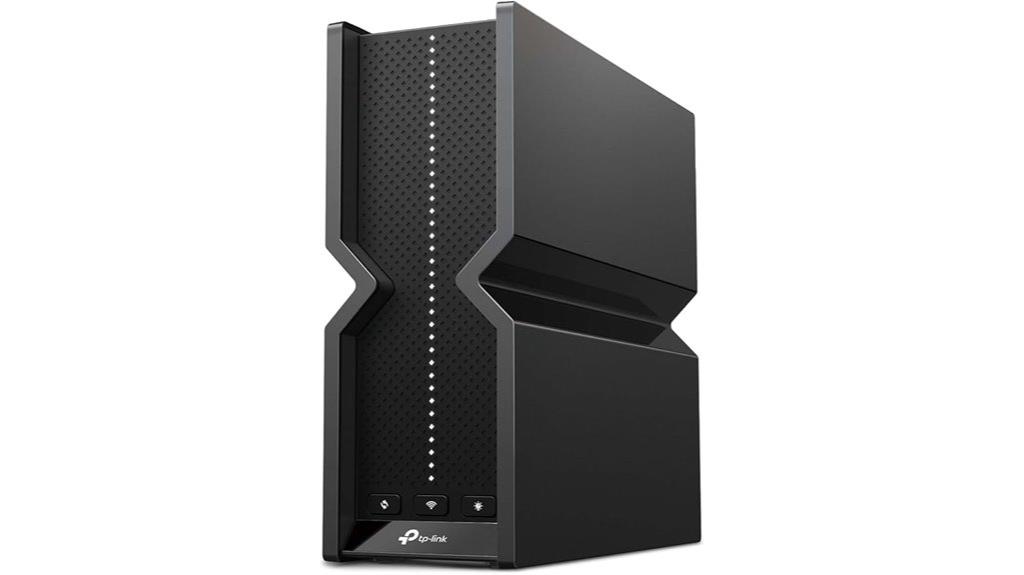
The TP-Link Archer BE550 stands out as an excellent choice for those seeking a high-performance WiFi 7 router capable of handling multiple devices and demanding online activities. It offers blazing-fast speeds with Wi-Fi 7 features like Multi-Link Operation, Multi-RUs, 4K-QAM, and 320 MHz channels, delivering up to 5760 Mbps on 6 GHz, plus solid performance on 5 GHz and 2.4 GHz bands. With coverage up to 2,000 sq ft, six internal antennas, and Beamforming, it ensures strong, reliable signals throughout your home. Its support for EasyMesh allows seamless expansion, while the high-speed wired ports future-proof your network. Security and management features keep your network safe and easy to control.
Best For: households or small offices seeking a high-speed, reliable WiFi 7 router capable of supporting multiple devices and demanding online activities like streaming, gaming, and smart home integration.
Pros:
- Delivers ultra-fast Wi-Fi 7 speeds up to 5760 Mbps, ideal for high-bandwidth activities
- Extensive coverage up to 2,000 sq ft with six internal antennas and Beamforming technology
- Supports EasyMesh for seamless network expansion and future-proof wired connectivity with multiple 2.5G ports
Cons:
- Price may be higher compared to standard Wi-Fi 6 routers due to advanced features
- Setup and configuration could be complex for non-technical users
- Limited information on compatibility with older devices that do not support Wi-Fi 7

Amazon eero 7 dual-band mesh Wi-Fi 7 router (newest model) - Supports internet plans up to 2.5 Gbps, Coverage up to 2,000 sq. ft., 1-pack
OUR MOST AFFORDABLE WI-FI 7 ROUTER - eero 7 helps you future-proof your network and make the most...
As an affiliate, we earn on qualifying purchases.
Amazon eero 7 Dual-Band Mesh Wi-Fi 7 Router
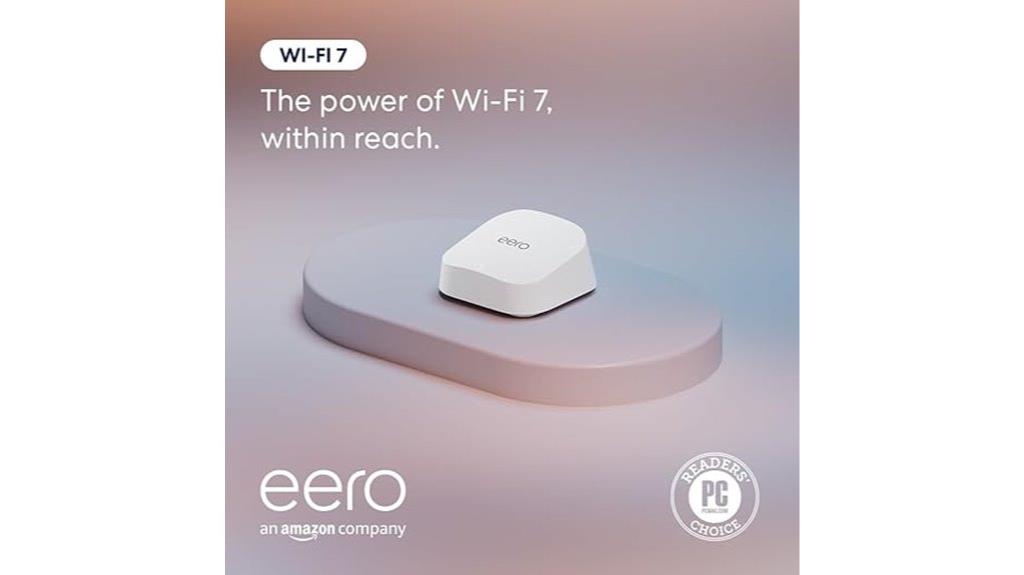
For those seeking reliable, high-speed Wi-Fi with seamless coverage, the Amazon eero 7 Dual-Band Mesh Wi-Fi 7 Router stands out as an excellent choice. It supports internet plans up to 2.5 Gbps and is backward compatible with previous eero models, making it easy to integrate into existing setups. With Wi-Fi 7 technology, it delivers wireless speeds up to 1.8 Gbps and covers up to 2,000 square feet, supporting over 120 devices simultaneously. Its expandability allows you to add more eero units or upgrade your network easily, ensuring you’re future-proofed for the latest Wi-Fi advancements.
Best For: those seeking a reliable, high-speed, future-proof Wi-Fi solution capable of supporting multiple devices in a large home or connected environment.
Pros:
- Supports internet plans up to 2.5 Gbps with advanced Wi-Fi 7 technology for fast, stable connections
- Covers up to 2,000 sq. ft. and supports over 120 devices simultaneously for comprehensive home coverage
- Easily expandable by adding additional eero units or replacing existing routers for seamless network growth
Cons:
- May be more expensive than lower-tier or older Wi-Fi routers due to advanced features
- Requires compatible devices to fully utilize Wi-Fi 7 speeds and features
- Setup and configuration may be complex for users unfamiliar with mesh network systems

NETGEAR Nighthawk WiFi 7 Router (BE9300) – Router Only, 9.3Gbps Wireless Speed, 2.5 Gigabit Internet Port, Tri-Band for Gaming, Covers 2,500 sq. ft., 100 Devices, VPN – Free Expert Help
Blazing-fast WiFi 7 speeds up to 9.3Gbps for gaming, smooth streaming, video conferencing and entertainment
As an affiliate, we earn on qualifying purchases.
NETGEAR Nighthawk WiFi 7 Router (BE9300)
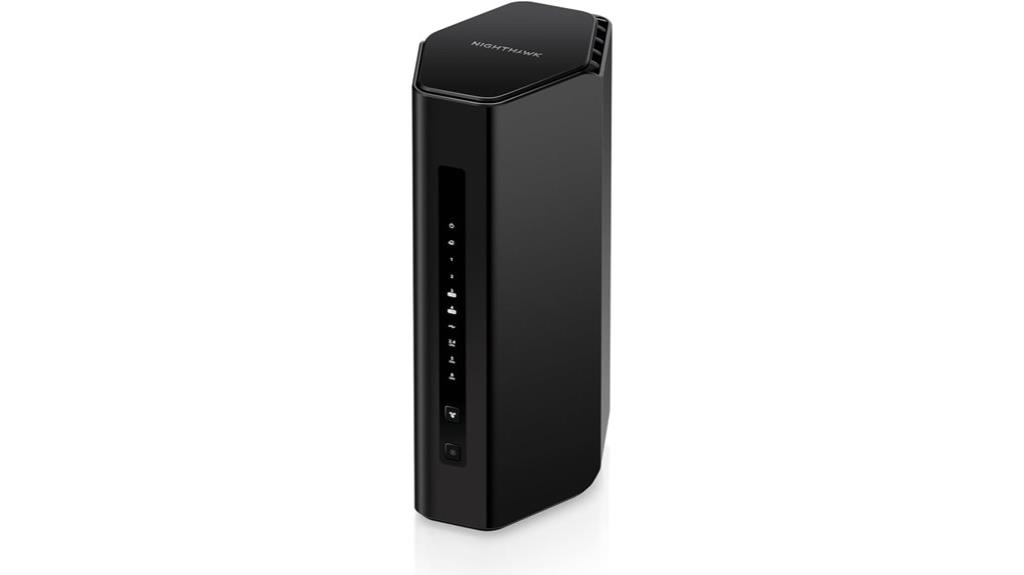
The NETGEAR Nighthawk WiFi 7 Router (BE9300) stands out as an excellent choice for large households or busy environments that require high-speed, reliable internet across numerous devices. It delivers WiFi 7 speeds up to 9.3Gbps, making it perfect for gaming, streaming, and video calls. Its sleek, compact design and high-performance antennas provide coverage up to 2,500 sq. ft. and support up to 100 devices simultaneously. It includes a 2.5 Gigabit Ethernet port for multi-gig internet plans, along with security features like NETGEAR Armor to protect your network. Overall, it’s a high-performance, secure, and extensive coverage router.
Best For: households or busy environments with many devices seeking high-speed, reliable WiFi coverage and advanced security features.
Pros:
- Delivers ultra-fast WiFi 7 speeds up to 9.3Gbps, ideal for gaming and streaming
- Supports up to 100 devices simultaneously, perfect for large households
- Includes security features like NETGEAR Armor and regular updates for enhanced protection
Cons:
- No coax input; not suitable as a cable modem
- Requires a separate modem for internet connection, adding to setup cost
- May be overkill for users with basic internet needs or small households
ASUS RT-BE58U WiFi 7 Router
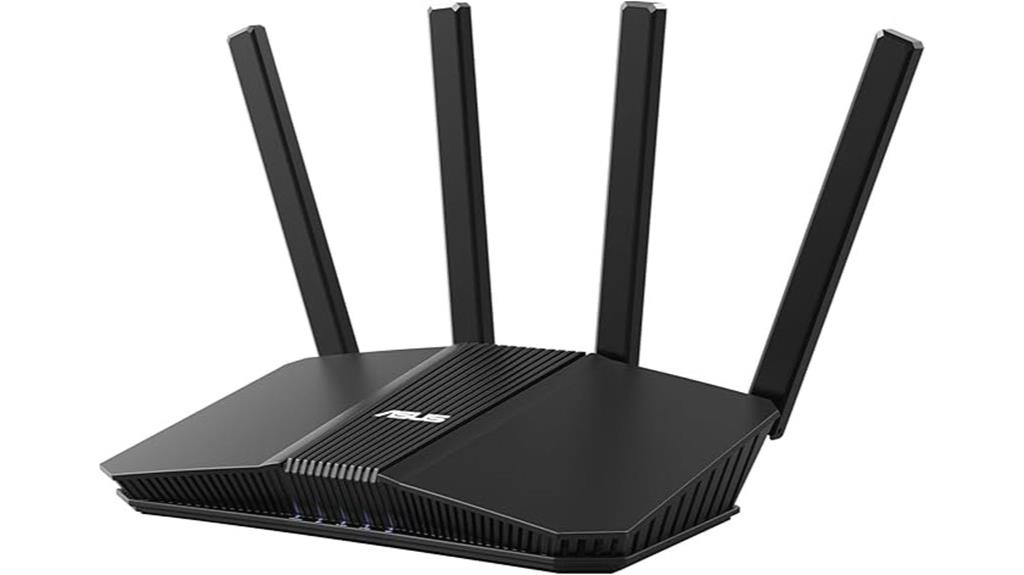
If you’re seeking a high-performance router that handles demanding home or small business networks, the ASUS RT-BE58U WiFi 7 Router is an excellent choice. It supports WiFi 7 (802.11be) dual-band, delivering speeds up to 3600 Mbps. With 4096-QAM and Multi-link operation (MLO), it ensures fast, stable, and efficient data transfer. The router features a 2.5G port, four 1G ports, and versatile WAN options, including AI WAN detection and a USB port for mobile tethering. Plus, it offers smart network management, IoT integration, and robust security with AiProtection Pro, making it a versatile, future-proof solution.
Best For: home and small business users seeking a high-speed, secure, and versatile WiFi 7 router with advanced management features.
Pros:
- Supports WiFi 7 (802.11be) with speeds up to 3600 Mbps for fast, reliable connectivity
- Equipped with a 2.5G port and four 1G ports for flexible wired connections
- Features AiProtection Pro security, parental controls, and IoT management for a safe and secure network
Cons:
- May be more expensive than standard WiFi 6 routers, potentially limiting budget-conscious buyers
- Complex setup and management might require technical knowledge for optimal use
- Limited to dual-band operation, which may be a consideration for future-proofing in larger networks
ASUS RT-BE86U BE6800 Dual-Band WiFi 7 Router
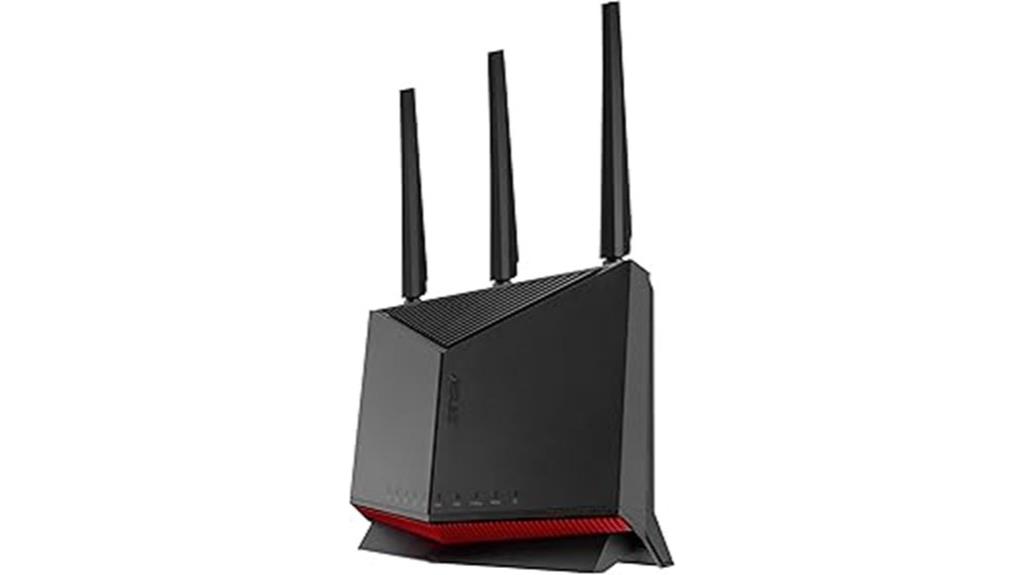
Designed for power users and demanding households, the ASUS RT-BE86U BE6800 Dual-Band WiFi 7 Router delivers ultrafast speeds and reliable connectivity. It supports WiFi 7 with Multi-link Operation on both 2.4 GHz and 5 GHz bands, reaching up to 6800 Mbps. With a 10G Ethernet port, it offers wired network speeds up to 20G, ideal for data-heavy tasks. Its versatile WAN options include AI WAN detection and support for 4G LTE and 5G tethering via USB. Powered by a quad-core 2.6 GHz CPU, it also features AiMesh, VPN, guest networks, and advanced security, making it perfect for demanding digital environments.
Best For: power users and demanding households seeking ultrafast WiFi 7 performance, reliable wired connections, and advanced network management features.
Pros:
- Supports WiFi 7 with Multi-link Operation and up to 6800 Mbps dual-band throughput for high-speed wireless connectivity.
- Equipped with a 10G Ethernet port and support for 20G wired network capacity, ideal for data-intensive tasks.
- Features versatile WAN options, AI WAN detection, VPN, guest networks, and AiMesh for comprehensive network flexibility and security.
Cons:
- May be more expensive compared to standard routers due to advanced features and high-performance specs.
- Complex setup and configuration might require technical knowledge for optimal use.
- Large size and multiple features could be overwhelming for simple home networking needs.
TP-Link Tri-Band WiFi 7 Router Archer BE700

For anyone seeking ultra-fast, reliable Wi-Fi coverage that can handle multiple high-bandwidth devices simultaneously, the TP-Link Tri-Band WiFi 7 Router Archer BE700 stands out as an excellent choice. It leverages Wi-Fi 7 technology with Multi-Link Operation, Multi-RUs, 4K-QAM, and channels up to 320 MHz, delivering speeds up to 11,528 Mbps on the 6GHz band. Its tri-band setup, supported by six antennas with Beamforming, ensures strong coverage and seamless device connectivity. Equipped with a 10 Gbps WAN port and multiple gigabit ports, it’s perfect for gigabit internet plans. Plus, with advanced security and easy management via the Tether app, it’s designed for effortless, high-performance networking.
Best For: users seeking ultra-fast, reliable Wi-Fi coverage with multi-device support, ideal for streaming, gaming, and smart home setups.
Pros:
- Exceptional Wi-Fi 7 speeds up to 11,528 Mbps on the 6GHz band for high-bandwidth activities
- Tri-band design with six antennas and Beamforming for strong, seamless coverage across large areas
- Multiple multi-gigabit ports (10 Gbps WAN, 2.5 Gbps LAN, three 1 Gbps LANs) for versatile high-speed connectivity
Cons:
- Premium price point may be costly for some budgets
- Complex setup options could be overwhelming for non-technical users
- Larger size might require more space for optimal placement
ASUS ROG Rapture GT-BE98 PRO WiFi 7 Gaming Router
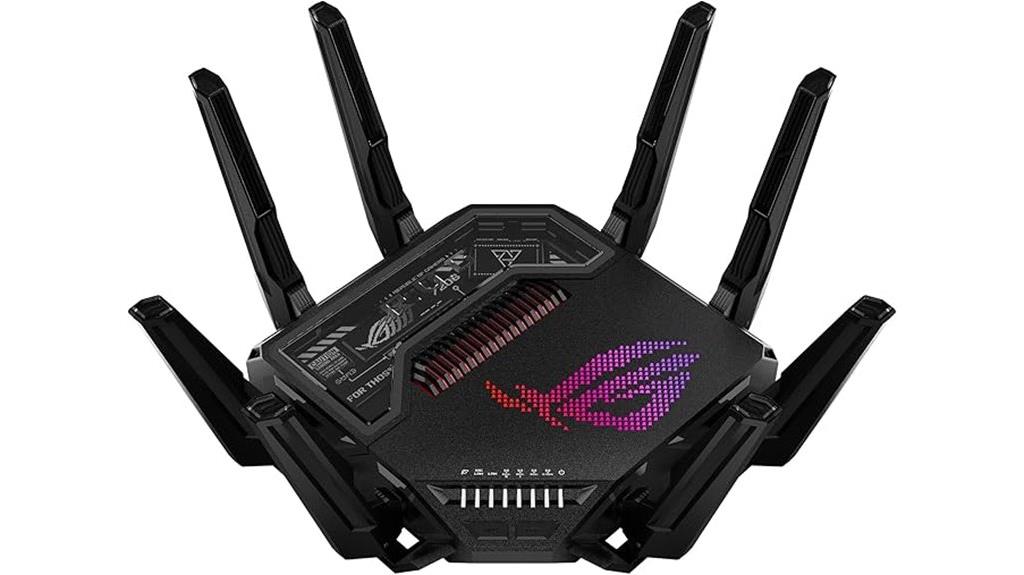
The ASUS ROG Rapture GT-BE98 PRO WiFi 7 Gaming Router stands out for gamers and high-demand users who need ultra-fast, reliable wireless connections. It supports WiFi 7 (802.11be) with 320MHz channels in the 6 GHz band and 4096-QAM, delivering speeds up to 30 Gbps. Its Multi-link Operation connects multiple bands simultaneously for stability and efficiency. External dual-feeding antennas improve coverage and signal strength. With dual 10G and four 2.5G ports, it offers flexible wired options. Features like Triple-Level Game Acceleration and Mobile Game Mode optimize gaming traffic, while AiMesh, VPN support, and free security ensure a secure, scalable network.
Best For: gamers and high-demand users seeking ultra-fast, reliable wireless connectivity with scalable wired options and advanced network features.
Pros:
- Supports WiFi 7 (802.11be) with speeds up to 30 Gbps for top-tier wireless performance
- Multi-link Operation for stable, efficient connection across multiple bands simultaneously
- Comprehensive wired connectivity with dual 10G and four 2.5G ports for flexible high-speed wired setups
Cons:
- May be more expensive compared to standard routers due to advanced features
- Complex setup process for users unfamiliar with advanced networking options
- Large size could be less suitable for compact spaces or minimalist setups
TP-Link Tri-Band Wi-Fi 7 Gaming Router Archer GE650

If you’re serious about gaming or streaming, the TP-Link Tri-Band Wi-Fi 7 Gaming Router Archer GE650 delivers blazing speeds and ultra-stable connections that keep you ahead. With combined speeds up to 11 Gbps, it leverages the 6 GHz band with 1200 MHz spectrum and three 320 MHz channels for maximum bandwidth. Multi-Link Operation allows all three bands to work simultaneously, ensuring smooth gameplay and streaming. Its dedicated gaming band and WTFast technology optimize latency and stability. Plus, the router’s volcano-inspired design with customizable RGB lighting makes it a striking centerpiece, while multi-gig ports and advanced security features support high-performance, reliable connections for all your gaming and streaming needs.
Best For: gamers and streamers seeking ultra-fast, stable Wi-Fi 7 connections with advanced security and customizable design.
Pros:
- Supports combined speeds up to 11 Gbps with tri-band Wi-Fi 7 technology for ultra-fast gaming and streaming.
- Implements Multi-Link Operation (MLO) for simultaneous multi-band connectivity, ensuring stable and efficient internet.
- Features a striking volcano-inspired design with customizable RGB lighting, enhancing aesthetic appeal.
Cons:
- The advanced features and high-speed capabilities may come at a premium price point.
- Setup and configuration might be complex for users unfamiliar with advanced networking equipment.
- Larger design could require more space and may not blend seamlessly into all home decor styles.
TP-Link Tri-Band Wi-Fi 7 Gaming Router Archer GE800

Looking to elevate your gaming experience with lightning-fast, reliable WiFi? The TP-Link Tri-Band Wi-Fi 7 Gaming Router Archer GE800 delivers up to 19 Gbps speeds with 12 streams, 320MHz channels, and Multi-Link Operation for stronger, less interference. Its 8 high-gain antennas and optimized layout enhance coverage, while RGB lighting adds style to your setup. With two 10 Gbps ports, four 2.5 Gbps ports, and support for WiFi 6E, it’s built for demanding setups and fiber plans above 1Gbps. Features like application prioritization, dedicated gaming ports, and real-time network monitoring ensure a smooth, lag-free gaming experience.
Best For: gamers and high-demand households seeking ultra-fast, reliable WiFi with advanced gaming features and high-speed wired connectivity.
Pros:
- Supports up to 19 Gbps tri-band Wi-Fi speeds with advanced multi-link technology for minimal interference.
- Equipped with 8 high-gain antennas and RGB lighting for enhanced coverage and customizable aesthetics.
- Features multiple high-speed wired ports (2x 10 Gbps and 4x 2.5 Gbps) ideal for demanding setups and fiber plans.
Cons:
- Limited USB port options, with some models only offering USB 3.0 and limited USB-C availability.
- Web interface options and setup customization may be somewhat limited or less intuitive for advanced users.
- Initial connectivity issues reported by some users, though generally outweighed by the device’s performance benefits.
NETGEAR Nighthawk WiFi 7 Router (RS200)
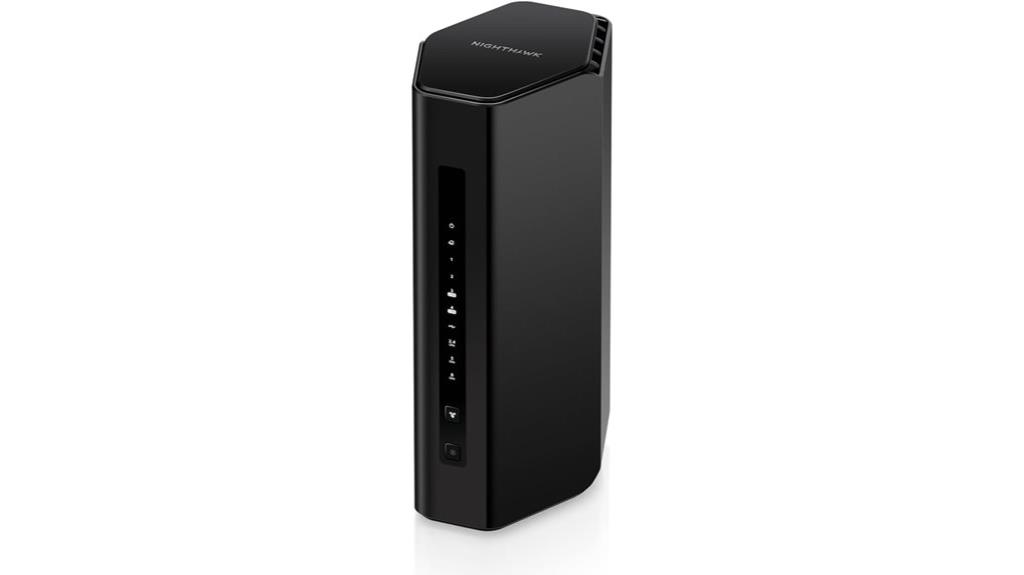
For homeowners seeking reliable, high-speed WiFi coverage across large spaces, the NETGEAR Nighthawk RS200 WiFi 7 router is an excellent choice. It delivers speeds up to 6.5 Gbps, making it perfect for gaming, streaming, and video calls. Covering up to 2,500 square feet and supporting 80 devices, it ensures strong signals in your backyard, basement, or driveway. Equipped with high-performance antennas and seamless smart connection switching, it maintains stability at distance. With multi-gig Ethernet ports and robust security features like NETGEAR Armor, this router combines speed, coverage, and protection, making it a versatile solution for modern smart homes.
Best For: homeowners seeking reliable, high-speed WiFi coverage across large spaces with multiple devices for gaming, streaming, and smart home integration.
Pros:
- Delivers ultra-fast speeds up to 6.5 Gbps for seamless gaming and streaming
- Covers up to 2,500 sq. ft. and supports up to 80 devices for extensive household connectivity
- Equipped with high-performance antennas and smart connection switching for reliable coverage at distance
Cons:
- Does not auto-recover from internet outages without manual power cycling
- Requires a separate modem for multi-gig Ethernet port functionality
- Firmware updates or reboots may temporarily disrupt network connection
Factors to Consider When Choosing a Wifi 7 Router

When choosing a WiFi 7 router, I consider factors like speed, coverage, and security to make certain it meets my needs. It’s important to look at wired options and how well the router can expand with other devices. By understanding these points, you can pick a router that offers reliable performance and future-proof features.
Speed and Bandwidth
Speed and bandwidth are critical factors to contemplate when choosing a WiFi 7 router, as they directly impact your network’s performance and capacity. Wi-Fi 7 routers support multi-band configurations, delivering combined speeds up to 11 Gbps on tri-band setups, which means faster downloads and smoother streaming. Advanced technologies like 4K-QAM, wider channels up to 320 MHz, and Multi-Link Operation considerably boost data capacity and throughput. This high bandwidth enables seamless 4K and 8K content streaming, immersive AR/VR experiences, and quick large file transfers. Dual-band and tri-band routers efficiently distribute speed across multiple devices, reducing congestion. Keep in mind, factors like channel width, spectrum utilization, and simultaneous multi-band use influence maximum speed and bandwidth, ensuring your network stays fast and reliable.
Coverage and Range
Coverage and range play a vital role in guaranteeing your WiFi 7 router meets your home or office needs. Modern WiFi 7 routers use high-gain antennas and beamforming technology, which focus signals directly toward devices, boosting range and stability. Multi-Link Operation (MLO) allows simultaneous connections across multiple bands, extending coverage and reducing dead zones. Compatibility with mesh networks makes expanding coverage straightforward—adding extenders or nodes can considerably increase your WiFi footprint. Advanced antenna configurations and signal optimization features can cover areas up to 2,500 square feet. Proper antenna placement and orientation are essential for maximizing range and minimizing dead zones. When choosing a router, consider these features to guarantee thorough coverage across your entire space.
Wired Connectivity Options
Choosing the right wired connectivity options is essential to fully leverage your WiFi 7 router’s capabilities. Modern routers come with multi-gig ports like 2.5 Gbps, 5 Gbps, or even 10 Gbps, supporting ultra-fast wired connections. Many models feature multiple LAN ports—often four or more—so you can connect desktops, gaming consoles, and smart home devices directly. A 2.5 Gbps or higher Ethernet port is becoming standard, offering future-proofing for multi-gig internet plans without needing an external modem. Some routers also include multi-gig WAN ports, enabling direct connection to multi-gig internet sources for maximum bandwidth. Additionally, USB ports facilitate media sharing and device connectivity, supplementing wired network options and enhancing overall performance.
Security and Privacy
When selecting a WiFi 7 router, security and privacy features should be at the top of your list. Modern routers support advanced protocols like WPA3 and WPA3-Personal, offering stronger encryption to protect your data. Many models also include private IoT networks with dedicated SSIDs, isolating smart devices and reducing privacy risks. Features like VPN support and instant VPN connections let you browse securely and access remote networks privately. Built-in security suites such as TP-Link HomeShield and NETGEAR Armor provide real-time threat detection, malware protection, and automatic updates, keeping your network safe from evolving threats. Additionally, multi-band and mesh networking capabilities help segment your network, minimizing unauthorized access and reducing the risk of signal interception, ensuring your online activity stays private and secure.
Compatibility and Extensibility
To make certain your WiFi 7 router remains compatible with your existing and future devices, it’s essential to verify it supports the latest standards like 802.11be. This ensures seamless connectivity as new devices arrive. Additionally, look for EasyMesh or similar mesh protocols to enable smooth expansion with extenders and additional nodes, improving coverage and flexibility. Multi-gig ports, such as 2.5G or 10G Ethernet, are crucial for high-speed wired connections and accommodating future network upgrades. I also recommend checking that the router’s management software and firmware are regularly updated, which helps maintain compatibility with evolving standards and devices. Finally, consider routers capable of creating multiple SSIDs and private IoT networks for better device management and enhanced security.
Setup and Management
Setting up a WiFi 7 router should be straightforward, so it’s important to look for models that offer user-friendly options like mobile apps or intuitive web interfaces. These tools make installation quick and easy, even if you’re not technically inclined. Once set up, advanced management features like remote control, device prioritization, and scheduled reboots help optimize your network performance effortlessly. Easy firmware updates are crucial to keep your network secure and access new features without hassle. Compatibility with mesh systems can expand coverage and simplify management across multiple devices. Additionally, security features such as firewalls, parental controls, and IoT protections are essential for safeguarding your network during setup and daily use. Prioritizing these management options ensures a smooth, secure, and flexible WiFi experience.
Frequently Asked Questions
How Do Wifi 7 Routers Improve Streaming and Gaming Experiences?
WiFi 7 routers boost my streaming and gaming by offering faster speeds and lower latency, which means smoother videos and lag-free gameplay. They handle multiple devices simultaneously without slowing down, so I don’t experience buffering or disconnects. With improved signal strength and wider coverage, I get a more reliable connection throughout my home. Overall, WiFi 7 makes my online experience seamless, whether I’m gaming, streaming, or working.
What Security Features Are Standard on Wifi 7 Routers?
Did you know that nearly 70% of WiFi 7 routers come with advanced security features? I can tell you, these routers typically include WPA3 encryption, which offers stronger protection against hacking. They also often feature automatic firmware updates, built-in firewalls, and support for VPNs. These tools help keep your network safe from threats, giving you peace of mind while enjoying faster, more reliable internet.
Can Existing Devices Connect Seamlessly to Wifi 7 Routers?
Yes, existing devices can usually connect seamlessly to WiFi 7 routers. These routers are backward compatible with older WiFi standards like 5GHz and 2.4GHz, so your smartphones, laptops, and smart home gadgets should work without issues. However, to enjoy the full benefits of WiFi 7’s speed and reliability, upgrading your devices to support the new standard is ideal. I recommend checking your device specifications to verify compatibility.
How Does Wifi 7 Handle Multiple Device Connections Simultaneously?
WiFi 7 handles multiple device connections seamlessly by using advanced technologies like Multi-Link Operation (MLO) and enhanced OFDMA. These features allow the router to communicate with several devices simultaneously, reducing congestion and lag. I’ve noticed that with WiFi 7, my smart home gadgets, laptops, and streaming devices all work smoothly together without slowing down or dropping connections, even when multiple devices are active at once.
What Is the Typical Lifespan of a Wifi 7 Router Before Upgrade?
A WiFi 7 router typically lasts around 5 to 7 years before needing an upgrade. Think of it as a reliable vessel sailing through the digital seas—eventually, technology outpaces its sails. As new standards emerge and your devices demand more speed and stability, upgrading becomes inevitable. I usually plan for a new router every 5 to 6 years to stay ahead of the curve and enjoy the best internet experience.
Conclusion
With Wi-Fi 7 routers offering speeds up to 30 Gbps, it’s clear we’re entering an era of lightning-fast internet. Choosing the right router can make all the difference, whether you’re gaming, streaming, or working from home. Remember, over 60% of households plan to upgrade in the next year to keep up with growing demands. So, investing in a top-tier Wi-Fi 7 router now guarantees you’re future-proofed for years to come.