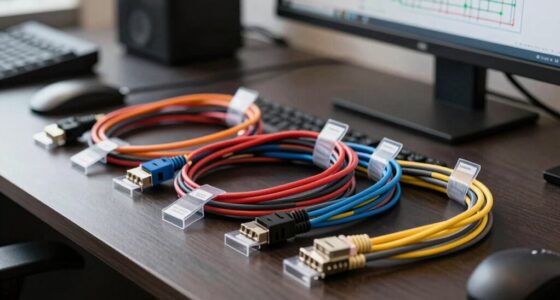

For rack temperature and humidity monitoring, I would start with the Ethernet Server Room Temperature Monitor if measurement precision, a local screen, and onboard logging matter most. The Network Temperature Humidity Monitor is the stronger fit when you need a sensor built around PoE and protocols such as BACnet, MQTT, SNMP, and Modbus TCP. Both are network-dependent tools rather than simple plug-in alarms, so the key choice is whether you value specified accuracy and local records or protocol flexibility and a compact PoE-first setup.

Get business pricing on networking and server gear
- Business-only prices and quantity discounts
- Tax-exempt purchasing
- Multiple users, one account, clear invoices
These picks are not interchangeable: the first provides detailed accuracy, display, logging, and power information, while the second highlights a broad integration stack and a very small, light enclosure. I rank the first higher for rack operators who want more visibility at the device and better-defined measurement performance. I place the second close behind for facilities teams whose existing monitoring platform already speaks its protocols. Neither listing specifies a battery-backed monitoring system, and neither replaces checking how alerts, network access, and sensor placement will work in your rack.
Key Takeaways
Choose the Ethernet Server Room Temperature Monitor when ±0.2 °C temperature accuracy, ±2 %RH humidity accuracy, a color screen, and 100,000-record local logging are central to your decision.
Choose the Network Temperature Humidity Monitor when BACnet support is a deciding factor or when you want a small, 155 g sensor powered through PoE.
Both options target networked monitoring: plan for an Ethernet connection and the configuration work needed to connect alerts or readings to your systems.
The first product lists PoE or 12–48 V DC power and RS-485; the second is specified as PoE-powered, so your available power path may determine the better fit.
Neither product description lists extra environmental sensors, and the second is explicitly for indoor use; verify the monitoring scope and deployment conditions before buying.
| Ethernet Server Room Temperature Monitor with Humidity Sensor and Web Interface |  | Best Overall for Accuracy, Local Visibility, and Logging | Temperature accuracy: ±0.2 °C | Humidity accuracy: ±2 %RH | Display: 3.5-inch TFT color screen | VIEW ON AMAZON | See Our Full Breakdown |
| Network Temperature Humidity Monitor with MQTT, BACnet, SNMP, Modbus TCP, PoE |  | Best for BACnet Integration and PoE-First Facilities | Model: MN-NTHM | Power source: PoE | Protocols: MQTT, BACnet, SNMP, Modbus TCP | VIEW ON AMAZON | See Our Full Breakdown |
| smart sensors for rack temperature and humidity | Temperature accuracy | Humidity accuracy | Display | Power |
|---|---|---|---|---|
| Ethernet Server Room Temperatu | ±0.2 °C | ±2 %RH | 3.5-inch TFT color screen | PoE or DC 12–48 V |
| Network Temperature Humidity M | — | — | — | — |
More Details on Our Top Picks
Ethernet Server Room Temperature Monitor with Humidity Sensor and Web Interface
I rank this first because it is the more fully specified choice for someone building a rack-monitoring setup around known measurement tolerances and retained readings. The listed ±0.2 °C temperature accuracy and ±2 %RH humidity accuracy give buyers concrete numbers to compare against their monitoring thresholds. Its 3.5-inch color display also makes a quick local check possible without opening a dashboard, a useful difference from the second pick, whose listed details do not mention an onboard display.
On integration, this monitor covers Modbus TCP, SNMP, MQTT, UDP, and RS-485, with Ethernet connectivity and a stated 100,000-record capacity. That combination suits a networked server room where readings may need to feed management software while remaining available locally on the device. By comparison, the second model adds BACnet, a potentially decisive advantage for a building-management system, but this first unit offers a clearer picture of measurement accuracy, local logging, and installation options.
The main tradeoff is that flexibility brings configuration work. The description says network setup is required for full functionality, which may be a hurdle for a small team without networking or facilities support. It can use PoE or 12–48 V DC, giving it more power-path flexibility than the second product as listed, but it has no built-in battery backup. I would pick it for a rack where readable local status and retained readings matter; I would skip it if you want a battery-backed standalone alarm or a near-zero-configuration device.
Pros:- Specified temperature and humidity accuracy make performance easier to compare with monitoring thresholds.
- 3.5-inch color display provides an at-device reading without relying only on a remote dashboard.
- 100,000-record local logging supports review of historical conditions.
- PoE or 12–48 V DC power plus Ethernet, RS-485, and several network protocols offer deployment flexibility.
Cons:- Full functionality depends on network configuration, which can add setup work for non-technical users.
- No built-in battery backup is listed, leaving operation dependent on the chosen power supply.
- The broad protocol set and configuration options may be more than a basic single-rack setup needs.
Best for: Rack operators who want specified sensor accuracy, a readable local display, retained readings, and multiple network or serial integration paths.
Not ideal for: Buyers who need battery backup, a simple standalone alarm with little network setup, or a sensor with explicitly documented BACnet support.
- Temperature accuracy:±0.2 °C
- Humidity accuracy:±2 %RH
- Display:3.5-inch TFT color screen
- Power:PoE or DC 12–48 V
- Connectivity:Ethernet 10/100M, Modbus TCP, SNMP v1/v2, MQTT, UDP, DHCP, RS-485
- Data logging:100,000 records
- Enclosure:IP55 flame-retardant
- Installation:Magnetic or screw-mount
Our verdict“I would make this my default pick for a networked rack when accuracy figures, local readings, and onboard history matter more than the simplest possible setup.”
Network Temperature Humidity Monitor with MQTT, BACnet, SNMP, Modbus TCP, PoE
This is the better match when the monitoring job is shaped by the building-management system rather than by a need for a screen or a stated logging capacity. Its standout distinction is BACnet support alongside MQTT, SNMP, and Modbus TCP. That makes it worth a close look for facilities teams whose existing infrastructure expects BACnet; the first product lists a wide protocol range too, but does not list BACnet in its supplied specifications.
The unit is specified at 155 g and 3.39 inches in length, with PoE as its listed power source. That compact, centralized-power approach can simplify placement where a compatible Ethernet connection is already available. The first pick is more flexible if a rack has DC power but no PoE, and it gives buyers more concrete detail about accuracy, display, and logging. Here, those performance and local-visibility details are not specified in the supplied information, so I would confirm them before using this sensor for tightly defined thresholds or record-retention requirements.
The description also mentions customizable alerts and cloud integration, but deployment depends on network infrastructure for PoE and cloud features. It is listed for indoor use only, so it is not a choice for exposed outdoor locations. Its role is deliberately narrower than a broader environmental station: the provided description covers temperature and humidity, with no additional sensors. I would choose it for a compact indoor rack tied to a BACnet-capable platform, and pass if I need published accuracy figures, onboard display, known local log capacity, or multiple power options.
Pros:- BACnet support expands integration options for facilities and building-management systems.
- Also lists MQTT, SNMP, and Modbus TCP for use with varied network monitoring platforms.
- PoE power suits deployments with compatible network cabling and centralized power.
- Compact 155 g body can be easier to place in a crowded indoor rack.
Cons:- The supplied specifications do not state temperature or humidity accuracy figures.
- PoE and cloud features depend on suitable network infrastructure.
- Indoor-only use and the stated temperature-and-humidity scope limit deployment options.
Best for: Facilities teams seeking a compact indoor temperature and humidity sensor with BACnet support and PoE power for an existing networked monitoring system.
Not ideal for: Buyers who need stated measurement accuracy, a local display, documented onboard logging, non-PoE power, or outdoor operation.
- Model:MN-NTHM
- Power source:PoE
- Protocols:MQTT, BACnet, SNMP, Modbus TCP
- Weight:155 g
- Length:3.39 inches
- Temperature range:Up to 85 °C
- Materials:Polycarbonate
- Listed certifications:FCC, CE-EMC, RoHS, UL
Our verdict“I would choose this model over the first when BACnet compatibility and compact PoE installation outweigh the need for published accuracy, local display, or specified logging.”

How We Picked
I ranked these two sensors by how well their stated features answer the practical demands of rack monitoring: reading accuracy, integration with existing infrastructure, power options, on-device visibility, and what happens to readings over time. A sensor can report temperature and humidity, but it earns a place in a rack setup only if the readings can reach the people or systems that need them and if its installation suits the cabinet.
The Ethernet Server Room Temperature Monitor takes the lead because its listing gives specific accuracy figures, supports a broad range of protocols, offers a local color display, and states a 100,000-record logging capacity. Those details make its role easier to judge. The tradeoff is greater setup complexity: full network functionality calls for configuration, and the unit has no built-in battery backup.
The Network Temperature Humidity Monitor ranks second, not because its protocol support is narrow, but because the supplied specifications are less complete for a direct sensor-performance comparison. Its support for BACnet alongside MQTT, SNMP, and Modbus TCP may make it the more practical choice in a BACnet-based facility. Its PoE-only listed power source and reliance on network infrastructure also narrow installation choices. I have not treated unspecified accuracy, logging, display, or alert details as confirmed features.
For both picks, I focused on fit rather than broad claims: the rack’s network and power layout, the management platform already in place, the need to view readings locally, and whether the published information answers your operational requirements. I would check exact alert behavior, data retention, and sensor placement guidance with the seller or documentation before relying on either unit for critical thresholds.
Factors to Consider When Choosing Smart Sensors For Rack Temperature And Humidity
For rack sensors, I would choose around the monitoring system you already operate, then check the measurement and installation details that affect whether the readings will be useful. These two models both connect temperature and humidity monitoring to networked tools, but they answer different priorities: one gives more detail about measurement, display, and logging; the other calls out BACnet and compact PoE operation.
Start with the system that will receive the readings
Before comparing sensor bodies, identify where readings need to go. If your software or building-management setup uses BACnet, the second pick has an explicit advantage because that protocol appears in its listed feature set. If you rely on MQTT, SNMP, or Modbus TCP, both products list relevant options, although exact configuration and compatibility depend on your network and platform.
The first monitor also lists UDP, DHCP, and RS-485, which can matter in installations that mix Ethernet and serial equipment. I would verify the exact protocol version and supported data points against your system documentation rather than assuming that two devices sharing a protocol name behave identically. A protocol list signals possible integration paths, not automatic setup.
Read accuracy as an operational requirement
The first model is easier to evaluate when measurement precision is a priority because it specifies ±0.2 °C temperature accuracy and ±2 %RH humidity accuracy. Those figures help a buyer judge how much variation may exist between the reported value and the measured environment, then compare that uncertainty with alarm thresholds and operating policy.
The second listing does not provide equivalent accuracy figures in the supplied details. That does not prove it performs poorly; it means I would ask for the published accuracy range, calibration information, and operating conditions before selecting it for a threshold-sensitive rack. Do not treat a stated measurement range as an accuracy specification: a sensor may cover a high temperature while still requiring separate documentation of precision.
Match power and mounting to the rack
Power availability can settle the choice. The first unit lists PoE or 12–48 V DC, which gives installers a choice if a rack has a suitable DC supply but lacks PoE. The second lists PoE, a neat fit where the Ethernet switch and cabling can provide compatible power, but a less flexible option when they cannot.
Placement matters as much as the mount. The first can be installed magnetically or with screws and lists an IP55 enclosure. The second is described as an indoor device with a compact polycarbonate body. Check where a sensor should sit relative to air intake, exhaust, and equipment density; a reading from an unrepresentative spot may not reflect the conditions you intend to monitor. Confirm mounting and cable-clearance details for the exact rack layout.
Decide whether local display and history matter
A local screen is useful when someone may inspect the rack in person or when network dashboards are unavailable during a check. The first pick lists a 3.5-inch color display, so it offers a direct status view at the device. Its 100,000-record capacity also gives buyers a stated local history feature that may help with retrospective review.
The second product description mentions alerts and cloud integration but does not specify a display or onboard logging capacity. If those functions are important, confirm how alerts are delivered, where records are stored, how long they remain available, and whether cloud use is optional. Neither listing establishes built-in battery backup, so plan for what happens during a power interruption rather than assuming monitoring continues.
Keep the monitoring scope realistic
Both products are aimed at temperature and humidity monitoring, not a complete rack-health platform. The second description explicitly says it has no additional sensors. If your use case also requires water-leak, airflow, smoke, or door-status detection, plan for separate equipment or a system designed to handle those signals.
For a server room, also distinguish indoor deployment from environmental protection claims. The second product is listed for indoor use only. The first lists an IP55 enclosure, but that specification should not be read as permission for any outdoor or harsh installation without checking its full operating guidance. I would confirm the sensor’s supported environment, alert behavior, and maintenance requirements before making it part of a critical response process.
Frequently Asked Questions
Which of these two sensors is better for a server rack?
I would pick the Ethernet Server Room Temperature Monitor as the more broadly specified rack option because it lists sensor accuracy, a display, local logging, and both PoE and DC power. The second is the better match when BACnet support or a compact PoE-powered design is the deciding requirement. For either model, confirm network compatibility and sensor placement against the rack layout before relying on its readings.
Does either model list BACnet support?
The Network Temperature Humidity Monitor explicitly lists BACnet, along with MQTT, SNMP, and Modbus TCP. The Ethernet Server Room Temperature Monitor lists MQTT, SNMP, Modbus TCP, UDP, DHCP, and RS-485, but BACnet is not included in the supplied specification. If your facilities system requires BACnet, I would verify the exact supported implementation before choosing the first model.
Which sensor provides more information about measurement performance?
The Ethernet Server Room Temperature Monitor is the clearer choice on the information provided: its listing states ±0.2 °C temperature accuracy and ±2 %RH humidity accuracy. The second listing gives a temperature range up to 85 °C but does not state comparable accuracy figures. Range and accuracy describe different things, so I would request the second model’s accuracy and calibration details if exact thresholds matter.
Can I use either sensor without Ethernet or network setup?
These are presented as networked monitoring products, and both descriptions tie useful features to network infrastructure. The first requires network setup for full functionality and supports Ethernet-based protocols; the second depends on network infrastructure for PoE and cloud features. The supplied details do not establish either as a fully independent, battery-powered alarm, so I would not select one on the assumption that it works without a suitable network and power plan.
Do either of these products monitor more than temperature and humidity?
The supplied descriptions focus on temperature and humidity. The second listing specifically says it does not include additional sensors, while no extra sensor types are specified for the first. If a rack plan needs leak detection, airflow measurement, door contacts, or other environmental signals, I would treat those as separate requirements and confirm whether the chosen monitoring platform can integrate additional devices.
Conclusion
For most rack operators who want a well-defined sensor choice, I recommend the Ethernet Server Room Temperature Monitor. Its stated accuracy, screen, local record capacity, and PoE-or-DC power make it easier to evaluate for a server room where both at-device visibility and historical readings count. Be ready to configure its network features, and plan separately for power continuity because battery backup is not listed.
For facilities teams already using BACnet or building a PoE-first indoor installation, I recommend the Network Temperature Humidity Monitor. Its protocol mix and compact form serve that integration-led use case better, but I would first confirm measurement accuracy and any logging or display needs. If neither network setup fits your environment, or you need multiple sensor types in one unit, these two options are not a complete answer; choose a system that matches those requirements directly.
Columbus Day / Indigenous Peoples' Day Picks
long weekend sales
As an affiliate, we earn on qualifying purchases.