For WiFi 7 in a large home, my best overall pick is the Deco 7 Pro Tri-Band BE10000 mesh system, which is better suited to spreading coverage across multiple rooms than a single-router setup. The Deco 7 Dual-Band BE5000 is a more restrained mesh choice, while the NETGEAR Nighthawk 9.3 Gbps router suits buyers who prefer one powerful central router. The main tradeoff is between mesh coverage and a simpler single-router installation, with band count, wired ports, and home layout shaping the decision. A higher headline speed does not guarantee a stronger signal in distant rooms. Read on for the full comparison and guidance on matching each option to your home.

Get business pricing on networking and server gear
- Business-only prices and quantity discounts
- Tax-exempt purchasing
- Multiple users, one account, clear invoices
Key Takeaways
- Mesh is the clearest fit for spread-out floor plans: the Deco 7 Pro BE10000 and Deco 7 BE5000 are the lineup’s purpose-built whole-home systems, unlike the single-router options.
- The Deco 7 Pro leads on system capacity: its tri-band, 6-stream design gives it a stronger case for busy homes than the dual-band Deco 7, though it may be more system than a smaller household needs.
- Single-router picks differ in stated coverage and speed: the NETGEAR Nighthawk rated for up to 2,500 sq ft and 9.3 Gbps is aimed at more demanding homes than the RS90, listed for up to 2,000 sq ft and 3.6 Gbps.
- Dual-band models favor simpler setups: the Archer BE230 and BE400 can suit buyers with more modest coverage needs, but neither replaces a mesh system when walls or distance create dead zones.
- Model names alone do not settle the choice: compare each router’s band configuration, coverage claims, Ethernet needs, and room layout rather than choosing only by WiFi 7 branding or peak speed.
| NETGEAR Nighthawk WiFi 7 Router RS90, Up to 2,000 sq ft, 3.6 Gbps |  | Best for Smaller Large Homes | Wi-Fi standard: Wi-Fi 7 | Frequency bands: Dual-band, 2.4 GHz and 5 GHz | Maximum data rate: Up to 3.6 Gbps | VIEW ON AMAZON | See Our Full Breakdown |
| Deco 7 Dual-Band BE5000 WiFi 7 Mesh Wi-Fi System 4-Stream 5 Gbps, 240 MHz |  | Best Value Mesh Coverage | Wi-Fi standard: Wi-Fi 7 (802.11be), backward compatible with 802.11ax/ac/g/n | Frequency bands: Dual-band, 2.4 GHz and 5 GHz | Maximum data rate: Up to 5 Gbps | VIEW ON AMAZON | See Our Full Breakdown |
| TP-Link Dual-Band Wi-Fi 7 Router, Archer BE230 |  | Best Entry-Level Wi-Fi 7 Router | Wi-Fi standard: Wi-Fi 7, backward compatible with 802.11ac/ax/g/n | Frequency bands: Dual-band | Maximum data rate: Up to 3.6 Gbps | VIEW ON AMAZON | See Our Full Breakdown |
| Deco 7 Pro Tri-Band WiFi 7 BE10000 Whole Home Mesh System 6-Stream 10 Gbps |  | Best Premium Whole-Home Mesh | Wi-Fi standard: Wi-Fi 7 | Frequency bands: Tri-band, 2.4 GHz, 5 GHz, and 6 GHz | Combined data rate: Up to 10 Gbps | VIEW ON AMAZON | See Our Full Breakdown |
| TP-Link Tri-Band BE9700 WiFi 7 Router (Archer BE600) |  | Best High-Speed Standalone Router | Wi-Fi standard: Wi-Fi 7 | Frequency bands: Tri-band, 2.4 GHz, 5 GHz, and 6 GHz | Combined data rate: Up to 9.7 Gbps | VIEW ON AMAZON | See Our Full Breakdown |
| NETGEAR Nighthawk WiFi 7 Router, Up to 2,500 sq ft, 9.3 Gbps | 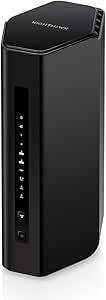 | Best for Tri-Band Standalone Coverage | WiFi bands: Tri-band: 2.4 GHz, 5 GHz, and 6 GHz | Maximum listed speed: Up to 9.3 Gbps | Coverage: Up to 2,500 sq ft | VIEW ON AMAZON | See Our Full Breakdown |
| TP-Link BE6500 Dual-Band WiFi 7 Router (BE400) |  | Best for Multi-Gig Wired Connections | WiFi generation: WiFi 7 | WiFi bands: Dual-band: 2.4 GHz and 5 GHz | Total listed bandwidth: Up to 6.5 Gbps | VIEW ON AMAZON | See Our Full Breakdown |
| wifi 7 routers for large home | Wi-Fi standard | Frequency bands | Device capacity |
|---|---|---|---|
| NETGEAR Nighthawk WiFi 7 Route | Wi-Fi 7 | Dual-band, 2.4 GHz and 5 GHz | Up to 50 devices |
| Deco 7 Dual-Band BE5000 WiFi 7 | Wi-Fi 7 (802.11be), backward compatible with 802.11ax/ac/g/n | Dual-band, 2.4 GHz and 5 GHz | More than 150 devices |
| TP-Link Dual-Band Wi-Fi 7 Rout | Wi-Fi 7, backward compatible with 802.11ac/ax/g/n | Dual-band | — |
| Deco 7 Pro Tri-Band WiFi 7 BE1 | Wi-Fi 7 | Tri-band, 2.4 GHz, 5 GHz, and 6 GHz | More than 200 devices |
| TP-Link Tri-Band BE9700 WiFi 7 | Wi-Fi 7 | Tri-band, 2.4 GHz, 5 GHz, and 6 GHz | Up to 120 devices |
| NETGEAR Nighthawk WiFi 7 Route | — | — | — |
| TP-Link BE6500 Dual-Band WiFi | — | — | Up to 90 devices |
More Details on Our Top Picks
NETGEAR Nighthawk WiFi 7 Router RS90, Up to 2,000 sq ft, 3.6 Gbps
The Nighthawk RS90 is the simplest fit here for a home that needs Wi-Fi 7 in one central area, rather than a mesh system spanning multiple floors. Its dual-band connection reaches up to 2,000 sq. ft. and supports up to 50 devices, but that stated footprint is much smaller than the Deco 7’s 6,600 sq. ft. mesh coverage. MU-MIMO and OFDMA help multiple devices share capacity, while the 2.5Gbps WAN port accommodates a multi-gig internet connection; the four LAN ports remain gigabit. App-guided setup and automatic firmware updates add convenience. The tradeoff is limited expansion: NETGEAR points larger or multi-story homes toward an Orbi mesh system, so this is a better match for a compact layout than a sprawling house.
Pros:- Wi-Fi 7 speeds up to 3.6 Gbps across dual bands
- 2.5Gbps WAN port supports multi-gig internet service
- Guided Nighthawk app setup and network management
- Automatic firmware updates and built-in router protection
Cons:- Coverage is rated for only up to 2,000 sq. ft., limiting its fit for truly large homes
- Four LAN ports are gigabit rather than multi-gig
- Armor security protection requires a subscription after the 30-day trial
Best for: Households with up to 50 devices and a roughly 2,000-square-foot, mostly single-level home that want a straightforward Wi-Fi 7 router.
Not ideal for: Owners of large, multi-story homes or anyone who needs broad coverage from several access points; a mesh system such as the Deco 7 is a better match.
- Wi-Fi standard:Wi-Fi 7
- Frequency bands:Dual-band, 2.4 GHz and 5 GHz
- Maximum data rate:Up to 3.6 Gbps
- Device capacity:Up to 50 devices
- WAN port:1 × 2.5Gbps
- LAN ports:4 × 1Gbps
- Processor:Quad-core 2.0 GHz
Our verdict“Choose the RS90 for a smaller, mostly single-level home seeking a basic Wi-Fi 7 upgrade, not for whole-house coverage across multiple floors.”
Deco 7 Dual-Band BE5000 WiFi 7 Mesh Wi-Fi System 4-Stream 5 Gbps, 240 MHz
For a large home where a single router is likely to leave dead zones, the Deco 7 mesh system makes coverage its main advantage: the supplied system is rated for up to 6,600 sq. ft. and more than 150 devices. That makes it a stronger whole-home candidate than the NETGEAR RS90, whose stated coverage is 2,000 sq. ft. Its dual-band Wi-Fi 7 supports speeds up to 5 Gbps, and AI-Roaming helps compatible devices move between Deco units under one network name. The compromise is that it lacks the dedicated 6 GHz band found on the Deco 7 Pro and the Archer BE600, and the supplied details list just two 2.5Gbps ports. Choose it for broad coverage and device capacity, not maximum band or wired-port flexibility.
Pros:- Mesh coverage rated for up to 6,600 sq. ft.
- Supports more than 150 devices
- AI-Roaming supports movement between mesh units
- Two 2.5Gbps ports provide faster wired options than gigabit-only connections
Cons:- Dual-band design lacks the 6 GHz band offered by the Deco 7 Pro and Archer BE600
- Only two ports are listed, which limits wired-device connections
- Requires a separate modem for internet service
Best for: Families in larger homes with dead zones, many connected devices, and a preference for mesh roaming over a single-router setup.
Not ideal for: Buyers seeking a 6 GHz band, several wired multi-gig connections, or the more performance-oriented tri-band configuration of the Deco 7 Pro.
- Wi-Fi standard:Wi-Fi 7 (802.11be), backward compatible with 802.11ax/ac/g/n
- Frequency bands:Dual-band, 2.4 GHz and 5 GHz
- Maximum data rate:Up to 5 Gbps
- Device capacity:More than 150 devices
- Ports:2 × 2.5Gbps
- Security protocols:WPA3, WPA2, WPA
- Management:App, remote, and voice control
Our verdict“Pick the Deco 7 when mesh coverage across a large home matters more than 6 GHz access or extensive wired connectivity.”
TP-Link Dual-Band Wi-Fi 7 Router, Archer BE230
The Archer BE230 is a more restrained choice than the mesh systems in this roundup: it delivers up to 3.6 Gbps over two bands, but the supplied information gives no coverage-area figure or device limit. That makes it difficult to recommend as a one-box solution for a sprawling home. Multi-Link Operation and 4K-QAM bring Wi-Fi 7 features to compatible devices, while the Tether app keeps setup and management accessible. It also lists five ports and mesh compatibility, giving buyers options to connect wired gear or build coverage out later. Compared with the NETGEAR RS90, it has the same stated top speed but adds mesh compatibility; compared with the Deco 7, it does not come with a specified large-area mesh footprint. It suits a modest layout or a planned mesh expansion.
Pros:- Wi-Fi 7 features include Multi-Link Operation and 4K-QAM
- Five listed ports provide useful wired connectivity
- Tether app supports setup and network management
- Mesh compatibility gives buyers an expansion path
Cons:- Dual-band hardware does not include a 6 GHz band
- The supplied product data gives no coverage-area or device-capacity figure
- A separate modem is required for internet service
Best for: Wi-Fi 7 newcomers with a modest home layout who want app-based setup and the option to expand using compatible mesh equipment.
Not ideal for: Buyers who need a clearly specified whole-home coverage area, a 6 GHz band, or a ready-made large-home mesh kit.
- Wi-Fi standard:Wi-Fi 7, backward compatible with 802.11ac/ax/g/n
- Frequency bands:Dual-band
- Maximum data rate:Up to 3.6 Gbps
- Ports:5
- Wi-Fi features:Multi-Link Operation and 4K-QAM
- Security protocols:WPA/WPA2-Enterprise, WPA2, WPA3
- Connectivity:Ethernet, USB, Wi-Fi
- Control:App, remote, and voice control
Our verdict“Choose the Archer BE230 for a smaller home or a staged upgrade, but favor the Deco 7 if you need stated mesh coverage for a large property now.”
Deco 7 Pro Tri-Band WiFi 7 BE10000 Whole Home Mesh System 6-Stream 10 Gbps
When a large home needs both broad coverage and stronger wired options, the Deco 7 Pro three-pack stands out from the less elaborate Deco 7. Its rated coverage reaches 7,600 sq. ft., and the tri-band design adds 6 GHz alongside 5 GHz and 2.4 GHz. Four 2.5Gbps WAN/LAN ports per unit provide room for multi-gig connections, while USB 3.0 adds another connection option. The system supports more than 200 devices and can use wired and wireless backhaul between units, a useful way to distribute coverage when a wired link is available. This is a more capable choice than the dual-band Deco 7, but its three-node setup may be excessive for homes that need only one router. A separate modem is required.
Pros:- Three-pack coverage rated for up to 7,600 sq. ft.
- Tri-band Wi-Fi 7 includes 6 GHz, 5 GHz, and 2.4 GHz
- More than 200-device capacity
- Four 2.5Gbps WAN/LAN ports and wired or wireless backhaul support
Cons:- A three-unit system can be more hardware than a smaller home needs
- A separate modem is required for internet service
- Some HomeShield security and parental-control functions are offered as a premium service
Best for: Owners of large or multi-story homes with many connected devices, multi-gig wired gear, and a need for three-node mesh coverage.
Not ideal for: People in smaller homes, or buyers who want a single standalone router without the setup and hardware of a three-unit mesh system.
- Wi-Fi standard:Wi-Fi 7
- Frequency bands:Tri-band, 2.4 GHz, 5 GHz, and 6 GHz
- Combined data rate:Up to 10 Gbps
- Device capacity:More than 200 devices
- Ethernet ports:4 × 2.5Gbps WAN/LAN ports
- Additional port:USB 3.0
- Backhaul:Wired and wireless
- Security protocols:WPA-PSK, WPA2-PSK, WPA3
Our verdict“Choose the Deco 7 Pro when a large property needs tri-band mesh coverage and multi-gig wired connections, rather than the simpler dual-band Deco 7.”
TP-Link Tri-Band BE9700 WiFi 7 Router (Archer BE600)
The Archer BE600 is the strongest single-router pick here for homes that want tri-band Wi-Fi 7 and multi-gig wired connections without moving to a mesh kit. It is rated to cover up to 2,600 sq. ft. and support up to 120 devices, so its reach exceeds the NETGEAR RS90’s 2,000 sq. ft. rating, though neither figure matches the Deco 7 mesh systems’ larger footprints. The 6 GHz band, 320 MHz channel support, and Multi-Link Operation suit compatible newer devices, while a 10Gbps WAN/LAN port and three 2.5Gbps LAN ports give it unusually flexible wired capacity. The main limit is still its single-router layout: walls and floors can reduce coverage, and it cannot match a multi-node system for reaching distant rooms.
Pros:- Tri-band Wi-Fi 7 with a 6 GHz band and support for 320 MHz channels
- Rated coverage of up to 2,600 sq. ft. and capacity for up to 120 devices
- 10Gbps WAN/LAN port plus three 2.5Gbps LAN ports
- Tether app, web management, VPN support, and HomeShield features
Cons:- A single router cannot distribute signal as broadly as the Deco mesh systems
- Coverage is substantially below the Deco 7 and Deco 7 Pro system ratings
- The advantages of 6 GHz and 320 MHz channels depend on compatible devices and conditions
Best for: Households with newer Wi-Fi 7 devices, multi-gig internet or wired equipment, and a home that fits within a single router’s rated coverage.
Not ideal for: Residents of sprawling or multi-story homes with distant dead zones; the Deco 7 or Deco 7 Pro mesh systems are better suited to spreading coverage across more space.
- Wi-Fi standard:Wi-Fi 7
- Frequency bands:Tri-band, 2.4 GHz, 5 GHz, and 6 GHz
- Combined data rate:Up to 9.7 Gbps
- Device capacity:Up to 120 devices
- WAN/LAN port:1 × 10Gbps
- Additional WAN/LAN port:1 × 2.5Gbps
- LAN ports:3 × 2.5Gbps
- Antenna count:6
Our verdict“Pick the Archer BE600 for tri-band speed and multi-gig wired connections in a home its 2,600-square-foot rating can reach; choose mesh for wider coverage.”
NETGEAR Nighthawk WiFi 7 Router, Up to 2,500 sq ft, 9.3 Gbps
The NETGEAR Nighthawk WiFi 7 Router is the stronger standalone choice here for a large home that needs more room for busy wireless traffic: its tri-band design adds a 6 GHz band, and its stated coverage reaches 2,500 square feet. Compared with the TP-Link BE6500, it offers a higher listed top speed and a third band, while the TP-Link counters with a slightly lower coverage figure and two 2.5 GbE ports. Nighthawk’s two 2.5 GbE LAN ports also suit fast wired devices, but the supplied details do not specify a 2.5 GbE WAN port. Its app-based setup is approachable, though homes with multiple floors or difficult wall layouts may still need mesh nodes. NETGEAR Armor includes a 30-day trial; continued access requires a subscription.
Pros:- Tri-band WiFi 7 includes 2.4 GHz, 5 GHz, and 6 GHz bands.
- Stated coverage of up to 2,500 square feet is the largest listed among these two routers.
- Two 2.5 GbE LAN ports support fast wired connections.
- Nighthawk app provides setup and network management.
Cons:- Large or multi-story layouts may need additional mesh equipment.
- Ongoing NETGEAR Armor security requires a subscription after the 30-day trial.
- Actual wireless performance depends on the internet plan, layout, and connected devices.
Best for: Households seeking a tri-band WiFi 7 router for a large, busy home, especially those with compatible 6 GHz devices and multi-gig wired gear.
Not ideal for: Owners of sprawling or multi-story homes who need dependable coverage in distant rooms from one router, or buyers who want ongoing security features without a subscription.
- WiFi bands:Tri-band: 2.4 GHz, 5 GHz, and 6 GHz
- Maximum listed speed:Up to 9.3 Gbps
- Coverage:Up to 2,500 sq ft
- Ethernet ports:Two 2.5 GbE LAN and two 1 GbE LAN
- Security:NETGEAR Armor, with a 30-day free trial
- Setup and management:Nighthawk app
Our verdict“Choose the Nighthawk if you want tri-band WiFi 7 and broad stated coverage from one router, and can accept possible mesh expansion and a paid ongoing security plan.”
TP-Link BE6500 Dual-Band WiFi 7 Router (BE400)
The TP-Link Archer BE400 makes sense for a large home where wired capacity and straightforward expansion matter more than a third WiFi band. It lists two 2.5 Gbps ports—one WAN/LAN and one LAN—so a multi-gig internet connection and a wired device can both have a faster path than standard gigabit Ethernet. Its stated coverage is 2,400 square feet, just below the NETGEAR Nighthawk’s 2,500, and its dual-band design lacks the Nighthawk’s 6 GHz band. EasyMesh compatibility can extend coverage with compatible routers or extenders, but it does not work with Deco mesh systems. The Tether app, HomeShield tools, and VPN client/server support add useful management options; HomeShield protection features may vary by service level. Six antennas and a 90-device claim do not remove the limits of a single router across distant rooms.
Pros:- Two 2.5 Gbps ports provide flexibility for multi-gig WAN and LAN connections.
- EasyMesh support allows expansion with compatible routers or range extenders.
- Tether app offers setup and network management.
- Includes HomeShield features and VPN client/server support.
Cons:- Dual-band WiFi omits the 6 GHz band available on the NETGEAR Nighthawk.
- EasyMesh compatibility does not extend to TP-Link Deco systems.
- Its stated 2,400-square-foot coverage may not reach every room in a large or multi-story home.
Best for: Households with multi-gig internet, wired gaming or work devices, and a plan to expand coverage using compatible EasyMesh equipment.
Not ideal for: Buyers who want a 6 GHz band, already rely on a TP-Link Deco mesh system, or need one router to cover a large multi-story home without added nodes.
- WiFi generation:WiFi 7
- WiFi bands:Dual-band: 2.4 GHz and 5 GHz
- Total listed bandwidth:Up to 6.5 Gbps
- Coverage:Up to 2,400 sq ft
- Device capacity:Up to 90 devices
- Ethernet ports:One 2.5 Gbps WAN/LAN, one 2.5 Gbps LAN, and three 1 Gbps LAN
- Antennas:Six fixed antennas
- Mesh compatibility:EasyMesh-compatible; not compatible with Deco mesh systems
- Security and management:HomeShield and TP-Link Tether app
Our verdict“Pick the Archer BE400 if you need two 2.5 Gbps ports and EasyMesh expansion, but choose a tri-band alternative if access to 6 GHz matters more.”

How We Picked
I ranked these seven options around the challenge behind the search: delivering usable WiFi across a large home, not just posting a high maximum speed. I weighed whether each product is a single router or a mesh system, its listed coverage and WiFi capacity, band configuration where stated, and how well its design fits homes with multiple users or distant rooms. I also considered setup complexity and whether a buyer may need extra mesh nodes or wired access points to fill gaps.
The Deco 7 Pro ranks first because its tri-band mesh design is the strongest match for spreading a connection through a broad floor plan. The Deco 7 follows as a less ambitious mesh alternative; the higher-capacity Nighthawk is the leading single-router option. The remaining routers sit lower because their listed specifications or single-unit format make them a more conditional fit for large homes. These rankings reflect fit for the stated use case, not a guarantee that any one device will cover every building.
| wifi 7 routers for large home | Wi-Fi standard | Frequency bands | Device capacity |
|---|---|---|---|
| NETGEAR Nighthawk WiFi 7 Route | Wi-Fi 7 | Dual-band, 2.4 GHz and 5 GHz | Up to 50 devices |
| Deco 7 Dual-Band BE5000 WiFi 7 | Wi-Fi 7 (802.11be), backward compatible with 802.11ax/ac/g/n | Dual-band, 2.4 GHz and 5 GHz | More than 150 devices |
| TP-Link Dual-Band Wi-Fi 7 Rout | Wi-Fi 7, backward compatible with 802.11ac/ax/g/n | Dual-band | — |
| Deco 7 Pro Tri-Band WiFi 7 BE1 | Wi-Fi 7 | Tri-band, 2.4 GHz, 5 GHz, and 6 GHz | More than 200 devices |
| TP-Link Tri-Band BE9700 WiFi 7 | Wi-Fi 7 | Tri-band, 2.4 GHz, 5 GHz, and 6 GHz | Up to 120 devices |
| NETGEAR Nighthawk WiFi 7 Route | — | — | — |
| TP-Link BE6500 Dual-Band WiFi | — | — | Up to 90 devices |
Factors to Consider When Choosing Wifi 7 Routers For Large Homes
Before choosing a model, I would start with the home’s layout and the connection problems you need to solve. A long, narrow house, a multi-story home, and a home with thick masonry walls can need very different setups even at the same floor area.
Match the setup to the floor plan, not just square footage
Coverage figures are useful as a starting point, but they cannot account for every wall, floor, or source of interference. A central router may work well in an open, compact layout and still leave bedrooms or a basement with weak service. Mesh systems let you place additional nodes closer to those areas, which can help when one broadcast point cannot reach the whole home. Plan node locations where they still receive a strong signal, rather than putting one directly inside the dead zone. If your home has several levels or separated wings, prioritize a system that can expand instead of buying by the largest square-foot claim alone.
Decide whether tri-band capacity solves a real problem
WiFi 7 does not make every home need a tri-band system. Extra bands can help a mesh network manage traffic between nodes and connected devices, particularly when many people stream, game, or work at once. A dual-band setup may be a more sensible match for a household with fewer simultaneous demands or a smaller area to cover. Do not assume an extra band automatically fixes poor placement or a weak connection from your internet provider. Pay for more capacity when congestion and multi-node communication are likely bottlenecks, not just because the specification sounds larger.
Check your internet plan and client devices
A router’s maximum wireless rate is not the same as the speed a phone or laptop will receive. Your internet plan, distance from the router, local interference, and the WiFi capabilities of each device all affect real-world performance. Older devices can connect to a WiFi 7 router, but they will not gain WiFi 7 features they do not support. If most of your household’s equipment is older or your broadband plan is modest, a high-capacity router may bring less immediate benefit than better coverage. Think about the devices you expect to keep for several years as well as those you own today.
Account for wired connections and backhaul
Ethernet can improve reliability for desktop computers, consoles, televisions, and access points that stay in one place. It can also provide a wired link between mesh nodes, reducing the load on wireless communication between them when your home has suitable cabling. Check the number and type of ports against your actual equipment before buying; a fast WiFi label does not tell you whether the router has enough wired connections. If running cable is difficult, choose placement carefully so wireless mesh nodes can still communicate well. A wired backhaul is a useful option, not a requirement for every home.
Plan for placement, setup, and future expansion
Router location often matters more than a small difference in headline speed. A unit tucked in a cabinet, behind a television, or at one end of the home can lose useful reach before the signal reaches distant rooms. Mesh systems add flexibility, but they also require finding good locations and managing more than one unit. Before choosing, check how the maker handles setup, network management, and adding compatible nodes, especially if you want to expand later. Keep the router in an open, central spot where practical, and treat extra nodes as a response to measured coverage gaps rather than an automatic first purchase.
Spend for the bottleneck you actually have
A premium model makes sense when it addresses a real constraint, such as a large multi-level layout, heavy simultaneous traffic, or a need for more capable mesh coverage. If your issue is limited to one remote room, a strategically placed access point may be more useful than replacing a working router with a faster single unit. Conversely, a small household in an open-plan home may not benefit from a complex mesh system. Compare the total setup you need, including any additional nodes or Ethernet hardware, rather than focusing on the main unit alone. This approach helps avoid paying for capacity that your home, broadband plan, or devices cannot use.
Frequently Asked Questions
Should I choose a mesh system or a single WiFi 7 router for a large home?
I would choose mesh when the home has several floors, a long footprint, or rooms that a centrally placed router cannot reach reliably. A single router is simpler and can be a good fit for an open layout where devices stay within range. Mesh adds more placement options, but the nodes need a good connection to one another and take extra setup. If possible, first place a router centrally and check where coverage fails. Choose mesh when the layout, not just the internet plan, is the problem.
Does a router’s advertised coverage mean it will reach every room?
No; coverage claims are estimates and do not account for every home’s building materials or layout. Concrete, brick, metal, and multiple floors can weaken signals, while open spaces generally make coverage easier. A router may reach the stated area but still deliver inconsistent speeds at the farthest point. Think of the number as a comparison aid, not a promise of uniform performance. For difficult layouts, node placement or wired access points can matter more than the claimed area.
Is tri-band WiFi 7 worth choosing if most of my devices are dual-band?
It can be, particularly if you want a mesh system serving many devices across multiple rooms. Tri-band capacity may give the network more room to manage simultaneous traffic, even when some clients do not use every band. But it does not upgrade older client devices to WiFi 7, and it may not improve a lightly used home with a strong signal already. Consider how many people are online at once and whether nodes will communicate wirelessly. If those demands are limited, dual-band may be enough.
Will a WiFi 7 router improve service if my internet plan is slower?
It may improve local wireless coverage or connections between devices, but it cannot raise the speed supplied by your internet provider. A newer router can still help if your current equipment is unreliable, struggles with many clients, or leaves dead zones. For internet access, however, devices cannot consistently download faster than the plan and connection allow. Compare your current wired speed with wireless performance in problem rooms to identify the actual bottleneck. If the wired connection is already slow, changing the router may not address the main limitation.
What should I check before adding mesh nodes to improve coverage?
Check that the nodes are compatible with the system and that you can place them between the main router and the weak-coverage area. A node placed where the signal is already poor may simply repeat a weak connection. Look for a location with a clear path back to the router or another node, and use Ethernet backhaul if suitable cabling is available. Also consider whether the system allows expansion without replacing your existing units. Start with the fewest nodes likely to cover the problem areas, then adjust placement based on actual results.
Conclusion
For the broadest large-home fit, I recommend the Deco 7 Pro Tri-Band BE10000 as best overall, especially for multi-room layouts where mesh coverage and added capacity matter. The Deco 7 BE5000 is my value-oriented pick for buyers who want mesh without stepping up to the Pro system. For a premium single-router setup, choose the NETGEAR Nighthawk rated up to 2,500 sq ft and 9.3 Gbps if your layout can be served from one central location. Beginners who want a straightforward standalone router can start with the TP-Link Archer BE230, while buyers seeking broader reach from a single router should compare the Nighthawk models and their stated coverage. For specific needs, choose mesh for distant rooms, tri-band capacity for busy households, or a simpler dual-band router when the home and device load are more modest.