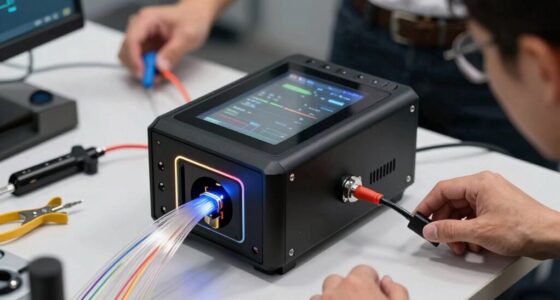

Welcome to our comprehensive 2026 Cloud & Network Accessories Checklist, designed specifically for IT professionals, network engineers, and tech enthusiasts looking to optimize their infrastructure. Whether you’re setting up a new office network, upgrading existing equipment, or building a data center, this guide will help you identify essential accessories that ensure reliability and performance.

Get business pricing on networking and server gear
- Business-only prices and quantity discounts
- Tax-exempt purchasing
- Multiple users, one account, clear invoices
Our checklist is organized into key categories, each focusing on a critical component of your network setup. From high-quality Ethernet cables to efficient cable management tools, we’ve curated trusted options to streamline your purchasing process. Use this guide to compare features, understand what makes each product stand out, and make informed decisions tailored to your needs.
Simply browse through our sections, evaluate the highlighted features, and consider your specific requirements such as compatibility, capacity, and environment. Whether you’re deploying a small office network or managing a large-scale infrastructure, this checklist aims to simplify your shopping experience and help you select the best accessories for a robust, scalable setup.
Ethernet Cables
Choosing the right Ethernet cable is crucial for maintaining fast, reliable network connections. The JAVEX Cat6A Riser CMR Ethernet Cable 500FT Shielded FTP Blue is a top choice for those needing a durable, high-performance cable. Its shielded FTP design minimizes interference, making it ideal for environments with many electronic devices. When selecting Ethernet cables, consider length, shielding type, and compatibility with your network equipment. Avoid opting for cables that are too short or lack proper shielding, as these can limit your network’s speed and stability. Proper installation, avoiding sharp bends, and ensuring connectors are securely attached are simple yet vital steps to maximize performance. Ensure the cable’s specifications meet your bandwidth requirements, especially if you plan to support high-speed data transfers or streaming services.
Be mindful of the environment where the cables will be installed; for example, riser-rated cables like the one listed are designed for vertical runs between floors, reducing fire risk. Also, check compatibility with your existing hardware, such as switches and routers, to prevent mismatched connectors or unsupported standards. Investing in quality cables not only enhances speed but also prolongs the lifespan of your network infrastructure.
What to look for:
- Shielded FTP or S/FTP design
- Riser-rated (CMR) certification
- Appropriate length for your setup
- Compatibility with Cat6A standards
- Durable, flexible jacket material
JAVEX Cat6A Riser CMR Ethernet Cable 500FT Shielded FTP Blue

This JAVEX Cat6A Ethernet cable is 500 feet long, shielded, and rated for in-wall and riser installations. It supports high-speed data transmission up to 750MHz and is suitable for both home and business networking, with durable bare copper conductors and UL Riser certification.
Pros:
- Supports high-speed data transmission up to 750MHz
- Shielded FTP design reduces EMI and cross-talk
- UL Riser rated for in-wall and riser installations
- Solid bare copper conductors ensure signal fidelity and durability
Cons:
- Bulk length may be excessive for small setups
- No mention of flexibility or ease of installation
Best for: High-speed, interference-sensitive environments
Not ideal for: Temporary or low-bandwidth setups
Bottom line: Choose quality cables to ensure reliable, fast connections.
Network Switches
A network switch acts as the hub of your local network, connecting multiple devices seamlessly. The NETGEAR 26-Port PoE Gigabit Ethernet Smart Managed Network Switch (GS7) offers a versatile solution for expanding network capacity while providing Power over Ethernet (PoE) support. This feature simplifies powering devices like IP cameras, VoIP phones, and wireless access points without extra power adapters. When selecting a switch, consider the number of ports, PoE capabilities, and management features. Managed switches allow for advanced configuration, monitoring, and security, which are essential in business environments. Avoid underestimating port requirements; buying a switch with fewer ports than needed can lead to future bottlenecks. Also, ensure compatibility with your network’s speed requirements—Gigabit ports are standard for high-performance needs. Proper placement and ventilation are key to maintaining switch longevity. If you’re expanding a network or upgrading existing hardware, a switch like this enables scalability and efficient traffic management.
Pay attention to the switch’s management options—smart managed switches strike a balance between simple plug-and-play and fully managed solutions, offering valuable control without complexity. Think about your power needs, especially if deploying multiple PoE devices, and verify that your power supply can handle the load. Proper configuration and firmware updates will optimize performance and security, making your network more resilient against threats and outages.
What to look for:
- Number of ports (at least 24 or more)
- PoE support for powered devices
- Managed or smart management features
- Gigabit Ethernet ports
- Robust build quality and ventilation
NETGEAR 26-Port PoE Gigabit Ethernet Smart Managed Network Switch (GS724TP)

The NETGEAR GS724TP is a smart managed network switch with 24 PoE+ Gigabit Ethernet ports, supporting high-speed connectivity and power delivery for network devices. It includes 2 SFP ports for fiber optic connections and offers remote management via NETGEAR Insight.
Pros:
- High-speed Gigabit Ethernet ports with PoE+ support
- Remote management via NETGEAR Insight
- Flexible mounting options for versatile installation
Cons:
- Limited to 1-year management support
- Requires compatible Ethernet cables for optimal performance
Best for: Growing office or data center networks
Not ideal for: Simple home networks with minimal devices
Bottom line: Invest in a switch that scales with your network needs.
Power Supplies
A power supply is the backbone of your network hardware, ensuring consistent and clean power delivery. The MATRIX Triple Linear DC Power Supply 30V 5A 315W, Adjustable Benchtop provides precise voltage and current control, making it suitable for both testing and operational environments. When choosing a power supply, focus on current capacity, voltage stability, and compatibility with your devices. Avoid underpowered units that could cause hardware resets or damage. Look for adjustable outputs to fine-tune power delivery to different components, especially in custom setups. Proper cooling and ventilation are essential to prevent overheating and prolong device lifespan. If you’re powering sensitive equipment, consider units with noise filtering and protection features. Remember to match the power supply’s specifications with your hardware’s requirements to maintain optimal operation and prevent failures.
Compatibility is key—ensure the power connectors fit your devices, and check the maximum output voltage and current ratings. For benchtop models like this, ease of adjustment and clear displays facilitate setup and troubleshooting. Investing in a high-quality power supply reduces downtime and protects your valuable equipment from power fluctuations and surges.
What to look for:
- Adjustable voltage and current
- Sufficient wattage for your setup
- Reliable build quality
- Protection features (overload, short circuit)
- Compatibility with your devices
MATRIX Triple Linear DC Power Supply 30V 5A 315W, Adjustable Benchtop with USB/R

This MATRIX triple linear DC power supply offers precise voltage and current control with high-resolution display and multiple protection features. It supports series and parallel configurations, multiple communication interfaces, and is built for reliable, long-term operation in laboratory or bench settings.
Pros:
- High precision with 10mV/1mA resolution and multiple protection features
- Supports series and parallel configurations for versatile use
- Multiple communication interfaces for remote control and automation
- Built-in smart cooling fan extends product life
Cons:
- Complex setup may require technical knowledge
- Relatively high cost for hobbyist use
- Heavy and bulky for portable applications
Best for: Testing, prototyping, or stable power delivery
Not ideal for: Low-power or fixed-output units
Bottom line: Reliable power supplies are vital for stable network operation.
Router Devices
While we haven’t listed a specific router, selecting the right router device is fundamental to your network’s performance. The key considerations include speed capabilities, security features, Wi-Fi standards, and compatibility with your ISP and existing hardware. A good router should support the latest Wi-Fi protocols, such as Wi-Fi 6 or Wi-Fi 6E, to future-proof your setup. Also, look for advanced security options like WPA3 encryption and guest networks to safeguard your data. Proper placement—ideally central and elevated—enhances coverage and reduces dead zones. Avoid outdated or underpowered routers that can bottleneck your network, especially if multiple users or high-bandwidth applications are involved. Compatibility with mesh systems or additional access points can also extend coverage for larger spaces. Remember, a reliable router with manageable firmware updates and security patches ensures your network remains safe and efficient.
Assess your needs based on your environment—small offices may require basic models, while enterprise setups benefit from high-end, managed solutions. Keep in mind the number of devices, expected traffic, and future expansion plans to choose a device that scales with your network demands. Proper configuration and regular updates are essential for optimal performance and security.
What to look for:
- Supports latest Wi-Fi standards (e.g., Wi-Fi 6)
- Strong security features (WPA3, VPN support)
- Multiple bands and coverage options
- Easy management and firmware updates
- Compatibility with your ISP and hardware
Cable Management
Effective cable management is often overlooked but critical for a clean, safe, and efficient network environment. The Honeycomb Cable Dresser V3 is an excellent tool for organizing and securing cables, reducing clutter, and preventing accidental disconnections or damage. Proper cable management improves airflow, reduces heat buildup, and makes future upgrades or troubleshooting much easier. When organizing cables, use cable ties, sleeves, or ducts to keep everything tidy. Labeling cables clearly helps identify connections quickly, saving time during maintenance. Avoid over-tightening ties, which can damage cables, and ensure cables are not bent sharply, as this can impair signal quality. Consider using cable management accessories tailored to your environment—whether for a server room, office, or home setup—to maintain a professional appearance and operational reliability.
Investing in quality tools like the Honeycomb Cable Dresser V3 makes a big difference in the longevity and safety of your cabling infrastructure. Proper organization minimizes interference, prevents accidental disconnections, and facilitates airflow, which is crucial for cooling. Regular checks and updates to your cable layout can prevent potential issues and extend the life of your network components.
What to look for:
- Durable, flexible organization tools
- Ease of installation and adjustment
- Clear labeling options
- Compatibility with cable types and sizes
- Ventilation and heat dissipation features
Honeycomb Cable Dresser V3 – Professional Cable Management Tool for Structured C

The Honeycomb Cable Dresser V3 is a professional tool designed for organizing and managing structured cabling, patch panels, and network installations. It helps streamline cable management to improve network setup efficiency.
Pros:
- Professional-grade cable management
- Suitable for structured cabling and network installations
- Helps organize cables neatly
Cons:
- Limited product details available
- No specific features or specifications provided
Best for: Data centers and organized office setups
Not ideal for: Cluttered, unmanaged cable environments
Bottom line: Effective cable management enhances safety and performance.
Wireless Adapters
Wireless adapters like the Wireless CarPlay Adapter for Apple iPhone expand connectivity options, enabling seamless integration with existing devices. Such adapters are essential when upgrading or adding wireless capabilities to your setup without replacing hardware. They support the latest standards for speed and stability, ensuring a smooth experience whether for media streaming, data transfer, or device connectivity. When choosing a wireless adapter, consider compatibility with your devices, supported Wi-Fi standards, and ease of installation. Avoid adapters that are incompatible or require complex setup procedures, which can lead to frustration and delays. Ensure the adapter supports your desired features, such as CarPlay, Bluetooth, or Wi-Fi 6, for optimal performance. Proper placement and configuration are key to maximizing signal strength and minimizing interference from other wireless devices.
Wireless adapters are versatile tools that help bridge gaps in your network or enable new functionalities. They are especially useful in vehicles, smart homes, or environments where wired connections are impractical. Investing in a high-quality, compatible adapter can significantly improve your overall connectivity experience, ensuring your devices stay connected and perform at their best.
What to look for:
- Compatibility with your device models
- Supports latest Wi-Fi standards (e.g., Wi-Fi 6)
- Easy to set up and configure
- Reliable connection stability
- Additional features like Bluetooth or CarPlay support
Wireless CarPlay Adapter for Apple iPhone

This wireless CarPlay adapter instantly upgrades your vehicle’s OEM wired CarPlay to wireless, allowing full features like navigation, music, calls, and messages without cable clutter. It offers easy plug-and-play setup, stable connections, and compatibility with various vehicle models through included adapters.
Pros:
- Easy plug-and-play setup with quick connection
- Stable, low-latency wireless performance
- Compatible with a wide range of vehicles using included adapters
- Durable heat-resistant aluminum casing
Cons:
- Requires OEM wired CarPlay system
- Limited to vehicles with USB interfaces
- No detailed information on firmware updates or additional features
Best for: Enhancing wireless capabilities in vehicles or smart homes
Not ideal for: Older devices with limited compatibility
Bottom line: Choose a wireless adapter that offers speed, stability, and ease of use.
As you build or upgrade your network infrastructure, prioritizing quality and compatibility is key. Start with budget-friendly options for basic needs, and gradually invest in more advanced accessories as your requirements grow. Remember, a well-organized, reliable network setup not only improves performance but also reduces downtime and maintenance costs.
Take your time to compare products, consider your specific environment, and plan for future scalability. With the right accessories in hand, you’ll enjoy a seamless, efficient, and secure network that supports your digital endeavors now and into the future. Happy shopping and networking!
Fall Picks
fall essentials
As an affiliate, we earn on qualifying purchases.