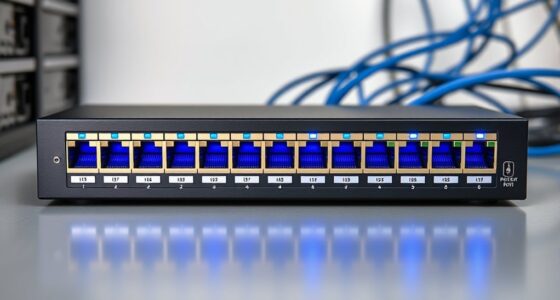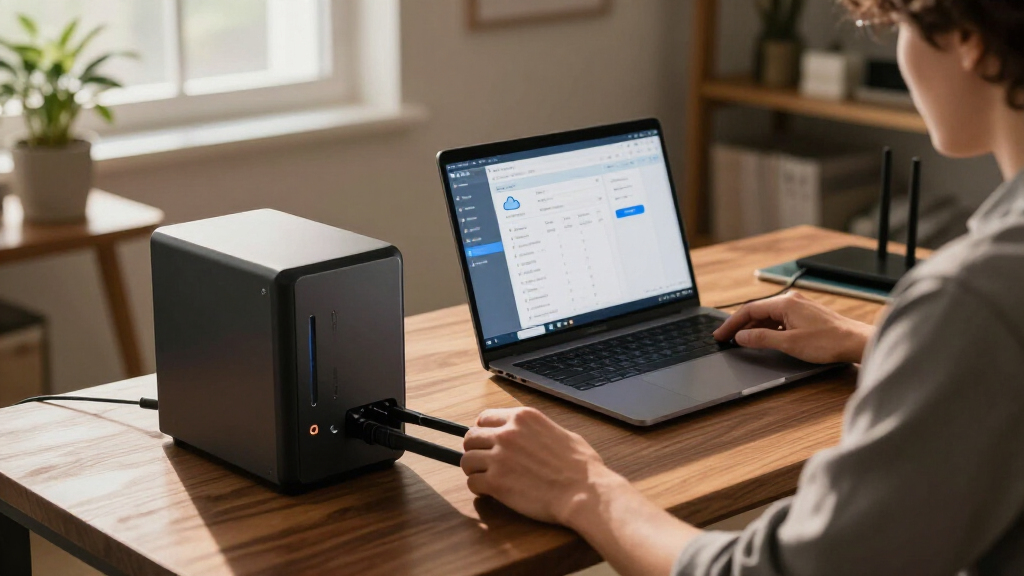

The best cloud backup solution in this roundup is the Synology DS425+ for buyers who want a flexible, expandable private-storage hub, while NTI Backup Now EZ 7.5 is a simpler software-led option and the BUFFALO LinkStation 720 offers included drives for a ready-to-use NAS. These products do different jobs: some back up a computer to a cloud service, while others provide network storage that can be configured for remote access or off-site backup. The main tradeoffs are setup effort, control over your files, included storage, and whether you need backup software or a device that stays on your network. A NAS is not automatically an off-site cloud backup, so buyers should check where a second copy of their data will live. Read on for the full comparison and guidance on matching a solution to your backup plan.

Get business pricing on networking and server gear
- Business-only prices and quantity discounts
- Tax-exempt purchasing
- Multiple users, one account, clear invoices
Key Takeaways
- NAS hardware and cloud backup software solve different problems: NTI products back up a computer, while the Synology, BUFFALO, TERRAMASTER, and UGREEN devices are network-storage hardware that may need separate cloud configuration.
- The Synology DS425+ leads for expandability: its four bays give growing households and small offices more room to build storage capacity than the two-bay models.
- Included drives reduce setup decisions: the BUFFALO LinkStation 720 and LinkStation 210 arrive with hard drives, unlike the diskless Synology and TERRAMASTER systems.
- One-bay NAS models are not a substitute for redundancy: the BUFFALO LinkStation 210 and Synology DS124 can simplify personal storage, but a separate copy remains important if a drive fails.
- Software licensing changes the fit: NTI Backup Now EZ options are computer-focused, with one- and two-computer editions, while the NAS options suit shared storage and network-wide workflows.




More Details on Our Top Picks
BUFFALO LinkStation 210 4TB 1-Bay NAS Network Attached Storage with HDD Included
The LinkStation 210 is the most straightforward hardware option here for someone who wants a central place for household backups without buying drives separately. Its 4TB included drive and setup software make it more approachable than the diskless Synology DS425+, which requires separate drives and more configuration. Access restrictions also help when files are shared among household members. Its role is local network storage, though, not a substitute for a dedicated online backup service: the listing gives no detail about cloud backup features or off-site copies. The single bay also limits expansion and drive redundancy compared with multi-bay NAS options such as the DS425+. I’d choose it for simple centralized storage, but skip it if your backup plan depends on drive-level redundancy or flexible cloud workflows.
Pros:- Includes a 4TB hard drive, so storage is ready to configure out of the box.
- Setup software is intended to make initial use approachable.
- Access restrictions support more controlled file sharing.
- Includes 24/7 US-based support and a two-year warranty.
Cons:- One drive bay limits expansion and provides no multi-drive redundancy.
- Cloud backup capabilities are not detailed in the supplied product information.
- Listed macOS compatibility is limited to macOS 15 and earlier.
Best for: Households or small offices that want included storage for centralized file backups and sharing without assembling a NAS.
Not ideal for: Buyers who need multiple-drive redundancy, room to expand, or clearly documented off-site cloud backup features.
- Capacity:4TB
- Drive bays:1
- HDD included:Yes
- Compatibility:Windows, macOS
- Support:24/7 US-based support
- Warranty:2 years
- Country of manufacture:Japan
Our verdict“Choose the LinkStation 210 if you want simple, included-drive network storage, but look to a multi-bay NAS for redundancy and growth.”
NTI Backup Now EZ 7.5 for 1 Computer
NTI Backup Now EZ 7.5 is the strongest fit here for a Windows owner who wants file backups, scheduled jobs, cloud destinations, and system-image recovery in one package. Unlike the LinkStation 210, it is software rather than a storage device, so the buyer chooses the cloud service or local destination instead of receiving a preloaded drive. Its support for NTI Cloud, OneDrive, Google Drive, and Dropbox gives it more explicit cloud options than the Nero BackItUp listing, while the bootable recovery drive adds a route back from a system failure. That flexibility comes with setup work: scheduled backups must be configured, and one license covers only one computer. I’d favor it over Nero for recovery breadth, but not for a multi-PC household or anyone seeking a hands-off setup.
Pros:- Combines scheduled, cloud, image, and file-and-folder backup types.
- Supports NTI Cloud, OneDrive, Google Drive, and Dropbox.
- Bootable recovery-drive creation can help restore a computer after a serious failure.
- Uses 256-bit encryption and a perpetual license.
Cons:- Each license covers only one computer.
- Scheduled backups require manual setup.
- The perpetual license has no subscription renewal option.
Best for: Windows users with one computer who want cloud and local backup options plus a bootable path to restore a system.
Not ideal for: Households backing up several computers under one license, or users who want scheduled backups configured automatically without setup.
- Compatibility:Windows 11, 10, 8.1, 8, 7, Vista, XP
- Backup types:Scheduled, cloud, image, file and folder
- Cloud services:NTI Cloud, OneDrive, Google Drive, Dropbox
- Encryption:256-bit
- License:Perpetual, one-time purchase
- Computers per license:1
- Recovery feature:Bootable recovery-drive creation
Our verdict“Pick NTI Backup Now EZ 7.5 for one Windows PC when system recovery and several cloud destination choices matter more than plug-and-play scheduling.”
TrueNas Guide for Beginners: Build Secure Storage Systems, Homelabs, and Private Cloud Solutions
This guide earns a place for readers who want to build and manage their own storage rather than buy a finished backup appliance. Its focus on TrueNAS setup, security, homelabs, and private cloud makes it a different kind of option from the LinkStation 210 or Synology DS425+: those are hardware products, while this is instructional material for a DIY system. That distinction matters for cloud backup, because a private cloud can give an owner control over storage and access, but the guide itself does not supply hardware, hosted backup space, or a ready-made backup service. The supplied details also do not specify the guide’s depth or hardware requirements. I’d choose it as a starting point for a hands-on learner, not as a shortcut for anyone who needs backups running immediately.
Pros:- Provides beginner-oriented guidance for building TrueNAS storage systems.
- Covers security practices alongside storage setup.
- Addresses homelabs and private-cloud use for personal or small-business needs.
Cons:- Does not include storage hardware or cloud-hosting capacity.
- The supplied product information provides no detailed hardware specifications.
- May not offer enough depth for advanced TrueNAS users.
Best for: Homelab beginners and technically curious small-office owners who want to learn how to build secure TrueNAS-based storage and private-cloud systems.
Not ideal for: People who need an immediate backup product, hosted cloud storage, or detailed hardware recommendations before buying equipment.
- Subject:TrueNAS storage systems
- Intended audience:Beginners
- Topics:Secure storage, homelabs, private-cloud solutions
- Use cases:Personal and small-business storage
- Hardware included:Not specified
- Cloud storage included:Not specified
Our verdict“Choose this guide if you want to learn a DIY private-cloud approach; choose the LinkStation 210 instead if you need ready-to-configure storage.”
Nero BackItUp Data Backup Software | Automatic Backup, Data Recovery, Cloud Backup | Lifetime License | 1 PC | Windows 11/10
Nero BackItUp suits Windows users who want one backup tool to target cloud storage as well as local devices. It can send backups to Google Drive, OneDrive, or WebDAV, and also supports external drives, USB, NAS, and DVDs. That destination range makes it more flexible than relying on the LinkStation 210 alone, which is a one-bay network storage device rather than software for choosing among several backup targets. Compared with NTI Backup Now EZ 7.5, Nero’s supplied details emphasize automatic backup and destination variety, while NTI more clearly lists system images and bootable recovery drives. Nero’s lifetime license avoids recurring license renewal, but the listing does not include future upgrades, and advanced settings require manual setup. It is a practical single-PC choice, not a family-wide backup license.
Pros:- Backs up to Google Drive, OneDrive, and WebDAV.
- Also supports external drives, USB, NAS, and DVDs as destinations.
- Offers automated backup and data recovery features.
- Encryption supports data privacy, and the license is described as lifetime.
Cons:- The license covers only one PC.
- The supplied license details do not include subscription updates or upgrades.
- Advanced backup options require manual setup.
Best for: Windows 10 or 11 users with one PC who want automated backups to cloud accounts, external storage, or a NAS.
Not ideal for: People backing up multiple computers, users who need included future upgrades, or buyers who want advanced settings preconfigured.
- Compatibility:Windows 11, Windows 10
- License:Lifetime
- Computers covered:1 PC
- Cloud destinations:Google Drive, OneDrive, WebDAV
- Other backup destinations:External drives, USB, NAS, DVDs
- Backup functions:Automatic backup and data recovery
- Security:Encryption
Our verdict“Choose Nero BackItUp for a single Windows PC when destination flexibility matters more than multi-computer licensing or included upgrades.”
Synology DS425+ Private Cloud Media Server – 4-Bay Diskless NAS
The DS425+ is the most capable hardware pick in this group for buyers building a shared private-cloud and backup hub. Its four bays, support for 10+ users, and listed 80TB storage volume give it more room for a growing household or small team than the single-bay LinkStation 210. The product also lists RAID, backups, and snapshots, which can provide more ways to protect and organize stored data than a basic single-drive setup. Its 278 MB/s network speed and support for media and surveillance add uses beyond backup, but those features also mean more setup than a simple appliance. It ships diskless, so drive selection and installation are part of the purchase. I’d rank it above the LinkStation for capacity and shared use, but not for buyers who want included storage or a low-effort start.
Pros:- Four drive bays offer more room to configure and grow storage than a one-bay NAS.
- Supports 10 or more users and concurrent access.
- Lists RAID, backup, and snapshot features for data protection.
- Can also support media streaming and surveillance workloads.
Cons:- Diskless design requires separate drive purchases and setup.
- Optimal configuration may be complex for casual users.
- Its broader feature set may be unnecessary for someone who only needs a simple backup target.
Best for: Small teams or technically comfortable households that need shared storage, multi-user access, and room for a private-cloud backup library.
Not ideal for: Casual users who want a ready-to-use device with drives included, or buyers who do not need multi-user and multi-purpose NAS features.
- Model:DS425+
- Drive bays:4
- Drive inclusion:Diskless
- Storage volume:80TB
- Network speed:278 MB/s
- Supported users:10+
- Surveillance support:Up to 30 IP cameras
- Dimensions:8.78″D x 7.83″W x 6.54″H
- Warranty:3 years
Our verdict“Choose the DS425+ if you need expandable shared storage for a private-cloud setup, and skip it if you want a simple NAS with drives already installed.”
TERRAMASTER F2-212 2-Bay NAS Quad Core CPU, DDR4 RAM (Diskless)
The F2-212 suits buyers who want a home backup hub they can configure around their own drives and network. Its two SATA bays accept HDDs or SSDs, while support for SMB, NFS, SFTP/FTP, AFP, iSCSI, and WebDAV gives it more connection options than a single-purpose backup device. The quad-core processor also leaves room for file serving and media tasks alongside backups. Compared with the BUFFALO LinkStation 720, this NAS gives you more control over drive selection, but you must supply and install the drives yourself. The main limit is its 1GB of RAM, which may constrain multitasking, and its plastic enclosure is less substantial than the Synology DS223’s metal one. I’d choose it for flexible household storage, not demanding workloads.
Pros:- Two bays support flexible HDD or SSD configurations.
- Broad network protocol support suits mixed-device and server setups.
- Quad-core processor can handle file serving alongside backup tasks.
- Drive capacity can be tailored to the buyer’s needs.
Cons:- Diskless setup requires separate drive purchases and installation.
- 1GB RAM may limit performance with multiple concurrent tasks.
- Plastic enclosure feels less substantial than the Synology DS223’s metal housing.
Best for: Home users who want to choose their own HDDs or SSDs and need a NAS for backups, shared files, and light media serving.
Not ideal for: Buyers who want a ready-to-use NAS with drives included or expect heavy multitasking from several services.
- Bays:2
- Processor:Quad-core ARM v8, 1.7GHz
- Memory:1GB DDR4
- Drive compatibility:3.5-inch and 2.5-inch SATA HDDs or SSDs
- Maximum drive capacity:24TB per bay; 64TB total in RAID 0
- Supported protocols:SMB, NFS, SFTP/FTP, AFP, iSCSI, WebDAV
- Dimensions:8.74 × 4.68 × 6.06 inches
- Weight:4.6 pounds
Our verdict“Choose the F2-212 if you want a configurable two-bay backup NAS and are comfortable supplying drives and keeping workloads moderate.”
NTI Backup Now PRO 7 (for 1 Computer) – Lifetime License
Backup Now PRO 7 is the software pick for a Windows owner who wants several backup methods under one perpetual license. It covers files, whole drives, continuous backups, and cloud backups through Windows Azure, so it can serve both routine file protection and broader recovery planning. RAID support for Windows servers adds a capability that the NAS options, such as the BUFFALO LinkStation 720, approach through their own storage configurations rather than as PC backup software. The tradeoff is a narrower cloud-service choice in the supplied product details: unlike NTI Backup Now EZ 7.5, this version does not list OneDrive, Google Drive, or Dropbox integration. It also supports Windows only and covers one computer, so households with Macs or multiple PCs should look elsewhere.
Pros:- Combines file-based, drive-based, continuous, and cloud backup modes.
- Perpetual license avoids an ongoing software subscription.
- Azure cloud backup is included among the listed backup options.
- RAID 0, RAID 1, and RAID 5 support is listed for Windows servers.
Cons:- Windows-only support excludes Mac users.
- License covers one computer.
- Listed cloud backup is limited to Azure, unlike the broader services named for NTI Backup Now EZ 7.5.
Best for: Windows users or small-office administrators seeking file, drive, continuous, and Azure cloud backups for one computer under a perpetual license.
Not ideal for: Mac owners, multi-computer households, and buyers who want a choice of cloud services such as Google Drive or Dropbox.
- License:Lifetime, perpetual
- Supported operating system:Windows
- Backup types:File-based, drive-based, cloud, continuous
- Cloud service:Windows Azure
- RAID support:RAID 0, RAID 1, RAID 5
- Version requirement:7.0.0.288 or newer
- Delivery:Download or CD
Our verdict“Pick Backup Now PRO 7 if one Windows computer needs varied backup modes and Azure support without a recurring software license.”
BUFFALO LinkStation 720 8TB 2-Bay Network Attached Storage (NAS) with Hard Drives Included
The LinkStation 720 is the straightforward choice here for buyers who want a two-bay NAS with storage already included. Its 8TB capacity and automated backup features reduce the setup work required by diskless models such as the TERRAMASTER F2-212 and Synology DS223. It also connects to Dropbox, Azure, and OneDrive, giving it a useful bridge between local network storage and cloud services. RAID 1 can prioritize a mirrored copy across the two drives, while RAID 0 uses the capacity differently; RAID is not a substitute for an independent backup. The key compromise is limited expansion headroom: the supplied details describe 8TB and note that full capacity depends on RAID configuration. Buyers who want to choose their own drives or need a clearly specified mobile app should compare other options.
Pros:- Includes drives, reducing setup steps compared with diskless NAS options.
- Automated backup features support routine data protection.
- Cloud integration lists Dropbox, Azure, and OneDrive.
- RAID 0 and RAID 1 configurations offer different capacity and redundancy choices.
Cons:- Listed storage capacity is 8TB, limiting headroom for large libraries.
- The supplied details do not specify mobile app support.
- RAID configuration affects usable capacity, and RAID alone does not protect against every form of data loss.
Best for: Households or small offices seeking a two-bay NAS with drives included, automated backups, and links to common cloud services.
Not ideal for: Buyers who need a higher-capacity system, want to select their own drives, or require specified mobile app support.
- Model:LS720D0802
- Storage capacity:8TB
- Bays:2
- Included drives:Yes
- Connectivity:Ethernet, AC adapter
- Compatibility:Windows and macOS
- Cloud integrations:Dropbox, Azure, OneDrive
- Warranty:2 years
Our verdict“Choose the LinkStation 720 if included drives and simple local-to-cloud backup matter more than expansion flexibility.”
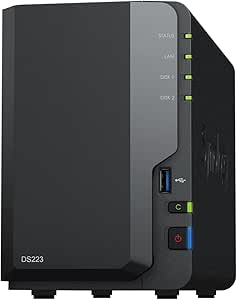
Synology DS223 Home & Office Backup Hub – 2-Bay Diskless NAS
The DS223 is aimed at buyers who want to make a central home or office library accessible across computers and phones, rather than simply attach backup storage to one PC. Its Synology DSM private-cloud setup supports organizing and sharing files, while the included surveillance features add another role through motion alerts and remote viewing. That broader hub approach separates it from NTI Backup Now PRO 7, which focuses on backing up a Windows computer, and from the ready-to-use BUFFALO LinkStation 720, which includes drives. The DS223 arrives diskless, so its two bays offer flexibility but bring extra drive selection and setup work. Two bays also set a practical ceiling for expansion, and configuring surveillance may take more technical effort than basic file sharing.
Pros:- Private-cloud features support centralized file access and sharing.
- Compatible with desktops, laptops, servers, and smartphones.
- Surveillance features include motion alerts and remote viewing.
- Metal enclosure and a listed two-year warranty provide a solid hardware foundation.
Cons:- Diskless design requires separate drives.
- Two bays may not meet larger storage or expansion needs.
- Surveillance setup can require more technical knowledge than basic file backup.
Best for: Households and small offices that want shared private-cloud storage across computers and phones, with optional surveillance features.
Not ideal for: Buyers who want drives included, need a large multi-bay system, or prefer a backup device that needs little configuration.
- Model:DS223
- Bays:2
- Drive status:Diskless
- Compatible devices:Desktop, laptop, server, smartphone
- Enclosure material:Metal
- Dimensions:9.15 × 4.25 × 6.5 inches
- Weight:1280 g
- Warranty:2 years
Our verdict“Choose the DS223 if shared private-cloud access and surveillance matter more than an included-drive, plug-in-style NAS.”
NTI Backup Now EZ 7.5 for 2 Computers – Full-System Image, Cloud, File & Folder Backup, Scheduled, Lifetime License
Backup Now EZ 7.5 fits Windows households that need more than copies of selected folders: it includes full-system images, file and folder backup, scheduled jobs, and bootable recovery options. Those images can help restore a whole PC after a serious system failure, while listed cloud connections to NTI Cloud, OneDrive, Google Drive, and Dropbox give buyers several destinations. Compared with NTI Backup Now PRO 7, this version lists more cloud services and covers two computers, making it the more practical fit for a small Windows household. The tradeoffs are platform lock-in and setup complexity: it does not support Mac, and its range of backup modes may take time to configure. The lifetime license avoids recurring software payments, but cloud storage terms are not specified in the supplied details.
Pros:- Combines full-system images with file and folder backups.
- Bootable recovery options support recovery beyond individual files.
- Lists NTI Cloud, OneDrive, Google Drive, and Dropbox integrations.
- Lifetime license covers a two-computer use case without recurring software fees.
Cons:- Windows-only support excludes Mac computers.
- Multiple backup modes and recovery options may be complex for novice users.
- Cloud storage capacity and retention terms are not stated in the supplied product data.
Best for: Windows households with two computers that want scheduled file backups, full-system recovery options, and a choice of listed cloud services.
Not ideal for: Mac users, buyers seeking a simple single-purpose backup tool, or anyone who needs cloud storage capacity and retention terms clearly specified.
- Computer coverage:2 computers
- Operating systems:Windows 11, 10, 8.1, 8, 7, Vista, XP
- Backup types:Full-system image, file and folder, cloud
- Cloud services:NTI Cloud, OneDrive, Google Drive, Dropbox
- Encryption:256-bit
- License:Lifetime, one-time
- RAID support:RAID 0, RAID 1, RAID 5
- Additional support:NVMe SSD
Our verdict“Choose EZ 7.5 if two Windows PCs need both whole-system recovery and flexible cloud backup destinations.”
UGREEN NAS DH2300 2-Bay Personal Storage for Beginners & Personal Users
The UGREEN NAS DH2300 suits home users who want local backup without starting with a complicated server setup. Its two bays support up to 64TB, giving it more room to grow than the single-bay Buffalo LinkStation 210, while RAID options can help protect against a single drive failure. The stated transfer speed of 125MB/s and AI photo organization also make it a practical hub for household files and photo libraries. It connects over wired Ethernet, not Wi-Fi, so it needs a router connection and separate drives. Compared with the more capable Synology DS225+, the DH2300 is positioned around approachable personal storage rather than media-server and surveillance workloads; its 4GB RAM and 1GbE port also make it a weaker fit for demanding server tasks.
Pros:- Two bays and support for up to 64TB provide room to expand beyond a single-bay NAS.
- Beginner-focused setup and AI photo organization suit personal files and family media.
- RAID modes, two-factor authentication, and encrypted transfers add layers of data protection.
- Listed transfer speed reaches 125MB/s over its 1GbE connection.
Cons:- Requires a wired Ethernet connection; Wi-Fi is not supported and no adapter is included.
- Drives are not included, so the stated capacity requires a separate drive purchase.
- Limited performance for server applications or critical business use.
Best for: Home users new to NAS who want expandable local backups, photo organization, and access across Windows, macOS, iOS, and Android devices.
Not ideal for: Buyers who need wireless placement, included drives, or a NAS for business-critical services and demanding server workloads.
- Number of bays:2
- Maximum capacity:Up to 64TB
- Processor:High-performance processor
- RAM:4GB
- Network:1GbE port
- Listed transfer speed:125MB/s
- Security:RAID modes, two-factor authentication, encrypted transfers
- Compatibility:Windows, macOS, iOS, Android
Our verdict“Choose the DH2300 for a beginner-friendly, expandable home backup hub, but skip it if you need wireless access or server-grade performance.”
Buffalo LinkStation 210 2TB 1-Bay NAS Network Attached Storage with Hard Drives Included
The Buffalo LinkStation 210 is the straightforward choice for a household that wants a network backup destination with a drive already installed. Its 2TB included HDD removes the separate drive-selection step required by the diskless Synology DS124 and UGREEN DH2300, and automated backups and access restrictions support basic home file sharing. The tradeoff is limited headroom: this is a one-bay unit with a fixed 2TB capacity, not an expandable two-bay system like the DH2300. That makes it a better match for modest collections than growing photo and video libraries. Compatibility is listed for Windows and macOS, though certain features support only macOS 15 and earlier, so newer Mac users should check feature requirements before choosing it.
Pros:- Includes a 2TB HDD, so it can serve as a backup destination without buying a separate drive.
- Automated backups and access restrictions support basic home storage and file sharing.
- Designed for Windows and macOS compatibility.
- Includes a two-year warranty and 24/7 US-based support, according to the product information.
Cons:- One bay and 2TB capacity limit expansion compared with the two-bay UGREEN DH2300.
- A single drive does not provide the drive-failure redundancy available through multi-drive RAID configurations.
- Certain features support macOS 15 and earlier, which may restrict newer Mac workflows.
Best for: Households with a modest amount of Windows or Mac data that want an included drive and uncomplicated network backups.
Not ideal for: Families with rapidly growing media libraries, buyers seeking multi-drive redundancy, or Mac users who rely on features limited to macOS 15 and earlier.
- Model:LS210D0201
- Storage capacity:2TB
- Number of bays:1
- Included drive:HDD included
- Connectivity:Ethernet
- Compatible operating systems:Windows, macOS (certain features support macOS 15 and earlier)
- Warranty:2 years
Our verdict“Pick the LinkStation 210 if an included drive and simple home backup matter more than expansion or multi-drive protection.”
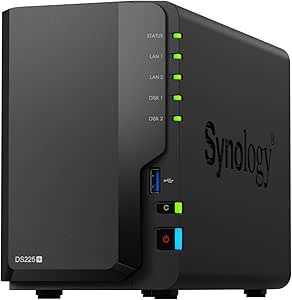
Synology DS225+ Private Cloud Media Server – 2-Bay Diskless NAS with Intel CPU for Hardware Transcoding
The Synology DS225+ is the strongest fit here for buyers who want backups to share space with media streaming and surveillance. Its Intel CPU supports hardware transcoding for 4K media, while automated backups and RAID-based data protection give it a broader role than a basic storage target. It also supports up to 30 IP cameras, a capability neither the entry-level UGREEN DH2300 nor the single-bay DS124 matches in the supplied product details. That extra scope brings setup work: the DS225+ is diskless, memory details are not provided, and getting the configuration right calls for more technical involvement. If backup is the only priority, the simpler DH2300 may be easier to live with; the DS225+ makes more sense when media and surveillance features will be used too.
Pros:- Two bays and RAID support allow a more resilient setup than a single-bay NAS.
- Hardware transcoding supports 4K media streaming.
- Supports up to 30 IP cameras with AI detection.
- Automated backups and multi-layered data protection suit mixed home and small-office use.
Cons:- Diskless design means drives must be sourced separately.
- Setup and configuration may be demanding for first-time NAS owners.
- Memory specifications are not provided, making it harder to gauge capacity for heavier workloads.
Best for: Technically comfortable households or small offices that need centralized backups alongside 4K media streaming and support for multiple IP cameras.
Not ideal for: Beginners seeking a simple backup appliance, buyers who want drives included, or users who do not need media-server or surveillance functions.
- Model:DS225+
- Number of bays:2
- Maximum storage capacity:Up to 40TB
- Processor:Intel CPU
- Memory:Not specified
- Media feature:4K streaming with hardware transcoding
- Surveillance support:Up to 30 IP cameras with AI detection
- Warranty:3 years
Our verdict“Choose the DS225+ when you want backups, media transcoding, and surveillance in one NAS and are comfortable configuring it.”
Synology DS124 Personal Backup & File Hub – 1-Bay Diskless NAS for Photos, Files, and Home Surveillance
The Synology DS124 is a compact way to centralize personal files and enable secure remote access without a monthly subscription fee. Its single-bay design keeps the unit simpler than the two-bay DS225+, and it can also handle home-surveillance features with AI-powered alerts. For buyers focused on syncing and reaching files across computers and phones, that combination may be enough. The limits matter for backup: this is a diskless, one-bay NAS, so you need to supply a drive and cannot add a second drive for RAID redundancy. The UGREEN DH2300 is a better fit for users who want two bays and more listed capacity, while the DS124 favors a smaller footprint and a private-cloud role. Network speed and setup choices affect how well it performs.
Pros:- Compact enclosure suits desks and small home-office spaces.
- Supports private-cloud use and secure remote file access.
- AI-powered surveillance features can send instant alerts.
- No monthly subscription fees are listed for its private-cloud use.
Cons:- One bay provides no second drive for RAID redundancy and limits expansion.
- Diskless design requires a separately sourced drive.
- Setup and performance depend on user configuration and network speed.
Best for: Individuals or small offices wanting a compact private cloud for phone and computer files, secure remote access, and basic home surveillance.
Not ideal for: Buyers needing multi-drive redundancy, high capacity growth, included storage, or a hands-off setup with no configuration.
- Model:DS124
- Number of bays:1
- Drive inclusion:Diskless
- Dimensions:2.8 × 6.54 × 8.82 inches
- Weight:1247 g
- Enclosure material:Alloy steel
- Compatible devices:Desktop, laptop, server, smartphone
- Warranty:2 years
Our verdict“Choose the DS124 for a compact, subscription-free private-cloud hub, but select a two-bay NAS if drive redundancy or expansion is a priority.”

How We Picked
I ranked these cloud backup solutions by how clearly each product supports a buyer’s actual backup plan: backing up individual computers, centralizing files on a home or office network, or building a configurable private-storage system. I weighed the type of product, included versus diskless storage, number of drive bays, stated backup and recovery functions, setup demands, and room to expand. A product’s description of cloud backup does not by itself confirm that it includes cloud storage or an off-site copy, so I distinguish software from NAS hardware rather than treating them as interchangeable.
The ranking favors options with a clearer path to dependable, recoverable copies and a good match between capability and likely user needs. The Synology DS425+ ranks first for its four-bay flexibility; the software options rank well for buyers who want direct computer backup without buying a NAS. Included-drive BUFFALO models offer a simpler hardware starting point, while diskless NAS systems allow more choice but call for added setup and drive purchases. Guides are included as learning resources, not as backup products.
Factors to Consider When Choosing Cloud Backup Solutions
Before choosing a product, decide what kind of copy you need and where it should be stored. A useful backup plan accounts for the original device, a local backup, and a copy kept away from the same home or office. The factors below can help prevent common mismatches, such as buying a NAS when you need managed off-site storage or relying on one drive as the only copy.
Separate cloud storage from a cloud backup service
The word “cloud” can describe remote access to files, online storage, or a backup service that keeps versions and supports restoration. Those are not identical functions. A NAS may let you reach files over a network, but that alone does not place a protected copy in a separate location. Before buying, identify whether you need automated backup to a provider, a private network storage hub, or both. Check the service’s supported devices, retention rules, and restore process rather than relying on a product label. A local NAS paired with an off-site backup can offer more protection than either one by itself.
Plan the recovery, not just the backup
A backup is useful only if you can restore the files you need in a workable timeframe. File-and-folder recovery may be enough for personal documents, while a full-system image can help restore a computer after a drive or operating-system failure. Larger collections may take time to download, so think about how much data you would need first and whether the service offers practical recovery options. Test a small restore before relying on any plan for important files. Keep recovery credentials and any encryption keys somewhere separate from the computer or NAS they protect. This planning matters more than a long feature list when a device fails.
Choose drive bays around failure tolerance and growth
NAS bay count affects capacity, redundancy options, and future expansion, but more bays do not automatically create a backup. A one-bay device has fewer hardware choices and can be a straightforward file hub, yet a failed disk may take its stored data with it. Two- or four-bay systems can support different storage arrangements, though the usable capacity depends on the chosen drives and configuration. Avoid buying only for your current storage footprint; photos, video, and shared work files can grow quickly. Also remember that RAID or drive redundancy can reduce downtime after a disk failure, but it does not replace an off-site copy against theft, fire, or accidental deletion.
Compare diskless and drive-included systems by total setup
A diskless NAS gives you control over drive choice and capacity, but you must select compatible drives, install them, and configure the system. A model with hard drives included can shorten the path to first use, although it offers less flexibility over the initial storage setup. Buyers often compare the device alone and overlook the time and decisions needed to make it usable. Check whether the system supports the capacity and drive arrangement you expect, and factor in the work of configuring accounts, shared folders, and backup tasks. If you want a simple computer backup, dedicated software may involve fewer steps than maintaining a NAS.
Match software coverage to the number and type of devices
Computer backup software is usually the more direct choice when your main goal is protecting one or more Windows PCs. Confirm the license’s computer limit and whether it covers the files, folders, or full-system recovery you need. A household with several computers may find a one-device license restrictive, while a NAS can centralize storage but requires more network setup. Check operating-system support and how scheduled jobs behave when a laptop is away from home. Do not assume a lifetime software license includes unlimited cloud storage or service access; read what the license actually covers. This distinction can change the long-term effort and expense of a backup plan.
Set security and maintenance expectations early
Private storage places more responsibility on the owner than a managed backup service. NAS buyers should plan for secure account access, software updates, strong authentication, and a way to recover if the device is unavailable. Remote access can be convenient, but exposing storage to the internet without careful settings adds risk. Software users still need to protect account credentials and confirm that backup jobs are completing as scheduled. Set a recurring check for backup status and periodically test recovery, rather than assuming the initial setup will keep working indefinitely. If you cannot commit to ongoing device maintenance, a simpler managed service may suit you better.
Frequently Asked Questions
Does a NAS count as cloud backup if I can access it remotely?
Not by itself. Remote access means you can reach files stored on the NAS, while cloud backup generally means a separate copy is held with an online service or in another location. A NAS at home remains exposed to local events such as theft, fire, or power damage. For stronger protection, pair it with an off-site backup or cloud service and confirm that the copy is automated. Check the NAS software and any service plan carefully, since the hardware name alone does not confirm that cloud storage is included.
Should I choose backup software or a NAS for two computers?
Choose software if your priority is scheduled backup and recovery for those computers with minimal network-storage setup. The NTI Backup Now EZ two-computer edition is the lineup’s direct software option for that use, though buyers should verify exactly what its license and cloud functions cover. A NAS can serve as a shared destination for multiple devices, but it adds drive selection, network configuration, and ongoing maintenance. It may make more sense if you also want centralized file access or room to expand storage. Either route still needs an off-site copy if you want protection from loss at home.
Is a one-bay NAS safe for important files?
A one-bay NAS can store and organize important files, but it does not provide a second internal drive copy if its disk fails. It can be part of a sound plan when the files are also backed up elsewhere, such as to a separate service or another location. The BUFFALO LinkStation 210 and Synology DS124 are examples in this roundup where buyers should plan that second copy themselves. A multi-bay system can offer more storage arrangements, but redundancy is still not a replacement for off-site backup. Decide how much downtime and data loss you could tolerate before choosing a single-drive setup.
What should I check before buying a diskless NAS?
Confirm the compatible drive types and capacities, then work out how much usable storage your chosen configuration will provide. Diskless models such as the Synology and TERRAMASTER options in this roundup require a separate drive purchase and installation. Consider whether you want a simple mirrored setup or a configuration that prioritizes capacity, since those choices affect usable space and failure handling. Also account for the time needed to configure user access, shared folders, updates, and any off-site backup task. If those steps sound like unnecessary work, an included-drive model or computer backup software may be a better fit.
Can I rely on a lifetime backup software license for ongoing cloud protection?
Do not assume that a lifetime license means unlimited cloud storage or permanent access to every online feature. The license may cover the software on a set number of computers while cloud storage, account access, or other services follow separate terms. Check the product details for storage limits, supported operating systems, recovery features, and any service dependencies. Keep a second backup route if the files are important, so a change in software support or account access does not leave you with only one copy. A license term describes software rights; it does not by itself describe the full backup arrangement.
Conclusion
For most buyers who want a flexible private-storage foundation, I recommend the Synology DS425+ as the best overall pick, especially when four bays and room to grow matter. The best value depends on whether you prioritize included hardware or computer coverage: the BUFFALO LinkStation 720 is a practical ready-to-use NAS choice, while NTI Backup Now EZ 7.5 is the more direct route for a single computer. For a premium, expandable setup, choose the DS425+; for beginners who prefer included drives, consider the LinkStation 720 rather than starting with a diskless NAS. Buyers who need software for two computers should compare the NTI two-computer edition, while a NAS guide such as the TrueNas book is for learning, not data protection itself. Whatever you choose, pair local storage or computer backup with a separate off-site copy for a more resilient plan.