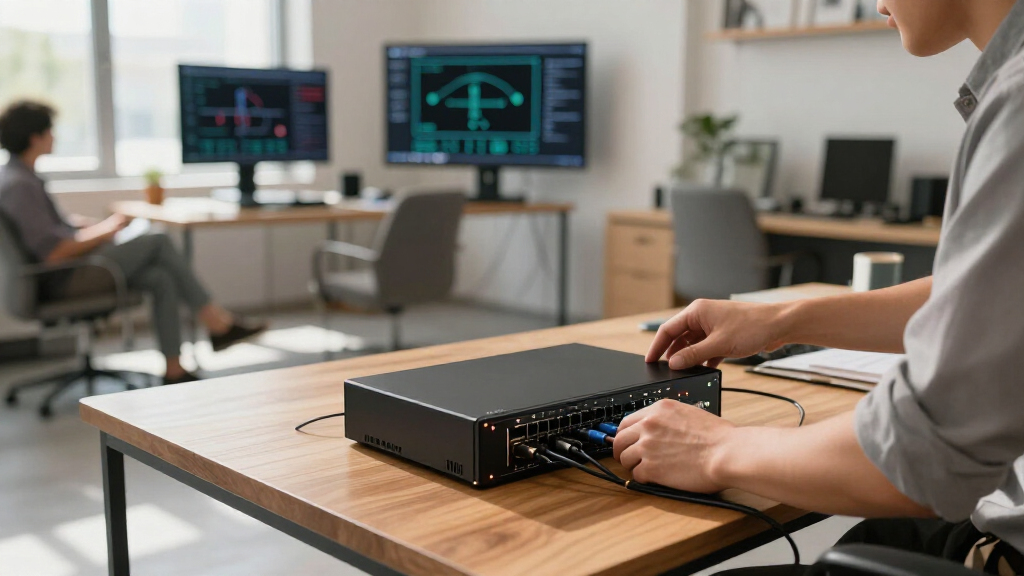

If you’re assembling or upgrading a home or small business network in 2026, having the right equipment is essential for reliable connectivity and scalability. This checklist is designed to guide you through the crucial components needed to create a robust network infrastructure, from cables to power supplies. Whether you’re a tech enthusiast, an IT professional, or a small business owner, you’ll find practical advice to help you make informed choices.

Get business pricing on networking and server gear
- Business-only prices and quantity discounts
- Tax-exempt purchasing
- Multiple users, one account, clear invoices
The guide is organized into key categories, each focusing on a specific type of equipment. For each section, you’ll discover why that component matters, common pitfalls to avoid, and tips for selecting the best fit for your setup. Use this as a quick reference to ensure you’re covering all bases when shopping for network gear, and to help you prioritize what to buy first based on your needs.
Approach this checklist with a clear idea of your current infrastructure and future plans. Keep your requirements in mind—such as the size of your network, the types of devices you’ll connect, and your budget. By understanding these factors, you’ll be better equipped to choose equipment that offers compatibility, performance, and longevity.
Ethernet Cables
Choosing the right Ethernet cables is fundamental for establishing a fast and stable network. The Cat6A Plenum Cable 1000ft is a popular choice for many setups because it supports high bandwidth and longer distances without signal degradation. Its plenum-rated jacket also makes it safer for in-wall installations, reducing fire risk and meeting safety codes. When selecting cables, consider the gauge, shielding, and jacket material to match your environment and performance needs. For instance, unshielded twisted pair (UTP) cables are generally sufficient for most indoor uses, but shielded versions might be better for environments with high interference.
One common mistake is opting for cables that are too short or not rated for the required environment, which can lead to performance issues or safety violations. Ensure that the cable length covers your layout with some extra slack for flexibility, and verify that the connectors are compatible with your devices. Pay attention to the MHz rating; higher MHz usually indicates better performance, especially for PoE applications. Properly labeling and organizing your cables can also help in troubleshooting and future upgrades.
What to look for:
- High MHz rating (e.g., 750MHz or higher)
- Plenum-rated jacket for safety
- Appropriate gauge (e.g., 23AWG)
- Unshielded twisted pair (UTP) or shielded if needed
- Length sufficient for your setup
Cat6A Plenum Cable 1000ft, 750MHz, PoE++ (4PPoE), 23AWG Unshielded Twisted Pair,

This high-speed Cat6A plenum Ethernet cable supports up to 10Gbps with 750MHz bandwidth, ideal for demanding networking, gaming, and streaming. Made with 100% solid copper conductors and a flame-retardant plenum jacket, it offers reliable performance and safety for commercial and residential installations.
Pros:
- Supports high-speed data transfer up to 10Gbps
- Made with 100% solid copper for durability and conductivity
- Plenum-rated jacket ensures safety in air-handling spaces
- Reel-in-a-box design simplifies installation
Cons:
- No mention of outdoor or waterproof features
- Length may be excessive for small setups
- Potentially higher cost due to plenum-rated construction
Best for: Indoor high-speed networking
Not ideal for: Outdoor or hazardous environments
Bottom line: Choose cables that balance safety, performance, and length for your network.
Network Switches
The network switch acts as the hub for your wired devices, facilitating communication between computers, servers, and other peripherals. The NETGEAR 10-Port PoE Gigabit Ethernet Smart Switch GS110TP is an excellent option for small networks that require Power over Ethernet (PoE) capabilities, simplifying device deployment by eliminating the need for separate power supplies. When selecting a switch, consider the number of ports, PoE support, and management features. Managed switches provide greater control over traffic and security, which is beneficial as your network grows.
Many buyers make the mistake of choosing a switch with too few ports or lacking PoE support, which can limit expansion or require additional equipment. Ensure your switch supports the total number of devices you plan to connect now and in the future. Compatibility with your network’s speed (Gigabit or higher) is crucial for seamless data transfer. Also, check if the switch offers features like VLAN support, QoS, or remote management if you anticipate complex network needs.
Proper placement and configuration of your switch can optimize your network’s performance. Keep it in a ventilated area, away from heat sources, and update its firmware regularly to patch security vulnerabilities. Label your ports for easier management, especially if you have multiple devices or plan to expand.
What to look for:
- Adequate number of ports (10 or more)
- PoE support if powering devices
- Managed capabilities for control
- Gigabit Ethernet speed or higher
- Energy-efficient features
NETGEAR 10-Port PoE Gigabit Ethernet Smart Switch GS110TP

The NETGEAR GS110TP is a managed 10-port gigabit Ethernet switch with 8 PoE+ ports supporting up to 55W total power. It features fiber SFP ports, cloud management, and energy-efficient silent operation, suitable for small to medium businesses.
Pros:
- Supports PoE+ with a 55W power budget for powering devices like VoIP phones and cameras
- Silent, fanless design suitable for office environments
- Easy web-based management with advanced networking features
- Flexible mounting options for desktop or wall installation
Cons:
- Limited to U.S. & CA regions
- Requires subscription for cloud management features
- PoE ports provide up to 30W per port, which may be insufficient for high-power devices
Best for: Small to medium networks needing PoE
Not ideal for: Large enterprise or data-center environments
Bottom line: Select a switch that scales with your network needs and offers management features.
Server Racks
The server rack is essential for organizing and protecting your hardware, ensuring efficient airflow and accessibility. The Server Rack Open Frame Rack 4 Post 19 inch provides flexibility for various equipment sizes and is suitable for both server and audio setups. When choosing a rack, consider the weight capacity, size, and whether it offers features like adjustable rails or cable management. An open-frame design allows for easy access and cooling, which is vital for maintaining optimal hardware performance.
One common mistake is selecting a rack that is either too small or too large for your current equipment, leading to clutter or wasted space. Always measure your devices beforehand and include some extra space for future expansion. Compatibility with standard 19-inch equipment is a must, and adjustable height rails can accommodate different sizes. Proper grounding and secure mounting are also critical for safety and stability. Additionally, consider adding cable management accessories to keep your setup tidy and improve airflow.
Position your rack in a cool, dry place with adequate ventilation. If noise is a concern, look for racks that support soundproofing or consider placing the rack in a dedicated equipment room. Regularly inspect and maintain your rack to prevent hardware issues and facilitate upgrades.
What to look for:
- Standard 19-inch mounting compatibility
- Adjustable rails for flexibility
- Adequate weight capacity
- Cable management features
- Good ventilation and accessibility
Server Rack Open Frame Rack 4 Post 19 inch Adjustable Server/Audio Rack Cold Rol

This open frame server rack fits 19-inch standard equipment and features an adjustable depth of 17 inches. Made from durable steel, it supports up to 900 lbs and includes M6 screws and cage nuts for easy assembly.
Pros:
- Supports heavy equipment up to 900 lbs
- Adjustable depth for versatile installation
- Lightweight yet durable construction
Cons:
- Assembly may require tools and time
- Open frame design offers less protection from dust
- Caster base may need additional stabilization
Best for: Organizing small to medium server setups
Not ideal for: Heavy-duty enterprise data centers
Bottom line: Choose a rack that fits your equipment and future growth plans.
Power Supplies
A reliable power supply safeguards your network equipment from outages and surges. The CyberPower EC850LCD Ecologic UPS Battery Backup and Surge Protector offers an excellent balance of backup power and surge protection, ensuring your critical devices stay online during power fluctuations. When selecting a UPS, consider the capacity (VA rating), battery runtime, and compatibility with your equipment’s power requirements. A UPS with pure sine wave output provides cleaner power, which is better for sensitive electronics.
Many users overlook the importance of surge protection and end up replacing equipment prematurely due to power surges or outages. Avoid undersized units that cannot support all your devices, and ensure your UPS has enough outlets for your gear. Features like LCD displays can help monitor battery status and load levels, facilitating better management. Proper placement of your UPS in a ventilated, accessible location is also crucial for maintenance and safety.
Remember to regularly test your UPS and replace batteries as recommended. During outages, save your work and shut down equipment properly to extend battery life. A good UPS acts as a safeguard, keeping your network running smoothly and protecting your investment.
What to look for:
- Adequate VA capacity for connected devices
- Pure sine wave output for sensitive electronics
- Multiple outlets with surge protection
- Battery runtime suited to your needs
- LCD display for monitoring
CyberPower EC850LCD Ecologic UPS Battery Backup and Surge Protector

The CyberPower EC850LCD is an 850VA/510W uninterruptible power supply that safeguards workstations, networking devices, and home entertainment equipment with simulated sine wave output. It features multiple outlets, an eco mode for energy savings, and a multifunction LCD panel for real-time status updates.
Pros:
- Provides reliable backup power and surge protection for multiple devices
- Eco mode reduces energy consumption and lowers costs
- Multifunction LCD panel displays detailed status information
- Includes a 3-year warranty and connected equipment guarantee
Cons:
- Limited to 850VA capacity, may not support high-power setups
- Simulated sine wave output may not be suitable for sensitive audio equipment
Best for: Power backup for critical network gear
Not ideal for: Large data centers or high-power setups
Bottom line: Invest in a UPS that offers reliable backup and surge protection tailored to your setup.
Wireless Access Points
While no specific product is highlighted here, selecting a wireless access point (WAP) is vital for extending Wi-Fi coverage and ensuring strong, consistent wireless performance. When choosing a WAP, focus on compatibility with your existing router, support for the latest Wi-Fi standards (such as Wi-Fi 6 or 6E), and features like MU-MIMO for better multi-device handling. Placement is key: position your access points centrally and at elevated locations to maximize coverage and minimize dead zones.
Common mistakes include overloading a single access point or placing it in a location with interference from walls, appliances, or other electronics. Conduct a site survey to identify optimal placement and avoid potential sources of signal degradation. For larger areas, consider deploying multiple access points with seamless roaming capabilities for a unified network experience. Security features such as WPA3 encryption and guest networks are also important to protect your network.
Regularly update your access point firmware to patch vulnerabilities and improve performance. Proper cable management and ventilation will also ensure your WAPs operate efficiently and last longer. With the right placement and configuration, a quality wireless access point can significantly enhance your network’s flexibility and coverage.
What to look for:
- Supports Wi-Fi 6 or 6E standards
- Compatibility with existing router
- Features like MU-MIMO and beamforming
- Good coverage and placement flexibility
- Strong security protocols
Network Adapters
The network adapter is a simple yet crucial component for connecting devices to your wired network. The Belkin USB Type C to 2.5 Gb Ethernet Adapter is a reliable choice for laptops and desktops that require fast, wired connections. Compatibility with your device’s ports and operating system ensures a smooth setup. When selecting a network adapter, consider the supported Ethernet speed, connector type, and driver support to guarantee compatibility and performance. USB-IF certification often indicates good quality and adherence to standards.
Many users overlook the importance of choosing an adapter that matches their speed requirements, which can lead to bottlenecks. For instance, a 2.5 Gb adapter is suitable if your network infrastructure supports those speeds; otherwise, a Gigabit adapter might suffice. Also, ensure that your device’s USB port version (such as USB-C or USB 3.0) aligns with the adapter’s connector for optimal performance. Proper installation and driver updates can prevent connectivity issues and maximize throughput.
Keep in mind that a good network adapter enhances your device’s ability to leverage high-speed wired networks, especially for data-intensive tasks. When upgrading, check compatibility with your existing hardware and consider future-proofing by choosing adapters that support the latest standards.
What to look for:
- Supports at least 2.5 Gb Ethernet
- Compatible with your device’s ports
- Driver support for your OS
- USB-IF certification for quality
- Plug-and-play setup
Belkin USB Type C to 2.5 Gb Ethernet Adapter, USB-IF Certified Thunderbolt 3 & 4

This USB-C to Ethernet adapter provides a high-speed wired internet connection with transfer speeds up to 2,500Mbps. It features a tethered cable, LED indicator for connection status, and is certified for safety, reliability, and Chromebook compatibility.
Pros:
- High-speed Ethernet connection up to 2,500Mbps
- Certified for safety and reliability
- Compatible with a wide range of USB-C devices
- LED indicator for easy connection monitoring
Cons:
- Limited cable length may restrict placement
- Requires USB-C port, not compatible with older USB standards
- No additional ports or features included
Best for: Upgrading laptop or desktop network access
Not ideal for: Older devices with limited port options
Bottom line: Select an adapter that matches your speed needs and device compatibility.
Starting your network upgrade with a clear shopping order—focusing first on essential cables, switches, and power supplies—will set a solid foundation for your setup. Prioritize components that align with your immediate needs and future growth plans, ensuring compatibility and scalability.
Remember, investing in quality equipment and proper organization pays off in long-term reliability and performance. With this checklist, you’re well-equipped to make confident purchasing decisions and build a network that meets your demands now and in the future. Happy shopping and best of luck with your networking projects!
Halloween Picks
halloween
As an affiliate, we earn on qualifying purchases.