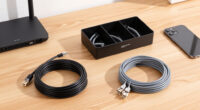
The best network cable management solutions split into three jobs — bundling loose cables, hiding runs along walls and desks, and organizing racks — and the right pick depends on which job you’re solving. After comparing 15 options on capacity, mounting style, build quality, and value, I named the Alex Tech 10ft Split Wire Loom Sleeve my best overall pick because it bundles and protects almost any cable mix with no tools, no drilling, and no commitment. The VELCRO Brand Reusable Cable Ties 150-pack is the essential companion for desks and racks alike, while the Panduit WMPV45E Vertical Cable Manager is the premium choice for serious server racks. The main tradeoffs in this category come down to permanence versus flexibility, and capacity versus cost — adhesive clips and sleeves are cheap and forgiving, while raceways and rack hardware demand planning but hold more and look cleaner. Keep reading for the full breakdown of all 15 picks and who each one is actually for.

Get business pricing on networking and server gear
- Business-only prices and quantity discounts
- Tax-exempt purchasing
- Multiple users, one account, clear invoices
Key Takeaways
- Split loom won the top spot because it fixes the most common problem — a tangled cable bundle — with zero installation: no adhesive to fail, no holes to drill, and cables can break out anywhere along its length.
- Velcro ties outclass zip ties for anything carrying data: every rack-focused pick in this lineup pairs naturally with them, since a cinched plastic tie can deform twisted pairs and create crosstalk.
- Adhesive clips are the easiest entry point but the least durable — the screw-mount bases and D-rings in this list exist because sticky pads give out under heat, textured paint, and power-brick weight.
- Rack gear in this roundup splits into three non-overlapping jobs — horizontal patching (the 1U panel), vertical runs (the Panduit manager), and gap-filling rings (ICC, Metal Master, aluminum D-rings) — and most real racks need at least two of the three.
- Price tracks quality only above about $20: the cheapest sleeves, ties, and clips cover most home setups, and premium spend pays off only for rack density or UL and TAA compliance.


| network cable management solution | Material | Color |
|---|---|---|
| Alex Tech 10ft 1/2 inch Cord P | Insulated polymer | Black |
| Cable Management Sleeve | Polyethylene | Black |
| ICC 1.25in Plastic Cable Manag | Plastic | — |
| StarTech Flexible Cable Manage | Nylon 66 | — |
| Pro-Grade Slim 1x 0.6 Cable Ti | High-strength polymer | Black |
| VELCRO Brand Reusable Cable Ti | — | Black |
| SOULWIT 50Pcs Self Adhesive Ca | Polyamide66 | Black |
| Cable Management Clips | PA66 | Black |
| Cable Organizing and Bundler T | Nylon resin | — |
| Open Slot Wire Duct Kit | Fireproof PVC | Grey |
| 2" H x 2" W Cable Raceway | Flame-retardant PVC | Black |
| 2-Inch Aluminum Cable Manageme | Aluminum alloy | Black |
| Panduit WMPV45E Vertical Cable | — | — |
| 19-Inch 1U Metal Horizontal Ra | Cold-rolled steel | — |
| Metal Master 10 Pack Metallic | Metal | — |
More Details on Our Top Picks
Alex Tech 10ft 1/2 inch Cord Protector Wire Loom Tubing
This is the sleeve I’d hand to someone who just wants the cable mess gone with minimal fuss. The split design is the whole story: wires drop in from the side, so there’s no threading connectors through a tube, which makes retrofitting a desk setup far less annoying than the closed raceways elsewhere in this roundup. Compared with the 25FT Cable Management Sleeve, the Alex Tech trades length for a wider temperature envelope — it tolerates -103 to 257°F and carries UL Recognized insulation, which I trust more near power bricks and warm AV gear. Ten feet won’t cover a whole room, and black is the only color, so visible wall runs are a styling compromise. For taming the bundle behind a TV stand or PC, though, this is the most balanced option here.
Pros:- Split design loads cables without unplugging or threading connectors
- UL Recognized insulation rated from -103 to 257°F
- 1/2-inch diameter swallows a full desk bundle
- Protects cables from pets chewing and abrasion
Cons:- Only 10 feet per pack, so longer runs mean buying multiples
- Black is the only color option
- No stated UV or chemical resistance for outdoor use
Best for: Desk and TV-console tidy-ups where one sleeve needs to swallow a mixed HDMI, USB, and power bundle with zero tools
Not ideal for: Whole-room or baseboard runs — at 10 feet it runs out fast, and the black-only finish limits visible wall installs
- Type:Split wire loom sleeve
- Diameter:1/2 inch
- Length:10 ft
- Color:Black
- Material:Insulated polymer
- Certification:UL Recognized
- Operating temperature:-103 to 257°F
- Melt temperature:446°F
Our verdict“The safest first pick for anyone cleaning up a desk, entertainment center, or PC bundle without tools or planning.”
Cable Management Sleeve, 25FT, 1/2 Inch, Black
If the Alex Tech sleeve is the tidy one-room fix, this 25-foot polyethylene sleeve is the whole-house answer. You get two and a half times the length for runs that stretch along baseboards, behind sectional sofas, or across a garage workbench, and the material is rated to 302°F, so it holds up in warmer spots like engine bays and attic-adjacent runs. The split lets you add a cable later without re-dressing the whole bundle. The tradeoff is capacity: at 3 to 4 cables per run, fat HDMI and power cords fill it quickly, where the roomier StarTech raceway swallows more. You’ll also be cutting it yourself, so budget a few minutes and a sharp pair of scissors. For price-per-foot, nothing else in this lineup comes close.
Pros:- 25 feet per roll covers whole-room runs at a low cost per foot
- Heat resistant to 302°F, suitable for automotive and warm spaces
- Split side allows adding cables after the initial install
- Cuts easily to custom lengths
Cons:- Holds only 3-4 cables, so thick cords max it out fast
- No UL recognition listed, a step down in documented credentials from the Alex Tech sleeve
- Black-only finish limits decor matching
Best for: Budget-minded buyers covering long runs along baseboards, garages, or workshops who’d rather cut one roll to size than buy several short sleeves
Not ideal for: Anyone bundling more than four thick cables — power cords plus HDMI will max out the 1/2-inch diameter quickly
- Type:Split cable management sleeve
- Length:25 ft
- Inner diameter:1/2 inch
- Material:Polyethylene
- Color:Black
- Temperature resistance:Up to 302°F
- Cable capacity:3 to 4 cables
- Cut-to-length:Yes
Our verdict“Buy this when footage matters more than capacity — it’s the cheapest way to sleeve a long run in this roundup.”
ICC 1.25in Plastic Cable Management Ring, Vertical, Pack of 10
Sleeves hide cables; rings train them. The ICC 1.25-inch rings are how I’d organize vertical drops on a rack without paying Panduit WMPV45E money. Each pack of ten mounts to virtually any 19-inch frame and is EIA 310D compliant, so spacing and fit follow the same standard as the rest of your rack gear. The rounded edges matter more than they sound: patch cords bend around them without kinking, which keeps copper runs within bend-radius limits. The honest compromise is material. Plastic flexes where the Metal Master steel rings don’t, and a heavily loaded ring can creak under a full bundle of Cat6. For a home lab or a small business rack dressing a dozen cables, that tradeoff is easy to accept; for a dense production rack, I’d spend up on metal.
Pros:- Ten rings per pack covers a full rack side in one purchase
- EIA 310D compliance guarantees standard 19-inch rack fit
- Rounded edges protect patch-cord bend radius
- Installs on most rack types without special hardware
Cons:- Plastic construction flexes under heavy cable loads
- Fixed 1.25-inch size won’t accommodate thick trunk bundles
- Open ring front lets cables slip out if the rack is bumped or re-patched carelessly
Best for: Home-lab builders and small-business IT staff dressing vertical patch-cable drops on standard 19-inch racks
Not ideal for: Dense production racks with heavy Cat6 bundles — the plastic flexes under load where steel D-rings hold their shape
- Type:Vertical cable management ring
- Ring size:1.25 inches
- Material:Plastic
- Quantity:10 per pack
- Mounting:Rack-mount, universal fit
- Compatibility:19-inch network racks
- Standard:EIA 310D compliant
- Edge design:Rounded, cable-safe
Our verdict“The sensible choice for dressing a home or small-office rack on a budget — step up to metal only if your bundles are heavy.”
StarTech Flexible Cable Management Raceway (CBMFWD2030)
The StarTech flexible raceway costs more per foot than anything else here, and the paperwork explains why: UL Listed, RoHS, and TAA compliance mean it clears procurement rules that knock out the generic sleeves above. Instead of one split tube, you get a spine of individual loops, so a single cable can exit mid-run without unzipping the whole bundle — a real advantage over the Alex Tech sleeve when racks get re-patched often. Nylon 66 construction is stiffer and more durable than polyethylene, though the fixed 1-1/8 x 1-inch profile and 20-inch sections won’t suit every path, and there’s no adhesive backing, so plan your mounting before ordering. I’d buy it for server rooms and government-adjacent contracts; a home desk doesn’t need it.
Pros:- UL Listed, RoHS, and TAA compliant for procurement-strict environments
- Individual loops let single cables enter or exit mid-run
- Nylon 66 construction outlasts polyethylene sleeves
- Sections link together for longer structured runs
Cons:- Highest cost per foot in this lineup
- No adhesive or mounting hardware included, so mounting takes planning
- Fixed 1-1/8 x 1-inch profile won’t fit every cable path
Best for: Server-room and office installs that need UL, RoHS, and TAA documentation for procurement, plus frequent mid-run cable adds and drops
Not ideal for: Home desk setups — the 20-inch sections, mounting labor, and price per foot are overkill behind a monitor
- Type:Flexible loop raceway
- Length:20 in per section
- Width:1-1/8 in
- Height:1 in
- Material:Nylon 66
- UL Listed:Yes
- RoHS compliant:Yes
- TAA compliant:Yes
Our verdict“The right spend for professional and contract-bound installs where compliance paperwork and re-patching speed justify the premium.”
Pro-Grade Slim 1x 0.6 Cable Tie Mounts with Screws, 100 Pack
Everything else in this roundup bundles cables; these 1 x 0.6-inch tie mounts decide where those bundles are allowed to go. A hundred mounts with screws included costs about what one fast food lunch does, and unlike the SOULWIT adhesive clips, a screwed anchor won’t surrender to heat, dust, or a textured wall six months in. Pair them with zip ties or the VELCRO reusable ties and you can pin a clean Ethernet run along baseboards, joists, or the back edge of a desk. The catch is commitment: each mount is a permanent hole, they only sit flat, and a screwdriver is mandatory, so renters and frequent rearrangers should stick with adhesive clips or sleeves instead. For a set-it-and-forget-it install, I find that trade entirely reasonable.
Pros:- 100 mounts with screws at a very low per-anchor cost
- Screw-down anchors hold where adhesive clips fail
- Works with standard zip ties or reusable VELCRO ties
- Slim 1 x 0.6-inch footprint hides behind trim
Cons:- Every install is a permanent screw hole
- Flat surfaces only — no corners, curves, or rough textures
- Requires a screwdriver, so it’s a tool job rather than peel-and-stick
Best for: DIYers pinning permanent Ethernet or coax runs along baseboards, joists, and desk backs who want screw-down anchors that won’t peel off
Not ideal for: Renters and frequent rearrangers — every mount leaves a screw hole and only works on flat, drillable surfaces
- Type:Screw-down cable tie mount
- Quantity:100 per pack
- Size:1 x 0.6 inches
- Color:Black
- Material:High-strength polymer
- Screws included:Yes
- Surface requirement:Flat surfaces only
Our verdict“The pick for installs you never want to redo — cheap, permanent anchors for anyone allowed to put screws in the wall.”
VELCRO Brand Reusable Cable Ties, Cord Management, 8in, Black, 150 Pack
Of everything in this roundup, the VELCRO Brand Reusable Cable Ties are the ones I’d hand to almost anyone without asking questions first. Unlike the SOULWIT clips, which commit you to adhesive placement, these ties wrap, unwrap, and re-wrap endlessly, so a growing desk setup never forces a do-over. That adjustability matters more than it sounds: bundling a half-empty Ethernet run today and a full power-strip cable next month takes seconds. The 150-count pack also undercuts buying smaller packs repeatedly. Compared with the Open Slot Wire Duct Kit, these hide nothing — cables stay visible, just tidy. And the 8-inch ceiling means thick monitor power bricks or grouped cable trunks may exceed capacity. For pure flexibility per dollar, though, this is the safest pick here.
Pros:- Reusable and adjustable, so they outlast zip ties and adapt as setups change
- 150-pack covers a whole home of devices for the price of one fancy organizer
- Secure hold with no adhesive, screws, or surface prep required
- Trusted brand with consistent hook-and-loop quality
Cons:- Tidies cables but doesn’t conceal them — everything stays visible
- 8-inch length won’t wrap very thick cord bundles
- Hook-and-loop grip can fatigue after heavy repeated use
Best for: Anyone managing changing cable setups — home offices, entertainment centers, or travel bags — who wants a reusable, no-commitment solution.
Not ideal for: Buyers who want cables fully hidden from view; a raceway like the Open Slot Wire Duct Kit does that job better.
- Length:8 inches
- Pack Quantity:150 ties
- Color:Black
- Fastening Style:Hook-and-loop, wrap-around
- Reusable:Yes
- Adjustable:Yes
- Use Cases:Home, office, and travel cord management
Our verdict“The default choice for most people — buy this unless you specifically need cables hidden or permanently routed.”
SOULWIT 50Pcs Self Adhesive Cable Management Clips – Black
If price per clip drives your decision, the SOULWIT 50-piece pack is the obvious move — it gives you two and a half times the hardware of the 20-piece Cable Management Clips set for a comparable outlay. The tradeoff is simplicity: these are basic adhesive clips without the switch buckle found on that 20-piece set, so swapping a cable means peeling it out rather than popping a latch. For fixed runs along a desk edge, baseboard, or cabinet side, that hardly matters. The polyamide66 body handles multiple cable types across walls, wood, ceramic, and metal. What I’d flag: adhesive bonds live or die by surface prep, and on textured paint or in humid rooms the grip can fade over time. Buy these for quantity and routing jobs that stay put; skip them for anything you’ll rearrange weekly.
Pros:- 50 clips per pack — the lowest cost per mounting point in this lineup
- Works on walls, desks, cabinets, wood, ceramic, and metal surfaces
- Durable, eco-friendly polyamide66 construction
- Tool-free peel-and-stick installation in seconds
Cons:- No buckle or latch, so cable swaps are less convenient than buckle-style clips
- Adhesive weakens on textured, dusty, or humid surfaces
- Repositioning is effectively a one-way trip once stuck
Best for: Budget-conscious buyers outfitting several rooms or a full workstation with permanent cable routes.
Not ideal for: Renters or frequent rearrangers — adhesive commits you to a spot and loses grip if repositioned.
- Quantity:50 clips
- Color:Black
- Material:Polyamide66
- Mounting:Self-adhesive
- Compatible Surfaces:Wall, desk, cabinet, wood, ceramics, metal
- Installation:Tool-free, peel-and-stick
- Best Use:Fixed cable routing in home or office
Our verdict“The pick for covering a lot of surface area with fixed cable routes at the lowest per-clip cost.”
Cable Management Clips, 20Pcs Cord Organizers Wire Clips for TV, PC, Ethernet, Desk, Home Office
What earns the 20-piece Cable Management Clips set its spot is the switch buckle design — press the latch and cables drop in or pop out without fighting the clip. That single detail separates it from the SOULWIT 50-piece pack, where cables thread through a fixed loop and every change becomes a small wrestling match. If your desk rotates between chargers, Ethernet, and peripherals, that convenience compounds daily. The PA66 body feels sturdy, and the adhesive grips well once you’ve properly cleaned and dried the surface. The catch: you get only 20 clips, so outfitting a whole room costs more than doubling up on SOULWIT. And like every adhesive mount here, extreme heat or cold can loosen the bond. I’d choose these for active workstations, not whole-house jobs.
Pros:- Switch buckle lets cables click in and release without removing the clip
- Sturdy PA66 construction holds TV, PC, and Ethernet cables securely
- Strong adhesive bond once the surface is prepped
- Works across home, office, and car setups
Cons:- Only 20 per pack — poor economy for large jobs
- Adhesive demands careful surface cleaning and drying to hold
- Bond can weaken in extreme temperatures
Best for: Desk workers and home-office users who plug, unplug, and reroute cables regularly and want one-hand access.
Not ideal for: Whole-room or multi-room projects — 20 clips runs out fast and costs more per mounting point than bulk packs.
- Quantity:20 clips
- Material:PA66
- Design:Switch buckle (quick release)
- Color:Black
- Mounting:Self-adhesive
- Compatible Cables:TV, PC, Ethernet, and similar cords
- Applications:Home, office, car
Our verdict“The right clips for an actively changing desk, though bulk buyers should look at the 50-piece alternatives.”
Cable Organizing and Bundler Tool, 24-Hole Cable Dresser for Data Center, Server Rooms, and Wire Management
Everything else on this list manages cables after they’re run; the 10Gtek 24-Hole Cable Dresser is about running them cleanly in the first place. It’s a comb-style tool that aligns up to 24 cables at once — the kind of neat, parallel dressing you see in proper server racks, and something no adhesive clip or VELCRO tie can replicate at scale. Compared with the Panduit vertical manager elsewhere in this roundup, it’s cheaper and portable but does nothing to permanently hold cables; it straightens them so your ties and lacing bars can. The 9mm holes accept CAT5 through CAT6, including shielded runs. Be honest about scale, though: for a two-cable desk this is overkill, it ships without mounting hardware, and cables fatter than 9mm simply won’t fit. This is an installer’s tool, full stop.
Pros:- Dresses up to 24 cables simultaneously for uniform, parallel runs
- Adjustable configuration across 10 rows, up to 12 holes per row
- Smooth nylon resin edges won’t nick cable jackets
- Handles CAT5, CAT5E, CAT6, and shielded cables
Cons:- Fixed 9mm hole diameter excludes thicker cables
- No mounting hardware included
- Far too large and specialized for desk or AV cable jobs
Best for: IT techs, network installers, and homelab owners dressing CAT5/CAT6 runs into racks or patch panels.
Not ideal for: Home users tidying a desk — it’s a specialized dressing tool that solves a problem small setups don’t have.
- Capacity:24 cables
- Number of Holes:24
- Hole Diameter:9 mm
- Material:Nylon resin
- Supported Cables:CAT5, CAT5E, CAT6, shielded cables
- Rows:10 (supports 12 holes per row)
- Open Angle:90 degrees
- Brand:10Gtek
- Model Number:KYL64
Our verdict“Buy it if you dress rack cabling for a living or run a serious homelab; everyone else should pick a simpler option.”
Open Slot Wire Duct Kit, 62.8 inches, 4 Pack – Cable Management Raceway for Server Racks, Desks, and Network Cables
Clips and ties organize cables; the Open Slot Wire Duct Kit makes them disappear entirely. Four 62.8-inch raceways give you over 20 feet of covered channel — enough for a full desk perimeter plus a wall drop — and the kit throws in adhesive tape, screws, cable ties, and a wire organizer, so there’s no second trip to the hardware store. Against the StarTech raceway elsewhere in this roundup, you trade a UL listing and TAA compliance for far more footage per dollar, which is the right trade for most homes. The open-slot PVC design lets you add or remove cables anywhere along the run, a real quality-of-life win over closed channels. Downsides: the 0.23-inch slot limits chunky cables, the grey finish may need paint to blend in, and even fireproof PVC still reads as plastic up close.
Pros:- Over 20 feet of raceway across four 62.8-inch sections
- Complete kit: adhesive tape, screws, cable ties, and wire organizer included
- Open-slot design allows mid-run cable entry and exit
- Durable, fireproof PVC suits desks, walls, and server racks
Cons:- 0.23-inch slot opening excludes thicker cables and bulky connectors
- Grey color may need painting to match decor
- No UL listing, unlike commercial-grade alternatives
Best for: Home-office and entertainment setups where visible cables are the problem and a clean, covered run is the goal.
Not ideal for: Commercial installs requiring UL-listed raceways, or anyone with thick cable bundles that exceed the slot width.
- Length:62.8 inches per raceway
- Pieces:4 raceways
- Material:Fireproof PVC
- Color:Grey
- Slot Opening:0.23 inches
- Included Accessories:Adhesive tape, wire organizer, cable ties, expandable screws
- Mounting:Adhesive or screw-mounted
- Compatible Cables:HDMI, VGA, Ethernet, power cords
- Placement:Under desk, wall, or server rack
Our verdict“The best choice when the goal is hiding cables completely rather than just bundling them.”
2″ H x 2″ W Cable Raceway, 99in Under Desk Wire Management Channel, Black, 6 Pack
Most under-desk channels top out around an inch of width, which is why this 2-by-2-inch raceway earns its spot. Across six 16.5-inch pieces you get 99 inches of channel rated for up to 40 network cables, so a desk with a dock, dual monitors, and a hardline Ethernet drop fits with room to spare. The flame-retardant PVC also makes it a safer pick for server racks and cabinets than fabric sleeves like the Alex Tech loom in this roundup. Against the StarTech flexible raceway, it trades bend-anywhere convenience for far more capacity and a cleaner straight-run look. Installation asks more of you, though: every section needs screw-mounted holes, and the machine-cut ends can arrive with uneven teeth, so plan on a quick file-down. Skip it if your bundle includes unusually thick power bricks.
Pros:- 99 inches of total channel across six pieces
- Holds up to 40 network cables in a 2×2-inch opening
- Flame-retardant PVC suits racks, cabinets, and desks
- Ships with screws and foam mounting strips
Cons:- Machine-cut ends can arrive with uneven teeth
- Won’t swallow very thick or oversized cables
- Every section requires drilled mounting holes
Best for: Desk and small-rack setups running 20-40 Ethernet cables along straight walls, under worktops, or inside electrical cabinets
Not ideal for: Renters and anyone bundling thick power cords — it requires drilled holes and the 2×2-inch opening chokes on oversized cables
- Dimensions:2 in W x 2 in H
- Length per piece:16.5 in
- Total length:99 in
- Material:Flame-retardant PVC
- Color:Black
- Number of pieces:6
- Capacity:Up to 40 network cables
- Mounting:Screws and foam strips included
Our verdict“The right buy when a desk or small rack needs to hide a fat bundle of Ethernet runs along one clean, straight channel.”
2-Inch Aluminum Cable Management D-Ring 12 Pack – Black | Easy Wall-Mount Organizer with Gloves
Raceways hide cables; these rings route them. The 2-inch aluminum D-rings are the pick I’d make for guiding bundles along walls, ceilings, or the back of a rack where a channel won’t fit. Aluminum matters here: unlike the plastic ICC rings elsewhere in this roundup, these resist sagging and oxidation, so a heavy horizontal run stays put instead of drooping over time. A 12-pack covers a long route, and the included gloves are a small but thoughtful touch for clean handling. Versus the Metal Master rings, these mount in more orientations and don’t depend on rack screw holes — but that freedom has a cost, since no screws ship in the box and you’ll source your own anchors. The fixed 2-inch opening also rules out fat conduit or big power bundles.
Pros:- Aluminum resists oxidation and won’t sag like plastic rings
- Mounts in multiple orientations on walls or rack frames
- 12-pack covers long cable routes
- Gloves included for cleaner handling
Cons:- No screws or anchors in the box
- Fixed 2-inch opening limits bundle size
- Hardware quality may not satisfy heavy-duty installs
Best for: Installers guiding cable bundles along walls, ceilings, or rack backs where a raceway channel can’t mount
Not ideal for: Buyers who want a complete kit out of the box — screws and anchors aren’t included, so plan a hardware run first
- Material:Aluminum alloy
- Ring size:2 in
- Quantity:12
- Mounting type:Screw-mount (screws not included)
- Included accessories:Gloves
- Color:Black
- Warranty:1 year
Our verdict“Pick these for wall and ceiling routes where raceways can’t go, as long as you’re willing to supply your own screws.”
Panduit WMPV45E Vertical Cable Management, Black
When the job is a full-height cabinet rather than a desk, the Panduit WMPV45E is the option I point buyers toward. Its 45 RU of dual-sided capacity across an 83-inch frame lets you route front and rear cabling in separate channels, which keeps patch cords away from power runs — something the little 1U rackmount panel in this roundup simply can’t replicate. Panduit’s build quality is the other selling point; this is the same brand contractors spec for commercial installs, so fingers and doors hold up under constant re-work. The drawbacks are real, though. At nearly five inches wide and twelve inches deep, it’s overkill for wall-mount racks and small closets, and the six-month warranty looks thin next to the year of coverage on the aluminum D-ring set. Buy it for serious rack rows, not a home lab corner.
Pros:- 45 RU of dual-sided front and rear cable management
- 83-inch frame matches full-height cabinets
- Contractor-grade Panduit build quality
Cons:- Bulky 4.9 x 12-inch footprint overwhelms small racks
- Only a six-month manufacturer’s warranty
- Sparse documentation on included features and accessories
Best for: Data centers and network closets managing front and rear cabling across full-height 45U cabinets
Not ideal for: Home labs and wall-mount racks — at 83 inches tall and 12 inches deep, it dwarfs small setups and budgets
- Brand:Panduit
- Model:WMPV45E
- Type:Dual-sided vertical manager
- Capacity:45 RU
- Height:83 in
- Width:4.9 in
- Depth:12 in
- Warranty:6-month manufacturer’s warranty
Our verdict“For full-height data center cabinets this is the vertical manager worth paying for — everyone else should buy smaller.”
19-Inch 1U Metal Horizontal Rackmount Cable Management Panel with 5 D-Rings
For anyone building out a standard 19-inch rack, this 1U steel panel is the piece I’d put first on the shopping list. The five large D-rings measure 1.54 by 2.56 inches, roomy enough to dress a full row of patch cables without cramming, and the cold-rolled steel body with powder coating will shrug off years of re-patching that would crack plastic managers. Compared with the Metal Master rings, which need a screw point per ring, this panel gives you the same organizing logic in a single self-contained unit that mounts in one rack space. It can’t touch the Panduit WMPV45E for vertical capacity, but it costs a fraction of the price. The tradeoff is flexibility: you’re capped at 1U and five rings, so dense fiber runs will outgrow it, and mounting screws aren’t confirmed in the box.
Pros:- Cold-rolled steel body with a powder-coat finish
- Five large 1.54 x 2.56-inch D-rings
- Mounts vertically or horizontally in any 19-inch rack
- Self-contained unit — no per-ring screw hunting
Cons:- Capped at 1U and five rings, so dense runs outgrow it
- Mounting hardware not clearly included
- Open-ring design leaves cables visible from the front
Best for: Rack builders who want one self-contained 1U panel to dress patch cables above a switch or patch panel
Not ideal for: High-density fiber or trunk-cable runs — five rings inside 1U fills up fast and there’s no cover to hide slack
- Panel size:19 in W x 1.75 in H (1U) x 3.11 in D
- Number of D-rings:5
- Ring size:1.54 in W x 2.56 in H
- Material:Cold-rolled steel
- Finish:Powder coated
- Mounting options:Vertical or horizontal, 19-inch rack
Our verdict“The easiest first upgrade for any 19-inch rack: solid, tidy, and cheap enough to add to every build.”
Metal Master 10 Pack Metallic Cable Management Rings for Network Racks
If you’re wiring a relay rack or open frame on a tight budget, this 10-pack of metal rings delivers the lowest cost per mounting point in the lineup. The pitch is simple: screw a ring wherever you need one, and cables lift off the equipment so air keeps moving and heat drops — a genuine benefit in crowded network racks, not just cosmetics. They’re quicker to deploy than the 1U rackmount panel because each ring is independent; you place exactly what you need rather than surrendering a full rack space. That independence cuts both ways, though. The two-hole footprint won’t fit 1RU panels, and with only one M6 screw holding each ring, a heavily loaded bundle can twist the ring out of alignment. For light-to-medium patch cords they’re a bargain; for thick trunk cables, step up to the steel D-ring panel.
Pros:- Lowest cost per anchor point in the lineup
- Lifts cables off gear to improve airflow and cooling
- Independent placement — no full rack space required
- M6 screws included in the box
Cons:- Two-hole pattern doesn’t fit 1RU rack panels
- Single-screw mounting lets heavy bundles twist the ring
Best for: Budget-conscious rack builders placing custom cable anchor points on relay racks and open frames
Not ideal for: 1RU rack panels and heavy trunk bundles — the two-hole pattern won’t fit, and a single screw lets loaded rings twist
- Quantity:10 rings
- Material:Metal
- Screw size:M6 x 15
- Mounting:Two-hole screw mount
- Origin:Made in Taiwan
- Intended use:Network racks and open frames
Our verdict“A bargain pack of anchor points for open racks, best kept to light patch-cord duty.”

How We Picked
I evaluated each option on the factors that decide whether a cable management purchase actually works: capacity (how much cable it holds now and a year from now), mounting method (adhesive, screws, or rack ears, and what each means for permanence), build quality (materials that won’t crack, sag, or shed their adhesive), ease of rework (how painful it is to add one more cable in six months), and value per piece or per foot. I also weighed how well each product fits one of the three jobs buyers actually have — bundling loose runs, hiding cables along a wall or desk, and organizing a 19-inch rack — because a product that’s excellent at the wrong job still fails the buyer.
The ranking favors versatility first. Products that solve common problems with little commitment — split sleeving, Velcro ties, clips — sit near the top because they serve the most buyers well. Rack-specific hardware is ranked by how cleanly it does its one job: the Panduit vertical manager leads on finger-duct design and door clearance, while budget ring packs rank lower because they trade cable protection and finish for price. Where two products overlap directly, I gave the edge to better materials or lower cost per use rather than a higher piece count in the box.
Factors to Consider When Choosing Network Cable Management Solutions
The 15 reviews above cover what each product does well; this guide is about how I’d choose between them before spending anything. The category splits into three distinct jobs, mounting style decides how long an install survives, and sizing errors cause most buyer’s remorse. Read these sections before adding anything to a cart — the right product for the wrong job is still the wrong product.Start With the Job, Not the Product
Most buyers shop this category backwards: they pick a product first and then try to make it fit the problem. I group cable management into three jobs, and the distinctions matter more than any spec sheet. Bundling products like split loom and Velcro ties gather loose cables into one neat run but don’t hide anything. Concealment products like raceways and wire ducts hide runs along walls, baseboards, and desk undersides, but they add bulk and usually demand measuring and cutting. Rack organization hardware — panels, rings, vertical managers — assumes a 19-inch rack and does nothing useful outside one. A sleeve will never stick to a wall, and a raceway will never protect a dangling bundle from a vacuum cleaner or a cat. Sketch the full run on paper, mark where cables start, turn, and end, and the right category usually picks itself.
Adhesive, Screws, or Rack Ears: How Mounting Decides Lifespan
The mounting method on a cable management product predicts how long it stays put better than the brand name does. Adhesive backing is tool-free and renter-friendly, but it has three enemies: textured paint, dust, and heat from power bricks tucked under desks. Clean the surface with isopropyl alcohol, press for 30 seconds, and give the adhesive 24 hours before loading it — most early failures come from skipping those steps. Screw-mounted bases and D-rings cost pennies more, leave small holes, and hold several times the weight without ever letting go at 2 a.m. Rack-mount hardware is the simplest case: if it matches the 19-inch standard and the right U height, it fits. My rule of thumb is that anything carrying more than three or four cables, living somewhere warm, or holding a power brick deserves screws rather than sticky pads.
Buy Capacity for Next Year, Not Today
The single most common sizing mistake in this category is measuring the cables you have and buying exactly that much room. Setups grow — a monitor arm adds two cords, a dock adds four — and overfilled management hardware fails fast: raceway covers pop off, split loom won’t close, and Velcro ties max out. Coil the actual cables into a bundle, wrap a string around it, and measure the string to get a real diameter. As a rough guide, a 1/2-inch split loom comfortably holds four to six Ethernet cables, while a 2×2-inch raceway swallows a full desk’s worth of power and data lines. Then add about 40 percent headroom before you buy. Going one size up costs almost nothing in this category and saves a second order; going one size down means starting over.
Materials, Bend Radius, and Cable Health
Cable management hardware can quietly damage the cables it’s supposed to organize. The classic offender is the over-tightened zip tie: cinching plastic around Cat5e or Cat6 deforms the twisted pairs inside, which raises crosstalk and can drop a link from gigabit speeds or cause errors that are miserable to diagnose. Velcro ties self-limit tension, which is why they pair with every rack pick in this roundup. Bend radius matters too — copper data cable shouldn’t be forced around anything tighter than roughly four times its diameter, so rings and ducts with smooth, rounded edges beat sharp sheet metal. Material also tells you about lifespan: PET sleeving shrugs off abrasion and pets, nylon 66 raceways resist warping near warm power adapters, and powder-coated steel outlasts brittle plastic in high-traffic racks. In commercial spaces, UL listings and plenum ratings stop being nice-to-haves and become code requirements, so check local rules before running anything inside walls or above ceilings.
When Paying More Actually Buys Something
Below about $20, price in this category mostly reflects piece count and packaging rather than quality — a cheap sleeve and an expensive sleeve do the same job. The premium tiers earn their money in three narrow situations. The first is compliance: UL-listed, TAA-compliant raceways are required for many government, education, and corporate bids, and no DIY substitute replaces the paperwork. The second is rack density: a proper vertical manager with finger ducts and a door saves real labor hours every time a patch cord moves, which is why the Panduit earns its price in server rooms and would be wasted on a home desk. The third is durability under load: metal D-rings and steel raceways justify themselves in high-traffic spots where plastic cracks. Outside those three cases, I’d put the extra budget toward more capacity — a bigger raceway or a larger pack of ties — rather than a fancier version of the same thing.
Mistakes That Lead to a Second Order
A few patterns account for most of the regret in this product category. Buying clips before counting cables tops the list — ten clips sound like plenty until you map an actual desk and need thirty. Next comes burying cables you still service: if you swap devices monthly, pick systems that open and reopen, like split loom, Velcro, and latching raceways, rather than adhesive channels that fight you. Mixing ring and duct sizes across one rack is another common slip — it looks messy and wastes U space, so pick one system per rack and stay with it. Ignoring weight ratings under desks ranks high too, since a power brick plus six cords is heavier than it looks and peels adhesive mounts loose. The last is forgetting the accessories: raceways need couplers, inside corners, and end caps to look finished, and those pieces are cheaper bought with the kit than hunted down later. Five minutes with a tape measure and a cable count prevents nearly all of it.
Frequently Asked Questions
Are Velcro ties really better than zip ties for network cables?
For copper data cabling, yes — Velcro wins in almost every case. An over-tightened zip tie compresses the twisted pairs inside Cat5e and Cat6, which increases crosstalk and can cause speed drops or intermittent errors that are miserable to diagnose. Velcro self-limits how tight it can get, and it reopens in seconds when you add or swap a cable, which any growing setup will do. Zip ties still have a place for permanent, non-data bundles like power cords behind a desk, as long as you leave them finger-loose. Cost per use also favors Velcro: a 150-pack lasts through years of rearranging, while cut zip ties go straight in the trash. That reusability is why I treat a Velcro pack as the default companion to every rack and desk pick in this roundup.
How do I know what size sleeve or raceway to buy?
Measure the actual bundle, not the individual cables. Gather the cords you plan to route, wrap a string around the fattest point, and measure the string — that gives you the diameter your sleeve or raceway needs to swallow. For reference, a 1/2-inch split loom handles about four to six Ethernet cables, and a 2×2-inch raceway fits a full desk setup including power brick leads. Add roughly 40 percent of headroom for the cables you’ll inevitably add, because an overfilled raceway pops its cover and an overfilled sleeve won’t close. When you’re between sizes, go up: the price difference is trivial and the fit difference is not.
Will adhesive cable clips hold, or should I screw everything down?
Adhesive clips hold well within their limits: smooth, clean, room-temperature surfaces and light loads like a few Ethernet or USB cords. They fail predictably on textured paint, dusty surfaces, and anywhere near heat — and the underside of a desk above a power brick counts as near heat. Surface prep decides most of the outcome: wipe with isopropyl alcohol, press firmly for 30 seconds, and wait a day before loading the clip. If a run carries more than three or four cables, holds anything heavy, or sits somewhere warm, screw-mount bases and D-rings cost almost nothing extra and never let go without warning. I treat adhesive as the right answer for renters and light desk duty, and screws as the default everywhere else.
What’s the difference between horizontal and vertical rack cable management?
They solve different halves of the same problem, and most grown racks need both. A horizontal manager — typically a 1U panel with fingers or D-rings — mounts between switches and patch panels and dresses patch cords left-to-right so port labels stay readable. A vertical manager runs the height of the rack at the side, carrying bundles from the horizontal panels down to equipment at different U heights. Small racks under about a dozen patch cords can get by with rings alone, which is where budget ring packs earn their place. Past that density, finger-duct panels and a vertical manager pay for themselves in rework time, because tracing one cord through a loose bundle is the slowest job in a server room. Buy the horizontal panel first, then add vertical management when side runs start to sag.
Do I need UL-listed or TAA-compliant cable management for a home office?
No — those certifications serve commercial and institutional buyers, not home setups. UL listing tells an inspector the raceway meets fire and safety standards, and TAA compliance makes a product legal to sell into US government contracts; neither changes how the product organizes your cables. Home buyers get identical function from unrated gear and should spend the difference on more capacity or a second pack of ties. The one exception is anything running inside walls, above drop ceilings, or through air-handling spaces, where local fire codes may require rated materials regardless of building type. If your project involves a bid, a landlord, or an inspector, buy the certified version; if it’s your own desk, skip it.
Conclusion
If I had to point one buyer at one product, it’s the Alex Tech split loom sleeve — my best overall pick because it fixes the most common mess with no tools and no commitment. Best value goes to the VELCRO Brand 150-pack: pennies per tie, reusable for years, and the single most useful add-on in any setup. Best for beginners is the SOULWIT adhesive clip kit, since it asks for nothing but a clean surface and five minutes. For premium rack builds, the Panduit WMPV45E is where the money actually shows, and the StarTech raceway plays the same role for offices that need UL listing or TAA compliance. Under-desk setups should start with the 2×2-inch raceway kit, and data center pros will get more mileage from the 24-hole bundler tool than from any bag of clips. Match the product to the job first, size it for the cables you’ll add later, and the right choice makes itself.
Halloween Picks
halloween
As an affiliate, we earn on qualifying purchases.