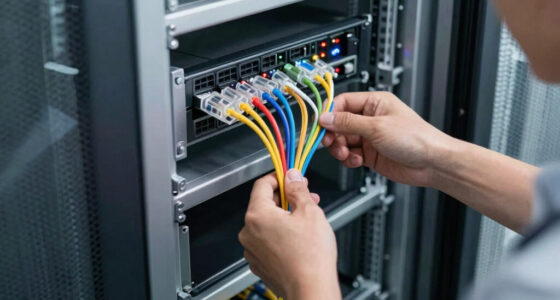
If you’re building or upgrading a cloud infrastructure or setting up a reliable network, this checklist is designed for IT professionals, system administrators, and tech enthusiasts alike. It helps streamline your hardware selection process, ensuring you choose quality components that meet your specific needs.
Organized into key categories such as switches, server racks, power supplies, fiber optic cables, and network adapters, this guide offers insightful tips and practical advice. Use it as a handy reference when shopping to avoid common pitfalls and make informed decisions based on your infrastructure requirements.
Each section highlights the most important features to consider, what to look for in each product, and a clear verdict to aid your selection. Whether you’re expanding an existing setup or starting fresh, this checklist helps you prioritize performance, compatibility, and reliability in your hardware choices.
Networking Switches
The network switch is a cornerstone of any robust network, enabling efficient data flow between connected devices. The NETGEAR 16-Port PoE Gigabit Ethernet Smart Managed Switch (GS316EPP) stands out for its balance of manageability and power over Ethernet capabilities. It supports PoE++ to power devices like IP cameras, VoIP phones, and wireless access points without needing additional power supplies, simplifying your setup.
When selecting a switch, consider the number of ports you need, the PoE budget, and whether you require managed features like VLAN support or QoS. A common mistake is choosing a switch with insufficient power capacity or port count, which can limit your future expansion. Properly assessing your current and projected network demands helps avoid costly upgrades later. Compatibility with your existing network hardware and support for Gigabit speeds are also critical factors to ensure smooth data transfer.
In terms of fit, look for switches that are easy to manage, durably built, and offer scalability options. Think about your network’s security features and firmware update policies to keep your infrastructure protected and up-to-date.
What to look for:
- Gigabit Ethernet ports
- PoE/PoE++ support
- Managed switch features
- VLAN and QoS support
- Durable build quality

NETGEAR 16-Port PoE Gigabit Ethernet Easy Smart Managed Switch (GS316EPP)
- High-Speed Gigabit Ports: 15 x 1Gbps Ethernet ports
- PoE+ Support: 15 PoE+ ports with 231W budget
- Managed Power Control: Uninterrupted and per-port PoE management
As an affiliate, we earn on qualifying purchases.
NETGEAR 16-Port PoE Gigabit Ethernet Smart Managed Switch (GS316EPP)

The NETGEAR GS316EPP is a compact, fanless smart managed switch with 16 ports, including 15 PoE+ ports with a total power budget of 231W and a 1G SFP port for fiber connectivity. It offers easy configuration for VLANs, QoS, and security, making it suitable for small business networks.
Pros:
- Easy to configure with intuitive management interface
- Supports PoE+ for powering connected devices
- Silent operation due to fanless design
- Flexible mounting options
Cons:
- Regional compatibility limited to U.S. & CA
- No built-in Wi-Fi or wireless capabilities
Best for: Small to medium-sized networks
Not ideal for: Large enterprise core switching
Bottom line: A smart choice for reliable network expansion

Raising Electronics Server Rack Open Frame Rack 4 Post 19 inch Adjustable Server/Audio Rack Cold Rolled Steel(42U,17Depth)
- Standard Equipment Compatibility: Fits 19-inch wide equipment with 17-inch depth
- Adjustable and Movable Rack: Flexible positioning for easy connections
- Heavy Duty Capacity: Supports up to 900 lbs
As an affiliate, we earn on qualifying purchases.
Server Racks
The server rack is essential for organizing and protecting your hardware, promoting efficient airflow and easy access. The Server Rack Open Frame Rack 4 Post 19 inch Adjustable Server/Audio Rack offers a flexible and cost-effective solution for various setups, whether in data centers or small offices.
When selecting a rack, consider the size and weight capacity, ensuring it can support your current and future equipment. Pay attention to adjustable height features to accommodate different hardware configurations. Common mistakes include choosing a rack that’s either too small or not sturdy enough, leading to instability or incompatibility with your gear.
Proper sizing and compatibility are crucial; measure your equipment beforehand and verify the rack’s mounting options. Ventilation is key—look for designs that promote airflow to prevent overheating. Also, check the accessibility for cable management, which simplifies maintenance and reduces clutter.
What to look for:
- 19-inch rack compatibility
- Adjustable height
- Adequate weight capacity
- Easy cable management
- Sturdy construction

CyberPower SL700U Standby UPS Battery Backup and Surge Protector
- Power Capacity: 700VA/370W standby UPS
- Outlet Count: 8 outlets with surge protection
- Outlet Types: 5 backup and surge, 3 surge only
As an affiliate, we earn on qualifying purchases.
Server Rack Open Frame Rack 4 Post 19 inch Adjustable Server/Audio Rack Cold Rol

This open frame server rack fits 19-inch standard equipment and features an adjustable depth of 17 inches. Made from durable steel, it supports up to 900 lbs and includes M6 screws and cage nuts for easy assembly.
Pros:
- Supports heavy equipment up to 900 lbs
- Adjustable depth for versatile installation
- Lightweight yet durable construction
Cons:
- Assembly may require tools and time
- Open frame design offers less protection from dust
- Caster base may need additional stabilization
Best for: Small to medium server setups
Not ideal for: Heavy-duty enterprise environments
Bottom line: A versatile rack for organized hardware deployment

Fiber Optic Termination Tool Kit FTTH Cable Cold Welding Tool Set
- Complete FTTH toolkit: Includes fiber optic tools and accessories
- X5 Fiber Cleaver: Suitable for various fiber types and sizes
- Fiber Scrap Collection: Compact cleaver with collection box
As an affiliate, we earn on qualifying purchases.
Power Supply Units
A reliable power supply is critical for maintaining uptime and protecting your equipment from surges. The CyberPower SL700U Standby UPS Battery Backup and Surge Protector provides essential backup power, safeguarding your hardware during outages and power fluctuations.
When choosing a UPS, focus on capacity, ensuring it can support your critical devices for the desired runtime. Avoid underestimating your power needs, which can lead to unexpected shutdowns. Check for features like surge protection, automatic voltage regulation, and battery health monitoring to extend your investment’s lifespan.
Proper sizing and compatibility are vital—match the UPS’s power output to your hardware load, and verify it supports your equipment’s power connectors. Regularly test the UPS and replace batteries as needed to maintain reliable backup. Remember, a UPS is a preventive measure to keep your network running smoothly during unexpected outages.
What to look for:
- Adequate wattage capacity
- Surge protection features
- Automatic voltage regulation
- Battery health monitoring
- Compatibility with your devices
CyberPower SL700U Standby UPS Battery Backup and Surge Protector

The CyberPower SL700U is a 700VA/370W standby UPS providing battery backup and surge protection for home and office devices. It features multiple outlets, USB charging ports, and energy-efficient design, backed by a 3-year warranty and safety certification.
Pros:
- Provides reliable backup power and surge protection for multiple devices
- Includes USB charging ports for mobile devices
- Energy-efficient design reduces power consumption
- Widespread outlets accommodate larger plugs
Cons:
- Limited to 700VA capacity, may not support high-power devices
- Only standby (simulated sine wave) output, not true sine wave
- No LCD display for detailed status
Best for: Critical network hardware
Not ideal for: High-end gaming or high-performance computing
Bottom line: Ensures your equipment stays powered during outages
Fiber Optic Cables
Fiber optic cables are the backbone of high-speed data transfer, especially in cloud and hosting environments. The Fiber Optic Termination Tool Kit with X5 Grey Optical Fiber Cleaver and accessories simplifies installation and maintenance, ensuring precise terminations and optimal performance.
When selecting fiber optic cables, look for compatibility with your network standards, such as OM3 or OM4, and ensure they support your required bandwidth and distance. Common mistakes include incorrect connector types or poor-quality terminations, which can cause signal loss or connection issues. Proper tools and techniques are essential for clean, reliable connections.
Assess your project scope—length, connector type, and environmental considerations—to choose the right cable. High-quality fiber optic cables and proper termination tools improve signal integrity and long-term reliability, making them a smart investment for fast, stable network connections.
What to look for:
- Compatibility with network standards
- Support for required bandwidth
- Durable jacket material
- Proper termination tools included
- Low signal loss features
Fiber Optic Termination Tool Kit with X5 Grey Optical Fiber Cleaver and FC-LC Ad

This fiber optic tool kit includes essential accessories such as a fiber optic cleaver, OPM tester, stripping pliers, cleaning supplies, and a fixed length device. The X5 fiber cleaver is suitable for various fiber types and features a compact, lightweight design with a scrap collection box, making it ideal for FTTH installations.
Pros:
- Comprehensive set of tools for fiber optic termination and testing
- Lightweight and portable design for easy use in the field
- Compatible with various fiber sizes and types
Cons:
- Batteries for the OPM are not included
- Some users may find the tool set complex for beginners
Best for: Data centers and high-speed networks
Not ideal for: Short-distance or low-bandwidth needs
Bottom line: Reliable fiber optic cables ensure optimal data flow
Network Adapters
The network adapter bridges your device to the network, making it a crucial component for wired connectivity. The Belkin USB Type C to 2.5 Gb Ethernet Adapter, USB-IF Certified Thunderbolt offers fast, secure connections for laptops, desktops, or other compatible devices.
When choosing an adapter, consider compatibility with your device’s ports and supported speeds. Many users make the mistake of selecting adapters with insufficient bandwidth or lacking USB-C compatibility, leading to bottlenecks or connection issues. Verify your device’s port type and driver support before purchase.
Compatibility with your operating system and the type of Ethernet connection you need are key factors. For optimal performance, look for adapters that support plug-and-play setup and firmware updates. This ensures your device remains future-proof and ready for evolving network standards.
What to look for:
- USB-C or Thunderbolt compatibility
- Support for 2.5 Gb Ethernet or higher
- Plug-and-play setup
- Driver support for your OS
- Durable build quality
Belkin USB Type C to 2.5 Gb Ethernet Adapter, USB-IF Certified Thunderbolt 3 & 4

This USB-C to Ethernet adapter provides a high-speed wired internet connection with transfer speeds up to 2,500Mbps. It features a tethered cable, LED indicator for connection status, and is certified for safety, reliability, and Chromebook compatibility.
Pros:
- High-speed Ethernet connection up to 2,500Mbps
- Certified for safety and reliability
- Compatible with a wide range of USB-C devices
- LED indicator for easy connection monitoring
Cons:
- Limited cable length may restrict placement
- Requires USB-C port, not compatible with older USB standards
- No additional ports or features included
Best for: High-speed wired connections
Not ideal for: Wireless-only setups
Bottom line: A dependable adapter for speedy network access
Cooling Solutions
When building a robust cloud and network infrastructure, starting with a budget-conscious approach can help you prioritize essential components without sacrificing quality. Focus on scalability and future-proofing to ensure your setup can grow with your needs.
Remember, the right hardware choices make all the difference in achieving reliable performance and easy maintenance. With this checklist, you’re equipped to make smart, informed decisions that support your cloud and networking goals effectively.