

To build an install checklist that prevents costly misses, start by breaking down the process into clear, manageable phases with specific tasks and responsible team members. Include quality assurance checkpoints at critical steps to catch issues early, and keep the checklist flexible for unexpected needs. Use digital tools for real-time updates and communication, and clearly define responsibilities to guarantee accountability. Staying organized and adaptable will help avoid costly mistakes—keep exploring to learn more about perfecting your approach.

Get business pricing on networking and server gear
- Business-only prices and quantity discounts
- Tax-exempt purchasing
- Multiple users, one account, clear invoices
Key Takeaways
- Break down the installation into clear, manageable phases with specific tasks, responsible parties, and deadlines.
- Incorporate quality assurance checkpoints at critical stages to catch issues early.
- Use a well-structured, adaptable checklist that allows for notes and updates throughout the project.
- Promote team coordination by assigning clear responsibilities and utilizing communication tools.
- Leverage digital project management tools for real-time tracking, updates, and streamlined collaboration.
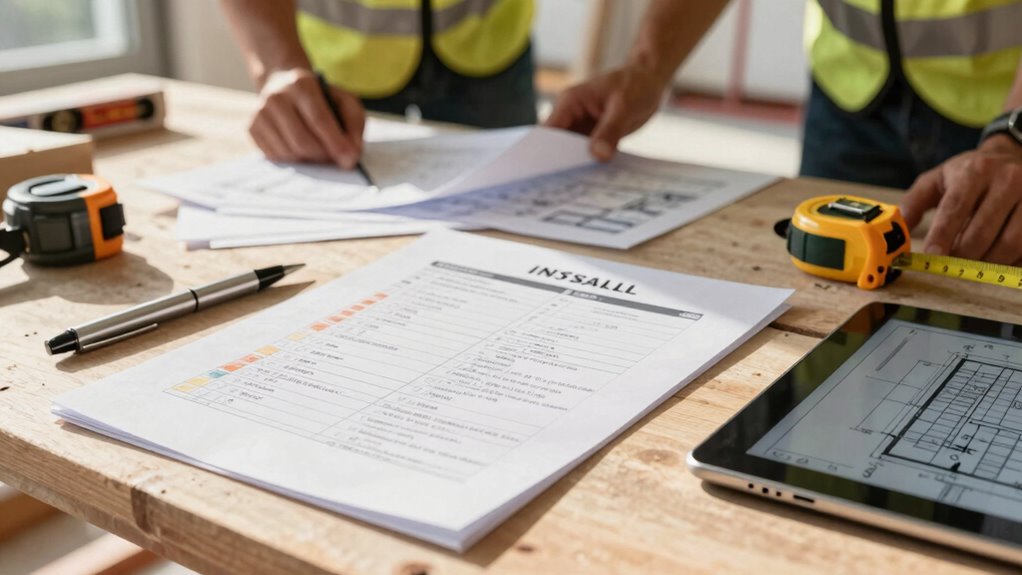
Have you ever faced chaos or missed essential steps during a project installation? If so, you’re not alone. Without a clear, well-structured checklist, it’s easy for important details to slip through the cracks, leading to costly mistakes and delays. Building an effective install checklist isn’t just about listing tasks; it’s about creating a reliable tool that promotes quality assurance and smooth team coordination. When everyone on your team knows exactly what needs to be done and when, you minimize the risk of errors and rework, saving both time and money.
Start by breaking down the entire installation process into manageable phases. Identify each step, from initial site preparation to final inspection. Be specific in detailing what needs to be done, who’s responsible, and the timeline for completion. This clarity ensures that nothing gets overlooked and that every team member understands their role. Incorporate quality assurance checks at critical points to verify that work meets standards before moving forward. These checkpoints prevent issues from compounding and help catch mistakes early, keeping the project on track. Incorporating philosophical insights can also help teams reflect on the importance of quality and purpose in their work, fostering greater accountability. Recognizing the significance of quality standards can motivate your team to uphold high performance throughout the process.
Team coordination is the backbone of a successful installation. As you build your checklist, involve key team members from the outset. Their insights can highlight potential pitfalls and help you develop a thorough, realistic plan. Assign responsibilities clearly, so everyone knows what’s expected of them. Use the checklist as a communication tool—regularly review progress, update tasks, and address any obstacles. This proactive approach fosters collaboration, reduces confusion, and ensures accountability. Additionally, understanding the importance of digital tools can greatly enhance your project’s efficiency and communication. Incorporating project management software can streamline task tracking and facilitate real-time updates.
Make sure your checklist is adaptable enough to accommodate unforeseen circumstances. Sometimes, unexpected issues arise that require adjustments. Incorporate a section for notes and updates, so your team can document changes and keep everyone informed. Additionally, consider digital tools or apps that allow real-time updates. These technologies can enhance team coordination by providing instant access to the latest information, reducing miscommunication and duplicate efforts. Being flexible in your approach helps mitigate risks and keeps your project aligned with evolving needs.
Finally, before starting the installation, double-check your checklist for completeness. Confirm that all necessary quality assurance steps are included and that responsibilities are clearly assigned. Regularly review and refine your checklist after each project to identify what worked well and what could be improved. A well-crafted checklist isn’t a static document; it’s an evolving guide that helps you prevent costly misses, maintain high standards, and keep your team aligned throughout the installation process.
digital project management software
As an affiliate, we earn on qualifying purchases.
As an affiliate, we earn on qualifying purchases.
Frequently Asked Questions
How Often Should the Checklist Be Reviewed and Updated?
You should review and update your checklist regularly, ideally every few months or after significant projects. Establish clear review intervals based on your project’s complexity and frequency, such as quarterly or biannual reviews. This guarantees the checklist stays current with evolving procedures, technology, and lessons learned. Regular updates prevent overlooked steps, reduce errors, and keep your installation process efficient and cost-effective, ultimately minimizing costly misses.
Who Should Be Responsible for Creating and Maintaining the Checklist?
Think of responsibility assignment like a ship’s captain steering through potential storms. You should assign checklist ownership to a dedicated team member or supervisor, ensuring accountability for creation and updates. This person maintains the checklist, tracks progress, and revises it as needed. By clearly defining who’s responsible for the checklist, you prevent miscommunication, reduce errors, and keep the installation process smooth and efficient.
How Can I Ensure Team Compliance With the Checklist?
You can guarantee team compliance with the checklist by establishing clear team accountability and providing thorough checklist training. Make sure everyone understands the importance of each step and their role in the process. Regularly review and reinforce the checklist during team meetings, encouraging questions and feedback. Monitoring adherence and recognizing compliance helps maintain high standards, fostering a culture where following the checklist becomes second nature, reducing costly misses.
What Tools or Software Can Assist in Checklist Management?
You can use software like Trello, Asana, or specialized checklist automation tools to manage your install checklists efficiently. These tools integrate seamlessly with your existing systems, guaranteeing real-time updates and accountability. By automating your checklists, you reduce manual errors and make certain nothing gets overlooked. Look for software that offers checklist automation features and easy software integration, making it simple to track progress and maintain compliance across your team.
How Do I Customize a Checklist for Different Installation Types?
Think of your checklist as a Swiss Army knife—adaptable to different tasks. To customize for various installation types, use specific customization strategies like adding or removing steps based on installation variations. For example, aerial vs. underground wiring requires different prep. Tailor your checklist by identifying key differences, then adjust your steps accordingly. This flexibility guarantees you cover all essential tasks without missing vital details, saving time and avoiding errors.
As an affiliate, we earn on qualifying purchases.
Conclusion
Think of your install checklist as the compass guiding your ship through turbulent waters. When you trust its steady bearings, you steer clear of costly icebergs lurking beneath the surface. With every check marked, you’re anchoring your project in certainty, ensuring it sails smoothly from start to finish. Remember, a well-crafted checklist isn’t just paper — it’s the lighthouse illuminating your path, guiding you safely to success and avoiding the storms of oversight.
quality assurance inspection tools
As an affiliate, we earn on qualifying purchases.
As an affiliate, we earn on qualifying purchases.
As an affiliate, we earn on qualifying purchases.
Evergreen bestsellers Picks
bestsellers
As an affiliate, we earn on qualifying purchases.