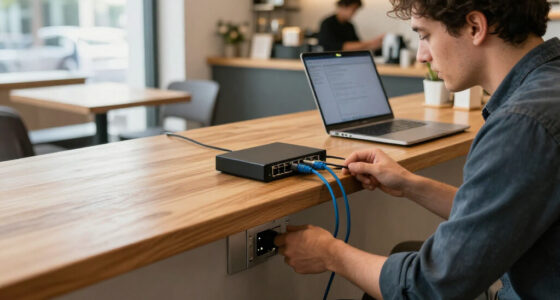
When a small business adds computers, printers, phones, cameras, or wireless access points, the switch determines how those wired devices connect to the network. The choice is often between an unmanaged switch, which works with little or no configuration, and a managed switch, which gives an administrator control over how traffic moves.

Get business pricing on networking and server gear
- Business-only prices and quantity discounts
- Tax-exempt purchasing
- Multiple users, one account, clear invoices

NETGEAR 8-Port Gigabit Ethernet Easy Smart Managed Network Switch (GS308E)
- ✔ Ports: 8 × Gigabit Ethernet
- ✔ Switch type: Easy Smart managed
- ✔ Management: Web GUI for Windows, Mac, or Linux

TP-Link TL-SG116, 16 Port Gigabit Unmanaged Ethernet Switch
- ✔ Ports: 16 × 10/100/1000 Mbps RJ45
- ✔ Switch type: Unmanaged
- ✔ Setup: Plug and play

TP-Link TL-SG1048 48-Port Gigabit Unmanaged Rackmount Ethernet Switch
- ✔ Ports: 48 × 10/100/1000 Mbps RJ45
- ✔ Switch type: Unmanaged
- ✔ Switching capacity: 96 Gbps
The central tradeoff is simplicity and lower cost versus control and visibility. An unmanaged switch can be a sensible fit for a small office with straightforward needs and a router that handles the rest. A managed switch is usually the stronger choice when the business needs separate networks for staff and guests, powers devices over Ethernet, or wants better tools to diagnose problems. The extra features matter only if someone can configure and maintain them.
At a Glance
| Criteria | Unmanaged network switch | Managed network switch | Winner |
|---|---|---|---|
| Setup and ongoing administration | Usually plug-and-play; little configuration is available. | Requires configuration and someone to manage settings. | A |
| Network segmentation and security | Little or no switch-level control over separating traffic. | Can support VLANs and access controls, depending on model. | B |
| Monitoring and troubleshooting | Limited visibility into ports and network issues. | Often provides port status, traffic information, and diagnostic tools. | B |
| Power over Ethernet | Available on some models, but with few controls. | Models may offer per-port power controls and usage information. | Depends |
| Performance controls | Generally no configurable prioritization or traffic policies. | May support quality-of-service settings and other traffic controls. | B |
| Expansion and long-term fit | Works well for simple networks; may need replacement as requirements grow. | Better suited to networks that add users, devices, or distinct traffic needs. | B |
| Upfront cost and value | Typically the lower-cost option; valuable when advanced controls would go unused. | Costs more; worth paying for when its controls solve real operational needs. | Depends |
NETGEAR 8-Port Gigabit Ethernet Easy Smart Managed Network Switch (GS308E)
For an office that has outgrown a basic splitter, the GS308E adds useful network controls without moving into a fully managed enterprise switch. Its eight Gigabit ports suit a compact setup of computers, printers, access points, or other wired equipment. More importantly, its web interface offers up to 64 VLANs, QoS, IGMP snooping, and port mirroring. Those features let an administrator separate groups of devices, prioritize selected traffic, and inspect a connection when diagnosing a problem.Compared with the TL-SG116, the GS308E trades eight ports for more ways to shape and troubleshoot traffic. A small office with fewer wired endpoints but separate guest, voice, or operational devices may get more practical value from that control. Compared with the 48-port TL-SG1048, it is much easier to place in a compact workspace, though it cannot serve a large concentration of wired devices. Its listed loop detection, broadcast storm control, cable testing, and DoS prevention also provide stability and troubleshooting tools absent from the supplied descriptions of the unmanaged TP-Link models.The compromise is that managed features require someone to make configuration choices. Eight ports can also fill quickly as an office adds equipment, and the supplied details do not specify PoE, so we should not count on it to power phones or access points. This is the strongest first choice when network organization matters more than raw port count; for a simple office needing more connections, the TL-SG116 is the easier fit.
Pros:
- Eight Gigabit ports for compact wired networks.
- Web-based management works across Windows, Mac, and Linux.
- VLAN, QoS, IGMP snooping, and port mirroring support traffic organization and diagnosis.
- Loop detection, storm control, cable testing, and fanless metal housing support stable, quiet office use.
Cons:
- Eight ports may be limiting as the business adds wired devices.
- Management features need configuration and ongoing ownership.
- PoE is not listed, so connected devices may need separate power.
Best for: Small offices with up to eight wired devices that need VLAN separation, traffic prioritization, or basic troubleshooting tools.
Not ideal for: Businesses that need more than eight switch ports, PoE for connected devices, or a completely configuration-free network.
Bottom line: We rank the GS308E first for small businesses that need practical traffic controls in a compact switch and can manage its settings.
“We rank the GS308E first for small businesses that need practical traffic controls in a compact switch and can manage its settings.”
TP-Link TL-SG116, 16 Port Gigabit Unmanaged Ethernet Switch
The TL-SG116 is the straightforward choice when a small office needs more wired connections but does not need to administer VLANs or port-level settings. Its 16 Gigabit Ethernet ports can accommodate a mix of workstations, printers, uplinks, and other wired devices, subject to the available ports. Because setup is plug and play, a business can add it without planning a management interface or configuring each connection.Compared with the NETGEAR GS308E, this switch doubles the port count and keeps the experience simpler, but gives up configurable VLANs, QoS, and diagnostic controls. That makes the TL-SG116 a better match for an office whose network is already organized elsewhere or whose needs are simply more connections. Against the 48-port TL-SG1048, it is more proportionate for a modest office and offers desktop or wall mounting rather than a rack-oriented footprint.It is not the right answer when the business needs to separate guest and internal traffic at the switch or manage congestion through configurable policies. The description lists port-based 802.1p/DSCP QoS and IGMP snooping, but the model is still unmanaged; those listed features should not be confused with the broader configuration available on the GS308E. Its fanless metal case suits quiet spaces, and the three-year warranty is specified. Consider it when port capacity and minimal setup lead the decision, not when control is the main requirement.
Pros:
- Sixteen Gigabit Ethernet ports support a larger device count than the GS308E.
- Plug-and-play setup needs no software installation or configuration.
- Fanless metal case supports quiet desktop or wall-mounted placement.
- Lists port-based QoS and IGMP snooping alongside a three-year warranty.
Cons:
- Unmanaged design limits configurable network segmentation and monitoring.
- No PoE support is listed for powering phones or access points.
- Its 16-port capacity is less suited to dense wiring than the TL-SG1048.
Best for: Small offices needing up to 16 additional Gigabit Ethernet connections with simple plug-and-play installation.
Not ideal for: Businesses that need switch-level VLAN configuration, port monitoring, detailed troubleshooting, or PoE.
Bottom line: We recommend the TL-SG116 when a small business wants more Gigabit ports with minimal setup and can do without switch-level management.
“We recommend the TL-SG116 when a small business wants more Gigabit ports with minimal setup and can do without switch-level management.”
TP-Link TL-SG1048 48-Port Gigabit Unmanaged Rackmount Ethernet Switch
When a business has a large number of wired endpoints in one place, the TL-SG1048 provides 48 Gigabit ports in a rackmount switch. That capacity can simplify a dense wiring layout by bringing many computers, printers, and other Ethernet-connected equipment to one switch. Its listed 96 Gbps switching capacity, automatic speed negotiation, and Auto MDI/MDIX support straightforward connections without manual port matching.The TL-SG1048 beats the TL-SG116 on scale: it has three times the ports and is designed for rack installation. But that scale only helps if the business has the wiring, equipment space, and support plan to use it. Compared with the NETGEAR GS308E, it supplies far more connections while giving up management features such as VLAN configuration, port mirroring, and the listed troubleshooting protections. It is an unmanaged switch, so it does not offer the switch-level controls that can matter when a business needs to segment traffic.Its fanless metal construction is unusual for a unit with this many ports and is a fit for environments where fan noise is unwelcome. Still, the rackmount dimensions and 4.18 kg weight make it a less natural choice for a desk or a small room without an equipment rack. We would choose it for a wiring closet with many endpoints and simple network requirements; for most smaller offices, the TL-SG116 is more proportionate, while the GS308E is the better choice when management matters.
Pros:
- Forty-eight Gigabit ports support dense wired installations.
- Listed 96 Gbps switching capacity and 8K MAC address table.
- Plug-and-play unmanaged operation with Auto Negotiation and Auto MDI/MDIX.
- Fanless alloy-steel construction and three-year warranty.
Cons:
- Unmanaged operation lacks configurable segmentation and monitoring.
- Rackmount form factor needs suitable installation space.
- PoE is not listed, so devices that need power require another source.
Best for: Businesses with a rack or equipment area and a dense set of up to 48 wired Gigabit devices.
Not ideal for: Small offices with few endpoints, no rack space, or a need for configurable VLANs and traffic monitoring.
Bottom line: We place the TL-SG1048 third overall but first for rack-based offices that need many wired ports and do not require switch management.
“We place the TL-SG1048 third overall but first for rack-based offices that need many wired ports and do not require switch management.”
As an Amazon Associate we earn from qualifying purchases.
Key Differences
The practical difference appears when the network needs rules. An unmanaged switch forwards traffic among connected devices but gives the business few ways to organize or inspect that traffic. A managed switch can provide controls such as VLANs, which separate groups of devices on the same physical network. That can help keep guest Wi-Fi, staff devices, voice phones, and security equipment apart, though the exact protections depend on the switch and the rest of the network.
That control comes with work. Someone must choose settings, document them, and resolve configuration mistakes. For a small office with a handful of trusted devices and no plans for segmentation, a managed switch can add cost and complexity without a noticeable benefit. For a business that depends on phones, access points, cameras, or several user groups, visibility and traffic controls can save time and make future changes easier. The right purchase follows the network’s actual needs, not the feature list alone.
Detailed Comparison
Setup and ongoing administration (Unmanaged network switch wins — major)
An unmanaged switch usually wins on setup: connect power and Ethernet cables and it starts forwarding traffic. There are few settings to learn and little routine administration. A managed switch requires configuration through a web interface, app, or command line, depending on the product. This is a major difference for an owner-managed office with no IT support, because the simpler device reduces setup time and the chance of an accidental configuration problem. If a staff member or contractor can maintain the network, the extra work may be modest.
Network segmentation and security (Managed network switch wins — major)
A managed switch wins when the business needs to divide devices into separate network groups. VLAN support can keep guest devices apart from staff computers or isolate cameras and other equipment, subject to compatible router and access point configuration. An unmanaged switch generally cannot create those groups by itself. This is a major gap for businesses handling sensitive information or offering guest access; segmentation reduces unnecessary access paths but is not a replacement for firewalls, secure Wi-Fi, or good account controls.
Monitoring and troubleshooting (Managed network switch wins — moderate)
Managed switches generally provide more information about port status and traffic, and may offer alerts or diagnostic tools. That can help an administrator identify whether a cable, connected device, or overloaded link is causing trouble. An unmanaged model tends to provide basic link lights, leaving fewer clues when a connection fails. The difference is moderate for a very small network that rarely changes, but more valuable when downtime affects sales, calls, or daily operations.
Power over Ethernet (moderate difference)
This depends on the model rather than the management category alone: both managed and unmanaged switches can provide Power over Ethernet (PoE), and some switches provide no PoE at all. PoE lets compatible phones, cameras, and access points receive power through their network cables. Managed models may add per-port controls or clearer power-use information, which helps when devices draw different amounts of power. Check the PoE standard and total power budget against the devices you plan to connect; the label ‘managed’ does not guarantee adequate PoE capacity.
Performance controls (Managed network switch wins — moderate)
A managed switch wins when the network needs traffic prioritization or other configurable controls. Quality-of-service settings, where supported and correctly configured, can give time-sensitive voice or video traffic priority over less urgent activity. Most unmanaged switches do not let an administrator tune those policies. The gap is moderate: many small offices work well without manual prioritization, and a switch cannot create more internet bandwidth. It matters most when busy links or competing applications cause noticeable call or service problems.
Expansion and long-term fit (Managed network switch wins — moderate)
A managed switch is usually the more adaptable option as the network adds locations, devices, or distinct groups of users. Settings and monitoring can help an administrator make changes without treating every device as part of one flat network. An unmanaged switch remains capable of basic connectivity, but limited controls may prompt a replacement once requirements change. This is a moderate advantage, not a guarantee: choose a switch with enough ports and suitable uplink speeds for expected growth, and avoid buying features with no foreseeable use.
Upfront cost and value (moderate difference)
Unmanaged switches generally cost less, and that price is good value when the only job is adding Ethernet ports for ordinary office devices. Managed models cost more, but can be worth the premium if segmentation, diagnostics, or traffic control will reduce risk or troubleshooting time. The gap in purchase price matters less than whether the features will be configured and used. Paying more for a managed model makes sense when the business has a specific need and a person responsible for it; otherwise, the simpler switch is the better value.
Unmanaged network switch: Pros and Cons
Pros:
- Usually quick to install with minimal configuration.
- Typically costs less for comparable port counts.
- A practical way to add wired connections to a simple office network.
Cons:
- Offers little switch-level control over network separation.
- Provides limited information for diagnosing port or traffic issues.
- Can become restrictive if security or traffic requirements grow.
Managed network switch: Pros and Cons
Pros:
- Can provide VLANs and other controls for separating network traffic.
- Often offers better visibility and troubleshooting tools.
- Provides more options as the network grows or needs traffic policies.
Cons:
- Costs more than a basic switch.
- Requires configuration and someone able to maintain it.
- Misconfigured settings can interrupt connections or weaken intended separation.
Who Should Choose What
Choose Unmanaged network switch if:
- You need extra Ethernet ports for a small, trusted office network and want a simple setup.
- Your router already handles the controls you need, and the switch only needs to connect devices.
- No one on staff has time or experience to manage switch settings.
Choose Managed network switch if:
- You need to separate staff, guest, voice, camera, or other device traffic with VLANs.
- Network interruptions are costly and better port-level diagnostics would help.
- You expect to add devices or need traffic policies, and someone can configure the switch.
Skip both if: Skip a standalone switch if your current router or mesh system has enough suitable Ethernet ports and you do not need additional wired connections.
Value for Money
The lower price of an unmanaged switch is worthwhile when the network is simple and stable. It buys more ports without adding settings that may never be touched. Paying more for a managed model is worthwhile when the business will use its controls to separate traffic, diagnose outages, or manage demanding applications. If no one will maintain those settings, the premium has little practical value. Compare models by port count, link speed, PoE standard and power budget, warranty, and the specific management features you need, rather than by the managed label alone.
Final Verdict
For most small businesses with guest access, business phones, cameras, or more than one device group, choose a managed switch that matches the network’s needs and have a capable person configure it. The added visibility and separation are worth the cost when they address real risks or recurring support problems. Choose an unmanaged switch when the network is small, trusted, and unlikely to need those controls; it is easier to set up and usually a better use of a tight budget. The biggest deciding factor is whether you need to control and troubleshoot traffic, not how many ports you need.
Frequently Asked Questions
Does a small business need a managed switch?
Not every small business does. An unmanaged switch is often sufficient when the network contains a small group of trusted devices and only needs more Ethernet ports. Choose managed if you need network separation, traffic controls, or better troubleshooting information.
Can an unmanaged switch support a guest network?
An unmanaged switch does not usually create or enforce separate network groups. A router or access point may provide guest Wi-Fi separation on its own, but wired guest devices and the full network design can require VLAN support across compatible equipment. Check the capabilities of the complete network before relying on separation.
Is a managed switch harder to set up?
Usually. Basic connectivity may work with default settings, but features such as VLANs and traffic prioritization need configuration. If you only want additional ports and have no administrator, the setup simplicity of an unmanaged switch may be more useful.
Can I connect a managed and unmanaged switch together?
Often, yes. The connection can carry ordinary network traffic, but an unmanaged switch generally cannot apply VLAN settings to individual downstream devices. Confirm the design with the equipment documentation, especially if you intend to keep different groups separated.
Is a managed switch worth the extra cost?
It is worth paying more when the business will use features such as VLANs, monitoring, or traffic controls and has someone to maintain them. When the only need is more ports for a simple network, the cheaper unmanaged option is usually better value.