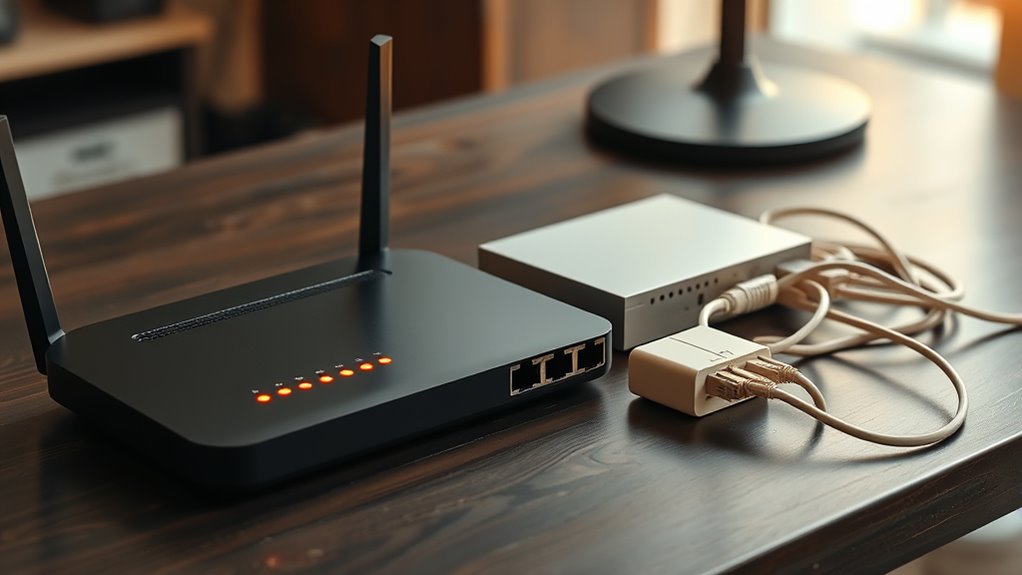
While it’s easy to assume all network devices serve the same purpose, understanding the differences between routers, switches, and hubs is more nuanced than it appears. Each plays a unique role in how your network functions, influences security, and impacts speed. Without this knowledge, you might overlook opportunities to optimize or troubleshoot effectively. Curious about how these devices work together and why some are still relevant today? The details might surprise you.

Get business pricing on networking and server gear
- Business-only prices and quantity discounts
- Tax-exempt purchasing
- Multiple users, one account, clear invoices
Key Takeaways
- Routers connect local networks to the internet and manage traffic between external and internal networks.
- Switches link multiple devices within a network, directing data based on MAC addresses for efficiency.
- Hubs broadcast data to all connected devices, making them less efficient and largely obsolete today.
- Routers often include wireless features and security functions like firewalls and VPN support.
- Switches improve network performance through segmentation, while hubs lack security and are outdated.

When setting up or troubleshooting a network, understanding the roles of routers, switches, and hubs is crucial. Each device plays a significant part in how your network functions, especially when it comes to wireless connectivity and network security. Knowing how they differ helps you optimize performance and protect your data.
Routers are the gateways that connect your local network to the internet or other networks. They manage traffic between devices and external networks, making sure data reaches the right destination. When it comes to wireless connectivity, routers often include built-in Wi-Fi access points, allowing multiple devices to connect wirelessly. This feature makes routers central to home and small business networks, providing seamless wireless access. Additionally, routers come with security features like firewalls, encryption, and password protections that help safeguard your network from unauthorized access. They can also support VPNs and other security protocols, ensuring that your data remains confidential when transmitted over wireless networks.
Switches, on the other hand, are primarily responsible for connecting multiple devices within a local network. They create a network of wired connections, efficiently directing data packets to the correct device based on MAC addresses. Unlike hubs, switches are intelligent; they reduce network congestion and improve overall speed by sending data only to the intended recipient. While switches don’t directly influence wireless connectivity, they are essential in networks that combine wired and wireless segments. They also contribute to network security by enabling network segmentation through Virtual LANs (VLANs), which isolate sensitive data streams and limit access to authorized devices. This segmentation enhances security by preventing unauthorized devices from easily accessing critical parts of your network.
Hubs are simpler devices that broadcast incoming data to all connected devices, regardless of the destination. Because hubs send data to every port, they can create network congestion and pose security risks—since all devices see the same data, it’s easier for malicious actors to intercept sensitive information. In terms of wireless connectivity, hubs are rarely used today, as they don’t support wireless features and are inefficient for modern networks. They also lack any built-in security features, making them unsuitable for secure environments. Understanding these differences helps you make smarter decisions about your network setup.
Whether you’re aiming for robust wireless connectivity or heightened network security, choosing the right devices ensures your network runs smoothly and remains protected. Routers provide wireless access and security features, switches improve wired performance and segmentation, and hubs are mostly obsolete but useful for understanding basic network principles. Mastering their roles allows you to troubleshoot effectively and optimize your network for both speed and security.
As an affiliate, we earn on qualifying purchases.
Frequently Asked Questions
Can Routers Connect Different Types of Networks Simultaneously?
Yes, routers can connect different types of networks simultaneously. They perform network segmentation, isolating traffic between networks for security and efficiency. Routers also handle protocol compatibility, allowing diverse networks like Ethernet and Wi-Fi to communicate smoothly. By managing these functions, routers enable seamless data transfer across various network types, making them essential for linking multiple networks together and ensuring everything works cohesively.
Do Switches Improve Network Security?
You might think switches automatically improve security, but they primarily manage data flow. However, they can enhance security through features like network encryption and access control, restricting unauthorized access. By segmenting networks and monitoring traffic, switches reduce vulnerabilities. So, while they aren’t foolproof, properly configured switches do bolster your network security, making it harder for outsiders to breach sensitive data or intercept communications.
Are Hubs Still Relevant in Modern Networks?
Hubs are largely obsolete in modern networks, but you might still encounter legacy devices using them. They don’t offer network redundancy or security, making switches a better choice for most setups. If you need reliable, efficient connectivity, replacing hubs with switches is wise. While hubs can still be used for simple, temporary tasks, they’re not suitable for secure or high-performance environments. Upgrading guarantees your network stays current and resilient.
How Do Routers Handle Wireless Connections?
Routers handle wireless connections by using wireless standards like Wi-Fi to communicate with devices. They transmit data over radio signals, adjusting signal strength to guarantee a stable connection. When you connect to a Wi-Fi network, your device communicates with the router, which then forwards the data to the internet or local devices. The router manages traffic efficiently, maintaining ideal signal strength for smooth browsing, streaming, or gaming experiences.
What Are the Cost Differences Among Routers, Switches, and Hubs?
Imagine walking into a store with your budget as a map. Routers often resemble a luxury vehicle, costing more but offering advanced features. Switches are like reliable sedans—moderately priced, great for most needs. Hubs are the budget-friendly bicycles—simple, affordable, but limited. Your cost comparison depends on your network size and requirements. Consider your budget considerations carefully, balancing cost with performance to choose the best device for your needs.
network switch with VLAN support
As an affiliate, we earn on qualifying purchases.
As an affiliate, we earn on qualifying purchases.
Conclusion
By now, you see how routers, switches, and hubs each play a unique role in your network. Did you know that about 98% of networks now use switches instead of hubs? This shift helps reduce congestion and boost performance. Understanding these devices allows you to optimize your setup, enhance security, and troubleshoot effectively. Keep these differences in mind, and you’ll be better equipped to build a reliable, efficient network tailored to your needs.
As an affiliate, we earn on qualifying purchases.
As an affiliate, we earn on qualifying purchases.
Fall Picks
fall essentials
As an affiliate, we earn on qualifying purchases.