
When a fiber link fails, your first step is to stay calm and systematically troubleshoot the problem. Promptly testing the link with tools like an OTDR can help pinpoint the cause, whether it’s damage, bends, or dirt. Ensuring all connections are secure and inspecting for physical issues is essential. But what steps should you take if these checks don’t resolve the issue? The answer lies in a thorough approach that can save you time and prevent future failures.

Get networking and server gear delivered free — and shop member deals
- Fast, free delivery on millions of items
- Access to Prime Big Deal Days deals on October 6–7
- Prime Video, Amazon Music and more included
Key Takeaways
- Use an OTDR to test the fiber and identify the exact location and cause of the failure.
- Check and clean connectors, ensuring proper connections and removing dirt or contamination.
- Verify equipment settings and reseat all fiber connections to rule out simple connection issues.
- Replace damaged fiber segments or entire cables if testing confirms physical damage.
- Perform routine preventative maintenance and record test results to prevent future failures.

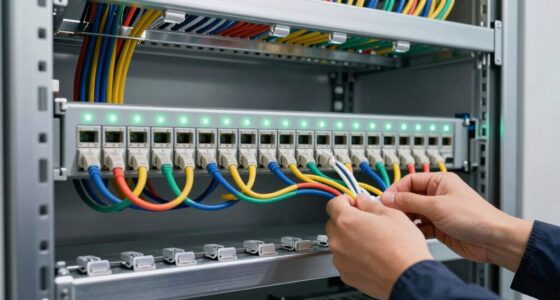
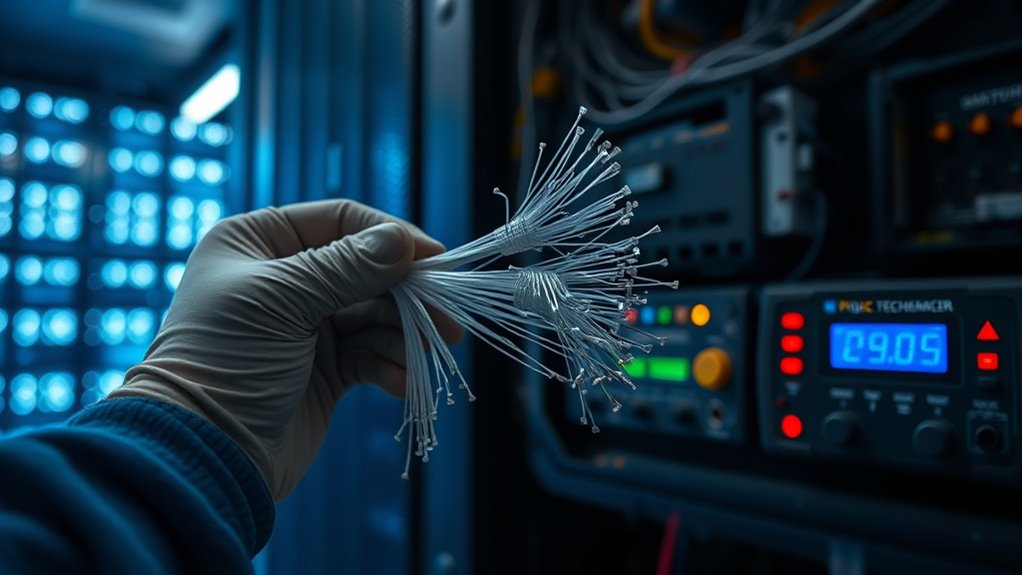
Fiber link failures can disrupt your network’s performance and cause considerable downtime if not addressed promptly. When you notice issues such as slow data transfer, intermittent connectivity, or complete loss of signal, it’s vital to act quickly. Your first step should be to identify whether the problem stems from the fiber optic link itself or from external factors like connectors or network equipment. Performing fiber optic testing is indispensable at this stage. These tests can pinpoint the exact location and cause of the failure, whether it’s a break, bend, or contamination in the fiber. Using tools like optical time-domain reflectometers (OTDRs), you can trace the fiber’s integrity and get detailed information about attenuation levels, splices, and connectors. This allows you to determine if the fiber needs repair or replacement, saving you time and avoiding unnecessary replacements. Incorporating proper testing methods into your routine can significantly enhance your ability to detect issues early.
Preemptive measures can considerably reduce the chances of fiber link failures. Preventative maintenance should be a regular part of your network management routine. Routine inspections and testing help catch issues before they escalate into outages. Checking connectors for dirt, dust, or corrosion and cleaning them with appropriate tools can prevent signal loss. Ensuring that fibers are properly secured and protected from physical damage minimizes the risk of fractures or bends that could weaken the cable. When you implement preventative maintenance, you’re actively reducing the likelihood of unexpected failures and extending the lifespan of your fiber optic infrastructure. It’s also wise to keep detailed records of your fiber testing results, repairs, and maintenance activities so you can track recurring issues and address them proactively.
In the event of a failure, don’t forget to verify all connections and equipment configurations. Sometimes, the problem isn’t the fiber itself but a faulty port or connector. Re-seating connectors and testing the hardware can sometimes resolve the issue quickly. If the problem persists, replacing damaged sections or entire cables might be necessary. Always ensure your replacement fibers meet the required specifications and are installed correctly to prevent future failures. Remember, consistent fiber optic testing and preventative maintenance aren’t just about fixing problems—they’re about avoiding them altogether. By staying proactive, you reduce downtime, improve network reliability, and maintain peak performance. Ultimately, understanding how to troubleshoot fiber link failures effectively can save you time, money, and frustration, ensuring your network stays operational and efficient at all times.
As an affiliate, we earn on qualifying purchases.
Frequently Asked Questions
How Can I Prevent Fiber Link Failures Proactively?
To prevent fiber link failures proactively, you should prioritize regular fiber maintenance to identify and fix potential issues early. Implement link redundancy by installing backup connections, ensuring continuous network operation if one link fails. Keep cables properly protected from environmental damage and monitor network performance continuously. These steps help you maintain a reliable, resilient network, minimizing downtime and avoiding costly disruptions caused by fiber link failures.
What Tools Are Best for Diagnosing Fiber Issues?
You should use fiber inspection tools like visual fault locators and OTDRs for diagnosing fiber issues. These tools help you identify faults, bends, or dirt on the cable. Cable testing is essential to verify signal integrity and measure loss levels. By regularly inspecting fibers and performing thorough cable testing, you can quickly pinpoint problems and ensure your fiber links stay reliable.
How Long Does It Typically Take to Repair a Fiber Link?
It typically takes a few hours to repair a fiber link, depending on the issue’s complexity. During fiber maintenance, you should prioritize link redundancy to minimize downtime. Quick response times and effective troubleshooting can accelerate repairs. If you have spare fibers or backup routes, you can restore service faster, reducing disruption. Regular inspections and proactive maintenance help prevent failures and ensure your network stays resilient during unexpected outages.
Can Fiber Link Failures Affect Network Security?
Fiber link failures can indeed impact network security, as they may expose vulnerabilities or cause disruptions that cyber threats could exploit. You need to prioritize fiber security by ensuring proper encryption and monitoring. When a failure occurs, it risks compromising network integrity, so acting swiftly to repair the link and reinforce security measures is essential. Protecting fiber infrastructure helps maintain your network’s confidentiality, integrity, and overall resilience against potential attacks.
What Are the Costs Associated With Fiber Repair Services?
Fiber repair services can be costly, with fiber optic costs varying based on the extent of damage and location. Repair expenses include labor, equipment, and materials, which can add up quickly, especially for remote or complex installations. You might also face additional charges for emergency repairs or after-hours service. To minimize costs, it’s crucial to schedule regular maintenance and work with experienced technicians who can efficiently handle repairs.
fiber optic connector cleaning kit
As an affiliate, we earn on qualifying purchases.
As an affiliate, we earn on qualifying purchases.
Conclusion
When fiber links fail, quick action is key. Regular testing with tools like OTDRs can catch issues early, reducing downtime by up to 70%. Always verify connections, reseat connectors, and inspect for damage or dirt. Proper maintenance and prompt repairs extend your fiber network’s lifespan and keep your systems running smoothly. Remember, staying proactive not only saves time and money but also guarantees your network remains reliable and efficient.
fiber optic cable replacement kit
As an affiliate, we earn on qualifying purchases.
As an affiliate, we earn on qualifying purchases.
As an affiliate, we earn on qualifying purchases.
Halloween Picks
halloween
As an affiliate, we earn on qualifying purchases.