
To minimize signal problems in noisy environments, place your devices close together and avoid obstructions like metal objects or electronics. Use external antennas or signal boosters to strengthen weak signals, and switch to less congested frequency bands like 5 GHz. Turn off unnecessary electronics that may cause interference and keep your devices’ firmware updated for better noise management. By following these steps, you’ll improve signal clarity and stability—more helpful strategies are ahead to guarantee reliable connections.
Key Takeaways
- Optimize device placement by positioning transmitters and receivers in open, unobstructed, and line-of-sight locations.
- Use external antennas or signal amplifiers to enhance signal strength and coverage.
- Reduce electronic interference by turning off unnecessary devices and switching to less congested frequency bands.
- Keep firmware and software updated to benefit from noise reduction features and interference management.
- Minimize physical obstacles and electronic clutter to prevent signal reflection and absorption.

Have you ever struggled to hear or transmit signals clearly in a noisy environment? If so, you’re not alone. Background noise, crowded spaces, and electronic devices often interfere with your ability to communicate effectively. One of the main culprits is wireless interference, which occurs when multiple devices compete for the same frequency spectrum, causing disruptions and reducing signal quality. Fortunately, there are practical steps you can take to minimize these issues and improve your communication.
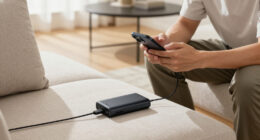
Wireless interference can disrupt communication; optimizing device placement and reducing electronic clutter helps improve signal clarity.
First, consider optimizing your device placement. Keep your transmitter and receiver as close as possible, ideally within a direct line of sight. This reduces the distance signals need to travel and diminishes the chance of interference. Also, avoid placing your devices near other electronics or metal objects, which can reflect or absorb signals, weakening their strength. Moving your equipment to a more open, less cluttered space can significantly boost signal clarity.
Next, look into signal boosting options. Many modern devices support external antennas or signal amplifiers that can enhance weak signals, especially in challenging environments. Installing a high-gain antenna on your transmitter or receiver can dramatically increase the strength and stability of your signal. If you’re using wireless communication tools, upgrading to equipment with better sensitivity and power output can make a noticeable difference. Signal boosters are particularly useful when dealing with large spaces or multiple obstacles that hinder signal propagation.
Another effective approach is to minimize wireless interference from other devices. Turn off or disconnect unnecessary electronics that operate on similar frequencies, such as Wi-Fi routers, Bluetooth gadgets, or cordless phones. If possible, switch your device to a less congested frequency band—many modern systems support 2.4 GHz and 5 GHz options. Using a less crowded band reduces competition for bandwidth, resulting in clearer signals. Additionally, understanding wireless interference and how it impacts signals can help you better manage these issues. Incorporating frequency management techniques can further optimize your setup and reduce disruptions.
Furthermore, regular maintenance and updates are essential. Keep your firmware and software up to date to ensure your devices have the latest improvements in noise reduction and interference management. Some systems include built-in features like noise filters or adaptive frequency hopping, which automatically seek cleaner channels, further reducing interference. Recognizing potential sources of electromagnetic interference and proactively addressing them can also prevent unexpected disruptions.
Ultimately, combating wireless interference and boosting signals in noisy environments involves a combination of strategic placement, device upgrades, interference management, and regular maintenance. By taking these steps, you’ll find it easier to communicate clearly, even amid the chaos of a crowded or electronically saturated setting. With a little effort, you can transform a noisy space into a more reliable communication zone.

External WiFi 6 6E Tri-Band Antenna 6GHz 5.8GHz 2.4GHz Magnetic Base Antenna with RP-SMA Connector for PC Desktop Computer Asus Rog Strix Gigabyte Aorus Gaming WiFi Motherboard Card, Slinkdsco
- Gain: 9dBi for strong signal reception
- Tri-Band Frequencies: Supports 2.4GHz, 5.8GHz, 6GHz bands
- WiFi Standards: Compatible with WiFi 6 and 6E
As an affiliate, we earn on qualifying purchases.
As an affiliate, we earn on qualifying purchases.
Frequently Asked Questions
What Are the Best Types of Antennas for Noisy Environments?
In noisy environments, directional antennas with high antenna gain are your best choice, as they focus signal reception and reduce interference. Look for antennas that support matching signal polarization with your transmitter, ensuring clearer reception. This alignment minimizes signal loss caused by polarization mismatch. By using these antennas, you improve signal quality and reduce noise, making your communication more reliable in challenging, noisy settings.
How Does Distance Affect Signal Quality in Noisy Settings?
Did you know that signal quality can drop by up to 50% every 100 meters in noisy settings? When you’re far from the signal source, distance causes signal attenuation, making it more vulnerable to electromagnetic interference. As you move farther away, interference compounds, degrading quality. To maintain strong signals, keep devices closer together, use signal boosters, and minimize obstacles, ensuring your connection stays reliable despite the noise.
Can Software Filters Improve Signal Clarity in Noisy Areas?
Yes, software filters can improve signal clarity in noisy areas through effective signal processing and noise reduction techniques. You should use filters like adaptive noise cancellation or digital signal processing algorithms to target unwanted noise. These tools analyze the signal, identify noise patterns, and suppress them without affecting the desired signal. By applying such filters, you’ll experience clearer audio or data transmission, even amidst high levels of interference.
What Environmental Factors Most Impact Signal Interference?
Electromagnetic interference and structural obstructions most impact your signal quality. You might notice sudden drops or static when electromagnetic sources like microwave ovens or cordless phones operate nearby. Structural obstructions—thick walls, metal furniture—block signals, making communication unreliable. These factors create unpredictable interference, forcing you to find strategic locations or shielded environments. Recognizing their influence helps you anticipate and mitigate signal disruptions, ensuring clearer communication when it matters most.
Are There Portable Devices to Boost Signal in Noisy Locations?
Yes, portable boosters equipped with signal amplifiers can markedly improve your connection in noisy locations. These devices are compact, easy to carry, and designed to enhance weak signals by boosting them directly at the source. Simply turn them on, and they work to amplify your signal, reducing interference and providing clearer reception. Investing in a portable booster is a practical solution to maintain reliable communication in challenging, high-noise environments.

TP-Link AC1200 WiFi Extender – 1.2Gbps Home Signal Booster, Dual Band 5GHz/2.4GHz, Up to 1600 Sq.ft and 32 Devices, EasyMesh Compatible, One Ethernet Port (RE315)
- Enhanced Wi-Fi Coverage: Eliminates dead zones with strong signal
- Dual-Band Speed: Supports 867 Mbps on 5GHz and 300 Mbps on 2.4GHz
- Wide Coverage Area: Up to 1500 sq.ft for reliable connections
As an affiliate, we earn on qualifying purchases.
As an affiliate, we earn on qualifying purchases.
Conclusion
To wrap up, tackling signal problems in noisy environments requires a mix of strategic placement, quality equipment, and awareness of surroundings. Did you know that background noise can reduce speech intelligibility by up to 50%? By implementing these tips, you’ll improve your communication clarity and reduce frustration. Remember, a little planning goes a long way—so stay proactive, test your setup, and keep noise levels in check for smoother conversations every time.

TP-Link AX1800 WiFi 6 Router (Archer AX21 V5) – Dual Band Wireless Internet, Gigabit, Easy Mesh, Works with Alexa – A Certified for Humans Device, Free Expert Support
- Dual-Band WiFi 6: Faster speeds and reduced congestion
- AX1800 Speed: Up to 1.8 Gbps total bandwidth
- Connect More Devices: Supports multiple devices simultaneously
As an affiliate, we earn on qualifying purchases.
As an affiliate, we earn on qualifying purchases.

1.3ft 2x 10dBi WiFi Bluetooth Antenna 2.4GHz/5GHz/5.8GHz Tri-Band Omni Directional Antenna RP-SMA Male Long Range for Wireless Wi-Fi Router Network Devices PC Camera Wifi 6 Adapter Desktop USB Adapter
- High Gain Compatibility: Compatible with routers and adapters with RP-SMA connectors
- Omni-Directional Signal: Provides 360-degree radiation and reception
- Dual Band Support: Works on 2.4GHz and 5GHz frequencies
As an affiliate, we earn on qualifying purchases.
As an affiliate, we earn on qualifying purchases.