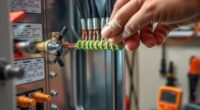
Imagine your signal as a delicate thread woven through your home, easily frayed or weakened by unseen forces. When this thread starts to break down, your connection suffers, leaving you frustrated. Tackling signal attenuation requires more than just hoping it improves—it’s about identifying and fixing the weak points in your setup. To keep your signal strong and reliable, you’ll need to understand the common causes and effective solutions that can restore your connection’s strength.

Get networking and server gear delivered free — and shop member deals
- Fast, free delivery on millions of items
- Access to Prime Big Deal Days deals on October 6–7
- Prime Video, Amazon Music and more included
Key Takeaways
- Replace damaged or low-quality cables with shielded, high-quality ones for better signal transmission.
- Minimize interference by keeping cables away from electronic devices, Wi-Fi, and power lines.
- Regularly inspect and clean connectors to ensure tight, corrosion-free connections.
- Upgrade splitters and adapters to higher-quality, properly rated components to reduce signal loss.
- Use signal amplifiers or boosters when necessary to compensate for long cable runs or attenuation.

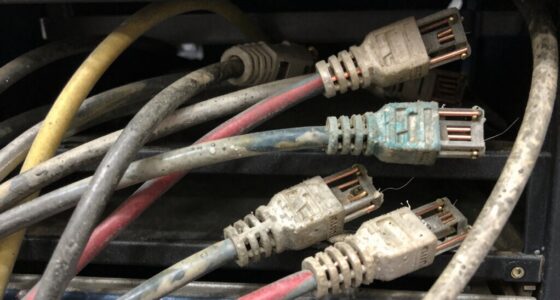
Are you experiencing weak or inconsistent signal strength? If so, one of the first things you should check is your cable quality. Poor-quality cables can considerably degrade your signal, leading to frequent drops or reduced performance. Over time, cables can become damaged or worn out, especially if they’re exposed to extreme temperatures, bending, or physical stress. Using high-quality, shielded cables designed for your specific setup can make a noticeable difference. Look for cables with good insulation and proper connectors, as these help prevent signal loss. Replacing old or subpar cables with new, well-made ones is often a quick fix that restores better signal integrity.
Check and upgrade your cables to improve signal quality and prevent drops.
Another common cause of signal attenuation is interference sources. These are external devices or environmental factors that disrupt your signal. Wireless interference from nearby Wi-Fi networks, Bluetooth devices, cordless phones, or microwave ovens can all interfere with your signal, especially if you’re using wireless connections. For wired setups, electrical interference from appliances or faulty wiring can also cause issues. To reduce interference, minimize the distance between your cables and potential sources of electromagnetic interference. Keep cables away from power lines, fluorescent lights, and other electronic devices that emit electromagnetic signals. Using shielded cables can also help block out unwanted interference, ensuring your signal remains stable.
Additionally, check your connectors and ports regularly. Loose or corroded connectors can cause signal attenuation by creating weak points in your setup. Make sure all connections are tight and secure, and clean any dirt or corrosion from the connectors. If you notice corrosion, replacing the connectors or cables might be necessary. It’s also important to verify that your connectors are compatible with your equipment, as mismatched or poorly fitted connectors can introduce additional signal loss.
If you’re using splitters or adapters, consider their quality as well. Cheap or poorly designed splitters can weaken your signal further, so opting for high-quality, properly rated splitters designed for your bandwidth needs can help. Sometimes, even small upgrades in cable quality, better shielding, or replacing aging connectors can make a big difference. Remember that cable quality and interference sources are often intertwined; reducing interference and ensuring high-quality cabling go hand in hand to restore and maintain a strong, consistent signal. Taking these steps can prevent signal attenuation from worsening, giving you a more reliable connection and eliminating frustrating disruptions.
high quality shielded Ethernet cables
As an affiliate, we earn on qualifying purchases.
As an affiliate, we earn on qualifying purchases.
Frequently Asked Questions
Can Signal Attenuation Affect Only Specific Devices?
Yes, signal attenuation can influence only specific devices. If a device experiences interference or operates on a different signal frequency, it might face reduced signal strength while others remain unaffected. Environmental factors like obstacles or electronic interference can target certain devices more than others. To fix this, check for device interference, ensure devices use compatible signal frequencies, and minimize obstacles that could weaken the signal for specific gadgets.
What Are the Signs of Severe Signal Attenuation?
You’ll notice severe signal attenuation when your device experiences frequent disconnections, slow data speeds, or poor call quality. Interference sources like other electronics or thick walls can worsen it, while low-quality or damaged cables contribute to the problem. If your signal drops markedly over short distances or remains weak despite adjustments, these are clear signs of severe attenuation. Regularly check your cables and minimize interference to improve your connection.
How Does Weather Impact Signal Strength?
Weather interference can considerably impact your signal strength by causing signal degradation. Rain, snow, fog, and storms absorb or scatter radio waves, weakening your connection. High humidity and temperature fluctuations also contribute to signal loss. When weather worsens, expect your signal to become less reliable and slower. To mitigate this, consider upgrading your equipment or using weather-resistant antennas to maintain a steady connection during adverse conditions.
Are There Cost-Effective Solutions for Large Areas?
You can address large-area coverage cost-effectively by tackling wireless interference and boosting power where needed. While some may worry about increased expenses, deploying strategically placed signal repeaters or amplifiers offers a budget-friendly solution. These devices enhance signal strength, reducing dead zones without massive infrastructure overhauls. By focusing on optimizing existing equipment and minimizing interference, you guarantee reliable coverage across extensive areas without breaking the bank.
How Long Does It Take to See Improvements After Fixing Issues?
You typically see improvements within hours to a few days after addressing interference mitigation and upgrading equipment. Once you implement these fixes, your signal strength should start improving quickly, especially in areas previously affected by attenuation. Keep in mind, it may take a little longer for full stabilization, but most noticeable results happen soon after you make the necessary adjustments and upgrades. Regular monitoring assists in ensuring lasting improvements.
signal booster for long cable runs
As an affiliate, we earn on qualifying purchases.
As an affiliate, we earn on qualifying purchases.
Conclusion
By replacing worn-out cables and keeping your setup tidy, you’re clearing the path for your signals to flow like a smooth river, unimpeded and strong. Think of your cables as the veins of your system—when they’re healthy and well-maintained, your signal runs vibrant and clear, reaching every corner without losing its voice. Take these simple steps, and watch your signal blossom, transforming chaos into a steady stream of seamless connection.
electromagnetic interference shielded cables
As an affiliate, we earn on qualifying purchases.
As an affiliate, we earn on qualifying purchases.
waterproof coaxial cable connectors
As an affiliate, we earn on qualifying purchases.
As an affiliate, we earn on qualifying purchases.
Fall Picks
fall essentials
As an affiliate, we earn on qualifying purchases.