If you’re looking for the best unmanaged switches for your home in 2026, I recommend considering options like the NETGEAR GS308, BrosTrend 2.5Gb, TP-Link 16-port, Linksys 16-port, and UGREEN 5-port. Each offers reliable performance, easy setup, and durable design, making them great for expanding your network smoothly. To find out which one fits your needs best and how to install them properly, keep exploring the details below.
Key Takeaways
- Look for switches with 8 to 16 Gigabit ports for seamless home device connectivity.
- Prioritize models with plug-and-play setup and energy-efficient features for easy, eco-friendly operation.
- Choose compact, wall-mountable designs to save space and ensure flexible placement.
- Opt for fanless, silent switches with durable metal cases for longevity and minimal noise.
- Ensure compatibility with multi-gig speeds (like 2.5 Gbps) for future-proofing high-bandwidth needs.
| NETGEAR 8-Port Gigabit Ethernet Switch (GS308) |  | Reliable Simplicity | Number of Ports: 8 ports | Speed Support: 1 Gbps per port | Plug-and-Play: Yes | VIEW LATEST PRICE | See Our Full Breakdown |
| BrosTrend 2.5Gb 8-Port Unmanaged Ethernet Switch |  | High-Speed Performance | Number of Ports: 8 ports | Speed Support: 2.5 Gbps per port | Plug-and-Play: Yes | VIEW LATEST PRICE | See Our Full Breakdown |
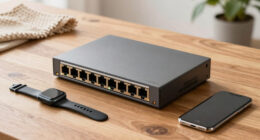
| TP-Link 16-Port Gigabit Ethernet Switch |  | Best for Expansion | Number of Ports: 16 ports | Speed Support: 1 Gbps per port | Plug-and-Play: Yes | VIEW LATEST PRICE | See Our Full Breakdown |
| Linksys 16-Port Gigabit Unmanaged Network Switch |  | Durable & Quiet | Number of Ports: 16 ports | Speed Support: 1 Gbps per port | Plug-and-Play: Yes | VIEW LATEST PRICE | See Our Full Breakdown |
| UGREEN 5-Port Gigabit Ethernet Switch Network Hub |  | Compact & Versatile | Number of Ports: 5 ports | Speed Support: 10/100/1000 Mbps | Plug-and-Play: Yes | VIEW LATEST PRICE | See Our Full Breakdown |
More Details on Our Top Picks
-
BrosTrend 2.5Gb Switch, 8 Port Network Switch 2.5 Gigabit, Unmanaged Ethernet Switch for Game Console, NAS, PC, Computer Networking Switch Plug & Play Fanless, Desktop Wall Mount, Lifetime Protection
Blazing-Fast 2.5 Gbps Speed: Upgrade your network with the 2.5G network switch, delivering 2.5 Gbps across all 8...
As an affiliate, we earn on qualifying purchases.
NETGEAR 8-Port Gigabit Ethernet Switch (GS308)
The NETGEAR 8-Port Gigabit Ethernet Switch (GS308) is an excellent choice for home users who want reliable, plug-and-play networking without any complicated setup. With eight gigabit ports, it offers fast data transfer of 1 Gbps per port, perfect for streaming, gaming, or multiple devices. Its rugged metal case guarantees durability, while energy-efficient tech keeps power consumption low. The switch operates silently thanks to its fanless design and supports auto-MDI/MDI-X, simplifying connections. Plus, it can be desktop or wall-mounted, making placement flexible. Overall, it’s a straightforward, high-performance solution that makes expanding your home network hassle-free.
- Number of Ports:8 ports
- Speed Support:1 Gbps per port
- Plug-and-Play:Yes
- Power Source:12V DC
- Silent Operation:Yes (fanless)
- Mounting Options:Desktop or wall mount
- Additional Feature:Rugged metal case
- Additional Feature:Energy-efficient technology
- Additional Feature:Industry standard IEEE802.3az
-
TP-Link 16 Port Gigabit Ethernet Network Switch, Desktop/ Wall-Mount, Fanless, Sturdy Metal w/ Shielded Ports, Traffic Optimization, Unmanaged (TL-SG116)
One Switch Made to Expand Network-16× 10/100/1000Mbps RJ45 Ports supporting Auto Negotiation and Auto MDI/MDIX
As an affiliate, we earn on qualifying purchases.
BrosTrend 2.5Gb 8-Port Unmanaged Ethernet Switch
Looking for a switch that can handle multiple high-bandwidth devices seamlessly? The BrosTrend 2.5Gb 8-Port Unmanaged Ethernet Switch delivers exceptionally fast performance with 2.5 Gbps speeds on all ports—2.5 times faster than traditional gigabit switches. It supports up to 40 Gbps switching capacity, letting you connect PCs, NAS, gaming consoles, and more without lag. Its plug-and-play setup requires no software, making it simple to expand your network instantly. Plus, its fanless design guarantees silent operation, ideal for home environments. This cost-effective switch provides reliable, high-speed connectivity for gaming, streaming, work, and entertainment.
- Number of Ports:8 ports
- Speed Support:2.5 Gbps per port
- Plug-and-Play:Yes
- Power Source:Not specified (likely external power)
- Silent Operation:Yes (fanless)
- Mounting Options:Desktop or wall mount
- Additional Feature:2.5 Gbps transfer speeds
- Additional Feature:Cost-effective multi-gig network
- Additional Feature:Fanless silent operation
-
Linksys LGS116 16 Port Gigabit Unmanaged Network Switch - Home / Office Ethernet Switch Hub with Metal Housing - Wall Mount or Desktop Ethernet Splitter, Easy Plug & Play Connection
Wired connection speed up to 1000 Mbps
As an affiliate, we earn on qualifying purchases.
TP-Link 16-Port Gigabit Ethernet Switch
For those seeking a reliable, high-capacity switch to support multiple devices at home, the TP-Link 16-Port Gigabit Ethernet Switch is an excellent choice. It offers 10/100/1000 Mbps ports with Auto Negotiation and Auto MDI/MDIX, making setup seamless without extra configuration. Its sturdy metal case and shielded ports guarantee durability and quiet, reliable operation thanks to a fanless design. With features like port-based QoS and IGMP Snooping, it optimizes traffic for smooth video and voice streaming. Plus, its energy-efficient technology keeps power consumption low, and the 3-year warranty provides added confidence in its long-term performance.
- Number of Ports:16 ports
- Speed Support:1 Gbps per port
- Plug-and-Play:Yes
- Power Source:12V
- Silent Operation:Yes (fanless)
- Mounting Options:Desktop or wall mount
- Additional Feature:Port-based QoS support
- Additional Feature:Energy-efficient technology
- Additional Feature:Support for various OS
Linksys 16-Port Gigabit Unmanaged Network Switch
If you need a reliable switch that can handle multiple devices simultaneously, the Linksys 16-Port Gigabit Unmanaged Network Switch is an excellent choice. It features 16 auto-sensing Gigabit Ethernet ports, supporting speeds up to 1000 Mbps for fast, stable connections. Its durable metal housing allows for wall mounting or desktop placement, making it versatile for home or office setups. The plug-and-play design means no configuration is needed, simplifying installation. Plus, with Quality of Service (QoS) features, it prioritizes traffic for critical applications, and its energy-efficient design helps reduce power consumption. Overall, it’s a straightforward, high-performance network upgrade.
- Number of Ports:16 ports
- Speed Support:1 Gbps per port
- Plug-and-Play:Yes
- Power Source:Not specified (likely external power)
- Silent Operation:Yes (fanless)
- Mounting Options:Wall or desktop
- Additional Feature:Quality of Service (QoS)
- Additional Feature:Durable metal housing
- Additional Feature:Supports wall mounting
UGREEN 5-Port Gigabit Ethernet Switch Network Hub
The UGREEN 5-Port Gigabit Ethernet Switch Network Hub stands out as an ideal choice for those seeking a compact, reliable solution to expand their home network without the complexity of managed switches. It features five RJ45 ports with LED indicators, supporting speeds up to 1 Gbps and automatic adjustment for full or half duplex modes. Its plug-and-play design makes setup effortless, whether on a desk or wall-mounted. The fanless, silent operation and energy-efficient standards guarantee quiet, eco-friendly performance. Compatible with multiple operating systems, it’s perfect for connecting laptops, routers, NAS devices, or security cameras, providing seamless, reliable network expansion in any environment.
- Number of Ports:5 ports
- Speed Support:10/100/1000 Mbps
- Plug-and-Play:Yes
- Power Source:Not specified (likely external power)
- Silent Operation:Yes (fanless)
- Mounting Options:Wall or desktop
- Additional Feature:Compact and lightweight
- Additional Feature:Full duplex & auto MDI/MDIX
- Additional Feature:Environmentally friendly standards
Factors to Consider When Choosing Unmanaged Switches for Home Networks
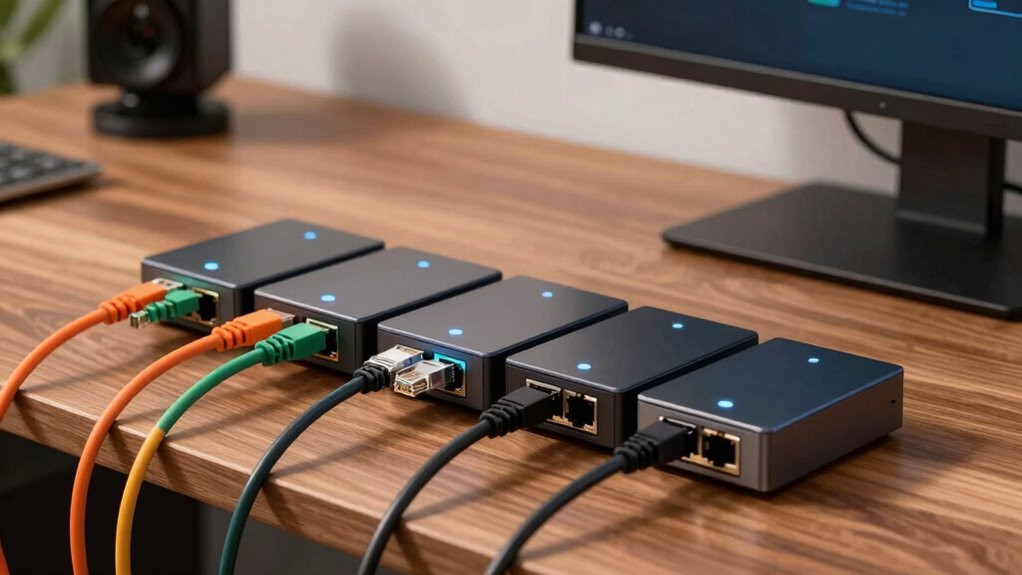
When choosing an unmanaged switch for your home network, I consider factors like port quantity and speed to guarantee it meets your connectivity needs. I also look at size and placement options for easy setup, along with power efficiency for long-term use. Finally, durability and ease of installation play key roles in selecting a reliable, hassle-free device.
Port Quantity and Speed
Choosing the right unmanaged switch hinges considerably on port quantity and speed. The number of ports determines how many devices you can connect at once without needing extra switches. If you have multiple wired devices—like computers, printers, or smart home hubs—you’ll want a switch with at least 8 or more ports. For larger setups, 16 or more ports make expansion easier. Speed is equally important; ports with 1 Gbps are standard, but switches supporting 2.5 Gbps or multi-gig speeds can handle faster data transfers, ideal for high-bandwidth activities like streaming or large file transfers. Ensuring enough ports and appropriate speed support helps your network stay efficient, scalable, and ready for future needs. It’s about balancing capacity and performance for your specific home setup.
Size and Placement Options
Selecting the right unmanaged switch involves more than just considering features; size and placement play a crucial role in ensuring your network setup remains clean and functional. I recommend checking the switch’s physical dimensions to see if it fits comfortably on your desk, shelf, or wall-mounted area. Wall-mountable options can save desk space and offer flexible installation. Think about your future expansion needs—if you plan to connect multiple devices in a small area, choose a size that accommodates that growth. Also, consider the switch’s weight and build material for durability and stability in its designated spot. Ultimately, pick a design that complements your existing setup, helping you avoid clutter and maintain an organized, efficient network environment.
Power and Energy Use
Considering the physical size and placement of your switch is important, but it’s equally essential to pay attention to how much power it consumes. Unmanaged switches with energy-efficient tech, like IEEE 802.3az, can automatically adjust their power use based on network activity, saving energy. The power draw usually ranges from 0.01 amps to a few amps, depending on the number of ports and speed capabilities. Fanless designs not only lower energy consumption but also eliminate noise, making them perfect for quiet spaces. Smaller switches with fewer ports tend to use less power than larger models with more ports and higher throughput. Finally, checking the power supply specs—such as voltage and current ratings—is key to ensuring the device fits your available power sources efficiently.
Ease of Setup
Setting up an unmanaged switch is usually straightforward because they’re designed for easy, plug-and-play operation. You simply connect your devices with Ethernet cables, and they’re ready to go—no complicated configurations needed. Most models don’t require software installation or network setup, making them perfect for non-technical users. LED indicators are intuitively placed to help you quickly monitor port activity and network status during installation. The physical design is flexible, often allowing for desktop placement or wall mounting, which simplifies positioning in any space. Additionally, energy-efficient, fanless models make setup even easier, especially in noise-sensitive or compact environments. Overall, these switches are built for quick, hassle-free installation, so you can expand your home network without frustration.
Durability and Materials
When choosing an unmanaged switch for your home network, durability becomes a key factor in guaranteeing long-term reliable performance. The casing material plays a major role—metal cases typically offer better resistance to physical damage than plastic ones. Good heat dissipation features, like fanless designs and vented enclosures, help prevent overheating and extend the device’s lifespan. If your environment involves movement or potential impacts, shock and vibration resistance become crucial, making certain of stable operation over time. High-quality switches use robust components and connectors that minimize wear and tear, maintaining reliable connectivity. Environmental protection ratings, such as IP ratings, indicate a switch’s resistance to dust and moisture, making them more durable in challenging conditions. Overall, these factors guarantee your switch remains dependable for years to come.
Network Compatibility
Choosing the right unmanaged switch for your home network hinges on guaranteeing compatibility with your existing devices and setup. First, check that the switch supports the appropriate Ethernet standards, like IEEE 802.3, so it works smoothly with your current equipment. Make sure the port speeds—whether 10/100, 1 Gbps, or 2.5 Gbps—align with your devices’ capabilities for peak performance. Look for auto-MDI/MDIX support, which removes the need for crossover cables and simplifies connections. Additionally, verify that the switch’s power requirements and connectors match your power sources and environment. Finally, guarantee it’s compatible with your network’s operating systems and supports plug-and-play installation, so setup is quick and hassle-free. Compatibility is key to a seamless, efficient home network.
Noise and Ventilation
Unmanaged switches with fanless designs are an excellent choice for home networks because they operate silently, making them perfect for noise-sensitive environments. Without fans, these switches run quietly, preventing any distracting background noise in living rooms, offices, or bedrooms. Proper ventilation or open placement is essential to prevent overheating, especially for switches with higher power or data transfer capabilities. Enclosed or poorly ventilated switches can generate excess heat, which may shorten their lifespan and cause performance issues. Many energy-efficient models incorporate passive cooling, reducing noise while still managing heat effectively. Ensuring good airflow around your switch is key to maintaining reliability and longevity, particularly in tight or enclosed spaces. Good ventilation supports ideal performance and helps your network stay stable over time.
Frequently Asked Questions
How Do Unmanaged Switches Differ From Managed Switches?
Unmanaged switches are simpler; they automatically connect devices without any configuration needed, making them ideal for basic home setups. Managed switches, on the other hand, let me customize settings like traffic prioritization and security, which is handy in more complex networks. I prefer unmanaged switches for their plug-and-play ease, but managed switches are great if I want more control over my network’s performance and security.
Can Unmanaged Switches Support Wi-Fi Connections?
Think of unmanaged switches as the highway patrol of your network—they direct traffic but don’t handle the traffic themselves. Unmanaged switches don’t support Wi-Fi connections directly because they’re wired devices. Instead, they connect wired devices like computers or printers. To support Wi-Fi, you’d need a wireless router or access point. The switch simply helps keep your wired devices connected smoothly, acting as the backbone of your home network.
What Is the Typical Lifespan of an Unmanaged Switch?
An unmanaged switch typically lasts around 5 to 10 years, depending on usage and quality. I’ve found that well-made switches from reputable brands tend to last longer, especially if they’re kept in a cool, dust-free environment. Regularly checking for overheating or physical damage can extend their lifespan. Ultimately, investing in a reliable model and maintaining it properly guarantees your network stays smooth and dependable for years to come.
Are Unmanaged Switches Secure for Home Network Use?
Imagine you’re streaming a movie when suddenly, your connection drops—security might be the culprit. Unmanaged switches are generally secure for home use, but they lack advanced protections like VLANs or encryption. I’ve seen cases where a simple unmanaged switch was enough for basic tasks, but if you handle sensitive data, investing in managed switches with better security features is smarter. Always keep firmware updated for maximum safety.
Do Unmanaged Switches Require Any Software Installation?
Unmanaged switches don’t require any software installation. I just plug them directly into my network, and they work right out of the box. There’s no need to configure or set up drivers; they’re designed to be simple, plug-and-play devices. This makes them perfect for quick, hassle-free setups at home. Just connect your devices, and you’re good to go—no technical skills needed.
Conclusion
If you’re ready to supercharge your home network, these switches are your secret weapon. Whether you need blazing-fast speeds or expanded ports, I’ve found options that make your setup smoother than silk. Don’t settle for a sluggish connection—these switches will elevate your network to legendary status. With the right choice, you’ll be surfing, streaming, and gaming with the power of a network wizard. Trust me, your internet will thank you!