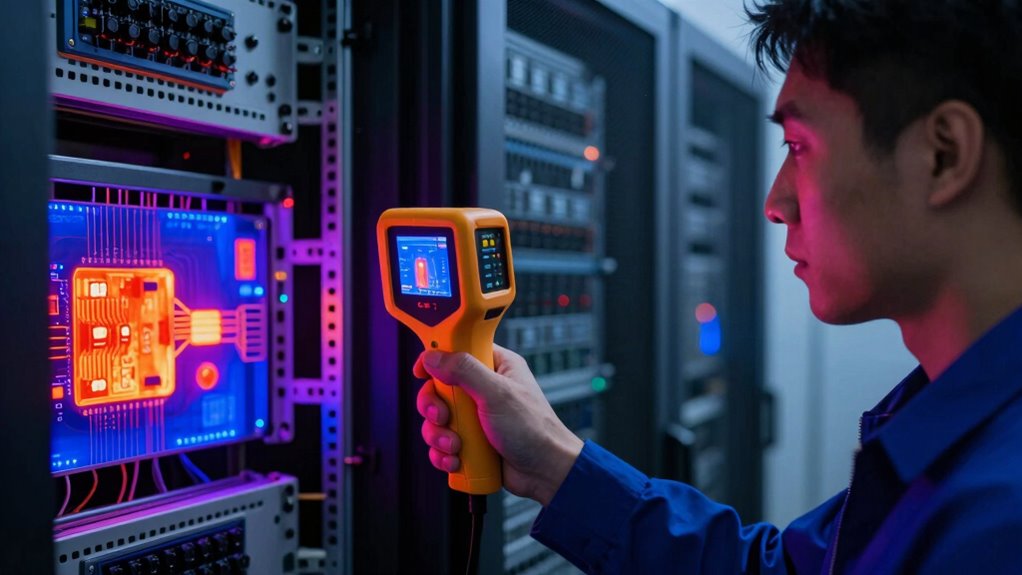

For electrical and network room checks, I would start with the Thermal Master Thor002 Handheld Thermal Camera as the best overall pick, thanks to its listed 512 × 384 resolution. The FLIR TG165-X is a distinct choice for technicians who value its Bullseye laser and spot IR workflow, while the TOPDON TC004 offers a larger 3.5-inch screen and a stated range suited to varied inspection tasks. The main tradeoff is between image detail and ease of carrying or using the camera during routine rounds. I also weigh screen and app workflow, temperature range, and whether the form factor suits repeated checks around panels, racks, and cabling. Read on for the full breakdown and guidance on matching a camera to your inspection routine.

Get business pricing on networking and server gear
- Business-only prices and quantity discounts
- Tax-exempt purchasing
- Multiple users, one account, clear invoices
Key Takeaways
- The Thor002 Handheld leads on listed image resolution: its 512 × 384 specification gives it the clearest stated resolution in this lineup, though buyers should verify which Thor002 variant they are comparing.
- Different workflows favor different designs: the FLIR TG165-X pairs thermal inspection with a Bullseye laser and spot IR, while the Thermal Master P1 connects to USB-C iOS or Android devices.
- Screen size can matter during room rounds: the TOPDON TC004 has a 3.5-inch display, a more direct viewing setup than a phone-connected camera.
- Several models use TISR figures: listed 240 × 240 or 240 × 180 TISR resolution is not the same as native thermal sensor resolution, so check both specifications before comparing image detail.
- The list includes overlapping model names and variants: the two Thor002 entries and two GT14S entries should be compared by their exact listed features, not assumed to be identical or interchangeable.
| Thermal Master Thor002 Handheld Thermal Camera, 512 × 384 Resolution |  | Best for Detailed Electrical Surveys | Thermal resolution: 512×384 | Display: 3.5-inch 640×480 IPS | Measurement range: -4°F to 1022°F | VIEW ON AMAZON | See Our Full Breakdown |
| FOXWELL RT280 Thermal Imaging Camera, 320×240 LCD, 240×180 TISR |  | Best for Image-Heavy Field Documentation | Resolution: 320×240 LCD; 240×180 TISR | Display size: 2.8 inches | Temperature range: -4°F to 1022°F | VIEW ON AMAZON | See Our Full Breakdown |
| Thermal Camera with 240×240 TISR Resolution for Home Inspection |  | Best for Occasional Building Checks | Resolution: 240×240 TISR | Refresh rate: 25Hz | Temperature range: -4°F to 1022°F | VIEW ON AMAZON | See Our Full Breakdown |
| Thermal Master Thor002 Thermal Camera, -4°F to 1022°F, 5 Imaging Modes |  | Best for Flexible Image Presentation | Thermal resolution: Up to 512×384; native 256×192 | Display: 3.5-inch IPS | Thermal sensitivity: 40mK | VIEW ON AMAZON | See Our Full Breakdown |
| FLIR TG165-X Thermal Imaging Camera with Bullseye Laser, Spot IR |  | Best for Targeted Spot Checks | Pixel count: 4,800 pixels | Temperature range: -25°C to 300°C | Frame rate: 9Hz | VIEW ON AMAZON | See Our Full Breakdown |
| GH192 Thermal Imaging Camera 240×240 Super IR Resolution with 2MP Visual Camera and Fusion Imaging, 25Hz Handheld Thermal Imager with Alarm for Mechanical Maintenance Home HVAC Electrical Inspection |  | Best for Visual Context | Thermal resolution: 240×240 | Visible camera: 2MP | Frame rate: 25Hz | VIEW ON AMAZON | See Our Full Breakdown |
| TOPDON TC004 3.5-inch Thermal Imaging Camera, -4°F to 1022°F Temperature Range |  | Best for On-Device Review and File Storage | Infrared resolution: 256×192 | Enhanced resolution: 512×384 | Display: 3.5-inch | VIEW ON AMAZON | See Our Full Breakdown |
| Thermal Master P1 Thermal Camera for USB-C iOS/Android, 320×240 Resolution |  | Best Compact Phone-Based Pick | Resolution: 320×240 | Temperature range: -4°F to 1112°F (-20°C to 600°C) | Refresh rate: 25Hz | VIEW ON AMAZON | See Our Full Breakdown |
| GT14S Thermal Imaging Camera with Thermometer Mode, Ultra-Light 240g |  | Best for Long Inspection Rounds | Weight: 240g | Temperature range: -4°F to 1022°F | Sensor sensitivity: NETD < 50mK | VIEW ON AMAZON | See Our Full Breakdown |
| TOPDON TC004 Mini Thermal Imaging Camera, 240 x 240 TISR Resolution |  | Best for Standalone Portability | Resolution: 240×240 TISR | Field of view: 40°×30° | Refresh rate: 25Hz | VIEW ON AMAZON | See Our Full Breakdown |
| GT14S Thermal Imaging Camera with Edge Enhancement and Thermometer Mode |  | Best for Long Inspection Shifts | Measurement range: -4°F to 1022°F | Weight: 15.1 ounces | Sensor sensitivity: NETD < 50 mK | VIEW ON AMAZON | See Our Full Breakdown |
| thermal cameras for electrical and network room check | Temperature range |
|---|---|
| Thermal Master Thor002 Handhel | — |
| FOXWELL RT280 Thermal Imaging | -4°F to 1022°F |
| Thermal Camera with 240×240 TI | -4°F to 1022°F |
| Thermal Master Thor002 Thermal | — |
| FLIR TG165-X Thermal Imaging C | -25°C to 300°C |
| GH192 Thermal Imaging Camera 2 | -4°F to 1022°F |
| TOPDON TC004 3.5-inch Thermal | -4°F to 1022°F |
| Thermal Master P1 Thermal Came | -4°F to 1112°F (-20°C to 600°C) |
| GT14S Thermal Imaging Camera w | -4°F to 1022°F |
| TOPDON TC004 Mini Thermal Imag | -4°F to 842°F (-20°C to 450°C) |
| GT14S Thermal Imaging Camera w | — |
More Details on Our Top Picks
Thermal Master Thor002 Handheld Thermal Camera, 512 × 384 Resolution
For buyers who need to inspect crowded electrical panels or trace heat patterns across network-room equipment, the 512×384 thermal resolution gives this Thor002 the clearest image in this group. Its 2MP visible camera, 4X digital zoom, and wireless image transmission help add context to findings and share them without relying on USB transfer. Compared with the FLIR TG165-X, it offers a higher stated refresh rate and a much broader temperature range, making it better suited to moving through a variety of inspection tasks. The tradeoff is handling: at 3.12 pounds, it is heavier than a compact tool for repeated overhead checks, and its advanced functions may take time to learn. I’d choose it for image detail and field reporting, not for the lightest carry.
Pros:- 512×384 thermal resolution supports clearer inspection of smaller hot spots
- Wireless transmission and 32GB storage support field documentation
- Up to 10.5 hours of battery life suits extended inspection rounds
- IP54 protection and stated 2-meter drop resistance add field durability
Cons:- At 3.12 pounds, it can be tiring to hold during prolonged or overhead checks
- Advanced features may require training to use effectively
- The ±3.6°F accuracy figure is less precise than some buyers may expect for close temperature comparisons
Best for: Electrical maintenance teams documenting detailed panel and network-room inspections who can make use of wireless transfer and high-resolution thermal images
Not ideal for: Technicians who need a light camera for long, overhead inspection sessions or a simple point-and-check tool
- Thermal resolution:512×384
- Display:3.5-inch 640×480 IPS
- Measurement range:-4°F to 1022°F
- Accuracy:±3.6°F
- Refresh rate:25Hz
- Visible-light camera:2MP
- Storage:32GB
- Battery:5000mAh; up to 10.5 hours
- Protection and weight:IP54; 3.12 pounds
Our verdict“Choose this Thor002 for detailed, shareable electrical surveys if image resolution matters more than low weight and a simple interface.”
FOXWELL RT280 Thermal Imaging Camera, 320×240 LCD, 240×180 TISR
The FOXWELL RT280 is a practical fit for technicians who capture many inspection images and want a camera that stays straightforward to carry. Its 8GB eMMC storage is listed as holding more than 20,000 images, while laser targeting helps connect a temperature reading to the component being checked. That makes it a stronger documentation pick than the FLIR TG165-X if a 25Hz image refresh and stated thermal display resolution matter more than FLIR’s large image-storage figure and bullseye laser. The RT280’s USB-C connection is useful for file transfer, but its advanced analysis software is Windows-only and it is not compatible with Mac computers. I’d shortlist it for Windows-based maintenance workflows; buyers wanting wireless sharing or a Mac-friendly analysis path should look elsewhere.
Pros:- 8GB eMMC storage is specified for more than 20,000 images
- Laser targeting helps identify the component associated with a reading
- 25Hz frame rate supports smoother viewing during inspection
- IP54 protection and a portable design suit field use
Cons:- Advanced analysis software requires Windows and is not compatible with Mac computers
- USB-C is the listed connection, with no wireless transfer specified
- The interface may take time to learn
Best for: Facility technicians who photograph frequent electrical and network-room checks and can review files on a Windows PC
Not ideal for: Mac users or teams that need wireless report sharing and do not want a Windows-dependent analysis workflow
- Resolution:320×240 LCD; 240×180 TISR
- Display size:2.8 inches
- Temperature range:-4°F to 1022°F
- Frame rate:25Hz
- Storage:8GB eMMC; over 20,000 images stated
- Protection:IP54
- Color palettes:9
- Connectivity:USB Type-C
Our verdict“Pick the RT280 if your team needs substantial image storage and uses Windows for inspection analysis.”
Thermal Camera with 240×240 TISR Resolution for Home Inspection
This camera offers a 240×240 TISR image, 25Hz refresh, and a built-in temperature alarm without the more elaborate reporting details listed for either Thermal Master Thor002. For a homeowner or small-site operator checking a warm breaker, a loose connection’s heat signature, or room conditions, that combination provides a useful step up from a basic spot thermometer. Its 50° field of view can take in more of a panel or equipment area at once, though it may make small components harder to isolate than the Thor002’s higher-resolution sensor. The stated accuracy is within 2%, but the product data does not specify storage capacity or computer connectivity. I’d favor it for occasional checks, not as the main camera for a team building a repeatable inspection and documentation process.
Pros:- 240×240 TISR resolution gives a useful image for general inspection work
- Built-in temperature alarm can flag readings outside a chosen range
- 25Hz refresh rate supports responsive viewing
- IP54 protection and 6.6-foot drop resistance suit routine indoor and outdoor use
Cons:- Lower image detail than either 512×384 Thermal Master Thor002 model
- Storage capacity and connectivity are not specified in the supplied data
- Battery operation may require planning for replacement or recharging during longer rounds
Best for: Homeowners and small-property operators who want a handheld camera for occasional electrical, HVAC, and room checks
Not ideal for: Electrical maintenance teams that need detailed component-level imaging, defined file-transfer options, or a documented professional inspection workflow
- Resolution:240×240 TISR
- Refresh rate:25Hz
- Temperature range:-4°F to 1022°F
- Accuracy:Within 2%
- Field of view:50°
- Protection:IP54
- Drop resistance:6.6 feet
- Power:Battery; one lithium-ion battery required
Our verdict“Choose this model for occasional building checks, but select a higher-resolution camera for frequent panel-level diagnosis.”
Thermal Master Thor002 Thermal Camera, -4°F to 1022°F, 5 Imaging Modes
When a single thermal view does not give enough context, this Thor002’s five modes—Pro-Mix, IR, Visible, IR-Fuse, and PIP—let an inspector choose how thermal data and visible details appear together. That flexibility is useful in electrical and network rooms, where identifying which cable, breaker, or connection corresponds to a hot area can matter as much as spotting it. Like the other Thor002 listing, it has a 512×384 stated resolution, 32GB memory, and up to 10.5 hours of battery life; the key distinction here is its 8× digital zoom and included hard case. Compared with the FOXWELL RT280, it offers more image-composition modes and Wi-Fi, but it has fixed focus, which may limit close-up work. The listed native resolution is 256×192, so buyers should distinguish that from the upscaled maximum.
Pros:- Five imaging modes help relate thermal hot spots to visible components
- Wi-Fi supports PC analysis and wireless connectivity
- 32GB memory and up to 10.5 hours of battery life support longer inspection rounds
- Rugged hard case is included for transport and storage
Cons:- Native thermal resolution is listed as 256×192 despite a maximum stated resolution of 512×384
- Fixed focus can limit flexibility when inspecting close-up components
- No weight figure is provided, making handheld comfort harder to judge
Best for: Inspectors who need multiple thermal/visible viewing modes and Wi-Fi transfer for electrical or network-room reporting
Not ideal for: Buyers focused on close-up component inspection, or those who want a clearly stated native resolution matching the advertised maximum
- Thermal resolution:Up to 512×384; native 256×192
- Display:3.5-inch IPS
- Thermal sensitivity:40mK
- Refresh rate:25Hz
- Measurement range:-4°F to 1022°F
- Imaging modes:Pro-Mix, IR, Visible, IR-Fuse, PIP
- Zoom and connectivity:8× digital zoom; Wi-Fi
- Memory and battery:32GB; up to 10.5 hours
- Protection:IP54; 2-meter drop test
Our verdict“Choose this Thor002 when flexible image modes and Wi-Fi matter more than close-focus flexibility or a single unambiguous resolution figure.”
FLIR TG165-X Thermal Imaging Camera with Bullseye Laser, Spot IR
The FLIR TG165-X takes a more targeted approach than the high-resolution Thor002 cameras: its bullseye laser and spot IR reading help point to the area being measured, while MSX enhancement adds visible detail to the thermal image. That combination can make a quick check of a breaker, connector, or equipment surface easier to interpret. Its 9Hz frame rate is slower than the FOXWELL RT280’s 25Hz, so moving across a cabinet will look less fluid; it is better suited to deliberate spot checks than fast scanning. The stated 4,800-pixel count is also far below the Thor002’s 512×384 specification, and the temperature range tops out at 300°C. In return, it offers a rugged, purpose-built tool with substantial internal image storage. I’d pick it for targeted readings, not detailed thermal mapping.
Pros:- Bullseye laser helps target the surface used for spot measurements
- MSX enhancement adds visible context to thermal images
- Internal storage is specified for up to 50,000 images
- IP54 protection and a drop-tested design support field handling
Cons:- 9Hz frame rate is slower than the 25Hz FOXWELL RT280 and both Thor002 listings
- 4,800-pixel count provides less thermal detail than the 512×384 Thor002 cameras
- Maximum stated temperature of 300°C is lower than the other listed cameras’ 1022°F range
Best for: Technicians who make deliberate spot checks on accessible electrical components and value laser-guided targeting
Not ideal for: Inspectors who need high-resolution images, smooth scanning at 25Hz, or readings above 300°C
- Pixel count:4,800 pixels
- Temperature range:-25°C to 300°C
- Frame rate:9Hz
- Image enhancement:MSX
- Targeting:Bullseye laser; spot IR
- Storage:Up to 50,000 images
- Connectivity:USB
- Power:Rechargeable lithium-ion battery
- Warranty:2 years parts and labor; 10 years detector coverage
Our verdict“Choose the TG165-X for laser-guided, deliberate spot checks, but pick a 25Hz high-resolution model for broader electrical-room scans.”
GH192 Thermal Imaging Camera 240×240 Super IR Resolution with 2MP Visual Camera and Fusion Imaging, 25Hz Handheld Thermal Imager with Alarm for Mechanical Maintenance Home HVAC Electrical Inspection
The GH192 suits electrical and network-room checks where a heat reading needs a visible reference. Its 240×240 thermal resolution, 2MP visual camera, and fusion mode can help distinguish a warm breaker or connector from nearby components when documenting a scan. Auto tracking and alarms also make it easier to spot temperature changes while moving across panels and equipment. Compared with the smartphone-based Thermal Master P1, the GH192 is a self-contained handheld with its own display, but the P1 offers higher stated thermal resolution and a much smaller carry footprint. The GH192’s 2.8-inch screen is more modest than the TOPDON TC004’s 3.5-inch display, and image export requires settings to be enabled. Its plastic body and indoor/outdoor positioning are less suited to harsh sites.
Pros:- Combines 240×240 thermal imaging with a 2MP visible camera and fusion mode
- Auto temperature tracking and alarms help flag anomalies during a scan
- Offers emissivity adjustment for adapting readings to different surfaces
- Rechargeable USB-C battery is rated for up to 8 hours
Cons:- Image export requires enabling settings first, adding friction to reporting
- The 2.8-inch display is smaller than the TOPDON TC004’s 3.5-inch screen
- Plastic construction and stated indoor/outdoor use limit its appeal for harsher environments
Best for: Facilities technicians who want visible-light context alongside thermal images when documenting panels, cable connections, and network-room equipment.
Not ideal for: Inspectors who need a larger viewing screen, higher stated thermal resolution, or a camera intended for extreme environmental conditions.
- Thermal resolution:240×240
- Visible camera:2MP
- Frame rate:25Hz
- Display:2.8-inch IPS
- Temperature range:-4°F to 1022°F
- Accuracy:±2°C
- Battery life:Up to 8 hours
- Drop resistance:6.6 ft
- Connectivity:USB
Our verdict“Choose the GH192 if visible references and onboard anomaly alerts matter more than a larger screen or pocketable size.”
TOPDON TC004 3.5-inch Thermal Imaging Camera, -4°F to 1022°F Temperature Range
For repeated room checks, the TOPDON TC004 puts a 3.5-inch display and 64GB of storage in the camera itself, giving technicians room to review images and keep inspection files without relying on a phone. Its 256×192 infrared sensor is listed with 512×384 enhanced resolution, while the laser pointer helps indicate the area being checked on a crowded panel. Wi-Fi transfer adds a path for sharing files after a scan. Compared with the GH192, the TC004 has a larger screen and far more stated storage, but the GH192 lists a 2MP visual camera and fusion modes. The TC004 is also described as relatively large and potentially heavy for extended handheld work, so it is less appealing for long rounds than the compact Thermal Master P1.
Pros:- Large 3.5-inch display is practical for reviewing thermal images on site
- 64GB storage supports keeping inspection files on the camera
- Wi-Fi enables wireless file transfer
- Laser pointer helps identify the target component during an inspection
Cons:- Its larger, potentially heavy body may be tiring during extended handheld checks
- Battery replacement options and capacity are not specified
- The GH192 includes a stated 2MP visual camera, while this listing does not specify one
Best for: Maintenance teams that scan multiple electrical or network-room assets and want a larger onboard screen, substantial local storage, and wireless file transfer.
Not ideal for: Technicians prioritizing a light, compact tool for long handheld rounds or those who require confirmed battery replacement details.
- Infrared resolution:256×192
- Enhanced resolution:512×384
- Display:3.5-inch
- Temperature range:-4°F to 1022°F
- Storage:64GB
- Connectivity:Wi-Fi
- Battery life:Up to 8 hours
- Drop resistance:2 meters
Our verdict“Pick the TC004 if a larger screen and generous onboard file storage matter more than a compact handheld design.”
Thermal Master P1 Thermal Camera for USB-C iOS/Android, 320×240 Resolution
The Thermal Master P1 is the most compact choice here: its 17g USB-C module pairs with a phone or computer instead of carrying a separate handheld camera. That makes it convenient for technicians who already use a compatible device to record notes or share findings during a room check. Its 320×240 resolution is higher than the GH192 and TOPDON TC004 Mini’s stated native resolutions, and the 25Hz refresh rate suits scanning energized equipment for uneven heating. The tradeoff is dependence on the host device and Thermal Master app; the GH192 and TC004 Mini work as standalone handhelds. USB-C-only connectivity also means some phones need an adapter, including Lightning iPhones. For buyers who want an independent screen and battery, the GT14S is a better fit.
Pros:- 320×240 resolution is higher than the listed native resolution of several handheld options here
- At 17g, it adds very little weight to a tool kit
- 25Hz refresh rate supports scanning across panels and equipment
- Wide stated temperature range extends its use beyond routine room checks
Cons:- Requires a compatible host device and the Thermal Master app
- USB-C-only connection can require adapters for some phones
- Battery life depends on the connected device and usage
Best for: Technicians who carry a compatible USB-C phone or computer and want a lightweight thermal attachment for quick, documented electrical checks.
Not ideal for: Users who need a standalone camera, do not want to depend on a phone or app, or use a device without USB-C and adapters.
- Resolution:320×240
- Temperature range:-4°F to 1112°F (-20°C to 600°C)
- Refresh rate:25Hz
- Power consumption:0.32W
- Dimensions:2.32×1.06×0.68 inches
- Weight:0.62 oz (17g)
- Connectivity:USB-C
- App:Thermal Master
Our verdict“Choose the P1 if portability and using your own phone outweigh the independence of a dedicated handheld camera.”
GT14S Thermal Imaging Camera with Thermometer Mode, Ultra-Light 240g
The GT14S is a practical match for technicians who spend hours moving between electrical panels, switches, and network-room equipment. At 240g, it is light for a standalone handheld, and its stated up-to-14-hour battery life exceeds the eight-hour figures listed for the GH192 and standard TOPDON TC004. A 50° field of view can take in more of a cabinet or equipment area at once, while thermometer mode and customizable alerts offer an alternative way to check temperature conditions. The product data gives less detail on connectivity, image resolution, and reporting than the TOPDON TC004, which lists Wi-Fi and 64GB storage. That makes the GT14S easier to recommend for extended scanning than for teams that need a clearly documented image-transfer workflow.
Pros:- 240g weight supports extended handheld use
- Up to 14 hours of stated battery life can cover longer inspection rounds
- Thermal and thermometer modes provide different ways to check temperatures
- 50° field of view can include a wider area in a single view
Cons:- Resolution and connectivity details are not specified in the supplied product data
- Limited information about app integration or image export may complicate reporting
- Thermal imaging controls may take practice for users new to interpreting heat patterns
Best for: Facilities technicians who make lengthy inspection rounds and value low handheld weight, long stated battery life, and alert options.
Not ideal for: Teams that need confirmed app connectivity, detailed image-resolution specifications, or a well-defined workflow for exporting inspection files.
- Weight:240g
- Temperature range:-4°F to 1022°F
- Sensor sensitivity:NETD < 50mK
- Battery:2500mAh rechargeable
- Battery life:Up to 14 hours
- Field of view:50°
- Operating modes:Thermal imaging and thermometer
Our verdict“The GT14S makes the most sense for long rounds where low weight and extended battery life matter more than documented connectivity details.”
TOPDON TC004 Mini Thermal Imaging Camera, 240 x 240 TISR Resolution
The TOPDON TC004 Mini balances a dedicated handheld format with a 15-hour battery life, making it a useful fit for technicians who want to scan electrical rooms without tying up a phone. Its 240×240 TISR resolution, 25Hz refresh rate, and 40°×30° field of view provide a stated basis for checking localized hot spots across panels and equipment. Smart alerts and manual photo capture support on-the-spot checks, while 512MB of storage is listed as holding up to 8,000 photos. Compared with the standard TOPDON TC004, the Mini is positioned as more portable and lasts longer on a charge, but it has far less storage and a lower temperature ceiling. The GH192 adds a 2MP visible camera; this Mini’s supplied specifications do not list one.
Pros:- Up to 15 hours of stated battery life supports extended inspection sessions
- Standalone handheld design avoids dependence on a phone or app
- 512MB storage is listed for up to 8,000 photos
- Smart alerts and manual capture support both quick checks and saved records
Cons:- Temperature range tops out at 842°F, below the 1022°F limit listed for the GH192 and standard TC004
- Storage is much smaller than the standard TOPDON TC004’s 64GB
- No included charging head is listed, and setup relies on an electronic manual
Best for: Technicians who want a self-contained, portable thermal camera for routine panel and network-room checks without relying on a smartphone.
Not ideal for: Inspectors who need the standard TC004’s 64GB storage, a higher maximum temperature, or a listed visible-light camera for contextual images.
- Resolution:240×240 TISR
- Field of view:40°×30°
- Refresh rate:25Hz
- Temperature range:-4°F to 842°F (-20°C to 450°C)
- Accuracy:±3.6°F/2%
- Storage:512MB eMMC; up to 8,000 photos
- Battery life:Up to 15 hours
- Drop resistance:Up to 2 meters
Our verdict“Choose the TC004 Mini for a self-contained, long-running handheld, but pick the standard TC004 if storage capacity is your priority.”
GT14S Thermal Imaging Camera with Edge Enhancement and Thermometer Mode
For electrical and network room rounds that span multiple areas, this GT14S stands out for its up to 14-hour battery life and lightweight 15.1-ounce body. Its thermal imaging and thermometer modes give inspectors more than one way to check a suspected hot spot, while NETD below 50 mK points to sensitivity for spotting subtle temperature differences around connections and equipment. The 50° field of view can take in a useful area without constant repositioning. Compared with the FLIR TG165-X, whose listed laser and spot-IR features focus on targeted readings, the GT14S emphasizes broader thermal viewing and extended runtime. The tradeoff is limited information about connectivity and no stated rugged or waterproof protection, so it is a less reassuring choice for harsh job sites or workflows that depend on documented image transfer.
Pros:- Up to 14 hours of stated battery life supports long inspection rounds
- 15.1-ounce weight is suited to extended handheld use
- Thermal imaging and thermometer modes offer two inspection approaches
- NETD below 50 mK supports detection of subtle temperature differences
Cons:- Connectivity details are limited, leaving image transfer and documentation workflows unclear
- No stated waterproofing or rugged protection for demanding work environments
- The listed specifications do not provide thermal image resolution, limiting comparison of fine detail
Best for: Electrical and facilities technicians making repeated checks across large buildings who value long runtime, low carry weight, and both thermal and thermometer views.
Not ideal for: Technicians working in wet, dusty, or impact-prone rooms, or teams that need clearly specified connectivity for sharing inspection records.
- Measurement range:-4°F to 1022°F
- Weight:15.1 ounces
- Sensor sensitivity:NETD < 50 mK
- Battery life:Up to 14 hours
- Image frequency:25 Hz
- Field of view:50°
- Inspection modes:Thermal imaging and thermometer modes
Our verdict“Choose the GT14S for long, multi-room inspection shifts where light weight and battery endurance matter more than specified connectivity or rugged protection.”

How We Picked
I ranked these cameras around the demands of electrical and network room checks: spotting unusual heat at breakers, connections, power supplies, and rack equipment, then documenting or revisiting findings. I weighed the stated thermal resolution and temperature range alongside the viewing method, handling style, and workflow details such as a built-in screen, phone connection, visual camera, laser, or alarm. Those features affect how quickly a technician can make sense of an image in a crowded room, but they do not replace safe electrical work or confirm a fault on their own.
The Thor002 Handheld takes the lead because it has the highest stated resolution in this list. The next positions reflect distinct practical advantages rather than a single spec contest: the FLIR TG165-X adds a laser-and-spot workflow, and the TOPDON TC004 pairs a built-in 3.5-inch display with a broad stated temperature range. Compact, phone-connected, and lighter options rank lower for buyers seeking a standalone inspection tool, but can make better sense when portability or an existing mobile workflow matters more. Where product names appear in multiple variants, I treat the listed specifications separately and recommend checking the exact model details before purchase.
| thermal cameras for electrical and network room check | Temperature range |
|---|---|
| Thermal Master Thor002 Handhel | — |
| FOXWELL RT280 Thermal Imaging | -4°F to 1022°F |
| Thermal Camera with 240×240 TI | -4°F to 1022°F |
| Thermal Master Thor002 Thermal | — |
| FLIR TG165-X Thermal Imaging C | -25°C to 300°C |
| GH192 Thermal Imaging Camera 2 | -4°F to 1022°F |
| TOPDON TC004 3.5-inch Thermal | -4°F to 1022°F |
| Thermal Master P1 Thermal Came | -4°F to 1112°F (-20°C to 600°C) |
| GT14S Thermal Imaging Camera w | -4°F to 1022°F |
| TOPDON TC004 Mini Thermal Imag | -4°F to 842°F (-20°C to 450°C) |
| GT14S Thermal Imaging Camera w | — |
Factors to Consider When Choosing Thermal Cameras For Electrical And Network Room Checks
For these inspections, a useful camera is one that fits the way you find, verify, and record heat differences—not simply the one with the largest headline number. I would settle the measurement and workflow questions first, then compare portability and added features.
Match Thermal Resolution to the Distance and Target
Small connectors and components can occupy only a few pixels when viewed from across a panel or rack, so resolution affects how much useful shape and detail appears in the thermal image. A higher stated resolution, such as the Thor002 Handheld’s 512 × 384, may help with finer inspection, but it cannot compensate for poor focus, a distant target, or an unsuitable viewing angle. Check whether a resolution figure describes the native thermal sensor or an enhanced, interpolated, or TISR image; those numbers are not directly equivalent. For routine close-range scans of larger surfaces, a lower-resolution unit may be adequate, while repeated inspection of small connections favors more native detail. Avoid choosing from the resolution label alone: verify the camera’s field of view and the working distance that fits your room.
Check Temperature Range and Measurement Limits
A wide stated temperature range can make a camera more flexible across equipment types, but it does not tell you how accurately it measures the temperatures you encounter. Look for the specified accuracy, operating range, and any distance-to-spot information before relying on a reading to compare components. Emissivity settings and reflective metal surfaces can affect apparent temperature, especially around shiny bus bars, terminals, and enclosures. A thermal image is best treated as a way to locate differences that merit follow-up, not as proof of an electrical defect. If your work requires formal documentation or close temperature thresholds, prioritize measurement specifications and a repeatable procedure over extra imaging modes.
Choose the Viewing and Documentation Workflow
A built-in display lets you scan without connecting another device, which can simplify rounds in rooms where phone use is restricted or inconvenient. A phone-connected camera such as the Thermal Master P1 may suit a technician who already relies on a compatible USB-C device and wants a compact setup, but compatibility and app requirements deserve a check before buying. Larger screens can make quick interpretation easier when several people are reviewing a finding, while a connected device may be more convenient for saving or sharing images. Decide where images need to go—work orders, maintenance records, or a separate reporting system—and confirm the camera supports that process. Do not assume every listed feature means the same thing across models; check the exact app, export options, and device compatibility.
Think About Repeatability, Not Just Added Modes
Electrical and network inspections often depend on comparing similar components under similar operating conditions, so consistent framing and settings matter more than a long list of display modes. A laser can help point toward the area being discussed, but it does not guarantee that the thermal measurement spot matches the laser point or that the target is correctly measured. Fusion and visual-image overlays may help locate a hot area within a crowded cabinet, while alarms can flag a preset condition; both still need sensible settings and technician interpretation. Before paying for extra modes, check whether they clarify a real task in your procedure. A simple, repeatable scan routine often produces more useful maintenance records than changing modes from one visit to the next.
Balance Portability Against Standalone Use
For frequent rounds across several rooms, weight, grip, and how quickly the camera is ready can shape whether it gets used consistently. The GT14S is listed at 240g, while the TOPDON TC004 Mini and Thermal Master P1 represent more compact approaches than a larger handheld with its own screen. Compact cameras can be easier to carry, but smaller bodies may involve a smaller display or dependence on a phone. A standalone unit avoids that dependency and can be easier to hand to another technician. Choose based on the routine you actually have: an occasional troubleshooting tool and a camera used for every scheduled inspection do not need the same balance of portability and controls.
Plan for Safe Access and Useful Records
A thermal camera does not make it safe to open energized equipment or replace required electrical safety procedures. Confirm that the inspection can be performed from an approved position with the required barriers and protective equipment, and follow site rules for energized work. In network rooms, take readings consistently: equipment load, airflow, cabinet doors, and ambient conditions can change the pattern you see. Record the location, operating state, and relevant conditions alongside images so another technician can compare results later. If records need to support maintenance decisions, check image storage and transfer options before purchase rather than assuming every camera handles documentation the same way.
Frequently Asked Questions
Is the 512 × 384 Thor002 a better choice than a camera listing 240 × 240 TISR?
Its listed 512 × 384 resolution is higher, but compare native thermal sensor resolution with native thermal sensor resolution rather than treating TISR figures as equivalent. TISR can describe image enhancement, so the displayed output number may not represent the same underlying sensor detail. For small electrical connections, native resolution and the camera’s field of view both affect how much detail reaches the image. Check the exact Thor002 variant and the other camera’s full specification sheet before deciding. If those details are unclear, avoid paying extra based on a resolution label alone.
Should I choose a camera with a built-in screen or a phone-connected model?
A built-in screen, as on the TOPDON TC004, provides a standalone way to view the image and may suit routine inspections where a phone is inconvenient. The Thermal Master P1 can be appealing if your compatible USB-C phone is already part of your work process and you prefer a compact attachment. Phone-connected designs add compatibility and app questions, so verify your device and the required software before purchase. A standalone camera may be easier to share among technicians, while a phone-based setup may fit an individual workflow better. Base the choice on how images are viewed, saved, and handed off at your site.
Can I use these cameras to confirm that a breaker or network component is faulty?
No thermal camera can diagnose a fault from an image alone. It can help reveal a temperature pattern that merits investigation, but readings can be affected by load, airflow, viewing angle, emissivity, and reflective surfaces. Compare similar components under similar operating conditions and follow your site’s electrical safety procedures. Treat an unusual hotspot as a lead for qualified follow-up, not a final diagnosis. For formal decisions, use the measurement method and documentation required by your organization.
Do I need a high temperature range for ordinary electrical and network room rounds?
Not necessarily: a broad range is useful only if it covers the equipment and conditions in your work. The TOPDON TC004 and one listed Thor002 variant specify a range from -4°F to 1022°F, but a wide range does not by itself establish accuracy at typical inspection temperatures. Check measurement accuracy and the range in which the camera performs to its stated specifications. For routine room checks, repeatable readings and suitable image detail may matter more than an unusually high maximum. Match the range to the actual equipment you inspect rather than choosing the largest figure.
How should I compare the two Thor002 and two GT14S listings?
Compare the exact variant names and specifications rather than assuming repeated product names describe the same configuration. The two Thor002 listings differ in the information provided here: one lists 512 × 384 resolution, while the other highlights a -4°F to 1022°F range and five imaging modes. The GT14S listings share the model name but one calls out a 240g weight and thermometer mode, while the other highlights edge enhancement. Check the model number, included accessories, sensor resolution, and software features on the listing or manufacturer documentation. If the distinguishing details are not clear, confirm them with the seller before choosing.
Conclusion
For most technicians wanting a standalone camera for electrical and network room checks, I would choose the Thermal Master Thor002 Handheld as the best overall option based on its listed 512 × 384 resolution. The best value depends on the exact specification and workflow you need; the FOXWELL RT280 is a practical candidate to compare if its display and stated 320 × 240 LCD fit your inspection needs. For a premium workflow feature set, the FLIR TG165-X stands apart with its Bullseye laser and spot IR, while the best beginner-friendly standalone option is the TOPDON TC004, with a built-in 3.5-inch screen that avoids phone setup. Choose the Thermal Master P1 for a compact phone-connected setup, or look at the GT14S if its listed 240g weight better suits repeated carry. Before ordering, confirm the exact variant, native thermal resolution, measurement specifications, and compatibility for your work.
Halloween Picks
halloween
As an affiliate, we earn on qualifying purchases.